
TL;DR: App Permissions control who can view, edit, or publish a Taskade Genesis app, with role-based access that runs from Owner down to Viewer. Roles cascade from the workspace to the app to the project, and you can override them at any level. See Roles and Permissions.
Permissions cascade down each level, and the access level you set decides what a member can do.
Overview
Decide who can open your Taskade Genesis app and what they can do inside it. This covers a private early draft and a client portal your customers log into. App Permissions set visibility and editing rights for workspace members and external collaborators. The right people build, and everyone else sees only what you choose to share.
💡 Note: App Permissions control collaboration access only. Publishing apps for external users via unique URLs is handled separately through the app's publish/share features. Visit Publish and Clone apps to learn more.
Set/Edit Permissions
Every time you create a new app in a shared workspace, you can define the level of access for other workspace members.
💡 Note: Visit User Roles & Permissions to learn more.
- Generate a new app inside a workspace.
- Click the three dots ··· in the app space → Edit.
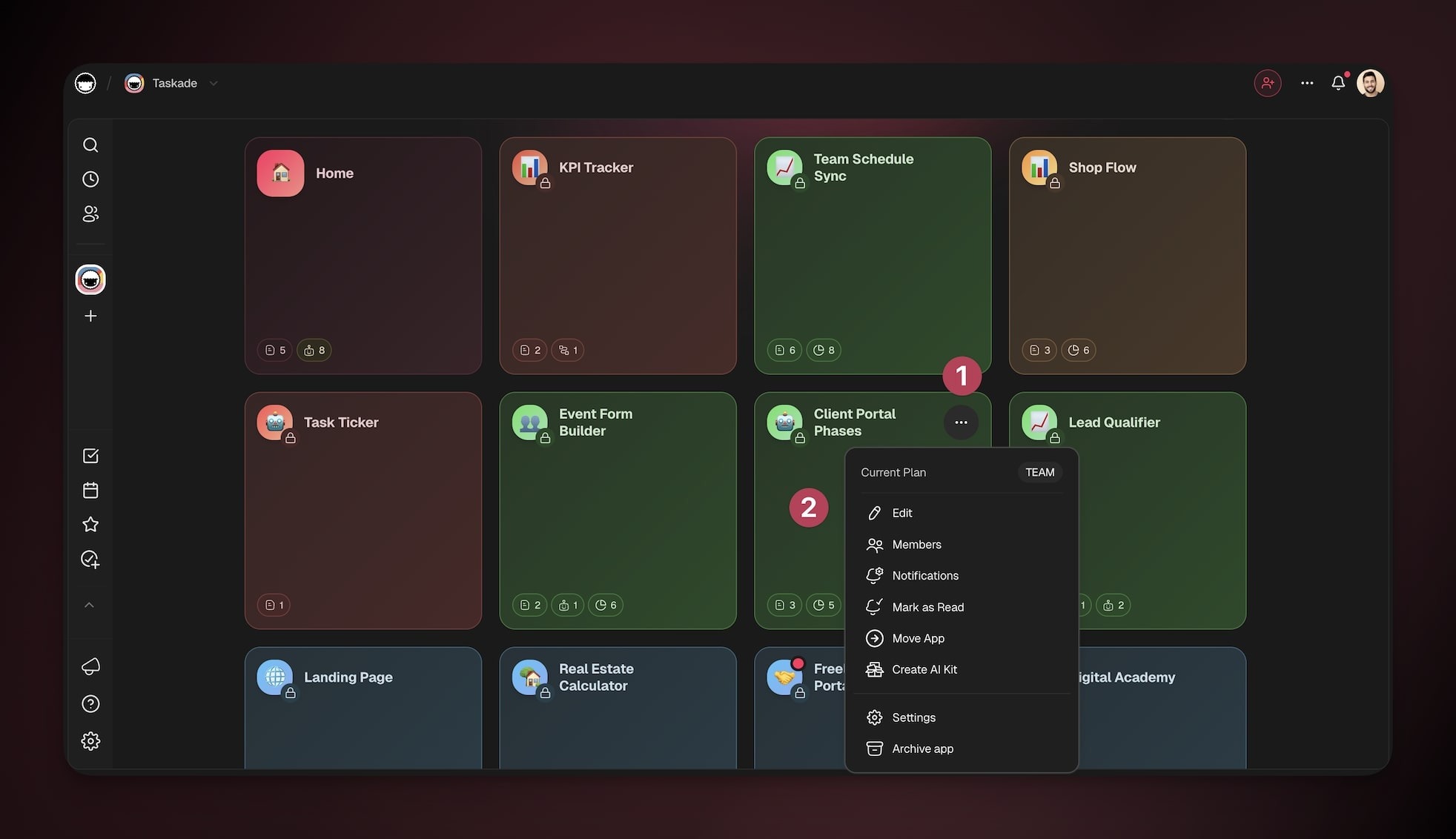
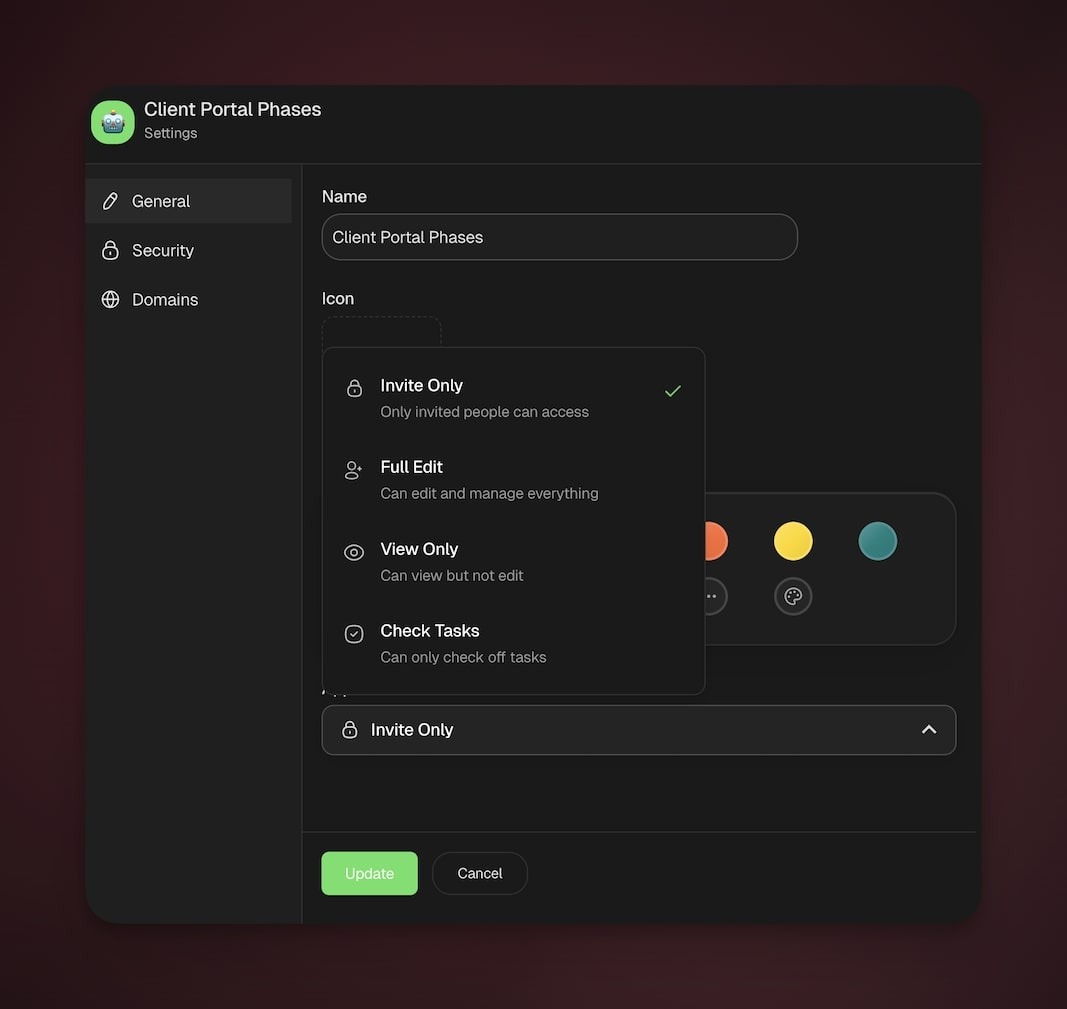
- Use the dropdown menu in the General tab to define the access level for each role. Permissions apply to everyone who accesses the app at that role level:
| What workspace members can do | Typical use | |
|---|---|---|
| Invite Only | None until invited | Private builds, sensitive work, early drafts |
| Full Edit | Create/edit content, configure projects, agents, and automations | Small trusted teams building together |
| View Only | View content only | Broad visibility, reviews, leadership updates |
| Check Tasks | Mark tasks complete. No edits to content or settings | Light participation, QA checks, field teams |
💡 Did You Know?
Taskade has built-in AI Agents and Automations that can work alongside your projects. Try building with AI →
Related
- User Roles & Permissions
- Invite Members
- Publishing Taskade Genesis Apps
- Building Your First App
- Share a Project
- Custom Domains