

See the alternative working — clone in 60 seconds
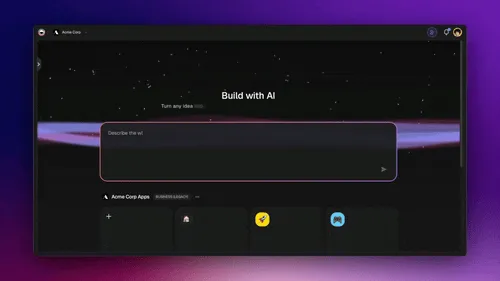
No signup, no credit card. Live Shopify-style storefront
| Capability | V0 | Taskade Genesis |
|---|---|---|
| Pricing (starting) | Free (7 msgs/day) · Plus $30/user/mo month-to-month, no annual billing | $0 Free · $10/mo Pro billed annually (10 seats) |
| Cloneable live demo | ❌ | ✅ |
| Built-in AI agents | Code generation, no live agents | ✅ built-in tools |
| Automation engine | No automation engine | ✅ Durable runtime, 100+ integrations |
| Workspace DNA loop | ❌ | ✅ ▲ Memory · ■ Intelligence · ● Execution |
TL;DR: Taskade Genesis ships a live app with backend, agents, and automations. Pro is $10/mo billed annually for 10 seats. v0 Plus is $30 per user per month month-to-month with no annual billing, and the free tier caps at 7 messages per day. Try Taskade Genesis free →
What is Taskade?
Taskade is an AI-powered workspace where teams plan, build, and ship together. Organize projects across flexible views, collaborate in real time with chat and video, and automate work with AI agents. Everything lives inside a unified workspace, with no tools to juggle, AI credits included in the plan, and no infrastructure headaches.
What is Taskade Genesis?
Genesis is our AI app generator. Type a prompt and get a live, shareable app powered by your Taskade workspace. Your projects, tasks, docs, and automations become the backend and logic. No code, no deployment pipeline, no credit drain—just instant, working software that your team can use immediately.
What is V0?
v0 (now at v0.app, rebranded from v0.dev) is a prompt-to-code tool by Vercel that generates React and Next.js interfaces using AI. It creates code you can export, host, and extend, and it has the cleanest Figma-to-code path in the category. It is designed for React developers who want to scaffold UI prototypes they will then connect to a backend, deploy to Vercel, and maintain as a traditional codebase.
V0 at a Glance: Developed by Vercel (founded by Guillermo Rauch, creator of Next.js), v0 launched in 2023 as an AI UI generation tool. Read the complete history of V0 →
V0 uses a credit-based pricing model where every prompt, iteration, and AI response consumes credits—including when the AI makes mistakes or gets stuck in loops. Users report rapid credit depletion, with some burning through $30 in a single day of active development.
Why Teams Are Leaving V0 for Taskade Genesis
The Credit Drain Problem
V0's credit-based model charges for every AI interaction—including errors, loops, and iterations. Developers report burning through credits fast:
"The free $5 credit being gone in 10 messages... like a 100X price increase"
"$30 in additional credits ran out in just one day"
"I built 4 apps over 2 months on freemium but ran out of credits in just 24 hours on the Premium plan"
"Build bugs cost money to fix... estimating $1,000 a month needed to keep working in v0"
The Deployment Gap
V0 generates code—you still need to:
- Set up a database
- Configure API routes
- Deploy to hosting
- Manage environment variables
- Handle authentication
- Set up CI/CD pipelines
Taskade Genesis ships a live app from the prompt. No deployment, no database setup, no backend configuration. Your workspace is the backend.
The Collaboration Tax
V0 outputs code that you share via GitHub or preview links. Real-time collaboration requires separate tools. Taskade includes:
- Real-time multi-user editing
- Built-in chat and video conferencing
- Comments and mentions
- Version history
- Share and embed with a link
Why Choose Taskade Over V0
1. AI Credits Included in the Plan
Taskade uses flat-rate pricing. Your AI credits arrive with the subscription rather than being bought per iteration, so there are no surprise bills and no counter to top up mid-project.
- Free tier: Up to 3 apps, funded by a one-time grant of 1,000 AI credits on signup verification plus 5,000 on first build
- Pro plan: $10/month billed annually for 10 seats, 50,000 AI credits included
- No usage anxiety: Iterate as much as you need
2. Prompt to Live App—Not Just Code
V0 generates React components you still need to host, connect to a database, and deploy. Taskade Genesis delivers a running application in minutes:
- Instant deployment—no Vercel setup
- Backend included—no database configuration
- Shareable link—no GitHub needed
- Mobile apps—iOS and Android native
3. Workspace DNA: Memory + Intelligence + Execution
Every Genesis app is powered by Workspace DNA—a three-pillar architecture that makes your apps living, intelligent systems.
Memory: Projects Are Your Database
Your Taskade projects become the app's structured data layer. Every task, document, and list is queryable, editable, and syncs in real time across all views and devices.
- Flexible schemas: List, board, table, calendar, mind map, Gantt, org chart
- Real-time sync: Changes appear instantly for all users
- Built-in storage: Files, attachments, and media included
- Version history: Every change tracked automatically
Unlike V0's "bring your own database" approach, Genesis apps ship with data persistence from day one. Your workspace is the source of truth.
Intelligence: AI Agents That Work 24/7
Custom AI agents are the intelligence pillar. Train agents on your processes, then let them execute work autonomously:
- Multi-agent orchestration: Agents collaborate to solve complex tasks
- Tool calling: Agents read, write, and transform workspace data
- Scheduled execution: Run agents on triggers or time-based schedules
- Context-aware: Agents understand your workspace structure and history
V0 generates static code. Genesis apps have intelligent agents that draft content, route tasks, analyze data, and respond to events—automatically.
Execution: Automations & Workflows
Automations are the execution pillar. Connect triggers to actions without code:
- Event-driven: New task → notify Slack, send email, update database
- Scheduled workflows: Daily reports, weekly summaries, monthly reviews
- Conditional logic: If/then rules based on task properties
- External integrations: Connect to 1,000+ apps via Zapier, Make, or direct API
V0 requires you to wire up logic manually in code. Genesis automations are visual, no-code, and included in every app.
4. Real-Time Collaboration Built In
V0 is a code generator. Collaboration happens in GitHub or Figma. Taskade Genesis includes everything your team needs:
- Real-time editing: See cursors, changes, and updates instantly
- Video conferencing: Built-in calls with screen sharing
- Chat: Team messaging in every project
- Comments: Threaded discussions on any task or block
- Mentions: @ teammates to bring them into context
No separate tools. No context switching. Collaboration is native.
5. Flexible Views—One Data Source, Many Perspectives
Genesis apps support multiple powerful views that transform how you see and interact with data:
- List: Linear task management
- Board: Kanban-style workflows
- Table: Spreadsheet-like databases
- Calendar: Time-based planning
- Mind Map: Visual brainstorming
- Gantt: Dependencies and scheduling, with the Timeline scroller inside it
- Org Chart: Hierarchical structures
Same data, different lenses. Switch views instantly without changing the underlying structure.
V0 generates static UI components. You'd need to rebuild each view from scratch.
6. Mobile Apps Included
Taskade offers native iOS and Android apps. Your Genesis apps work everywhere—desktop, mobile, web—with the same real-time sync and collaboration.
V0 generates web code. Mobile requires separate deployment and configuration.
7. No Infrastructure, No DevOps, No Timeouts
V0 code runs on Vercel, which imposes limits:
- 60-second timeout on Hobby tier (AI tasks often exceed this)
- 504 errors when functions run too long
- Bandwidth costs that scale with usage
- Separate storage for files and media (Vercel Blob)
Taskade handles infrastructure for you:
- No function timeouts
- Generous file storage (up to 1TB on Pro)
- Global CDN included
- Automatic scaling
Real-World Pricing Comparison
Let's compare costs for a team building an internal dashboard app over 6 months.
Every figure below uses a published price. Because v0 meters by credits rather than by seat, the credit line is deliberately left unquantified instead of guessed at.
v0 (Vercel) Stack
- v0 Plus (entry paid tier, 1 seat): $30/month × 6 = $180
- Credit top-ups during active build months: variable — v0 is credit-metered, so this line has no fixed value
- Vercel Pro hosting: $20/month × 6 = $120
- Database (Supabase/PlanetScale): $25/month × 6 = $150
- File storage (Vercel Blob): $10/month × 6 = $60
- Auth service (Clerk/Auth0): $25/month × 6 = $150
Published fixed costs: $660 for 6 months — before any credit top-ups, and with no annual discount available to offset them.
Taskade Genesis
- Pro plan: $10/month (billed annually) × 6 = $60
- Database: Included
- File storage: Included (up to 1TB)
- Hosting: Included
- Auth: Included
- AI agents: Included
- Automations: Included
Total: $60 for 6 months
Savings: $600 (91% less) on the published fixed costs alone — before v0's credit consumption is counted.
Choose Taskade If...
- ✅ You want a complete app from a single prompt
- ✅ You need AI agents and automation built in
- ✅ You want real-time collaboration for your team
- ✅ You prefer flat-rate pricing over credit consumption
- ✅ You want instant deployment without infrastructure
- ✅ You need flexible views (list, board, table, calendar, mind map, Gantt, org chart)
- ✅ You want mobile apps included
- ✅ You're tired of juggling databases, hosting, and auth services
Choose v0 If...
- ⚠️ You are a React developer who wants generated UI components, and v0's React/Next.js output is genuinely the best in the category
- ⚠️ You want the cleanest Figma-to-code path available — importing a Figma file or a custom design system is v0's standout capability
- ⚠️ You prefer shadcn/ui and Tailwind CSS output and want to stay in that ecosystem
- ⚠️ You want code you can export and self-host on Vercel, with a built-in Git panel to manage it
- ⚠️ You're comfortable managing databases, deployment, auth, and backend logic yourself
- ⚠️ You don't mind credit-metered pricing with no annual billing option
Who is Taskade For?
Founders & Startups
- Launch MVPs without hiring developers
- Iterate quickly based on user feedback
- Build internal tools that scale with your team
Business Teams
- Create client portals and dashboards without IT
- Automate workflows across marketing, sales, support
- Collaborate in real time without Zoom + Notion + Asana + Slack
Agencies & Consultants
- Ship custom apps for clients in days, not months
- Deliver collaborative workspaces with branded domains
- No ongoing dev costs—clients manage apps themselves
Operations & Productivity Teams
- Build process automation without code
- Create SOPs that run themselves with AI agents
- Replace 5-10 SaaS tools with one workspace
Common Genesis Use Cases
Client Portals & Dashboards
- Project status boards with real-time updates
- File sharing with version control
- Automated status emails and Slack notifications
- Custom branding and domain mapping
Lead Capture & CRM Systems
- Smart intake forms with conditional logic
- Automated lead routing to sales agents
- Follow-up sequences triggered by task status
- Pipeline views (board, table, calendar)
Knowledge Bases & Documentation
- Internal wikis connected to workspace data
- AI-powered search across all projects
- Collaborative editing with version history
- Embed docs in apps or share as public sites
Support Desks & Ticketing
- Customer request intake forms
- SLA tracking with automated escalations
- Agent assignment based on workload or skills
- Status dashboards for managers
Content Calendars & Marketing Hubs
- Editorial calendars with AI drafting
- Social media scheduling with automations
- Campaign tracking across channels
- Real-time collaboration for distributed teams
The Bottom Line
V0 is a solid code generator for React developers who want to scaffold UI components and deploy them manually. But if you want a live, production-ready app from a single prompt—with AI agents, automations, collaboration, and no credit drain—choose Taskade Genesis.
Go from prompt to production in one platform. No code. No deployment. No infrastructure. Just working software.
Frequently Asked Questions
Can I build apps without coding experience?
Yes. Taskade Genesis is designed for non-technical users. Describe your app in plain language, and Genesis builds it. No React knowledge, no database setup, no deployment configuration. Edit and extend apps visually using blocks and templates.
Do I need to deploy apps separately?
No. Genesis apps are instantly live and shareable. Get a link, embed it anywhere, or map a custom domain on Business. No Vercel setup, no CI/CD, no infrastructure to manage.
How does Workspace DNA make apps "living software"?
Workspace DNA combines three pillars: Memory (your projects as the database), Intelligence (AI agents that execute work), and Execution (automations that respond to events). Unlike static code, Genesis apps adapt, learn, and automate as your team works.
Can I use my own AI models or APIs?
Yes. Taskade integrates with OpenAI, Anthropic, and open-weight providers. Custom AI agents can call external APIs, read workspace data, and execute multi-step workflows autonomously.
What happens if I exceed the free tier limits?
Taskade never adds per-usage charges. When the free grant runs out, AI features pause until you add credits or upgrade — you'll see a prompt for Pro ($10/month billed annually) with 10 seats and 50,000 AI credits a month. The allowance comes with the plan, so there are no surprise bills.
Can I export my data or move to another platform?
Yes. Export projects as Markdown, JSON, or CSV. Taskade is your data—you own it. Unlike V0's code export (which requires setup elsewhere), Taskade exports structured data you can use anywhere.
How does pricing compare to V0 for active development?
V0's credit model means costs scale unpredictably. Developers report $30-100/week in credits during active development, plus hosting, database, and auth costs. Taskade Pro is $10/month flat (billed annually) for 10 seats with 50,000 AI credits included. See the full TCO comparison above.
Do Genesis apps work on mobile?
Yes. Taskade has native iOS and Android apps. Your Genesis apps sync in real time across all devices. No separate mobile deployment required—unlike V0, which generates web code only.
Can I collaborate with my team in real time?
Absolutely. Every Genesis app includes real-time editing, chat, video conferencing, comments, and mentions. Your team works together in the app—no GitHub, no Figma, no separate collaboration tools needed.
What if I need custom functionality not in Genesis?
Use custom AI agents to extend apps with logic, automations to connect external tools, or the Taskade API to build integrations. Most teams never need to write code—but the option is there.
How does Taskade handle security and compliance?
Taskade is SOC 2 Type II aligned (certification in progress) with end-to-end encryption. Data is hosted on Google Cloud with 99.9% uptime SLA. SSO and SAML are available from Business and up, not just Enterprise, and Enterprise adds SCIM user provisioning and a custom SLA.
Can I white-label apps for clients?
Yes. Business and above support custom domains and branding. Remove Taskade branding, map your domain, and deliver apps as your own product.
Get Started with Taskade Genesis
Build your first app in minutes. Turn a simple prompt into a live app powered by your workspace.
Explore Taskade Genesis
- AI Website Builder — Create websites from one prompt
- AI App Builder — Build complete apps without code
- Vibe Coding — Natural language app creation
- AI Dashboard Builder — Real-time business intelligence
- AI Agent Platform — Digital teammates that work 24/7
- AI Automation Platform — Workflow automation without Zapier
- AI Project Management — Intelligent task and project orchestration
Learn the Genesis Architecture
Your living workspace includes:
- First-app guide — 5-minute tutorial
- Custom AI Agents — The intelligence pillar
- Projects & Databases — The memory pillar
- Automations & Workflows — The execution pillar
- How Workspace DNA Works — The architecture explained
- Origin of Living Software — The vision behind Genesis
Build Without Code
- AI Website Generator — Sites in seconds
- AI Dashboard Generator — Business dashboards
- AI App Generator — Full apps from prompts
- AI Form Generator — Smart intake forms
- AI Workflow Generator — Automation sequences
- Browse Community Apps — Clone and customize
Compare Taskade to Other AI App Builders
- Taskade vs Bolt.new — AI app builder comparison
- Taskade vs Lovable.dev — No credit drain alternative
- Taskade vs Cursor — AI coding assistant comparison
- Taskade vs Replit — Browser-based IDE alternative
- Taskade vs Bubble — No-code platform comparison
- Taskade vs Retool — Internal tool builder alternative
Related Reading
- The Build Without Permission article — Our manifesto
- AI Dashboard Examples — Dashboard templates and inspiration
- AI App Beginner Examples — Start here if you're new
- Best Bolt.new Alternatives in 2026 — Full comparison guide
- Best Vibe Coding Tools in 2026 — AI coding tools compared
- What is Vibe Coding? — The future of software development
- What is Vercel? V0, Design Engineering, and the Future of Web Development — Deep dive into V0's parent company
Prefer a quick head-to-head? See Taskade vs v0 (2026) for the at-a-glance comparison table and decision guide.