

TL;DR: Taskade Genesis is a standalone workspace that ships a live app from one prompt, with agents and 100+ integrations. monday magic is a free AI builder inside monday.com that sets up boards, dashboards and forms, and monday seats start at $9/seat/mo billed annually on Basic (verified October 2026). Taskade Pro is $10/mo billed annually for 10 seats. Try Taskade Genesis free →
See the alternative working — clone in 60 seconds
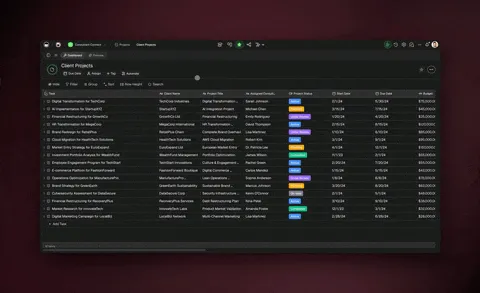
No signup, no credit card. Live sales pipeline
| Capability | Monday Magic | Taskade Genesis |
|---|---|---|
| Pricing (starting) | magic free; seats from $9/seat/month billed annually | $0 Free · $10/mo Pro billed annually (10 seats) |
| Cloneable live demo | ❌ | ✅ |
| Built-in AI agents | monday agents on AI credits | ✅ built-in tools |
| Automation engine | monday automations, actions capped per plan | ✅ Durable runtime, 100+ integrations |
| Workspace DNA loop | ❌ | ✅ ▲ Memory · ■ Intelligence · ● Execution |
The short answer: Taskade Genesis fits teams that want a deployed app, agents, and automations from one prompt in a standalone workspace. monday magic fits teams already running their work on monday.com boards.
The fundamental difference
Monday Magic and Taskade Genesis come from opposite directions. monday.com is a board-based work-management platform. monday magic is the AI builder on top: you describe a business need, it asks clarifying questions, and it builds a workspace of boards, columns, dashboards, and forms that you then refine. The output lives inside monday.com.
Taskade was built from day one as an AI-native workspace. Workspace DNA — Memory (Projects), Intelligence (Agents), and Execution (Automations) — is the foundation, not a feature. A single Taskade Genesis prompt produces a deployed application with its own URL, agents that take action, automations that fire across 100+ integrations, and the option to publish to the Community Gallery.
Monday Magic asks: "What monday board should I configure?" Taskade Genesis asks: "What app should exist?"
What is Taskade Genesis?
Taskade Genesis is the AI app builder inside the Taskade workspace. Founded by John Xie, Dionis Loire, and Stan Chang in 2017, Taskade is Y Combinator-backed and used by over a million people worldwide. Taskade Genesis turns a single prompt into a deployed application — customer portals, ops dashboards, CRMs, knowledge bases, intake forms, internal tools — all with built-in AI agents, automations, custom domains on Business and above, password protection on Pro and above, and email-and-password app sign-in via GenesisAuth.
Taskade Genesis is for everyone: founders, marketers, ops, product managers, customer success teams, and engineers who want to skip plumbing and focus on the idea.
What is Monday Magic?
monday magic is an AI tool built directly on top of monday.com. You describe your business need, and it builds a workspace with boards, columns (including AI blocks), dashboards, and forms. It can also create automations during setup, connect items across boards, build CRM workflows, and turn an uploaded Excel, CSV, PDF, or DOCX file into a structured solution. You open it from the left panel, the template center, a new workspace, or monday sidekick.
monday magic at a glance (October 2026): Free to use with no usage limits, according to monday.com's help center. A generated solution can include Pro or Enterprise features, which you can try for two weeks. monday.com seats cost $9 (Basic), $12 (Standard), or $19 (Pro) per seat per month billed annually, and Free covers up to 2 seats. Alongside magic, monday sells AI agents, the Sidekick assistant, the vibe app builder, and AI workflows on AI credits. See monday.com/pricing.
monday magic is useful for teams already running their work on monday boards, and it removes the blank-board problem. It presupposes monday.com as the platform, so outputs live inside monday and follow monday's data model.
Feature-by-feature deep dive
App generation
- Taskade Genesis turns a prompt into a deployed app with UI, data model, agents, and automations connected. Output runs immediately at a shareable URL.
- monday magic generates monday boards, dashboards, forms, and AI blocks. Output lives inside monday.com. For custom apps, monday offers a separate builder, monday vibe, whose apps run on monday.com and are private by default.
AI agents that take action
- Taskade ships AI Agents v2 — first-class digital teammates with persistent memory, built-in tools (web search, file analysis, project management, image generation, code execution, and more), custom tools you define, and the ability to be embedded publicly inside Taskade Genesis Apps.
- monday.com offers an agent builder, the Sidekick assistant, and AI blocks, all running on monday data and drawing from a monthly AI credit allowance from Basic up.
Workflow automations and integrations
- Taskade includes durable Automations with branching, looping, and filtering across 100+ bidirectional integrations. Triggers pull external events in (Slack messages, Gmail, Sheets rows, Calendly events, webhooks). Actions push data out (Stripe checkouts, Shopify orders, Notion syncs, Salesforce updates, GitHub PRs).
- monday.com has its own automation system with AI suggestions. Integrations are strong inside the monday ecosystem but tied to the monday board model.
Project views and visual editing
- Taskade offers multiple project views — List, Board, Table, Mind Map, Docs (Beta), Gantt Chart, Calendar, Actionsheet, and Org Chart — plus visual app editing without writing code. The Timeline scrolling component lives inside the Gantt view.
- monday.com offers boards, kanban, calendar, timeline, and dashboards inside its own UI.
Team collaboration
- Taskade is workspace-native: real-time multiplayer editing, comments, built-in chat, video calls, and granular role-based access (Owner to Viewer).
- monday.com offers strong board-level collaboration with updates, docs, guest access from Standard, and unlimited free viewers from Basic.
Standalone vs ecosystem-bound
- Taskade is a standalone AI workspace. You don't need any other tool to use Taskade Genesis.
- monday magic needs a monday.com account to publish and use what it builds. It is a feature of the platform, not a product on its own.
The Workspace DNA advantage
Monday Magic's mental model is "AI helps you build monday boards faster." Taskade Genesis's mental model is Workspace DNA: a self-reinforcing loop between three pillars.
- Memory (Projects) — Your team's docs, tasks, files, and structured data become the substrate every agent reasons over. The longer you work, the smarter the workspace gets.
- Intelligence (Agents) — Custom AI Agents with persistent memory, built-in tools, and your own custom tools, plus a hosted MCP server that Claude Desktop, Cursor, and VS Code connect into, while automations carry the work into the 100+ apps you already use. Agents are first-class teammates that live in the workspace, not bolted-on chat.
- Execution (Automations) — Durable workflows triggered by external events (Slack, Gmail, Stripe, GitHub, Calendly, webhooks, schedules) that read from Memory and act through Intelligence — then write the results back into Memory. The loop closes.
Monday Magic is a thoughtful AI surface on top of an established product. Taskade Genesis runs the entire DNA loop continuously, so the longer you use it, the more your workspace itself becomes the thing that builds the next app.
Pricing and total cost
Verified on monday.com/pricing in October 2026. monday prices are per seat, billed annually.
| Plan | Taskade Genesis | monday.com (magic is free on top) |
|---|---|---|
| Free | Free Forever — no AI credits at the start (earn or buy credits); 3 Taskade Genesis apps | Free — up to 2 seats, 3 boards, 3 docs; AI from Basic |
| Entry | Pro $10/month billed annually (10 seats, unlimited apps) | Basic $9/seat — unlimited items and free viewers, 1,000 AI credits/mo in a 10-seat plan |
| Mid tier | Business $25/month billed annually — unlimited seats | Standard $12/seat — automations, integrations, Gantt; Pro $19/seat — 25,000 actions/mo |
| Max | $100/month billed annually — maximum AI capacity | — |
| Enterprise | $250/month billed annually with custom SLA | Enterprise — custom quote |
A 10-person team on monday Pro pays $190 a month, billed annually, in monday's own example. The same team on Taskade Business pays $25 a month, billed annually, with AI credits, hosting, agents, integrations, and automations included.
When to choose each
Choose Monday Magic if:
- Your team already runs on monday.com, and you want a free AI builder that sets up a complete workspace of boards, dashboards, and forms from a prompt or an uploaded spreadsheet.
- You want mature board-based work management with unlimited free viewers, guest access, time tracking, and advanced columns.
- Your company already standardizes on monday's CRM and service products, and you want AI that works across them.
Choose Taskade Genesis if:
- You want to ship deployed apps, dashboards, portals, and internal tools — not just configure boards.
- You want AI agents that persist, have tools, and can be embedded for customers.
- You need workflow automations across Slack, Gmail, Stripe, Salesforce, Notion, and 100+ other integrations.
- You want a standalone AI workspace, not an AI feature inside someone else's platform.
- You want a flat subscription that includes hosting, agents, automations, and team collaboration.
Use both: monday for delivery, Taskade for intake and agents
Teams that track delivery on monday boards can run the intake, agents, and client-facing apps in Taskade. The monday.com connector creates items, reads them, and updates column values from any Taskade automation:
- Intake: a client submits a request through a Taskade Genesis portal. The AI forms trigger starts an automation.
- Agent step: a Taskade agent classifies the request, estimates effort from past projects, and drafts a scope note.
- Action: the flow creates an item on the team's monday board with the scope, owner, and due date, and posts a heads-up to Slack.
- Weekly: a schedule trigger reads each open item from monday and has the agent write a client status update in the portal.
If you move off monday later, Taskade can also import monday.com boards.
Frequently asked questions
Is monday magic the same as monday.com?
No. monday.com is the platform. monday magic is the AI builder on top that turns a prompt into a monday workspace.
Is monday magic free?
Yes, for now. monday's help center says it is free to use with no usage limits. Features it adds from Pro or Enterprise need an upgrade after a two-week trial.
Does monday magic build deployable apps from a prompt?
No. monday magic builds boards, dashboards, and forms inside monday.com, and monday vibe builds apps that run on monday.com. Taskade Genesis ships a deployed app at a shareable URL, with custom domains on Business and above.
Which AI models does Taskade Genesis use?
Taskade Genesis runs frontier models from top AI labs, with TSK-Auto as the default. On Pro and up, you can bring your own OpenAI, Anthropic or Google Vertex AI key (BYOK).
Does Taskade include workflow automations?
Yes — durable automations across 100+ bidirectional integrations.
Can my team use Taskade Genesis without monday.com?
Yes. Taskade is a standalone AI workspace.
Build without permission
Monday Magic helps monday teams configure monday boards faster. Taskade Genesis gives everyone — engineers and non-engineers alike — a workshop where the apps come out finished, hosted, and ready for users.
- Build with Taskade Genesis — One prompt, one deployed app
- Browse the Community Gallery — Clone apps shipped by other Taskade Genesis builders
- Read the Workspace DNA explainer — How Memory, Intelligence, and Execution work together
Explore Taskade Genesis
- AI App Builder — Build complete apps from one prompt
- AI Agent Platform — Digital teammates that work 24/7
- Vibe Coding — Natural-language app creation
- AI Website Builder — Sites in seconds
- Workflow Automation — AI-powered business automation
- AI Second Brain — Train agents on your data
Build without code
- AI App Generator — Full apps from prompts
- AI Dashboard Generator — Business dashboards
- AI Website Generator — Sites in seconds
- AI Form Generator — Smart intake forms
Related reading
- The Build Without Permission article — Our manifesto
- How Workspace DNA Works — The architecture
- Origin of Living Software — The future of apps
- Agentic Workflows That Replace Your Startup's Busywork
- AI Tools Built with Taskade Genesis
- Stop Worshipping Prompts, Start Building Workflows