






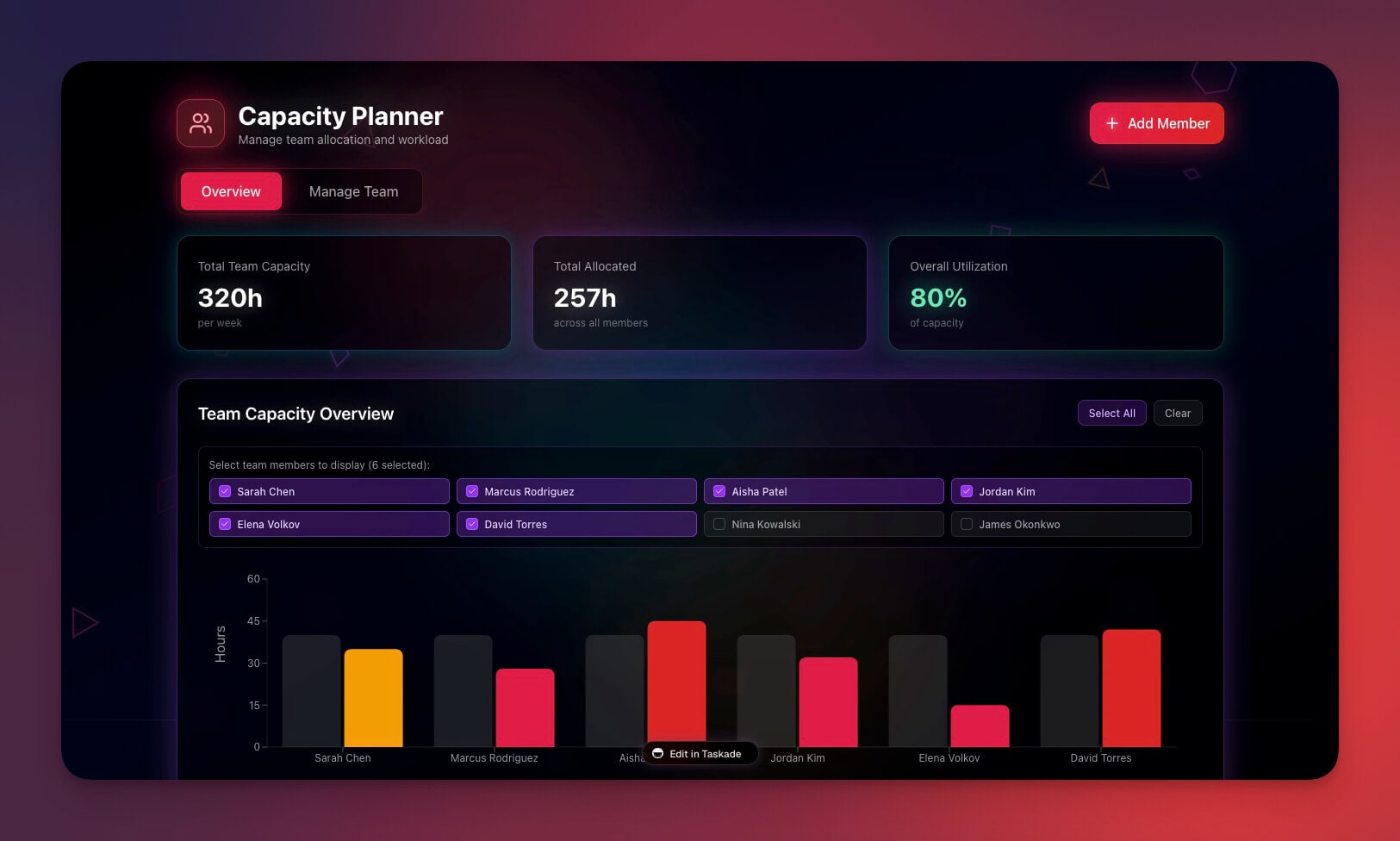
Some of the best business apps on Taskade were built by the people running them. A concrete crew. A solo realtor. A wellness clinic. They described the work, and Taskade Genesis turned it into a dashboard, CRM, or client portal they use every day, one connected app instead of four disconnected lists. This is the David pattern: a non-technical operator running a whole business on one app they built by describing it. Build yours with AI or clone a working one in a click.
TL;DR: Real businesses run their whole operation on one Taskade Genesis app, an ops dashboard, a CRM, and a client portal, built by describing the work in plain language. A verified cohort of eleven Stripe-confirmed businesses runs live apps this way, with connected projects keeping customers, jobs, and invoices linked. Clone one free in one click, then build your own.
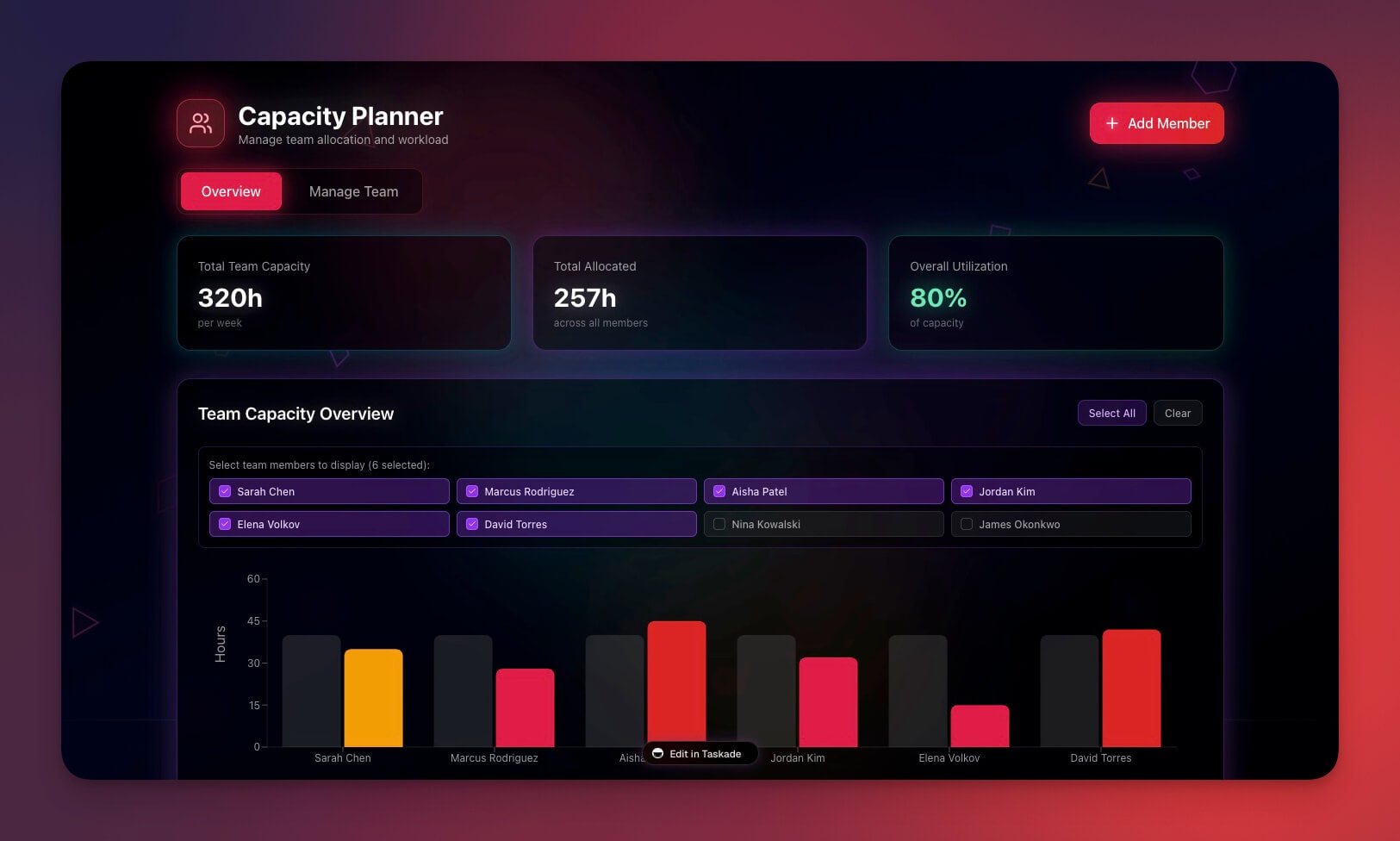
What Does It Mean to Run a Whole Business on One App?
Running a whole business on one Taskade Genesis app means your operations dashboard, your CRM, and your client portal live in a single connected workspace, not four tools you stitch together by hand. The backbone is connected projects: a job references the customer it belongs to, an invoice references the deal that closed, so the whole client-to-cash workflow stays in one place. You describe the work, and the app is built around it.
This is not a hypothetical. A verified cohort of eleven real, Stripe-confirmed businesses, across construction, real estate, behavioral health, logistics, maritime, and endurance events, on four continents and in five languages, runs production apps built exactly this way. None of them hired a developer. None of them sat through a sales call. As one operator put it: what would have taken a 40-person team eighteen months in the Fortune 500 world, they shipped in a few weeks by describing it to Taskade Genesis.
The pattern always takes one of three shapes. The table below is the whole post in one glance, and the rest of this update walks through each shape as a live app you can clone right now.
| The shape | What it is | What you stop juggling |
|---|---|---|
| Ops dashboard | A back-office command center over connected projects | A spreadsheet, a chat thread, and a whiteboard |
| Production CRM | The client-to-cash spine — contacts, deals, invoices | A contact list, a deal tracker, and a billing tool |
| Client portal | A branded login, with each client's data matched to it | A shared folder, an email chain, and a status doc |
Each shape runs on the same three-layer Workspace DNA loop, Memory, Intelligence, Execution, which is the through-line of every Genesis Apps Live story. The diagram below shows the loop that every app on this page slots into.
Run the Operation on One Screen
A Taskade Genesis ops dashboard puts every job, asset, and service status in one command center, the way a field-service crew actually runs the day. Instead of flipping between a spreadsheet, a chat thread, and a whiteboard, the whole operation lives on one screen, backed by connected projects that hold real data, not a demo. Turn on accounts and each teammate gets their own private view.
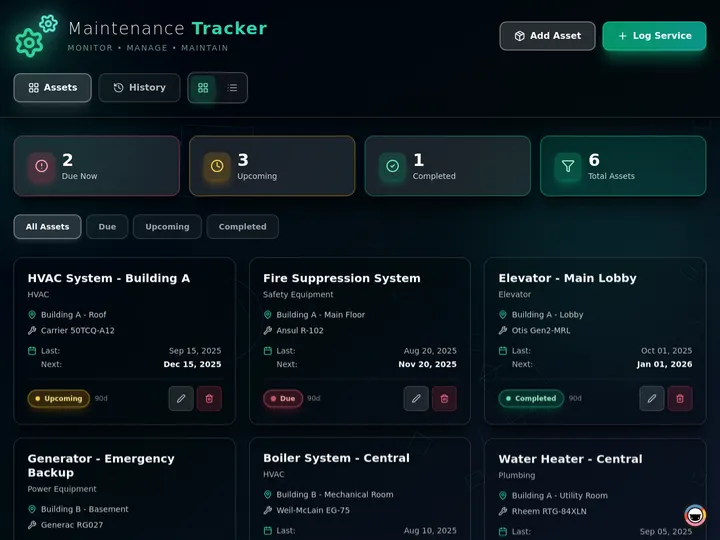
The Maintenance Tracker above is a live app, clone it here, point it at your jobs and your people, and it runs your business. Three things make it a real operations surface rather than a list:
| Inside the ops dashboard | What it does |
|---|---|
| Every job on one screen | No more flipping between a spreadsheet, a chat thread, and a whiteboard |
| Real data, not a demo | Add your jobs, your people, your numbers — it runs the actual operation |
| Team logins you scope yourself | Turn on App Users, then match each teammate's records to their login |
This is the capacity planner and CRM pattern at the ops layer, the dashboard becomes the one place the day starts. The team logins are powered by App Users, the same authenticated sign-in that the client portal below uses. Match each person's records to their login and your crew sees exactly what they should and nothing more. Pair it with the agent memory and connected tools update to see how the dashboard feeds the rest of the workspace.
Track Every Lead. Close More.
A Taskade Genesis CRM moves a lead from first touch to closed inside one workspace, contacts, deals, and follow-ups in a real pipeline, not a static list. A built-in lead-capture form drops new leads straight into the pipeline while you are out on a job, and you can invoice the moment a deal is won, in the same workspace, with no second tool to copy data into.

The Neon CRM above is the way a solo realtor runs an inbound book, and it is free to clone. Because the pipeline runs on connected projects, the contact, the deal, and the invoice are the same linked record, not three copies you reconcile by hand.
| In the CRM | What it does |
|---|---|
| Contacts, deals, follow-ups | A real pipeline that moves leads from first touch to closed |
| Built-in lead-capture form | New leads land in your pipeline while you are on a job |
| Invoice when a deal is won | Close the loop in the same workspace — no second tool |
The lead-to-invoice flow runs on 100+ bidirectional integrations: a form trigger pulls the lead in, and an action sends the invoice out the moment the deal closes. The sequence below shows exactly how that fires.
For the published-app version of this pipeline, read clone, login, automate. For the deeper revenue stack, CRM plus storefront plus analytics, see the CRM, storefront, and analytics drop and the CRM, invoice generator, and client portal update. The full step-by-step lives in Taskade as a CRM.
Give Clients a Portal That Looks Pro
A Taskade Genesis client portal gives every client a branded login. Match their records to that login and they see only what is theirs, their projects, their files, their status, and nothing else. Each client signs in through App Users on your custom domain, so the front door carries your name and your colors instead of a shared folder. Booking and progress tracking are built in, so clients schedule, show up, and follow along without leaving the portal.
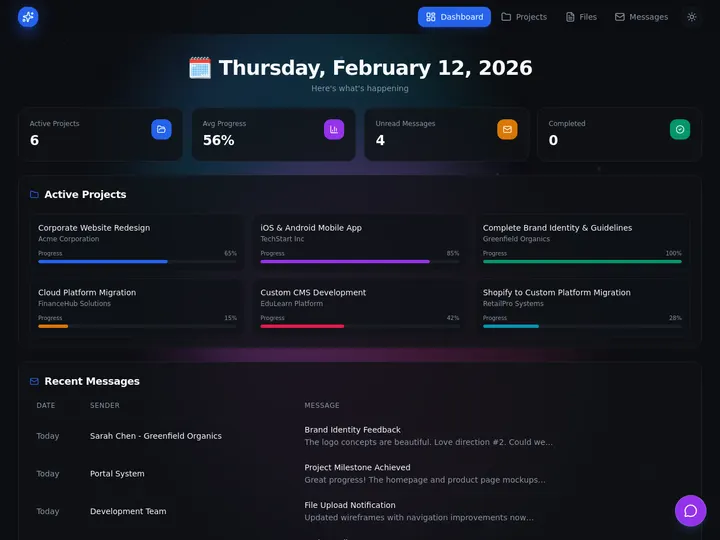
The Project Portal above works for any service business, clone it and it becomes your professional front door. The privacy is something you set up once. App accounts give each client their own sign-in, and you match their records to that login so one client does not open another's data.
| In the client portal | What it does |
|---|---|
| A branded login per client | Your name, your colors, a clean front door |
| They see only what is theirs | You match each client's records to their sign-in |
| Booking and tracking built in | Clients schedule, show up, and follow their progress |
Branded logins run on GenesisAuth, which works on every plan, and custom domains unlock on Pro and above. The diagram below shows how a custom domain, App Users, and per-client record scoping fit together.
The full walkthrough, domain, login, and per-client access, is in Build a Customer Portal with Taskade Genesis. For the deploy-and-launch version, read deploy agents, launch shops, automate payments.
More Live Systems. Clone One.
Every system on this page is a live app, and there are more where these came from. Billing and invoicing, inventory with stock and reorder alerts, self-service booking, classes and events with RSVPs, each one is cloneable in one click, points at your data, and runs. The four below ship as part of the same connected-projects backbone, so they slot straight into the ops dashboard, CRM, and portal above.
| Live app | What it does | Clone it |
|---|---|---|
| Invoice Generator | Send clean, branded invoices and track who has paid | Clone → |
| Inventory Manager | Know what is in stock, what is low, and what to reorder | Clone → |
| Appointment Booking | Let clients book sessions straight into your calendar | Clone → |
| Event Portal | Run classes, events, and member sign-ups in one place | Clone → |

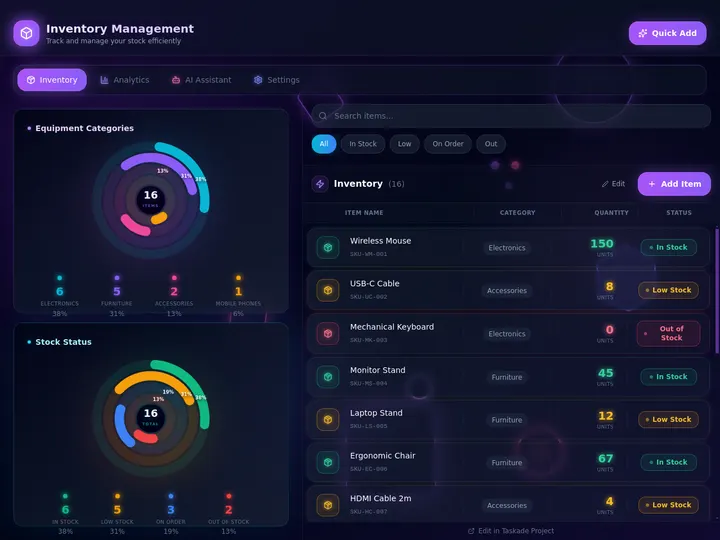
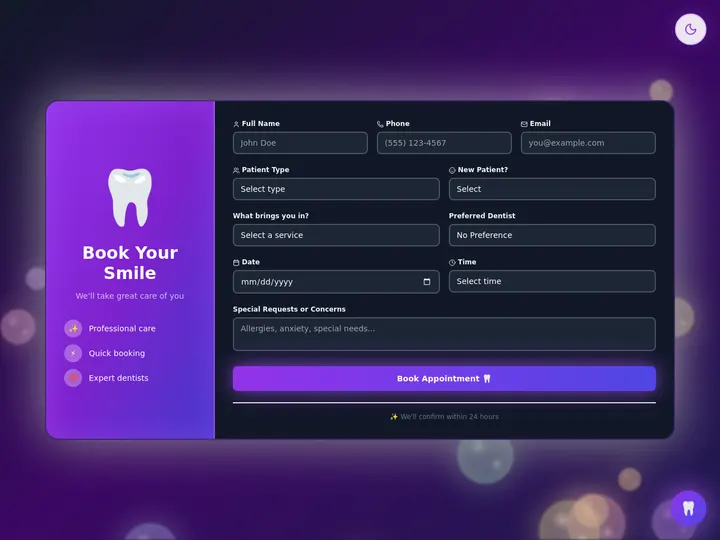
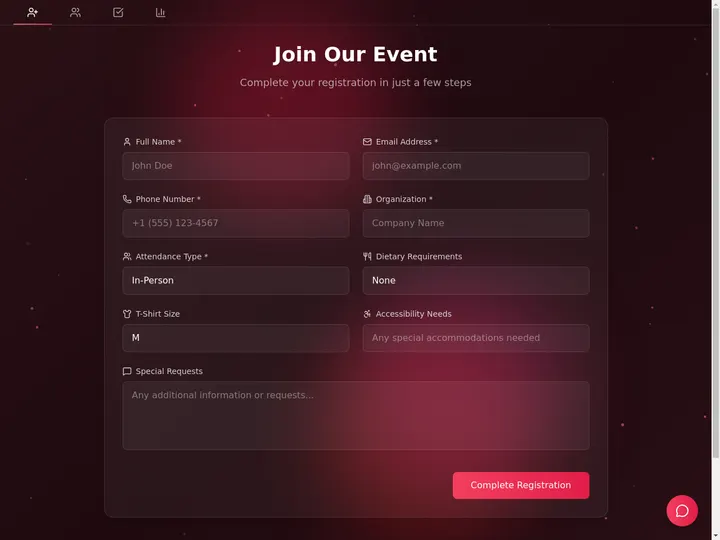
The invoicing app is the same money primitive that closes the CRM loop, built on Taskade's USD currency preset so amounts stay structured, not free text. Booking and events lean on the same App Users sign-in as the portal. Browse hundreds more live apps in the Community Gallery, or read book classes and schedule clients and automate invoices, licenses, and calculators for the patterns behind them.
From Four Disconnected Lists to One Connected System
The whole point of the David pattern is collapsing scattered tools into one connected app. Before, an operator keeps customers in one place, jobs in another, invoices in a third, and the team in a fourth, and reconciles them by hand. After, those become connected projects in a single Taskade Genesis app, where a job already knows its customer and an invoice already knows its deal. The table below is the before-and-after, side by side.
| The work | Before — four disconnected lists | After — one connected app |
|---|---|---|
| Customers | A spreadsheet of contacts | A Customers project, linked to jobs |
| Jobs | A separate task tracker | A Jobs project that references the customer |
| Invoices | A billing tool you copy data into | An Invoices project, linked to the deal |
| Team & clients | Email chains and shared folders | App Users, with each person's records matched to their login |
What ties it together is the connected-projects backbone, the live relational spine behind every cohort app. (To be precise: the backbone is connected projects, where a job references the customer it belongs to. It runs your whole client-to-cash workflow in one place.) That is the memory layer of Workspace DNA, and it is why the agents and automations always have the full picture without anyone re-pasting context. The multi-agent workspace update shows how those agents read the connected projects and act across them.
What It Costs to Run the Whole Thing
You can build and clone every app on this page free, then upgrade only when you want to publish to a custom domain with client logins. App Users (GenesisAuth) work on every plan, and custom domains unlock on Pro and above. The plans below the table show where each capability lands.
| Plan (annual billing) | Price | App Users | Custom domain | Best for |
|---|---|---|---|---|
| Free | $0 | Yes | No | Building and cloning apps |
| Pro ★ | $10/mo | Yes | Yes, up to 10 | Up to 10 users, the popular choice |
| Business | $25/mo | Yes | Yes | Unlimited custom domains |
The math is simple. One Pro seat at $10/month is less than a single hour of the office help a small operator would otherwise hire to keep four lists in sync, and the Pro plan is what turns an internal dashboard into a client-facing portal on your own domain. Client logins themselves work on every plan, so the upgrade buys the branded domain rather than the sign-in.
Describe the Work. Run the System.
One prompt. One app. Your whole business, on one screen. Connected projects remember the data, AI agents think and act on it, and automations keep everything running across 100+ integrations. That is the system behind every app on this page, your Workspace DNA.
Ready to build your own? Start in Taskade Genesis and the same architecture is what you ship, connected projects, AI agents, and automations, all stitched into one running app. Or clone a live one and have it working before your coffee is cold.
Read Next: The Run-Your-Business Wave
- Genesis Apps Live →, the original architecture story behind every app on this page: live apps from a prompt, not static templates.
- CRM, Invoice Generator, Client Portal →, the three client-to-cash apps that make up the David pattern, in one drop.
- Clone, Login, Automate →, the published-app version: clone a live app, add client logins, and wire the automations.
- Deploy Agents, Launch Shops, Automate Payments →, taking a portal or storefront from cloned to live on your own domain.
▲ ■ ● Memory · Intelligence · Execution
The three-layer architecture behind every Taskade Genesis app, connected projects remember, agents think, automations run. Clone any live app above to feel the loop close itself, or build your own on the same primitives.
Frequently Asked Questions
Can I really run my whole business on one Taskade Genesis app?
Yes. Real operators run an ops dashboard, a CRM, and a client portal as one connected Taskade Genesis app, built by describing the work in plain language. The app uses connected projects as its backbone, so customers, jobs, and invoices stay linked in one place instead of four lists.
Do I need to know how to code to build a business app in Taskade Genesis?
No. You describe the work, your jobs, your clients, your invoices, and Taskade Genesis turns it into a working dashboard, CRM, or client portal. Non-technical operators across trades, real estate, and clinics already run production apps this way, with no developer and no setup wizard.
How much does Taskade Genesis cost?
Taskade has a free plan, with paid tiers at $10/month (Pro, the popular choice for 10 users) and $25/month (Business) on annual billing. Custom domains unlock on Pro and above, and client logins via App Users work on every plan. You can build and clone apps free before you ever upgrade.
How do clients log into an app I built in Taskade Genesis?
App Users give each client a branded login through GenesisAuth. Sign-in confirms who each visitor is, and it does not hide anyone else's rows on its own. You match each client's records to their login, then test with a second account before launch. Custom domains are available on Pro and above, and App Users work on every plan.
What can I connect a Taskade Genesis app to?
100+ bidirectional integrations. Triggers pull events in from tools like Stripe, Gmail, Slack, and Calendar; actions push data back out to the same set. A CRM can capture a lead from a form, log the deal, and send an invoice the moment it closes, all inside one connected app.
Is a Taskade Genesis app a real app or just a template?
It is a real, live app. Every share link opens a working Taskade Genesis app you can clone in one click, point at your own data, and run the same day. Behind it sits Workspace DNA, connected projects for memory, AI agents for intelligence, and automations for execution, already wired together.
Which AI models power the agents inside these apps?
Frontier models from top AI labs providers, switchable per agent. The Auto setting routes each task to a sensible default, so the agent in your CRM or portal reads your connected projects and acts on them without you choosing a model by hand.
Can I publish my Taskade Genesis app to my own domain?
Yes. On Pro and above you can publish an app to a custom domain with built-in sign-in via GenesisAuth. Clone a working app, edit it, hit publish, and it is live at your-domain.com with authenticated client logins, shared memory, and the same agents you built it with.