TL;DR: Widgets turn your phone's home screen into a live Taskade dashboard, today's tasks, due dates, and quick add. Available on iOS and Android, widgets sync in real time with your workspace so what you see on the lock screen always matches the desktop. See Mobile Widgets for the full list.
Here is the path a task takes from your home screen into a project.
Overview
Capture a task the second it comes to mind, without unlocking into the app. The Quick Add widget lives on the home screen of your phone, so you can add tasks and look up projects in a single tap.
Note: Visit Mobile Widgets to learn about other mobile widgets.
Enable Quick Add
- 🍎 (iOS)
- From the Home Screen, touch and hold until the apps jiggle.
Tap the Add button in the upper-left corner.
Select Taskade ➡ Quick Add widget.
Tap "Add Widget" and "Done" to confirm.
🤖 (Android)
On a Home Screen, touch & hold an empty space.
Tap Widgets and hold the Taskade Quick Add widget.
Slide the widget to where you want it and lift your finger.
Use Quick Add
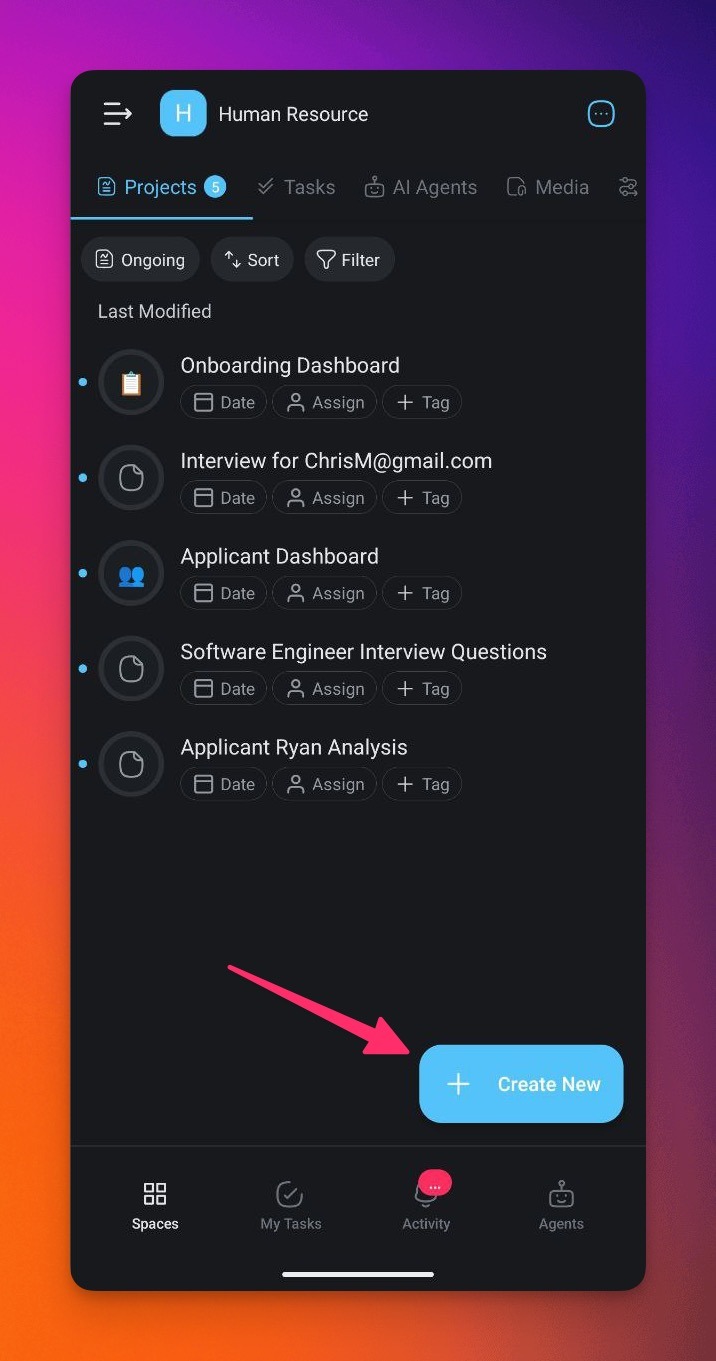
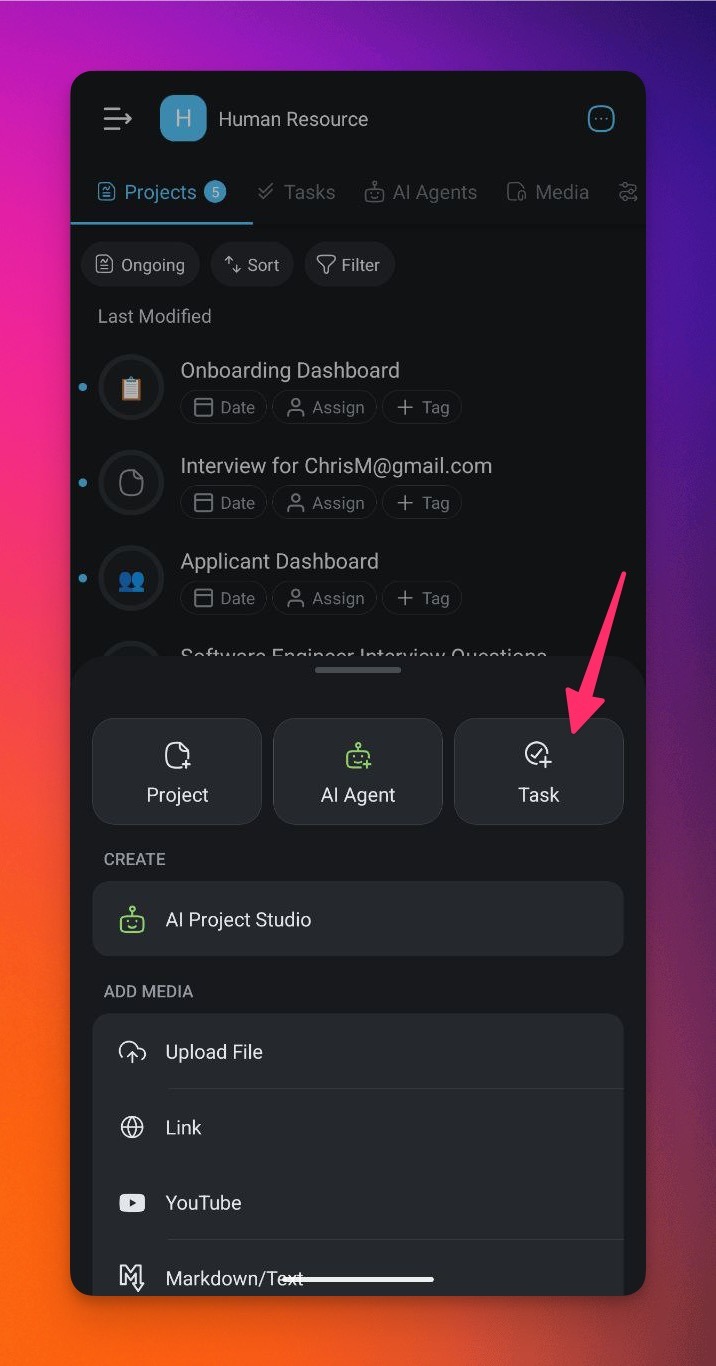
- Tap the ➕ Create New button on your home screen then Tap on Task to open the Quick Add widget.
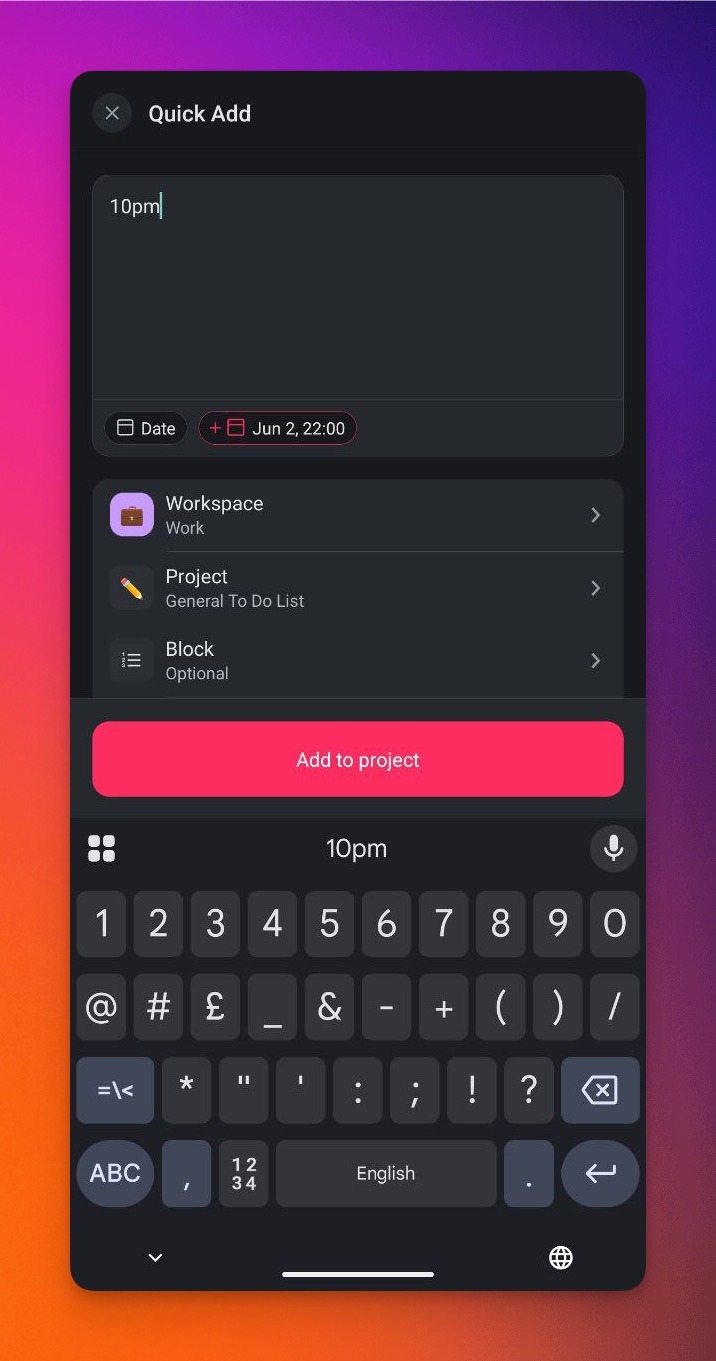
- Type a note/task ➡ choose the target workspace/folder and project.
- (optional) Pick the block where you want to add the note/task.
- Tap Add to Project to finish editing.
Use Date Suggestions (NLP)
Taskade uses natural language procession (NLP) to speed up date entry.
Here is how it works:
- Tap the ➕ icon on your home screen to open the Quick Add widget.
- Type the due date/time for the entry using one of the following formats:
| today / tomorrow | May 1st | May 1st 5 pm |
|---|---|---|
| yesterday | 1st May | May 1st 2023 at 5 pm |
| next week | 1st May 2023 | 5 pm May 1st |
| last / next Monday | May 4th 2023 | 1st May 2023 5 pm |