
TL;DR: Zoom in and out of Mind Map, Org Chart, and Gantt views with
Cmd/Ctrl + +andCmd/Ctrl + -. Useful for navigating dense projects on smaller screens, on desktop or in a web browser. Zoom state is per-user, so your teammates keep their own view.
Overview
You can zoom in and zoom out on all project views on desktop and in a web browser. Adjusting the zoom level helps you see more content at once or focus on fine details, depending on your screen size and preference.
Zoom In / Out
(➕) To make everything larger:
- Windows and Linux: Press Ctrl and +
- Mac: Press ⌘ and +
- Chrome OS: Press Ctrl and +
(➖) To make everything smaller:
- Windows and Linux: Press Ctrl and -
- Mac: Press ⌘ and -
- Chrome OS: Press Ctrl and -
To reset zoom to the default level, press ⌨️ Ctrl + 0 (Windows/Linux/Chrome OS) or ⌨️ ⌘ + 0 (Mac).
Enter Full-Screen Mode
- Windows and Linux: Press ⌨️ F11.
- Mac: Press ⌨️ ⌘ + Ctrl + F.
- Chrome OS: Press the

full-screen key (F4).
Full-screen mode hides the browser toolbar and gives you more vertical space for your projects.
Mind Map / Org Chart View
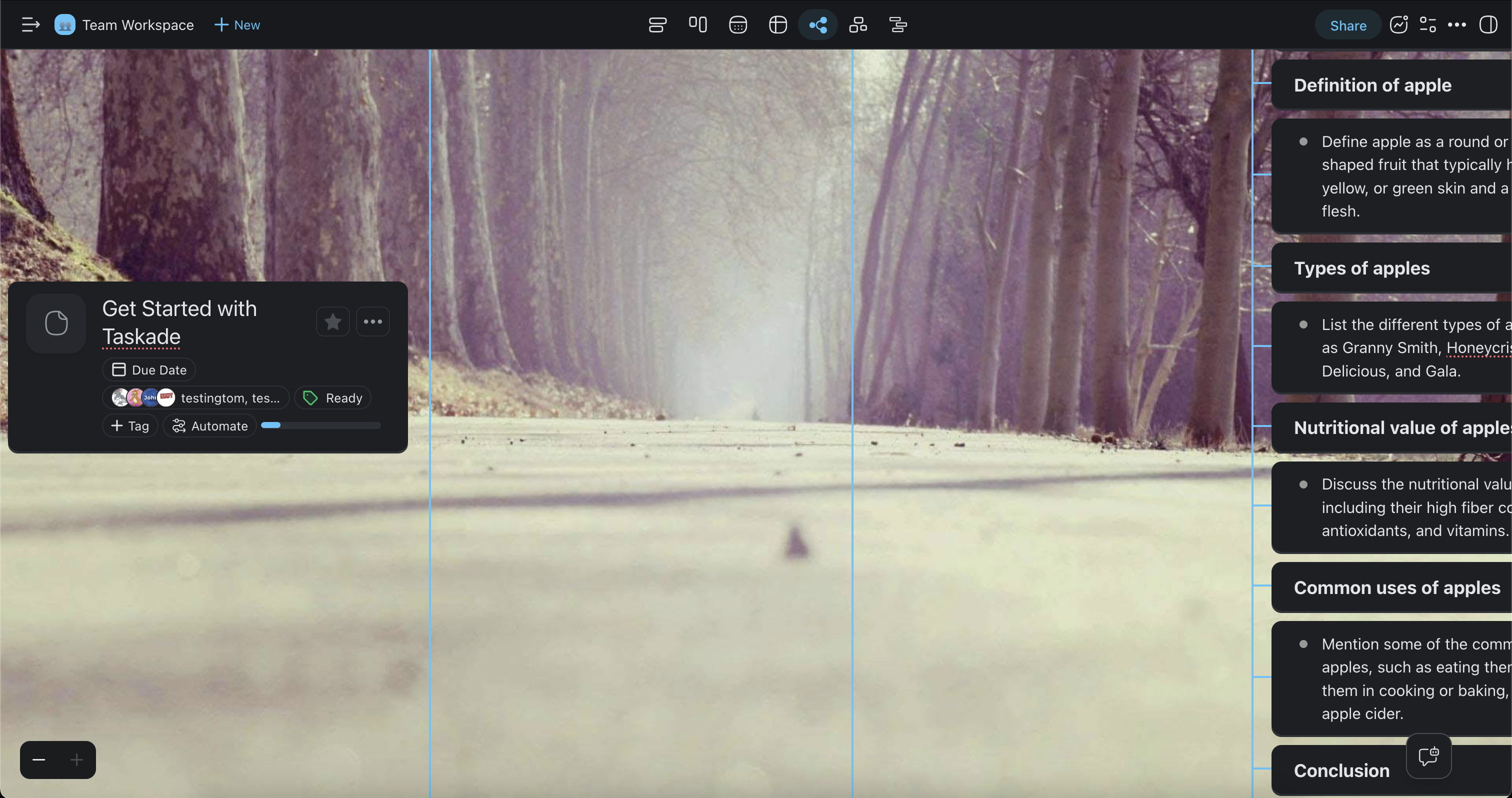
To zoom in or zoom out in the Mind Map and Org Chart views:
- (method #1) Click ➕ or ➖ in the bottom-left corner of your project.
- (method #2) Press ⌘ / Ctrl and ➕ or ➖ (see the previous section).
Tips
- Use zoom out to get a bird's-eye view of large mind maps or org charts with many nodes.
- Combine full-screen mode with zoom adjustments during presentations or screen-sharing sessions.
- Zoom settings are saved per browser tab, so each project can have its own zoom level.
- On mobile devices, use the standard pinch-to-zoom gesture to adjust the view.