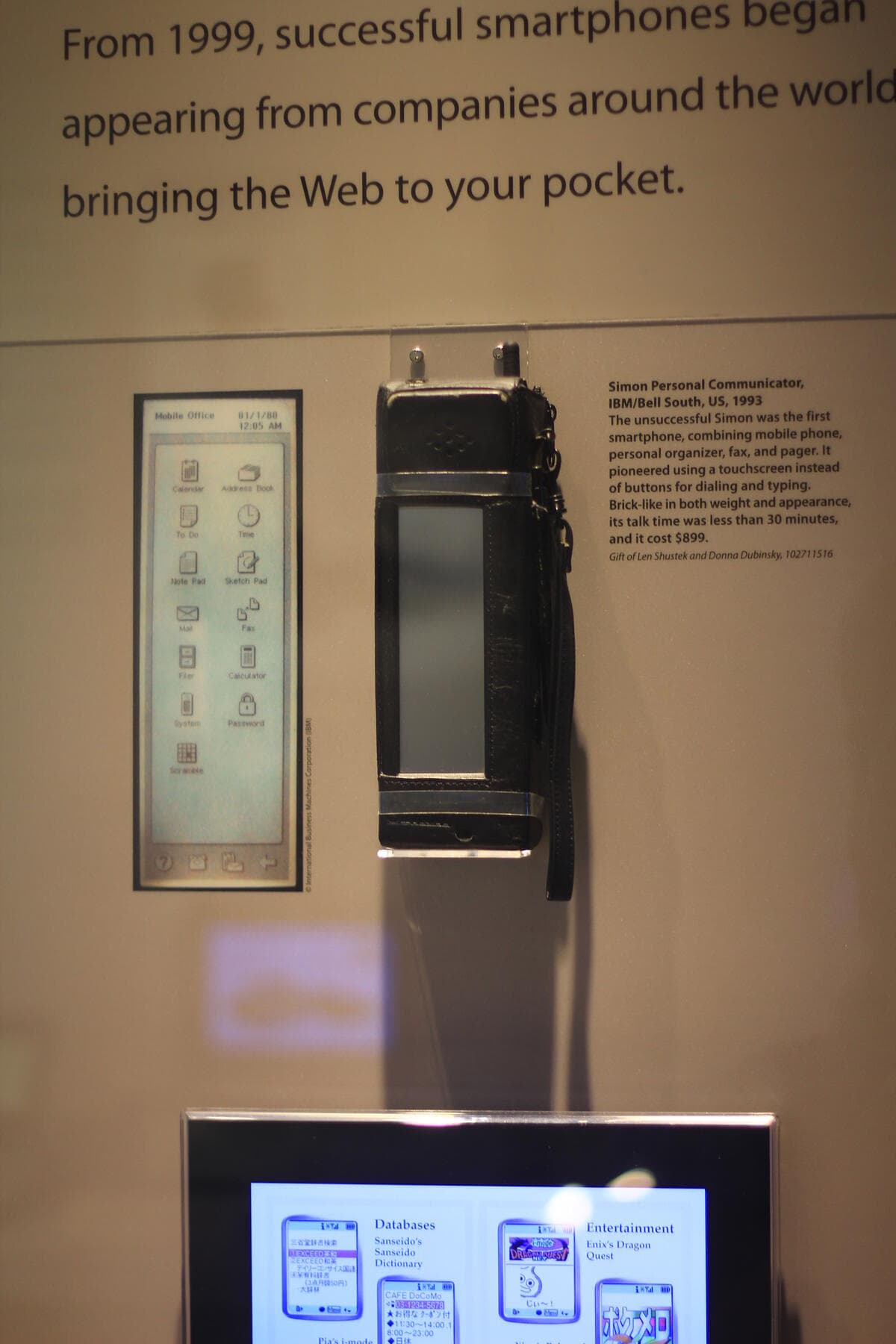
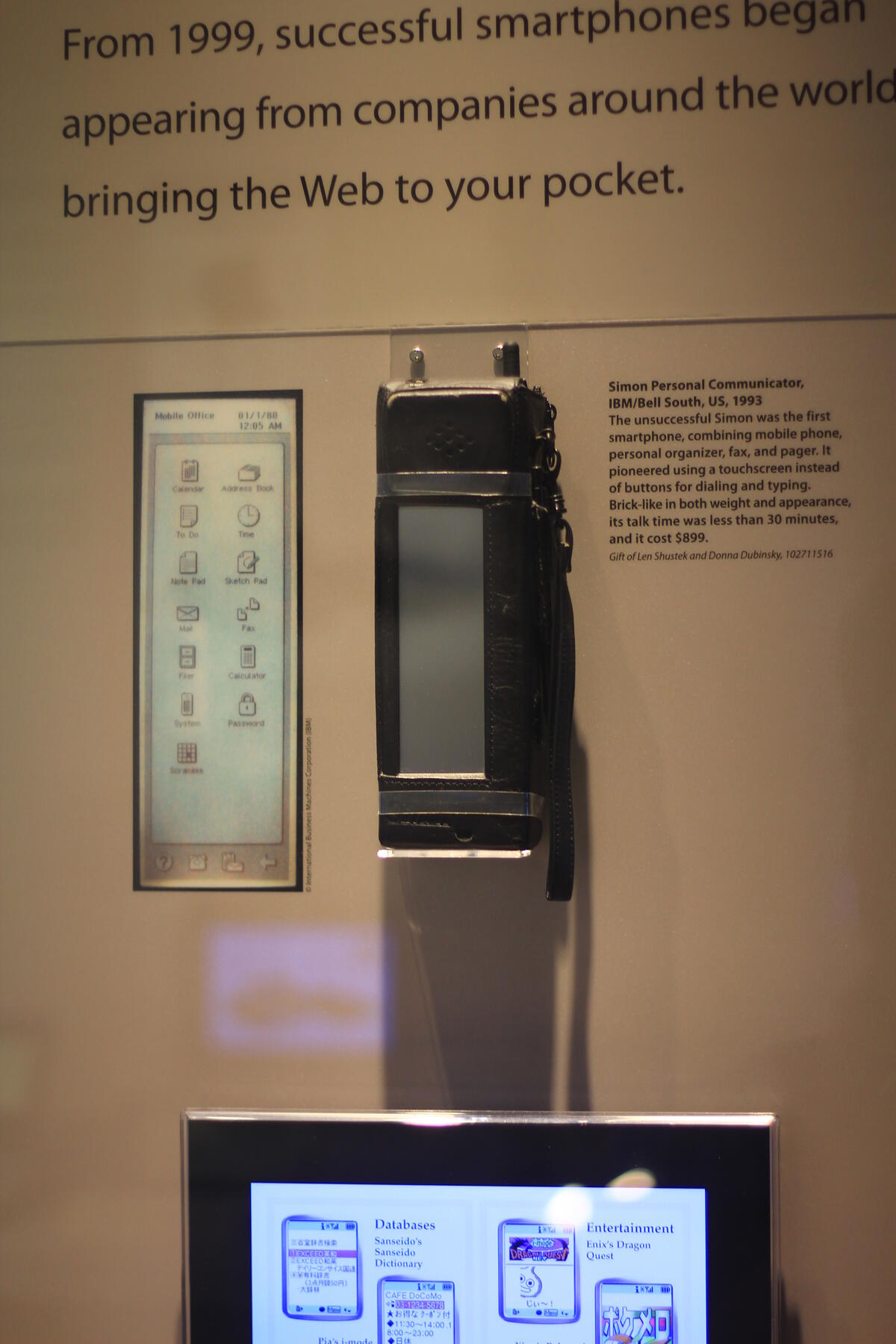
In August 1994, IBM and BellSouth started selling a $899 handheld called Simon. It had a touchscreen, a stylus, an address book, and something no phone had shipped before: a way to run add-on software from a PCMCIA card. Simon sold about 50,000 units in six months before a one-hour battery and the appeal of slim flip phones ended it. There was no app store, no developer program, and no review queue. You wrote software for it or you didn't.
In 2026, a text prompt can produce that add-on software in minutes, and the thing that actually gates whether a stranger can install it on their phone hasn't changed since 2008: a store review queue, a developer account, and an annual fee.
That gate is where most "best AI mobile app builder" roundups get vague. Some tools generate a mobile-web app and call it done. Others generate native code and quietly move App Store submission to a paid plan. Few pages tell you which is which before you build.
TL;DR: We sorted 14 AI mobile app builders by what they publish: a native app for the App Store or Google Play (FlutterFlow, Rork, Draftbit, Adalo), or a mobile-web app on a shareable URL with no store review (Taskade Genesis, Glide, AppSheet). Free tiers, code export, and store fees verified September 2026. Build a free mobile-web app →
Quick Answer: The Best AI Mobile App Builder by What You Want
The best AI mobile app builder depends on whether you need a native store binary or a working mobile-web app today. For a Flutter project on both stores, FlutterFlow leads. For AI-written native Swift, Rork is the most literal option. For a database-backed app with an AI agent and no store review, Taskade Genesis is the fastest.
| If you want... | Start with | Why |
|---|---|---|
| A real native app on both stores, code you own | FlutterFlow | Exportable Flutter project; code and store deploy unlock at $39/mo |
| AI to write native Swift from a prompt | Rork | Rork Pro builds SwiftUI (iPhone) and Kotlin (Android) from $20/mo |
| A React Native app with a backend already wired | Draftbit | Built-in Supabase, code export at $12/mo |
| A no-code visual canvas that compiles native | Thunkable or Adalo | Drag-and-drop screens, publish on a paid plan |
| A Figma design turned into a real app | Bravo Studio | Screens come from your design file, not a prompt |
| To test an idea free, no store account yet | Bolt + Expo Go | 1M free tokens a month, scan a QR code, no submission |
| A mobile-web app with a database and an AI agent, no review queue | Taskade Genesis | Shareable URL today; 3 apps, 1 agent, 6,000 credits, no card |
| An internal tool over a spreadsheet | Glide or Google AppSheet | Familiar data source, PWA output |
What Is an AI Mobile App Builder, and Why "Free" Rarely Reaches the Store
An AI mobile app builder turns a written description into an app that runs on a phone, but "runs on a phone" means three different things in 2026. Some tools compile a real native binary — an IPA for iOS or an APK/AAB for Android — that you submit to Apple or Google for review. Some generate Flutter or React Native source that becomes native only after you run a build pipeline. Some skip the store and publish a mobile-responsive web app to a URL. Comparisons that blend all three make a free tier look more generous than it is.
WHAT YOU GET BACK                    HOW IT REACHES A PHONE           STORE REVIEW?
──────────────────────────────────   ───────────────────────────────  ──────────────
A compiled native binary             Install from the App Store       Yes, every time
  FlutterFlow, Adalo, Thunkable,     or Google Play                   you publish
  Bravo Studio, Rork, Replit (iOS)
Exportable source, native later      You run the build pipeline       Only if and when
  Draftbit, Vibecode Pro, a0.dev,    (Xcode, EAS, Android Studio)     you submit it
  Bolt + Expo (code only)            yourself
A mobile-web app                     Open a URL in the phone's        No review, no
  Taskade Genesis, Glide, AppSheet,  browser; add to home screen      developer account
  Base44                             for an app-like icon
What Changed for AI Mobile App Builders in 2026
By September 2026, prompt-to-store stopped being a claim and became a price tier. Rork, Replit, Vibecode, and Bravo each take a prompt or a design to a store build on a paid plan, while Apple and Google kept the same fees and review gates. The store gate itself has barely moved since 2008.
| What changed (checked September 23-24, 2026) | What it means for you | Source |
|---|---|---|
| Rork Pro, $20/mo, builds SwiftUI iPhone and Kotlin Android apps. Max, from $200/mo, adds iPad, Watch, and Vision Pro | AI-written native code no longer starts at $200 | Rork pricing |
| Replit builds React Native apps through Expo, with a guided TestFlight to App Store flow | A browser IDE reaches the App Store, but Replit says Google Play publishing is "not yet supported" | Replit mobile docs |
| Bravo MCP turns Lovable, Pencil, Figma, and Bravo Studio designs into React Native apps | Design-first teams can own source; Bravo Studio still exports builds only | Bravo pricing FAQ |
| Vibecode puts App Store submission on Plus, $20/mo, and code download on Pro, $50/mo | Submitting and owning the code are two different price tiers | Vibecode plans |
| Apple reviewed 9,100,620 submissions in 2025 and rejected 2,093,244, about 23% | Budget at least one resubmission into a first launch | Apple transparency report |
| A new personal Google Play account needs 12 testers opted in for 14 continuous days before production | A first Android launch takes weeks | Google Play Console Help |
Is the Free Tier Actually Free?
Almost every tool in this category advertises a free plan, but very few let the free plan reach an actual phone. Most stop at design, a capped AI request count, or a web-only publish. Each row was checked against vendor pricing pages on September 23, 2026.
| Tool | Free tier (vendor's own unit) | Native publish on free? | Entry paid tier |
|---|---|---|---|
| FlutterFlow | 2 projects, 5 AI requests for the account lifetime | No — code and APK download need Basic | Basic $39/mo |
| Rork | 5 design credits/day, 35/mo in major markets, Design mode only | No — Build mode (SwiftUI, Kotlin) needs Pro | Pro $20/mo, Max $200/mo |
| Vibecode | $2.50 in one-time credits, premium models | No — App Store submission needs Plus | Plus $20/mo, Pro $50/mo |
| Thunkable | 2,000 AI tokens, 3 public projects, 5 screens/project | No — the first live published app is on Builder | Builder $37/mo (billed yearly) |
| Draftbit | 5,000 one-time credits, 3 projects, publish to web only | No — store publishing needs Standard | Standard $12/mo ($9.60 annual) |
| Adalo | Unlimited test apps, 500 records/app | No — publishing needs Starter | Starter $36/mo (annual) |
| Bravo Studio | Unlimited projects, 15 screens/app, previewer only | No — Solo unlocks store publishing | Solo $22/mo |
| Bolt | 1M tokens/mo, 300K/day, Expo scaffolding | No native build pipeline at all (browser sandbox) | Pro $25/mo |
| a0.dev | No free plan on the pricing page (1 app project reported elsewhere) | No — code export and app builds are listed on Pro | Pro $20/mo, 100 credits |
| Replit | 1 published app (30-day), "Made with Replit" badge | App Store flow needs your Apple account; Google Play not supported yet | Core, from $20/mo |
| Glide | 10 projects, 2 team members, limited credits | No — publishing needs Basic | Basic $25/mo |
| Google AppSheet | 10 test users, prototyping only | N/A — PWA output, deployment needs Starter | Starter $5/user/mo |
| Appy Pie | 7-day trial for personal, non-commercial testing | No — both-store publishing needs Platinum | Platinum $60/app/mo (annual) |
| Taskade Genesis | 3 apps, 1 agent, automations (10 runs/mo), 6,000 credits | N/A — mobile-web app on a shareable URL, no store needed | Pro $10/mo (annual) |
The honest pattern: no tool that reaches a native binary does it for $0. The free tier buys design time, tokens, or a preview, and store submission is where every native builder here starts charging.
What Publishing to the App Store and Google Play Actually Costs
Two fees apply no matter which AI builder you use, and almost no comparison adds them to the sticker price. Apple's Developer Program is $99 a year, charged every year the app stays live. Google Play's developer registration is a one-time $25. Both accounts belong to you, not the builder, and both sit on top of whatever the AI tool charges.
| Cost | Amount | When it hits | Charged by |
|---|---|---|---|
| Apple Developer Program | $99/year | Every year the app stays listed | Apple, not the AI tool |
| Google Play Console registration | $25 one-time | Once, before your first Android app ships | Google, not the AI tool |
| Entry paid tier to unlock native export or store publishing | $12–$200/month, see the table above | On top of both store fees | The AI app builder |
| Review-time risk | Apple: 90% of submissions reviewed in under 24 hours on average. Google: up to 7 days or longer for some apps, plus a 14-day, 12-tester closed test for a new personal account | Every submission and every update | Unpaid time, on no pricing page |
Review time is the cost that catches first-time publishers hardest, and no pricing page lists it. The 2026 changes table and the launch card below carry Apple's and Google's own numbers.
Which Tools Let You Export the Code?
Code export decides who can fix a bug after the AI builder's free trial of your attention runs out. Some tools hand you Flutter or React Native source to open in Xcode or Android Studio. Others compile a binary whose source you never see.
| Tool | Framework | Code export | Who runs the native build |
|---|---|---|---|
| FlutterFlow | Flutter | Full project, Basic plan and up | You, in your own Flutter toolchain |
| Draftbit | React Native | Full project, Standard plan and up | You, in your own toolchain |
| Rork | SwiftUI (iPhone) and Kotlin (Android) on Pro, plus iPad and Watch on Max | Dev mode code editing on paid plans; a separate export path is not stated on the pricing page | Rork's own build pipeline |
| Vibecode | Native, framework not published | Code download + SSH, Pro plan | Vibecode's pipeline, or your own after export |
| Bolt | React Native via Expo | Yes, immediately, even on free | You — Expo Application Services or a wrapper service, since Bolt's browser sandbox cannot run Xcode |
| Adalo / Thunkable / Bravo Studio | Proprietary compilers | No source export at any tier we found (Bravo's FAQ confirms it for Studio; Bravo MCP outputs React Native you own) | The vendor's own build pipeline |
| Replit | React Native via Expo | Yes, the project lives in your Replit workspace | Replit's guided TestFlight to App Store flow; Google Play is not supported yet |
| Taskade Genesis | Not applicable — hosted web app | No code to export; app and data are cloneable | Taskade's infrastructure; there is no native binary to build |
Read the Bolt row twice. Its Expo code runs on your phone through Expo Go in about a minute, but its browser sandbox cannot run Xcode or Expo's EAS build service, so a signed IPA or APK takes Expo Application Services or a wrapper.
The Path From Prompt to a Live App
Every mobile app, generated or hand-coded, crosses the same fork, and the fork happens earlier than most people plan for.
The two branches diverge hard at step 3. Accounts, review, rejection, and resubmission belong to the native path alone. The web path's step 8 is "republish," not "resubmit."
The native branch also has more parties in it than first-time builders expect:
How We Compared These Tools
We build a mobile-web app builder too, so here is exactly how this comparison was made:
- Every price and free-tier limit was checked against the vendor's own pricing page or documentation on September 23, 2026, and re-checked on September 24 for Rork, Replit, Thunkable, Vibecode, Bravo Studio, and a0.dev. Where a number comes from a secondary source, we say so.
- Tools are split by what they publish: native binary, exportable source, or mobile-web app.
- We did not run one identical prompt through all 14 tools. Several gate generation behind a paid plan, so a fair free-tier bake-off would mix free and paid output.
- Taskade appears last, in the mobile-web category, because that is honestly where it fits. Store fees and review times are listed separately, because they apply to every native builder equally.
Each tool then gets 1 to 5 points on five criteria. The rubric rewards store reach and code ownership, so a mobile-web builder cannot win it:
| Criterion | What earns 5 | What earns 1 | Why it matters |
|---|---|---|---|
| Store reach | Guided or one-click publishing to both stores | No store path, web only | A store listing is the whole point of native |
| Free-tier room | Ships a live app a stranger can open, free | Design mode or a short trial only | Tells you what $0 actually buys |
| Code ownership | Full source export | No source at any tier | Decides who can fix the app later |
| AI generation | A prompt produces a working app | No AI, every screen by hand | Separates AI builders from classic no-code |
| First-year cost | Under $250 including store fees | Over $900, or a build step priced separately | The number nobody adds up |
SCORECARD (checked Sep 23-24, 2026)   REACH  FREE  CODE  AI  COST   TOTAL
───────────────────────────────────   ─────  ────  ────  ──  ────   ─────
Draftbit                                5      3     5    4    5      22
Replit                                  3      3     5    5    4      20
Vibecode                                3      2     5    5    4      19
FlutterFlow                             5      3     5    3    2      18
Rork                                    4      1     3    5    4      17
Bolt + Expo                             2      4     5    5    1      17
Taskade Genesis (mobile-web)            1      5     1    5    5      17
Thunkable                               5      2     1    4    3      15
Bravo Studio                            5      2     1    3    4      15
Adalo                                   5      2     1    3    3      14
───────────────────────────────────   ─────  ────  ────  ──  ────   ─────
Not scored: a0.dev (free tier unconfirmed), Glide, AppSheet, and
Appy Pie (no AI generation on the same terms). Max score 25.
The scorecard is a lens, not the ranking. The numbered list below follows the publish-type split.
Native and Cross-Platform App Builders
These tools compile, or export code toward, a real binary you submit to the App Store or Google Play.
1. FlutterFlow: Best for Exportable Flutter Code Across iOS, Android, and Web
FlutterFlow is a visual builder that generates real Flutter code, then adds AI generation for screens, components, and full flows from a prompt or a Figma import. Because the output is standard Flutter, one codebase targets iOS, Android, and web.
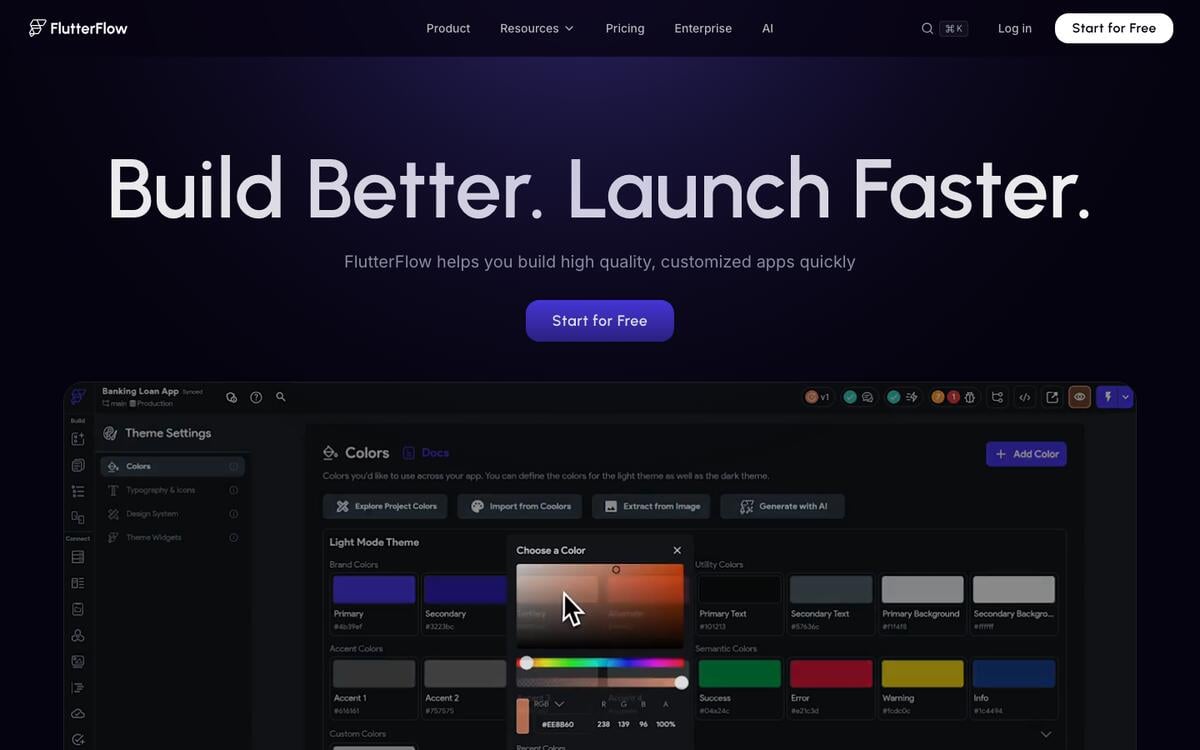
Key features: visual builder plus AI generation; Firebase and Supabase integration; in-browser preview; web publishing to FlutterFlow subdomains; a large template library.
Free plan (verified Sep 23, 2026): 2 projects and web publishing to 2 subdomains. AI assistance is capped at 5 requests for the lifetime of the account, not a monthly allowance. Code and APK download require a paid plan.
Pros:
- Real Flutter source, so a serious cross-platform app can start here and never leave
- One codebase reaches iOS, Android, and web
- The most established name across independent comparisons in this category
Cons:
- 5 lifetime AI requests makes the AI features close to a demo on free
- No code or APK export until Basic, which is the entire reason to pick Flutter
- Native publishing is not available at $0
Pricing: Basic $39/month for code export, APK download, and app store deployment.
Bottom line: the safest default if you want a real cross-platform app you can take anywhere, once you're paying.
2. Rork: Best for AI-Generated Native Swift, Kotlin, and React Native Apps
Rork generates mobile apps from a prompt in two modes: a free Design mode that proposes screens, and a paid Build mode that turns them into apps you can test on a device and publish. On Pro, Build mode writes SwiftUI for iPhone and Kotlin for Android. Rork Max adds iPad, Apple Watch, and Vision Pro.
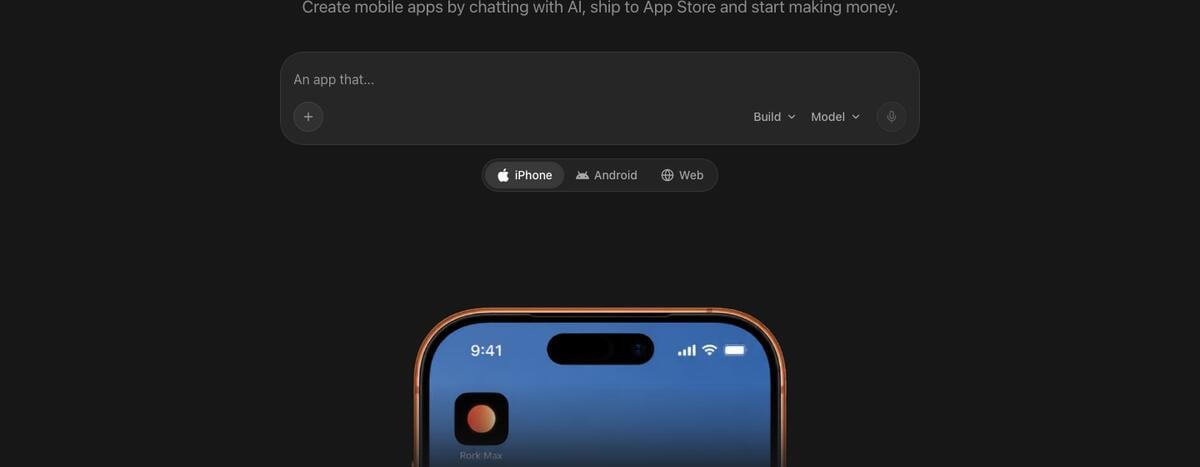
Key features: prompt-to-design in two stages; native SwiftUI and Kotlin output; Dev mode for code editing on paid plans.
Free plan (re-checked Sep 24, 2026, per Rork's own subscription docs): 5 design credits a day, 35 a month in major markets, Design mode only. Build mode, publishing, and Dev mode all require a paid plan.
Pros:
- The most literal "AI writes native Swift" option we verified
- Rork Max reaches beyond phones to Watch and Vision Pro
- Design mode is a genuinely free way to see screens before paying
Cons:
- Free plan cannot build or publish anything, only design it
- Pro includes 100 credits a month, and Max starts at $200/month
- Credits are consumed by fixing the AI's own mistakes, not just new features
Pricing: Pro $20/month (100 credits); Max from $200/month.
Bottom line: the closest thing here to "describe an iPhone app, get real SwiftUI back," now at $20 a month.
3. Vibecode: Best for a Prompt-to-Native App With a Built-In Backend
Vibecode builds mobile apps from a prompt with a database and authentication included, and uses a transparent credit model: a dollar of credits buys a dollar of the underlying AI usage, with no markup.
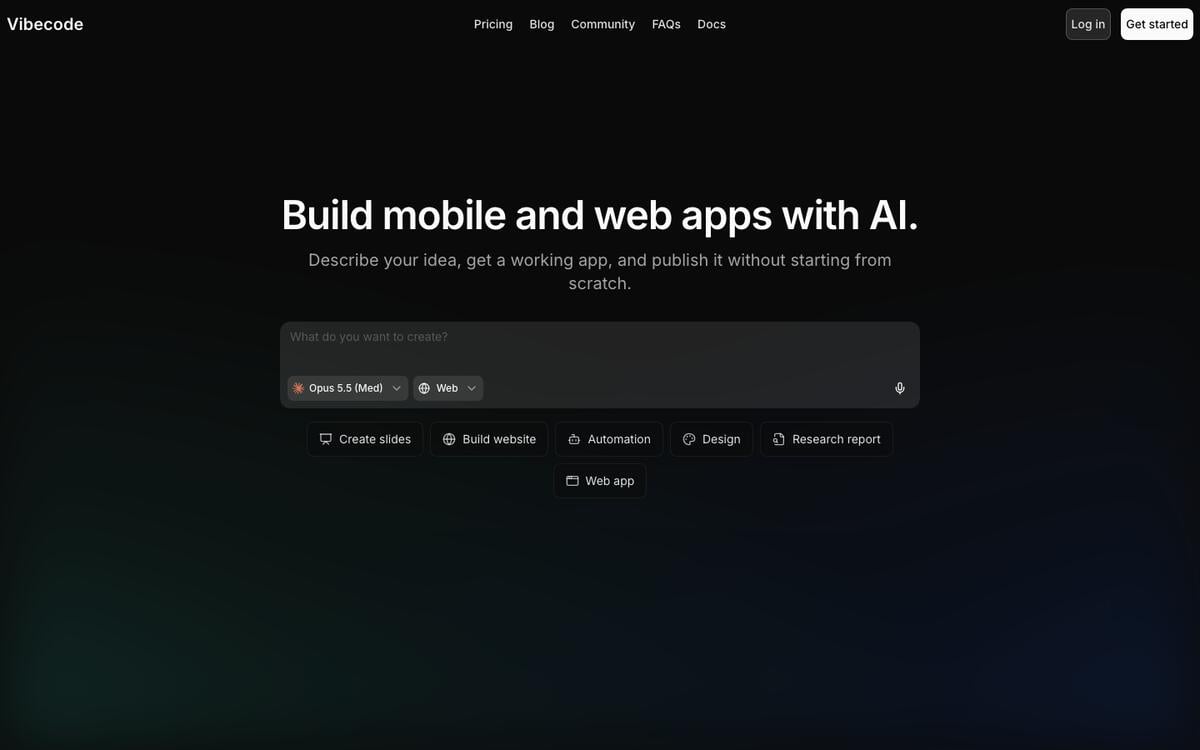
Key features: prompt-to-app with built-in database and auth; App Store submission from the Plus plan; code download and SSH on Pro; Vibecode Sandbox for free experimentation.
Free plan (re-checked Sep 24, 2026, per Vibecode's own plans page): $2.50 in one-time credits and access to premium AI models. Explicitly excluded on free: database, authentication, App Store submission, code download, SSH, and priority support.
Pros:
- A transparent, cost-plus credit model instead of an opaque message count
- Database and auth are built in once you're on a paid tier, not bolted on
- Credits roll over rather than resetting to zero
Cons:
- The free plan cannot touch a database, submit to the App Store, or export code
- Pro, at $50/month, is where code download and SSH actually unlock
- Vibecode says its own pricing tiers are still experimental and may change
Pricing: Plus $20/month, Pro $50/month (code download, SSH), Max $200/month.
Bottom line: a real native-app pipeline once you're paying, with unusually honest pricing math.
4. Thunkable: Best No-Code Native App Builder for a First Mobile Project
Thunkable is a drag-and-drop, no-code builder for native iOS and Android apps, aimed at people who have never shipped a mobile app before.
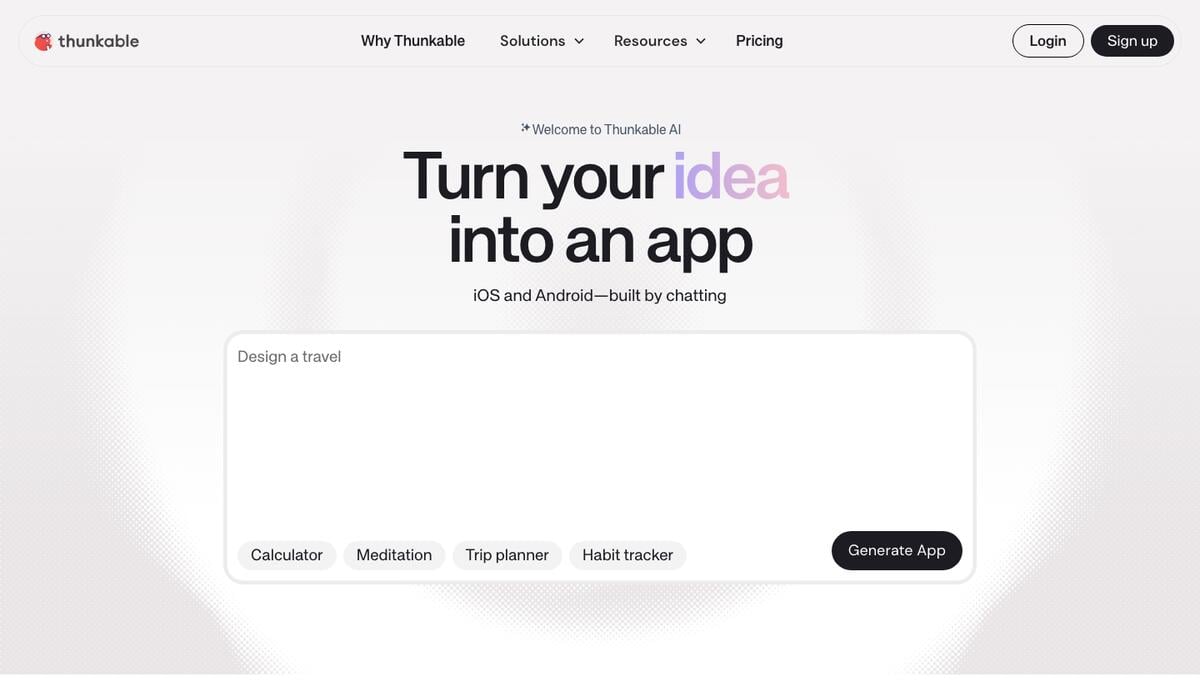
Key features: visual drag-and-drop canvas; AI-assisted screen generation; native compilation for iOS and Android from one project; a component marketplace.
Free plan (re-checked Sep 24, 2026): 2,000 AI tokens, 3 public projects, 5 screens per project. Projects on free are public only, and the pricing page lists the first "Live Published App" on the Builder plan.
Pros:
- The gentlest learning curve of the no-code native builders here
- AI tokens speed up screen generation without requiring code knowledge
- A real native compiler sits behind the visual canvas
Cons:
- 5 screens per project is tight for anything beyond a simple app
- Free projects are public, with no private option
- The $18-19 Accelerator tier adds tokens and a private project but no live published app
Pricing: Builder $37/month billed yearly ($59 monthly) for 1 live published app and 50,000 AI tokens. Accelerator, from $18/month, adds tokens and a private project without publishing.
Bottom line: a reasonable first stop for a no-code native app, if you're prepared to pay before you publish.
5. Draftbit: Best for a React Native App You Can Fully Export
Draftbit is a visual builder over React Native with a Supabase backend built in, and it explicitly supports building alongside Claude Code or OpenAI Codex rather than only its own AI.
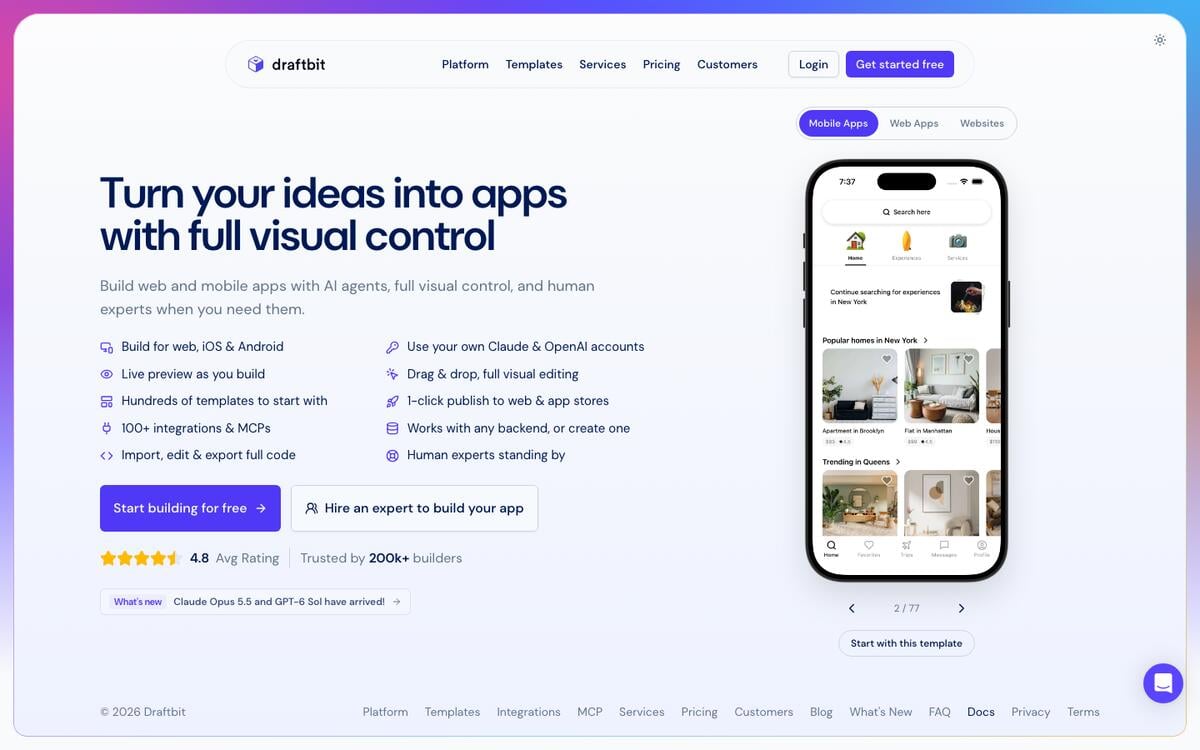
Key features: visual editor over real React Native; built-in Supabase backend; bring-your-own AI subscription or API key; one-click web publishing.
Free plan (verified Sep 23, 2026): 5,000 one-time credits, 3 projects, 2 apps per project, 1-click publishing to the web only (draftbit.dev). Code export and native app store publishing are not available on free.
Pros:
- The cheapest entry price in this entire list to unlock native publishing: $12/month
- Real React Native output with full code export
- A built-in Supabase backend means no separate database to wire up
Cons:
- Free tier is web-only; native publishing is a paid-plan feature
- Only 1 REST API integration per project and 1 sandbox running at a time
- Smaller ecosystem and community than FlutterFlow
Pricing: Standard $12/month ($9.60/month billed annually) for code editing, full export, and iOS/Android store publishing.
Bottom line: the best cost-per-native-app in this list once you're ready to pay for it.
6. Adalo: Best Visual Builder With Native App Store Publishing
Adalo is a no-code visual builder with an AI assistant added on top, compiling native iOS IPA files and publishing to both app stores and the web from a single project.
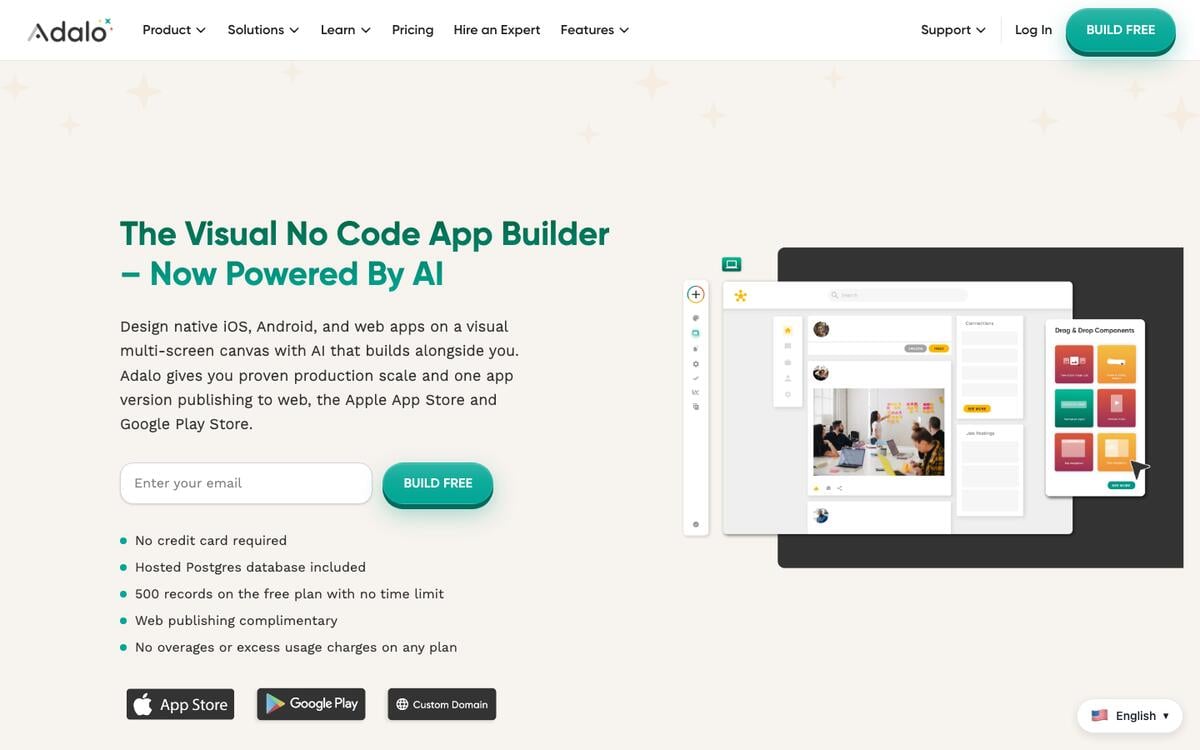
Key features: visual multi-screen canvas; AI assistant for generation; hosted Postgres database; native iOS and Android compilation; web publishing from the same project.
Free plan (verified Sep 23, 2026): unlimited test apps, capped at 500 records per app. Publishing to either app store requires a paid plan, and Adalo branding stays on until you upgrade.
Pros:
- Unlimited apps in test mode, so you can prototype several ideas at once
- One project reaches iOS, Android, and web without separate builds
- A hosted database is included even on the free plan
Cons:
- Nothing you build on free reaches the App Store or Google Play
- Starter, the cheapest publishing tier, is $36/month billed annually
- 500 records per app is a real ceiling for a data-heavy app
Pricing: Starter $36/month (billed annually) to publish one app to web and native stores, with custom domain and branding removal included.
Bottom line: a mature no-code native option once you accept that testing and publishing are two different price tiers.
7. Bravo Studio: Best for Turning a Figma Design Into a Native App
Bravo Studio starts from a Figma file rather than a prompt: you design the screens yourself, and Bravo compiles them into a real native app. Bravo MCP, included on the paid Solo plan, now lets Claude, Cursor, or another AI tool turn Lovable, Pencil, Figma, or Bravo Studio designs into React Native apps.
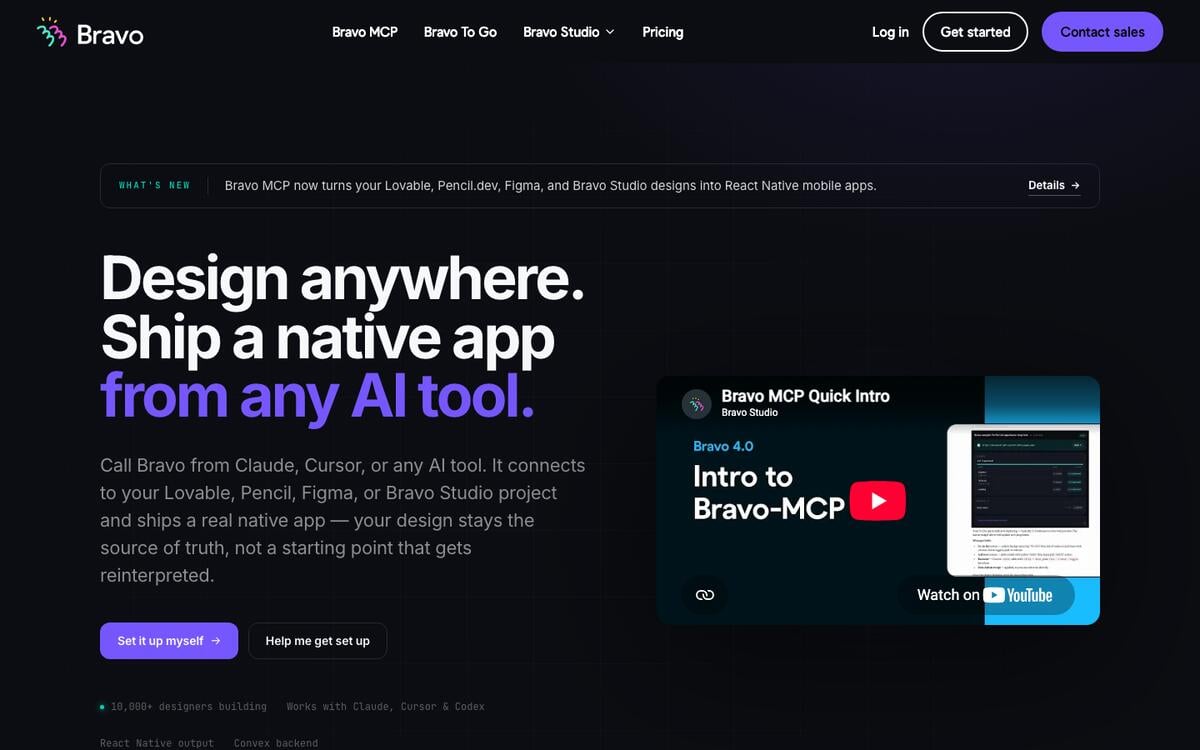
Key features: Figma-to-native compilation; up to 15 screens on the free Starter tier; a live device previewer; Bravo MCP for AI-assisted building on Solo.
Free plan (re-checked Sep 24, 2026): unlimited app projects, up to 15 screens per app, the Bravo Vision previewer, and community support. Publishing to any store requires a paid plan.
Pros:
- Designers who already work in Figma get a native app with no new design tool to learn
- Unlimited projects to prototype with on free
- Bravo MCP outputs React Native you own, which Bravo Studio itself does not export
Cons:
- You need a finished Figma design before Bravo can do anything, unlike a prompt-first tool
- 15 screens caps what the free tier can represent
- Publishing is entirely paid, starting at $22/month
Pricing: Solo $22/month, billed monthly, for unlimited store builds, 30 screens per app, and Bravo MCP.
Bottom line: the right choice specifically for teams whose process already starts in Figma.
AI Code Builders That Start in the Browser
These write real app code in a browser tab. Some hand the native build to another service, and one, Replit, now runs a guided App Store flow of its own.
8. Bolt: Best Free Token Allowance for Scaffolding a React Native App
Bolt is StackBlitz's browser-based AI code generator, and its Expo integration, built with Expo directly, scaffolds a real React Native project with routing and styling from a prompt, previewable instantly on your own phone via Expo Go.
Key features: prompt-to-code in the browser; Expo starter template for React Native; QR-code preview on a real device through Expo Go; GitHub export.
Free plan (verified Sep 23, 2026): 1,000,000 tokens a month with a 300,000-token daily cap — the largest raw free allowance of any tool in this list, mobile or web.
Pros:
- By far the most generous free token allowance in this category
- Real, exportable React Native source from the first generation
- Testing on your own phone via Expo Go takes about a minute
Cons:
- No native build pipeline of its own — WebContainers cannot run Xcode, Android Studio, or EAS
- No backend, database, or AI agent; a real app means wiring Supabase yourself
- Getting from Bolt's code to a signed IPA or APK requires Expo Application Services or a third-party wrapper
Pricing: Pro $25/month for 10M tokens and no daily cap.
Bottom line: the best free way to get real React Native code in your hands; budget separately for the native build step that turns it into an install.
9. a0.dev: Best for One Prompt Aimed at the App Store, Play Store, and Web
a0.dev markets prompt-to-app generation that deploys to "App Store, Google Play Store, and web" from one codebase, with a built-in AI coding agent and Convex or Supabase for the database.
Key features: one-prompt generation targeting three destinations from a single codebase; built-in database options; integrated payments and an analytics dashboard, per the vendor's own product page.
Free plan (re-checked Sep 24, 2026): a0.dev's pricing page, read in a headless browser, lists only paid plans. Third-party trackers report a free tier of 1 app project, which we could not confirm on the vendor's own page.
Pros:
- Targets all three destinations — both stores and web — from a stated single codebase
- Built-in payments and analytics beyond what most builders on this list include
- A coding-agent approach rather than pure drag-and-drop
Cons:
- We could not confirm a free tier on the vendor's own page
- The underlying mobile framework is not disclosed on the marketing site
- Newer and less independently reviewed than FlutterFlow, Adalo, or Thunkable
Pricing: Pro $20/month for 100 credits, unlimited app builds, code export, and a custom domain; Max $200/month for 1,250 credits.
Bottom line: worth testing given the three-destination claim and the code export on its entry tier, but confirm the free allowance yourself before you plan around it.
10. Replit: Best for a Guided iOS App Store Path From a Browser IDE
Replit is a browser IDE with an AI agent and hosting built in. Its Agent builds mobile apps in React Native through Expo, and Replit's mobile docs describe a guided flow from the editor to TestFlight to the App Store. The same docs state that publishing to Google Play is not yet supported.
Key features: full cloud IDE; Replit Agent for prompt-to-app generation; iOS Simulator and Android Emulator previews in the editor; Expo Go on a real phone; guided TestFlight and App Store submission.
Free plan (verified Sep 23, 2026, per Replit's own billing docs): 1 published app, marked "(30-day)" in Replit's own plan comparison, carrying a "Made with Replit" badge. Agent usage draws on limited daily credits.
Pros:
- The best environment here for actually learning to read and fix the generated code
- Hosting and editing live in one place with no separate deploy step
- A real, if credit-metered, AI agent rather than a template picker
Cons:
- Google Play publishing is not supported yet, per Replit's own docs
- One published app on free, time-limited and badged
- App Store submission still needs your own Apple Developer Program membership
Pricing: Core, from $20/month, for unlimited published apps and badge removal.
Bottom line: the best pick here if you want to read and fix the code and still reach the App Store from one browser tab. Plan Android separately.
Spreadsheet- and Workspace-Backed Mobile Tools
These build mobile-responsive apps over data you already have, published as installable web apps rather than native binaries.
11. Glide: Best for a Spreadsheet-Backed Mobile App
Glide turns Google Sheets, Excel, or its own tables into mobile-friendly apps, and remains one of the fastest routes from a spreadsheet to something usable on a phone.
Key features: spreadsheet and native table data sources; mobile-responsive output; AI features for building app logic; row-level permissions on paid tiers.
Free plan (verified Sep 23, 2026): 10 projects, 2 team members, and a limited credit allowance. The pricing page lists 0 published apps and 0 enabled workflows on Free.
Pros:
- Fast path from a spreadsheet you already maintain to a phone-ready interface
- Genuinely mobile-first output with little design work required
- Data stays in a source you already control
Cons:
- Publishing itself sits on the paid Basic plan
- Credits on the free tier are limited and vendor-described only as "limited," not a fixed number
- No native binary and no app-store presence at any tier
Pricing: Basic $25/month for 100 credits and 2 published apps.
Bottom line: the fastest way to put an existing spreadsheet in front of someone on their phone, as a web app.
12. Google AppSheet: Best for Google Workspace Teams Needing Mobile Data Capture
Google AppSheet is Google's no-code builder, generating mobile PWAs from Sheets, Drive, and Calendar data, popular for field work and offline data capture.
Key features: deep Google Workspace integration; offline data capture for field teams; formula-driven logic; automation over spreadsheet data.
Free plan (verified Sep 23, 2026, per AppSheet's own pricing page): explore the platform and test with up to 10 users at no cost. Deploying to real users requires a paid plan.
Pros:
- Unmatched if your data already lives in Google Sheets, Drive, and Calendar
- Strong offline support for field teams with unreliable connectivity
- Core, the mid tier, is bundled into some Google Workspace editions already
Cons:
- Real deployment to your team is a paid action, not a free one
- No AI generation — every screen and rule is built by hand
- Per-user pricing adds up for larger teams
Pricing: Starter $5/user/month. Core, $10/user/month, is included in most paid Google Workspace plans.
Bottom line: the right pick for Google Workspace teams that need offline-capable data capture on mobile, once you're past prototyping.
13. Appy Pie: Best Beginner Path That Includes Store Submission
Appy Pie is a template-driven builder for simple mobile apps aimed at people with no prior building experience, and its own pricing page is one of the clearest about the true cost of reaching both stores.
Key features: drag-and-drop mobile app builder; industry template packs; app-store submission assistance on paid plans; a bundled website and chatbot builder.
Free plan (verified Sep 23, 2026, per Appy Pie's own pricing page): a 7-day trial for personal, non-commercial testing. Real publishing to either store requires a paid plan, and Appy Pie's own page states the Gold tier covers Android only, while both stores require Platinum.
Pros:
- Appy Pie's own pricing page states the Apple and Google fees plainly, unlike most competitors
- The lowest possible skill barrier of any tool in this list
- Both-store publishing assistance is bundled into one plan, not sold separately
Cons:
- The 7-day trial is genuinely time-limited, not a permanent free tier
- Platinum, the both-stores tier, runs $60 per app per month billed annually
- Output quality lags AI-generated alternatives
Pricing: Platinum $60/app/month (annual) or $120/app/month (monthly) for both-store publishing.
Bottom line: the simplest on-ramp for a total beginner, and honest about what the stores separately charge on top.
Design and Build the App Before the Store Review
14. Taskade Genesis: Best for a Mobile-Web App With a Database and an AI Agent
Taskade Genesis is not a native app compiler and does not compete with FlutterFlow, Rork, or Adalo on App Store review. It builds a mobile-responsive web app from a prompt, with a database, an AI agent, and automations attached, live on a shareable URL the moment you publish. No developer account, no store review, no annual fee.
Key features: prompt-to-app generation with a live database and 100+ integrations; 1 AI agent on free; every generated app is mobile-responsive by default. Taskade also ships its own native iOS and Android apps for working inside your workspace, a separate product from an app Taskade Genesis generates for you.
Free plan (verified Sep 23, 2026): 3 apps, 1 AI agent, automations you build yourself (10 runs/mo), and 6,000 credits to start, no credit card.
Pros:
- No store account or review queue — live the moment you publish
- Database, agent, and automations on the same free plan
- Mobile-responsive with no separate mobile build step
Cons:
- Not a native binary — no App Store or Play listing from the app it builds
- No offline-first behavior or deep OS sensor access
- 3 apps is a hard ceiling, and starting credits do not refill monthly
Pricing: Pro $10/month billed annually ($120/year) for unlimited apps and agents.
Bottom line: the fastest way to put a database-backed app on someone's phone today — not a substitute for a store listing when you need one.
The Store Review Gauntlet
Every native app, however it was built, passes through the same review states, and a rejection sends it backward, not forward.
A mobile-web app skips this entire diagram. Publishing from Taskade Genesis, Glide, or AppSheet goes straight from "Building" to "Live," with no queue and no rejection state, because there is no binary for a reviewer to test.
A rejection is not the end of the road: Apple approved 387,087 previously rejected submissions in 2025, per its transparency report. This card is the order of work that keeps the fix loop short:
FIRST NATIVE LAUNCH, IN ORDER                      TYPICAL WAIT
────────────────────────────────────────────────   ─────────────────
1. Enroll in the Apple Developer Program ($99/yr)  enrollment review
2. Register a Google Play Console account ($25)    one-time
3. Recruit 12 Android testers, start closed test   14 continuous days
4. Build and sign the IPA and AAB in your builder  minutes to an hour
5. Write the privacy policy and data-safety forms  the step most skip
6. Submit to App Review                            90% under 24 hours
7. Fix, rebuild, resubmit if rejected              23% of 2025 submissions
8. Apply for Google Play production access         after the 14 days
────────────────────────────────────────────────   ─────────────────
Mobile-web path: build, publish, share the URL.    minutes
What AI Mobile App Builders Cost
The cheapest builder tier that reaches an app store costs 115 to 720 dollars a year in this list, and the store fees add 99 to 124 dollars more. We added the two together for every tool with a verified store tier, because most roundups list the store fees separately, if at all. Prices were checked on vendor pages on September 23-24, 2026.
| Builder, cheapest store tier | Builder, 12 months | Store fees, year 1 | First-year total | Stores reached |
|---|---|---|---|---|
| Draftbit Standard, billed annually | $115.20 | $124 | $239 | Both |
| Replit Core | $240 | $99 | $339 | App Store only, per Replit's docs |
| Vibecode Plus | $240 | $99 | $339 | App Store submission listed |
| Rork Pro | $240 | $124 | $364 | iPhone and Android builds |
| Bravo Studio Solo, billed monthly | $264 | $124 | $388 | Both |
| Adalo Starter, billed annually | $432 | $124 | $556 | Both |
| Thunkable Builder, billed yearly | $444 | $124 | $568 | Both |
| FlutterFlow Basic | $468 | $124 | $592 | Both |
| Appy Pie Platinum, billed annually | $720 | $124 | $844 | Both |
| Taskade Genesis Free (mobile-web) | $0 | $0 | $0 | None, a shareable URL |
Two caveats keep this honest. Apple charges the $99 again every year the app stays listed. And the tier shown is the cheapest that reaches a store, not the one a growing app ends on, since most tiers cap AI requests, credits, or published apps.
Which AI Mobile App Builder Fits Your Goal?
| You are... | Start with | Then add |
|---|---|---|
| Shipping a real app to both stores, on a budget | Draftbit ($12/mo) | FlutterFlow if you outgrow React Native |
| An iOS-first founder who wants real SwiftUI | Rork Pro ($20/mo) | Rork Max for iPad and Watch, or Vibecode as a second opinion |
| A learner who wants to read the code and still reach the App Store | Replit | Expo Application Services for the Android build |
| A designer whose process starts in Figma | Bravo Studio | Adalo for a faster no-code alternative |
| Testing an idea before spending anything | Bolt + Expo Go | A paid native builder once the idea proves out |
| Building a client portal or internal tool | Taskade Genesis | Glide or AppSheet if the data is already in a sheet |
| A Google Workspace team doing field data capture | Google AppSheet | Taskade Genesis for the agent-driven pieces |
| A total beginner who wants both stores handled | Appy Pie | A code-export tool once you outgrow templates |
| Planning the app before any builder touches it | Taskade generators and templates | Any native builder in this list, prompt in hand |
Why We Put the Decision Before the Build
Native or web is the first decision in mobile app building, and most comparisons never ask it out loud. Taskade Genesis is a mobile-web builder by design: every app it generates is mobile-responsive from the first prompt, with a database, an agent, and automations on the free plan. When an app needs a store listing, hand the same spec to FlutterFlow, Draftbit, or Rork. This table is the decision:
| Capability | Native app (store binary) | Mobile-web app (shareable URL) |
|---|---|---|
| Install | From the App Store or Google Play, after review | Open a link, or add it to the home screen for an icon |
| Updates | Every update re-enters review | Live the moment you republish |
| Push notifications | Full OS support on both platforms | Web push in modern browsers; on iPhone only for web apps added to the home screen (iOS 16.4 and later) |
| Offline and sensors | Offline-first data, camera, GPS, Bluetooth | Cached pages, plus camera and location through browser permissions |
| Discovery | Search and charts inside both stores | Links, search engines, QR codes, and embeds |
| Fixed cost, year one | $99 Apple plus $25 Google, plus a builder tier | $0 in store fees |
Whichever column wins, the spec comes first. These free Taskade pages cover each planning step, and every output carries over to any builder in this list:
| Planning step | Free tool to start from |
|---|---|
| Map the user flow | App development flowchart generator |
| Sketch the screens | Mobile app wireframe agent, mobile app mockup agent, sketch-to-wireframe converter |
| Write the spec | PRD template, MVP definition prompt, idea-to-build-plan prompt |
| Review the design | Mobile app design prompt, mobile-first design checklist |
| Plan the build | Mobile app development plan, development board, mobile app roadmap, AI MVP builder |
| Scope it for a client | App development proposal generator |
| Ship to the stores | App Store submission checklist, mobile app launch checklist |
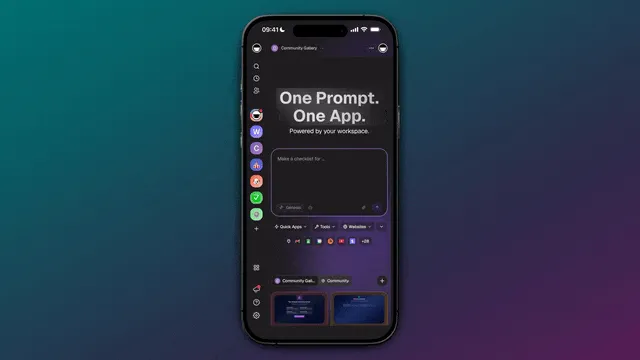
Every app it builds carries the same Workspace DNA: Memory in Projects, Intelligence in AI agents, Execution in automations. Browse mobile-friendly apps in the Community Gallery, start from the Taskade homepage, or build yours at taskade.com/create.
AI Mobile App Builder FAQ
What is the best AI mobile app builder in 2026?
It depends on whether you need a store binary or a working app today. FlutterFlow is the most complete for a Flutter project on both stores, from $39 a month. Rork Pro writes SwiftUI and Kotlin from $20 a month. For a mobile-web app with a database, an agent, and automations from one prompt, Taskade Genesis is the fastest path, on a URL rather than a store.
What is the best free AI mobile app builder?
For a mobile-web app, Taskade Genesis is the strongest free option: 3 apps, 1 AI agent, and 6,000 credits to start, no card, and every app opens on any phone from a link. For a native app, nothing here is free end to end. Bolt gives the most free room for native code, 1 million tokens a month through Expo, but no build step.
What is the best free AI for Android app development?
Bolt scaffolds a React Native project you can test on an Android phone with Expo Go for free. To ship an APK or AAB to Google Play, Draftbit is the cheapest paid path at $12 a month, and FlutterFlow unlocks APK download at $39. Google Play then adds a one-time $25 and, for a new personal account, a 14-day closed test with at least 12 testers.
What is the best free AI iOS app builder?
No builder ships to the App Store for free, because Apple's Developer Program costs $99 a year whichever tool you use. The cheapest AI paths to iOS code are Draftbit Standard at $12 a month, and Rork Pro and Vibecode Plus at $20. Rork's free Design mode and Bolt's free Expo scaffolding let you preview an iPhone app before you pay.
What are the best no-code mobile app builders in 2026?
Adalo and Thunkable lead for drag-and-drop native apps, Bravo Studio for Figma-first teams, and Glide and AppSheet for apps over spreadsheet data. Adalo publishes to both stores from $36 a month billed annually. Thunkable's first live published app sits on Builder, $37 a month billed yearly.
What is the best AI mobile app builder for non-technical founders?
If a working link is enough to test the idea, a mobile-web app from Taskade Genesis needs no store account and no code. For a store listing, Adalo and Thunkable are the gentlest native canvases. No tool here builds an Uber from one prompt. They are best for a focused first version.
Can AI build a real native iOS or Android app, not just a web app?
Yes, on a paid plan. FlutterFlow and Draftbit generate Flutter and React Native code you can export. Rork Pro writes SwiftUI and Kotlin, and Rork Max adds iPad, Apple Watch, and Vision Pro. Adalo, Thunkable, and Bravo Studio compile binaries you submit. Replit builds React Native apps through Expo with a guided App Store flow.
How much does it cost to publish an app to the App Store and Google Play?
Apple charges $99 a year and Google charges a one-time $25, both paid by you, not the builder. The cheapest builder tier that reaches a store adds $9.60 to $60 a month. Our first-year cost table puts the total for both stores between $239 on Draftbit and $844 on Appy Pie.
How long does App Store and Google Play review take?
Apple says 90% of submissions are reviewed in under 24 hours on average, and it rejected about 23% of 2025 submissions, each of which restarts the clock. Google says some reviews take up to 7 days or longer, and a new personal account must first keep 12 testers in a closed test for 14 continuous days.
Which AI mobile app builders let you export the code?
FlutterFlow exports Flutter on Basic ($39), Draftbit exports React Native on Standard ($12), Vibecode adds code download on Pro ($50), and a0.dev lists code export on Pro ($20). Rork offers Dev mode code editing on paid plans. Bolt writes Expo code even on free but cannot sign a build, and Bravo Studio exports builds, not source.
Can Taskade build a native mobile app?
No, and it does not claim to. Taskade Genesis builds mobile-responsive web apps published to a shareable URL, not a binary for the App Store or Google Play. Taskade separately ships native iOS and Android apps for working inside your workspace, chatting with agents, and monitoring automations, which is a different product from an app it generates for you.
Is a mobile-web app or PWA good enough, or do I need a native app?
For most internal tools, client portals, and small-business apps, yes. A mobile-web app opens from a link, needs no store account, and updates the moment you republish. It falls short when you need OS-level push on every phone, offline-first data, deep sensor access, or store discovery. The capability table above shows where each side wins.
The Verdict
For a native app on both stores with code you own, FlutterFlow and Draftbit are the strongest foundations, and Draftbit is the cheapest at $12 a month. For AI-written native Swift, Rork Pro is the most literal option at $20 a month. Replit reaches the App Store from a browser IDE, iOS only. For a working mobile-web app today, with a database and an AI agent and no review queue, Taskade Genesis is the fastest path, free, no credit card.
Decide which one you need before you pay for either. Build your mobile-web app free →
Further Reading
- Best Free AI App Builders
- Best AI App Builders
- AI App Builders 2026
- Best Vibe Coding Tools
- What Is Vibe Coding?
- Taskade Genesis: Build Mobile Apps on Your Phone
- AI Design Tools 2026
- No-Code App Builder
- What Is Vibe Coding in Taskade Genesis
- Custom Domains in Taskade Genesis
- Bolt Alternatives
- Vibe Coding Tools
Related comparisons: Taskade vs FlutterFlow · Taskade vs Adalo · Taskade vs Glide
Sources
- IBM Simon — Wikipedia
- FlutterFlow pricing, Adalo pricing, Glide pricing, Thunkable pricing, Draftbit pricing, Bolt pricing, Bravo Studio pricing, Appy Pie pricing, AppSheet pricing — vendor pages, checked September 23, 2026
- Rork subscriptions — Rork's own documentation
- Vibecode plans and credits — Vibecode's own documentation
- Replit Core plan and Replit mobile apps — Replit's own documentation
- Rork pricing and a0.dev pricing — vendor pages, re-checked September 24, 2026
- Apple Developer Program enrollment, App Review, and the 2025 App Store Transparency Report — Apple
- Google Play registration fee and testing requirements for new personal accounts — Google Play Console Help
- Bolt's Expo integration — Bolt, on X
▲ ■ ● Simon shipped software with no app store to review it. In 2026 the code takes a minute, and the store gate still takes accounts, fees, and a review. Know which one you actually need. Memory feeds Intelligence, Intelligence triggers Execution. Build your mobile-web app free →