
TL;DR: Deleting a project is permanent, and a deleted project cannot be restored. If you might need it later, archive it instead: an archived project stays searchable, can be restored at any time, and only disappears when you choose Delete forever. See Version History for undo inside a live project.
Pick the action that matches your need for the project later.
Overview
When you finish a project, you can complete, archive, or delete it. A completed project moves out of your active view and stays recoverable. A deleted project is removed permanently. Choose the action that matches your need for the project later.
Complete a Project
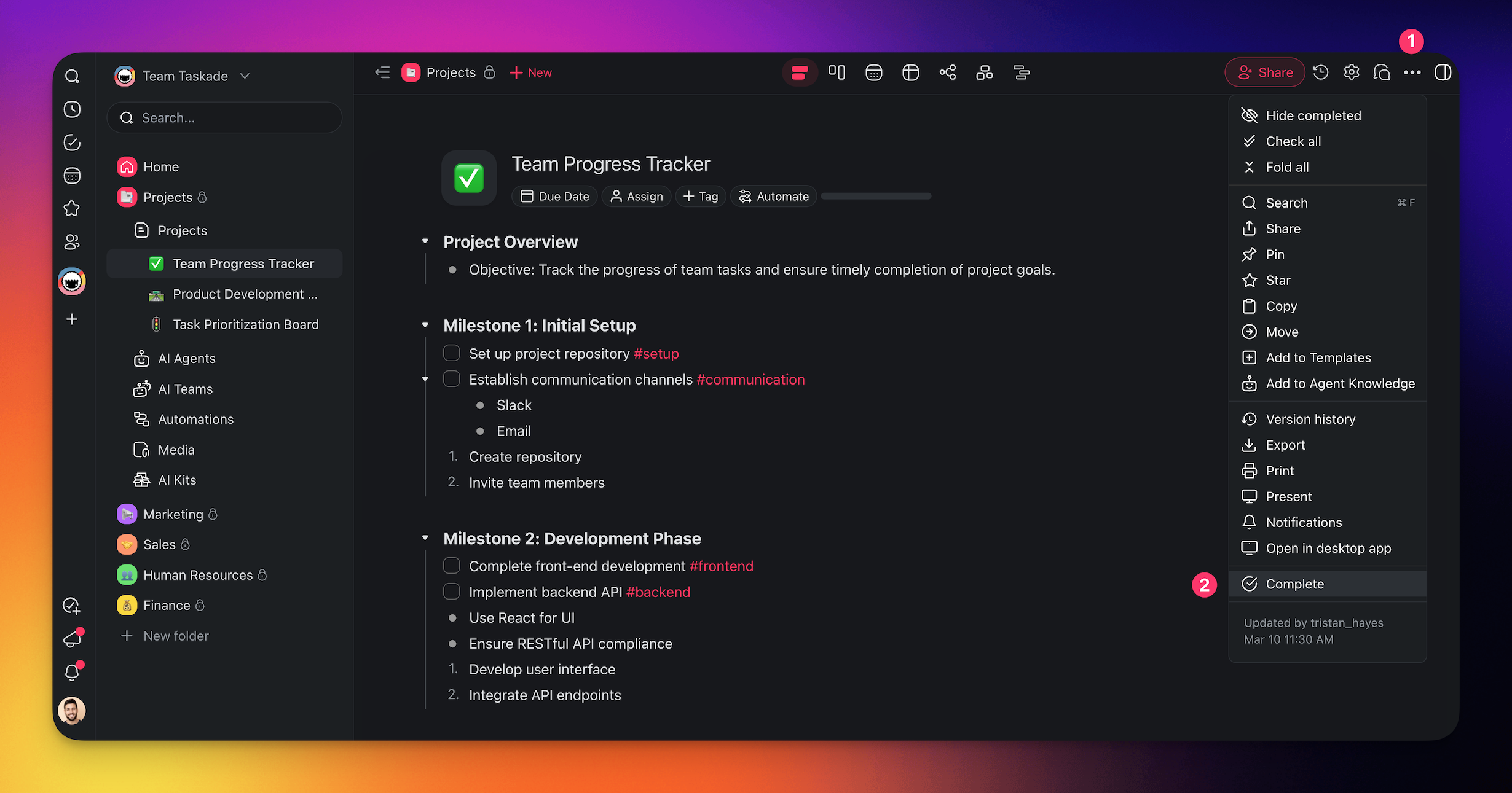
- Click ••• in the top-right corner of a project.
- Choose Complete from the drop-down menu.

Complete From the Workspace
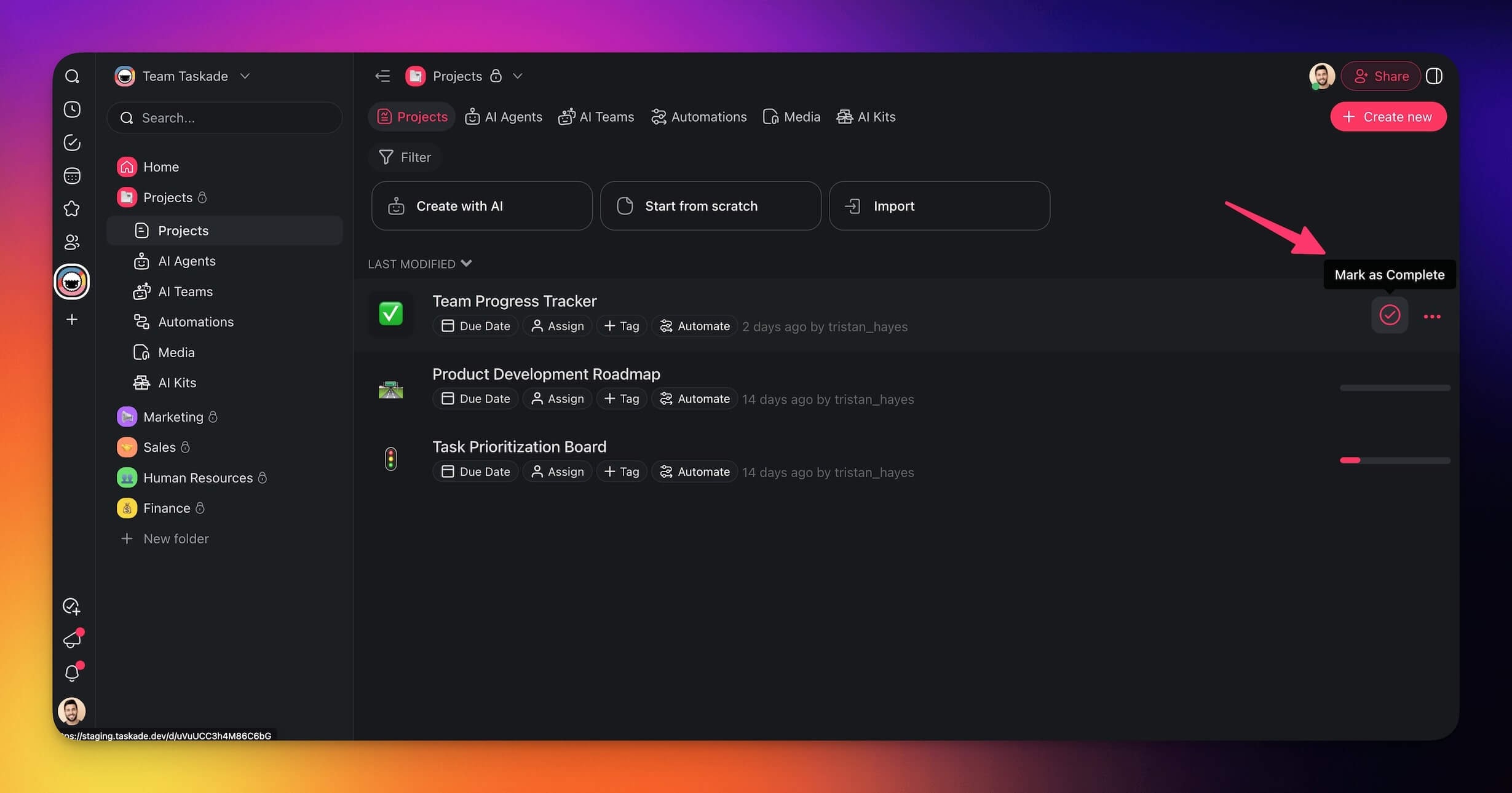
- Go to a workspace/folder.
- Hover the mouse cursor over the project you want to complete.
- Click the check mark circle

on the right.
Restore a Project
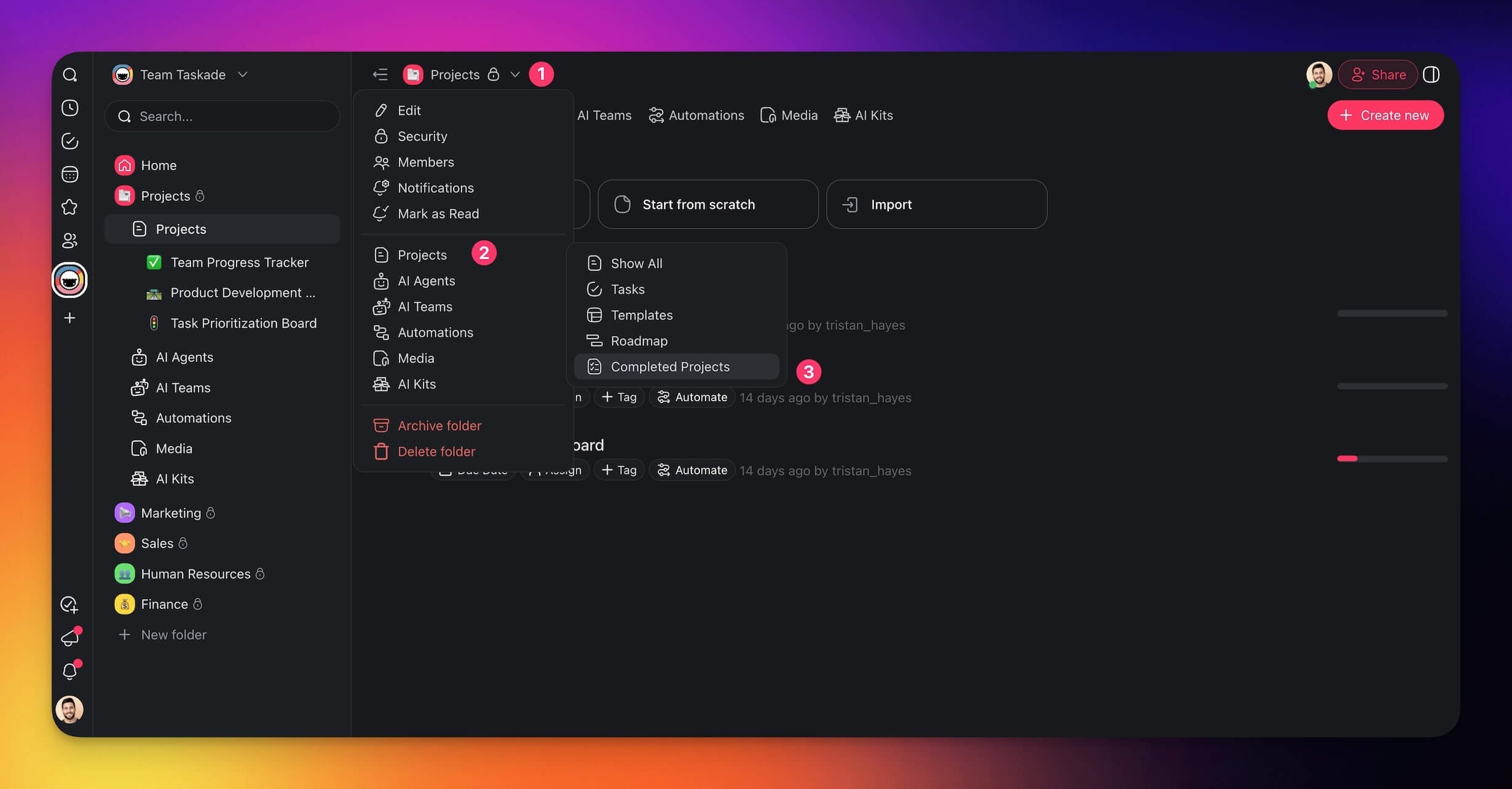
- Click ˅ next to the name of your workspace/folder.
- Choose 📄 Projects → Completed Projects from the list.
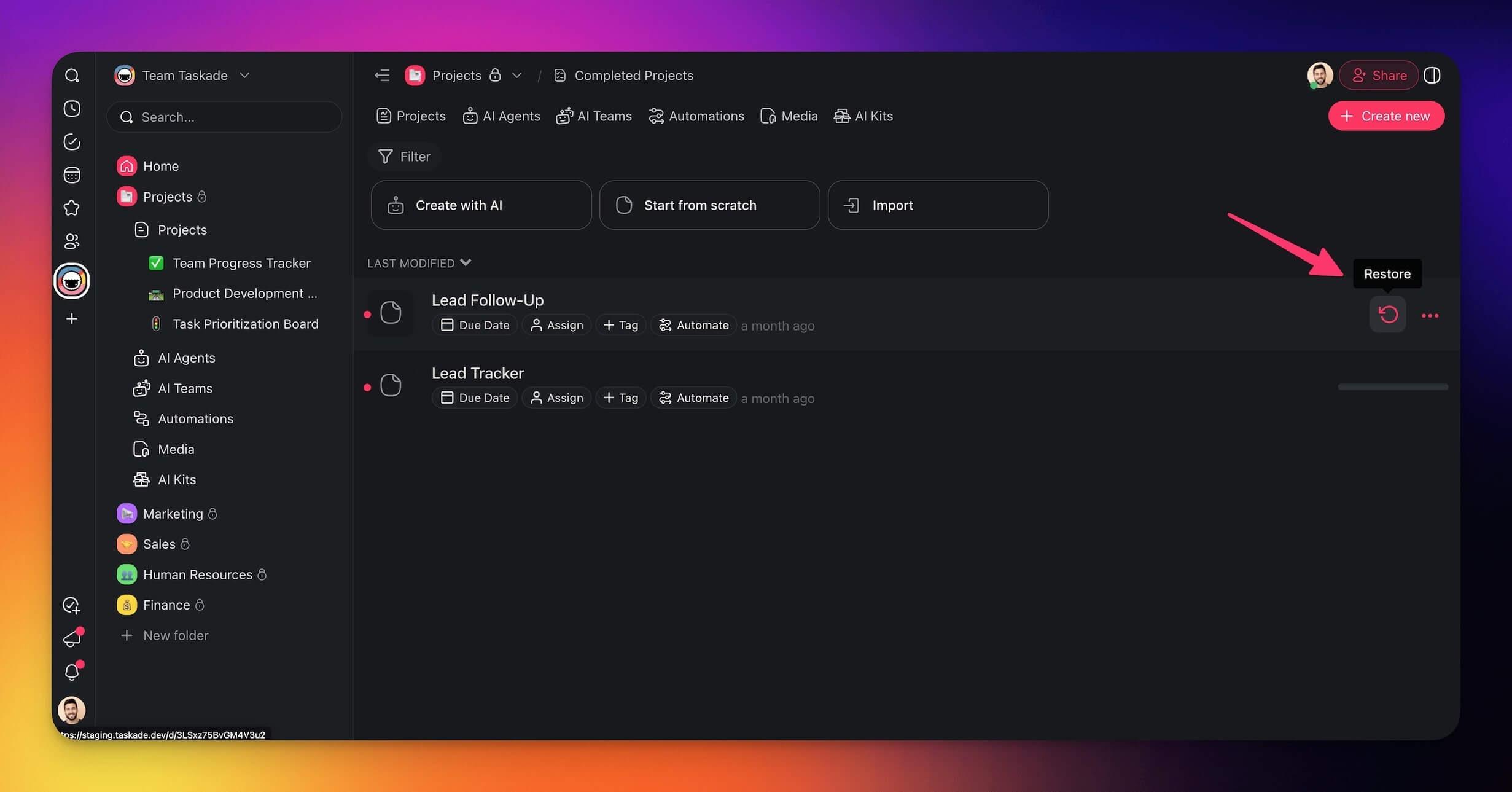
- Hover the mouse cursor over a project and click

on the right.
Delete a Project
If you no longer need a project, you can delete it permanently.
Note: Deleted projects cannot be restored!
- Navigate to your workspace or Completed Projects (see the previous section).
- Hover the mouse cursor over a project.
- Click ••• next to the project title.
- Select

from the drop-down list.
Tips
- If you need the content later, complete the project instead of a deletion.
- Use Hide Completed to keep your workspace tidy without removing finished projects.
- Before a deletion, export the project content for your records. To recover a recent state first, visit Version History.
- Only workspace Owners and Editors can delete projects.
- For large workspaces, completing projects keeps them searchable in Completed Projects while keeping your active view clean.