
Overview
Keep every project conversation in one place so your team never has to switch to a separate messaging app to talk about the work.
TL;DR: The in-project chat is a real-time sidebar for teams to discuss tasks without leaving Taskade. Every message can link back to a specific task with
@, and chat history is searchable via multi-layer search. Pair with video calls for full collaboration.
Here is the path from inviting a teammate to a live Team Chat.
Start a Chat
Stop switching between task management tools and business communication apps. 👋 Taskade's Chat feature lets you and your team talk and work in one place.
There are two ways to invite people to a discussion:
(method 1): Invite them using an email address or Taskade username.
- Navigate to the project where you want to start a chat.
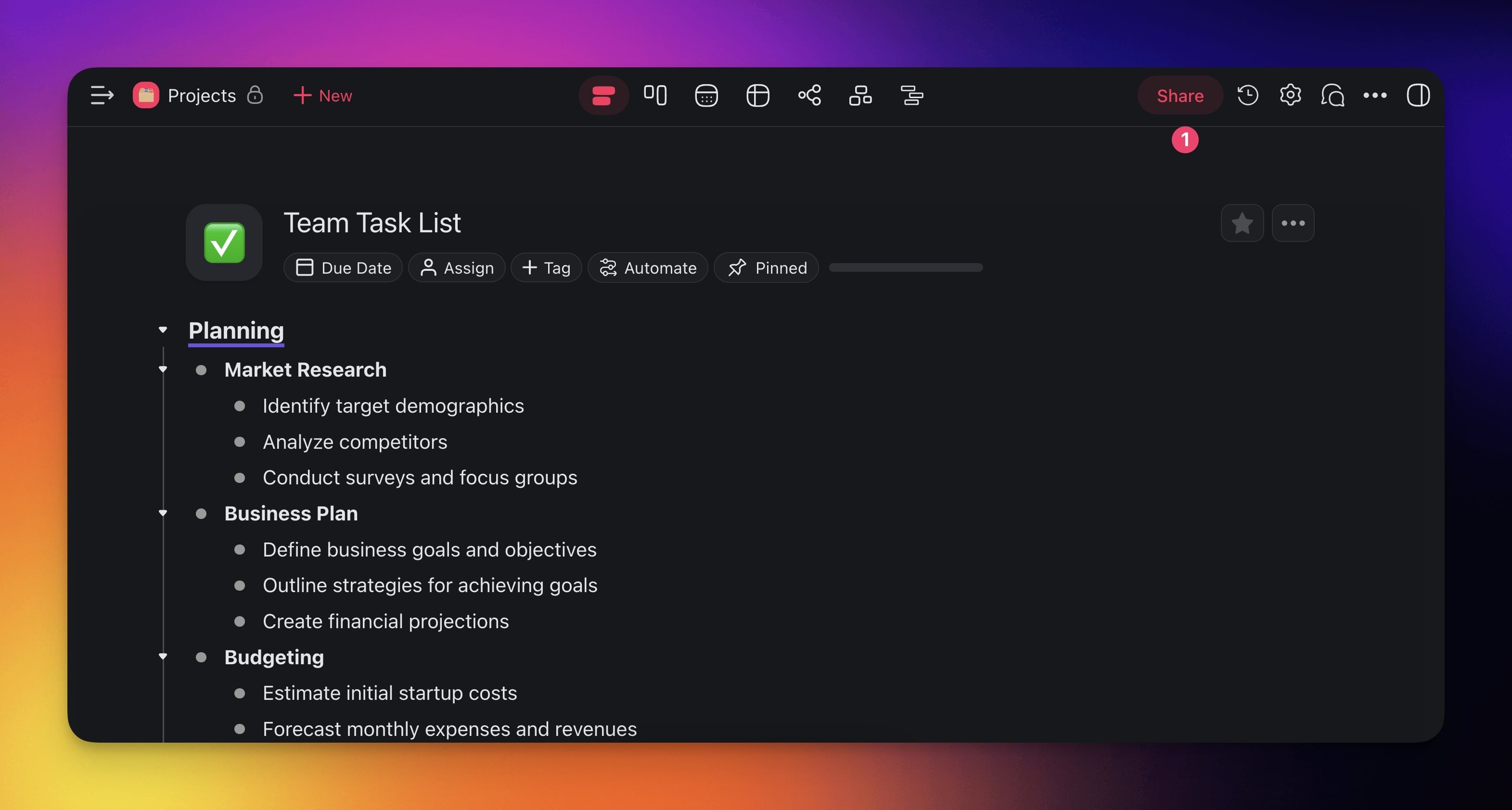
- Click the Share button in the top-right corner.
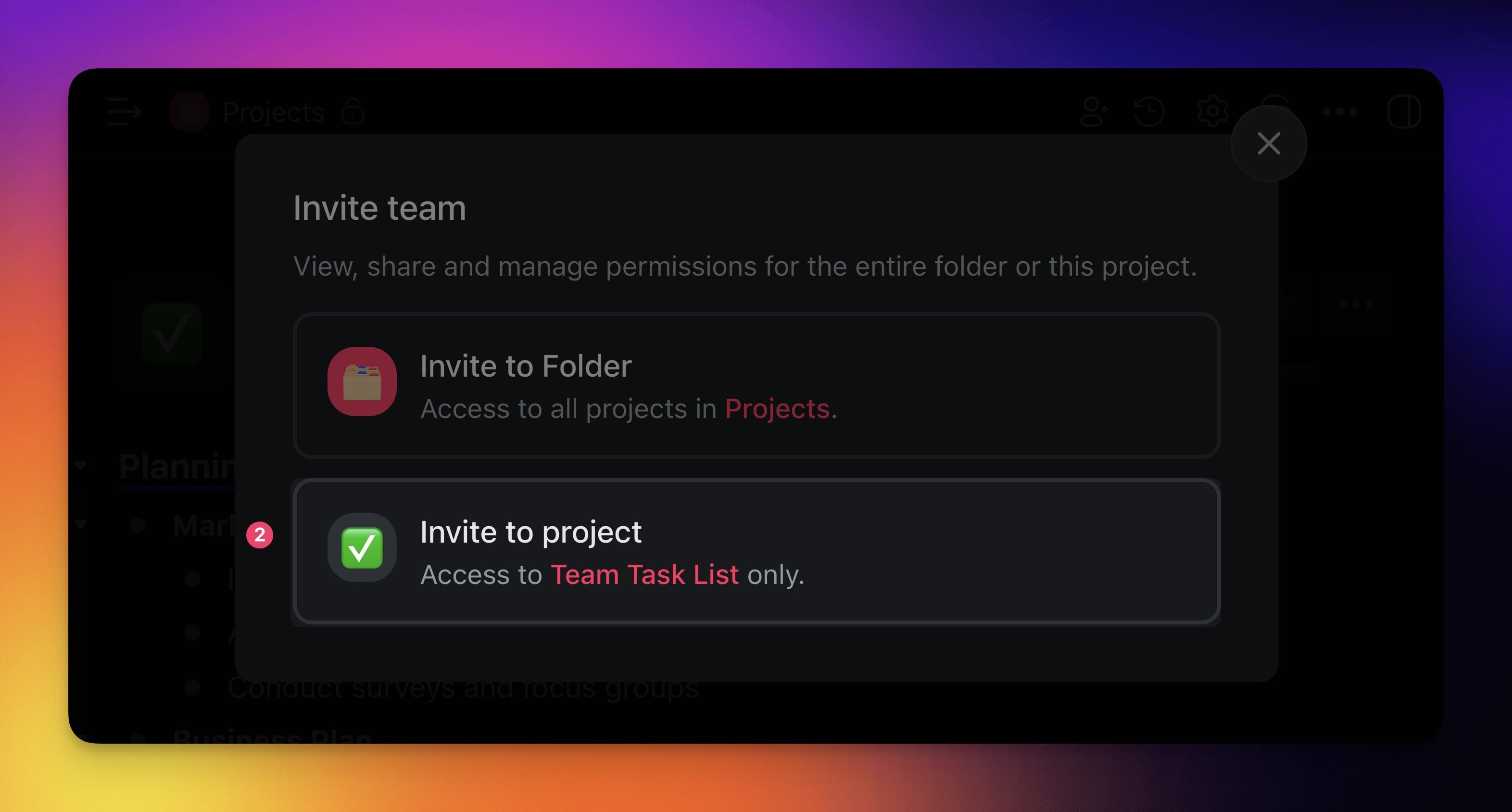
- Choose Invite to project.
- In the Share link tab, set the permissions for the new users and click Copy link.
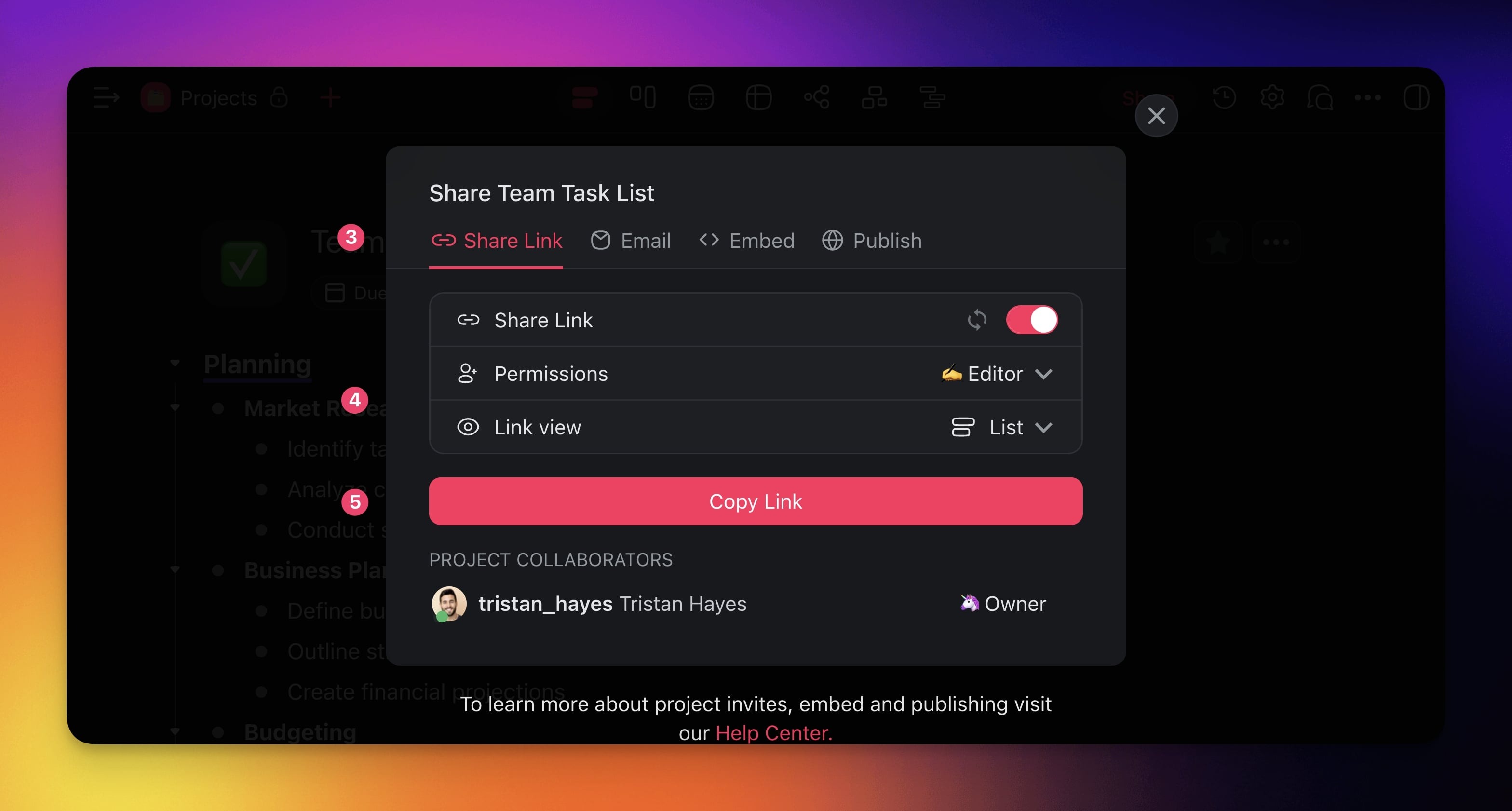
(method 2) 🔗 Copy a Project invite link and send it via text or email.
- Follow the step 1-3 described above.
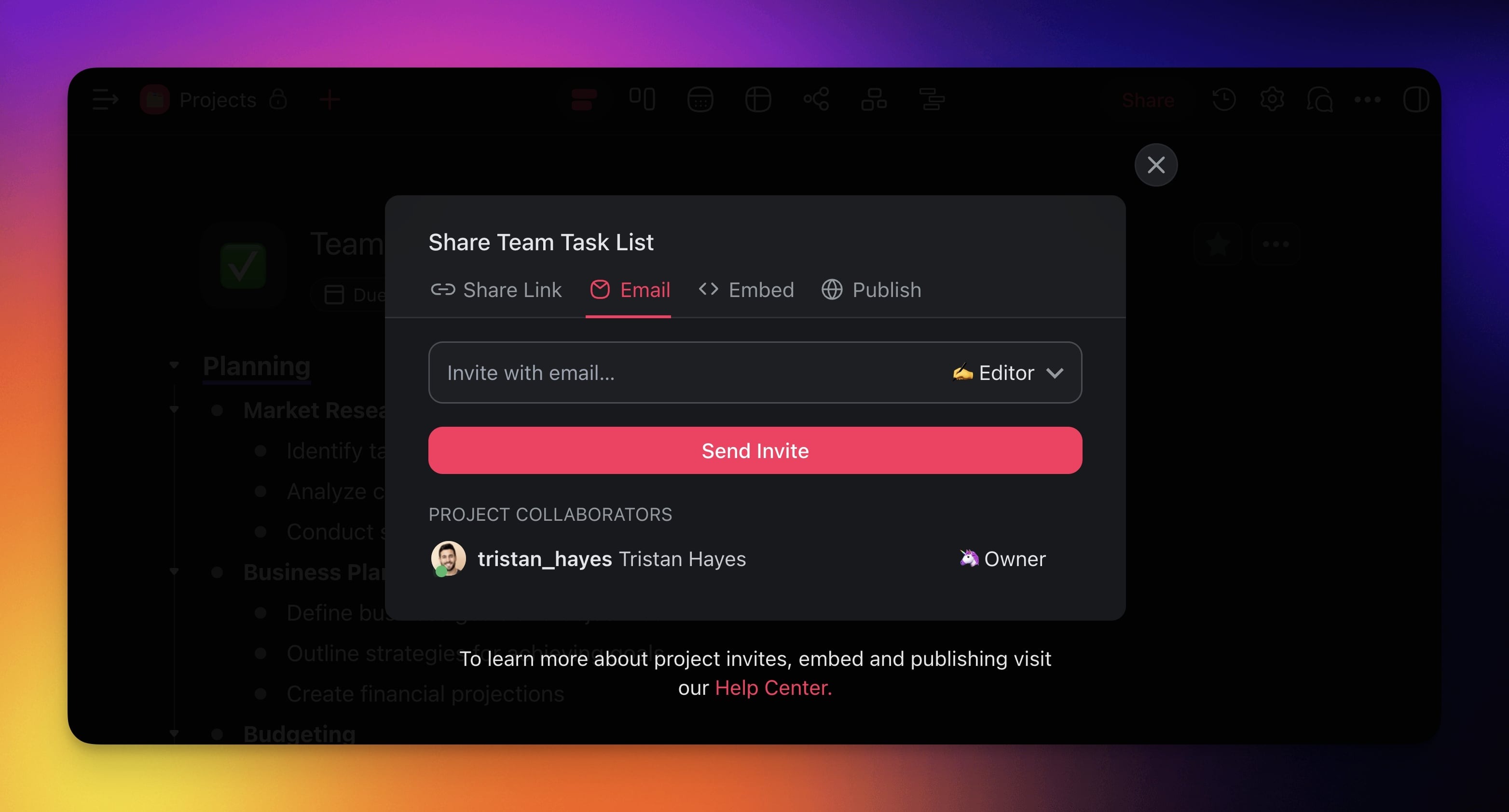
- Go to the Email tab and set the permissions for the new user.
- Enter the email of the user you want to invite.
- Click Send Invite to send the invitation.
Start a Team Chat
The chat box is located in the right-hand section of every project. To start a chat:
- Open a project and click the chat balloon icon 💬 in the top-right corner.
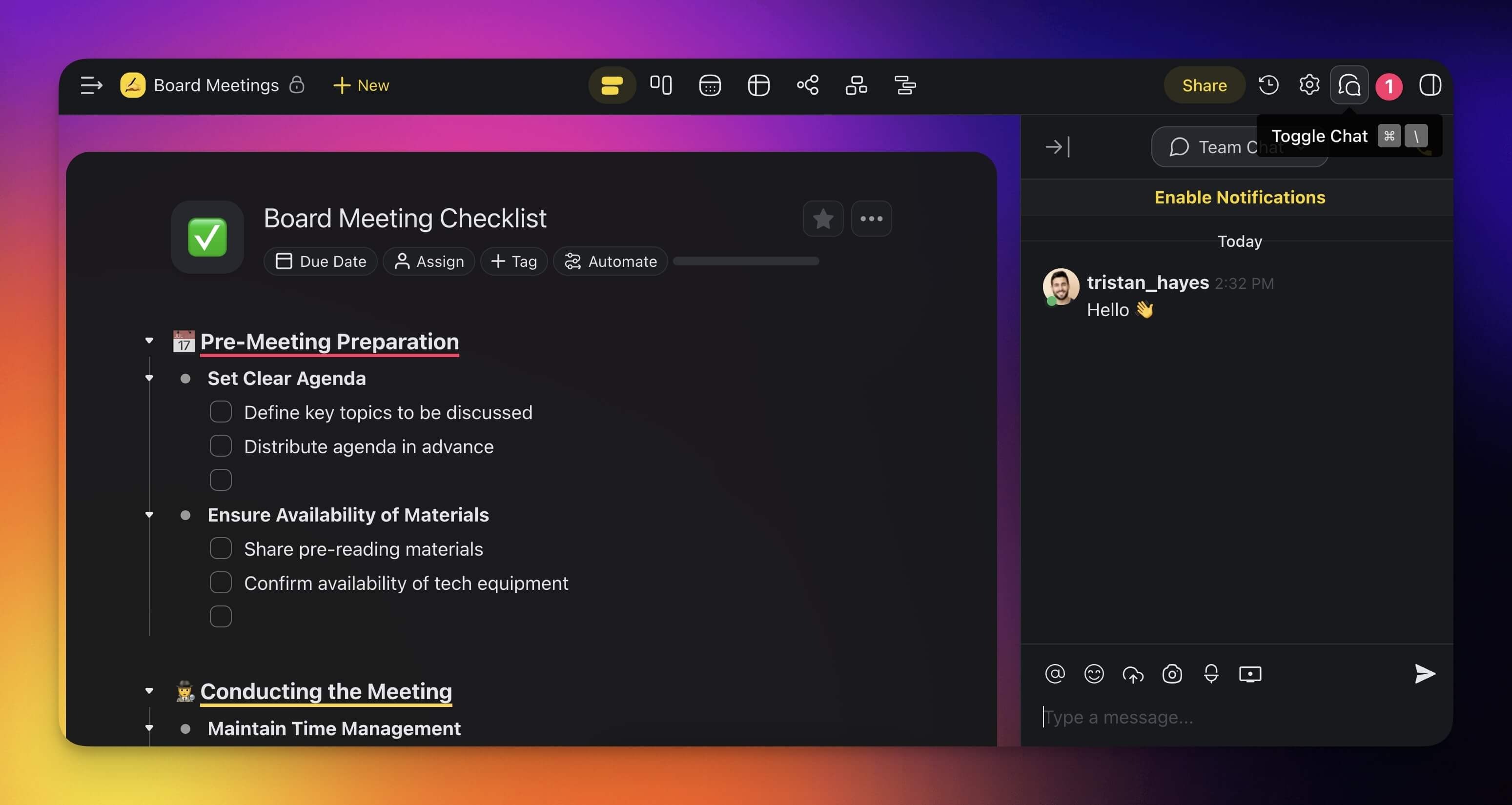
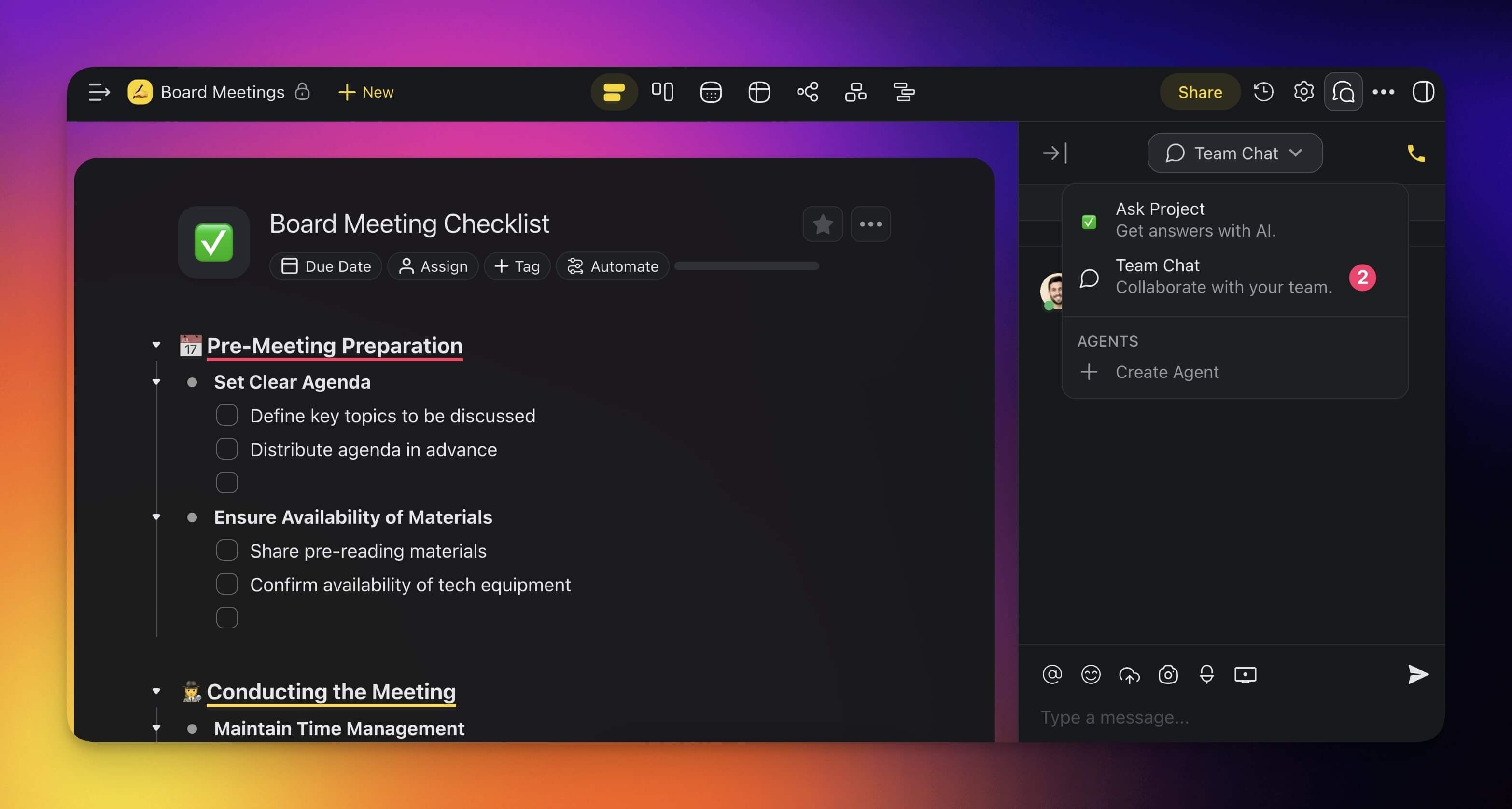
- Choose 💬 Team Chat using the drop-down at the top of the chat box.
- Type your message and press ⌨️ Enter or click the arrow button to send it.
💡 Note: Want to start a video conference? Visit Video Conferencing & Calling.
Tips
- You can @mention team members in the chat to draw their attention to a specific message.
- Chat messages are stored with the project, so new members can scroll back through the conversation history.
- Use the chat alongside real-time collaboration to discuss changes while editing the same project.
- For task-level discussions, use Project Comments instead of the chat. Comments are attached directly to individual tasks.