

TL;DR: Figma AI speeds up design, and Figma Make turns prompts and designs into functional prototypes and web apps, on paid seats from $16 a month for a Professional Full seat (verified October 2026). Taskade Genesis turns a prompt into a deployed application inside a workspace, with AI agents, automations across 100+ integrations, and your team's projects as the backend. Free Forever to start, Pro $10/mo billed annually. Try Taskade Genesis free →
See the alternative working — clone in 60 seconds
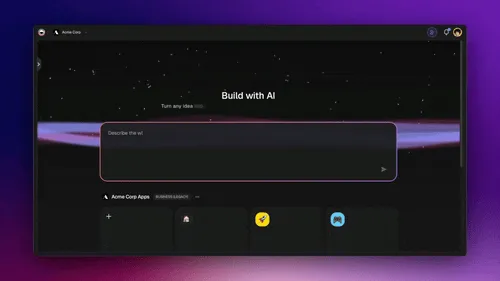
No signup, no credit card. Live Shopify-style storefront
| Capability | Figma AI | Taskade Genesis |
|---|---|---|
| Pricing (starting) | Starter free · Full seat from $16/mo | $0 Free · $10/mo Pro billed annually (10 seats) |
| Cloneable live demo | Make files via Figma Community | ✅ |
| Built-in AI agents | Figma agent for design work | ✅ built-in tools |
| Automation engine | No automation engine | ✅ Durable runtime, 100+ integrations |
| Workspace DNA loop | ❌ | ✅ ▲ Memory · ■ Intelligence · ● Execution |
The fundamental difference
Figma is the leading product design tool, and Figma AI now runs across it: the Figma agent generates and remixes designs on the canvas, and Figma Make turns a prompt or a design into a functional prototype or web app that you can publish at its own URL. The center of gravity is still the design: what the product should look and feel like.
Taskade Genesis starts from the work. You describe what you want and Taskade Genesis returns a deployed, working application with AI agents, real-time data, automation workflows, and team collaboration already wired in. Your workspace is the backend. Your projects are the database. Your agents are the runtime.
Figma AI asks: "What should this product look like?" Taskade Genesis asks: "What app should run the work?"
What Is Taskade Genesis?
Taskade Genesis is the AI app builder inside the Taskade workspace. It is built on Workspace DNA — Memory (Projects), Intelligence (AI Agents), and Execution (Automations) — a self-reinforcing loop where what your team does becomes the substrate the agents reason over. Founded by John Xie, Dionis Loire, and Stan Chang in 2017, Taskade is a Y Combinator-backed platform with over a million users and a public Community Gallery of apps anyone can clone.
A single prompt to Taskade Genesis can produce a customer support portal, an ops dashboard, a CRM, a knowledge base, a form-driven intake system, or an internal tool — all with built-in AI agents, automations, custom domains on Business and above, password protection on Pro and above, and the option to embed publicly with email-and-password app sign-in. No DevOps. No CI/CD. No infrastructure to maintain.
What Is Figma AI?
Figma AI is the set of AI features across Figma's products. It includes the Figma agent, which generates and remixes designs and gives design feedback, text and productivity tools that rename layers and rewrite copy, visual search, and an MCP server that lets outside AI agents read and act on your designs. Figma Make is the prompt-to-app product: it generates a functional prototype or web app, can connect to Supabase or scaffold a Payload backend with a database, APIs and auth, and publishes the result as a website.
Figma AI at a glance (October 2026): AI runs on a credit allowance that every seat includes, from 500 credits a month on Starter and non-Full seats to 4,250 on an Enterprise Full seat. Paid plans are priced per seat, with Full, Dev and Collab seat types. See figma.com/pricing for the live numbers.
Figma AI does well:
- Prompt-to-design generation and remixing on the canvas with the Figma agent
- Figma Make prototypes and web apps that start from your real designs and design system
- Copy-as-design-layers and code-to-canvas, so design and code stay in one loop
- Mature design systems, multi-brand libraries, prototyping, and Dev Mode handoff
- An MCP server that brings design context into outside AI coding tools
Where teams hit limits: Figma AI is built around the design file. Running the business process behind the app, such as agents that act on records, scheduled workflows, and integrations with CRM, email and billing tools, happens in other tools.
Feature-by-feature deep dive
What you ship
- Figma AI ships a design file, and Figma Make ships a functional prototype or web app at its own URL.
- Taskade Genesis ships a deployed application at a shareable URL with the data model, AI agents, and automations connected.
AI agents that take action
- Figma AI runs the Figma agent for design work on the canvas. It does not run workspace agents that act on business records on a schedule.
- Taskade ships AI Agents v2 with built-in tools (web search, file analysis, project management, image generation, code execution), custom tools, persistent memory, and the option to embed agents publicly inside Taskade Genesis Apps.
Workflow automations and integrations
- Figma AI uses plugins and Make connectors that pull in PRDs and tickets. It has no workflow automation engine.
- Taskade includes production-grade durable Automations with branching, looping, and filtering across 100+ bidirectional integrations. Triggers pull external events in (Slack messages, Gmail, Sheets rows, Calendly events, webhooks). Actions push data out (Stripe checkouts, Shopify orders, Notion syncs, Salesforce updates, GitHub PRs).
Collaboration
- Figma AI offers best-in-class real-time multiplayer design collaboration, comments, and reviews.
- Taskade offers real-time multiplayer editing across multiple project views, built-in chat and video, role-based access from Owner to Viewer, and AI agents that join the workspace as teammates.
Hosting and deployment
- Figma Make publishes a prototype or web app as a website with a dedicated URL, with password protection and a pull-request path into your codebase.
- Taskade Genesis ships hosted live apps with GenesisAuth email-and-password sign-in on every plan, password protection on Pro and above, custom domains on Business and above, and Community Gallery publishing — no servers, build steps, or DevOps.
The Workspace DNA advantage
Figma's mental model is "design the thing; engineers ship it." Taskade Genesis's mental model is Workspace DNA: a self-reinforcing loop between three pillars.
- Memory (Projects) — Your team's docs, tasks, files, and structured data become the substrate every agent reasons over. The longer you work, the smarter the workspace gets.
- Intelligence (Agents) — Custom AI Agents with persistent memory, built-in tools, and custom tools you define, plus a hosted MCP server that Claude Desktop, Cursor, and VS Code connect into, while automations carry the work into the 100+ apps you already use.
- Execution (Automations) — Durable workflows triggered by external events that read from Memory and act through Intelligence — then write the results back into Memory. The loop closes.
Figma AI is brilliant at the design slice of the pipeline. Taskade Genesis runs the entire build-ship-iterate loop continuously, so the longer your team uses it, the more your workspace itself becomes the thing that builds the next app.
Pricing comparison (verified October 2026)
| Plan | Taskade Genesis | Figma |
|---|---|---|
| Free | Free Forever — chat, video, projects, agents, Taskade Genesis (3 apps) | Starter — unlimited drafts, 150 AI credits/day up to 500/mo |
| Pro / Professional | $10/mo billed annually — 10 seats, unlimited apps | Full seat $16/mo (3,000 AI credits), Dev $12/mo, Collab $3/mo |
| Business / Organization | $25/mo billed annually — unlimited seats | Full seat $55/mo billed annually (3,500 AI credits), Dev $25, Collab $5 |
| Max / Enterprise | $100/mo (Max) · $250/mo (Enterprise), billed annually | Enterprise Full seat $90/mo billed annually (4,250 AI credits), Dev $35, Collab $5 |
Figma's rates come from figma.com/pricing. Professional has a Monthly and Annual toggle, so check which rate applies before you budget. Figma prices each seat by type, and viewers on a paid plan can view and comment for free. Taskade's pricing is flat per plan with seats bundled in, and it includes the deployed app, hosting, AI agents, and automations.
When to choose each
Choose Figma AI if:
- You are a product designer or design team building a UI system, and you want AI that works inside your real design files and libraries.
- You want Figma Make to turn a design into a high-fidelity, code-backed prototype for user testing, then send a pull request to your engineers.
- You need mature design systems, multi-brand libraries, Dev Mode handoff, and best-in-class multiplayer design review.
Choose Taskade Genesis if:
- You want to ship a working app directly from a prompt — internal portal, dashboard, CRM, knowledge base, intake form.
- Your team includes non-designers and non-engineers who need to build alongside the rest of the team.
- You need AI agents that persist, have tools, and can be embedded for customers.
- You want one product that includes the workspace, the agents, the automations, and the deployed app.
Use both: Figma for design, Taskade for the design-ops workflow
Many product teams design in Figma and run the intake, review, and launch work in Taskade. A design-request flow looks like this:
- Intake: a Taskade Genesis app hosts a design-request portal with an AI form. The AI forms trigger starts an automation on each submission.
- Agent step: a Taskade agent turns the request into a brief with the goal, audience, screens, and deadline, and checks it against your brand notes in a Taskade project.
- Action: the flow creates an issue for the design team in Linear and posts the brief to the design channel in Slack.
- Review: the designer works in Figma and drops the file link back on the task. The agent tracks open reviews and writes a weekly status recap.
Figma owns the pixels and the prototype. Taskade owns the queue, the agents, and the status of every request.
Frequently asked questions
Is Taskade Genesis really free?
Yes. The Free Forever plan includes unlimited projects, basic project views, real-time collaboration, built-in video and chat, and access to Taskade Genesis app generation. Free starts with no AI credits. You earn credits with referrals and invites, or buy a credit pack on any plan.
Can Figma AI build working apps?
Yes. Figma Make generates functional prototypes and web apps, connects to Supabase or a Payload backend, and publishes at a dedicated URL. Taskade Genesis adds AI agents, automations, and a team workspace around the app.
Does Taskade Genesis replace Figma?
No — Figma is best-in-class for designing. Taskade Genesis is for teams whose primary need is the working app and the workflow around it, not the design system.
How much does Figma cost?
A Professional Full seat lists at $16 per month, an Organization Full seat at $55 per month billed annually, and an Enterprise Full seat at $90 per month billed annually (verified October 2026). Taskade Pro is $10 per month billed annually for up to 10 seats.
Which AI models does Taskade use?
Taskade Genesis runs frontier models from top AI labs, with TSK-Auto as the default. On Pro and up, you can bring your own OpenAI, Anthropic or Google Vertex AI key (BYOK).
Does Taskade Genesis support custom domains?
Yes. Taskade Genesis apps get GenesisAuth email-and-password sign-in on every plan, password protection on Pro and above, and custom domains on Business and above.
Build without permission
Figma AI gives designers a sharper canvas. Taskade Genesis gives every team — designers and non-designers alike — a workshop where the apps come out finished, hosted, and ready for users.
- Build with Taskade Genesis → — One prompt, one deployed app
- Browse the Community Gallery — Clone apps shipped by other Taskade Genesis builders
- Read the Workspace DNA explainer — How Memory, Intelligence, and Execution work together
Explore Taskade Genesis
- AI App Builder — Build complete apps from one prompt
- Vibe Coding — Natural-language app creation
- AI Agent Platform — Digital teammates that work 24/7
- AI Website Builder — Sites in seconds
- Workflow Automation — AI-powered business automation
Build without code
- AI App Generator — Full apps from prompts
- AI Dashboard Generator — Business dashboards
- AI Website Generator — Sites in seconds
- AI Form Generator — Smart intake forms
- Browse Community Apps — Clone and customize
Related reading
- The Build Without Permission article — Our manifesto
- How Workspace DNA Works — The architecture
- Origin of Living Software — The future of apps
- Best Vibe Coding Tools in 2026 — AI coding tools compared
- Vibe Coding for Non-Developers — Build apps without code
- Vibe Coding for Teams — Ship 10x faster
- AI Tools Built With Taskade Genesis — Real apps shipped