
TL;DR: Reminders push a notification to your phone or desktop at a specific time. They work independently from a task's due date. Set more than one reminder per task, for example one day before and one hour before. Use them for calls, meetings, and hard deadlines.
Here is how a reminder travels from a task to your device.
Overview
Want a heads-up before a task's due date? Set custom reminders for each task and subtask so you never miss a deadline. Reminders send notifications at the time you specify. You stay on top of your workload across all devices.
Note: Reminders work the same way on iOS and Android. Tap a task and set the date and time. Taskade then sends a push notification.
Set Reminders
- Select the task/subtask you want to schedule.
- Hover your mouse cursor over the task and click the ➕ plus icon on the right.
- You can also use the ⌨️ Ctrl/Cmd + / keyboard shortcut.
- Enter a start and end date and time.
- Click Save to confirm changes.
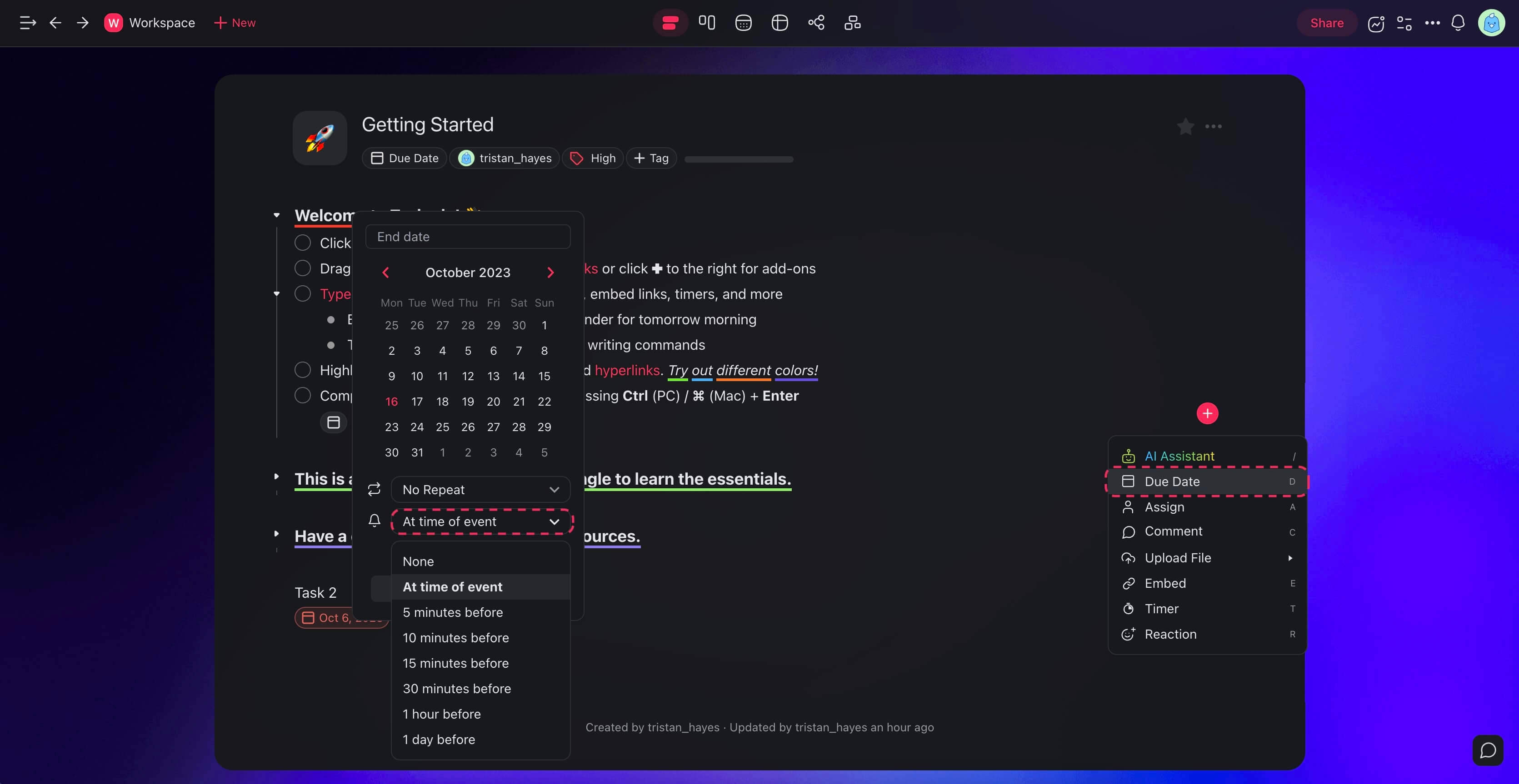
Edit / Remove Reminders
- Select the task/subtask again and click the ➕ plus icon on the right.
- Edit the start and end date and time.
- Set the Reminder to None to disable it.
- Click Save to confirm changes.
Tips
- Pair reminders with task assignments so the right person receives the notification.
- Use the Calendar view to visualize all tasks with due dates and reminders on a timeline.
- Reminders work across desktop, web, and mobile. Make sure notifications are enabled on your device.
- For recurring deadlines, consider using Schedule Templates to automate project creation on a set cadence.
- Tasks with reminders are also visible in My Tasks. My Tasks gives you a single dashboard for everything that needs attention.
- You can set reminders for both start dates and end dates to get notified when a task begins and when it is due.
Related guides
💡 Did You Know?
Taskade has built-in AI Agents and Automations that can work alongside your projects. Try building with AI →