
TL;DR: Move projects between workspaces or folders. Links, assignees, and automations stay intact. Owners and Maintainers can move a project, and Editors can only duplicate it. All members keep access, unless the destination folder has stricter permissions. To undo a move, move the project back to its original location.
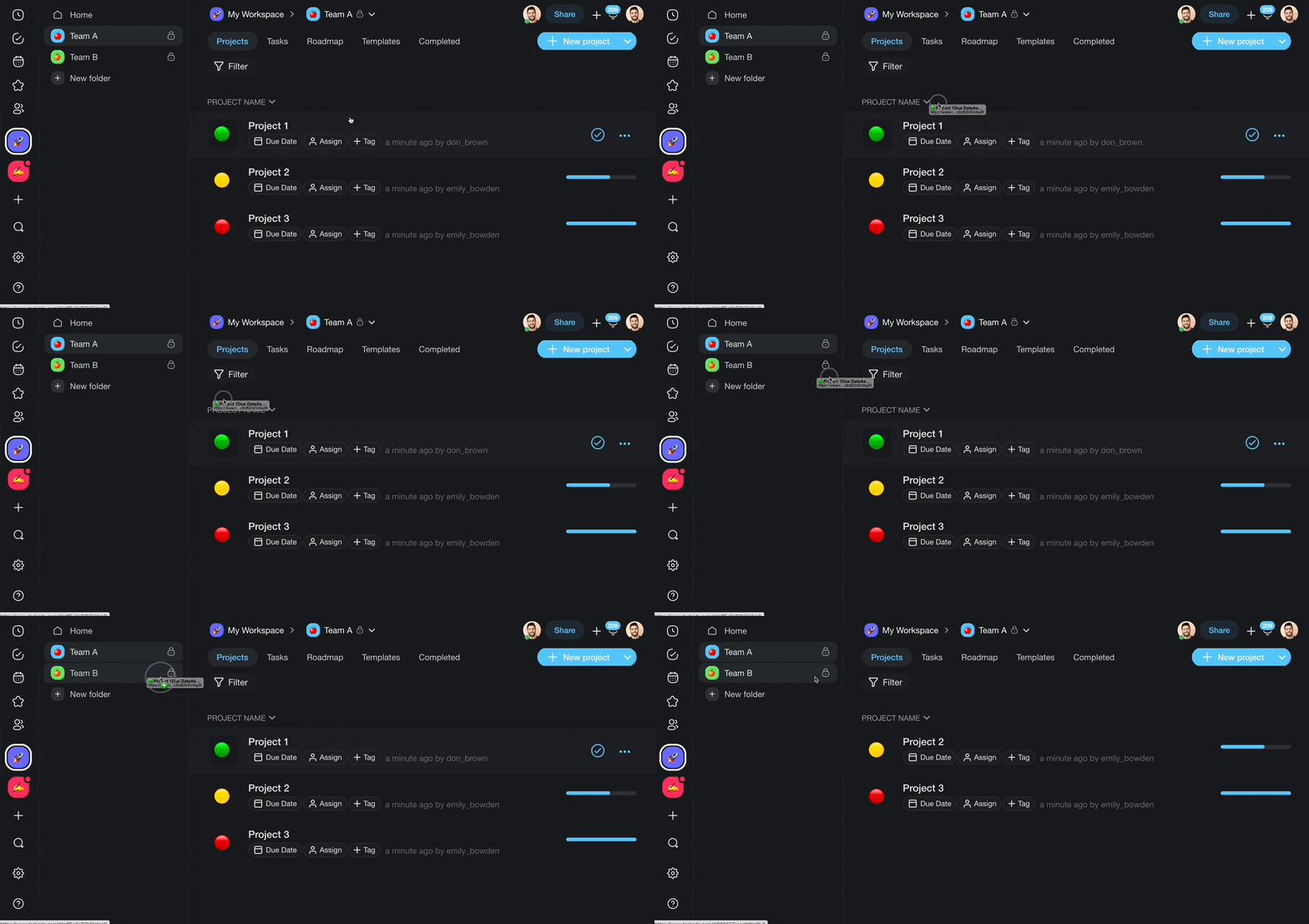
How a move travels from one workspace to another while everything stays intact.
Overview
Any Project inside a Workspace or Folder can be moved to another Workspace or Folder. Moving a project transfers it along with all of its tasks, sub-tasks, comments, attachments, and formatting. Collaborators who already have access to the project will retain their permissions after the move. This makes it easy to reorganize your workspace as projects evolve or teams shift focus.
Drag-and-Drop
- Open your workspace.
- Left-click and hold the project you want to move.
- Drop the project into any of the folders in the sidebar.
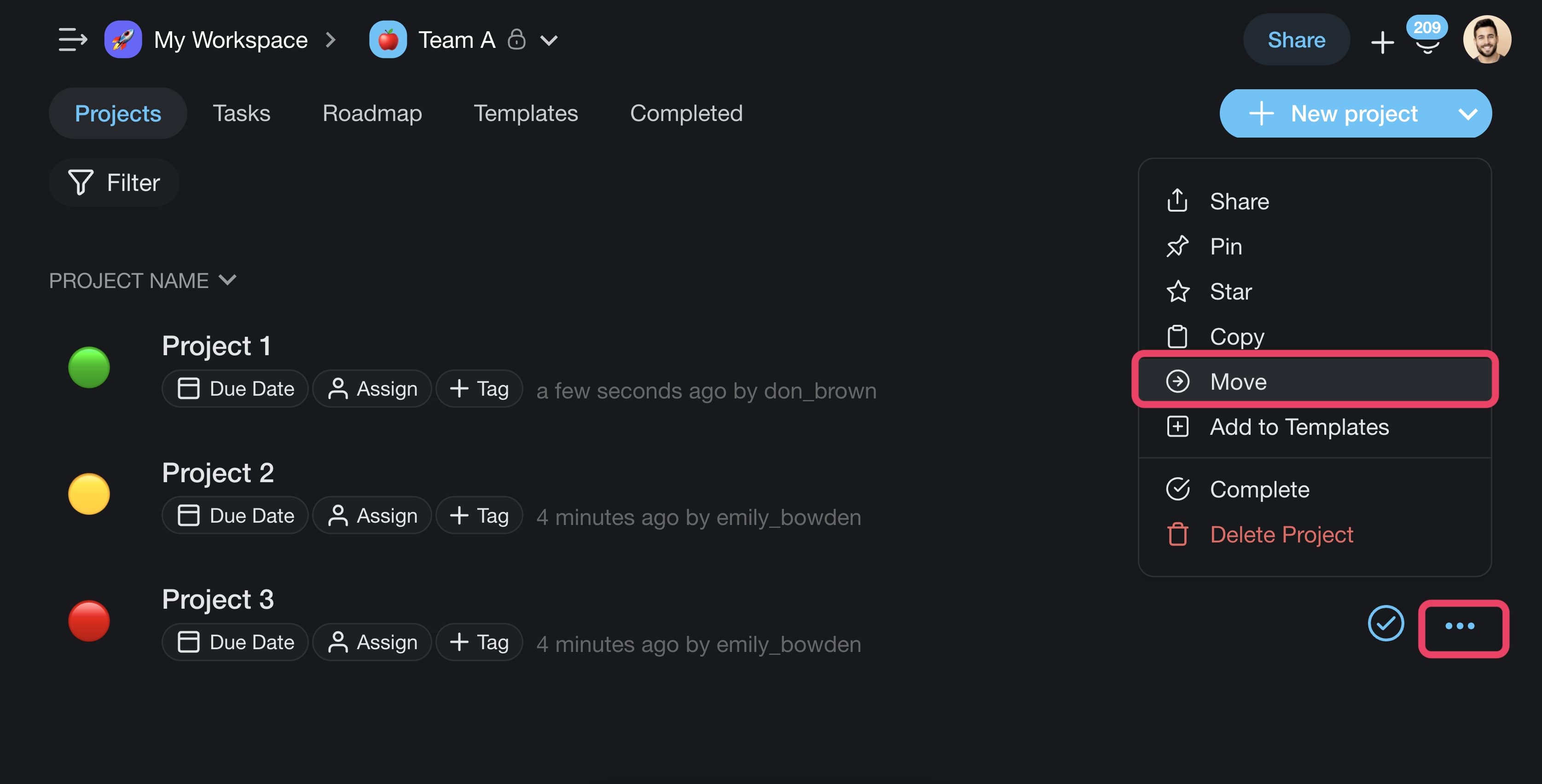
(···) Three Dots Menu
- Go to a workspace or folder.
- Click ··· next to the project you want to move.
- Choose Move from the drop-down list.
- Select the target workspace/folder.
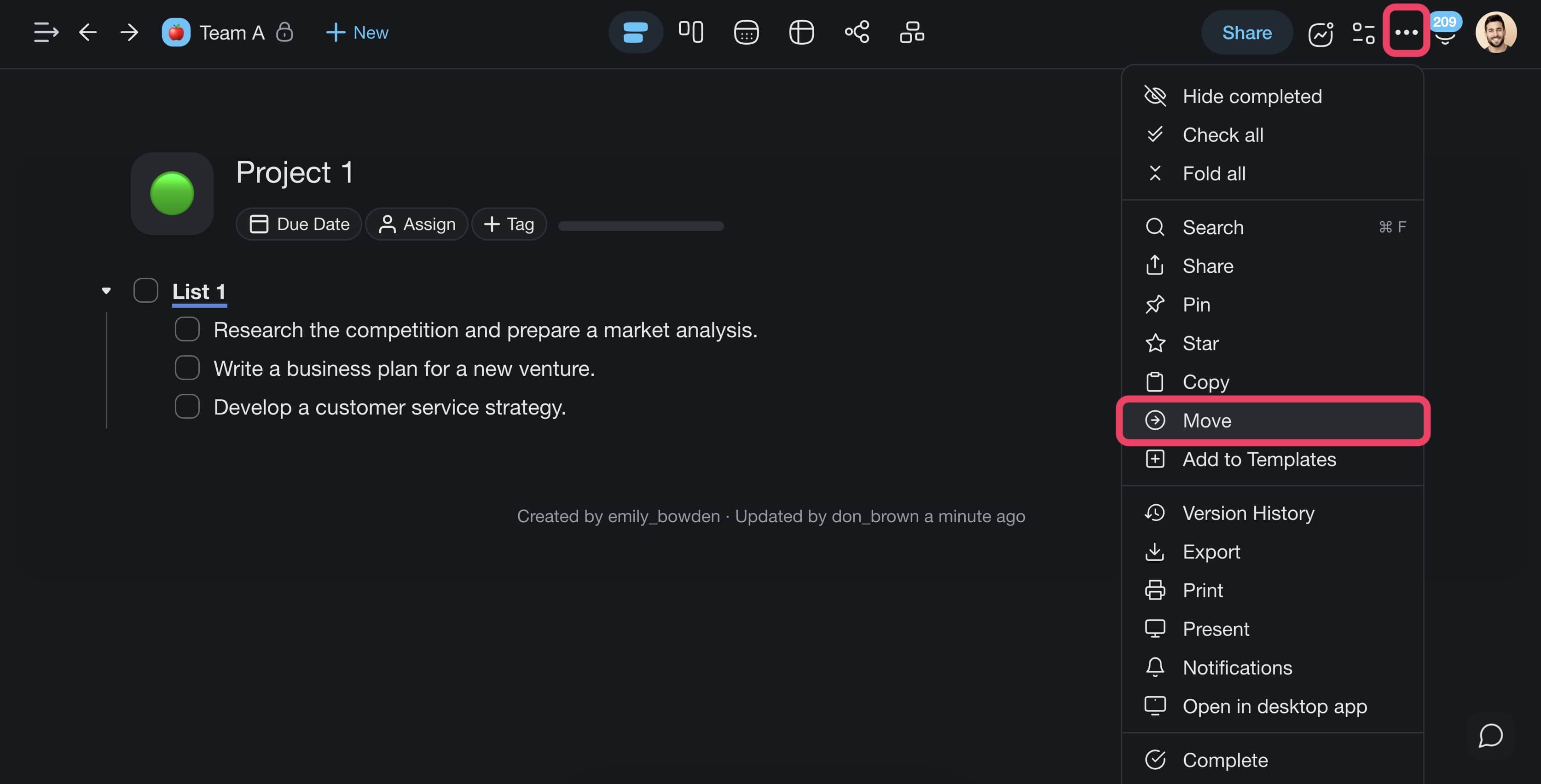
💡 Note: The "Move" button is also accessible from the ··· menu inside projects.
Tips
- You can move multiple projects at once by selecting them with ⌨️ Shift + Click before dragging.
- Moving a project to a shared workspace automatically gives workspace members access based on their workspace-level roles.
- If you need a copy of the project in the original location, use Copy / Duplicate instead of Move.
- Projects can also be moved between workspaces you own and workspaces where you have Owner or Editor access.
- After moving, the project URL updates automatically. Any shared links will redirect to the new location.
- On mobile, tap and hold a project in the sidebar to access the Move option.
- To undo a move, move the project back to its original workspace or folder.