
Overview
Build a custom AI agent that reasons over your projects, uses tools, and publishes as a public chat. This page walks from a blank Agents tab to a tested teammate you can share.
TL;DR: Build a custom AI agent in Taskade with no code. Open the Agents tab, name the role, train it on your projects and files, turn on tools, then publish a public chat link. Persistent memory and slash commands make the job repeatable. Custom agents are the Intelligence layer of Workspace DNA.

Watch how to build a custom AI agent end to end:
What Is a Custom AI Agent?
A custom AI agent is a reusable AI teammate. It combines a persona, knowledge, tools, and a frontier model. The agent remembers each user across conversations. It can act on workspace data and use connected services. You can also share it with one public link.

The difference from a chatbot is the verb. A chatbot answers. An agent reasons, decides, and acts. Taskade agents turn raw AI capability into something that does work (research, support, lead qualification, content drafting) instead of replying. They run on 15+ frontier models from OpenAI, Anthropic, and open-weight providers, with Auto mode picking the best one for each request.
| Chatbot | Custom AI Agent (Taskade) | |
|---|---|---|
| Core action | Answers questions | Reasons, decides, acts |
| Memory | Forgets between sessions | Persistent, per-user, across sessions |
| Tools | None (text only) | Built-in toolkit + 100+ integrations |
| Knowledge | Generic training data | Your projects, files, URLs, videos |
| Can trigger work | No | Yes, runs automations and project actions |
| Shareable | Rarely | One public link, embeddable anywhere |
This is the same shift the rest of the industry is racing toward in 2026: agents that complete jobs, not only chat. Taskade's advantage is that the agent lives inside your workspace, so its memory, tools, and execution are already connected on day one.
See a Custom Agent in Action
The fastest way to understand a custom agent is to use one. The app below is a real, published Taskade Genesis app with a custom agent as its brain. Click it to open the live version, then clone it and look at how the agent is wired (persona, knowledge, tools, commands) and rebuild it for your own use.
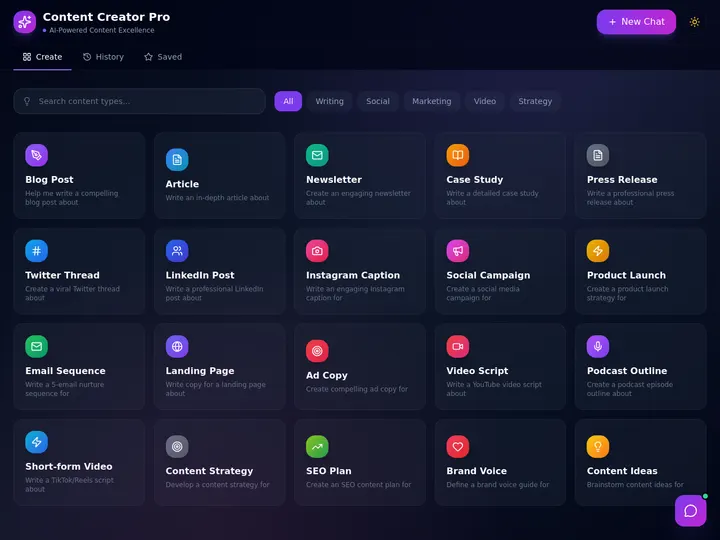
This is buy-once, clone-many. Open it, clone it into your workspace, and the agent comes with it. Browse more in the Community Gallery, or describe your own at taskade.com/create.
Intelligence in Workspace DNA
Agents are the Intelligence (■) pillar that sits between Memory (▲) and Execution (●). Projects store what your team knows. Automations execute what your team decides. Agents are the brains that read context, make decisions, and pull the trigger. Together these three form Workspace DNA, a self-reinforcing loop where every action an agent takes becomes new memory, which makes the next decision smarter.
The loop never stops turning. The agent reads Memory, decides, triggers Execution, and Execution writes results back into Memory. That feedback is why a Taskade agent gets sharper the longer your workspace lives. It is learning from the work it already did. The horizontal view below shows the same three pillars as a pipeline.
The loop is self-reinforcing: every action an agent takes creates new Memory, which makes the next decision smarter.
Anatomy of an Agent
Every custom agent has six configurable parts. Get the right combination and the agent feels like a real teammate instead of a chatbot.
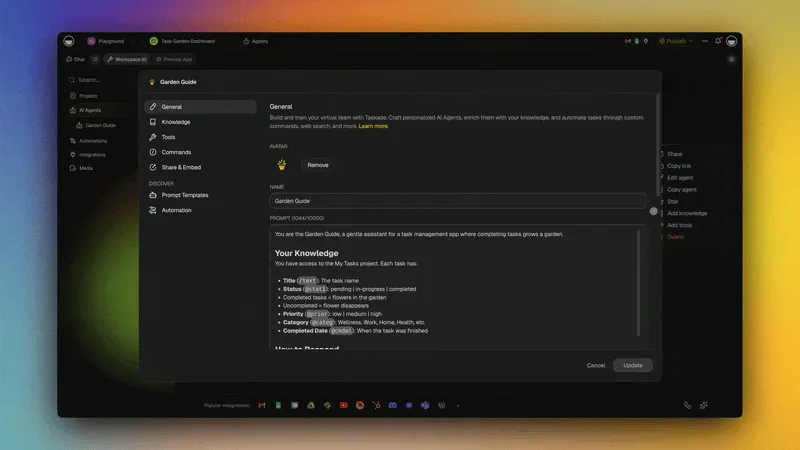
Here is the Edit Agent dialog where you configure those parts: the tabs on the left, the General tab's fields on the right.
┌──────────────────┬─────────────────────────────────────────────┐
│  Edit Agent      │  Content Researcher                         │
├──────────────────┼─────────────────────────────────────────────┤
│  NAV             │  GENERAL                                    │
│  ──────────────  │  ─────────────────────────────────          │
│  › General       │  Name     Content Researcher                │
│    Knowledge     │  Prompt   You are a senior research         │
│    Commands      │           analyst. Cite sources.            │
│    Tools         │  Intro    Hi! Ask me to research.           │
│    Automation    │  Tone     [ Professional ▾ ]                │
│    Share & Embed │  AI Model [ Auto ▾ ]                        │
│                  │  Knowledge ● 4 srcs   Tools ● 6 on          │
│                  │                                             │
│                  │        [ Cancel ]   [ Update ]              │
└──────────────────┴─────────────────────────────────────────────┘
The settings strip under the agent groups the three tabs you will use most:
Commands · Tools · Automation. Commands holds your slash shortcuts, Tools
decides what the agent can do, and Automation connects the agent to triggers
that run it without you.
| Part | What it does | Where to set it |
|---|---|---|
| Persona | Name, description, tone, intro message (how the agent presents itself) | General tab |
| Knowledge | Files, projects, URLs, YouTube transcripts the agent can cite | Knowledge tab |
| Tools | What the agent can do (search, browse, send messages, call APIs) | Tools tab |
| Model | Which frontier model powers reasoning (Auto picks for you) | General → AI Model |
| Memory | What the agent remembers about each user across sessions | Auto-managed |
| Commands | Reusable /slash shortcuts that trigger pre-written prompts |
Commands tab |
| Automation | Triggers that run the agent on a schedule, an email, or a webhook | Automation tab |
When to Build an Agent
Build an agent when a task is worth handing off. The clearest signals: it repeats several times a week, it eats more than two hours of focus, or it follows a set pattern you keep re-explaining.
| If you find yourself... | Build an agent for... |
|---|---|
| Answering the same questions from docs | Knowledge retrieval and support |
| Re-running the same multi-step task | Task automation and routing |
| Reviewing or scoring the same kind of input | Feedback, triage, and quality checks |
| Prepping or summarizing the same meetings | Meeting notes and follow-ups |
| Drafting the same kinds of content | Creative and writing assistance |
If a job is a one-off, chat with Taskade EVE. If it recurs, build an agent so the work is repeatable. For the full step-by-step journey, see the AI Agent Playbook.
Build an Agent
Building a custom AI agent in Taskade takes about two minutes and zero code. Every agent follows the same path: name it, train it, tool it, command it, ship it. The diagram shows the full flow from a blank screen to a working teammate.
There are four ways into Step 1. Pick the start that matches your workspace, then follow the same path to publish.
Step 1: Open the Agents tab
Open the Agents tab in any workspace or Taskade Genesis app. Then pick a creation method:
- Generator. Describe the agent in plain English. See the AI Agent Generator.
- Taskade EVE. Ask the built-in assistant to create it for you. See the Taskade EVE guide.
- Template. Start from a pre-built agent such as Support, Research, Sales, PM, or Content.
- Scratch. Fill out General → Knowledge → Tools → Commands yourself.
Step 2: Name the persona
Open the General tab. Enter the name, description, persona, tone, and introduction. Write the role the way you would brief a teammate. Save a clear job, not a generic chatbot.
Step 3: Train on your knowledge
Open the Knowledge tab. Upload files, link projects, add URLs, or paste YouTube videos. The agent must answer from your data, not only generic training.
Step 4: Turn on tools and commands
Open the Tools tab. Start with web search and one integration such as Slack, Gmail, or Notion. Then open the Commands tab and add slash commands for the repeat jobs you run most often.
Step 5: Test and publish
Click Update. Open the Chat tab and run three real examples from the job. If all three pass, open Share or Publish and copy the public chat link.
Test Each Step
Run this checklist as you build. Each row tells you what "done" looks like and where to fix it if the agent falls short.
| Step | What to do | Done when... | Where |
|---|---|---|---|
| 1. Name & persona | Give a clear role, tone, and instructions | The agent introduces itself like a good teammate | General tab |
| 2. Train | Add projects, files, URLs, or videos | It answers from your data, not generic knowledge | Knowledge tab |
| 3. Tools | Turn on web search + one integration | It can act, not only answer (creates tasks, sends messages) | Tools tab |
| 4. Commands | Add /slash shortcuts for repeat jobs |
Typing / shows your custom command and it runs |
Commands tab |
| 5. Ship | Test on 3 real examples, then publish | All three pass, and the public link or embed works | Chat → Share |
Run the agent on three real examples from the job it was built for. If it handles all three like a good teammate, it is ready to scale. For the full guided journey, see the AI Agent Playbook.
Need prompt patterns? Read the Guide to Writing Agent Prompts.
Choosing the Right Model
Taskade agents can run on 15+ frontier models from OpenAI, Anthropic, and open-weight providers. Open the agent, go to General → AI Model, and you get the same model menu you see in chat. Auto is the default and picks the best model for each request. Leave it alone unless you have a specific reason to override.
| Option | Best for | Plan |
|---|---|---|
| Auto (default) | General use. Taskade picks the right model for each turn. | Every plan |
| TSK-Instant | Fast edits, quick questions, high-volume chat. | Every plan |
| TSK-Standard | Everyday tasks and drafting. | Paid plans |
| TSK-Thinking | Complex analysis, coding, multi-agent planning. | Paid plans |
| TSK-Reasoning | Multi-step problem-solving, workflows, and systems. | Business and above |
| All Models | Pin one specific model when you need exact control. The credit cost shows next to each name. | Paid plans |
On a Free workspace, Auto and TSK-Instant are selectable, and the other named models show an upgrade chip. Clicking a chipped row opens the upgrade panel instead of switching the model, so you always know the gate before you commit an agent to it.
Higher-intelligence models use more credits per interaction. See the AI Usage & Credits guide for details.
Built-in Tools
Every Taskade agent ships with a large built-in toolkit organized into a few clear categories. Tools are how an agent moves from "answering" to "doing."
| Category | Examples |
|---|---|
| Search & retrieval | Workspace search, knowledge lookup, semantic search |
| Web | Web browsing, web search, URL fetching, scraping |
| Project actions | Create projects, add tasks, update status, assign owners |
| File operations | Read files, generate files, summarize uploads |
| Communication | Slack, Gmail, Discord, Teams messaging |
| Code & data | Code execution, calculator, data parsing |
| Integrations | 100+ connected apps via the Integrations Directory |
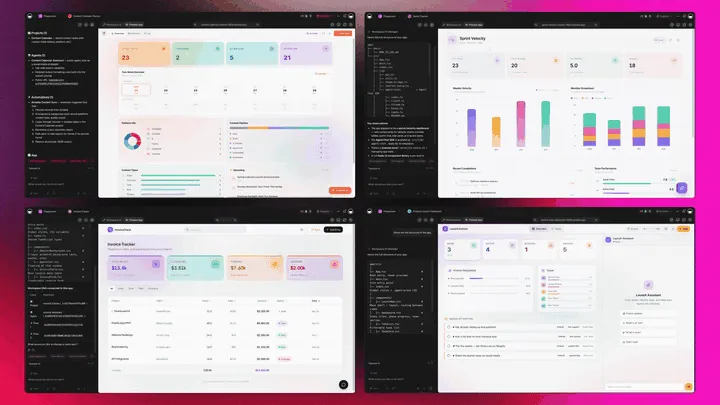
Without tools, an agent reasons. With tools, it acts. With the 100+ bidirectional integration catalog, it acts across every app your team already uses. Triggers pull events in, actions push data out.
See the full Tools for AI Agents catalog for the complete list and configuration options.
Model Context Protocol (MCP)
Model Context Protocol (MCP) is an open standard for connecting AI systems to tools and data. Taskade runs a hosted MCP server, available on every paid plan. Point an MCP client at it, sign in once, and that client can work with your workspace directly. A logistics operator can open their AI client of choice and pull a shipment project's status without switching tabs.
- One connection address. Connect at
https://www.taskade.com/mcpwith your Taskade account. - Any MCP client. No custom code, no API keys to rotate.
- Your workspace, your rules. The client sees only what your account can see.
Once connected, the client can list your spaces, inspect a workspace, list tasks, and write files.
The opposite direction works too, from your automations. The MCP Client connector points an automation at any remote MCP server, lists the tools it publishes, and calls the one you pick. This works on every plan, including Free, with your automation run allowance as the only ceiling. One thing to plan around: an agent cannot reach a remote server by itself. Give the agent the judgment call, and let it hand the outbound step to the automation, then read the result back. For everything your agents can reach on their own, see the built-in tools above and the 100+ integration catalog.
Full walkthrough: MCP Connectors guide.
Knowledge & Persistent Memory
Knowledge is what the agent knows. Memory is what it remembers.
- Knowledge is uploaded once and indexed: files, projects, URLs, YouTube transcripts, Google Drive / Dropbox / Box files, Media Files assets.
- Persistent memory is automatic. The agent remembers each user across sessions, building context over time without you wiring anything up.
The more your workspace grows, the smarter your agents get. Train them once, and every new project becomes additional context for free.
Deep dive: Agent Knowledge & Memory.
Slash Commands
Slash commands turn your best prompts into one-keystroke shortcuts. Type / anywhere (chat, project, or task) and your custom commands appear.
- Open the Commands tab inside an agent.
- Click ➕ New command.
- Set:
- Name. What users type after
/. - Prompt. The instructions the agent runs.
- Mode. Default (one-shot) or Plan & Execute (sets goals, then runs them).
- Name. What users type after
- Save. The command is now available across the workspace.
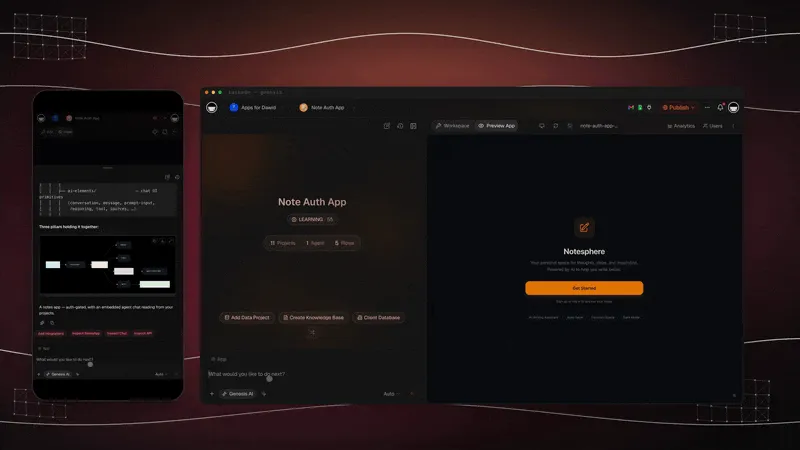
You can also run commands from the Add-Ons menu on any task or paragraph, or run them in bulk by multi-selecting tasks. And you can call any agent by name with @mentions or fire a command with / anywhere in the workspace. The GIF below shows Taskade EVE routing commands and mentions in real time.
Multi-Agent Collaboration
A single agent is great for one job. Multi-agent teams are how you handle work that needs different specialists: research, then writing, then a quality check. Each agent does its part, then hands off to the next, the way a real team passes work down the line.
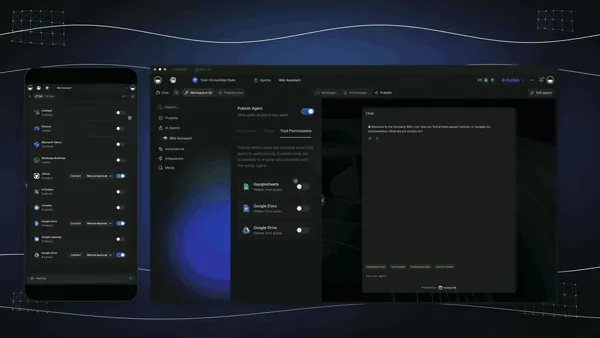
Build a team in the AI Teams tab, add your agents, and chat with all of them at once. Each agent contributes its specialty. Taskade routes the conversation.
See the AI Teams guide and Multi-Agent guide.
Embedding Agents Publicly
Any custom agent can be published as a public web app. It needs no sign-in, only a link.
- Open the agent and choose the Publish tab.
- Customize theme, background, intro message, and the link preview (page title, short description, preview image).
- Open the Share tab and toggle public access on.
- Copy the link, or grab the embed snippet for your website.
Advanced sharing controls include password protection, chat timeout, knowledge copy on/off, branding removal, and light/dark theming.
Full guide: Share & Embed AI Agents.
Agent + Automation Pattern
Agents and Automations work two directions:
- Automation → Agent: An automation uses Ask Agent or Run Agent Command as a step. Any trigger (form submit, schedule, webhook) can call your agent this way.
- Agent → Automation: Your agent uses an automation as a tool, calling it inside a conversation when it decides the user needs that action.
The second pattern reverses the first: instead of building one rigid automation per task, you wrap each action as a tool and let the agent decide when to use it.
- Build a flow with the Agent Tool trigger.
- Open your agent → Tools tab → enable the automation.
- Choose Manual approval (agent asks first) or Automatic (agent runs it).
See the Automation Guide and Agent Automation.
From Agent to Living Software
A custom agent is the brain. Taskade Genesis is the body it lives in, the platform where Memory, Intelligence, and Execution combine into software you describe instead of build. Once your agent works, it becomes the intelligence layer of a real app your customers can use. A mental-health clinic can wrap that agent in a gated client portal, give each client their own secure login, and put it on a branded domain. Start with your first Taskade Genesis app.
| Platform layer | What you get |
|---|---|
| AI Apps | Describe an app in plain English and Taskade Genesis builds a running app: dashboards, forms, portals. Publish it, add a custom domain, and let anyone clone it. |
| AI Agents v2 | a large built-in toolkit, persistent memory, multi-agent teams, public embedding, multi-model routing, all orchestrated by Taskade EVE, the meta-agent. |
| Automation | Reliable workflow automation with branching, looping, and filtering, plus 100+ bidirectional integrations: triggers pull events in, actions push data out. |
| Multiple Project Views | List, Board, Table, and Mind Map inline, plus Docs (Beta), Gantt Chart, Calendar, Actionsheet, and Org Chart under More Views. The same data, shown the way each job needs it. Gantt Chart, Actionsheet, and Org Chart need a paid plan. |
| Workspace DNA | Memory (▲) feeds Intelligence (■), which triggers Execution (●), which writes new Memory. The loop that makes everything smarter over time. |
| Community + App Kits | Browse live apps in the Community Gallery, or buy an App Kit once and clone it as many times as you need. |
This is where it goes next: every operator runs their business as a set of living, cloneable apps. Not files you ship and forget, but software that remembers, decides, and acts on your behalf, and that you can hand to the next person with one link. Our first Enterprise customer, an IT program manager, built a production field-service dashboard on Taskade Genesis and put it plainly: "What I did in weeks would've taken 40 people 18 months."
Ready to build? Start free at taskade.com/create →. Describe your first app and watch the agent come with it.
Pricing & AI Credits
Custom agents are included in every Taskade plan, including Free. AI usage is metered in credits, not seats. Every conversation, tool call, and command consumes credits based on the model.
| Plan | Best for |
|---|---|
| Free | Trying agents and personal projects, with a one-time AI credit grant |
| Pro ★ | Small teams and daily use, with a monthly credit refill and room for 10 users |
| Business | Growing teams running public agents, with the largest monthly refill |
| Max | Power users and agencies that need the highest capacity |
| Enterprise | Org-wide rollout with centralized controls, dedicated support, and deployment at scale |
Higher-intelligence models cost more credits per turn, and Auto mode optimizes spend automatically. See the pricing page and the AI Usage & Credits guide.
Frequently Asked Questions
What is a custom AI agent?
A custom AI agent is a reusable AI teammate built from a persona, knowledge sources, tools, and a frontier model. In Taskade it has persistent memory, a large built-in toolkit, the full 100+ integration catalog, and can be embedded publicly with one link. Unlike a chatbot, it reasons, decides, and acts on your workspace.
How do I build a custom agent?
Build one in five no-code steps: name and describe the role, train it on your projects and files, turn on the tools it needs, add slash commands for repeat jobs, then publish or embed it. In Taskade this takes about two minutes. You can also describe the agent in plain English and the AI Agent Generator builds it for you.
How is an agent unlike a bot?
A chatbot answers. An agent reasons, decides, and acts. In Taskade an agent reads from your projects, uses a large built-in toolkit and 100+ integrations, runs slash commands, remembers across sessions, and can trigger automations. It is the Intelligence layer of Workspace DNA, not a chat window bolted onto your work.
How many tools per agent?
Every agent ships with a large built-in toolkit covering search, web browsing, project actions, file operations, communication, and code. It can also reach the full 100+ integration catalog, where triggers pull events in and actions push data out, with no custom code.
Do agents remember chats?
Yes. Persistent memory is per-user and survives across sessions. Each user gets their own memory store, and when a connected project changes, the agent inherits the update automatically. The more your workspace grows, the smarter your agents get.
Which models power agents?
Taskade agents run on 15+ frontier models from OpenAI, Anthropic, and open-weight providers. Auto mode is the default and picks the best model for each request. You can also pick one of the named speed and reasoning tiers, or pin a specific model from the full model menu, for more control. See Choosing the Right Model.
Can I build one without coding?
Yes. Building an agent in Taskade is fully no-code. You describe the role in plain English, click to add knowledge and tools, then save. The AI Agent Generator and Taskade EVE can build a complete agent from a single sentence. No frameworks, servers, or API keys required.
Can I share an agent publicly?
Yes. Publish it from the Share tab and public users get a hosted chat URL with no workspace access. You control whether knowledge is shared. Advanced controls include password protection, chat timeout, branding removal, and light or dark theming.
Custom agent vs. Taskade EVE?
Taskade EVE is the built-in meta-agent that helps you build other agents and operate Taskade itself. Custom agents are the specialized teammates you create for specific jobs: support, research, sales, content, and more.
How do agents fit into apps?
Every Taskade Genesis app can embed one or more custom agents as its intelligence layer, answering user questions, triggering automations, and reading from app data. This is how a described app becomes living software your customers can actually talk to. See Build your first Taskade Genesis app.
Is building an agent free?
Yes. Custom agents are included on every Taskade plan, including Free, which starts with a one-time AI credit grant. AI usage is metered in credits, not seats. Paid plans add monthly credit refills and more capacity. See pricing and AI Usage & Credits.
Agent Skills
Agents support Skills, named slash-commands that load on demand and persist across reloads. Save a repeatable prompt, attach a tool sequence, and call it with one slash from anywhere the agent runs. Skills travel with the agent when you publish or share it.
- Type a slash, pick the Skill, the agent runs the playbook
- Loads only the Skill that fits the task, keeping the agent's prompt lean
- Pairs with the Bash Sandbox for fully scripted teammates
See Agent Skills for the full setup walk-through.
Frequently Asked Questions
Which plan do I need to build a custom AI agent?
Custom agents are included on every plan, including Free, which starts with a one-time AI credit grant. AI usage is metered in credits, not seats, so any plan lets you build and run agents. See the AI Usage and Credits guide.
How do AI credits work for agents?
Every conversation, tool call, and command consumes credits based on the model you use, and higher-intelligence models cost more credits per turn. Auto mode is the default and optimizes spend for you. Free includes a one-time credit grant, while paid plans add monthly refills and more capacity.
How many tools and integrations can an agent use?
Every Taskade agent ships with a large built-in toolkit spanning search, web browsing, project actions, file operations, communication, and code. It can also reach the full 100+ bidirectional integration catalog, where triggers pull events in and actions push data out, with no custom code.
Which AI models can power my agent?
Taskade agents run on 15+ frontier models from OpenAI, Anthropic, and open-weight providers. Auto mode is the default and picks the best model for each request. For more control, pick a named speed or reasoning tier, or pin a specific model from the full model menu.
Can I build an agent without writing code?
Yes. Building an agent in Taskade is fully no-code. You describe the role in plain English, click to add knowledge and tools, then save. The AI Agent Generator and Taskade EVE can build a complete agent from a single sentence.
Can I share an agent publicly and keep my workspace private?
Yes. Publish any agent from the Share tab and public users get a hosted chat URL with no access to your workspace. You control whether knowledge is shared, and advanced controls include password protection, chat timeout, branding removal, and light or dark theming.
How do agents power Taskade Genesis apps?
Every Taskade Genesis app can embed one or more custom agents as its intelligence layer, answering user questions, triggering automations, and reading from app data. This is how a described app becomes living software your customers can talk to. Start free at taskade.com/create.
Related guides
- Build an AI Agent: The Complete Playbook. The full path from idea to working teammate.
- AI Agent Generator. Text-to-agent in seconds.
- Tools for AI Agents. Full built-in tool catalog.
- Agent Knowledge & Memory. Train agents on your data.
- Guide to Writing Agent Prompts. Prompt patterns that work.
- Multi-Agent Teams. Coordinate specialists on shared goals.
- AI Teams. Team-level agent collaboration.
- AI Agent Chat. Chat modes and command invocation.
- Share & Embed Agents. Publish agents to the web.
- Agent Automation. Trigger agents from flows.
- MCP Connectors. Model Context Protocol in Taskade.
- Taskade EVE Assistant. The built-in meta-agent.
- AI Usage & Credits. How credits and models price out.
- Automations: The Execution Pillar. How agents trigger real work.
- Workspace DNA. How Memory, Intelligence, and Execution connect.
Go deeper
- What Are AI Agents?. The plain-English explainer on the agent shift.
- AI Agents product page. The full Taskade AI Agents v2 overview.
- Build with Taskade Genesis. Describe an app and watch it come to life.
- Automate your workflows. Reliable, branching automations across 100+ apps.
- Taskade Genesis knowledge base. Concepts behind living, cloneable software.
- Watch: Create an AI Agent. The whole setup as a short video.
- Keep Your Agent's Knowledge Up to Date. Let its knowledge refresh itself on a schedule.
Build the first one today. Memory ▲, Intelligence ■, Execution ●. Your custom agent is the brain that ties them together. Start free at taskade.com/create →