
TL;DR: The ⋮⋮ drag handle on the left of every task opens a context menu for indent, outdent, duplicate, move, and delete. Drag the handle to reorder tasks in any view. A dragged parent task carries its sub-tasks with it. You can also use keyboard shortcuts for hands-off rearranging.
Here is how one drag handle gives you two ways to manage a task.
Overview
The drag icon menu (⋮⋮) lets you access formatting options, Add-Ons, and reorder tasks. To access the menu, move the cursor over a task and click (⋮⋮) on the left. The menu provides a centralized place to manage individual tasks without needing to remember keyboard shortcuts.
💡 Note: You can also drag-and-drop tasks using the ⋮⋮ button. Visit Reorder Tasks/Blocks/Columns to learn how to better organize your projects.
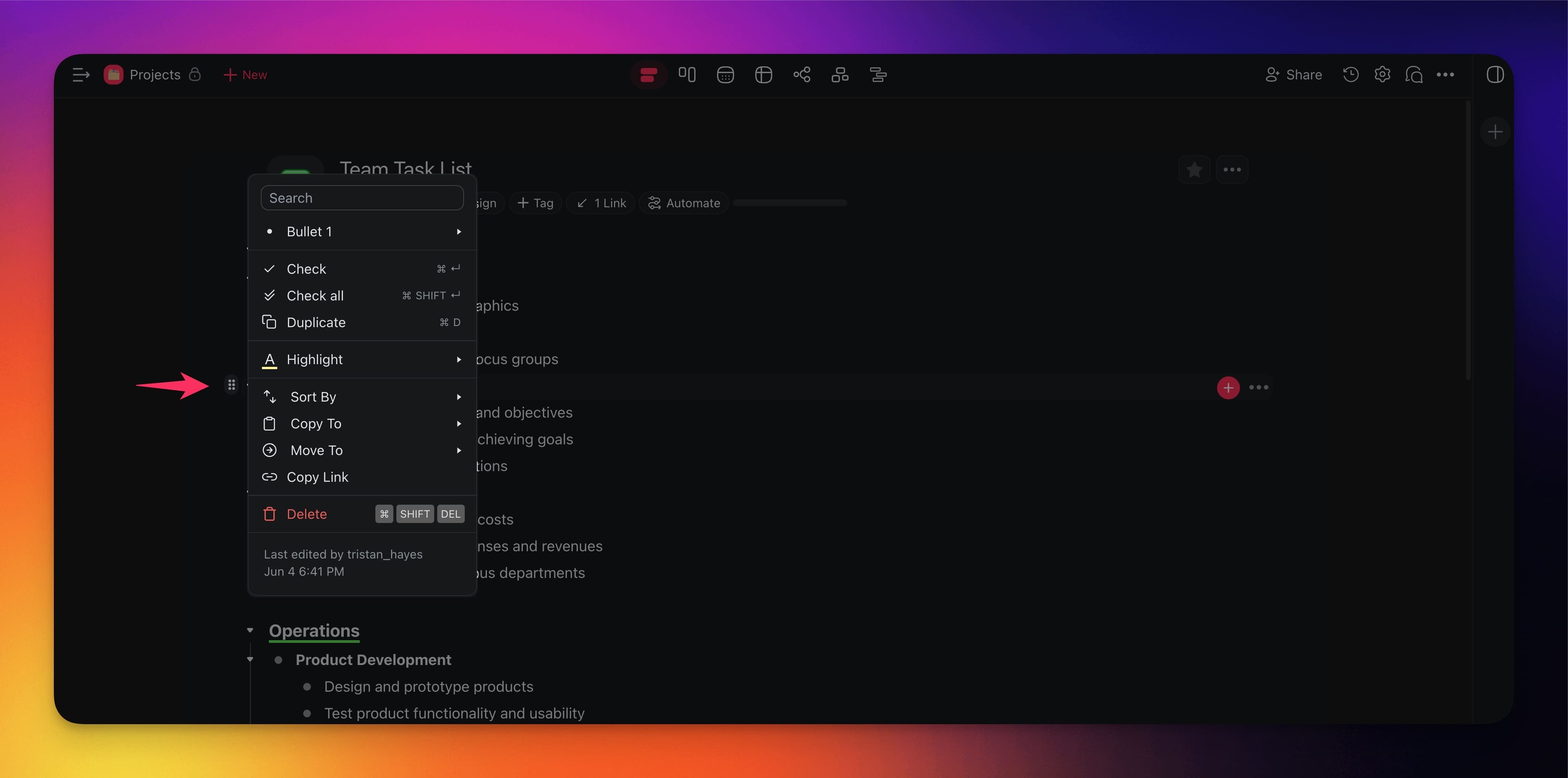
How to Use the Drag Icon Menu
- Open any project in Taskade.
- Hover your mouse cursor over the task you want to modify.
- Click the (⋮⋮) icon that appears on the left side of the task.
- Select an action from the menu that appears.
Available Actions
Here are the actions you can do with the Drag Icon Menu:
- Change Formatting: Switch between heading levels, bullets, checkboxes, and paragraphs.
- Check Task (Complete Task): Mark a single task as done.
- Check All: Complete a task and all of its sub-tasks at once.
- Duplicate: Create an exact copy of the task in the same project.
- Highlight: Apply a color highlight to make the task stand out.
- Sort By (if a task has sub-tasks):
- Copy To: Copy the task to another project or workspace.
- Move To: Move the task to a different project or workspace.
- Copy Link: Get a direct link to the task for sharing.
- Delete: Permanently remove the task.
- View Timestamp: See when the task was created and last edited.
Tips
- Start typing after clicking ⋮⋮ to quickly filter the menu options.
- Use the Sort By options to automatically organize sub-tasks by due date or completion status.
- You can also reorder tasks with keyboard shortcuts using ⌨️ Ctrl/⌘ + Shift + ⬆/⬇.
- The drag icon also works in Board and Mind Map views for repositioning cards and nodes.