

TL;DR: Bolt.new generates React code in a browser sandbox and meters tokens, with Pro at $25 a month for roughly 10M tokens. Taskade Genesis ships a deployed application with AI agents, automations, and 100+ integrations on a flat subscription, and visitors to your published app never spend your credits. Free Forever, Pro $10/mo billed annually. Try Taskade Genesis free →
See the alternative working, clone in 60 seconds
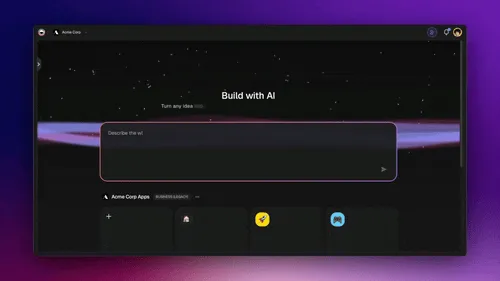
No signup, no credit card. Preview and clone a living ops system →
| Capability | Bolt.new | Taskade Genesis |
|---|---|---|
| Pricing (starting) | Free 1M tokens/mo, Pro $25/mo (~10M+ tokens), Teams $30/seat/mo, Enterprise custom | $0 Free · $10/mo Pro billed annually (10 seats) |
| Cloneable live demo | ❌ | ✅ |
| Built-in AI agents | Code generation, no live agents | ✅ built-in tools |
| Automation engine | No automation engine | ✅ Durable runtime, 100+ integrations |
| Workspace DNA loop | ❌ | ✅ ▲ Memory · ■ Intelligence · ● Execution |
Overall winner: ✅ Taskade Genesis: for any team whose goal is shipping a deployed app with agents and automations, not editing React files. Bolt remains a serious option when an engineer specifically wants source code they can fork and host themselves.
Table of Contents
- Quick Comparison Table
- The fundamental difference in 2026
- What is Taskade Genesis?
- What is Bolt.new in 2026?
- Feature-by-feature deep dive
- The Workspace DNA advantage
- Pricing and total cost of ownership
- The token-burn problem
- What developers say
- When to choose each
- Frequently asked questions
- Without permission
The fundamental difference in 2026
Bolt.new is StackBlitz's browser-native code generator. It runs inside WebContainers, true Node.js in the browser with no local setup, and turns prompts into React, Next.js, or Astro applications that you ship to Bolt Cloud or Netlify. After hitting $4M to $20M to $40M ARR in five months post-launch, Bolt closed a $105.5M Series B in January 2025 and has shipped V2, Bolt Cloud, Bolt for Mobile, and (in April 2026) Bolt for Teams. It is, in the AI-app-builder category, a serious product.
Taskade Genesis is a different shape entirely. You describe what you want and Taskade Genesis returns a deployed, working application with AI agents, real-time data, automation workflows, and team collaboration already wired in. Your workspace is the backend. Your projects are the database. Your agents are the runtime. There is no token meter ticking on every prompt, and no code-deploy-host loop you have to operate yourself.
Bolt asks: "What React code should I generate?" Taskade Genesis asks: "What app should exist?"
What is Taskade Genesis?
Taskade Genesis is the AI app builder inside the Taskade workspace. It is built on Workspace DNA, Memory (Projects), Intelligence (AI Agents), and Execution (Automations), a self-reinforcing loop where what your team does becomes the substrate the agents reason over. Founded by John Xie, Dionis Loire, and Stan Chang in 2017, Taskade is a Y Combinator-backed platform with over a million users and a public Community Gallery of apps anyone can clone.
A single prompt to Taskade Genesis can produce a customer support portal, an ops dashboard, a CRM, a knowledge base, a form-driven intake system, or an internal tool, all with built-in AI agents, automations, custom domains (Business+), password protection (Pro+), and the option to embed publicly with GenesisAuth. No DevOps. No CI/CD. No infrastructure to maintain. No token meter.
Taskade Genesis is for everyone, founders, marketers, ops, product managers, customer success, and engineers who want to skip plumbing and focus on the idea.
What is Bolt.new in 2026?
Bolt.new (bolt.new) is StackBlitz's flagship AI coding product, launched October 2024. It runs inside StackBlitz's WebContainers, a Node.js runtime that lives in the browser, and turns prompts into React, Next.js, Astro, or Vite-based applications. The user can edit the code in the browser, run a live preview, deploy to Bolt Cloud or Netlify with one click, and export to GitHub.
Bolt.new at a glance (May 2026): Owner StackBlitz, Inc. (independent, not acquired). $135M total raised through Dec 2025 ($105.5M Series B in Jan 2025 at ~$700M valuation, led by Emergence Capital + GV). $40M ARR within 5 months of launch. Default model is Claude Sonnet in Bolt V2.
Recent shape changes (late 2025 → May 2026):
- Bolt V2 / Claude Agent default: replaced the legacy v1 agent. Claude Sonnet is the default model.
- Bolt Cloud: unified backend for hosting, unlimited Bolt Database (with auth, server functions, secrets, storage), domains, and web analytics in one Project Settings panel.
- Bolt for Mobile: Expo integration for browser-to-React-Native preview; EAS (build/submit) on the roadmap.
- Bolt for Teams (Apr 2026): real-time multiplayer editing, projects dashboard, RBAC (Viewer/Editor/Co-owner), admin controls over Netlify/Supabase/GitHub integrations.
- Integrations: Supabase ("claim DB" handoff), Netlify (one-click switch from Bolt Cloud), GitHub one-click publish, Stripe.
- AI image generation in chatbox.
Bolt is, on its own terms, an excellent product for engineers who want to move from idea to forkable code in minutes. The question for teams choosing between Bolt and Taskade Genesis is not "is Bolt good at code generation", it is "does the team want React files, or a deployed app with agents and automations?"
Feature-by-feature deep dive
App generation and deployment
- Taskade Genesis turns a single prompt into a deployed application with UI, data model, AI agents, and automations connected. The app runs immediately at a shareable URL with custom domain (Business+) and password protection (Pro+) available.
- Bolt.new generates source code in a browser-based dev environment. The user can deploy to Bolt Cloud or Netlify, but the deploy step, database provisioning, and ongoing operations remain the user's job.
AI agents that take action
- Taskade ships AI Agents v2, first-class digital teammates with persistent memory, built-in tools (web search, file analysis, project management, image generation, code execution, and more), custom tools you define, a hosted MCP server that Claude Desktop and Cursor connect into, and the ability to be embedded publicly inside Taskade Genesis Apps for end-users.
- Bolt's AI is a build-time assistant. It helps you write the React code. Once the code is generated, the assistant is gone. There are no persistent agents that live in the deployed app, no agents your customers can chat with, no agents with persistent memory or tools.
Workflow automations and integrations
- Taskade includes durable Automations with branching, looping, and filtering across 100+ bidirectional integrations. Triggers pull external events in (Slack messages, Gmail, Sheets rows, Calendly events, webhooks). Actions push data out (Stripe checkouts, Shopify orders, Notion syncs, Salesforce updates, GitHub PRs).
- Bolt has no native automation engine. Every Stripe webhook, Slack notification, HubSpot sync, or scheduled task is code you write yourself in the generated React app.
Team collaboration
- Taskade is workspace-native: real-time multiplayer editing, comments, chat, video calls, and granular role-based access (Owner to Viewer).
- Bolt for Teams (Apr 2026) added real-time multiplayer code editing and a RBAC (Viewer/Editor/Co-owner). It is real progress, but the surface is still "shared code editor," not "shared workspace with agents and automations."
Browser-native runtime
Bolt's WebContainers are a genuine technical achievement. Real Node.js in the browser, no local setup, instant preview. For an engineer who values code-first workflow with zero install friction, this is hard to beat. Taskade Genesis is a web app with native iOS and Android clients, different optimization, different audience.
Code ownership
Bolt wins outright here. Full source export to GitHub. Fork, host, run on your own infrastructure if you want. Taskade Genesis is a managed deployed app, you don't own the source code that runs it, but you own your data, your agents, your integrations, and you can export your projects to Markdown or text.
Workspace memory and context
- Taskade's Workspace DNA gives every agent persistent context across projects, files, integrations, and the live state of your business.
- Bolt rebuilds context per project. Powerful for one-off prototypes, less suited for the longer arc of an ongoing system.
The Workspace DNA advantage
Bolt's mental model is "the AI generates React code, the human deploys and operates it." Taskade Genesis's mental model is Workspace DNA: a self-reinforcing loop between three pillars.
- Memory (Projects): Your team's docs, tasks, files, and structured data become the substrate every agent reasons over. The longer you work, the smarter the workspace gets.
- Intelligence (Agents): Custom AI Agents with persistent memory, built-in tools, and custom tools you define, plus a hosted MCP server that Claude Desktop, Cursor, and VS Code connect into, while automations carry the work into the 100+ apps you already use. Agents are first-class teammates that live in the workspace, not floating chat sessions.
- Execution (Automations): Durable workflows triggered by external events (Slack, Gmail, Stripe, GitHub, Calendly, webhooks, schedules) that read from Memory and act through Intelligence, then write the results back into Memory. The loop closes.
Bolt is brilliant at one slice of this loop, generating clean React code from a prompt. Taskade Genesis runs the entire loop continuously, so the longer you use it, the more your workspace itself becomes the thing that builds the next app.
Pricing and total cost of ownership
| Plan | Taskade Genesis | Bolt.new |
|---|---|---|
| Free | Free Forever, no starting AI credits (earn or buy credits to build), 3 Taskade Genesis apps | 1M tokens/mo, 300K/day cap, public + private projects |
| Entry | Pro $10 / month (annual), unlimited apps, 10 seats | Pro $25/mo, ~10M+ tokens/mo, no daily cap, rollover, custom domains |
| Mid | Business $25 / month (annual), unlimited seats, higher AI capacity | Pro scales through higher-token tiers |
| High end | Max $100 / month (annual), maximum AI generation capacity | Teams $30/seat/mo, same per-seat tokens, centralized billing |
| Enterprise | $250 / month (annual) with custom SLA | Enterprise custom, SSO, audit logs, dedicated AM |
The headline math: a 5-person team building deployed apps with Taskade Pro pays $10/mo total (billed annually). The same team on Bolt Teams pays 5 × $30 = $150/mo, plus they still ship code, not deployed apps with agents and automations.
The token-burn problem
Worth being honest about this one because it surfaces in nearly every Bolt review: when Bolt's AI gets a bug wrong, its default behavior is to regenerate the affected component, which spends tokens. If the regenerate is also wrong, it tries again, also spending tokens. Three documented examples:
- Hacker News startup launch incident (Dec 2025): "Bolt.new's AI burned 10M tokens on unauthorized changes... stripped FingerprintJS protection without permission... ghost files broke all payments at launch." (HN)
- Reddit auth-loop pattern: Multiple users report 5–8 million tokens spent on a single Supabase auth bug because Bolt regenerates entire components instead of applying targeted fixes.
- Trustpilot template-edit cost: "Simple, limited language edits to an existing template consumed $25 worth of tokens in a few hours", costs "dramatically exceeded expectations."
Taskade Genesis's pricing model is structurally different: Pro is a flat $10/month (billed annually) that already includes 50,000 AI credits, so the month's ceiling is known before you start. A bug fix draws on that same allowance rather than a fresh purchase, and the people who use the app you published never spend any of it. AI credit packs exist for heavy generation work and feature an auto-top-up + audit log + clone creator attribution, but they are additive capacity, not the basic price of editing your app.
What developers say
Bolt has a vocal community on r/Bolt and Hacker News. Honest themes:
- Pro: "Fastest 0-to-deployed-MVP loop in the category", true. Bolt's 12-minute scaffold-to-shareable-URL is widely cited.
- Pro: "Browser-native is a real cheat code", no Node.js install, no port conflicts, instant preview.
- Pro: "GitHub sync that actually works", relative to other vibe-coding tools, Bolt's deployment story is mature.
- Con: Token-burn loops on bug fixes (the three examples above).
- Con: Multi-file refactors can be unstable; the AI sometimes regenerates parts of the app that weren't asked to change.
- Con: Limited collaboration model until Bolt for Teams (April 2026); even now, it is multiplayer code editing rather than full workspace collaboration.
Taskade Genesis users are usually one step removed from these threads. They show up because they want to ship a portal, a dashboard, a CRM, an internal tool, or a customer-facing app, and they want to do it without writing React, without thinking about deploys, without watching a token meter. Browse the Community Gallery to see the apps people have shipped.
When to choose each
Choose Bolt.new if:
- You are an engineer who wants forkable React or Next.js source code.
- You value browser-native WebContainers, no local setup, instant preview.
- You want to ship to Netlify or Bolt Cloud and own the deployment story.
- The output you need is source code in your repo, not a deployed system with agents.
- You are willing to manage per-token spend and accept the regenerate-on-bug-fix model.
Choose Taskade Genesis if:
- You want to ship a working app, not React files.
- Your team includes non-engineers who need to build alongside engineers.
- You need AI Agents that persist, have tools, and can be embedded for customers.
- You need workflow automations across Slack, Gmail, Stripe, Salesforce, Notion, and 100+ other integrations.
- You want one flat subscription that includes hosting, agents, automations, and team collaboration, without a token meter.
Use both if: Many teams use Bolt for one-off marketing sites or open-source landing pages where code ownership matters and use Taskade Genesis to ship internal tools, dashboards, ops portals, and customer-facing apps that need agents and automations to actually run.
Frequently asked questions
How does Bolt.new compare to Lovable in 2026?
Both anchor the "vibe coding" category, both at $25/mo Pro. Bolt positions toward developers who want browser-native code velocity. Lovable positions toward design-first full-stack scaffolding. Both are well-funded category leaders backed by top-tier investors. Both ship code, not deployed apps with agents and automations, that's where Taskade Genesis sits.
How much does Bolt actually cost in practice?
Pro is $25/mo for 10M tokens, but real users report tokens consumed faster than expected, particularly on bug-fix loops. Plan for the next tier up if you are actively iterating. Taskade Genesis Pro is a flat $10/mo (billed annually) with 50,000 AI credits included.
Does Bolt include AI agents like Taskade?
No. Bolt's AI is a build-time assistant that helps generate code. Taskade ships AI Agents v2 as first-class workspace teammates with persistent memory, built-in tools, custom tools, and public embedding inside Taskade Genesis Apps.
Does Taskade Genesis include workflow automations?
Yes, durable workflow automations across 100+ bidirectional integrations. Bolt has no native automation engine.
Which AI models does Taskade Genesis use?
Taskade includes access to frontier models from top AI labs. You never wire up API keys.
Can I export code from Taskade Genesis like Bolt?
No, Taskade Genesis builds deployed managed applications, not source code. Projects export to Markdown and text. The trade-off is hosting, agents, automations, and integrations included in exchange for not owning the codebase.
Build without permission
Bolt gives engineers browser-native code velocity. Taskade Genesis gives everyone, engineers and non-engineers alike, a workshop where the apps come out finished, hosted, and ready for users.
- One prompt, one deployed app. Taskade Genesis ships the interface, the data, the agents, and the automations together.
- Browse the Community Gallery, Clone apps shipped by other Taskade Genesis builders
- Read the Workspace DNA explainer, How Memory, Intelligence, and Execution work together
Clone a living business system (not a prototype)
Bolt is strong for prototypes. Operators need durable ops apps.
- From AI app builder to ops system
- Field service ops dashboard
- Client portal
- Or build yours in Taskade Genesis
Explore Taskade Genesis
- AI App Builder, Build complete apps from one prompt
- Vibe Coding, Natural-language app creation
- AI Agent Platform, Digital teammates that work 24/7
- AI Website Builder, Sites in seconds
- Workflow Automation, AI-powered business automation
Learn the Taskade Genesis architecture
Your living workspace includes:
- First-app guide, 5-minute tutorial
- Custom AI Agents, The Intelligence pillar
- Projects & Databases, The Memory pillar
- Automations & Workflows, The Execution pillar
Build without code
- AI App Generator, Full apps from prompts
- AI Dashboard Generator, Business dashboards
- AI Website Generator, Sites in seconds
- AI Form Generator, Smart intake forms
- Browse Community Apps, Clone and customize
Related reading
- The Build Without Permission article, Our manifesto
- Bolt.new review, Hands-on with the vibe-coding leader
- Best Bolt.new alternatives in 2026, Compared with deeper analysis
- Taskade Genesis vs Bolt.new, complete comparison, Deep dive on the two architectures
- Best vibe coding tools in 2026, Category overview
- Vibe coding for non-developers, Build apps without code
- Vibe coding for teams, Ship 10x faster
- How Workspace DNA works, The architecture
- Origin of living software, The future of apps
Prefer a quick head-to-head? See Taskade vs Bolt.new (2026) for the at-a-glance comparison table and decision guide.