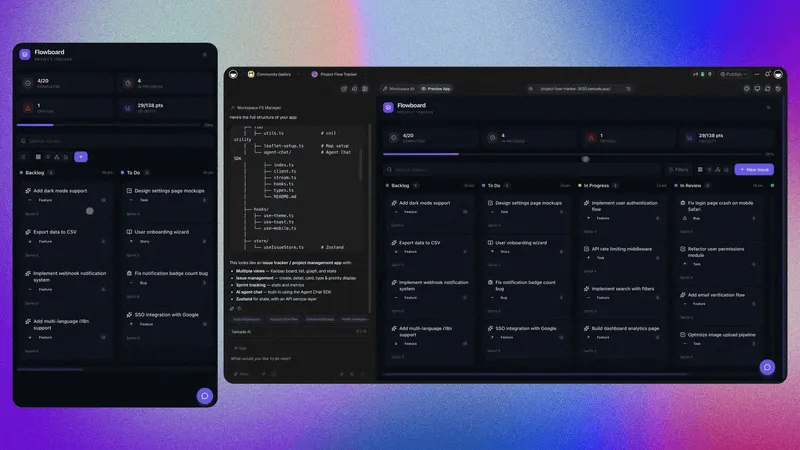
What is a Taskade project?
Projects are the Memory layer of your workspace. Organize data with multiple views, manage tasks with custom fields, and collaborate with your team in real-time. Projects feed AI Agents (Intelligence) and Automations (Execution) to form Workspace DNA, the foundation of every Taskade Genesis app.
TL;DR: Projects are the Memory layer of Taskade's Workspace DNA. They hold the structured data that AI Agents and Automations act on. Every project supports multiple views (List, Board, Table, Mind Map, Docs (Beta), and Calendar on every plan, with Gantt Chart, Actionsheet, and Org Chart on paid plans), real-time collaboration, custom fields, and role-based access from Owner to Viewer.
How do projects fit Workspace DNA?
Projects are the Memory layer. They hold the structured data that AI Agents (Intelligence) and Automations (Execution) act on. Together those layers form Workspace DNA, the foundation of every Taskade Genesis app.
Which views can a project use?
Every project supports multiple views. Switch among List, Board, Table, and Mind Map in the toolbar, or open More Views for Docs (Beta), Calendar, Gantt Chart, Actionsheet, and Org Chart. Gantt Chart, Actionsheet, and Org Chart need a paid plan. Every other view is available on every plan, Free included.
| View | Best for | Where to find it |
|---|---|---|
| List | Default outline, fastest data capture | Toolbar tab |
| Board | Kanban flow across stages | Toolbar tab |
| Table | Spreadsheet-style data | Toolbar tab |
| Mind Map | Visual brainstorming branches | Toolbar tab |
| Docs (Beta) | Long-form writing on top of tasks | More Views |
| Gantt Chart | Timeline and dependencies | More Views, paid plan |
| Calendar | Date-centric scheduling | More Views |
| Actionsheet | Simple spreadsheet-style lists | More Views, paid plan |
| Org Chart | Team / hierarchy visualization | More Views, paid plan |