






A safety and compliance tracker keeps inspections, incident reports and certificates in one place, and it warns you before anything expires. This guide shows how to build one without code in Taskade Genesis, four other ways to do it, and when each one is the better fit. For the renewal side of the same job, read how to automate license renewals.
Quick answer
To build a safety compliance tracker without code, list every certificate, license and inspection with an owner and an expiry date. Add a checklist for inspections and a form for incidents, and set alerts at 90 and 30 days. SafetyCulture's free plan covers up to 10 seats and 5 inspection templates. Taskade Genesis puts the register, the checklists, the incident form and an assistant that answers from your manual in one app.
The rest of this page covers what each part does, the three steps to build it, what to track, who sees what, a worked example, what it costs, four other ways to do it, and the limits to know before an audit.
What a compliance tracker needs
A compliance tracker needs five parts, and together they keep an audit calm. A register gives every certificate an owner and an expiry date. Inspection checklists hold the evidence. An incident form catches problems the day they happen. Alerts arrive before each deadline, and quick answers come from your own procedures.
| Part | What it looks like | How Taskade does it |
|---|---|---|
| Register | "Fire extinguisher service, owner: site lead, expires 14 Mar" | A Certificates project with owner, issue date, expiry date and status |
| Inspection checklist | Monthly vehicle check, 12 items, photo of the tyres | A checklist project per inspection, with an upload field for photos |
| Incident form | "Slip in the loading bay, 09:40, no injury" | A published form that adds a row to the Incident log |
| Expiry alerts | 90 days and 30 days before the date | A daily Schedule trigger, Find Task(s), Assign Task and an email |
| Answers from the manual | "What do we do after a chemical spill?" | An AI agent with the manual in its knowledge |
The diagram shows how the three inputs meet in one app and what goes out each morning.
The expiry board in three bands
The expiry board is the screen the team opens every morning. It sorts every item into a band, so nobody reads dates one by one.
+----------------------+----------------------+----------------------+
|  EXPIRED          2  |  WITHIN 30 DAYS   3  |  WITHIN 90 DAYS   5  |
+----------------------+----------------------+----------------------+
| First-aid kit refill | Forklift license     | Gas safety cert      |
|   owner: site lead   |   owner: ops lead    |   owner: facilities  |
|   expired 3 days ago |   due in 12 days     |   due in 61 days     |
| Ladder inspection    | Hull survey          | Insurance renewal    |
|   owner: crew chief  |   owner: captain     |   owner: finance     |
|   expired 1 day ago  |   due in 27 days     |   due in 88 days     |
|                      | Food hygiene cert    | ...                  |
+----------------------+----------------------+----------------------+
  Action today         Book the renewal       Plan and budget
What goes in the register
The register is one project with one row per certificate, license or inspection. Ten fields cover most small teams.
| Field | Example | Why it matters |
|---|---|---|
| Item | Fire extinguisher service | What the auditor asks for |
| Type | Certificate, license, inspection, training | Lets you filter the board |
| Site or asset | Warehouse 2, Vessel 1, Van 4 | Answers "is this site covered?" |
| Owner | The person's email | The alert goes to this person |
| Issued | 2025-03-14 | Proof of the last renewal |
| Expires | 2026-03-14 | The daily check reads this date |
| Renews every | 12 months | Sets the next expiry when you upload the new certificate |
| Keep record until | 5 years after the year it covers | Tells you when an old record can leave the register |
| Evidence | The PDF or a photo | The auditor wants the document |
| Status | Active, Expiring Soon, Expired | Sets the band on the board |
The free risk register template covers the risk side of the same job, and the maintenance templates cover planned checks on equipment.
Real compliance apps that customers run
Two anonymised patterns from teams that run safety work on Taskade Genesis show how different the same job looks:
- A US tour-boat operator gives crews one Taskade Genesis safety portal for 3 inspected vessels. An assistant answers from the captain's manual, and each certificate turns red 30 days before it expires.
- A UK travel-safety service gives travelers a Taskade Genesis app behind access codes, with threat-response steps, local safety advice and post-incident reports. It runs about 40 automations a month.
The first is a register with an assistant. The second is an incident and response app for people in the field. The build below starts with the register and adds the incident form, so it supports both.
Before you build: list what you must track
Write the obligation list before you build the register, because a tracker only warns about items it holds. Walk each site and each role, and list every certificate, license, inspection and training record with its owner and its renewal interval. The table below shows the areas most small businesses start with.
| Area | Typical items | How often (check your local rule) | Usual owner |
|---|---|---|---|
| Fire safety | Extinguisher service, alarm test, fire exit walk | Monthly walk, yearly service | Site lead |
| First aid | Kit contents, first-aider certificates | Monthly kit check, certificate by its date | Named first-aider |
| Equipment and vehicles | Forklift, ladders, vans, lifting gear | Before use, monthly or by hours | Ops lead |
| Licenses and permits | Trading, food hygiene, waste carrier, vessel | By the date on the license | Owner or manager |
| Insurance | Liability, vehicle, property | Yearly | Finance |
| Training | Induction, manual handling, refreshers | At start, then by the course date | HR or manager |
| Incident records | Injury and near-miss reports | The day it happens | Safety lead |
Some records also carry a legal retention period. In the US, many employers with more than 10 employees must record work-related injuries and illnesses on OSHA Forms 300, 300A and 301, and keep them for five years after the end of the year they cover (OSHA recordkeeping, checked 2026-10-19). Other countries set their own rules, so check with your regulator and put the period in the "Keep record until" field.
Rank the list by risk before you load it. Put items that stop work when they lapse (a vehicle inspection, a food hygiene certificate, liability insurance) at the top, and give each one a backup owner.
Build it in Taskade in 3 steps
You build the compliance tracker in three steps: clone a working register app, load your items and your manual, then switch on the alerts and incident routing. The register is the part that takes time, because you collect dates from many places. The automations take minutes.
For the click-by-click version, follow the compliance tracker tutorial in Learn Taskade.
Step 1: Clone the license and certificate tracker
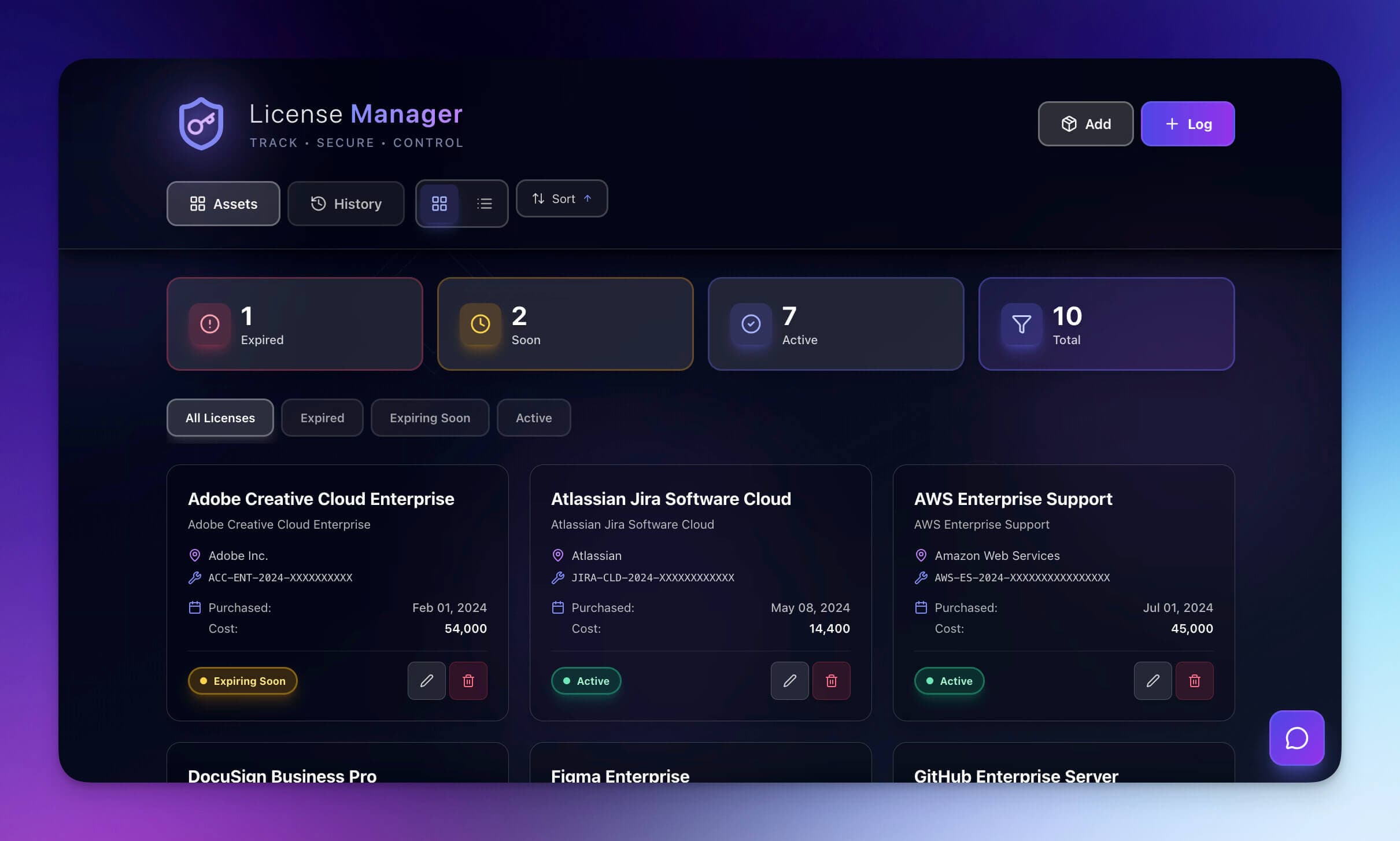
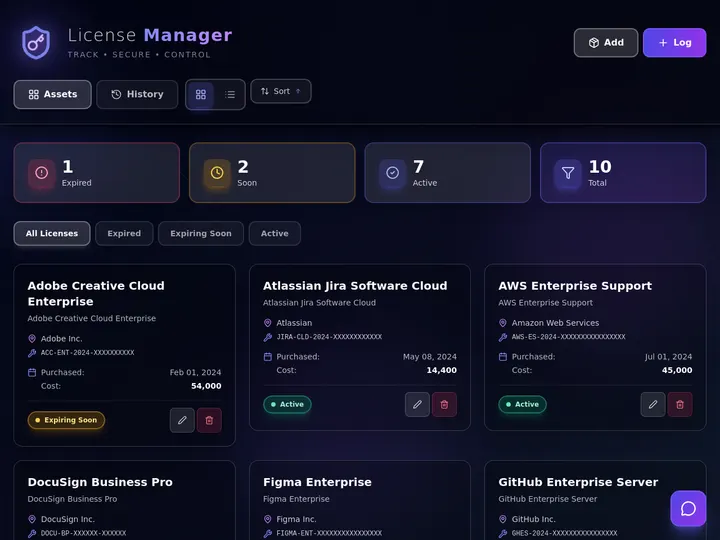
Clone the License Manager app and pick a workspace. Taskade copies the app and its projects into that workspace. The License Manager already sorts every item into Expired, Expiring Soon and Active bands, with filters and a history tab. It ships with software licenses as sample data, so you rename the entries to your certificates and inspections. The copy counts as one Taskade Genesis app on your plan.
Try the live app below before you clone it:
Next, add the inspection and incident parts. You can add projects and a form by hand, or describe them to Taskade EVE in the prompt box. For example:
Turn this into a safety and compliance tracker. Add a Certificates register with owner, issue date, expiry date and status bands Expired, 30 days and 90 days. Add an Inspections checklist with photo evidence and an Incident report form that assigns the safety lead. Add an assistant that answers from our safety manual.
A prompt that changes the app uses AI credits. Free starts with no AI credits. You earn credits with referrals and invites, or buy a credit pack on any plan. Pro includes 50,000 AI credits a month. Edits by hand use no credits. The first app guide walks through the editor.
Step 2: Load your register and your manual
Collect your certificates in a spreadsheet first, one row per item, with the ten fields from the table above. Then import the CSV into the Certificates project. Most teams find dates in three places: the folder of PDFs, the supplier emails, and the walls of the site.
Upload your safety manual and your procedures to the agent's knowledge. The agent then answers from your own files: what to do after a fall, who signs off a hot-work permit, or which form a driver fills after a near miss. Keep the manual as the source of truth, and update the file when the procedure changes. PDF uploads need a paid plan, and a Free agent takes one knowledge source. On Free, paste the procedures into one project and add that project instead.
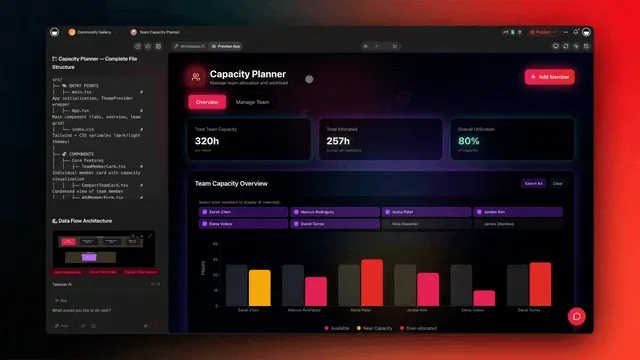
For inspections, add one checklist project per inspection type, for example a monthly vehicle check or a weekly fire exit walk. Add an upload field so inspectors attach a photo to each item. Let people send files to your app shows where each photo lands. A sample checklist:
| Item | Pass / fail | Evidence |
|---|---|---|
| Fire exits clear and signed | Pass | Photo of each exit |
| Extinguishers in date and in place | Pass | Photo of the tag |
| First-aid kit stocked | Fail: refill gloves | Photo, then a task to the site lead |
| Spill kit sealed | Pass | Photo |
Step 3: Turn on expiry alerts and incident routing
Open Automations and switch on two automations. The first watches dates. The second routes incidents.
| Automation | Starts when | What it does |
|---|---|---|
| 1. Expiry check | Every day at 07:00 | Find Task(s) lists items that expire within 90 and within 30 days, assigns each owner, emails them, and sets the band |
| 2. Incident routing | Someone submits the incident form | Adds a row to the Incident log, assigns the safety lead, emails them |
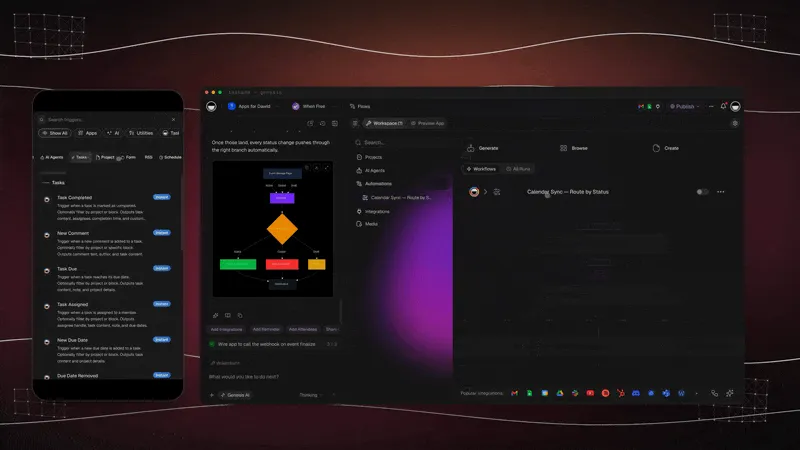
The expiry check uses the Schedule trigger with your time zone, and Find Task(s) to list the items. To act on the exact day an item expires, add the Task Due trigger. New Due Date reacts when someone sets a new expiry after a renewal. The incident form uses the AI Forms trigger, and Assign Task hands the report to the safety lead.
The sequence below shows one certificate on its way to renewal.
An incident follows its own forward path. Each status change is a field update, so you can add a Logger automation that writes the change to a history project, as in how to build an approval workflow.
Test the tracker with two items before your team uses it:
- Add a test certificate that expires in 20 days. On the next morning, check that the owner got the email and the item sits in the 30-day band.
- Submit a test incident from a phone. Check that the safety lead got the email and the Incident log has the row.
What changes for the team
The before and after below show where the time goes. The steps that disappear are the date hunts, the "who owns this?" questions and the night before the audit.
BEFORE: a spreadsheet and a calendar       AFTER: one Taskade compliance app
+--------------------------------+         +--------------------------------+
| Dates in a sheet, PDFs in a    |         | One register, evidence on the  |
| shared folder, some on a wall  |         | same row                       |
| One person reads the dates     |         | Daily check reads every date   |
| Renewal found the week it ends |         | Owner told at 90 and 30 days   |
| Incident on a paper form       |         | Incident form, lead emailed    |
| "Where is the manual page?"    |         | Assistant answers from manual  |
| Audit week: gather everything  |         | Audit week: filter and export  |
+--------------------------------+         +--------------------------------+
Who sees what
A compliance tracker has four kinds of users, and each one needs a different screen. The safety lead sees everything. A site lead sees the items for one site. Staff see the incident form and the assistant. An auditor reads the register and the evidence without changing them.
| Person | Sees | Can do |
|---|---|---|
| Safety lead | Every item, every incident, the weekly summary | Edit the register, close incidents |
| Site lead | The items and incidents for their site | Upload evidence, mark checks done |
| Staff | The incident form and the assistant | Report an incident, ask a question |
| Auditor | The register and the evidence | Read and export |
Inside the workspace, role-based access runs from Owner to Viewer, so the auditor can be a Viewer. In the published app, sign-in confirms who each person is. To show a site lead only one site, match each item to that person's email or site, and test it with a second account.
Worked example: 3 sites and 64 items
A business with 3 sites, 64 register items and about 5 incidents a month needs about 40 automation runs a month. That is above the 10 runs on Free, and far below the 1,000 runs on Pro. Each automation counts one run from trigger to finish, however many items the daily check finds.
| Automation | What sets it off | Runs a month |
|---|---|---|
| Expiry check | Once a day | 30 |
| Incident routing | 5 incident reports | 5 |
| Weekly summary | Once a week | 4 |
| Total | 39 |
Spread across a year, 64 items with yearly renewals give about 5 renewals a month. The 90-day alert gives each owner three months to book each one, so no renewal lands in the last week.
64 items, yearly renewals, 3 sites
  Jan  #####   5      Each "#" is one renewal due that month.
  Feb  ####    4      The 90-day alert reaches the owner
  Mar  ######  6      three months before each bar.
  Apr  #####   5
  ...
  Weekly summary: expired 0 | due in 30 days 4 | inspections done 11 of 12
The weekly summary carries the three numbers a manager needs: items expired, items due within 30 days, and inspections done against inspections due. If the expired count stays above zero for two weeks, the owner list is the problem, not the dates.
What Taskade Genesis adds to a compliance tracker
Taskade Genesis turns one prompt into a live app with its own database, so the register, the checklists, the incident form and the assistant share one place. Here is what that means for compliance work:
- One prompt builds or changes the live app. Create builds the projects, the form and the screens. Taskade EVE edits the app in chat, for example "add a Keep record until field and a Site filter".
- An AI agent answers from your manual. The AI agent reads your safety manual and procedures and answers staff questions in the app. Each answer uses AI credits.
- Automations run the reminders. Automations work with 100+ integrations. Triggers pull events in, and actions push data out, for example an email to the owner at 90 days.
- Workspace DNA keeps it connected. The register and the incident log are memory, the agent is intelligence, and the automations are execution. The Taskade Genesis wiki explains the model.
- Start from a kit and share a link. Clone a ready-made app from the Community Gallery, share the link with your sites, and put it on your own domain on Business and up.
Plan facts: Free has 3 apps, 1 agent, 2 members and no starting AI credits. Pro is $10 a month billed annually.
What it costs
The register, checklists and alerts work on the Free plan, but the Free plan fits a trial, not a live tracker. The assistant needs AI credits, and PDF uploads to its knowledge need a paid plan. Free has 3 Taskade Genesis apps, 2 members, 1 agent and 10 automation runs a month, and it starts with no AI credits. Each automation run counts, and the daily expiry check runs every day. So a team that depends on the alerts needs Pro.
| Plan | Price | What fits |
|---|---|---|
| Free | $0 | A test with 2 people and a few items. 10 automation runs a month, no AI credits to start |
| Pro | $10/month billed annually ($20 monthly) | A live tracker for up to 10 members, 1,000 automation runs and 50,000 AI credits a month |
| Business | $25/month billed annually ($50 monthly) | More runs and members, and a custom domain for the app |
The assistant uses AI credits for each answer. The built-in email notifications, assignments, field updates and schedules need no connector. Gmail, Slack and Google Sheets steps need a paid plan. The full plan table is on the pricing page.
Other ways to do it
Four other tools track safety and compliance, and each one is the better fit for a different team. We checked each vendor's pricing page on 2026-10-19.
| Option | Free plan | Paid from | Better fit when |
|---|---|---|---|
| Mitti (by SafetyCulture) | Yes, up to 10 seats and 5 active inspection templates | Premium $24/seat/month billed annually, $29 monthly | Your team runs many mobile inspections a day |
| Smartsheet | No, a 30-day trial | Pro $9/member/month billed yearly, $12 monthly | Your team already plans its work in sheets |
| Lumiform | Not listed | Quote only | You want form-based audits with a vendor contract |
| Airtable | Yes | Team $20/user/month billed annually | You want a compliance base with an owner and a frequency on each control |
| Spreadsheet + calendar reminders | Yes | $0 | Under 20 certificates and one owner |
| Taskade Genesis | Yes, 3 apps and 10 automation runs a month | $10/month billed annually (Pro) | The register, alerts and answers from your manual live in one app |
SafetyCulture is the strongest pick for inspections in the field: its mobile app is built for checklists with photos. Its pricing page now opens on mitti.com, under the name "Mitti (by SafetyCulture)". Airtable has a free compliance tracking template in which each control carries an owner and a frequency, and it suits a team that likes to design its own base. Smartsheet suits teams that think in rows and Gantt charts and want reminders on a sheet. Lumiform sells form-based audits through its sales team. A spreadsheet with calendar reminders works for one person and a short list, until that person goes on leave.
Taskade earns its place when compliance is part of the daily work. A maintenance team that tracks certificates also schedules jobs, dispatches crews and logs repairs, and all of that lives in one workspace with AI agents and automations. For that shape, see the preventive maintenance schedule board, the field dispatch board and the construction ops dashboard.
Limitations: when Taskade is not the right fit
Choose a dedicated safety system (an EHS platform) when a regulator needs official forms, signed sign-offs or offline audits at remote sites. Taskade keeps the register, the alerts and the answers. It does not file reports with a regulator for you.
- A regulator needs its own report forms. Taskade has no built-in regulatory report forms. Fill the official form and attach it as evidence.
- Each sign-off needs a legal e-signature. Taskade has no DocuSign connector. Approvers confirm in the app.
- Inspectors work where there is no signal. Test the checklist on a phone at the site before you depend on it.
- An auditor must trust a locked record. A workspace owner can edit any project. Use a system with a locked audit trail.
- The assistant is not the rule book. The assistant answers from your documents. Keep the manual as the source of truth and check critical steps against it.
FAQ
Can I build a compliance tracker without code?
Yes. A compliance tracker needs a register of every certificate, license and inspection with an owner and an expiry date, a checklist for inspections, a form for incidents, and alerts before each deadline. In Taskade Genesis you clone a working register app, rename its entries, and add the inspection and incident parts in plain English.
What should a safety compliance tracker include?
A safety compliance tracker includes a register of every certificate, license, inspection and training record, each with an owner, an expiry date, a renewal interval and the evidence. It also holds inspection checklists with photos, an incident form, and alerts at 90 and 30 days before each date. A weekly summary shows items expired, items due within 30 days, and inspections done against inspections due.
How long should we keep incident records?
It depends on your country and your industry. In the US, many employers with more than 10 employees must keep OSHA Forms 300, 300A and 301 for five years after the end of the year they cover. Put the period in a Keep record until field on each row, and check the rule with your regulator.
How do expiry alerts work?
A scheduled automation runs every morning. It finds every item that expires within 90 days and within 30 days, assigns it to its owner, and emails them. The register shows each item in a band: Expired, Expiring Soon or Active, so the board tells you what needs work today.
Can inspectors fill a checklist on their phone?
Yes. A published Taskade Genesis app opens in a phone browser, and the Taskade mobile apps open the same projects. An upload field on the checklist lets an inspector attach a photo as evidence. Test the full checklist on a phone at the site before you rely on it, in particular where the signal is weak.
Can staff report an incident without a Taskade account?
Yes. Publish the incident form and share its link. Anyone with the link can submit a report, and you can protect the form with a password. Each report adds a row to the Incident log, and an automation assigns it to the safety lead and emails them.
Can the assistant answer from our safety manual?
Yes. Upload the manual and your procedures to the agent's knowledge. The agent answers from those files, for example the steps to follow after a fall or the date a certificate must be renewed. Each answer uses AI credits, PDF uploads need a paid plan, and the manual stays the source of truth.
Who can see incident reports?
You decide. Inside the workspace, role-based access runs from Owner to Viewer. App sign-in works on every plan and confirms who each person is. To show staff only their own reports, match each report to the person's email, and test it with a second account.
How much does a compliance tracker cost in Taskade?
Free has 3 apps, 2 members, 1 agent and 10 automation runs a month, and it starts with no AI credits. A daily expiry check uses a run each day, so a live tracker needs Pro at $10 a month billed annually ($20 monthly), with 1,000 runs, 50,000 AI credits and up to 10 members. Pro also connects up to 10 custom domains, and Business at $25 a month billed annually connects unlimited custom domains.
When is SafetyCulture or Smartsheet the better choice?
SafetyCulture fits teams that run many mobile inspections a day, and its free plan covers up to 10 seats. Smartsheet fits teams that already plan their work in sheets. Pick a dedicated safety system when a regulator needs official forms or signed sign-offs. Pick Taskade Genesis when the register, the alerts and the answers from your manual belong in one app.
Sources
- SafetyCulture pricing: https://mitti.com/pricing/ (safetyculture.com/pricing redirects there, checked 2026-10-19)
- Smartsheet pricing: https://www.smartsheet.com/pricing (checked 2026-10-19)
- Lumiform pricing: https://lumiformapp.com/pricing (checked 2026-10-19)
- Airtable pricing: https://www.airtable.com/pricing (checked 2026-10-19)
- OSHA recordkeeping: https://www.osha.gov/recordkeeping and 29 CFR 1904.33 (checked 2026-10-19)
- Taskade plans: pricing (checked 2026-10-19)
Related reading
- How to build an approval workflow without code
- Automate license renewals
- MaintainX alternatives for small shops
- Licensing agents and AI internal tools
- App Users on every plan, and custom domains on Pro and up (up to 10 on Pro, unlimited on Business and up)
- Best AI app builders and how to build a CRM without code
Start from a working app in the Community Gallery, or go back to the Taskade home page.
▲ ■ ● Memory · Intelligence · Execution. Your register, your checklists and your manual in one app.