

TL;DR: Taskade Genesis puts AI agents inside the projects, tables, and apps that hold your data, on Free Forever. Lindy is a per-user, per-credit agent product with no free plan, a 7-day trial, and Plus at $29.99/mo per user. Taskade Pro is $10/mo billed annually for 10 seats. Try Taskade Genesis free →
The best Lindy alternatives in 2026
The strongest Lindy alternatives in 2026 are Taskade Genesis when the agent needs to live inside the work, n8n for self-hosted control, Make and Zapier for breadth of connectors, Relevance AI for a multi-agent workforce, Gumloop for AI-native pipelines, Relay.app for human approval steps, and Bardeen for browser and go-to-market tasks. Lindy is genuinely good at inbox triage, meetings and Slack-native prompting. People start shopping when the bill turns out to be per seat and per credit, when the free week ends, and when they realize the agent has no workspace to keep anything in.
Read the last column first. It decides whether, six months from now, you have an assistant or a business system.
What Lindy actually costs now, and why every article gets it wrong
Lindy changed its prices in the first week of August 2026 and almost nothing on the internet has caught up. Verified against lindy.ai/pricing on 11 August 2026:
| Lindy plan | Price | Credits | Billing |
|---|---|---|---|
| Plus | $29.99/mo per user | 3,000 credits / user / mo | Monthly only |
| Pro | $99.99/mo per user | 15,000 credits / user / mo | Monthly only |
| Max | $199.99/mo per user | 35,000 credits / user / mo | Monthly only |
| Enterprise | Talk to sales | Shared usage + bonus credits | Custom |
Three things about that table are easy to miss.
There is no annual billing. The pricing page carries no toggle, and the words "annual" and "yearly" do not appear on it. So $29.99 is the real month-to-month rate, not an annual-equivalent teaser — worth knowing when you compare it against tools whose headline price is the discounted annual rate.
There is no free plan. There is a 7-day free trial, and Lindy's FAQ notes the free week is one-time per teammate. Articles describing a Lindy free tier with a monthly credit allowance are describing an older product.
Older prices are still circulating — including on Lindy's own page. Plus was $49.99 until the reprice, and at the time of writing Lindy's structured data still carried the old figure while the visible card showed the new one. Budget from the pricing page, not from a roundup.
Why operators look for a Lindy alternative
Every human who touches it becomes a seat
Lindy's own FAQ is unusually direct about this: anyone who uses Lindy takes a seat, whether they sign up directly, join your workspace, or @mention Lindy in Slack. Teammates arriving through Slack get the 7-day trial before the seat is billed; direct signups are billed right away.
Work that through for a five-person operations team on Plus: roughly $150 a month — but the trigger for a sixth seat is not a hiring decision, it is one colleague tagging the bot in a thread to see what it does. Per-seat pricing on a Slack-native product means the bill is shaped by curiosity, not headcount.
The credits do not roll over, and deep work is expensive
Credits refresh each billing cycle and do not roll over. Lindy publishes its own consumption bands, the most useful thing on the pricing page:
| Band | Credits | Example work |
|---|---|---|
| Everyday asks | 2–250 | Answers, lookups, closing out a meeting, drafting a reply |
| Deep work | 250–1,000 | Competitor research, triaging a support queue, building a proposal |
| Big builds | 1,000–2,500 | Dashboards, decks, internal tools, heavy workflows |
A Plus seat carries 3,000 credits a month. Two big builds plus a handful of deep-work tasks and the seat is spent — and with no add-on packs listed, the documented behavior when the pool runs low is that Lindy pauses and tells you. Credits do pool across the workspace, which softens this for larger teams, and account owners can cap allocations per seat. But the shape of the bill is unchanged: a quiet month is money you do not get back, and a busy month is a wall you hit mid-task.
The agent sits beside your work, not inside it
This is the structural one, and it has nothing to do with price.
Lindy acts on tools you already use: it reads the inbox, joins the meeting, watches the Slack channel, and pushes results back out through integrations. It keeps persistent workspace context and a skills library, and it is good at this. What it does not have — and does not claim to have — is a place where your projects, records and documents actually live. No project database with board, table and calendar views. No app you can publish on your own domain for a client to log into.
So when the IT program manager running a field-service rota asks "where does the equipment list live?", the answer with Lindy is "in whichever spreadsheet the agent was pointed at." The agent is a very capable visitor to your data. It is not a resident.
Choose Lindy if…
Three things Lindy genuinely does better than most of this list, and it would be dishonest to pretend otherwise.
- Slack-native prompting is the real product. Mentioning the agent in a thread and getting useful work back, in the thread, is lower friction than opening a builder. If your team lives in Slack, this alone is worth the seat.
- Meetings and inbox are solved, not approximated. Meeting recording, notes, a shared library and scheduling are first-party features rather than an integration you assemble. Inbox triage is what Lindy was built on, and it shows.
- Setup is genuinely fast. A library of 40+ published skills, plus the ability to write your own, puts most common assistant jobs at minutes rather than an afternoon. Model selection and approval steps are built in.
If what you want is a very good assistant on the work you already do, Lindy is a strong answer and this page will not talk you out of it.
1. Taskade Genesis — best when the agent has to live inside the system
Best for: an operator who needs the running system, not an assistant beside it.
Price: Free Forever · Pro $10/mo billed annually ($120/yr) or $20 month-to-month · Business $25/mo billed annually ($300/yr) or $50 month-to-month.
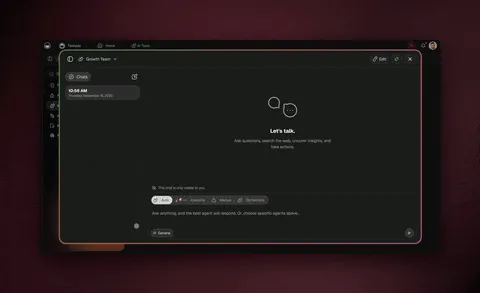
One prompt returns a deployed application — dashboard, client portal, CRM, intake form, inspection tracker or helpdesk — with the project data behind it, AI Agents v2 that read and write that data, and automations across 100+ bidirectional integrations. The agents are not pointed at your data through a connector; they read the same projects and tables your team is editing.
That is the whole argument, and it shows up in unglamorous ways. A solo revenue-operations consultant running a CRM plus a content engine never has to decide which tool is the source of truth, because the agent's memory and the CRM are the same object. A one-person agency publishes a client portal on a custom domain with sign-in, and the triage agent answering questions inside it reads the same records the client sees.
Because it is a workspace first, you also get multiple project views, real-time collaboration, and role-based access from Owner down to Viewer. The agent toolkit covers web search, code execution, file analysis, custom slash commands, persistent memory, public embedding, multi-model routing and multi-agent collaboration.
Where it is not the answer: if you want a Slack-native assistant and nothing else, this is more platform than you need. SSO also starts on Business, not Pro.
2. n8n — best if you want to own the runtime
Best for: technical teams who would rather host it themselves than rent it.
The community edition is free and self-hostable, which changes the cost conversation entirely: you trade a subscription for infrastructure you maintain. Enormous node library, real branching and error handling, no per-seat surprise. The catch is that "free" here means someone owns uptime, upgrades and secrets management. If that person does not exist, it is not free. See the full n8n comparison.
3. Make — best for people who think in flowcharts
Best for: visual builders who want to see the whole scenario at once.
Make's canvas is the clearest visual representation of a workflow in this category, and its logic is capable — routers, iterators, error handlers. Billing is per operation: predictable at low volume, worth modeling before you scale a high-frequency scenario. It is an automation tool rather than an agent platform, so the reasoning layer is something you add. See the full Make comparison.
4. Zapier — best for breadth of connectors
Best for: connecting two apps that nothing else connects.
Nobody beats the connector count, and for simple point-to-point work it is still the fastest path from problem to solution. The trade is depth: multi-step logic gets expensive and awkward, and the agent features are newer than the automation ones. If your requirement is genuinely "when X happens in this niche tool, do Y," start here. See the full Zapier comparison.
5. Relevance AI — best for a multi-agent workforce
Best for: teams designing agents as a service other systems call.
Relevance leans into the "AI workforce" framing, with custom code tools and multi-agent orchestration. Closer to Lindy in spirit than the automation tools above, and the strongest option if you have engineering capacity and want agents as callable endpoints. Pricing is metered per action, so the forecasting problem resembles Lindy's. See the full Relevance AI comparison.
6. Gumloop — best for AI-native pipelines
Best for: document- and data-heavy pipelines where AI is the main step.
Gumloop is built AI-first rather than automation-first, a natural fit for extraction, enrichment and summarization at volume. Node-based, credit-metered, pleasant to build in. It is a pipeline rather than a workspace, so the output has to land somewhere else. See the full Gumloop comparison.
7. Relay.app — best when a human has to approve a step
Best for: workflows that must not run fully unattended.
Relay's distinguishing feature is first-class human-in-the-loop steps: the workflow pauses, a person approves or edits, and it continues. For anything touching money, customers or compliance, that is a different safety posture from an agent that acts and tells you afterwards. Narrower than the others, deliberately so.
8. Bardeen — best for browser-side and GTM work
Best for: sales and go-to-market teams working out of the browser.
Bardeen runs where you already are — scraping a page, enriching a lead, pushing it to the CRM — which reaches things server-side tools cannot. The flip side is that browser-tied automations are harder to run on a schedule without a person present. Strong for prospecting, weaker as backbone infrastructure.
Lindy pricing in 2026, and how to compare it fairly
The honest comparison is not headline price. It is what a five-person team pays when the work is real.
| Taskade Genesis | Lindy | |
|---|---|---|
| Free | $0 standing plan — unlimited projects and tasks, 2 workspace members, 1 AI agent, 10 automation runs per month, 3 Taskade Genesis apps with hosting, 250 MB, free AI credits that you earn as you go, a template library, multiple views | No free plan — 7-day trial, one per teammate |
| Entry paid | Pro $10/mo billed annually ($120/yr), 10 users included, all views, 50,000 credits/mo, up to 10 custom domains | Plus $29.99/mo per user, 3,000 credits/user/mo |
| Team tier | Business $25/mo billed annually ($300/yr) — SSO and SAML, 150,000 credits/mo | Pro $99.99/mo per user, 15,000 credits/user/mo |
| High capacity | Max $100/mo billed annually ($1,200/yr) | Max $199.99/mo per user, 35,000 credits/user/mo |
| Enterprise | $250/mo billed annually ($3,000/yr) — SCIM provisioning, custom SLA | Custom |
| Monthly billing | Pro $20 · Business $50 · Max $200 · Enterprise $500 | Monthly only — no annual option exists |
| Credit rollover | Monthly allowance included in plan | Does not roll over |
| Who needs a paid seat | Seats included in the plan tier | Anyone who uses it, including an @mention in Slack |
Run the five-person example. On Lindy Plus that is 5 × $29.99, about $150 a month — roughly $1,800 a year, with 15,000 pooled credits and no rollover. On Taskade Pro it is $10 a month billed annually, $120 a year, because Pro includes 10 users rather than charging per head and the credit allowance comes with the plan. Pro also includes up to 10 custom domains, and Business at $25 a month billed annually adds SSO.
That gap is not a discount, it is a different philosophy: Lindy prices the assistant per person who talks to it, Taskade prices the workspace. A single power user with heavy needs may genuinely prefer Lindy's model. A team where most people touch the system occasionally will not.
See one running before you build one
Three Taskade Genesis apps in the Community Gallery, all agent-shaped, all cloneable without a signup:
- Recruitment workflow — applications land, an agent screens and summarizes, a human decides. The closest analogue to a Lindy inbox agent, except the candidate records live in the app rather than in whatever spreadsheet the agent was pointed at.
- Sales pipeline workflow — the agent updates stages, drafts the follow-up and keeps the record current, reading the same table the rep is editing.
- Insight analyst portal — a portal a client logs into, with an agent answering questions against the data behind it.
Clone one, then look at how the agent is attached to the data. That is more informative than any table on this page, including the ones above.
Why teams choose Taskade Genesis
Lindy gives you an excellent assistant that visits your data. Taskade Genesis gives you the workspace the data lives in, with the agents already inside it. That shows up as one bill instead of two, one memory instead of none, and something clients can log into.
| Lindy | Taskade Genesis | |
|---|---|---|
| Where the agent lives | Beside your tools, via integrations | Inside the projects and tables |
| Project data store | None — points at external tools | Multiple views over one dataset |
| Publish an app for clients | Not applicable | Sign-in on every plan, custom domain Pro+ |
| Pricing unit | Per user, per credit, monthly only | Per workspace, credits included |
| Free option | 7-day trial | Standing Free plan |
| Slack-native prompting | Native and excellent | Via automations |
Which alternative fits your situation
- An assistant on inbox and meetings, and your team lives in Slack. Stay on Lindy — it is the best product here for that job.
- Something clients log into. Taskade Genesis; nothing else here publishes an app on your domain with sign-in.
- Engineering capacity, and you want to own the runtime. n8n, self-hosted.
- One weird connector. Zapier. · The whole workflow as a diagram. Make.
- A human must approve before it acts. Relay.app. · Document extraction at volume. Gumloop. · Work that happens in the browser. Bardeen.
Moving off Lindy: what actually transfers
Agent instructions port almost directly — a prompt is a prompt, and the tone and rules you tuned over months carry across intact. Triggers port conceptually: "when an email arrives from a customer" exists in both, so you are re-selecting rather than rebuilding.
What does not port is the accumulated context, because in Lindy it was never in one place to begin with. That sounds like a loss and is usually the opposite: the migration is mostly "put the data in a project," and once it is there the agent reads it natively.
The honest caveat: if your build leans hard on Slack-native mentions and meeting capture, you are not migrating, you are giving something up. Run both for a month and see which one your team actually opens.
Frequently asked questions
What is the best free Lindy alternative?
Taskade Genesis, because Lindy no longer has a free plan to compare against — just a 7-day trial, one per teammate. Taskade's Free plan is standing rather than time-boxed: unlimited projects and tasks, 2 workspace members, 1 AI agent, 10 automation runs per month, 3 Taskade Genesis apps with hosting, 250 MB, and no AI credits at the start (earn free AI credits as you go). Gantt Chart, Actionsheet, and Org Chart need a paid plan.
How much does Lindy cost in 2026?
Verified on 11 August 2026: Plus $29.99/mo per user with 3,000 credits, Pro $99.99 with 15,000, Max $199.99 with 35,000, and a custom Enterprise tier. Billed monthly only.
Are Lindy's prices monthly or annual?
Monthly, and only monthly — there is no billing toggle and no annual discount on the pricing page. Taskade publishes both rates: Pro is $10/mo billed annually or $20 month-to-month.
Does Lindy have a free plan?
Not as of 11 August 2026. Articles describing a Lindy free tier with a monthly credit allowance are describing an earlier version of the pricing.
Do Lindy credits roll over?
No. Credits refresh at the start of each billing cycle and do not roll over. They pool across the workspace, and account owners can set per-seat allocations.
Why did Lindy's price change recently?
Lindy dropped Plus from $49.99 to $29.99 per user per month in early August 2026. Most third-party comparisons still quote the old figure, so check the pricing page directly before budgeting.
Is Lindy a workspace where my team's data lives?
No. Lindy is an agent layer acting on tools you already use. There is no project database with board, table or calendar views, and no customer-facing app on your own domain.
What does Taskade Genesis do that Lindy does not?
It ships the running system: a deployed app, the project data behind it, agents that read and write that data, and automations across 100+ bidirectional integrations — plus multiple project views and role-based access from Owner to Viewer.
Which AI models does Taskade Genesis use?
frontier models from top AI labs. Auto is the default, so nobody wires up API keys.
Can I use Lindy and Taskade Genesis together?
Yes. Lindy for inbox and meeting capture, Taskade Genesis as the workspace where the resulting system lives. Most teams consolidate eventually, because two memories means the context lives in neither.
The bottom line
Lindy is a genuinely good assistant with a pricing model that punishes the thing it is best at: getting the whole team using it. Per-seat billing on a Slack-native product makes every curious colleague a line item, credits expire monthly, and there is no free tier to grow into.
If you want an assistant, that trade may be worth it. If you want the system — the app your clients log into, the data it runs on, and agents living inside both — that is a different product.
Explore Taskade Genesis
- AI App Builder · AI Agent Platform · Workflow Automation
- Integrations · Community Gallery
- Automation workflow library · TSK-1 hub — ready-made workflows, and dated benchmark evidence for the models behind them
Learn how it fits together
- Workspace DNA — how Memory, Intelligence and Execution reinforce each other
- Your first Taskade Genesis app · Custom AI agents
- Projects and databases · Automations and workflows · GenesisAuth
Related reading
- The Build Without Permission manifesto — why the operator builds it
- How Workspace DNA works — the architecture behind the loop
- What is an agent hosting platform? — hosted versus self-hosted agents
- Agentic workflows that replace busywork · Prompts versus workflows
- Taskade vs Simular — Sai operates desktop software, Taskade Genesis ships a cloud app