
TL;DR: Mind Map view renders your project as a radial tree of ideas. Use it for brainstorming, strategy, and learning. It is one of the project views, and it shares data with List, Board, Table, and every other view. Generate mind maps from a prompt with the Workflow Generator.
How Mind Map view turns your project tasks into a branching tree:
Overview
The Mind Map view is a left-to-right horizontal workflow. Start by placing a key element, an idea, problem, or concept, on the left and branch out to the right. You can create mind maps and flowcharts on your own or invite others to collaborate in real-time.
This workflow is perfect for:
- Collaborative brainstorming sessions
- Creating and managing flowcharts
- Dividing projects into smaller parts
- Solving problems, one step at a time
- Breaking down complex topics/ideas
💡 Note: Visit Project Views to learn more about other workflows in Taskade.
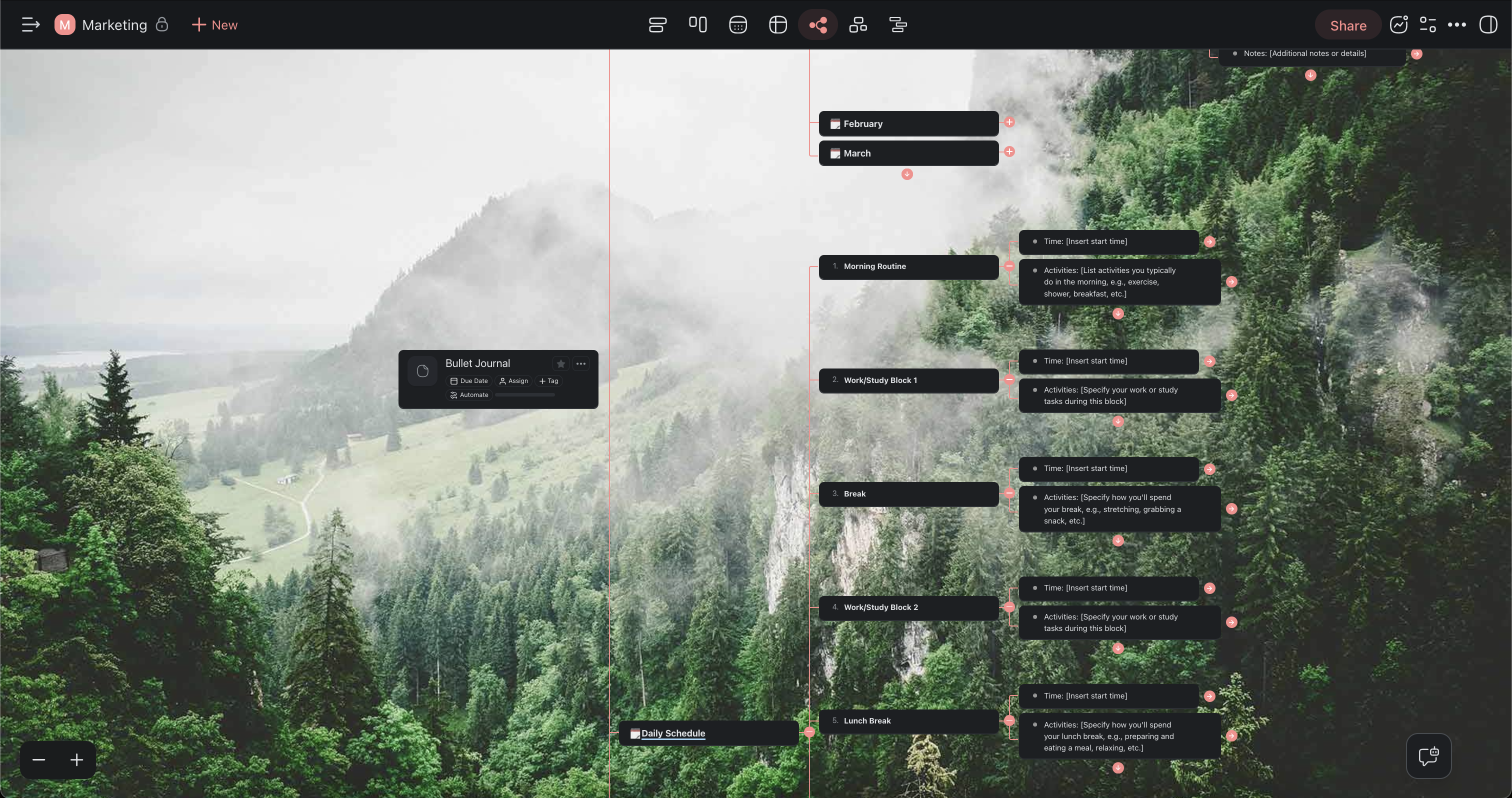
Use the Mind Map View
- Click the Mind Map tab in the project toolbar.
- Double-click the tab to set the view as default.

💡 Note: A change of view does not affect project contents.
Create New Nodes
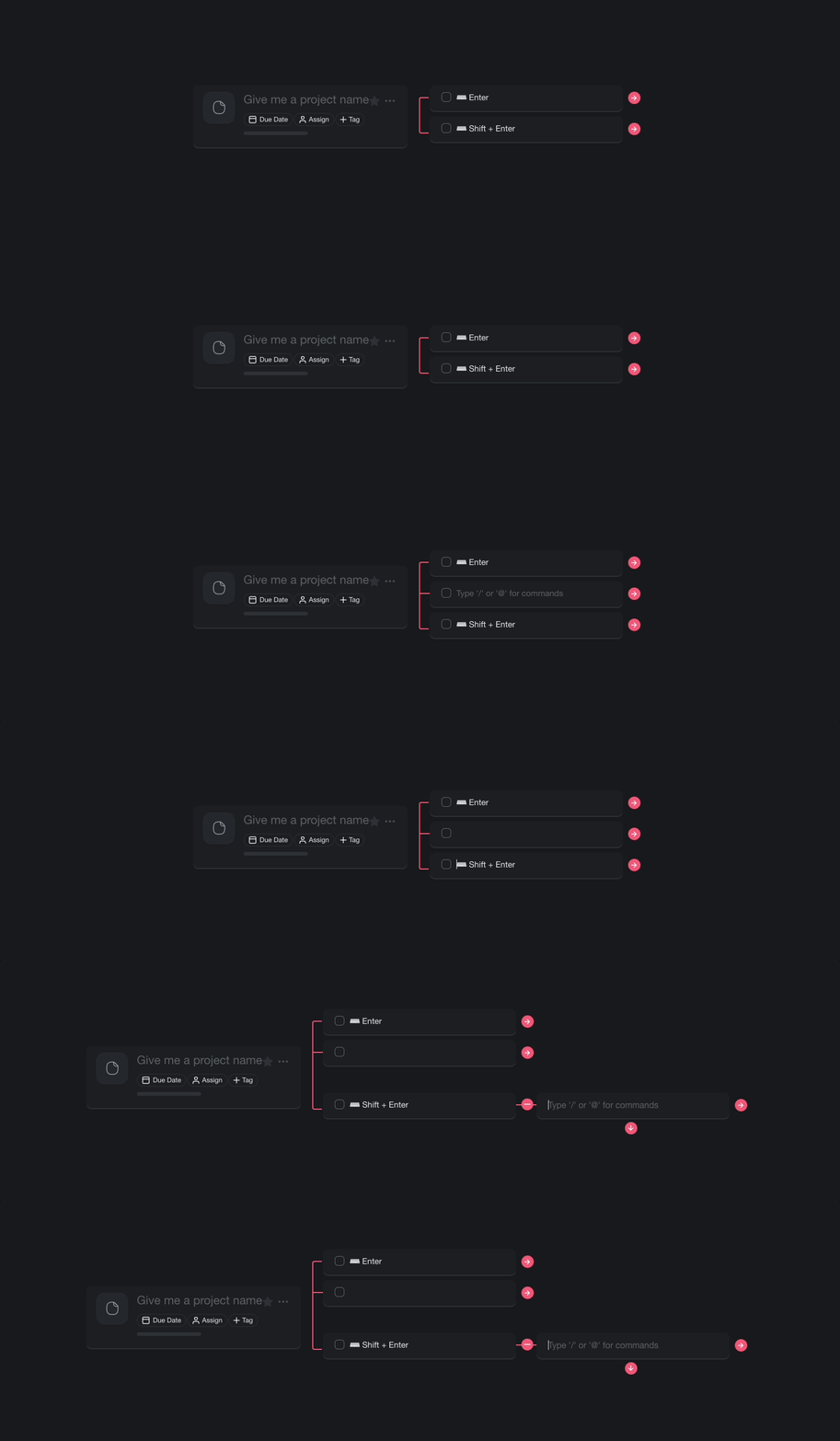
- Select a mind map node (task) and press ⌨️ Enter to create a new parent node.
- Press ⌨️ Enter and then Tab to create a child node on the right.
Export to CSV
Need your ideas in a spreadsheet? Every project view exports to CSV, including Mind Map. Each node becomes a row, so a brainstorm drops straight into a report, tracker, or backup.
- Open the project menu and choose Export CSV, or switch to Table view and click Export CSV in the toolbar.
- Save the file to open in Excel, Google Sheets, or Numbers.
See the full CSV export walkthrough for column and formatting details.
Tips
- Use Zoom In/Out to get a bird's-eye view of large mind maps or zoom in on specific branches.
- Drag nodes using the ⋮⋮ handle to rearrange branches visually. Visit Drag Icon Menu for more options.
- Add due dates and assignees directly to mind map nodes to turn brainstorming sessions into actionable plans.
- Switch to List view at any time to see the same content in outline format. No data is lost when changing views.
- You can also try the Org Chart view for top-down hierarchical layouts.
- Use keyboard shortcuts to create and navigate nodes without leaving the keyboard.