
TL;DR: Assign a task to any workspace member by typing
@nameor opening Add-Ons → Assign. Assignees show up in My Tasks, get notified immediately, and trigger any automations watching the Assignee field. You can assign several people to one task, and clear an assignment the same way. Works in every project view.
Here is what happens after you assign a task.
Overview
Assigning projects and tasks in Taskade ensures every team member knows exactly what they are responsible for. Assigned items appear in each person's My Tasks dashboard. This dashboard makes it easy to track work across multiple workspaces and folders.
Assign a Project
To assign a Project, open a Workspace or Folder. Click the 👤 Assign button under the Project title. Then select the person you want to assign.
💡 Note: To filter by assignee, click the assignee's name (below the project title) in a workspace/folder. You can also use the Filter menu for advanced filtering options.
Assign a Task
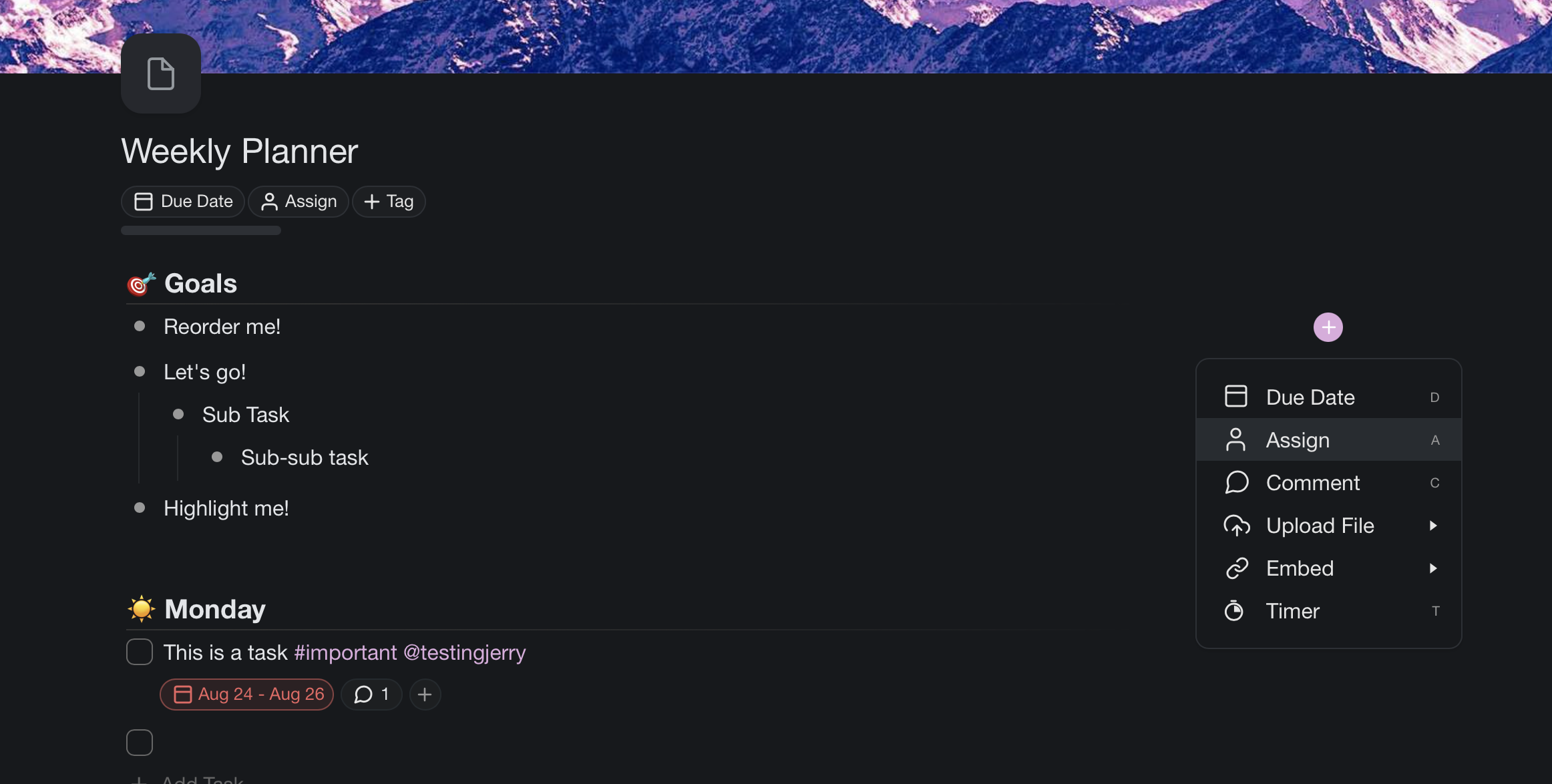
To assign a task, click on the ➕ icon to the right of your task and select 👤 Assign. You can also click the small plus icon next to an existing due date.
💡 Note: Use Keyboard Shortcuts and Bulk Assign to assign tasks even faster.
Unassign a Task
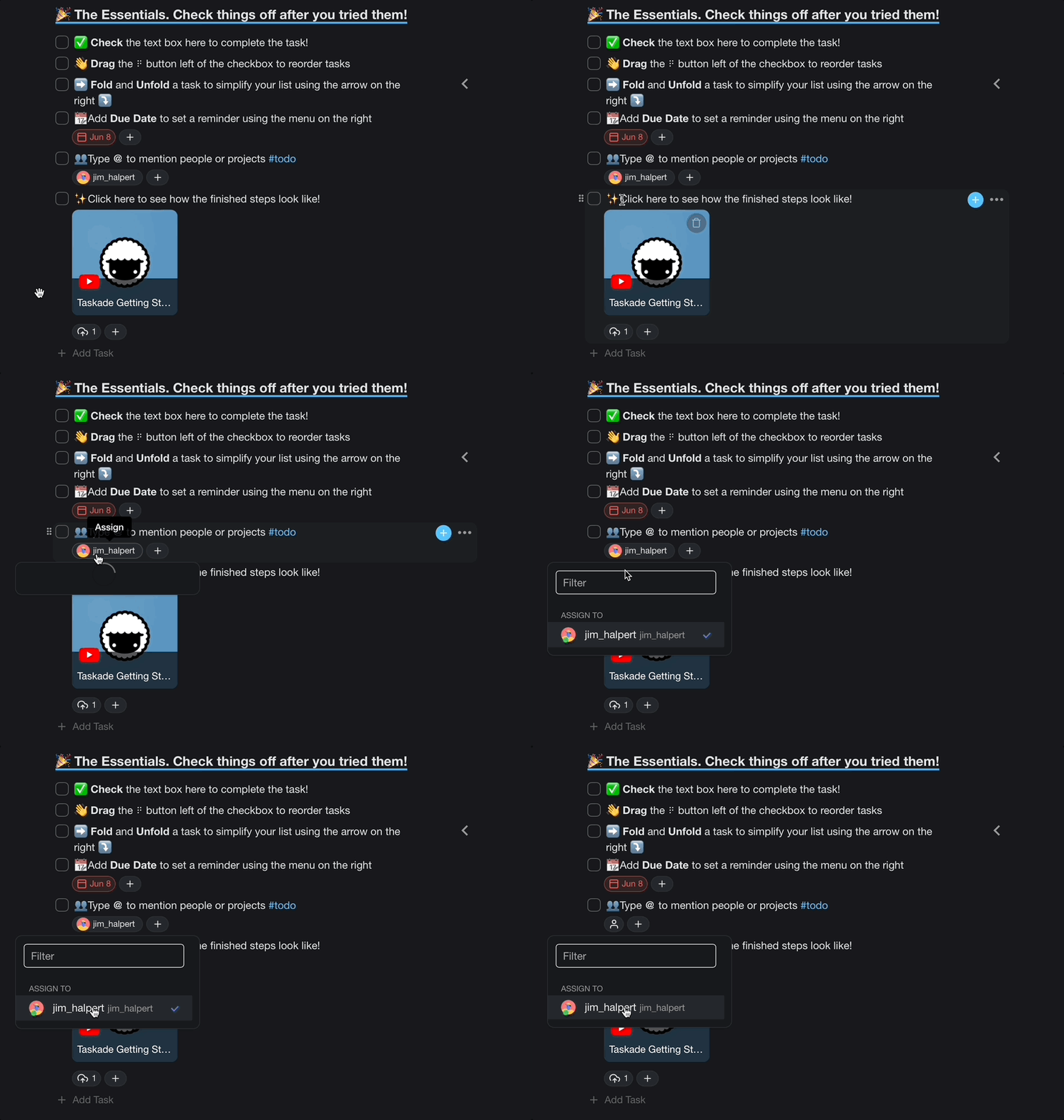
To unassign a task, left-click the assignee's profile picture underneath a task/sub-task and select that user from the drop-down list to remove it.
Mention and Filter
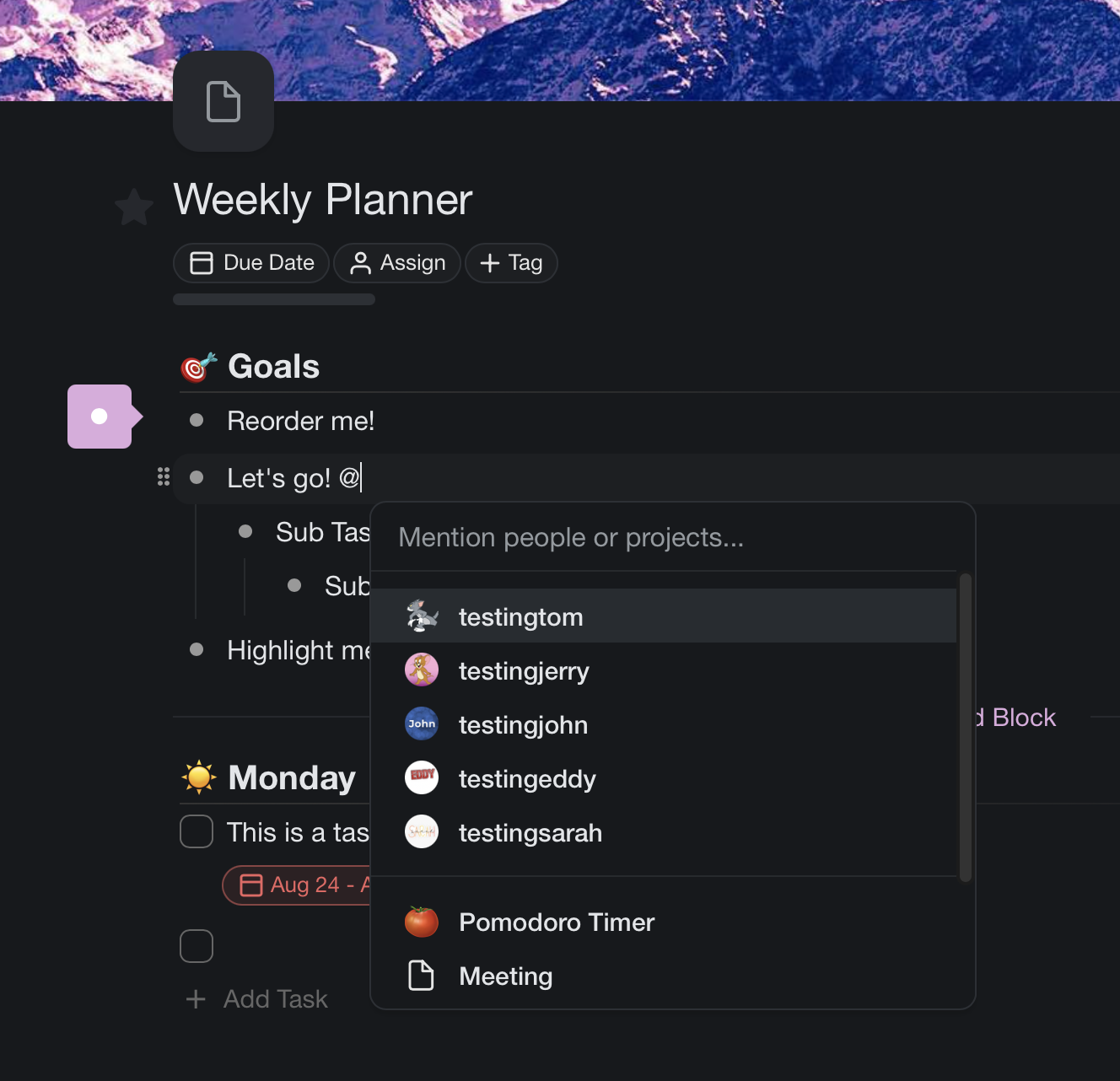
@mention someone and click their username to filter the tasks that mention them.
💡 Note: Visit Project Links (Crosslinking) to link projects globally.
Tips
- Assign multiple people to the same task when collaboration is needed. Each assignee will see the task in their My Tasks view.
- Pair assignments with Reminders so assignees receive notifications before due dates.
- Use the Calendar view to visualize who is working on what and when.
- In the Board view, assignee avatars appear on each card for quick visual tracking.