
TL;DR: The Activity Feed is a per-project audit trail of every edit, comment, assignment, and view change. Use it to recover lost context, spot who changed what, and pair with Version History for full project time travel. Roles from Owner to Viewer decide who sees each entry.
Here is how a teammate action becomes something you can act on:
Overview
The Activity Feed is your central notification hub. It shows all recent changes across your workspaces, including edits, comments, due dates, and membership updates, so you can stay on top of what your team is working on.
How to Access the Activity Feed
- Method 1: Click the 🔔 bell icon next to your profile picture in the bottom-left corner.
- Method 2: Visit taskade.com/activity directly.
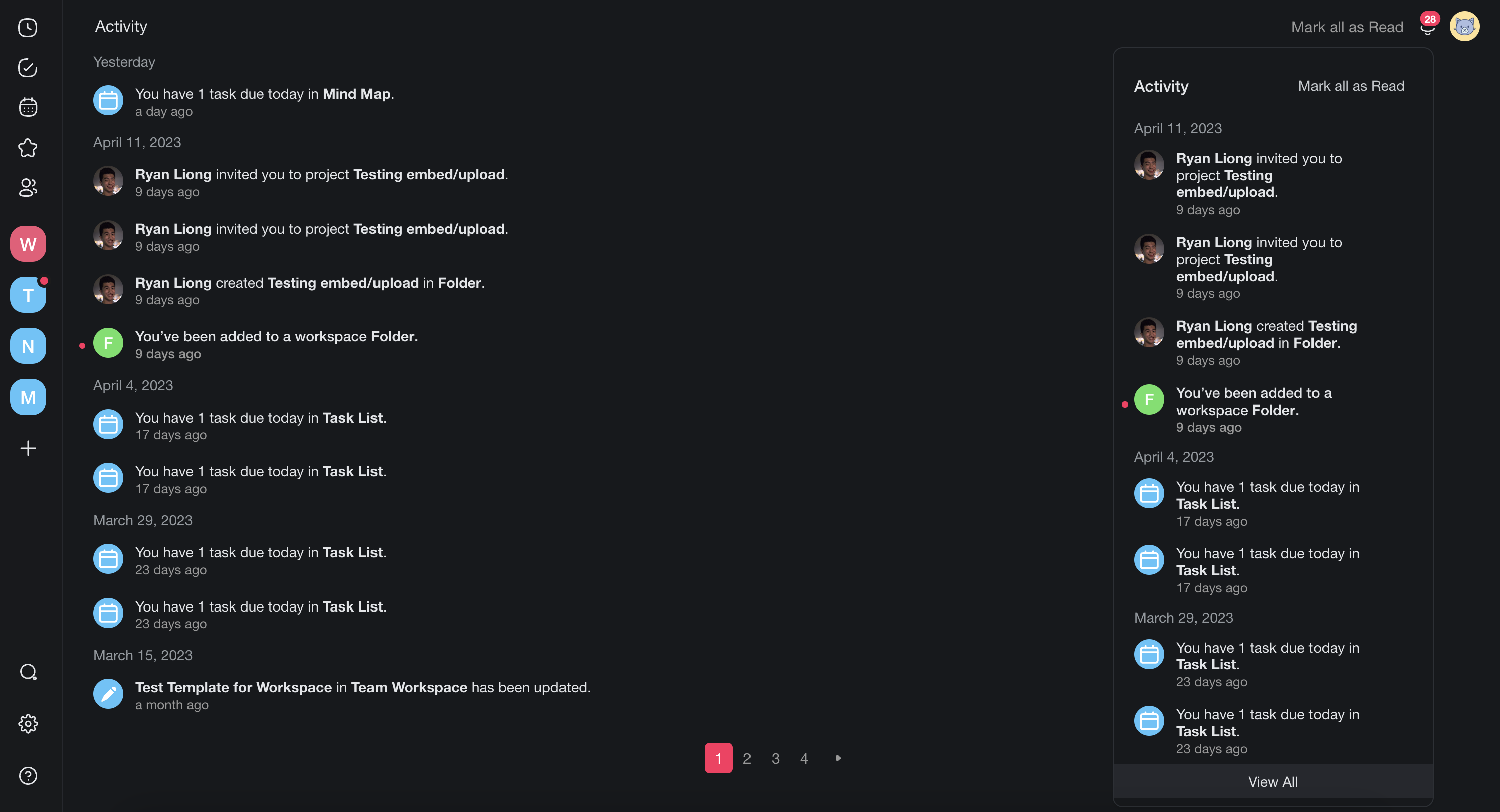
What Activity Includes
The feed tracks these types of changes:
| Activity Type | Example |
|---|---|
| ✏️ Project edits | A teammate modified a task title or description |
| 💬 Comments | A new comment was added to a task |
| 🗓️ Due dates | A due date was set or changed |
| 👥 Membership | A new member joined the workspace |
| ✅ Completions | A task was marked as complete |
| ⚙️ Automation runs | An automation finished a run |
💡 Note: The Activity Feed is a record of changes, not a chat log. For live messaging, use Project Chat instead.
Scope the Feed to One Workspace
If you belong to more than one workspace, the Activity Feed shows a workspace rail down the left side on a wide screen, and a row of workspace chips on a phone.
- Open the Activity Feed.
- Click a workspace in the rail, or tap its chip.
- Read only the activity from that workspace and its folders.
- Click All to go back to everything.
Taskade keeps the choice in the page address, so the scope survives a reload and the browser back button. Copy the address to send a teammate the same filtered view. Taskade applies the filter before it counts results, so the totals and the page numbers stay correct while you are scoped.
Managing Notifications
- Click Mark all as read to reset the notification bell badge.
- Notifications are grouped by project for easier scanning.
- Scope the feed to one workspace first when the list gets long, then mark what you have read.
Tips
- Check the Activity Feed at the start of your day to see what changed overnight.
- Use it alongside Automations: automate follow-ups based on activity patterns.
- Combine with Due Dates to ensure nothing falls through the cracks.
- Click any item in the feed to jump directly to the project and task where the change occurred.