
TL;DR: Copy and move tasks or entire blocks between projects with drag-and-drop, keyboard shortcuts, or the right-click menu. Copy keeps assignees, due dates, and custom fields. Move also updates the source project's activity feed and works across workspaces and folders. See Move a Project to relocate a whole project instead.
Pick the path that matches your goal. Keep the original or relocate it.
Overview
Taskade lets you copy, duplicate, and move projects between workspaces and folders. Copying creates an independent clone of the project, while moving transfers it to a new location. All tasks, sub-tasks, and formatting are preserved during both operations.
Copy a Project
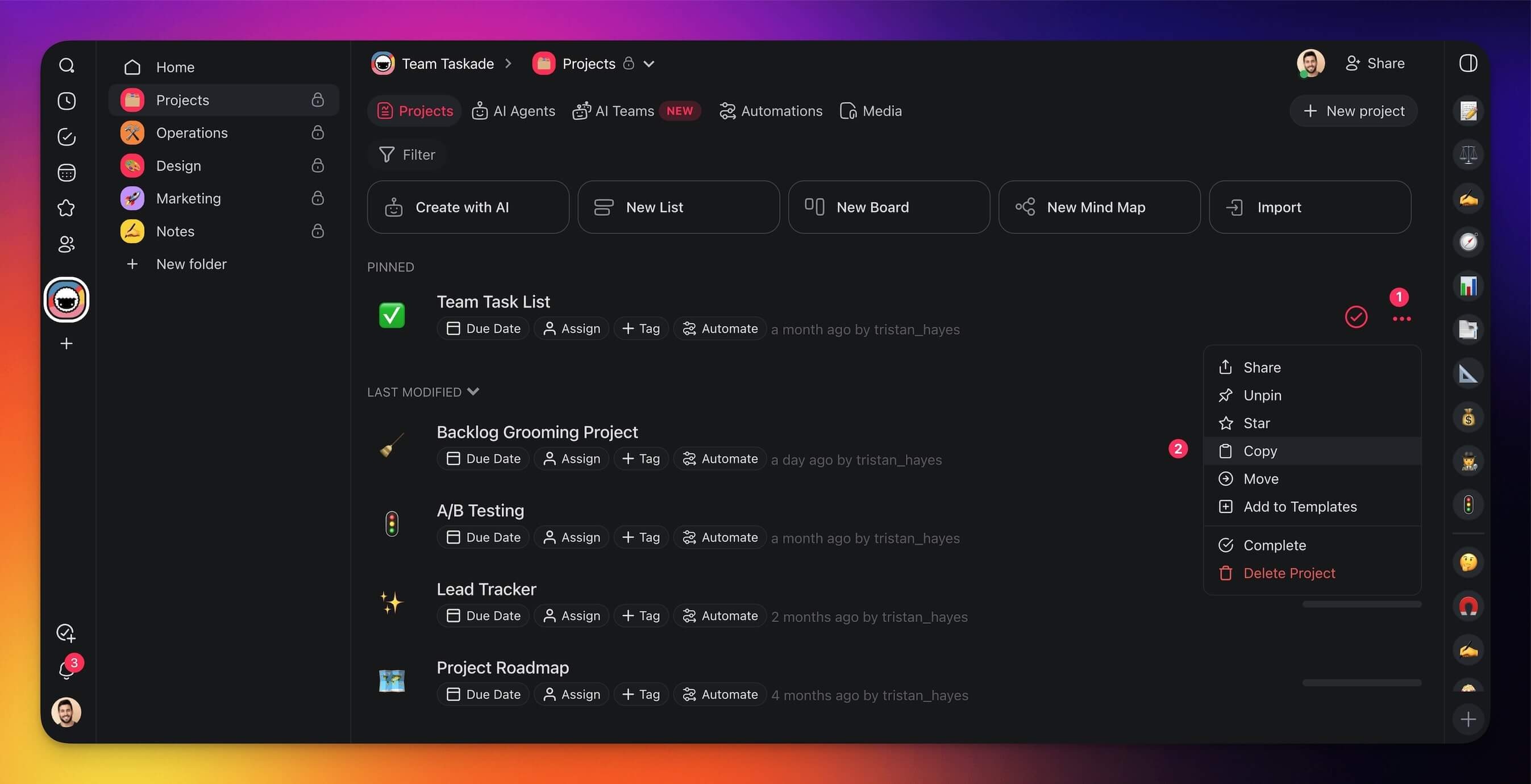
- Place your cursor over a project and click the three dots ··· to the right.
- Choose 📋 Copy from the drop-down list.
- Rename the project (optional).
- Choose the workspace/folder where you want to copy the project.
Duplicate a Project
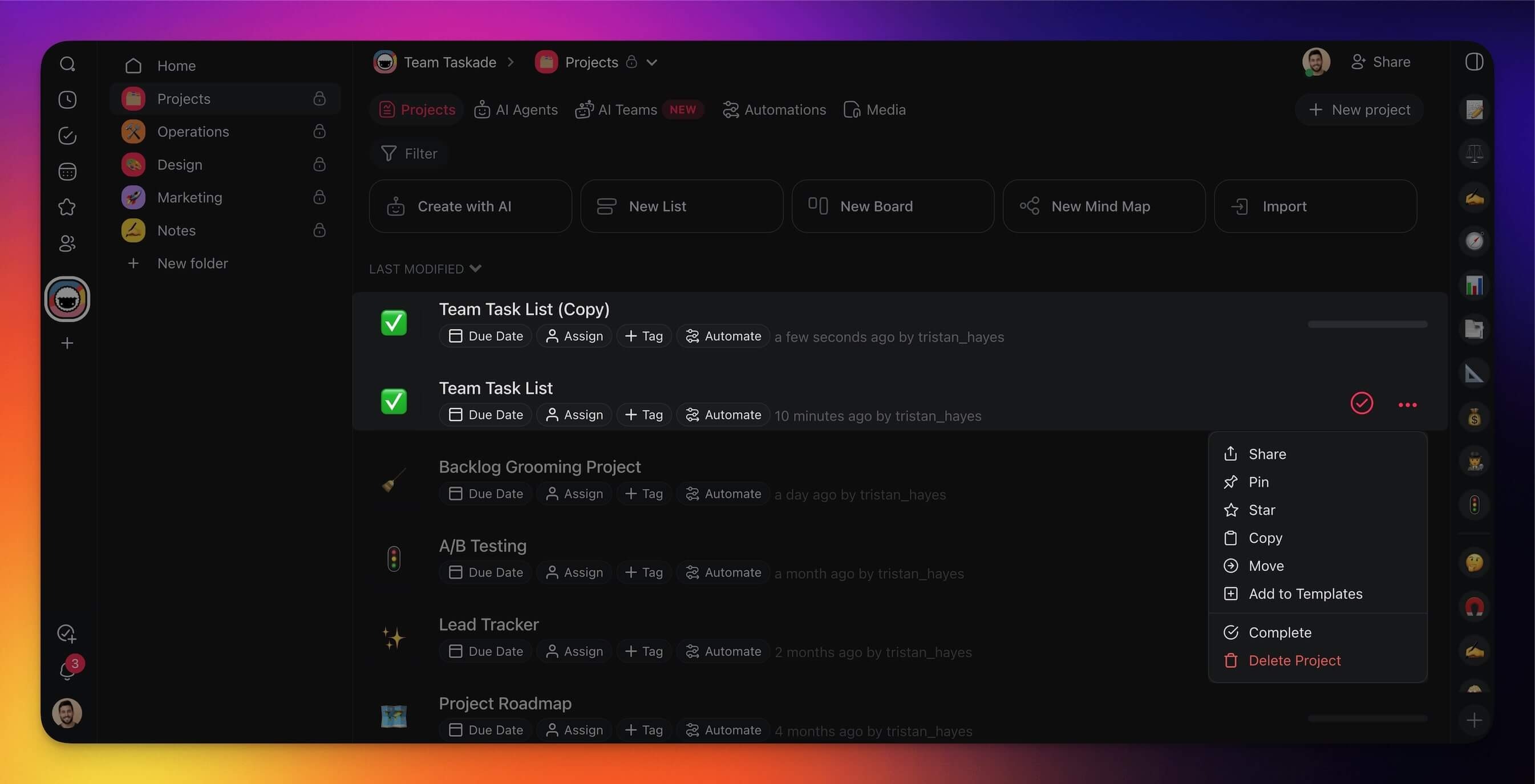
Duplicating works the same way as copying. A new project with the same content is created in your chosen destination.
- Place your cursor over a project and click the three dots ··· to the right.
- Choose 📋 Copy from the drop-down list.
- Rename the project (optional).
- Choose the workspace/folder where you want to place the duplicate.
Move a Project
Method 1: Drag-and-Drop
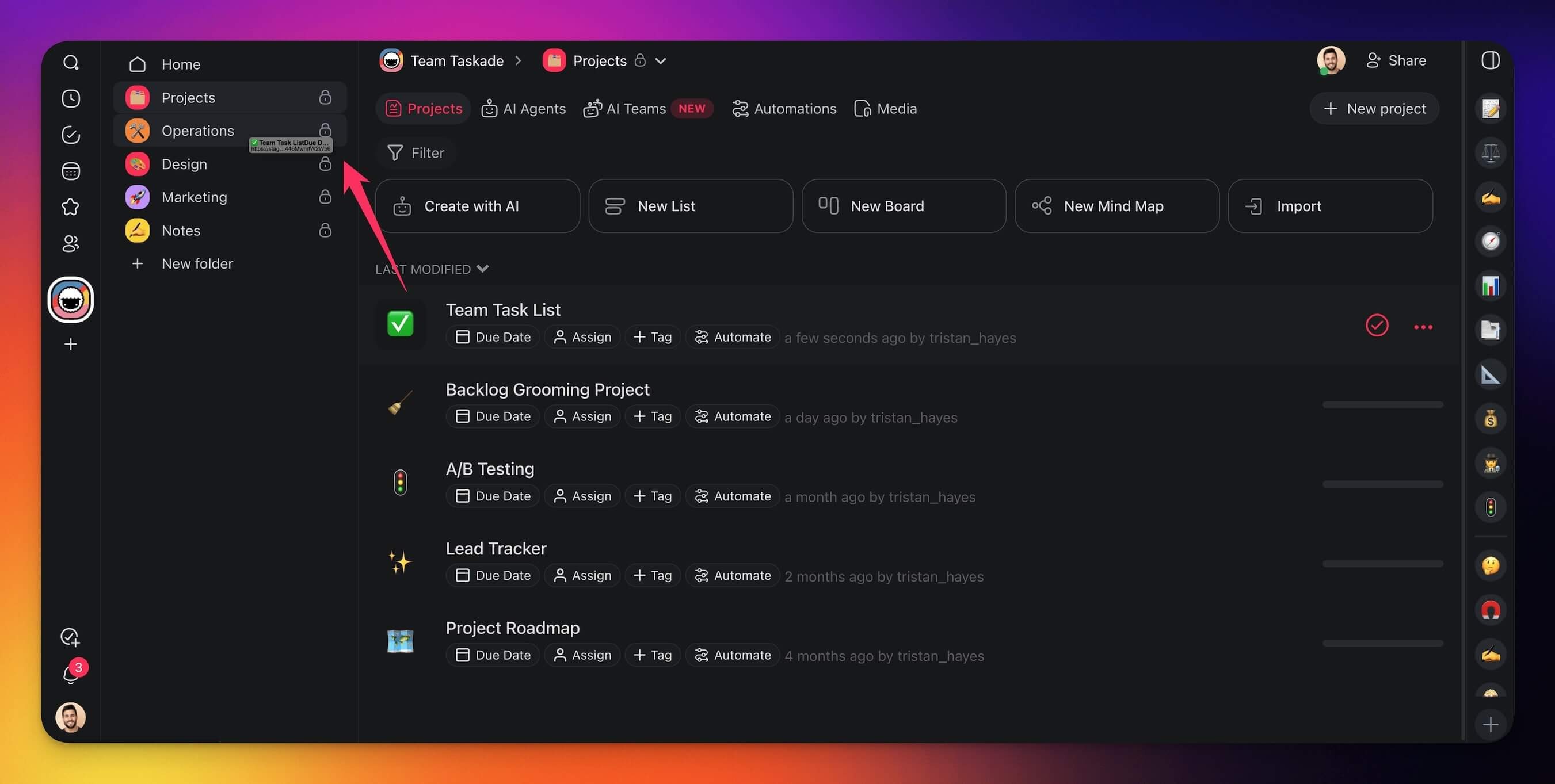
- Click and hold on a project from the list.
- Drag the project to a workspace/folder in the sidebar on the left.
Method 2: Three Dots Menu
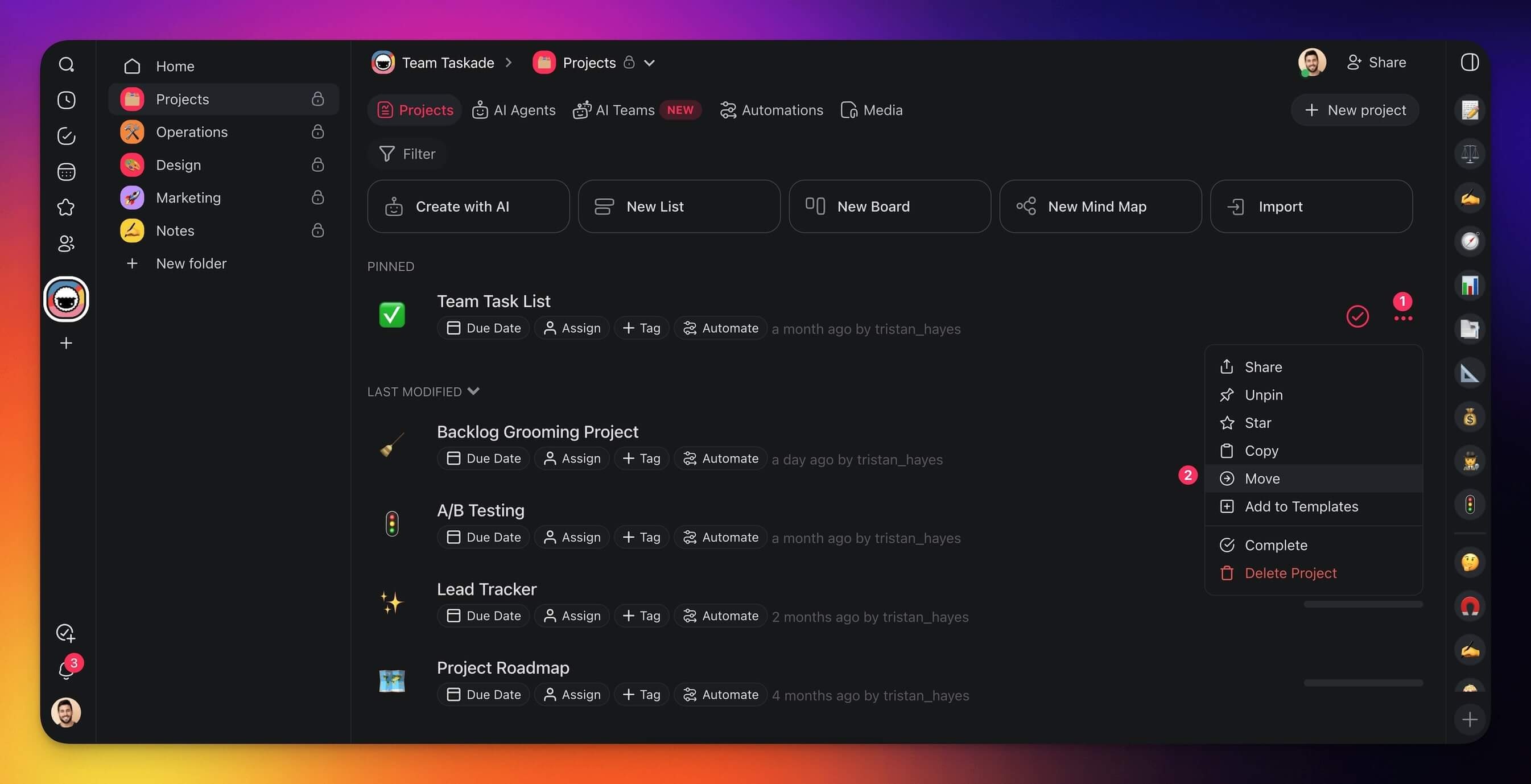
- Place your cursor over a project and click the three dots ··· to the right.
- Choose ➡️ Move from the drop-down list.
- Choose the workspace/folder where you want to move the project.
Tips
- Copied projects are independent. Changes to the copy do not affect the original.
- Moving a project preserves existing permissions and collaborator access.
- Use Copy to create a reusable base project, then customize each copy for different clients or teams.
- You can also copy or move individual tasks within a project using the Drag Icon Menu.