
TL;DR: Org Chart view renders a project as a top-down hierarchical tree, perfect for team structures, decision flows, and process documentation. One of the project views, it lives under More Views, needs a paid plan, and shares data with List, Mind Map, Board, and the others.
Here is how nested project tasks become a top-down chart.
What Is the Org Chart View?
The Org Chart view is a perfect workflow for mapping out organizational structures. Use this view like a mind map to break complex projects into bite-sized tasks or map the organizational structure of your team or company. This template is also perfect for:
- Mapping organizational hierarchies
- Managing HR responsibilities
- Providing a clear overview of roles and responsibilities
- (optional) Browse our free organizational templates for more ideas
Note: Visit Project Views to learn more about other workflows in Taskade.
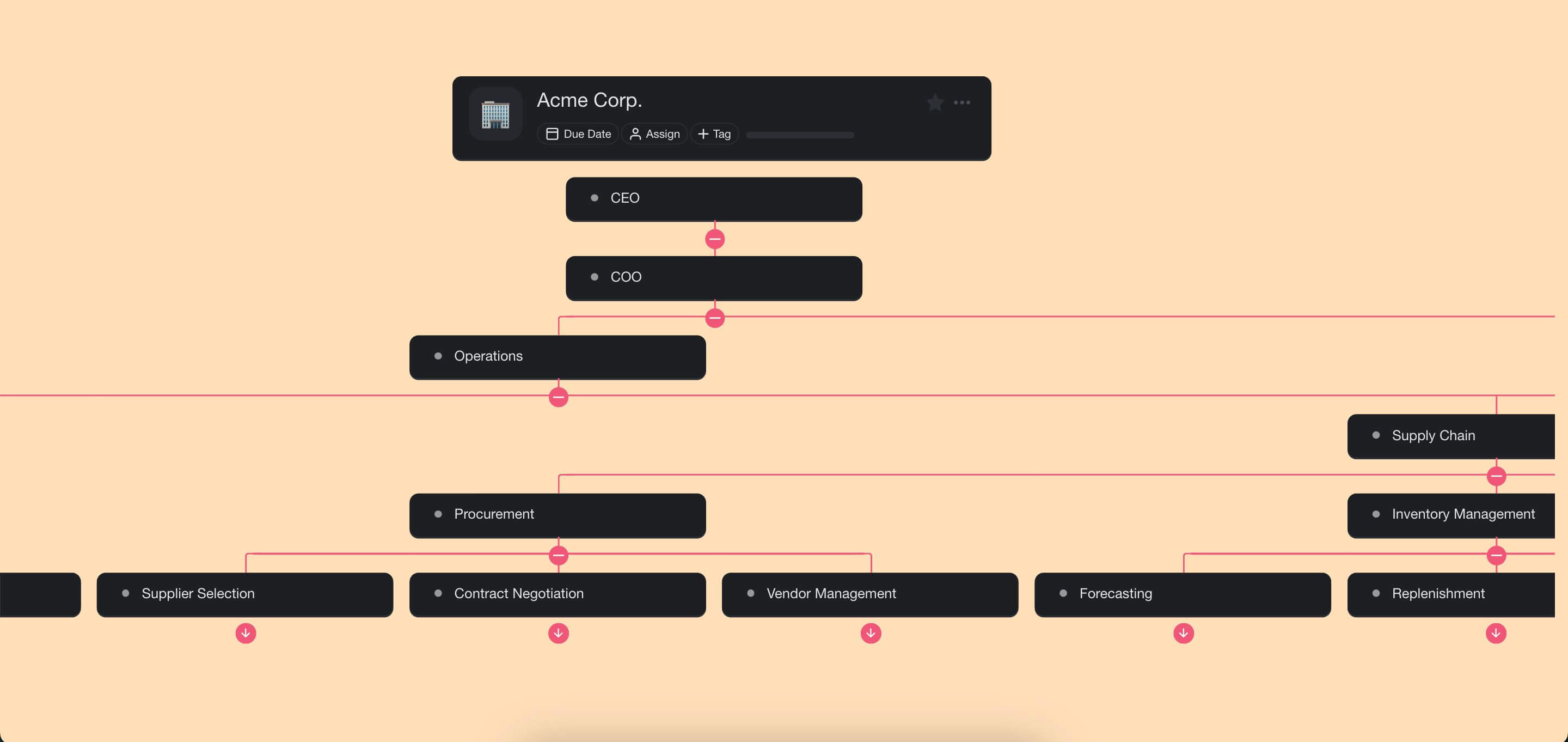
Enable the Org Chart View
Org Chart is one of the views under More Views, and it needs a paid plan.
- Open a project.
- Click More Views in the project toolbar.
- Pick Org Chart.
- Double-click the Org Chart icon to set it as the default view.

💡 Note: A change of project view does not affect project contents.
Create New Nodes
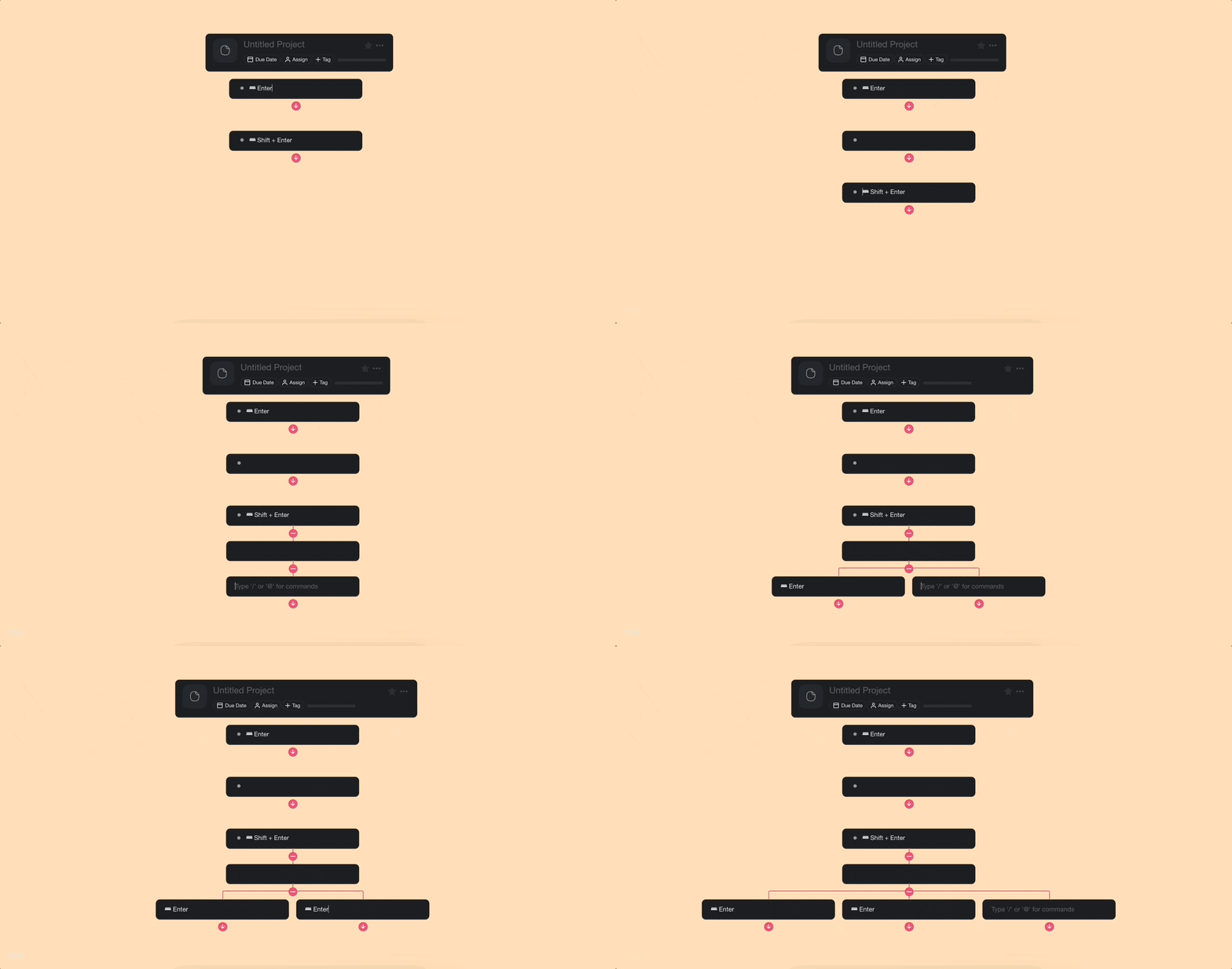
Select an org chart node (task) and press ⌨️ Enter to create a new level.
Press ⌨️ Shift + Enter to create a child node underneath.
- (optional) You can also click the arrow button ⬇ to create a child node.
Press ⌨️ Enter in every other node to create a branch on the same level.
Drag & Drop Nodes
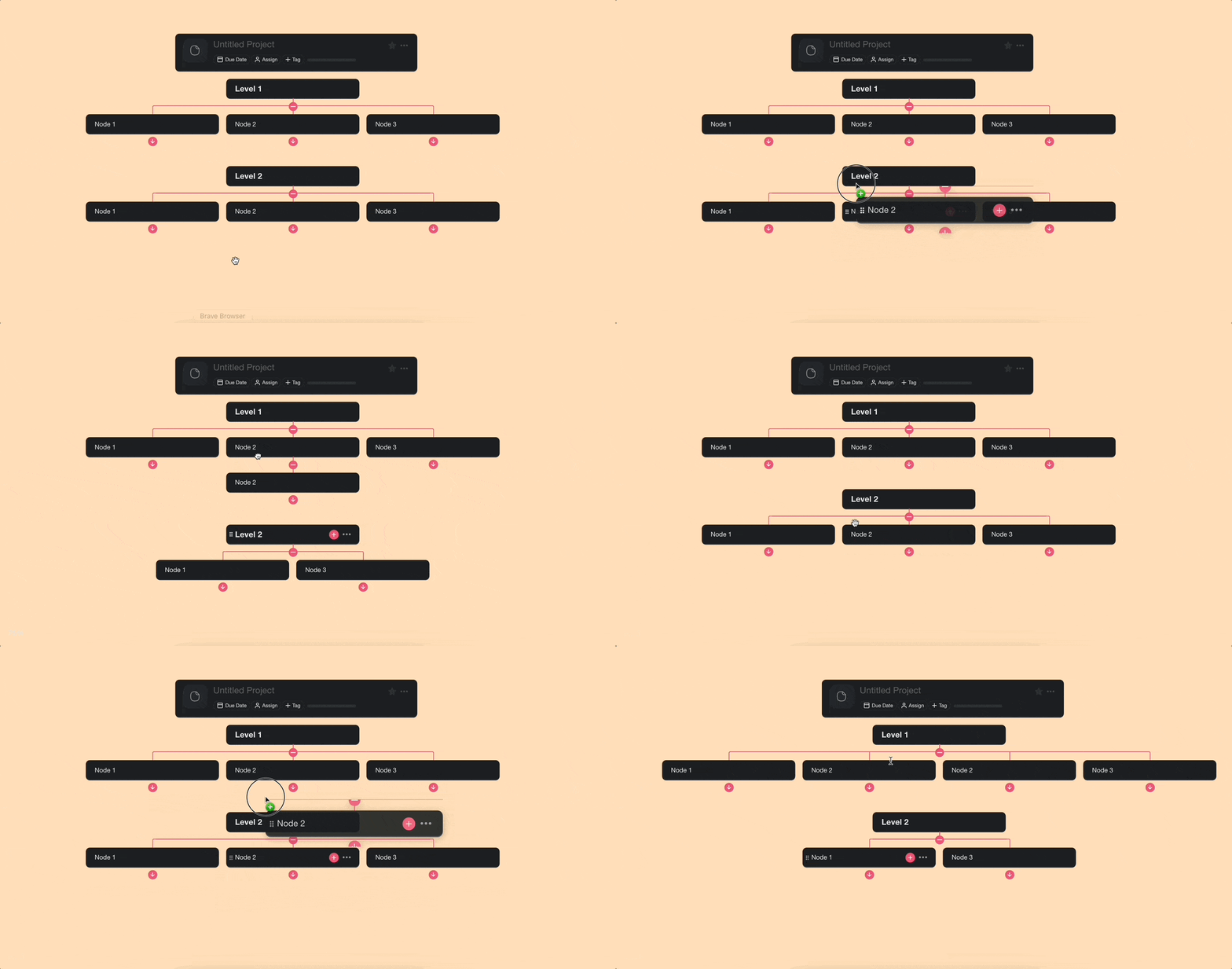
- Click and hold the drag button (⋮⋮).
- Drag the node to reposition it on the org chart.
- Release at the top of a task to add it on the same level.
- Release at the bottom of a task to add it as a child (nested) node.
Export to CSV
Need the hierarchy in a spreadsheet for HR or headcount planning? Every project view exports to CSV, including Org Chart. Each node becomes a row that keeps its place in the tree.
- Open the project menu and choose Export CSV, or switch to Table view and click Export CSV in the toolbar.
- Save the file to open in Excel, Google Sheets, or Numbers.
See the full CSV export walkthrough for column and formatting details.
Tips
- Use Zoom In/Out to see the full org chart on large projects or zoom into a specific branch.
- Add assignees to each node to represent team members in the hierarchy.
- The Org Chart view shares the same data as other views. Switch to List view for detailed editing, then back to Org Chart for the visual layout.
- Try the Mind Map view for a horizontal branching layout instead of top-down.