

TL;DR: FlutterFlow exports Flutter code you compile and submit yourself, with Basic at $39 a month month-to-month and a free plan that allows 5 AI requests for the life of the account. Taskade Genesis returns a deployed app from one prompt, with AI agents, automations, and 100+ integrations. Free Forever, Pro $10/mo billed annually. Try Taskade Genesis free →
See the alternative working — clone in 60 seconds
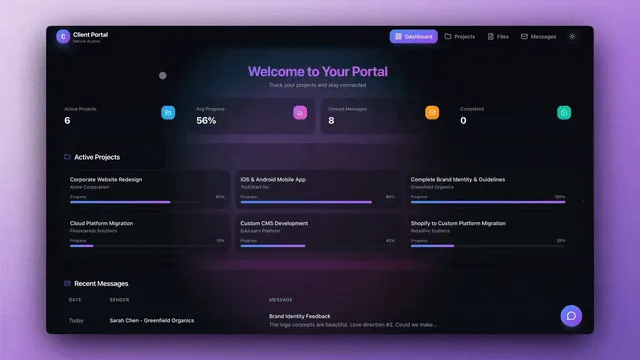
No signup, no credit card. Live client portal
| Capability | FlutterFlow | Taskade Genesis |
|---|---|---|
| Pricing (starting) | Basic $39/mo month-to-month + Firebase/Supabase costs | $0 Free · $10/mo Pro billed annually (10 seats) |
| Cloneable live demo | ❌ | ✅ |
| Built-in AI agents | AI Agents feature, 1 on Basic | ✅ built-in tools |
| Automation engine | In-app logic, no cross-app workflow runtime | ✅ Durable runtime, 100+ integrations |
| Workspace DNA loop | ❌ | ✅ ▲ Memory · ■ Intelligence · ● Execution |
What is Taskade Genesis?
Taskade Genesis is the AI app builder inside the Taskade workspace. Founded by John Xie, Dionis Loire, and Stan Chang in 2017, Taskade is a Y Combinator-backed platform.
Taskade Genesis takes a single prompt and ships a deployed app — UI, database, AI agents, workflow automations, and built-in GenesisAuth email-and-password sign-in on every plan, with password protection on Pro and above and custom domains on Business and above. Your workspace is the backend. Your projects are the database. Your agents are the runtime. The app is responsive web, so it opens on phones without a separate Flutter codebase, and your team runs the workspace on web, desktop, iOS and Android.
What is FlutterFlow?
FlutterFlow is a visual app builder that exports production-ready Flutter code, founded in 2020 and part of Y Combinator's Winter 2021 batch. You drag and drop components, wire up logic, connect Firebase or Supabase as a backend, then publish to the web or deploy to the iOS and Android stores. FlutterFlow says more than 3.3 million users build with it.
FlutterFlow at a glance (verified October 2026): Founded in 2020 (YC W21). Builds mobile, web and desktop apps from one visual editor, with code download, APK download and one-click app store deployment from Basic up. Free covers 2 projects, 10 Lite credits and 5 AI requests for the account lifetime. Basic is $39 per month, Growth is $80 for the first seat and $55 for the second, and Business is $150 for the first seat and $85 for seats 2 to 5, on monthly billing. Annual billing saves about 25%. Paid plans add AI Agents (1 on Basic, unlimited above it), GitHub integration, a VS Code extension, and branching.
FlutterFlow's strengths are real — it is one of the cleanest visual-to-Flutter pipelines on the market. Trade-offs that send teams to Taskade Genesis:
- Flutter compilation overhead. You compile, host, and ship the resulting code yourself.
- External backend required. Firebase or Supabase must be set up and maintained separately.
- App store review. Native releases still pass Apple and Google review, even with one-click deployment.
- Agents live inside the compiled app. FlutterFlow's AI Agents feature runs in the app you ship, while cross-app workflows need another tool.
What FlutterFlow costs, and what its free plan actually allows
Verified on flutterflow.io/pricing in October 2026:
- Basic is $39/month on monthly billing, with 50 AI requests and 100 Lite credits a month, unlimited projects, code download and a custom domain for web publishing.
- Growth is $80 for the first seat and $55 for the second, with 200 AI requests a month, real-time collaboration for 2 editors and GitHub integration.
- Business is $150 for the first seat and $85 for seats 2 to 5, with 500 AI requests a month, up to 5 editors and Figma frame import.
- Annual billing saves about 25%, but the annual rates render dynamically, so this page publishes none.
- Firebase or Supabase costs are separate, on top of that subscription.
- The free plan allows 2 projects, 10 Lite credits, and 5 AI requests for the lifetime of the account. Not 5 per day. Not 5 per month. Five, total, ever.
That lifetime cap is the detail most comparison pages miss. It means you can evaluate the visual editor for free, but you cannot meaningfully evaluate the AI features — five requests is roughly one sitting.
Why teams choose Taskade Genesis over FlutterFlow
- Prompt, don't drag. Describe the app in natural language. Taskade Genesis returns a deployed app.
- No Flutter, no compilation. Skip the Dart codebase, the build pipeline, and the app store queue.
- Workspace is the backend. Database, schema, and role-based access (Owner to Viewer) are built in. No Firebase to configure.
- Live immediately. Share your app with a link. Custom domains, password protection, built-in email-and-password app sign-in via GenesisAuth.
- AI agents built in. Agents v2 with persistent memory, built-in tools, custom tools, and the option to embed publicly.
- Durable workflow automations. 100+ bidirectional integrations — triggers pull events in, actions push data out — on a managed runtime.
- Mobile-ready without a separate build. Taskade Genesis apps are responsive web, so they open in any phone browser.
The Workspace DNA advantage
Every Taskade Genesis app runs on Workspace DNA — a self-reinforcing loop between three pillars.
- Memory (Projects): Tasks, files, and structured data across multiple views become the substrate every agent reasons over.
- Intelligence (Agents): Custom AI agents with persistent memory, built-in tools, and custom tools you define, plus a hosted MCP server that Claude Desktop, Cursor, and VS Code connect into.
- Execution (Automations): Durable workflows on 100+ bidirectional integrations — triggers pull external events in (Slack, Gmail, Stripe, GitHub, Calendly, webhooks), actions push data out (Salesforce updates, Shopify orders, Notion syncs).
FlutterFlow brilliantly executes one slice — visual-to-Flutter compilation. Taskade Genesis runs the full Memory → Intelligence → Execution loop continuously, so the workspace itself becomes the substrate that builds the next app.
How to use FlutterFlow and Taskade together
FlutterFlow and Taskade Genesis fit together when you need a native app in the stores and an operations layer behind it. FlutterFlow ships the customer-facing Flutter app. Taskade runs the support queue, the admin dashboard, and the automations that connect the app to the rest of your stack.
Here is a feedback loop that many app teams build:
- In FlutterFlow, an API call. When a user submits feedback or a bug report in the app, a FlutterFlow API call posts the payload (user ID, screen, message, app version) to a Taskade webhook URL.
- Taskade trigger: HTTP Request, "Webhook Received". The automation starts. Webhook triggers need Pro or above.
- Agent step. An AI agent that knows your product docs classifies the report as bug, feature request or question, and drafts a reply.
- Branch, then GitHub, "Create Issue". Bugs become GitHub issues with the app version and screen attached.
- Slack, "Send Channel Message". The on-call channel gets a one-line summary and links.
- Taskade project. Every report lands as a task, so a Taskade Genesis support dashboard shows volume by type, status and release.
| Layer | FlutterFlow | Taskade |
|---|---|---|
| Customer app in the App Store and Google Play | ✅ Native Flutter build | — |
| Admin dashboard and internal tools | Possible, but another Flutter project | ✅ Taskade Genesis app from one prompt |
| Triage, routing and alerts | API calls you code | ✅ Agent + automation across 100+ integrations |
| Roadmap and release planning | — | ✅ Multiple project views, real-time editing |
The split lets each tool do its best work: FlutterFlow owns pixels and store builds, and Taskade owns the people and process around them.
Pricing comparison
| Plan | Taskade Genesis | FlutterFlow (monthly billing, verified October 2026) |
|---|---|---|
| Free | Free Forever: 3 Taskade Genesis apps, 2 workspace members, 1 agent, unlimited projects | 2 projects, 10 Lite credits, 5 AI requests for the account lifetime |
| Entry paid | Pro $10/mo billed annually ($20 month-to-month), 10 seats, unlimited apps | Basic $39/mo, 1 editor, 50 AI requests a month |
| Team | Business $25/mo billed annually ($50 month-to-month), unlimited seats, custom domains, SSO | Growth $80 first seat + $55 second; Business $150 first seat + $85 seats 2-5 |
| Top tiers | Max $100/mo and Enterprise $250/mo, billed annually ($200 and $500 month-to-month) | No higher public tier listed on the pricing page |
| Backend and hosting | Included | Firebase or Supabase billed separately |
A five-person build team shows the shape of the two models. On FlutterFlow Business that is $150 plus 4 × $85, or $490 a month on monthly billing, before backend costs. On Taskade, the same five people fit in Pro at $10 a month billed annually, with hosting, database, agents and automations included. FlutterFlow's price buys native store apps and Flutter code ownership, which Taskade does not offer, so weigh the output you need, not only the line item. See flutterflow.io/pricing and Taskade pricing for live rates.
Who is Taskade for?
- Teams who need a working app today, not after the next build cycle
- Founders validating ideas without mobile dev expertise
- Agencies delivering client solutions quickly
- Operators and growth teams that want AI agents and automations included
Choose Taskade if...
- You want a deployed app from one prompt
- You don't want to manage Flutter, Firebase, or app store submissions
- You need AI agents and automations included
- You want flat-rate pricing with hosting and AI credits bundled
- You need real-time collaboration and role-based access from Owner to Viewer
Choose FlutterFlow if...
- You need a native Flutter app in the App Store and Google Play, with one-click store deployment from Basic up
- You want to own and download the resulting Flutter source code, with GitHub and VS Code in the loop
- Your team wants pixel-level control of screens, animations and design systems, including Figma import on Business
Frequently asked questions
How is Taskade Genesis different from FlutterFlow?
FlutterFlow is a visual builder that produces Flutter apps and source code, which you connect to Firebase or Supabase and publish to the web or the app stores. Taskade Genesis returns a deployed app from one prompt, with the database, AI agents, automations and sign-in hosted by Taskade.
How much does FlutterFlow cost in 2026?
On monthly billing, Basic is $39 a month, Growth is $80 for the first seat and $55 for the second, and Business is $150 for the first seat and $85 for seats 2 to 5. Annual billing saves about 25%. Firebase or Supabase costs are separate.
Is FlutterFlow's free plan still usable?
It is an evaluation tier: 2 projects, 10 Lite credits and 5 AI requests for the lifetime of the account. Taskade Free includes 3 Taskade Genesis apps, real-time collaboration. Free starts with no AI credits. You earn credits with referrals and invites, or buy a credit pack on any plan.
Does FlutterFlow have AI agents?
Yes. FlutterFlow's pricing page lists AI Agents: 1 on Basic and unlimited on Growth and Business. Taskade AI Agents v2 work inside the workspace that also holds the app's data and automations.
How do FlutterFlow and Taskade work together?
Use FlutterFlow for the native customer app and Taskade for the operations behind it. A FlutterFlow API call can post feedback to a Taskade webhook (Pro and above), and a Taskade agent can triage it, open a GitHub issue, and alert the team in Slack.
Which AI models does Taskade Genesis use?
Taskade Genesis runs frontier models from top AI labs, with TSK-Auto as the default. Paid plans pick OpenAI GPT models, xAI Grok and open-weight models built in, with no key, and on Pro and up you can bring your own OpenAI, Anthropic or Google Vertex AI key (BYOK).
Get started
Skip the drag-and-drop, the compilation, and the app store. Try Taskade Genesis free.
Explore Taskade Genesis
- AI App Builder — Build complete apps from one prompt
- AI Agent Platform — Digital teammates that work 24/7
- AI Automation Platform — Workflow automation
- Vibe Coding — Natural language app creation
Learn the Taskade Genesis architecture
- First-app guide — 5-minute tutorial
- How Workspace DNA Works — The architecture explained
- Custom AI Agents — The Intelligence pillar
- Projects & Databases — The Memory pillar
Related reading
- The Build Without Permission article — Our manifesto
- Origin of Living Software — The vision
- Vibe Coding for Non-Developers — Build apps without code
- AI Tools Built With Taskade Genesis — Real apps from real teams