

TL;DR: Framer builds beautiful animated marketing sites and bills on two axes: from $10 a month per site billed yearly, plus separately billed editor seats. Taskade Genesis turns one prompt into a deployed app with AI agents, automations, databases, and 100+ integrations on a single flat plan. Free Forever to start, Pro $10/mo billed annually for 10 seats. Try Taskade Genesis free →
See the alternative working — clone in 60 seconds
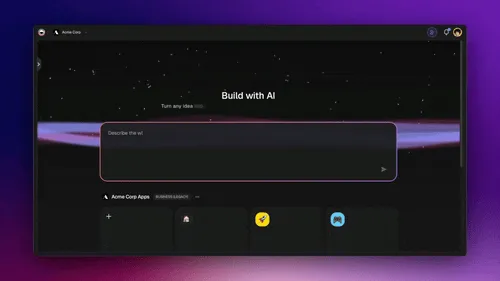
No signup, no credit card. Live SaaS landing page
| Capability | Framer | Taskade Genesis |
|---|---|---|
| Pricing (starting) | $10/mo per site billed yearly, plus $20 per extra editor | $0 Free · $10/mo Pro billed annually (10 seats) |
| Cloneable live demo | ❌ | ✅ |
| Workspace AI agents on your business data | Site-building AI | ✅ built-in tools |
| Automation engine | Forms + plugins only | ✅ Durable runtime, 100+ integrations |
| Workspace DNA loop | ❌ | ✅ ▲ Memory · ■ Intelligence · ● Execution |
What is Taskade Genesis?
Taskade Genesis is the AI app builder inside the Taskade workspace. Founded in 2017 by John Xie, Dionis Loire, and Stan Chang, Taskade is a Y Combinator-backed platform serving over a million users. Taskade Genesis is built on Workspace DNA — Memory (Projects), Intelligence (AI Agents), and Execution (Automations) — a self-reinforcing loop where the workspace gets smarter the more your team uses it.
A single prompt can produce a customer portal, an ops dashboard, a CRM, a knowledge base, a form-driven intake tool, or an internal app — with custom domains, password protection, built-in email-and-password app sign-in via GenesisAuth, and one-click publishing to the Community Gallery.
What is Framer?
Framer is a no-code website builder known for fluid animations and design-grade typographic control. It targets designers building marketing sites, brand pages, and portfolios, and it hosts the published site on a global network.
Framer at a glance (verified October 2026): Visual design canvas, advanced animations and interactions, a CMS for blogs and content, AI agents and localization that run on monthly credits, and managed hosting. Site plans are Free, Basic, Pro and Enterprise, and editor seats are billed separately. Enterprise adds SSO, SCIM, custom limits and unlimited editors. Best fit for designer-led marketing sites where motion and craft matter.
Framer bills on two axes, not one
Verified on framer.com/pricing in October 2026:
- Per-site plans start at $10/month (Basic) billed yearly, with Pro at $30/month. Framer's page toggles between billing periods dynamically, so this page publishes the billed-yearly rates only — a month-to-month figure we could not verify is a figure we will not print. Yearly plans include a complimentary domain.
- Seats are billed separately from sites: $20/month per extra editor, $10/month per content editor, and viewers are free. The workspace owner is free.
- AI credits are allocated per tier: 1,000 per month on Basic and 3,000 per month on Pro, shared across the workspace.
This is why a single "Framer costs $X/month" number is almost always wrong. A three-designer team running one site pays the site plan plus three design-editor seats. Model both axes before comparing.
What Framer's free plan actually allows
Verified in October 2026: the free plan includes 500 AI credits to try and 1 GB of bandwidth, and publishes to a free Framer domain. There is no custom domain on Free. It is enough to try the canvas, not enough to launch a brand site — the same pattern as Softr, Webflow, and Adalo Free.
Where each tool wins
Animated marketing sites — Framer
If the goal is a brand-grade marketing site with bespoke animations, Framer's design canvas is hard to beat.
AI apps with real backend — Taskade Genesis
If the goal is a working application — a portal, a dashboard, a CRM, an internal tool — Taskade Genesis ships the deployed app with backend, AI agents, automations, and integrations connected from the first prompt.
The Workspace DNA advantage
Framer's mental model is "designer crafts a page, visitor experiences animations." The Taskade Genesis mental model is Workspace DNA: a self-reinforcing loop between three pillars.
- Memory (Projects) — Your team's docs, tasks, files, and structured data become the substrate every agent reasons over. Read How Workspace DNA Works.
- Intelligence (Agents) — AI Agents v2 with persistent memory, built-in tools, custom tools, and the option to embed publicly inside any Taskade Genesis App.
- Execution (Automations) — Durable workflows triggered by external events (Slack, Gmail, Stripe, GitHub, Calendly, webhooks, schedules) that read from Memory and act through Intelligence — then write the results back into Memory. The loop closes.
Framer is brilliant at one slice — visual page composition with motion. Taskade Genesis runs the entire loop continuously, so the workspace itself becomes the thing that builds the next app.
Pricing comparison
Verified on framer.com/pricing in October 2026. Framer site figures are billed yearly and cover one site; seats are billed on a separate axis.
| Plan | Taskade Genesis | Framer |
|---|---|---|
| Free | Free Forever: 2 members, 3 Taskade Genesis apps, 1 agent | 500 AI credits to try, 1 GB bandwidth, Framer domain, no custom domain |
| Entry | Pro $10/mo billed annually ($20 monthly), 10 seats, unlimited apps | Basic $10/mo per site billed yearly: 50 GB bandwidth, 30 pages, 1,000 credits/mo |
| Mid tier | Business $25/mo billed annually ($50 monthly), unlimited seats | Pro $30/mo per site billed yearly: 100 GB bandwidth, 150 pages, 3,000 credits/mo |
| Team seats | Included in the plan | $20 per extra editor, $10 per content editor, viewers free |
| High capacity | Max $100/mo, Enterprise $250/mo, billed annually | Enterprise — custom, with SSO and SCIM |
A worked example: a three-person team that edits one Framer Pro site pays the $30 site plan plus seats for the two editors after the free owner seat, so $70 per month on the yearly rates above. The same three people share one Taskade Pro workspace at $10 per month billed annually.
Use both: Framer for the site, Taskade Genesis for what happens after the click
Framer and Taskade Genesis split the public surface cleanly. Framer renders the brand story with motion. Taskade Genesis runs the app the visitor uses next: a quote request tool, a client portal, an onboarding checklist or a customer dashboard. Link the Framer call to action to the Taskade Genesis app URL, or to a custom domain on Business and above.
A concrete automation for leads from the site:
- Trigger: The Framer call to action opens a Taskade form. AI Forms Trigger Form Submitted fires on each request.
- AI step: A Taskade agent reads the request, scores fit against your ideal customer notes, and drafts a reply.
- CRM: HubSpot Create or Update Contact records the lead with the score.
- Branch: High-fit leads go to Slack with Send Channel Message, and the rest get the drafted reply through Gmail Send Email.
- Log: Each lead also lands as a task on a Taskade pipeline board, so the team works it in Board or Table view.
Taskade has no native Framer connector. If you also publish content to Webflow or WordPress, those connectors exist in /integrations. Webhook triggers on Pro and above accept events from any tool that can send an HTTP request.
Common Taskade Genesis use cases
- Client dashboards with live project data
- Lead management with automated nurturing
- Internal tools for ops teams
- Knowledge bases with AI chat
- Form-driven workflows with automation
Choose Taskade Genesis if
- You want to ship a working app, not design a static site
- You need AI agents that persist, have tools, and can be embedded for customers
- You need workflow automations across Slack, Gmail, Stripe, HubSpot, Salesforce, Notion, Shopify, and 100+ other tools
- You want one flat subscription that includes hosting, agents, automations, and team collaboration
Choose Framer if
- You are a designer building a marketing site, brand page or portfolio, and motion and typography are the product
- You want fluid animations, interactions and pixel-perfect design control on a visual canvas
- You want a CMS-driven site with managed hosting, localization and analytics in the same tool
Use both if: Many teams use Framer for the public marketing site and Taskade Genesis for the customer portal, internal dashboards, and AI-powered apps.
Frequently asked questions
Is Taskade Genesis a Framer alternative?
When the job is a working app — portal, dashboard, CRM, internal tool — yes. When the job is an animated marketing site, Framer remains the better fit.
Does Taskade Genesis include AI agents and automations?
Yes — AI Agents v2 with built-in tools, plus durable workflows across 100+ bidirectional integrations.
How much does Framer cost compared to Taskade?
Framer Basic is $10/month and Pro $30/month per site on yearly billing, plus $20/month per extra editor and $10/month per content editor (verified October 2026). Taskade is Free Forever, then Pro at $10/mo billed annually for 10 seats.
Can Framer and Taskade Genesis work together?
Yes. Keep the marketing site in Framer and link its call to action to a Taskade Genesis app. A Taskade automation then qualifies each lead with an agent, updates HubSpot, notifies Slack and replies through Gmail. There is no native Framer connector.
Which AI models power Taskade Genesis?
Taskade Genesis runs frontier models from top AI labs, with TSK-Auto as the default. Paid plans pick OpenAI GPT, xAI Grok and open-weight models built in, with no key, and on Pro and up you can bring your own OpenAI, Anthropic or Google Vertex AI key (BYOK).
Can I publish a Taskade Genesis app to a custom domain?
Yes — email-and-password sign-in via GenesisAuth is available on every plan, including Free; password protection is available on Pro and above; custom domains are available on Business+ plans.
Build without permission
Framer gives designers a sharper canvas. Taskade Genesis gives every team — designers, ops, founders, engineers — a workshop where the apps come out finished, hosted, and ready for users.
- Build with Taskade Genesis → — One prompt, one deployed app
- Browse the Community Gallery — Clone apps shipped by other Taskade Genesis builders
- Read the Workspace DNA explainer — How Memory, Intelligence, and Execution work together
Explore Taskade Genesis
- AI App Builder — Build complete apps from one prompt
- AI Website Builder — Sites in seconds
- AI Agent Platform — Digital teammates that work 24/7
- Workflow Automation — AI-powered business automation
- Vibe Coding — Natural language app creation
Build without code
- AI App Generator — Full apps from prompts
- AI Dashboard Generator — Business dashboards
- AI Website Generator — Sites in seconds
- AI Form Generator — Smart intake forms
- Browse Community Apps — Clone and customize
Related reading
- The Build Without Permission article — Our manifesto
- How Workspace DNA Works — The architecture
- Origin of Living Software — The future of apps
- Best Vibe Coding Tools in 2026 — AI coding tools compared
- Vibe Coding for Non-Developers — Build apps without code
- AI Tools Built With Taskade Genesis — Real apps from the gallery