
TL;DR: Taskade has 60+ keyboard shortcuts covering text formatting, task editing, navigation, project views, and add-ons. Press
Cmd/Ctrl + Shift + /inside any project to see the full cheat sheet. The shortcuts work the same way in every project view. Pair with slash commands for zero-mouse editing.
The shortcuts group into a few intent-based families. Pick the family for the action you want, then trigger the key.
Overview
Run your whole project from the keyboard. Add tasks, format text, switch views, and open the Add-On menu without the mouse. You then clean up a long client list or build a tracker in much less time. Every shortcut works the same way in all project views.
Note: Press Ctrl + Shift + / to show keyboard shortcuts in the app.
Text Formatting
| Shortcut | Action |
|---|---|
| Cmd/Ctrl + B | Apply bold to selected text |
| Cmd/Ctrl + I | Apply italic to selected text |
| Cmd/Ctrl + U | Underline selected text |
| Cmd/Ctrl + Enter | Strikethrough text / complete a task |
| Cmd/Ctrl + E | Highlight selected text |
General
| Shortcut | Action |
|---|---|
| Cmd/Ctrl + K | Run a global search inside a Workspace |
| Cmd/Ctrl + F | Search within the currently open Project |
| Cmd/Ctrl + \ | Toggle (show/hide) the Chat box |
| Cmd/Ctrl + / | Open the Add-On menu |
| Cmd/Ctrl + ' | Open the More menu to edit a Project |
| Cmd/Ctrl + . | Open Side Bar |
Navigation
| Shortcut | Action |
|---|---|
| Shift + Cmd/Ctrl + [ or Ctrl + Shift + Tab | Move to previous tab |
| Shift + Cmd/Ctrl + ] or Ctrl + Tab | Move to next tab |
| Cmd/Ctrl + 1–8 | Switch to Tab 1–8 |
| Cmd/Ctrl + 9 | Switch to last tab |
Project Editing
| Shortcut | Action |
|---|---|
| Enter | Line break / add a new task |
| Tab | Indent task / move right |
| Shift + Tab | Outdent / move left |
| Cmd/Ctrl + Enter | Check / uncheck a task |
| Cmd/Ctrl + Shift + Delete | Delete entire task / line |
| Cmd/Ctrl + Up/Down | Collapse / expand a task |
| @ | Mention a member or link to a Project |
| # | Add a clickable tag for sorting |
| Fn + Left/Right | Jump to top/bottom of a Project |
| Up / Down | Navigate up or down |
| Shift + Up/Down | Multi-select several blocks |
| Backspace | Delete text or entire task |
| Left / Right | Navigate left or right |
| Cmd/Ctrl + D | Duplicate a task / block (including multi-select) |
| Cmd/Ctrl + Z | Undo |
| Cmd/Ctrl + Shift + Z | Redo |
Project Views
| Shortcut | Action |
|---|---|
| Cmd/Ctrl + - or + | Zoom out / zoom in (Mind Map and Org Chart views) |
| Cmd/Ctrl + Shift + > or < | Toggle views forward and backward |
Add-On Menu
Open the Add-On Menu with Cmd/Ctrl + /, then press:
| Key | Action |
|---|---|
| D | Due Date |
| A | Assign |
| C | Comment |
| F | Upload File |
| E | Embed |
| T | Timer |
| R | Reaction |
Node Formatting
Change the type of a node (task) by typing these characters at the beginning of a line followed by a space:
| Characters | Result |
|---|---|
| [] | Check 1 |
| () | Check 2 |
| <3 | Check 3 |
| # | Heading 1 |
| ## | Heading 2 |
| - | Bullet 1 |
| <| | Bullet 2 |
| <> | Bullet 3 |
Note: You can also change node type using /slash commands. Type / + node type, for example "/check1", to change nodes into tasks, bullets, or headings.
Change Quick Add Shortcut
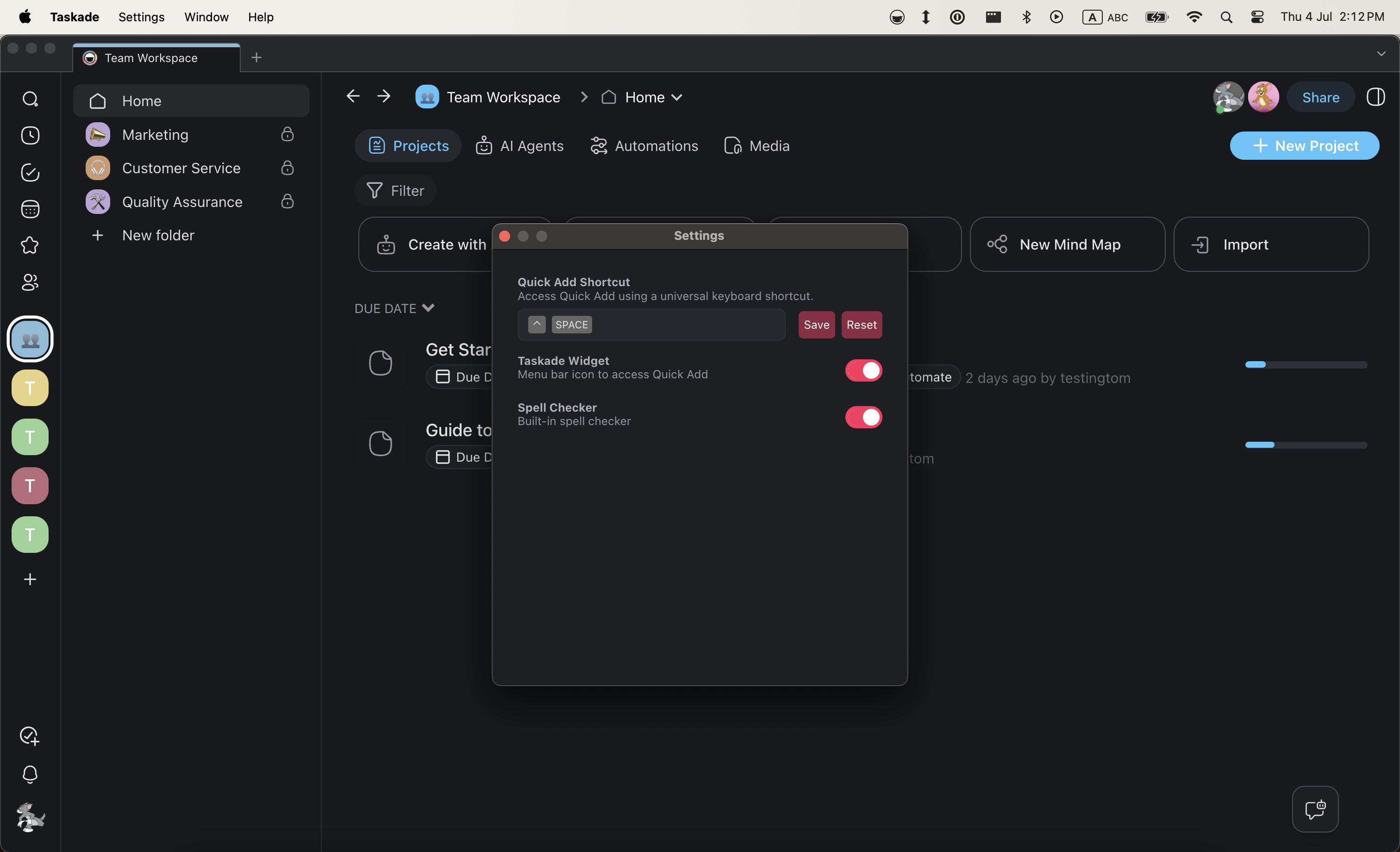
Modify the Quick Add shortcut on MacOS and Windows to personalize your experience.
MacOS
- Open the desktop app.
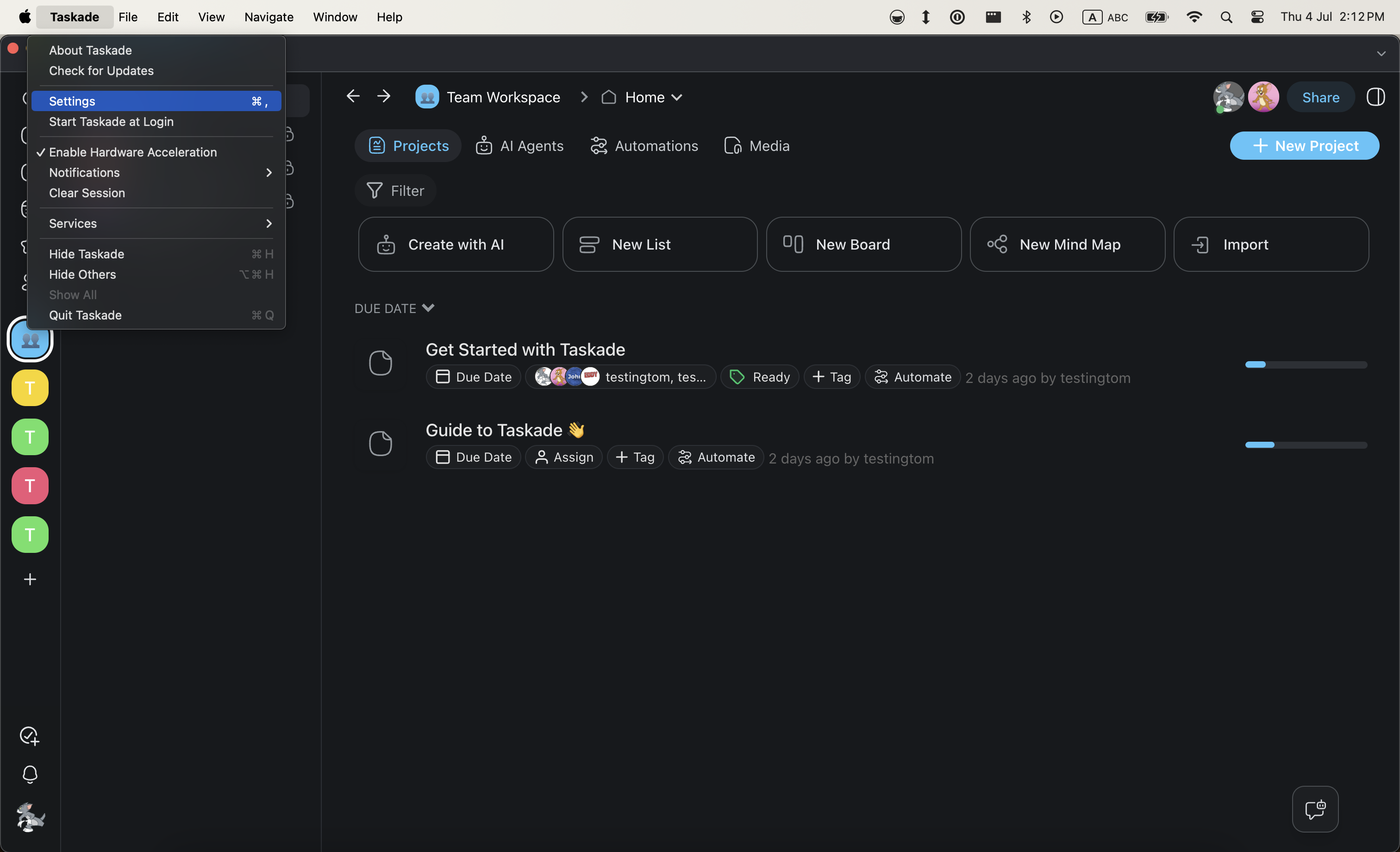
- Select Taskade from the top left corner in the menu bar.
- Select Settings.
- Click Reset and enter a new key combination for Quick Add.
- Click Save to confirm the changes.
Windows
- Click the Taskade logo in the top-left corner.
- Choose Taskade → Settings from the drop-down list.
- Click the gray area and assign a key combination using your keyboard.
- Click Save to confirm.