

TL;DR: Taskade Genesis builds deployed AI apps with agents and 100+ integrations. Pro is $10/mo billed annually for 10 seats. Webflow Basic is $15 per month billed yearly per site (verified October 2026), Workspace seats are billed separately, and Webflow is strongest for marketing sites. Try Taskade Genesis free →
See the alternative working — clone in 60 seconds
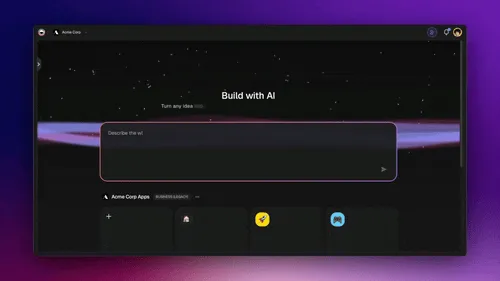
No signup, no credit card. Live SaaS landing page
| Capability | Webflow | Taskade Genesis |
|---|---|---|
| Pricing (starting) | Basic $15/mo per site billed yearly, plus Workspace seat plans | $0 Free · $10/mo Pro billed annually (10 seats) |
| Cloneable live demo | ❌ | ✅ |
| Built-in AI agents | Webflow AI; AEO agents on Team | ✅ built-in tools |
| Automation engine | Forms + integrations | ✅ Durable runtime, 100+ integrations |
| Workspace DNA loop | ❌ | ✅ ▲ Memory · ■ Intelligence · ● Execution |
What is Taskade Genesis?
Taskade Genesis is the AI app builder inside the Taskade workspace. Founded in 2017 by John Xie, Dionis Loire, and Stan Chang, Taskade is Y Combinator-backed and now serves over a million users. Taskade Genesis is built on Workspace DNA — Memory (Projects), Intelligence (AI Agents), and Execution (Automations) — a self-reinforcing loop where what your team does becomes the substrate the agents reason over.
A single prompt can produce a customer portal, an ops dashboard, a CRM, a knowledge base, a form-driven intake tool, or an internal app — with custom domains on Business and above, password protection on Pro and above, built-in email-and-password app sign-in via GenesisAuth, and one-click publishing to the Community Gallery. No DevOps. No CI/CD. No infrastructure to maintain.
What is Webflow?
Webflow is a visual website builder founded in 2013 by Vlad Magdalin and Sergie Magdalin. It gives designers code-level control over typography, layout, animations, and CMS-driven content without writing CSS or HTML. Webflow earned its reputation as the standard for designer-led marketing sites, portfolios, and content-heavy brand pages.
Webflow at a glance (October 2026): Visual canvas, CMS-driven content, animations and interactions, ecommerce plans, Webflow AI, an MCP server, and Webflow Cloud app hosting listed on every site plan. Billed on two axes — per-site plans and per-seat Workspace plans. See webflow.com/pricing.
Webflow shines for marketing sites and content sites. It is less of a fit when the project needs user logins, business data, AI agents, or workflow automation without code — those usually involve Webflow Cloud code, external services, or a different stack.
Webflow's plan lineup in October 2026
Verified on webflow.com/pricing in October 2026:
- Site plans: Starter is free, Basic is $15/month billed yearly, and Premium is $25/month billed yearly. Premium adds the Webflow CMS with up to 20,000 items, site search, code components and form file upload.
- Platform plans: Team is $2,500/month on an annual contract, with Webflow Localize, AEO agents, publishing workflows and 5 seats included. Enterprise is custom.
- Ecommerce plans: Standard starts at $29/month billed yearly with a 2% transaction fee.
- Two billing axes. Site plans cover hosting and CMS capacity for one site. Workspace plans cover the people who edit it, and some features on a Starter site need a paid Workspace plan. A team bill can include both.
- Usage above the plan. Webflow Cloud requests and CPU time carry limits per plan, then $2 overage blocks with surge protection.
What Webflow's free plan actually allows
The Starter plan caps a site at 2 static pages, 50 CMS items, 1 GB of bandwidth and 50 form submissions. It publishes only to a webflow.io domain, with no custom domain. That is enough to evaluate the canvas, not enough to ship a brand site.
Where each tool wins
Pixel-perfect marketing sites — Webflow
If the goal is a hand-crafted brand site with bespoke animations, custom typography, and CMS-driven content, Webflow is hard to beat. The visual canvas gives designers a level of control most no-code builders cannot match.
AI apps with real backend — Taskade Genesis
If the goal is a working application — a portal, a dashboard, a CRM, a customer intake system, an internal tool — Taskade Genesis ships the deployed app with backend, AI agents, automations, and integrations connected from the first prompt. No external services to wire in.
Predictable pricing for teams — Taskade Genesis
Webflow bills on two axes — a per-site plan for each site plus a per-seat Workspace plan for the people editing it. Taskade flat-rate pricing — Free, Pro $10 (10 seats), Business $25, Max $100, Enterprise $250, billed annually — is simpler to forecast as a team grows.
The Workspace DNA advantage
Webflow's mental model is "designer crafts a page, visitor reads it." Taskade Genesis's mental model is Workspace DNA: a self-reinforcing loop between three pillars.
- Memory (Projects) — Your team's docs, tasks, files, and structured data become the substrate every agent reasons over. The longer you work, the smarter the workspace gets. Read How Workspace DNA Works.
- Intelligence (Agents) — AI Agents v2 with persistent memory, built-in tools, custom tools, and the option to embed publicly inside any Taskade Genesis App.
- Execution (Automations) — Durable workflows triggered by external events (Slack, Gmail, Stripe, GitHub, Calendly, webhooks, schedules) that read from Memory and act through Intelligence — then write the results back into Memory. The loop closes.
Webflow excels at one slice — visual page composition. Taskade Genesis runs the entire loop continuously, so the longer a team uses it, the more the workspace itself becomes the thing that builds the next app.
Pricing comparison
Verified on webflow.com/pricing in October 2026. Webflow figures are per site, and Workspace seats are billed separately. Webflow shows yearly billing, so check the page for month-to-month rates.
| Plan | Taskade Genesis | Webflow site plans |
|---|---|---|
| Free | Free Forever — full app builder, 3 Taskade Genesis apps | Starter: 2 static pages, 50 CMS items, 1 GB, webflow.io domain |
| Entry paid | Pro $10/mo billed annually (10 seats, unlimited apps) | Basic $15/mo billed yearly — custom domain, 300 static pages |
| Content sites | Business $25/mo billed annually (unlimited seats) | Premium $25/mo billed yearly — Webflow CMS, 20,000 items |
| High capacity | Max $100/mo · Enterprise $250/mo, billed annually | Team $2,500/mo (annual contract); Enterprise — custom |
| Stacked on top | Optional credit packs | Per-seat Workspace plan, Webflow Cloud usage, ecommerce plan from $29/mo |
Choose Taskade Genesis if
- You want to ship a working app, not design a static page
- You need AI agents that persist, have tools, and can be embedded for customers
- You need workflow automations across Slack, Gmail, Stripe, HubSpot, Salesforce, Notion, Shopify, and 100+ other tools
- You want one flat subscription that includes hosting, agents, automations, and team collaboration
- You want unlimited views and projects without CMS item caps
Choose Webflow if
- You are a designer building a marketing site or portfolio, and you want pixel-perfect typographic, layout and animation control.
- The project is content-driven, such as a blog, case studies or product listings, and the Premium CMS with 20,000 items covers it.
- You want enterprise publishing controls for a large site, such as localization, staging, publishing workflows and governance on Team and Enterprise.
Use both: Webflow for the site, Taskade for the work behind it
Many teams keep Webflow for the public marketing site and run the lead handling and content operations in Taskade. The Webflow connector fires on each new form submission and can create, update and publish CMS items:
- Trigger: a visitor submits the "Book a demo" form on your Webflow site.
- Agent step: a Taskade agent reads the submission, researches the company on the web, scores the lead, and drafts a reply.
- Action: the flow adds the lead to a Taskade CRM project and alerts the sales channel in Slack. A rep approves the reply, and the flow sends it from Gmail.
- Content loop: when a writer adds an approved case study to the "Publish" project, a task added trigger has the flow create the Webflow CMS item and publish it to the live site.
Webflow keeps the design and the hosting of the brand site. Taskade runs the agents, the pipeline and the content approvals.
Frequently asked questions
Is Taskade Genesis a good Webflow alternative?
When the job is a working app — portal, dashboard, CRM, internal tool — yes. When the job is a marketing site, Webflow remains the better fit.
How does Webflow pricing compare to Taskade Genesis?
Webflow bills two axes: a per-site plan (Basic $15/mo or Premium $25/mo, billed yearly) plus a per-seat Workspace plan. Taskade is flat-rate: Free, Pro $10/mo billed annually (10 seats), Business $25/mo billed annually (unlimited seats).
Is Webflow's free plan enough to launch?
No. Starter allows 2 static pages, 50 CMS items and 1 GB of bandwidth on a webflow.io domain, with no custom domain. Taskade Free includes 3 Taskade Genesis apps with GenesisAuth sign-in.
Can I use Webflow and Taskade together?
Yes. The Webflow connector starts a Taskade automation on each form submission and can create, update and publish CMS items.
Does Taskade Genesis include automations and integrations?
Yes — production-grade durable automations across 100+ bidirectional integrations.
Which AI models power Taskade Genesis?
Taskade Genesis runs frontier models from top AI labs, with TSK-Auto as the default. On Pro and up, you can bring your own OpenAI, Anthropic or Google Vertex AI key (BYOK).
Can I publish a Taskade Genesis app to a custom domain?
Yes — email-and-password sign-in via GenesisAuth is available on every plan, including Free; password protection is available on Pro and above; custom domains are available on Business+ plans.
Build without permission
Webflow gives designers a sharper canvas. Taskade Genesis gives every team — designers, ops, founders, engineers — a workshop where the apps come out finished, hosted, and ready for users.
- Build with Taskade Genesis → — One prompt, one deployed app
- Browse the Community Gallery — Clone apps shipped by other Taskade Genesis builders
- Read the Workspace DNA explainer — How Memory, Intelligence, and Execution work together
Explore Taskade Genesis
- AI App Builder — Build complete apps from one prompt
- AI Website Builder — Sites in seconds
- AI Agent Platform — Digital teammates that work 24/7
- Workflow Automation — AI-powered business automation
- Vibe Coding — Natural language app creation
Build without code
- AI App Generator — Full apps from prompts
- AI Dashboard Generator — Business dashboards
- AI Website Generator — Sites in seconds
- AI Form Generator — Smart intake forms
- Browse Community Apps — Clone and customize
Related reading
- The Build Without Permission article — Our manifesto
- How Workspace DNA Works — The architecture
- Origin of Living Software — The future of apps
- Best Vibe Coding Tools in 2026 — AI coding tools compared
- Vibe Coding for Non-Developers — Build apps without code
- Vibe Coding for Teams — Ship 10x faster
- AI Tools Built With Taskade Genesis — Real apps from the gallery