

TL;DR: Adalo publishes native apps to the App Store and Google Play on flat plans starting at $36/mo billed annually. Taskade Genesis is the pick when the app is a team tool or client portal rather than a store listing: one prompt ships a deployed web app with agents and automations, Free Forever to start. Try Taskade Genesis free →
The 9 best Adalo alternatives at a glance
Every price below was read directly from each vendor's own published pricing page on 2026-08-11. Where a vendor offers an annual discount, the annual figure is shown and labeled.
Why teams look for an Adalo alternative
Adalo, founded in 2018 by David Adkin and Ben Haefele, is one of the cleanest mobile-first no-code builders on the market, and it is alive and actively selling in 2026. It also does something genuinely rare in this category: it refuses to meter usage. Every tier on its pricing page carries the line "No usage or token-based charges," and in a market where competitors bill by workload units, credits, tokens, tasks, and actions, that is a real feature. Its screen-by-screen visual control and mature component marketplace are real strengths too. Teams still look around, and the reasons are consistent.
Published apps are a hard, low count. Free publishes zero. Starter publishes one. Professional publishes two. Team publishes five. If you run an agency or maintain several small apps, that ceiling arrives faster than the price does. Free is a design sandbox rather than a launch path — no published app and no custom domain — so "free" on Adalo means free to build, not free to launch.
App editors are tiered. 1 editor on Free and Starter, 5 on Professional, 10 on Team. Two people building together means Professional at $52/month billed annually.
The record limit on Free is 500 per app. That is enough to evaluate the builder and not enough to test with real data.
Mobile-first design constrains desktop workflows. Adalo's canvas is built around screens. Dense tables, side-by-side comparison views, and long-form data entry are awkward shapes for it.
Store distribution has its own overhead. Every native release goes through Apple and Google review, so an urgent fix ships on someone else's schedule.
None of that is a flaw. It is a description of what Adalo optimized for — and if store distribution is genuinely your channel, most of it is a fair trade.
What Adalo actually costs in 2026
Worth stating plainly, because the same Adalo plan gets quoted at two different numbers depending on which billing toggle the writer happened to be looking at. These figures were read from Adalo's own pricing page on 2026-08-11:
| Adalo plan | Billed annually | Month-to-month | Published apps | App editors | Storage |
|---|---|---|---|---|---|
| Free | $0 | $0 | 0 | 1 | 500 records per app |
| Starter | $36/mo | $45/mo | 1 | 1 | 5 GB per team |
| Professional | $52/mo | $65/mo | 2 | 5 | 25 GB per team |
| Team | $160/mo | $200/mo | 5 | 10 | 125 GB per team |
Annual billing is 20% cheaper than paying month to month. Starter at $36 and $45 is the verified pair; the Professional and Team month-to-month figures follow that same 20% discount. So when another comparison quotes Adalo at "$45 to $200," those are not stale numbers — they are the month-to-month prices for the same plans. The claim that is genuinely wrong in most of those articles is per-user pricing: Adalo bills per plan and includes a fixed number of app editors, not a per-seat fee.
What each tier unlocks: Starter adds custom fonts, a custom domain, web publishing, automated app store publishing, and branding removal. Professional adds custom integrations, design versions, geolocation, custom app actions, app analytics, custom formulas, and push notifications. Team adds the Xano integration, the App and Collections API, version history, white labeling, and priority support. The Ada AI assistant for prompt-building and prompt-editing is in beta and available on every tier including Free.
The genuinely notable line, repeated on all four tiers: no usage or token-based charges. App actions are unlimited on every plan.
The app store question
This is the decision that should come before any pricing comparison, because it eliminates half the list either way.
Five of the nine alternatives publish native builds to the Apple App Store and Google Play. Here is what the cheapest paid plan that gets you there costs, monthly equivalent, with annual billing where offered:
- Draftbit $12 — Standard, with one-click publishing for iOS, Android and Web, unlimited projects, custom domains, full code editing and export, and branding removal. Editor seats are $8 each per month.
- Bravo Studio $22 — Solo, billed monthly, with unlimited app projects up to 30 screens each, unlimited app builds for the stores, Stripe, OAuth, Firebase, deep links, native maps, and charts.
- Adalo $36 — Starter billed annually ($45 month-to-month), 1 published app, automated app store publishing, custom domain, and web publishing.
- Thunkable $37 — Builder billed yearly ($59 billed monthly), 1 live published app, unlimited public projects, 10 private projects, 50,000 AI tokens, and custom branding.
- FlutterFlow $39 — Basic, unlimited projects, source code and APK download, custom domain web publishing, and one-click app store deployment.
- Bubble $59 — Starter billed annually, with 5 app store build submissions per month and 3 live app versions alongside the web app.
Two costs this chart cannot show: Apple charges a developer program fee and Google charges a one-time registration fee, and both apply no matter which builder you use. Thunkable's own FAQ calls this out explicitly.
The other four platforms — Taskade Genesis, Softr, Glide, and Google AppSheet — deliberately do not publish store listings. They deliver responsive web apps or in-platform mobile clients instead. That is a smaller universe of products and a much shorter path to shipping, because nothing waits on review.
The nine alternatives, reviewed
1. Taskade Genesis — when you need the workflow, not the store listing
Taskade Genesis is the AI app builder inside the Taskade workspace. You describe what you need — "a field service request app where techs log jobs and the office sees a live board" — and Taskade Genesis ships a deployed app with an interface, a data layer, AI agents, and automations already connected.
There is no screen designer. Taskade EVE, the meta-agent that orchestrates Taskade Genesis builds, provides access to frontier models from top AI labs so nobody manages API keys.
On mobile, the honest position is this: Taskade Genesis apps are responsive web apps, not App Store builds. What Taskade ships natively are its own iOS and Android workspace clients, so your team gets a real native experience for the projects, tasks, and agents behind the app — without you maintaining a second codebase or waiting on review to push a fix.
Underneath sits a full workspace: projects and tasks across multiple views (List, Board, Table, Mind Map, Docs (Beta), Gantt Chart, Calendar, Actionsheet, and Org Chart; Gantt Chart, Actionsheet, and Org Chart are paid-only), 100+ bidirectional integrations where triggers pull events in and actions push data out, real-time multiplayer editing with comments and chat, and a hosted MCP server on every paid plan.
Free plan: unlimited projects and tasks with basic views, 2 workspace members with public-link sharing, 3 Taskade Genesis apps across the workspace, 1 AI agent, 10 automation runs per month, 250 MB storage, and a template library. Free starts with no AI credits: earn credits or buy a credit pack.
Paid, billed annually: Pro $10/month for up to 10 seats, Business $25/month with unlimited seats, SSO/SAML, and custom domains for Taskade Genesis apps, Max $100/month, Enterprise $250/month with SCIM and a custom SLA. Monthly billing is $20, $50, $200, and $500.
Best for: internal tools, client portals, intake systems, and team workflows where the users are people you already know.
Not for: a consumer app whose distribution channel is App Store search. Use Adalo, FlutterFlow, or Draftbit for that.
2. Draftbit — the cheapest path to a store listing
Draftbit pairs AI building with real code and a visual editor, and it is the least expensive route to a published mobile app in this roundup. Free gives you AI-assisted building with Claude Code and OpenAI Codex, mobile, web and website output, all visual editing features, a built-in Supabase backend, 5,000 starter credits, and one-click publishing to the web. Standard at $12/month adds unlimited projects, unlimited REST API integrations, full code editing and export, one-click publishing for iOS, Android and Web, custom domains, and branding removal. Pro at $24/month adds up to 3 concurrent sandboxes, 5 parallel agents, custom MCP server integrations, GitHub export, simulators, and App Store submission assistance. Team is $120/month with 10 editor seats included.
A genuinely unusual option: Draftbit lets you bring your own AI subscription — Claude, ChatGPT, OpenAI, Anthropic, or OpenRouter — so Draftbit credits are optional rather than required.
Best for: builders who want store publishing, owned code, and the lowest possible entry price.
3. Softr — portals without a store listing
Softr builds business apps, client portals, and internal directories from visual blocks over structured data. Its free tier is one of the most permissive in the category: unlimited apps, databases, workflows, and forms with 3 builders, 5 app users, 5,000 database records, 500 workflow actions per month, and 5 AI credits per month. Basic at $19/month adds a custom domain, conditional form logic, Softr API and MCP access, and 10 AI credits per month, with 1 builder included and additional builders at $5/month.
Best for: gated portals where controlled access to data is the point and native distribution is not.
4. Bravo Studio — Figma in, native app out
Bravo Studio's premise is that your design is the app. You build in Figma, tag the layers, and Bravo produces a native build. The free Starter tier allows unlimited app projects up to 15 screens each with the Bravo Vision previewer and community support. Solo at $22/month billed monthly raises that to 30 screens per app and unlocks app store publishing with unlimited builds, Stripe, OAuth, Firebase email and phone login, deep links, native maps, charts, and conditional UI.
Bravo's 4.0 beta adds Bravo MCP, which lets you build native apps from inside Claude, Cursor, or ChatGPT using an AI subscription you already pay for, with React Native output and a Convex backend.
Best for: designers who already have the screens and want them shipped, not rebuilt.
5. Glide — apps shaped like your spreadsheet
GlideOS builds internal business apps from a spreadsheet, a prompt, or a file, and is billed separately from the original Glide platform. Free covers 1 project with limited credits and 100 MB storage. Solo at $25/month gives 5 projects, an included database, 100 credits, and 25 GB. Team at $125/month starts at 5 members with 50 credits per member, a team dashboard, member-only sign-in, and 100 GB. Enterprise adds single sign-on, custom connectors, and 90-day backups.
Best for: operations teams whose source of truth is already a sheet and whose users are employees, not strangers.
6. Thunkable — the gentlest learning curve
Thunkable is a visual mobile builder with deep roots in education, and it shows in how approachable the editor is. Free includes 2,000 AI tokens, 3 public projects, and 5 screens per project. Accelerator starts at $18/month with 20,000 AI tokens, 5 public projects, 1 private project, and 10 screens per project. Builder is $37/month billed yearly ($59 billed monthly) and is the first tier with a live published app, plus unlimited public projects, 10 private projects, unlimited screens, and 50,000 AI tokens. Advanced is $99/month billed yearly ($189 billed monthly) with unlimited live published apps and 100,000 AI tokens.
Note that Thunkable meters AI tokens and that they expire and replenish each billing cycle — a different model from Adalo's no-metering stance.
Best for: first-time app builders, classrooms, and anyone who wants to learn the concepts before committing.
7. FlutterFlow — the serious mobile option
FlutterFlow builds mobile, web, and desktop apps visually and generates real Flutter source you can download and hand to engineers. Free covers up to 2 projects with the visual environment, 1,000+ templates, API and data integration, web publishing, and 10 Lite credits. Basic at $39/month unlocks unlimited projects, source code and APK download, custom domain web publishing, test-on-local-devices, and one-click app store deployment. Growth is $80 for the first seat and $55 for the second, adding GitHub integration, real-time collaboration for 2 users, branches, localization, and a VS Code extension. Business is $150 for the first seat and $85 for seats 2 through 5, adding collaboration up to 5 users, automated tests, Figma frame import, and CLI access.
The code export is the argument. If there is any chance this becomes a real engineering product, FlutterFlow is the cleanest handoff in this list.
Best for: teams building a mobile product they may eventually own as code.
8. Google AppSheet — field apps inside Workspace
AppSheet builds apps from spreadsheets and cloud data sources and delivers them through the AppSheet mobile client rather than a store listing. Starter is $5/user/month with basic app and automation features, spreadsheet and cloud file storage connections, and the AppSheet database. Core is $10/user/month with advanced app and automation features, application security controls, and email support — and is included in most paid Google Workspace plans, which is often the deciding fact. Enterprise Plus is $20/user/month, connecting to cloud databases, APIs, SaaS services, and enterprise data services, with machine learning modeling and 200,000 rows per database. You can build and test with up to 10 users at no cost.
Best for: organizations already paying for Google Workspace that need inspection, inventory, or field-data apps.
9. Bubble — one platform for web depth and native mobile
Bubble is the most capable general-purpose builder here, and its current plans cover both web and native mobile from a shared backend and database. Free includes a development version, the API connector, 1 app editor, 50,000 workload units per month, the native mobile editor, the mobile debugger, and on-device testing. Starter at $59/month billed annually adds a live website with a custom domain, recurring workflows, 175K workload units, 5 app store build submissions per month, and 3 live app versions. Growth at $209/month gives 2 app editors, 250K workload units, and 10 build submissions. Team at $549/month gives 5 app editors, 500K workload units, sub apps, and 20 build submissions.
Workload is bundled into every tier, and Bubble's own FAQ confirms overages can be disabled so the app never bills past its allowance.
Best for: products where the web app is as important as the mobile app and the logic is genuinely complex.
How to choose
Three checks that catch most bad shortlists:
- Count published apps, not features. Adalo, Thunkable, and Glide all cap how many apps you can have live. Agencies hit that ceiling long before they hit a feature limit.
- Count editors. Adalo gives 1 on Starter and 5 on Professional. FlutterFlow charges per seat. Draftbit charges $8 to $16 per extra seat. Price the tier where your actual team can work.
- Decide whether you are paying for distribution or for the tool. If nobody is discovering your app through store search, the store listing is overhead you are paying for in money and in review cycles.
When Adalo is still the right call
Stay on Adalo if store distribution is genuinely your channel, if you want flat unmetered pricing you can forecast a year out, if screen-by-screen visual control matters to you, and if one to five published apps covers your needs. The absence of usage-based billing is a real advantage over most of this list, and the automated app store publishing on Starter removes the most tedious part of shipping mobile.
Look elsewhere if you need more published apps than your tier allows, if two or more people need to build simultaneously on the entry tier, if the app is really an internal tool that never needed a store listing, or if you want an eventual path to owned code.
Clone a working app instead of designing screens
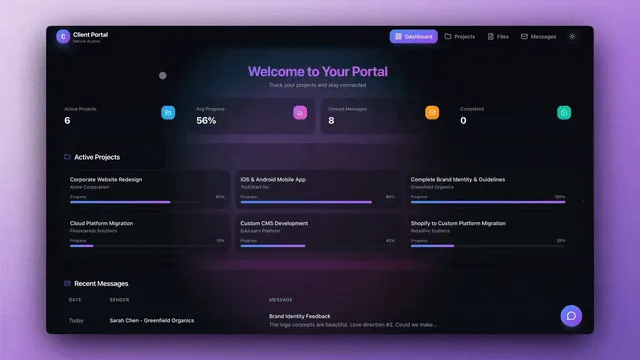
If your app is really a team workflow, this is the shorter path — live and cloneable, no signup:
- Client portal
- CRM dashboard
- Or describe the app you need and Taskade Genesis builds it from that prompt
Frequently asked questions
How much does Adalo cost in 2026?
Read from Adalo's own pricing page on 2026-08-11: Free $0, Starter $36/month billed annually or $45 month-to-month, Professional $52/month billed annually, Team $160/month billed annually. Annual billing is 20% cheaper than paying month to month, which is where the higher figures in other comparisons come from — they are the month-to-month prices, not stale ones. Every tier is labeled as having no usage or token-based charges.
Does Adalo have a free plan?
Yes — 500 records per app, unlimited app actions, 1 app editor, a hosted Postgres database, unlimited screens, unlimited test apps, mobile preview and sharing, and the Ada AI assistant in beta. What it does not include is a published app or a custom domain; publishing starts at Starter, $36/month billed annually.
Is Adalo's free plan still usable in 2026?
Yes, for prototyping. Adalo Free publishes zero apps, allows 1 app editor, and caps data at 500 records per app, so you can build in the editor but you cannot put the result in front of real users. Free on Adalo means free to build, not free to launch. Taskade Free includes 3 Taskade Genesis apps you can publish and share, plus unlimited projects and tasks.
Can I use a custom domain on Adalo's free plan?
No. A custom domain starts on Adalo Starter at $36/month billed annually, and Adalo Free cannot publish an app at all, so the domain question does not arise until you are paying. On Taskade, every plan including Free can publish a shareable Taskade Genesis app with GenesisAuth email sign-in, and custom domains for Taskade Genesis apps are available on Business at $25/month billed annually and above.
Does Adalo charge for AI usage?
No, and it is a genuine strength. Every tier carries the line "no usage or token-based charges," and app actions are unlimited on all four plans, so the invoice reads the same whether the app runs ten times a month or ten thousand. Most no-code builders added credit or token metering over the last year and Adalo did not. Taskade is also flat-rate, with a monthly credit allowance on paid plans and optional credit packs if a team wants more headroom.
Is Adalo still active in 2026?
Yes. Adalo is actively selling and maintaining all four of its plans, ships its Ada AI assistant in beta on every tier including Free, and now markets the absence of usage-based and token-based charges as a deliberate differentiator.
What are Adalo's strengths?
Screen-by-screen visual control, a mature marketplace of mobile components, automated App Store and Google Play publishing from Starter upward, and flat pricing with no usage metering anywhere in the lineup. For a team that specifically needs a native app on the stores and wants to design each screen deliberately, those are the right strengths to buy.
What is the best free Adalo alternative in 2026?
It depends on the app-store question. If you need a store listing, Draftbit and Thunkable both let you build on a free tier before paying, and Bravo Studio's free Starter allows unlimited app projects up to 15 screens each. If you do not, Taskade Genesis is free forever with unlimited projects and tasks, 3 Taskade Genesis apps, 1 AI agent, 10 automation runs per month, and a template library, and Softr's free tier includes unlimited apps, databases, workflows, and forms.
What is the cheapest Adalo alternative?
Among paid entry tiers, Taskade Pro at $10/month billed annually is the lowest overall, and Draftbit Standard at $12/month is the lowest that publishes to the app stores. Google AppSheet Starter is $5 per user per month, so it undercuts Taskade Pro for a single user, matches it at two, and costs more from three people up.
Which Adalo alternatives publish to the Apple App Store and Google Play?
Draftbit from $12/month, Bravo Studio from $22/month, Thunkable from $37/month billed yearly, FlutterFlow from $39/month, and Bubble from $59/month billed annually all publish to both stores. Glide, Softr, Google AppSheet, and Taskade Genesis do not publish native store listings — they deliver responsive web apps or in-platform mobile clients instead.
Do I actually need a native app in the app stores?
Often not. Store distribution matters when discovery happens through app store search, when you need push notifications tied to a store listing, or when device features such as biometrics and offline sync are core to the product. For internal tools, client portals, and team workflows, a responsive web app avoids Apple and Google review cycles entirely and updates instantly.
Can I build a native app without paying Apple and Google?
No. Apple's developer program fee and Google's Play registration fee apply regardless of which builder you use. Thunkable's own pricing FAQ names this as an additional cost. This is one of the more compelling arguments for a responsive web app when your users are colleagues or clients rather than the general public.
Which Adalo alternative gives me the code?
FlutterFlow exports Flutter source and APKs from its Basic plan at $39/month. Draftbit offers full code editing and export from its Standard plan at $12/month, with GitHub export on Pro. Bravo Studio's 4.0 beta produces React Native output. Adalo, Glide, Softr, AppSheet, Bubble, and Taskade Genesis are hosted platforms without a code export path.
Which Adalo alternatives have no usage-based charges?
Adalo states this explicitly on every tier, and app actions are unlimited on all four plans. Taskade is flat-rate with no metered runtime billing. AppSheet is straight per-user. Softr, Glide, Thunkable, Draftbit, FlutterFlow, and Bubble all meter something — actions, credits, tokens, or workload units — so check the allowance against your expected volume.
How many people can edit at once?
Adalo: 1 editor on Free and Starter, 5 on Professional, 10 on Team. FlutterFlow: 2 users on Growth, up to 5 on Business. Draftbit: extra seats at $8 to $16 each per month, 10 included on Team. Bubble: 1, 1, 2, 5 across its tiers. Taskade includes real-time multiplayer editing on every plan, with 2 workspace members on Free and up to 10 on Pro.
Can I migrate an existing Adalo app?
There is no automated import into any of these platforms. Migration means rebuilding, so the practical question is how much of your app is screens versus how much is logic and data. Apps that are mostly data and access rules rebuild fastest on Softr, Glide, or Taskade Genesis. Apps that are mostly custom screens rebuild fastest on FlutterFlow or Bravo Studio.
Which alternative is best if my app is really an internal tool?
Glide, Softr, AppSheet, and Taskade Genesis are all built for this, and all four skip store review entirely. Choose Glide or AppSheet if the data already lives in a spreadsheet, Softr if it lives in a structured database, and Taskade Genesis if you would rather describe the tool than assemble it.
What is the main difference between Taskade Genesis and Adalo?
Adalo is a mobile-first builder where you design screens visually and publish to the App Store, Google Play, or as a PWA. Taskade Genesis ships a responsive AI web app from one plain-language prompt, with the interface, data layer, AI agents, and automations already connected. Adalo optimizes for store distribution and screen-level control. Taskade Genesis optimizes for getting a working team tool in front of people you already know, with nothing waiting on app review.
Can my users open Taskade Genesis apps on their phones?
Yes. Taskade Genesis apps are responsive and run in any mobile browser, and Taskade ships native iOS and Android clients for the workspace itself, so people sign in and get a native-feeling experience without you maintaining a separate mobile codebase or submitting builds for review.
Do any of these include AI agents that keep working after launch?
The distinction worth drawing is between AI that builds the app and AI that runs inside it. Draftbit, Bravo Studio, and Thunkable use AI to build. Adalo's Ada assistant builds and edits. Taskade includes AI agents that live inside the finished app with persistent memory, a built-in toolset, custom tools you define, and public embedding, so they keep categorizing, routing, and drafting long after the app ships.
How does Taskade pricing compare to Adalo?
Taskade is flat-rate. Pro is $10/month billed annually for up to 10 seats, and Business is $25/month billed annually with unlimited seats, SSO/SAML, and custom domains for Taskade Genesis apps. Adalo's equivalent launch tier, Starter, is $36/month billed annually or $45 month-to-month, for 1 published app and 1 app editor. Neither platform meters usage, which makes both bills easy to forecast a year out.
Does Taskade require a credit card to start?
No. The Taskade Free plan is free forever. Free starts with no AI credits. You earn credits with referrals and invites, or buy a credit pack on any plan.
Get started with Taskade Genesis
Describe the app you need. Taskade Genesis builds it — interface, data, agents, and automations — with no screen designer, no usage metering, and no app store review between you and a fix.
Explore Taskade Genesis
- AI App Builder — Build complete apps from one prompt
- AI Agent Platform — Digital teammates that work around the clock
- AI Automation Platform — Workflow automation across 100+ integrations
- AI Website Builder — Sites in seconds
- Vibe Coding — Natural language app creation
Learn the Taskade Genesis architecture
- First-app guide — 5-minute tutorial
- How Workspace DNA Works — Memory, Intelligence, and Execution
- Custom AI Agents — The Intelligence pillar
- Projects & Databases — The Memory pillar
- Automations & Workflows — The Execution pillar
Build without code
- AI App Generator — Full apps from prompts
- AI Dashboard Generator — Business dashboards
- AI Form Generator — Smart intake forms
- Browse Community Apps — Clone and customize
Related reading
- The Build Without Permission article — Our manifesto
- Origin of Living Software — The vision
- Vibe Coding for Non-Developers — Build apps without code
- AI Tools Built With Taskade Genesis — Real apps from real teams
- Agentic Workflows That Replace Busywork — Automation patterns