

See the alternative working — clone in 60 seconds
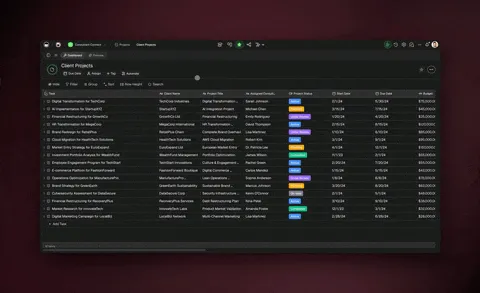
No signup, no credit card. Live automation workspace
| Capability | Make | Taskade Genesis |
|---|---|---|
| Pricing (starting) | Free (1,000 credits/mo, max 2 active scenarios); Core $12/mo month-to-month for 10,000 credits | $0 Free · $10/mo Pro billed annually (10 seats) |
| Cloneable live demo | ❌ | ✅ |
| Built-in AI agents | Beta AI Agents, scoped to the scenario | ✅ Named agents with persistent memory and built-in tools |
| Automation engine | Yes (scenarios only) | ✅ Durable runtime, 100+ integrations |
| Workspace DNA loop | ❌ | ✅ ▲ Memory · ■ Intelligence · ● Execution |
Table of Contents
- Quick Comparison Table
- The fundamental difference
- What is Taskade Genesis?
- What is Make?
- Feature-by-feature deep dive
- Ask AI and Ask Agent: two kinds of AI step
- The Workspace DNA advantage
- Pricing and total cost of ownership
- When to choose each
- Frequently asked questions
- Without permission
TL;DR: Taskade Genesis describes automations in natural language, runs them durably across 100+ bidirectional integrations, and ships the app the workflow feeds. Make is a visual scenario builder metered in credits, with Free at 1,000 credits a month and a 2-scenario cap. Taskade is Free Forever. Pro is $10/mo billed annually for 10 seats. Try Taskade Genesis free →
The fundamental difference
Make is a craftsman's automation tool. Drag modules onto a canvas, wire them with connections, configure routers and iterators, debug visually. The result is precise, powerful, and deeply customizable — the visual canvas is genuinely the best in the category for complex data pipelines.
Taskade Genesis takes a different starting point. You describe the automation in natural language, AI agents reason inside every step, and Taskade Genesis ships the front-end app the workflow feeds. The output is a working system — automation, agents, and app — built and running together.
Make asks: "What modules should I wire?" Taskade Genesis asks: "What system should exist, and what should it do automatically?"
What is Taskade Genesis?
Taskade Genesis is the AI app builder inside the Taskade workspace. It is built on Workspace DNA — Memory (Projects), Intelligence (AI Agents), and Execution (Automations) — a self-reinforcing loop where what your team does becomes the substrate the agents reason over. Founded by John Xie, Dionis Loire, and Stan Chang in 2017, Taskade is a Y Combinator-backed platform with a public Community Gallery of apps anyone can clone.
Automations run on a durable execution runtime: retries are automatic, long-running workflows survive provider outages, and branching, looping, and filtering are first-class. Triggers pull events in. Actions push data out. And every workflow step can call an AI agent with persistent memory and built-in tools.
What is Make?
Make launched as Integromat in 2012 and rebranded in 2022. It is a visual automation platform built around scenarios — canvases where you drag modules from a 1,500+ app catalog and wire them together with connections. Routers, iterators, aggregators, and array functions handle complex branching, looping, and data transformation.
Make at a glance (August 2026): 1,500+ app integrations, industry-leading iterator and aggregator support, deep array and data transformation functions, scenario-level error handling, and beta AI Agents. Pricing is metered in credits — the unit Make previously called operations. Free includes 1,000 credits per month with a maximum of 2 active scenarios; Core is $12 per month month-to-month for 10,000 credits, discounted for annual billing, with higher volume tiers above it. AI modules bill by token usage rather than one credit per run, so an AI step's cost scales with prompt and response length.
Make's strengths are real and worth naming: the most powerful visual canvas in the category, deep data transformation support, mature iterator and aggregator modules, and a loyal community of automation specialists. The trade-off is that Make assumes you want to build visually — and it assumes the apps it connects already exist. The credit rename also changes how you budget: a deterministic scenario still costs a predictable number of credits per run, but an AI-heavy one does not, because token usage sets the price.
Feature-by-feature deep dive
Building surface
- Taskade lets you describe an automation in natural language. AI builds the workflow, surfaces it as editable steps, and you refine through conversation or direct editing.
- Make is a visual canvas of modules. The canvas is genuinely the best in the category — drag, wire, configure, debug. For users who think visually, this is a feature, not a barrier.
Bidirectional integrations
- Taskade ships 100+ first-party bidirectional integrations across 10 categories: Communication, Email and CRM, Payments, Development, Productivity, Content, Data and Analytics, Storage, Calendar, and E-commerce. Triggers pull external events in. Actions push data out.
- Make ships 1,500+ app integrations after more than a decade of partner work. For raw catalog size, Make wins.
Iterators, aggregators, and data transformation
- Make is the leader here. Iterator, Aggregator, Array Aggregator, Text Aggregator, and a deep library of array and string functions handle data shaping that other platforms struggle with.
- Taskade offers loop and filter primitives plus AI-powered transformation steps (an agent can parse, classify, summarize, or reshape data in a single step). Different tool for the same job.
AI agents inside the workflow
- Taskade ships AI Agents v2 — first-class teammates with persistent memory, built-in tools for web search, code execution, and file analysis, custom tools, and the option to embed agents publicly. Any automation step can call an agent.
- Make added AI Agents in beta. They are scenario-scoped helpers rather than first-class teammates with persistent identity and a built-in tool catalog.
App builder
- Taskade Genesis turns a prompt into a deployed application with the automation already wired in. Custom domains, password protection, and public embedding via GenesisAuth are built in.
- Make has no app builder. You connect existing apps; you do not build new ones.
Workspace memory and context
- Taskade's Workspace DNA gives every agent persistent context across projects, files, integrations, and the live state of your business.
- Make uses per-scenario data stores. Powerful for the scenario at hand, but no workspace-wide memory layer that automations and agents share.
Team collaboration
- Taskade is workspace-native: real-time multiplayer editing, comments, chat, video calls, and role-based access (Owner to Viewer).
- Make offers scenario sharing and roles on its Teams tier, quoted above the Core entry plan.
Ask AI and Ask Agent: two kinds of AI step
Every automation platform can call a model in the middle of a run. In Taskade that step is Ask AI: a prompt goes in, a model answers, the run ends, and nothing is carried forward. Categorize with AI and Generate with AI cover the same stateless ground, and Make's OpenAI module does the same job inside a scenario.
Taskade adds a second kind of step. Ask Agent still takes an input — a field you fill with whatever is specific to this run, exactly as you would a prompt. What changes is the required agent selector beside it. You pick a named agent that already lives in your workspace, and it brings its own instructions and its own knowledge base, which a workflow can keep growing, so your input only has to carry what is new about this run. The step stops being a model wired into the canvas and becomes a named colleague standing in the middle of it.
Four things change once the step addresses an agent:
- The rubric lives in one place. Your offer policy, brand voice, or ticket taxonomy sits on the agent, not in a prompt field duplicated across six scenarios. Edit the agent once and every automation that calls it moves with it.
- The agent keeps what the run produced. Two more automation actions — Add Knowledge To Agent and Add Project to Agent Knowledge — write results into that agent's knowledge base, so what worked last month is there as context next month instead of being discarded at the end of the run. It is context you curate rather than automatic learning: keep it current and later answers improve, let it go stale and they do not. Knowledge is the layer a workflow writes; memory is the separate layer the agent keeps for itself across conversations.
- The agent can run your automations. This takes two steps: give the automation the Agent Tool trigger and a clear name, then add it to that agent's tools and enable it in the agent's Tools tab. The trigger on its own registers the flow on no agent. After that the agent decides when to run it, asking your approval first unless you set the tool to automatic approval.
- You can address a team, not just one agent. Ask Agent Team hands one input to a group of specialists. An execution mode decides who answers — Auto picks the most suitable agent or agents, Everyone has all of them respond, and Orchestrate has them build on each other's responses and tools. A processing type then decides what gets pulled out of that conversation: a summary, a lead qualification, or fields you define yourself.
A worked example: cart recovery by an agent that already knows your offer policy
| # | Step in Taskade | What happens |
|---|---|---|
| 1 | New Abandoned Checkout (Shopify) | A cart is left behind. |
| 2 | Ask Agent | Your Retention agent reads the cart against the offer policy and past outcomes already in its knowledge, and returns a recovery angle plus the discount tier it is allowed to offer. |
| 3 | Send Email (Gmail) | The shopper gets a message written to that angle, within that tier. |
| 4 | Insert Row (Google Sheets) | The attempt, angle, and tier are logged for the weekly review. |
| 5 | Add Knowledge To Agent | The angle and discount tier the agent chose are written back, so its own past calls sit in its knowledge for the next cart. |
Step 5 records the decision, not the result — at that point the flow has only sent the email, so whether the cart recovered is not yet knowable. Closing that loop takes a second automation on a later trigger, such as Shopify's New Paid Order, with its own Add Knowledge To Agent step to write the real outcome back.
Steps 1, 3, and 4 are the scenario shape Make builds beautifully, and its iterators and aggregators still handle the heavy reshaping better than anything else in the category. Steps 2 and 5 are the pair that needs an agent with a name and a memory to point at.
Explore each layer on its own: agents inside automations, multi-step workflows, end-to-end processes, single actions, the full automation category index, and the AI agent platform.
The Workspace DNA advantage
Make's mental model is "modules on a canvas." Taskade Genesis's mental model is Workspace DNA: a self-reinforcing loop between three pillars.
- Memory (Projects) — Your team's docs, tasks, files, and structured data become the substrate every agent reasons over.
- Intelligence (Agents) — Custom AI Agents with persistent memory, built-in tools, and your own custom tools, plus a hosted MCP server that Claude Desktop, Cursor, and VS Code connect into, while automations carry the work into the 100+ apps you already use.
- Execution (Automations) — Durable workflows triggered by external events that read from Memory, act through Intelligence, and write the results back into Memory.
Make is brilliant at one slice of this loop — wiring modules into a precise data pipeline. Taskade Genesis runs the entire loop continuously, so the longer you use it, the more your workspace itself becomes the thing that builds and runs the next workflow.
Pricing and total cost of ownership
| Plan | Taskade Genesis | Make (August 2026) |
|---|---|---|
| Free | Free Forever — no AI credits at the start (earn or buy credits); full app builder (3 Taskade Genesis apps) | Free — 1,000 credits / month, maximum 2 active scenarios |
| Entry paid | Pro $10 / month billed annually — unlimited apps, 10 seats | Core $12 / month month-to-month — 10,000 credits, discounted annually |
| Mid tier | Business $25 / month billed annually — unlimited seats, higher AI capacity | Pro tier — priority execution and custom variables, priced per credit volume |
| Team | Max $100 / month billed annually — maximum AI generation capacity | Teams tier — shared scenarios and roles, priced per credit volume |
| Enterprise | $250 / month billed annually with custom SLA | Custom — contact sales |
Make's pricing is metered in credits, the unit formerly called operations. A complex scenario can burn dozens of credits per run, and AI modules bill by token usage rather than one credit per execution, so an AI-heavy scenario is the hardest kind to forecast — heavy users routinely upgrade for more headroom. The free plan's cap of 2 active scenarios is the other thing to plan around: a third live workflow means deactivating one or moving to Core. Taskade's pricing is flat per plan, not per seat, with AI credits included — predictable monthly spend regardless of how many workflows run.
When to choose each
Choose Make if:
- You think visually about workflows and prefer a canvas of modules.
- Your workflows involve heavy data transformation that iterators and aggregators handle elegantly.
- You need a niche integration only Make supports out of 1,500+ partners.
- You already have all your front-end apps built and only need a connector layer.
Choose Taskade Genesis if:
- You want to describe automations in natural language instead of wiring modules.
- You want first-class AI agents with persistent memory inside every workflow step.
- You want to build the app and the automation in one place.
- You want a flat subscription with included AI credits and no per-credit metering that varies with token usage.
- You want workflow automation, an AI agent platform, and an app builder unified by a workspace memory layer.
Use both if: Many teams keep Make for highly visual data pipelines and use Taskade Genesis for AI-powered workflows, agent automation, and the apps the team ships.
Build without permission
Make gives automation specialists a beautiful canvas. Taskade Genesis gives every team — technical or not — a workspace where the automation, the AI agents, and the app come out together.
- Build with Taskade Genesis → — One prompt, one deployed app
- Browse the Community Gallery — Clone apps shipped by other Taskade Genesis builders
- Read the Workspace DNA explainer — How Memory, Intelligence, and Execution work together
Explore Taskade Genesis
- Workflow Automation — AI-powered business automation
- AI Agent Platform — Digital teammates that work 24/7
- AI App Builder — Build complete apps from one prompt
- AI Website Builder — Sites in seconds
- AI Second Brain — Searchable AI-powered docs
Build without code
- AI App Generator — Full apps from prompts
- AI Dashboard Generator — Business dashboards
- AI Form Generator — Smart intake forms
- Browse Community Apps — Clone and customize
Related reading
- The Build Without Permission article — Our manifesto
- How Workspace DNA Works — The architecture
- Origin of Living Software — The future of apps
- Agentic Workflows That Replace Your Startup's Busywork
- Stop Worshipping Prompts, Start Building Workflows
- AI Tools Built with Taskade Genesis
- Taskade vs Simular — Sai operates desktop software, Taskade Genesis ships a cloud app