

TL;DR: Dropbox Paper is a lightweight document tool bundled with Dropbox plans at $11.99 to $24 per user a month. Taskade gives you AI-native docs plus tasks, AI agents, automations, and the Taskade Genesis app builder, with 100+ bidirectional integrations and no Dropbox account required. Free Forever to start, Pro $10/mo billed annually. Try Taskade Genesis free →
See the alternative working — clone in 60 seconds
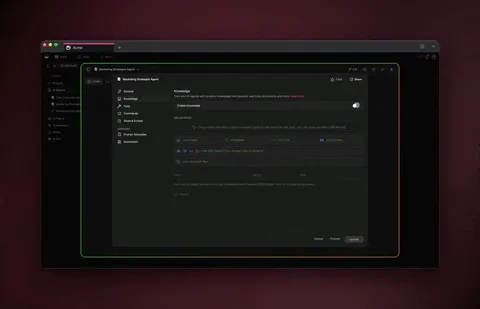
No signup, no credit card. Live AI knowledge base
| Capability | Dropbox Paper | Taskade Genesis |
|---|---|---|
| Pricing (starting) | Bundled with Dropbox Plus $11.99–$24/user/mo | $0 Free · $10/mo Pro billed annually (10 seats) |
| Cloneable live demo | ❌ | ✅ |
| Built-in AI agents | Writing assistant only | ✅ built-in tools |
| Automation engine | Database-only automation | ✅ Durable runtime, 100+ integrations |
| Workspace DNA loop | ❌ | ✅ ▲ Memory · ■ Intelligence · ● Execution |
The fundamental difference
Dropbox Paper is a free collaborative document tool that lives inside the Dropbox ecosystem. It does docs well — clean editor, embeds for media, simple to-do checklists — but the model stops at the document. Project management, AI agents, automations, and app building all live in other tools.
Taskade is an AI-native workspace where docs are one of multiple project views. The doc, the tasks, the AI agents, and the automations all live in the same workspace — no Dropbox account required.
Dropbox Paper asks: "What should this doc say?" Taskade asks: "What should the doc cause to happen?"
What Is Dropbox Paper?
Dropbox Paper is a collaborative document workspace launched by Dropbox in 2017, originally based on the Hackpad acquisition. Paper offers a clean writing experience with embedded media (YouTube, Google Maps, SoundCloud), simple to-do checklists, comments, and integration with the broader Dropbox file storage product. Paper is free with any Dropbox account.
Dropbox Paper at a glance: Launched by Dropbox in 2015 (built from the Hackpad acquisition), Dropbox Paper extended the file-sharing giant's reach into collaborative workspace territory.
Dropbox Paper does well:
- Clean, focused document editor optimized for narrative writing
- Rich media embeds (video, maps, audio, designs)
- Simple inline to-do lists with assignees and due dates
- Real-time multiplayer collaboration on docs
- Tight integration with Dropbox file storage
Where teams hit limits: Paper is documents. Project management beyond simple checklists, AI agents, workflow automation, integrations, and app building all live in other tools. The Dropbox account dependency adds friction for teams not already on Dropbox.
What Is Taskade?
Taskade is an AI-native workspace where teams plan, write, build, and automate together. Founded by John Xie, Dionis Loire, and Stan Chang in 2017, Taskade is a Y Combinator-backed platform with over a million users. Every project has built-in chat, voice and video calls, AI agents, and access to Genesis — the AI app builder that turns a prompt into a deployed application.
Taskade is built on Workspace DNA: Memory (Projects), Intelligence (AI Agents), and Execution (Automations). Every doc, conversation, and task becomes substrate the agents reason over. Every automation reads from Memory and writes results back. The longer your team uses it, the smarter the workspace gets.
Feature-by-feature deep dive
Document collaboration
- Dropbox Paper offers a clean, focused doc editor with rich media embeds and inline checklists.
- Taskade offers AI-assisted real-time multiplayer docs across multiple project views, with built-in chat, video, and AI agents that act on the doc content.
AI agents that take action
- Dropbox Paper does not include AI agents.
- Taskade ships AI Agents v2 with built-in tools (web search, file analysis, project management, image generation, code execution), custom tools, persistent memory, and the option to embed agents publicly inside Genesis Apps.
Workflow automations and integrations
- Dropbox Paper has no automation layer.
- Taskade includes durable Automations with branching, looping, and filtering across 100+ bidirectional integrations. Triggers pull external events in (Slack messages, Gmail, Sheets rows, Calendly events, webhooks). Actions push data out (Stripe checkouts, Shopify orders, Notion syncs, Salesforce updates, GitHub PRs).
App building
- Dropbox Paper has no app generator.
- Taskade Genesis turns a single prompt into a deployed application — an ops dashboard, a customer portal, a CRM, a knowledge base, an intake form — with AI agents, automations, custom domains, password protection, and Community Gallery publishing built in.
Project views and visual editing
- Dropbox Paper offers a single document view.
- Taskade offers multiple project views: List, Board, Calendar, Table, Mind Map, Gantt, and Org Chart. The Timeline scrolling component lives inside the Gantt view.
Built-in chat and video
- Dropbox Paper has comments and mentions on the doc.
- Taskade has chat, voice, and video built into every project — free, unlimited, and contextual to the doc or work happening on the page.
The Workspace DNA advantage
Dropbox Paper's mental model is "the team writes the doc; other tools execute on it." Taskade's mental model is Workspace DNA: a self-reinforcing loop between three pillars.
- Memory (Projects) — Docs, tasks, files, and prior conversations become substrate every agent reasons over. The longer your team works, the smarter the workspace gets.
- Intelligence (Agents) — Custom AI Agents with persistent memory, built-in tools, and custom tools you define, plus a hosted MCP server that Claude Desktop, Cursor, and VS Code connect into, while automations carry the work into the 100+ apps you already use. Agents read the doc as context and act on it.
- Execution (Automations) — Durable workflows triggered by external events that read from Memory and act through Intelligence — then write the results back into Memory. The loop closes.
Dropbox Paper is brilliant at the doc slice. Taskade runs the entire write-execute-iterate loop, so the longer your team uses it, the more your docs become the substrate for the apps and automations your team ships.
Pricing comparison
| Plan | Taskade | Dropbox Paper |
|---|---|---|
| Free | Free Forever — chat, video, projects, agents, Genesis | Free with Dropbox account (limited storage) |
| Pro / Plus | $10/mo (annual) — 10 seats, unlimited apps | Dropbox Plus $11.99/user/mo — 2 TB storage |
| Business | $25/mo — unlimited seats, higher AI capacity | Dropbox Business Standard $15/user/mo |
| Max / Enterprise | $100/mo (Max) · $250/mo (Enterprise) custom SLA | Dropbox Business Advanced $24/user/mo |
Dropbox Paper itself is "free," but it requires a paid Dropbox account for any meaningful team usage. Taskade is genuinely Free Forever as a standalone product, with flat team pricing on paid tiers.
When to choose each
Choose Dropbox Paper if:
- Your team already lives inside the Dropbox ecosystem with file storage and sharing as the daily anchor.
- Your primary need is a focused, clean document editor with rich media embeds.
- You don't need project management, AI agents, automations, or app building.
Choose Taskade if:
- You want AI-native docs plus tasks, agents, automations, and an AI app builder in one workspace.
- You don't want a Dropbox dependency or per-user storage pricing.
- You want AI agents that act on the doc, not just help draft it.
- You want to ship internal apps, dashboards, and customer portals from the same workspace where the docs live.
Use both if: Teams already on Dropbox can keep Paper for narrative docs and use Taskade for project execution, agents, automations, and Genesis apps. Native Google Drive integration and webhooks bridge the file-storage surface.
Frequently asked questions
Is Taskade really free?
Yes. The Free Forever plan includes unlimited projects, 2 workspace members with public link sharing, basic project views, real-time collaboration, built-in video and chat, and access to Genesis app generation with a one-time grant of 1,000 AI credits on signup verification plus 10,000 on first build — no Dropbox account required.
Can I import Dropbox Paper docs into Taskade?
Paper docs export to Markdown, which imports cleanly into Taskade. Most teams onboard by exporting their key docs as Markdown and creating new Taskade projects around them.
Which AI models does Taskade use?
Taskade includes access to 15+ frontier models from OpenAI, Anthropic, and open-weight providers. You never wire up API keys.
Does Taskade have an enterprise tier?
Yes. Enterprise is $250/month billed annually, adding SCIM user provisioning, a custom SLA with dedicated support, advanced security controls, and unlimited seats. SSO and SAML arrive earlier, on Business at $25/month billed annually.
Build without permission
Dropbox Paper gives teams a clean doc surface tied to file storage. Taskade gives teams AI-native docs plus the workspace, the agents, the automations, and the app builder needed to actually ship the things you write.
- Build with Genesis → — One prompt, one deployed app
- Browse the Community Gallery — Clone apps shipped by other Genesis builders
- Read the Workspace DNA explainer — How Memory, Intelligence, and Execution work together
Explore Taskade
- AI App Builder — Build complete apps from one prompt
- AI Agent Platform — Digital teammates with built-in tools
- Workflow Automation — Durable, bidirectional automations
- AI Second Brain — Searchable team memory
- AI Website Builder — Sites in seconds
Build without code
- AI App Generator — Full apps from prompts
- AI Dashboard Generator — Real-time business dashboards
- AI Form Generator — Smart intake forms
- Browse Community Apps — Clone and customize
Related reading
- The Build Without Permission article — Our manifesto
- How Workspace DNA Works — The architecture
- Origin of Living Software — The future of apps
- Agentic Workflows That Replace Busywork — Real automation patterns
- Vibe Coding for Teams — Ship 10x faster
- AI Tools Built With Taskade Genesis — Real apps shipped