
TL;DR: Taskade replaced some older mobile widgets with newer versions that match the Aurora design system. Both old and new widgets can appear in your widget picker for a short time. This page lists the deprecated widgets and their replacements, so you can migrate your existing home-screen layouts. For the current supported set, see Add Widget.
Here is the path from an old widget to the upgraded one on your home screen.
Overview
Taskade is upgrading its mobile widgets to deliver a faster experience with more features on both iOS and Android. Taskade is phasing out the older widget versions in favor of new widgets with more features. This article explains what changed, why you can still see both widget options, and how to switch.
Why the Old Widgets Retired
We are upgrading our mobile widgets to offer you even more features. The legacy widgets were limited in scope and did not support newer capabilities such as inline task completion or workspace-level filtering.
Why You See Two Widget Options
The old widgets can still appear as a selectable option in the widget settings. Taskade supports them for a short period, so your workflow continues. Change to the new widgets soon.
What the New Widgets Add
The new widgets do everything the old versions did, plus more. The My Task widget, for instance, lets you mark tasks complete directly from the widget. It also filters tasks by workspace and folder.
Key improvements include:
- Inline task completion: Check off tasks without opening the app.
- Workspace and folder filters: Focus on the tasks that matter most.
- Faster loading: Optimized performance for quicker access to your data.
- Updated design: Consistent look and feel with the latest Taskade mobile app.
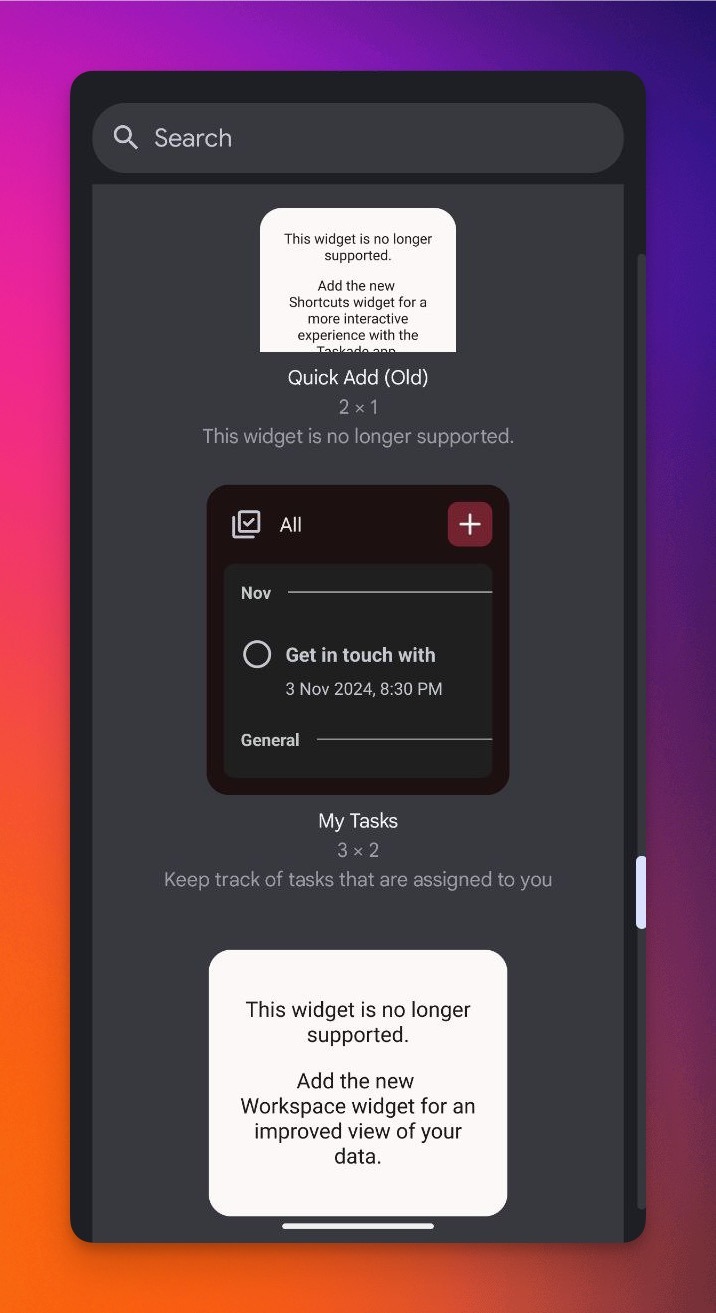
Switch to the New Widgets
- Long-press on your home screen and select Widgets (or Edit Home Screen on iOS).
- Search for Taskade in the widget picker.
- Add the new Taskade widget to your home screen.
- Remove the old widget to prevent confusion.