

Quick Comparison Table
TL;DR: Taskade Genesis ships a deployed app with AI agents, automations, and 100+ integrations from one prompt, with no IDE and no deploy step. Replit is a cloud IDE with an autonomous coding agent for developers who want owned code. Taskade Genesis is Free Forever; Pro is $10/mo billed annually. Try Taskade Genesis free →
See the alternative working - clone in 60 seconds
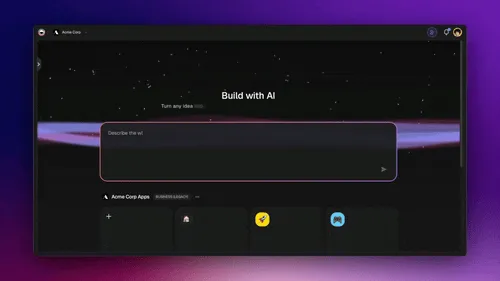
No signup, no credit card. Live agency ops center
| Capability | Replit | Taskade Genesis |
|---|---|---|
| Pricing (starting) | Core $18/mo billed annually - includes $20 a month toward more powerful models | $0 Free · $10/mo Pro billed annually (10 seats) |
| Cloneable live demo | ❌ | ✅ |
| Built-in AI agents | Agent in the IDE only | ✅ Built-in tools |
| Automation engine | No workspace automation engine | ✅ Durable runtime, 100+ integrations |
| Workspace DNA loop | ❌ | ✅ ▲ Memory · ■ Intelligence · ● Execution |
What is Taskade Genesis?
Taskade Genesis is the AI app builder built into the Taskade workspace - a Y Combinator-backed platform that has served more than a million people since 2017. It collapses the edit-run-deploy loop into a single step: you describe the app, and a deployed application appears, wired to a database, AI agents, and automations you did not have to configure.
There is no editor to open and no host to pick. A prompt becomes an ops dashboard, a client portal, a knowledge base, or an internal tool your teammates can open in a browser the moment it exists, with app sign-in via GenesisAuth on every plan and one-click publishing to the Community Gallery. For a portal, matching records to that login is opt-in, so test the filter with a second account.
What Taskade Genesis actually builds
What comes out is a deployed, data-backed application - interface, tables, agents, and automations - not a repository awaiting a build step. Model quality is the variable that decides whether prompt-to-app works at all, which is why we published the TSK-1 Benchmark: competing AI models, one identical job, graded on whether the app opens, matches what was asked for, and saves your data.
What is Replit?
Replit is a cloud IDE with a built-in AI coding agent. You describe what you want, the Replit Agent writes and edits code inside the editor, and you run, host, and deploy that code - on Replit infrastructure or anywhere else.
Replit at a glance: A browser IDE with an autonomous coding agent, a built-in database, and deploy targets. Paid plans include a dollar allowance toward premium models plus Free Mode usage. Best fit for developers who want owned code and an AI-accelerated edit-run-deploy loop.
What Replit shipped in 2026
Replit moved fast this year, and several changes matter for a buyer comparing it with Taskade Genesis. Every row below comes from Replit's own blog or pricing page (verified October 2026).
| Date (2026) | What shipped | What it means |
|---|---|---|
| Jun 10 | Skills and custom instructions for Replit Agent | Teams can encode conventions once instead of repeating them in prompts |
| Jun 17 | Replit available inside Claude | A conversation in Claude can hand off to a Replit build |
| Jul 29 | Replit Design | A design surface next to the code editor |
| Aug 18 | Free Mode, with OpenAI | Chat and build time on included models, separate from the premium-model allowance |
| Aug 26 | Intelligent model routing | Replit picks the model for each task automatically |
| Sep 25 | Replit is acquiring Atta | Business analysis and data exploration for non-engineers |
| Oct 13 | Replit Solutions Partners | Implementation help for larger organizations |
The pricing page now reads: Core at $18 a month billed annually ($20 monthly) with up to 30 hours of chat and up to 60 projects on Free Mode, plus $20 a month toward more powerful models. Pro is $90 a month billed annually ($100 monthly) with 10 parallel agents, $100 a month toward the most powerful models, up to 15 collaborators, up to 50 viewers, and database rollback up to 28 days. Enterprise adds SSO, SCIM, audit logs, and single-tenant options at a custom price.
Where each tool wins
Code you own and deploy anywhere - Replit
If the goal is owned source code the team can host, modify, and deploy on its own infrastructure, Replit is purpose-built for that workflow, and its agent makes the edit-run-deploy loop faster.
Working app right now - Taskade Genesis
If the point is the app rather than the codebase, Taskade Genesis delivers it on the first prompt with a backend, agents, and integrations already attached. No editor session, no deploy target to choose, no hosting to keep an eye on.
Use both: Replit for the codebase, Taskade Genesis for the operation around it
Replit and Taskade Genesis do not compete for the same file. Replit owns the repository. Taskade Genesis owns the work that surrounds a shipped product, which is where most teams lose time. A practical split looks like this:
- Plan in Taskade. Keep the roadmap, specs, and bug backlog in a Taskade project, with multiple project views (List, Board, Table, Gantt Chart) for the people who never open an IDE.
- Build in Replit. Engineers pick a spec, and Replit Agent writes and runs the code in the cloud IDE.
- Route feedback with automations. A Taskade automation turns a Slack message or a form submission into a tracked task with an owner, and a webhook (Pro and above) can notify your own endpoint when the task moves.
- Ship the internal tools in Taskade Genesis. The release dashboard, the customer feedback portal, and the support triage app are Taskade Genesis apps at a shareable URL, so nobody waits on an engineering sprint for an admin screen.
- Let an agent keep the memory. A Taskade AI agent reads the backlog and the release notes, answers "what shipped last week?", and drafts the changelog entry.
The result is one place for the people who write code and one place for everyone else, connected by links and automations rather than a fragile sync.
The Workspace DNA advantage
Replit's mental model is "an agent writes code in an IDE, the developer deploys it." Taskade Genesis's mental model is Workspace DNA: a self-reinforcing loop between three pillars.
- Memory (Projects) - Your backlog, specs, notes, and tables live where the agents can read them, so nobody re-explains the project at the start of every session. Read How Workspace DNA Works.
- Intelligence (Agents) - AI Agents v2 persist across sessions instead of resetting with the chat window, take custom tools, and can be embedded for the people using a shipped app.
- Execution (Automations) - Durable workflows run on external events - a GitHub push, a Stripe payment, an inbound email, a cron schedule - without a server for you to keep alive.
Replit is excellent at one slice of that: writing and running code. Taskade Genesis keeps the three pillars in motion, so the context your team accumulates is what the next build starts from instead of an empty prompt.
Pricing comparison
| Plan | Taskade Genesis | Replit |
|---|---|---|
| Free | Free Forever - full app builder, 3 Taskade Genesis apps | Starter free - daily agent credits, 1 live project |
| Entry | Free Forever, upgrade to Pro when ready | Core $18/mo billed annually ($20 monthly), $20 a month toward premium models |
| Most popular | Pro $10/mo billed annually (10 seats, unlimited apps) | Pro $90/mo billed annually ($100 monthly), 10 parallel agents, up to 15 collaborators |
| Team | Business $25/mo billed annually (unlimited seats) | Enterprise (custom) |
| High capacity | Max $100/mo billed annually | Enterprise (custom) |
Choose Taskade Genesis if
- You would rather describe an app than open an editor to build it
- You want agents that keep context between sessions and can be embedded for end users
- You want workflows running on Slack, Gmail, Stripe, GitHub, and 100+ other tools with no process to babysit
- You want hosting, agents, automations, and collaboration on one flat subscription
- Non-engineers on your team need to ship, not file tickets
Choose Replit if
- You want owned source code and full deployment control
- You live in an IDE and want an agent accelerating your edit-run-deploy loop
- You prefer a code-first editing model
- You are building applications that will live outside any single platform
- You want Free Mode hours on included models plus a separate allowance for premium models, and parallel agents on Pro
- You want design, slides, and a database next to the code, in one browser tab
Frequently asked questions
Is Taskade Genesis a good Replit alternative?
When the job is a deployed app you can ship today - yes. When the job is owned source code with full deployment control, Replit remains the better fit.
How does Taskade Genesis pricing compare to Replit?
Taskade Genesis is Free Forever, with Pro at $10 per month billed annually for unlimited apps and 10 seats, and Business at $25 per month billed annually for unlimited seats. Replit Core is $18 per month billed annually ($20 monthly) and includes $20 a month toward more powerful models. Taskade Genesis includes hosting, AI agents, automations, and 100+ integrations in the base subscription.
Does Taskade Genesis include AI agents?
Yes - AI Agents v2 with persistent memory, built-in tools for web search, code execution, and file analysis, custom tools, and public embedding. A hosted MCP server connects Cursor, VS Code, and Claude Desktop to the same workspace.
Does Taskade Genesis include workflow automations?
Yes - durable workflows across 100+ bidirectional integrations, with nothing left running on a server you maintain.
Do I own the code that powers a Taskade Genesis app?
Taskade Genesis is a managed platform - hosting, deployment, and agent infrastructure are included, and you can export your Taskade Projects to Markdown or text at any time. If full code ownership is the goal, Replit is the fit.
Which AI models power Taskade Genesis?
Taskade provides access to frontier models from top AI labs, with no API keys to wire up.
Can a non-technical user build with Taskade Genesis?
Yes. Plain English in, working app out - no editor, no runtime config, no deploy step.
Who founded Taskade?
Taskade was started in 2017 by John Xie, Dionis Loire, and Stan Chang. It went through Y Combinator and now serves over a million users worldwide.
What does Replit's free Starter plan include?
Agent credits that refresh daily under a monthly cap, plus one free published app. That link goes down after 30 days, and Starter apps carry a Made with Replit badge until you upgrade to Core. Taskade Genesis Free keeps up to 3 apps live at a shareable URL.
Can I use Replit and Taskade Genesis together?
Yes. Keep the codebase in Replit and run the backlog, feedback portal, internal tools, and automations around it in Taskade Genesis. See the "Use both" workflow above.
Can I publish a Taskade Genesis app to a custom domain?
Yes, on Business ($25/mo billed annually) and above. GenesisAuth email-and-password sign-in works on every plan including Free, and password protection starts at Pro.
Build without permission
Replit gives developers a sharper IDE. Taskade Genesis gives every team - engineers and non-engineers alike - a workshop where apps come out finished, hosted, and ready for users.
- Start with Taskade Genesis - Describe the app, get the deployed one
- Browse the Community Gallery - Fork something another builder already shipped
- Read the Workspace DNA explainer - How the three pillars feed each other
Clone a living business system (not a prototype)
Replit is strong for a full cloud IDE. Operators need durable ops apps, not a second editor.
- From AI app builder to ops system
- Field service ops dashboard
- Client portal
- Or browse live kits to clone
Explore Taskade Genesis
- AI App Builder - One prompt to a running app
- Vibe Coding - Building software in plain English
- AI Agent Platform - Persistent agents with tools of their own
- Workflow Automation - Hosted workflows, no server to keep alive
- AI Website Builder - Landing pages in a single pass
Build without code
- AI App Generator - Applications, deployed on arrival
- AI Dashboard Generator - Ops and analytics dashboards
- AI Internal Tools Generator - The tools your team keeps asking for
- AI Form Generator - Forms wired to a real backend
- Browse Community Apps - Fork an app instead of starting empty
Related reading
- Best Replit Alternatives in 2026 - The full comparison guide
- Best Vibe Coding Tools in 2026 - Where each builder fits
- Vibe Coding for Teams - Building without a handoff
- How Workspace DNA Works - Why context compounds
- Origin of Living Software - Software that keeps evolving
- AI Tools Built With Taskade Genesis - Apps you can open and clone
- The living-software manifesto - Why teams stop waiting
Prefer a quick head-to-head? See Taskade vs Replit (2026) for the at-a-glance decision guide.