How to Build an Inventory Tracker Without Code (2026 Guide)
Build an inventory tracker without code: track stock per location and get a reorder alert before an item runs out. Three steps in Taskade, plus 3 other ways.
An inventory tracker does one job: it tracks stock per location and sends a reorder alert before an item runs out. This guide shows one way to build it in Taskade Genesis, three other ways, and when each one is the better fit. To compare the tools side by side, read the best AI inventory software.
TL;DR: To build an inventory tracker without code, list your items, locations and reorder points, then let a builder make the stock table, the count form and the alert. Taskade Genesis is one way: clone a working inventory app and add one automation. Free has 3 apps. Pro is $10 a month billed yearly. See plans and prices
Quick answer
You can build an inventory tracker without code the same day. Each row holds one item at one location, with an on-hand count and a reorder point. When the count falls to the reorder point, an automation sends an alert. In Taskade, Gmail and Slack steps need Pro or higher. Plan limits are on the pricing page.
Build it in Taskade
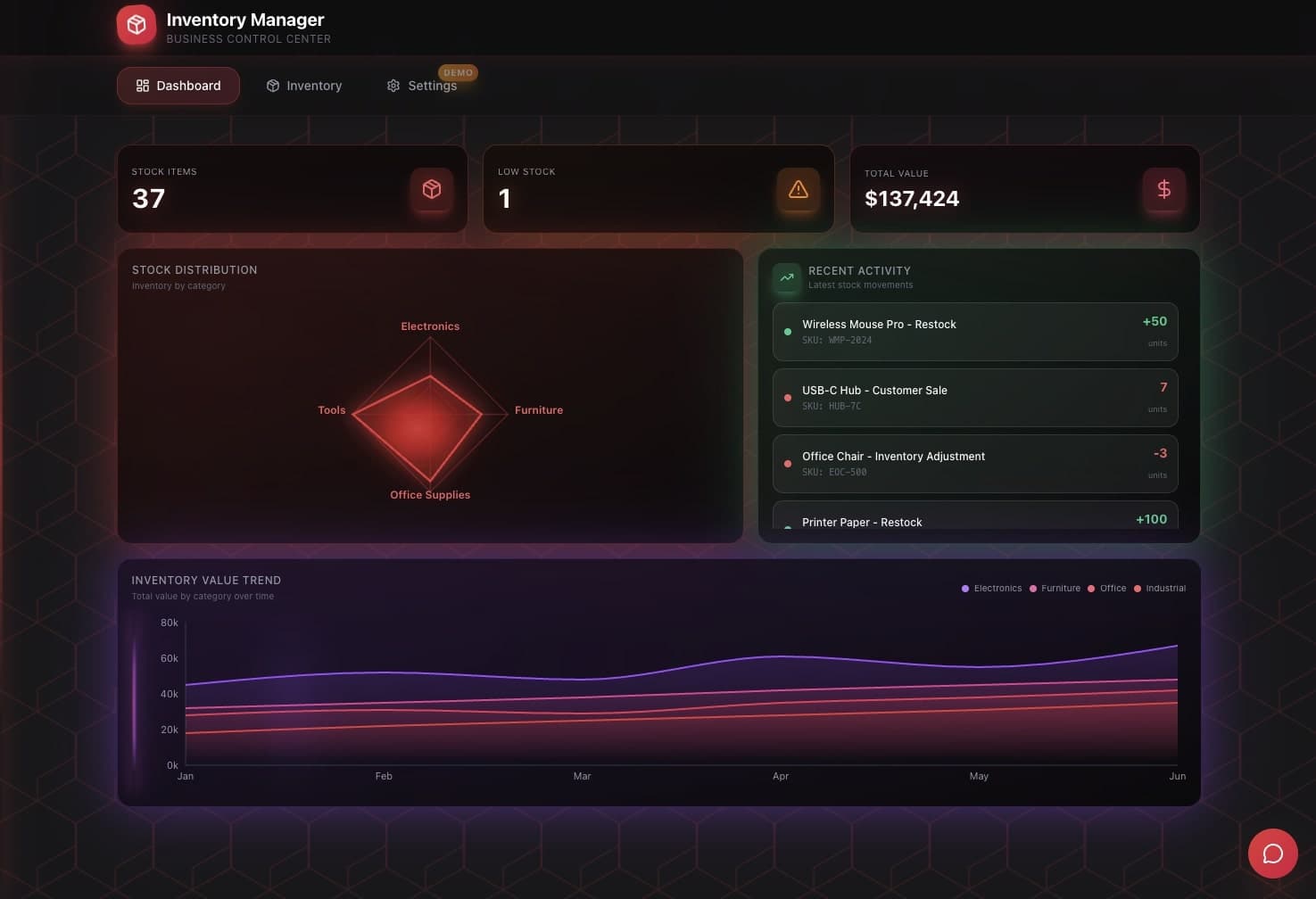
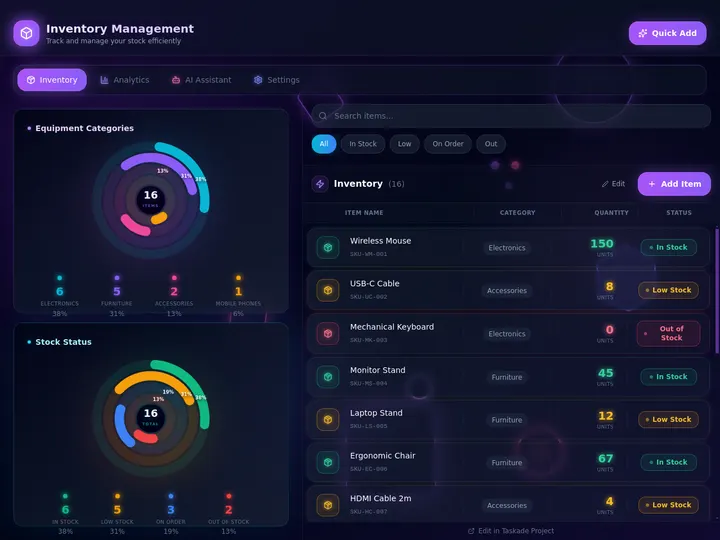
Taskade Genesis builds the tracker as a live app: tables for items and locations, a stock count form, a dashboard, an AI agent, and automations. The fastest start is a copy of a working inventory app. A copy counts as 1 of the 3 apps on the Free plan. Prompts that build or change the app use AI credits. Free starts with no AI credits, and Pro includes 50,000 a month.
Step 1: Clone the inventory app
Clone the inventory app and pick a workspace. Taskade copies the Inventory Management Dashboard, its projects and its agent into that workspace. To start from a blank page instead, describe your stock in Create.
Step 2: Add your items, locations and reorder points
Open the items project in Table view. Add one row for each item at each location, with the SKU, the location, the on-hand count and the reorder point. Import a CSV if your counts live in a spreadsheet today. You can make these edits by hand, so they use no AI credits.
Step 3: Add the reorder alert and the daily summary
Open Automations. Add a rule that runs when an on-hand count changes. When the count falls to the reorder point or below, the rule emails the owner and posts to Slack. Ask the AI agent to send a daily stock summary for each location. Gmail and Slack steps need Pro or higher.
Staff count stock (form or table)
            |
            v
  On-hand count changes for an item at a location
            |
     count <= reorder point ?
        |              |
       yes             no
        |              |
        v              v
  Alert to the owner   nothing to do
  (email + Slack)
            |
            v
  Daily summary by location from the AI agent
When you are done, a test count below the reorder point sends the alert. Then publish the app and give staff a login with App Users. Match each location's rows to that login, and test it with a second account.
Other ways to build an inventory tracker
Three other tools do the same job, and each one is the better fit for a different business. Prices were checked on each vendor's pricing page on 2026-10-18.
You run purchase orders, sales orders and many stock locations
Taskade Genesis
Yes, 3 apps and no AI credits to start
$10 a month (Pro, yearly)
Counts, alerts and the related work live in one app
A spreadsheet is the cheapest start, and it stays the right tool until two people edit the same counts. Sortly is the faster path for a team that counts stock with a phone camera. inFlow is made for product businesses that buy, sell and value stock, and most inFlow plans add a one-time onboarding fee.
A custom app earns its place when stock is part of a larger job. A shop owner, for example, tracks stock, logs supplier orders, schedules a weekly count and asks for a Monday summary. Those steps live in one Taskade app, with the AI agent and the automations in the same place.
Limitations: when a Taskade inventory tracker is not the right fit
A Taskade Genesis inventory tracker is a strong fit for a small team that wants stock per location and reorder alerts in one app. Pick a different tool in these cases:
You need stock valuation, cost of goods or accounting entries. inFlow or your accounting software does that, and a Taskade app does not.
Stock must sync with each sales channel as orders arrive. A dedicated inventory system with channel connectors fits better.
Phone barcode scanning is the main way staff count. Sortly ships scanning in its mobile app. In a Taskade app, staff update counts in a form or a table.
You want email or Slack alerts on the Free plan. Gmail and Slack steps in automations need Pro or higher.
▲ ■ ● Memory · Intelligence · Execution. Your stock, your agent and your alerts in one app.
Frequently Asked Questions
How do I build an inventory tracker without code?
List your items, your locations and the reorder point for each item. Then use a builder that turns that list into a table, a stock count form and an alert. In Taskade Genesis, clone the Inventory Management Dashboard app, add one row for each item at each location, and add an automation that sends a reorder alert when stock falls to the reorder point.
Can I track stock in more than one location?
Yes. In a Taskade Genesis inventory app, each row holds one item at one location, with its on-hand count and its reorder point. Board and Table views group the rows by location, and the dashboard shows the total. To limit a site to its own rows, match those rows to the staff login and test it with a second account.
How does a reorder alert work?
An automation checks each row when the on-hand count changes. When the count falls to the reorder point or below, it sends an alert to the owner by email, and it can post to Slack. The AI agent can also send a daily stock summary. Gmail and Slack steps need Pro or higher.
Is there a free inventory tracker?
Yes. Google Sheets is free with a personal Google account, and Sortly has a free plan for 100 items. The Taskade Free plan holds 3 apps, and a clone of the inventory app counts as one. Free starts with no AI credits, so you edit the clone by hand.
When do I need a dedicated inventory system instead?
Pick a dedicated system such as inFlow when you run purchase orders, sales orders and stock valuation for a product business, or when stock must sync with each sales channel. A Taskade app fits a team that wants counts, locations, alerts and the related work in one place.
What does an inventory tracker cost on Taskade?
The Free plan holds 3 apps and starts with no AI credits. Pro is $10 a month billed yearly ($20 monthly), with 50,000 AI credits and 1,000 automation runs a month for up to 10 people, plus up to 10 custom domains. Business is $25 a month billed yearly. The full table is on the pricing page.