






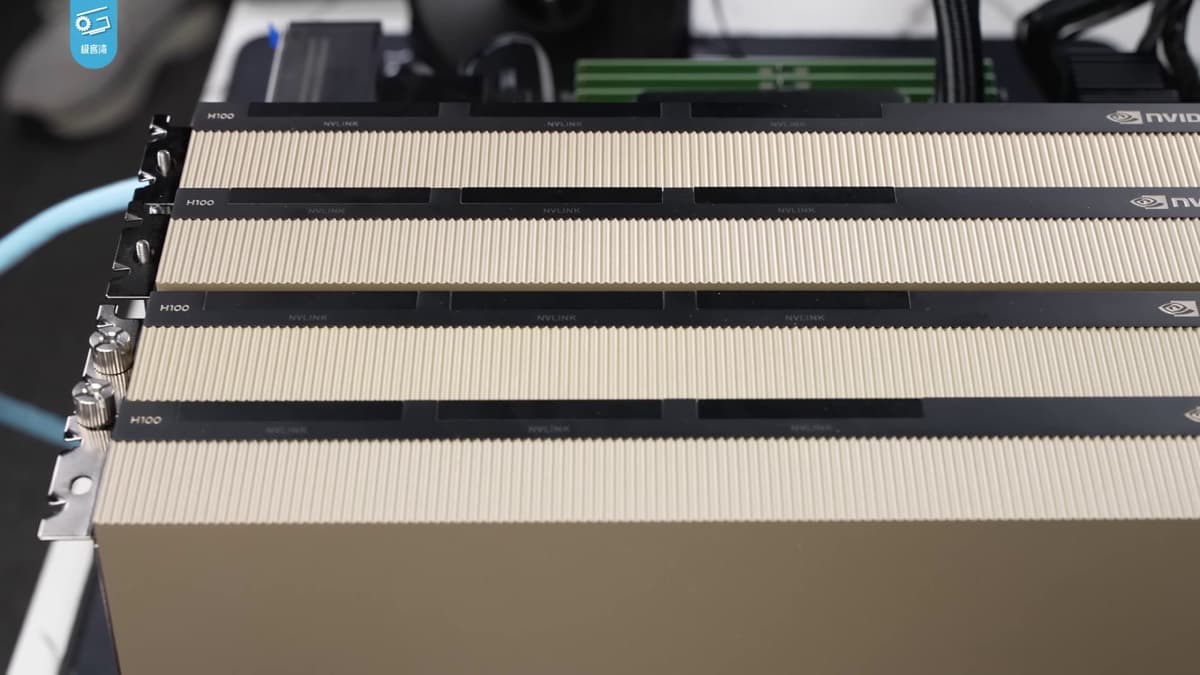
In the cloud era, IaaS meant Infrastructure-as-a-Service: rent a server by the hour, run your own software. In the AI era, a new IaaS is taking its place: Inference-as-a-Service. You do not rent the server. You rent the thinking, billed by the token. Every ChatGPT reply, every agent step, and every AI automation is a purchase from this market, and the companies that sell it are among the fastest-growing businesses in AI.
I spent my teens running web hosting servers out of Queens, and the business model looks familiar. This guide names the category, explains how Inference-as-a-Service works under the hood, shows the unit economics on a real GPU node, and covers what changes when you bring your own key. 🔮
TL;DR: Inference-as-a-Service (IaaS) sells AI model output by the token, the way cloud IaaS sold servers by the hour. An 8-GPU B200 node rents for about $48/hour and needs roughly 2,000 output tokens per second of steady demand to break even on DeepSeek V4 Pro at 2026 prices. Caching, batching, kernels, and custom chips set the margin. Build AI apps with no GPUs to manage →
Quick answer: Inference-as-a-Service is how almost every AI product buys model output in 2026. You call an inference API, a provider runs the model on its GPUs or custom chips, and you pay per million tokens. The best LLM inference providers differ less on the model than on speed, cache pricing, uptime terms, and model coverage, so test them on your own prompts.
In this guide: What IaaS is · Why "IaaS" again · Prefill vs decode · Who sells IaaS · Provider landscape · Serverless vs dedicated · Unit economics · Kimi K3 case study · Kimi K3 host speeds · SLA and latency · How to choose · Caching · Batching · Kernels and chips · History · Hosting, again · BYOK
What Is Inference-as-a-Service (IaaS)?
Inference-as-a-Service (IaaS) is the business of running trained AI models and selling their output through an API, priced per million tokens. The buyer sends a prompt and gets tokens back. The seller owns the hard part: GPUs, batching, caching, kernels, scaling, and uptime. In 2026, IaaS is the layer every AI product is built on, and selling it is a business in its own right.
Inference is everything a model does after training: it turns your prompt into tokens, runs them through the network, and generates output tokens until the answer is done. Training a frontier model happens once. Inference happens billions of times a day. Inference-as-a-Service is what you get when someone turns that work into a metered utility.
The scale shows up in the revenue charts. In July 2026, investor Deedy Das published a list of AI startups above a $500M revenue run rate, excluding the three biggest labs. Near the top of that list sat companies that mostly serve other people's models: Together AI, Fireworks, and Baseten (inference platforms), plus Lambda and Lightning AI (GPU clouds). Most of the figures were estimates, but the shape was clear. Selling tokens from open-weight models had become one of the fastest ways to build revenue in AI.
That is strange at first glance. The weights of DeepSeek, Kimi, GLM, and Qwen are free to download. So what exactly does an IaaS provider sell? The short answer: turning free weights into fast, reliable, cheap tokens, which turns out to be very hard. The rest of this guide is the long answer.
| Term | Plain-English meaning | Why it matters for IaaS |
|---|---|---|
| Token | A chunk of text, about three-quarters of an English word | The unit IaaS is sold in |
| Inference | Running a trained model on new input | The work IaaS performs |
| Prefill | Reading the whole prompt at once | Compute-bound, cheap per token |
| Decode | Writing the answer token by token | Memory-bound, expensive per token |
| KV cache | Stored attention state for tokens already read | Lets the server skip repeated work |
| Tokens per second | Output speed, per user or per server | Per-user speed sells; per-server speed pays the rent |
| TTFT | Time to first token | How long the user waits before text appears |
Why Is Inference-as-a-Service the New IaaS?
Inference-as-a-Service is the new IaaS because it does for AI what Infrastructure-as-a-Service did for software: it turns expensive, idle-prone hardware into a metered utility that anyone can rent. The acronym is the same on purpose. Cloud IaaS sold servers by the hour. AI IaaS sells model output by the token, one layer higher in the stack.
Every era of computing has had a "rent it instead of owning it" layer. Each one moved the unit of sale closer to the outcome the customer wanted:
| Era | What you rent | Unit of sale | Who runs the hardware |
|---|---|---|---|
| Web hosting (1990s–2000s) | A share of a server | Per account, per month | The host |
| Infrastructure-as-a-Service (2006+) | Virtual machines, storage, networks | Per hour | The cloud |
| Platform-as-a-Service (2008+) | A place to deploy your code | Per app, per request | The cloud |
| Software-as-a-Service (2000s+) | Finished software | Per seat, per month | The vendor |
| Inference-as-a-Service (2023+) | A trained model's output | Per million tokens | The model host |
Inference-as-a-Service is not SaaS, even though both are sold through the browser and the API. The difference is in the cost of the next customer:
| Software-as-a-Service | Inference-as-a-Service | |
|---|---|---|
| What the customer buys | Finished software | Model output |
| Pricing unit | Seat per month | Million tokens |
| Cost of one more user | Close to zero | Real GPU time on every request |
| Where the margin comes from | Reuse of the same code | Utilization, caching, kernels, and chips |
| Typical gross margin | High | Thin and volatile |
| What wins | Product and distribution | Cost per token and reliability |
That last row is the whole story of this guide. SaaS margins come from software that costs nothing to copy. IaaS margins come from squeezing more tokens out of every GPU-hour. The two layers need each other: AI apps are the SaaS of this era, and they run on Inference-as-a-Service the way the last generation of SaaS ran on cloud infrastructure.
How Does LLM Inference Work, Step by Step?
An inference request moves through five steps: tokenize the prompt, prefill it, store its KV cache, decode the answer one token at a time, and stream the text back. The first two steps happen once per request. The decode loop repeats for every output token, which is why long answers cost more than long questions.
Each step has a cost owner. The tokenizer is nearly free. Prefill is a big burst of matrix math. The KV cache is memory you rent by the gigabyte-second. Decode is a long, slow loop that rereads the model's weights for every token. Streaming is the part the user sees, measured as time to first token (TTFT) and time per output token (TPOT).
The transformer architecture makes this loop possible, and its attention mechanism makes it expensive. Each new token "looks back" at every token before it, which is exactly what the KV cache stores so the model does not recompute it.
What Is the Difference Between Prefill and Decode?
Prefill reads the entire prompt in one parallel pass and is limited by compute, while decode writes one token at a time and is limited by memory bandwidth. A GPU can prefill 10,000 tokens in roughly the time it takes to decode a few dozen. That asymmetry sets prices: providers typically charge two to six times more for an output token than for an input token.
Think of prefill as reading a book and decode as writing a letter by hand. You can skim a whole chapter in seconds because your eyes take in many words at once. But you can only write one word at a time, and before each word you glance back over everything you have written so far.
| Prefill | Decode | |
|---|---|---|
| What it does | Reads the whole prompt | Writes the answer, one token per step |
| Parallel? | Yes, all prompt tokens at once | No, each token depends on the last |
| Bottleneck | Raw compute (FLOPs) | Memory bandwidth |
| What it fills | The KV cache | Reads the KV cache plus all weights, every step |
| User-visible metric | Time to first token | Tokens per second while streaming |
| Typical price | Input rate | Output rate, 2x to 6x the input rate |
                 ONE REQUEST ON ONE GPU, OVER TIME
 ┌──────────┬─────────────────────────────────────────────────┐
 │ PREFILL  │ DECODE  DECODE  DECODE  DECODE  DECODE  DECODE  │
 │ 10,000   │  tok 1   tok 2   tok 3   tok 4   tok 5   ...    │
 │ tokens,  │                                                 │
 │ one pass │ each step reloads the weights + the KV cache    │
 │          │ from HBM, then does very little math with them  │
 └──────────┴─────────────────────────────────────────────────┘
   compute-bound           memory-bandwidth-bound
   (GPU cores busy)        (GPU cores mostly waiting)
This is the single most important idea in inference economics. During decode, the expensive math units of a GPU spend most of their time waiting for data to arrive from high-bandwidth memory. Every optimization in the rest of this guide is a way to make that waiting cheaper: share it across more users (batching), skip it (caching), shorten it (kernels and quantization), or remove it (chips that keep weights in on-chip SRAM).
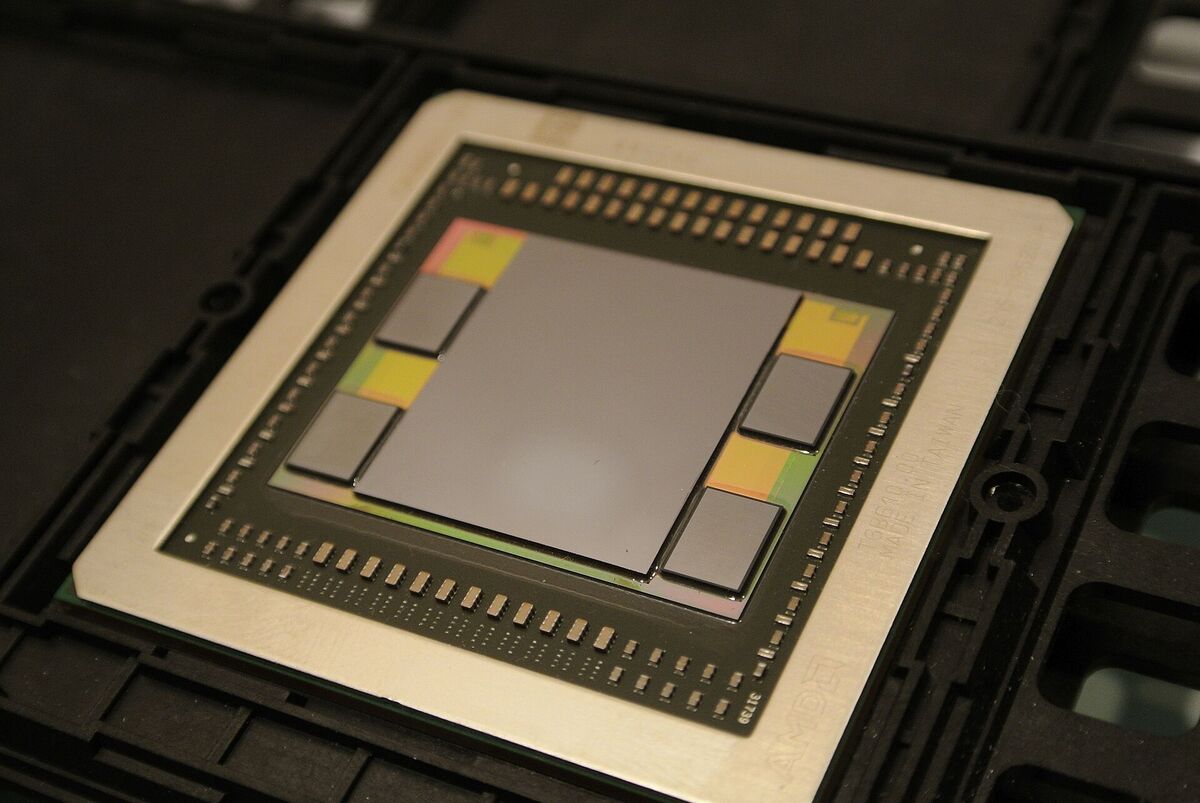
Photo: C. Spille/pcgameshardware.de / Wikimedia Commons / CC BY-SA 4.0
Who Sells Inference-as-a-Service? The Five Kinds of IaaS Provider
Five kinds of company sell Inference-as-a-Service in 2026: model labs, hyperscalers, neoclouds, full-stack inference platforms, and custom-silicon companies. Only the last two treat serving open models as their core business. Model labs such as DeepSeek, OpenAI, and Anthropic serve their own models first, and they set the price every other IaaS provider is measured against.
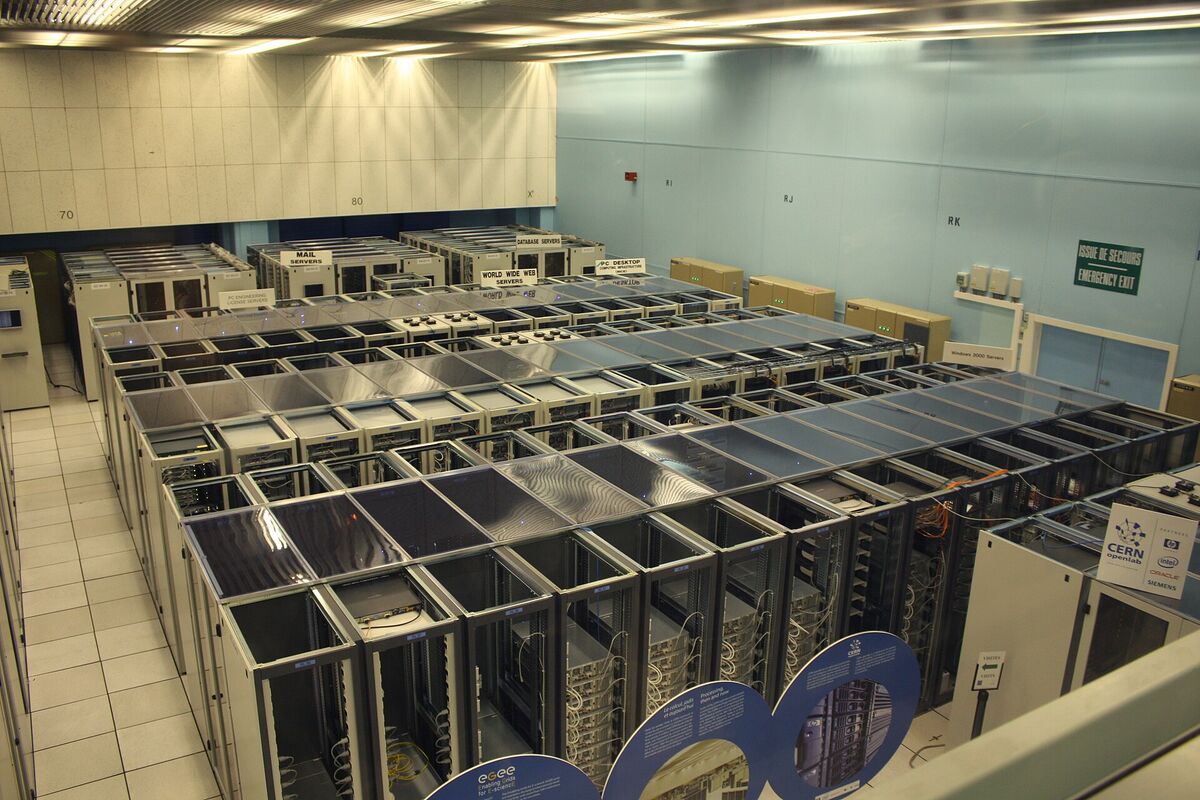
Photo: Hugovanmeijeren / Wikimedia Commons / CC BY-SA 3.0
| Category | Examples | Their edge | Their weakness |
|---|---|---|---|
| Hyperscalers | AWS Bedrock, Azure AI, Google Vertex AI, Oracle | Existing enterprise contracts, compliance, credits | Serving is not their focus, and per-token prices often sit above specialists |
| Neoclouds | CoreWeave, Nebius, Crusoe, Lambda | Cheap GPU-hours at large scale | Mostly sell raw capacity, not tuned per-token APIs |
| Inference platforms | Fireworks, Together AI, Baseten, DeepInfra, Novita | Software tuning, many models, fast launches | Compete on price against the lab and against each other |
| Custom silicon | Groq, Cerebras, SambaNova, Etched | Per-user speed far above GPUs | Narrow model coverage, slow to support new architectures |
| Model labs | DeepSeek, OpenAI, Anthropic, Moonshot | Know their own model best, set the reference price | Limited compute, and every GPU serving is one GPU not training |
The labs are the reference point for a reason. A lab knows its model's exact shapes before release and can tune its serving stack in advance. A third-party platform gets the weights on launch day and starts from zero. That head start is the subject of the kernels section below.
Best LLM Inference Providers in 2026: The Provider Landscape
The best LLM inference providers in 2026 fall into four buying lanes: inference platforms (Together AI, Fireworks AI, Baseten, DeepInfra), custom silicon (Groq, Cerebras), a neocloud with a token API (Nebius), and hyperscalers (Amazon Bedrock, Google Cloud Vertex AI, Microsoft Foundry). No single provider wins every workload. The table lists only what each one states on its own pages, checked on October 20, 2026.
We do not print per-token prices for these hosts. Their prices change from month to month, they differ for every model, and a list price hides the cache-hit rate that sets your real bill. The DeepSeek table later in this guide shows how far one lab's price moved in a single year. Use each provider's pricing page on the day you buy, and compare the cached-input line first.
| Provider | Kind | Ways to buy | What its own pages state | Best fit |
|---|---|---|---|---|
| Together AI | Inference platform | Serverless, batch, provisioned throughput, dedicated model and container endpoints | OpenAI-compatible API. SOC 2 Type II and ISO 27001. SLA guarantees on Provisioned Throughput | A broad open-model catalog, with a path to reserved capacity |
| Fireworks AI | Inference platform | Serverless with Priority and Fast options, on-demand dedicated, reserved | Serverless API is "OpenAI and Anthropic compatible." Multi-region dedicated deployments | Open models plus your own tuned variants |
| Baseten | Inference platform | Model APIs, dedicated deployments, self-hosted in your VPC, hybrid | Claims 99.99% uptime. SOC 2 Type II and HIPAA badges. Runs across regions and clouds | Custom models and day-zero launches |
| DeepInfra | Inference platform | Pay-as-you-go per token, dedicated GPU clusters, on-demand B300 | SOC 2 and ISO 27001. A "zero retention policy." 99.982% uptime SLA on its dedicated clusters | Low-cost access to open models |
| Groq | Custom silicon (LPU) | Pay per token through its developer console | API "mostly compatible with OpenAI's client libraries" | Lowest per-user latency on supported models |
| Cerebras | Custom silicon (wafer-scale) | Free trial, self-serve Developer tier, Enterprise | OpenAI compatibility "with just two code changes." Uptime guarantees on Enterprise | Very high per-user speed on a short model list |
| Nebius | Neocloud with a token API | Token Factory model API, dedicated endpoints, batch, raw GPUs | OpenAI-compatible API, post-training, autoscaling with cache-aware routing | Open models with a path to dedicated GPUs |
| Amazon Bedrock | Hyperscaler | Real-time and batch | "Hundreds of" foundation models. Does not use your data to train models. HIPAA eligible | Teams already on AWS |
| Google Cloud Vertex AI | Hyperscaler | Model Garden: Google, partner, and open models, PayGo or Provisioned Throughput | Managed open models include DeepSeek, Kimi, Qwen, gpt-oss, and GLM families | Teams already on Google Cloud |
| Microsoft Foundry | Hyperscaler | Standard (regional, data zone, global), provisioned throughput, serverless API, managed compute | Bills by tokens, provisioned throughput units, or compute hours | Teams already on Azure |
Two more names sit on top of these hosts rather than beside them. Routers such as OpenRouter and Hugging Face Inference Providers give you one key and one API in front of many hosts, and they can fail over when one host is down. A router adds a hop and a fee, but it turns provider choice into a setting. A related idea, model routing, picks the model rather than the host for each request, and Taskade's Auto setting does that for you by default.
Hugging Face's own walkthrough of that router model, with open-source models served by many providers behind one API, is a good primer before you pick a host:
Inference platforms: Together AI, Fireworks AI, Baseten, DeepInfra
An AI inference platform sells serving software as the product: it takes open weights on launch day and races to make them fast and cheap. All four offer a per-token API for popular open models and a dedicated option for steady traffic. They differ in emphasis. Together AI and Fireworks AI lead with catalog breadth and tuning paths, Baseten leads with custom models and deployment choices (its own cloud, your VPC, or both), and DeepInfra leads with low prices and dedicated clusters it operates itself.
Baseten is also a useful case of day-zero work. Its engineers described standing up a Kimi K3 API on NVIDIA GB300 NVL72 systems, 8 GPUs per replica, on the day the open weights shipped. That is the job an inference platform sells: the weights are free, and the serving work is not.
Custom silicon: Groq and Cerebras
Groq and Cerebras sell speed per user, not breadth. Both keep model weights in on-chip SRAM instead of HBM, which removes the memory wait that slows decode on a GPU. The section on custom chips below compares them with an NVIDIA B200. On October 20, 2026, Cerebras's public model list showed two models, gpt-oss-120b and Qwen 3.8 27B. So check the catalog before you plan around either chip.
Neocloud with a token API: Nebius
Nebius sits between a GPU cloud and an inference platform. It rents raw GPU capacity, and its Token Factory sells an OpenAI-compatible model API with dedicated endpoints and batch jobs. On Kimi K3 it measured among the fastest hosts in October 2026, as the host-speed chart below shows.
Hyperscalers: Amazon Bedrock, Google Cloud Vertex AI, Microsoft Foundry
Hyperscalers sell inference as one line on a cloud bill you already pay. Their edge is the contract, not the token price: existing security reviews, data residency options, private networking, and committed-spend discounts. Amazon Bedrock states that it never stores or uses your data to train models. Microsoft Foundry offers regional, data-zone, and global processing. Vertex AI Model Garden serves open models as a managed service next to Google's own models. For a team inside one cloud, that convenience often outweighs a faster host elsewhere.
 FOUR BUYING LANES, ONE QUESTION EACH
 ┌──────────────────────┬────────────────────────────────────────────┐
 │ Inference platform   │ "Which host runs my open model best?"      │
 │ Custom silicon       │ "Is my model on the fast chip yet?"        │
 │ Neocloud token API   │ "Do I want tokens now, GPUs later?"        │
 │ Hyperscaler          │ "Can I buy it on the contract I have?"     │
 ├──────────────────────┼────────────────────────────────────────────┤
 │ Router (on top)      │ "Can one key reach all of the above?"      │
 └──────────────────────┴────────────────────────────────────────────┘
Serverless Inference vs Dedicated Endpoints vs Self-Hosting
Serverless inference bills per token on a shared endpoint, a dedicated endpoint bills per GPU-hour or reserved capacity on hardware that serves only you, and self-hosting means you run an open-source model on GPUs you rent or own. Most teams start serverless, move steady traffic to dedicated capacity, and self-host only when volume, data rules, or a custom model demand it.
The choice is a trade between flexibility and utilization. A serverless endpoint is shared by many customers, so the provider keeps the batch full and you pay only for tokens you use. A dedicated endpoint is yours alone, so you pay for idle time too, but you get steadier latency and no noisy neighbors. Self-hosting puts the whole serving stack from this guide on your team.
| Option | You pay for | Best for | Watch out for |
|---|---|---|---|
| Serverless per-token API | Input, cached input, and output tokens | Prototypes, spiky traffic, many models | Rate limits at peak hours, shared latency |
| Batch API | Tokens, at a discount, with results later | Evaluations, backfills, nightly jobs | Results can take hours. Together AI lists batch at up to 50% lower cost |
| Provisioned throughput | Reserved token capacity per hour or month | Steady production traffic that needs an SLA | You pay for the reservation when traffic drops |
| Dedicated endpoint | GPU-hours on hardware only you use | Custom or fine-tuned models, strict latency | Cold starts if it scales to zero |
| Self-hosted (open source model hosting) | GPUs, engineers, and on-call time | Very high steady volume, data residency, full control | Every lever in this guide becomes your job |
That state diagram is the hidden cost of a dedicated endpoint that scales to zero. The first request after a quiet period waits for the weights to load into GPU memory, which for a model the size of Kimi K3 means moving about 1.56 TB. Serverless endpoints avoid the cold start because someone else's traffic keeps the model warm, and that shared warmth is part of what you pay for in the per-token price.
What is an inference API?
An inference API is the HTTP endpoint you send a prompt to and stream tokens back from. Most providers in 2026 accept the OpenAI chat completions format, so moving between hosts usually means changing three values: the base URL, the API key, and the model name. Groq, for example, documents https://api.groq.com/openai/v1 as its OpenAI-compatible base URL.
Bash
# An OpenAI-compatible inference API call. Swap the base URL, key, and model name per host.
curl https://api.your-provider.example/v1/chat/completions \
  -H "Authorization: Bearer $PROVIDER_API_KEY" \
  -H "Content-Type: application/json" \
  -d '{
    "model": "provider-specific/model-name",
    "messages": [{"role": "user", "content": "Summarize this contract in five bullets."}],
    "max_tokens": 400,
    "stream": true
  }'
"Compatible" rarely means identical. Hosts differ on which parameters they accept, how they report cached tokens, how they name the same model, and how they return tool calls. Run your real prompts, including tool calls and structured output, on each candidate before you switch traffic.
Open source model hosting: what you take on when you self-host
Self-hosting an open-weight model means you own the serving engine, the GPU fleet, and the uptime. Open engines such as vLLM and SGLang do most of the hard work covered in this guide, including continuous batching, PagedAttention, and prefix caching. Kubernetes-based schedulers such as llm-d add routing and disaggregation across nodes. KodeKloud's explainer walks through that stack, from GPUs to vLLM to llm-d:
The software is free. The hard part is keeping it full. Before you self-host, size the job with the same numbers a provider uses:
 SELF-HOSTING SIZING CHECK (DeepSeek V4 Pro, numbers from this guide)
 ─────────────────────────────────────────────────────────────────
 1. Weights          ~865 GB on disk        → at least 5 B200s for weights
 2. Headroom         KV cache + batching    → round up to one 8x B200 node
 3. Rent             8 × ~$6/GPU-hour       → ~$48/hour, ~$35,000/month
 4. Break-even       at 2026 list prices    → ~2,000 output tokens/s, 24/7
 5. Basic vLLM run   Lambda benchmark       → ~912 output tokens/s
 ─────────────────────────────────────────────────────────────────
 If your steady demand sits below line 4, a per-token API is cheaper.
 If it sits far above line 4 and never sleeps, run the numbers again.
For the hardware under that node, read the GPU and data center wiki pages. For the model families people host most, see the best open-source LLMs and the open-source LLM history.
What Are the Unit Economics of Inference-as-a-Service?
The unit of Inference-as-a-Service is the GPU-hour, and the product is tokens: an 8-GPU B200 node rents for about $48 an hour and needs roughly 2,000 output tokens per second of steady demand to break even on DeepSeek V4 Pro at 2026 prices. A basic open-source vLLM setup on the same node measures about 912 tokens per second. The gap between those two numbers is the whole IaaS business.
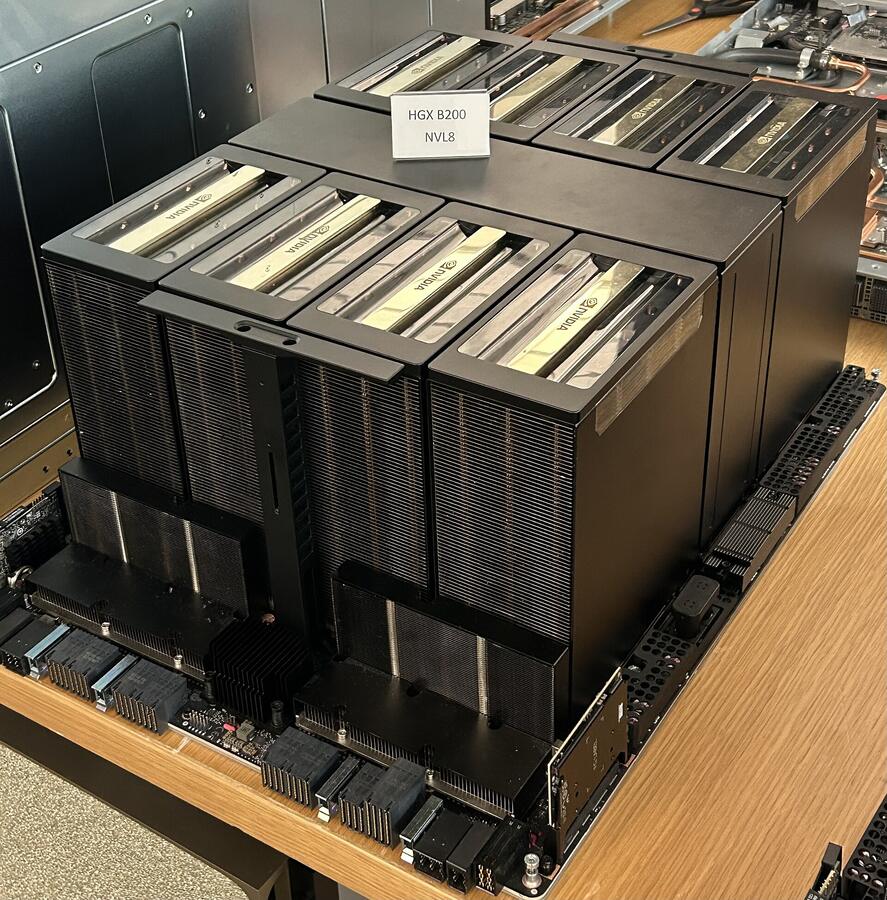
Photo: Pokiiri / Wikimedia Commons / CC BY-SA 4.0
Here is the arithmetic, step by step. Every number is public and dated.
| Step | Value | Source |
|---|---|---|
| Model | DeepSeek V4 Pro, 1.6T total and 49B active parameters, about 865 GB on disk | Hugging Face model card |
| Why 8 GPUs | The weights fit on about 5 B200s, but the KV cache, batching, and buffers need the rest | Memory math |
| Rent | 8 × |
Public GPU price trackers |
| Third-party price | $1.74 per 1M input, $3.48 per 1M output (Fireworks and Together AI, August 2026) | Provider pricing pages |
| Workload shape | 2 input tokens for every output token | Assumption for chat, agents, and documents |
| Revenue per 1M output tokens of work | 2 × $1.74 + $3.48 = $6.96 | Arithmetic |
| Measured throughput | ~912 output tokens/s at 32 parallel requests on vLLM, with 8,192 input and 2,048 output tokens per request | Lambda benchmark, 8× HGX B200 |
| Revenue per hour | 912 × 3,600 = 3.28M tokens × $6.96 ≈ $22.85 | Arithmetic |
| Break-even | $48 ÷ $6.96 = 6.9M tokens/hour ≈ 1,900 to 2,000 output tokens/s | Arithmetic |
So at the 2:1 workload shape, the basic setup earns less than half its rent. The Lambda run used a heavier mix, 4 input tokens for every output token. Priced at that mix, 4 × $1.74 + $3.48 = $10.44 per 1M output tokens of work, the same run earns about $34 an hour, or about 70% of the rent. At either mix the node loses money, and that is before CPUs, storage, networking, engineers, and idle hours. Two more facts make it harder:
- Per-user speed falls as you pack more users in. Lambda's run gave each user about 28.5 tokens per second. To reach 2,000 total, the node must serve roughly 70 streams at once at that speed, and bigger batches tend to make each stream slower.
- Demand is not constant. Traffic peaks in business hours and drops at night. A node that is half idle has to earn its rent in half the time.
bycloud's video on the same question, why a business built on free weights can still lose money on every token, is the best short companion to this table:
Citation capsule: In its March 2025 inference write-up, DeepSeek reported 73.7k input and 14.8k output tokens per second per H800 node. Over 24 hours it ran an average of 226.75 nodes at an assumed $2 per GPU-hour, for $87,072 of daily cost against $562,027 of theoretical revenue at R1 prices: a 545% cost-profit margin. DeepSeek noted that actual revenue was substantially lower, because of free web traffic, discounts, and off-peak pricing.
That 545% figure is the ceiling the whole industry chases. It shows what a lab can do on its own model with its own kernels. The rest of this guide explains the levers that close the gap between 912 and 14,800.
Why Can't Third-Party IaaS Providers Beat the Lab's Own Price?
Labs usually win on price for their own models because they tune kernels for the exact model shapes before launch, they see their real production traffic, and they can price below cost to win share. A third party starts on launch day, must reverse-engineer the bottlenecks, and has to make a profit on every token.
DeepSeek's pricing history in 2026 shows how the lab sets the frame for everyone:
| Period | DeepSeek V4 Pro on DeepSeek's API (per 1M tokens) | What third parties charged |
|---|---|---|
| Launch list price | $1.74 input, $3.48 output | Fireworks and Together AI matched this list price |
| Launch promotion (75% off, extended to May 31, then kept as the normal price) | $0.435 input, $0.87 output, $0.003625 cache hit | Could not match without losing money |
| From August 16, 2026 | Peak $1.32 input, $3.96 output; off-peak $0.66 / $1.98; cache hit $0.044 peak, $0.022 off-peak | By mid-September Fireworks listed V4 Pro serverless as not supported |
The spread across hosts can be even wider for a model with no first-party API. MIRI's technology governance team found Llama 3.1 405B priced from $0.90 to $9.50 per million tokens across providers, with a median near $3.50. Same weights, a 10x price range.
Look at what that means for an inference platform. For months, the lab sold V4 Pro at a quarter of the price that the third parties needed to break even. No amount of software tuning fixes a 4x price gap on the same weights. So third parties pick their battles: models whose labs lack compute, customers who need a region or a contract the lab cannot offer, and workloads where steady latency matters more than the lowest price.
Compute shortages create those openings. On July 19, 2026, Moonshot temporarily paused new Kimi subscriptions (South China Morning Post). In its announcement, the lab said that demand for Kimi K3 was approaching the limits of its existing GPU clusters, and that it would give compute to current paid subscribers first. When a lab cannot serve its own users, every inference platform hosting the same weights becomes the overflow. Read the Moonshot and Kimi history and the DeepSeek history for the labs' side of this story.
Case study: one 8x B300 node serving Kimi K3
Kimi K3 is a 2.8-trillion-parameter open-weight model with about 104 billion parameters active per token, and its 1.56 TB checkpoint fits on one 8x NVIDIA B300 node but not on an 8x B200 node. That single fact sets the hardware bill before any software tuning starts. It also shows why a host buys memory for the total parameter count, not the active one.
Moonshot opened the Kimi K3 API on July 16, 2026, and published the open weights and the tech report on July 27, 2026, under its own Kimi K3 License. Here is the model a host has to fit:
| Spec | Kimi K3 | What it means for serving |
|---|---|---|
| Parameters | 2.8T total (2.78T exact), about 104B active per token (about 3.7%) | Memory follows the total, compute per token follows the active count |
| Experts | 896 routed experts, 16 routed plus 2 shared active per token | Every expert must stay in GPU memory |
| Layers | 93: 69 Kimi Delta Attention (KDA, linear attention) and 24 Gated MLA, a 3:1 pattern | Two kinds of attention memory, covered in the caching section |
| Context | 1,048,576 tokens | Long agent sessions fit in one request |
| Number format | Native MXFP4 weights with MXFP8 activations, trained for it | About 1.56 TB on disk, small for its size |
Why total parameters, not active ones, set the memory bill
Only about 3.7% of Kimi K3's weights work on any one token, so it is tempting to think a host needs a fraction of the memory. It does not. At production batch sizes, dozens of requests are in flight, and between them every expert is active at some instant. Moving experts in and out of GPU memory on demand would break the latency targets a host promises, so all 896 experts stay resident.
| Node | HBM per GPU | Node total | Fits the 1.56 TB checkpoint? |
|---|---|---|---|
| 8x H100 | 80 GB, 3.35 TB/s | 640 GB | No |
| 8x B200 | 180 GB, 8 TB/s | 1.44 TB | No |
| 8x B300 | 288 GB HBM3e, 8 TB/s | About 2.3 TB | Yes, with about 0.7 TB left for caches and buffers |
TP8 or TP plus expert parallelism
Once the weights fit, the host chooses how to split them across the 8 GPUs. Tensor parallelism (TP8) shards every layer across all 8 GPUs. It gives the best latency for a single user, but every layer ends in collective traffic between the GPUs. TP plus expert parallelism (EP) keeps attention sharded the same way but places whole experts on specific GPUs. It cuts the collective traffic that TP8 pays on every layer and gives better total throughput.
Expert parallelism has one weak spot: real traffic does not spread evenly. Some experts get far more tokens than others, and the GPU that holds them becomes the bottleneck. Expert load balancing fixes that at run time. The engine watches which experts are hot and adds or removes replicas of them, so the load stays even across the node.
Baseten's engineers explain the same trade-offs on video: why total parameters set the memory bill, how tensor and expert parallelism split a trillion-parameter model, and what a host does on launch day:
Citation capsule: Kimi K3's Hugging Face configuration lists 896 routed experts, 16 routed and 2 shared experts active per token, and 93 layers in a 3:1 pattern of Kimi Delta Attention and Gated MLA. Its MXFP4 checkpoint is about 1.56 TB. Baseten's day-zero API for the model, described on its blog on July 27, 2026, runs it on NVIDIA GB300 NVL72 systems with 8 GPUs per replica.
The same weights also run at very different speeds from host to host, for all the reasons in this guide: kernels, layout, batch size, and speculators. Taskade tests Kimi K3 on real builds too. See the Kimi K3 model page, the Moonshot lab page, and the Kimi TSK-Bench results, or compare it head to head in Kimi vs DeepSeek.
Same Weights, Ten Speeds: Kimi K3 Across Inference Providers
On October 20, 2026, the fastest measured host served Kimi K3 at about 422 output tokens per second and Moonshot's own API at about 42, a 10x spread for identical open weights. The numbers come from Artificial Analysis, which sends the same 10,000-token prompt to every host and reports 72-hour medians. Speed is a property of the host, not the model.
Output speed is only one of three numbers a user feels. Kimi K3 always reasons before it answers, so the time to the first answer token includes its thinking time. The last column below is the time to receive a 500-token answer, reasoning included:
| Host | Output speed (tokens/s) | First chunk (s) | 500-token answer with reasoning (s) |
|---|---|---|---|
| LithosAI (Ultra Chat tier) | 422 | 0.70 | 6.6 |
| Parasail | 198 | 1.16 | 13.8 |
| Nebius | 192 | 1.07 | 14.1 |
| Amazon Bedrock | 142 | 1.33 | 18.9 |
| Modal | 141 | 0.93 | 18.6 |
| Databricks | 116 | 0.91 | 22.4 |
| Fireworks | 112 | 0.97 | 23.3 |
| Baseten | 96 | 0.95 | 27.1 |
| Together AI | 57 | 0.96 | 44.8 |
| Kimi (Moonshot first-party API) | 42 | 3.69 | 63.2 |
Source: Artificial Analysis, Kimi K3 provider benchmarks, 10,000 input tokens, medians over the previous 72 hours, fetched October 20, 2026. Live data that changes every week. Re-check before you cite it.
Every lever in this guide shows up in that spread. The hosts run different hardware, different splits of the model across GPUs (TP8 or TP plus EP), different batch sizes, and different speculators. Some sell named speed tiers, such as LithosAI's Ultra Chat, that trade throughput per GPU for speed per user. And the lab's own API was the slowest host in this window. In July, Moonshot said demand for Kimi K3 was approaching the limits of its GPU clusters, and it paused new subscriptions. Third-party hosts sell into exactly that gap.
 WHAT 10x FEELS LIKE: AN AGENT THAT CHAINS 10 KIMI K3 CALLS
 (500-token steps, reasoning included, medians from the table above) LithosAI Ultra Chat  ██                                   ~66 s
Nebius               ████                                ~2.4 min
Amazon Bedrock       █████                               ~3.2 min
Fireworks            ███████                             ~3.9 min
Together AI          █████████████                       ~7.5 min
Moonshot API         ██████████████████                  ~10.5 min
For a chat reply, the difference between 6 seconds and 60 seconds is annoying. For an agent that chains ten calls, it is the difference between a task that finishes while you watch and one you come back to later. That is why AI agents care about host speed far more than chat does, and why per-user speed is worth paying for on some workloads and not on others. Our tokens-per-second guide explains what each speed feels like to a reader.
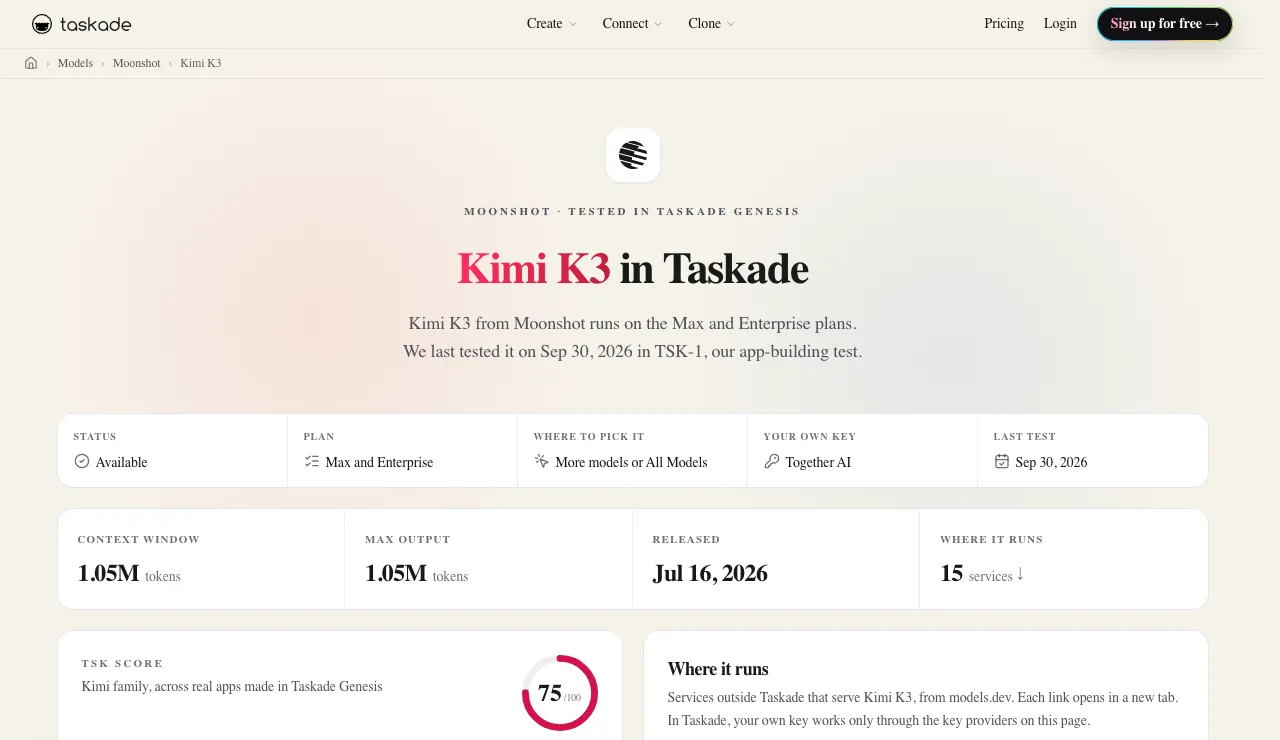
Inside Taskade, Kimi K3 runs on Taskade credits on Max and Enterprise, and the Kimi model docs rate it Slow, with Frontier intelligence and Medium cost. Reasoning is always on. With a Together AI key on Business and up, your custom agents can run it on your own Together AI account instead. In Taskade's TSK-1 build test, Kimi K3 "builds more than almost any model and finishes later than all of them," and in one round only 7.2% of its build actions failed, the most reliable result of that test. The Kimi TSK-Bench page has the full results, and Qwen vs Kimi and Kimi vs Claude compare it with its nearest rivals.
Why Does Prompt Caching Make AI So Much Cheaper?
Prompt caching reuses the KV cache of a prompt prefix the server has already read, so a repeated system prompt, tool list, or conversation history skips most of prefill. Providers pass the saving on: Anthropic bills cache reads at 0.1x of normal input, and DeepSeek bills a cache hit at about 3% of a miss. For agents, caching is the biggest single line on the bill.
When a server reads a prompt for the first time, that is a cache miss: it runs every token through every layer and stores the result. When a later request starts with the same tokens, that is a cache hit: the server loads the stored state and only prefills the new part. Coding agents and AI agents resend the same instructions, tools, and history on every step, so most of their input can be cache hits.
| Provider | Cache-hit price vs a normal input token | Notes |
|---|---|---|
| Anthropic | 0.1x (0.05x on Opus 5.5 and Sonnet 5.5) | Explicit cache breakpoints. A 5-minute cache write costs 1.25x, a 1-hour write 2x |
| OpenAI | Up to 95% off; 0.1x on GPT-5.6 and later | On by default for prompts of 1,024 tokens or more, no code change |
| DeepSeek (from Aug 16, 2026) | $0.044 vs $1.32 at peak, about 3% | Cache stored on disk, so it survives longer |
| DeepSeek (launch promotion) | $0.003625 vs $0.435, about 1/120 | Promotional pricing, now replaced |
Caching is also why DeepSeek's headline throughput was so high. In its March 2025 report, 342 billion of 608 billion input tokens in one day (56.3%) were cache hits from an on-disk KV cache, and the 73.7k tokens-per-second figure counted them. Real production traffic reuses a lot.
The rule for builders is simple: keep the long, shared part of the prompt identical, and put anything that changes at the end. A timestamp at the top of a system prompt can silently turn every request into a cache miss. The prompt caching and inference cost wiki pages go deeper, and How to Reduce LLM Costs covers the practical tactics.
Why prefix caching gets coarser on hybrid models
On a hybrid model such as Kimi K3, a cached prefix is reused only from the nearest saved checkpoint of the linear-attention state, not to the exact token. The model keeps two kinds of attention memory, and only one of them can be cut at any token.
Kimi K3's 24 Gated MLA layers keep a per-token cache: 576 values per layer, about 13.5 KiB per token in FP8 across those layers. That cache grows with every token, and a matching prefix can be reused to the exact token, as on any transformer. The 69 KDA layers keep no per-token cache at all. Each sequence holds one fixed-size recurrent state instead, about 217 MB in BF16 across the model, or about 27 MB per GPU at TP8.
| Gated MLA layers (24) | KDA layers (69) | |
|---|---|---|
| What they store | Keys and values for every token | One running state per sequence |
| Size | About 13.5 KiB per token in FP8, grows with context | About 217 MB in BF16, flat at any length |
| Prefix reuse | To the exact token | From the nearest saved state checkpoint |
| Memory pool | Its own allocator | A second allocator |
A recurrent state summarizes every token read so far, so it cannot be rewound to an earlier token. To reuse a prefix, the server needs a copy of the state saved at some point inside it. Servers save those copies at intervals, resume from the nearest one, and prefill the rest again. The engine runs two allocators side by side, one for each kind of memory. The rule for builders does not change, but it matters more on hybrid models: a long, identical prefix leaves more room for a saved checkpoint inside it.
What Is Continuous Batching and Why Is It the Business Model?
Continuous batching lets one GPU serve many users at once by adding new requests and removing finished ones at every decode step. Because decode is limited by memory, not math, one load of the model's weights can serve dozens of users almost as cheaply as one. More demand means bigger batches, and bigger batches mean a lower cost per token.
Early serving systems used static batches: collect a group of requests, run them together, and wait until the longest answer finished. Short answers sat idle while long ones kept going. In 2022 the Orca paper (OSDI) introduced iteration-level scheduling and reported 36.9x the throughput of NVIDIA FasterTransformer on a GPT-3-scale model at the same latency. The idea became standard in vLLM, SGLang, and NVIDIA TensorRT-LLM.
| Batch size (simultaneous users) | Weight loads per decode step | Cost per token | User experience |
|---|---|---|---|
| 1 | 1 load serves 1 user | Highest | Fastest per user, wasteful |
| 32 | 1 load serves 32 users | Much lower | Still fast (about 28 tokens/s each in Lambda's B200 test) |
| 70+ | 1 load serves 70+ users | Near break-even on the node above | Slower per user, longer queues |
| Very large | Limited by KV cache memory | Lowest, until memory runs out | Long time to first token |
This is why scale compounds in inference. A provider with millions of requests can keep every batch full at any hour. A provider with a few customers pays for idle GPUs. The trade-off never goes away: a bigger batch raises total throughput but makes each user wait longer and uses more KV cache memory. Providers tune that dial all day.
PagedAttention, introduced with vLLM in 2023, made big batches practical. It stores the KV cache in small fixed-size pages, the way an operating system manages memory, so the server wastes far less GPU memory and fits more users per node. The paper reported 2x to 4x the throughput of earlier systems at the same latency.
What Is Prefill-Decode Disaggregation?
Prefill-decode disaggregation runs the two stages on separate pools of GPUs: one pool reads prompts, the other writes answers, and the KV cache moves between them over a fast network. Each pool scales on its own, and a giant prompt no longer stalls everyone else's decode.
Because prefill wants raw compute and decode wants memory bandwidth and big batches, running both on the same GPU is a compromise. Research systems such as Splitwise (2023) and DistServe (2024) split them. DistServe reported serving up to 7.4x more requests within the same latency targets. Moonshot's Mooncake (2024) built a KV-cache-centric architecture around the same idea, and Moonshot reported that it handled 75% more requests in production. In April 2026 Moonshot and Tsinghua proposed Prefill-as-a-Service: send long-context prefill to a separate data center, then ship the finished KV cache back to the decode cluster.
For a buyer, disaggregation shows up as steadier time to first token on long prompts. For a provider, it is one more way to keep expensive hardware doing the work it is best at.
The traffic mix decides how big each pool gets. Agentic and long-context traffic sends long prompts and gets short answers back: an agent can resend a long history of instructions, tool results, and files just to write one short tool call. So for that traffic, hosts tend to add prefill capacity rather than decode capacity. Chat traffic with long answers pulls the other way.
Speculative decoding speeds up the decode pool
Speculative decoding raises per-user tokens per second by letting a small speculator draft several tokens that the big model then checks in one pass. Decode is limited by memory bandwidth, so checking several drafted tokens costs about as much as writing one. Every accepted draft token is a nearly free extra token. Three recent designs:
| Speculator | How it drafts | Paper |
|---|---|---|
| EAGLE-3 | Drafts from the target model's own hidden states | arXiv 2503.01840 (2025) |
| DFlash | A block-diffusion speculator that drafts a block of tokens at once | arXiv 2602.06036 (2026) |
| DSpark | Semi-autoregressive drafting, with a verify length set per request by confidence | arXiv 2607.05147 (2026) |
Speculators train on the target model's hidden states, so the model must run in production first. A new open model can launch on day one without a tuned speculator and get faster on the same host once one is trained.
What Are Custom Kernels and Why Do Labs Serve Their Own Models Faster?
A GPU kernel is a small program that tells thousands of GPU threads what to compute and how to move data. A custom kernel is written for one model's exact shapes, precision, and hardware. Most of the speedup comes from moving less data, not from doing less math, and labs can write their kernels before the model is public.
When you write one line of PyTorch, the framework launches one or more general-purpose kernels. They work on any model, so they are rarely perfect for any one model. A serving team replaces the hot paths with specialized kernels using a few techniques:
| Technique | What it does | Why it is faster |
|---|---|---|
| Kernel fusion | Combines steps such as normalize, quantize, and multiply into one kernel | Skips writing and rereading intermediate results in HBM |
| Tiling | Splits big matrices into blocks that fit the fastest on-chip memory | Each block is reused many times before it leaves the chip |
| FlashAttention (2022) | Computes attention in tiles and never stores the full attention matrix in HBM | Same result, far less memory traffic; 3x faster GPT-2 training in the original paper |
| Quantization (FP8, FP4) | Stores weights in fewer bits | Less data to move per token; DeepSeek V4 Pro ships FP4 experts |
| Mixture-of-experts routing kernels | Sends each token only to the experts it needs | Only 49B of V4 Pro's 1.6T parameters work on each token |
| Speculative decoding (2022) | A small model drafts several tokens and the big model checks them at once | Turns idle decode compute into extra tokens, 2x to 3x faster with identical output in the original paper |
Custom kernels are also why the same open weights run at very different speeds on different hosts. The lab knows how many experts fire per token, where its quantization loses accuracy, and where GPU-to-GPU communication stalls. A third party learns those things after launch. Until it does, the same model needs more GPUs, produces fewer tokens per second, and costs more to serve. The catch: custom kernels are hard to write, hard to debug, and fast only for the shapes they were built for. A kernel tuned for an H100 can be slow on a B200.
Are Groq and Cerebras Faster Than GPUs?
For per-user speed on the models they support, yes: Cerebras and Groq serve several times more tokens per second to each user than typical GPU hosts. Both redesigned the chip around inference instead of tuning an NVIDIA GPU. The trade-off is coverage, because a new, complex model architecture takes time to reach custom silicon.

Photo: Avivweinstein / Wikimedia Commons / CC BY-SA 4.0
| NVIDIA B200 (GPU) | Groq LPU | Cerebras WSE-3 | |
|---|---|---|---|
| Design idea | General-purpose accelerator with HBM | Compiler plans every operation and data move in advance | One processor across almost an entire silicon wafer |
| Fast memory | 180 GB HBM3e per GPU, 8 TB/s | On-chip SRAM, no HBM | 44 GB on-chip SRAM, about 21 PB/s |
| Scale | 8 GPUs per node, many nodes | Many chips in a fixed pipeline | 900,000 AI cores on one wafer |
| gpt-oss-120b, per-user output speed | Typically a few hundred tokens/s or less | About 474 tokens/s (Artificial Analysis) | About 1,600 to 1,800 tokens/s (Artificial Analysis, 2026 readings) |
| Model coverage | Almost everything, on day one | Selected open models | A short list (gpt-oss-120b and a Qwen model in October 2026) |
Custom silicon wins the latency race and gives up the long tail of models. A model like DeepSeek V4, with its own attention variant and expert layout, needs new kernels before a wafer-scale chip can serve it. GPUs remain the default because they run whatever ships next week. For the hardware underneath all of this, read How AI Data Centers Work and the NVIDIA and Jensen Huang history.
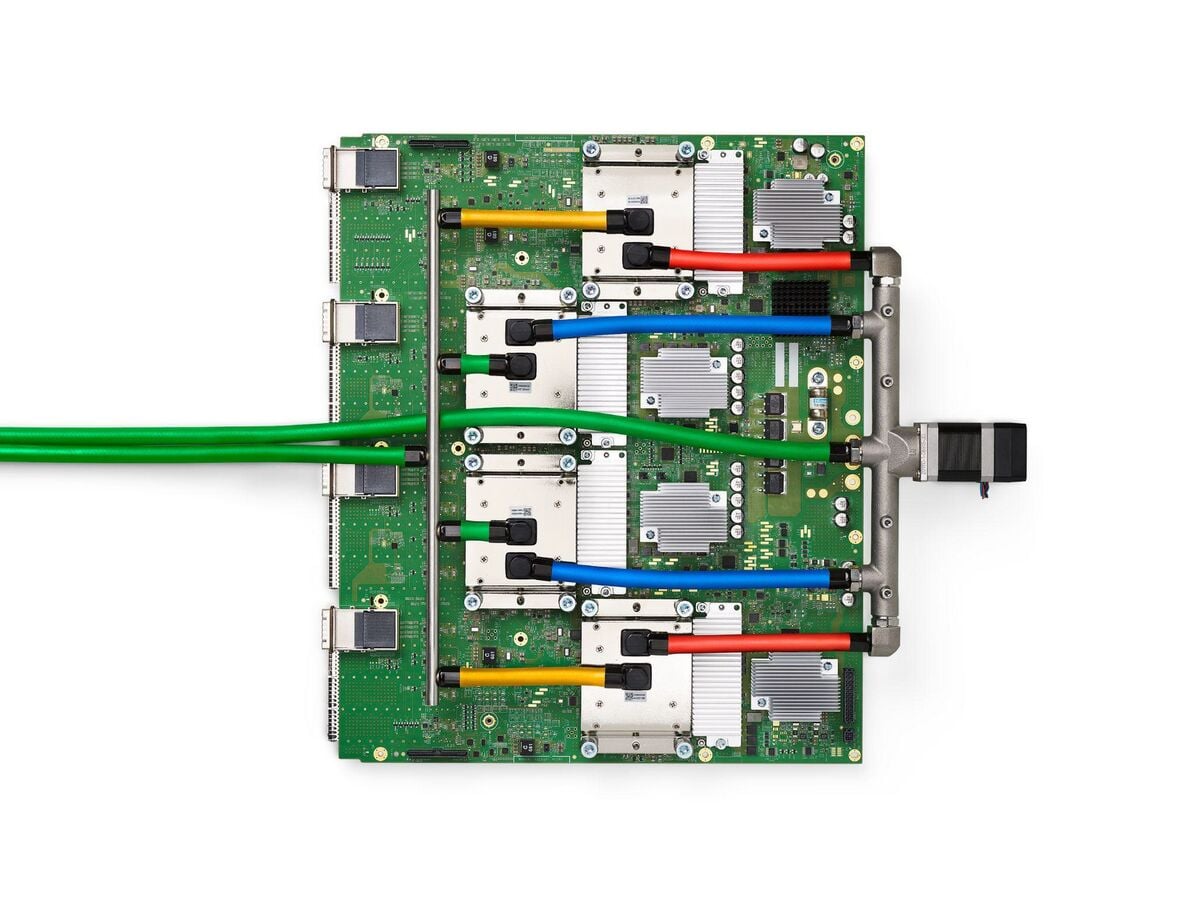
Photo: Norman P. Jouppi et al. / Wikimedia Commons / CC BY 4.0
Why Is LLM Inference Getting Cheaper Every Year?
The price of a given level of model quality falls by roughly 10x a year, because every lever in this guide compounds: better kernels, bigger batches, cheaper cache reads, smaller number formats, and smaller models that match older big ones. Total spending still rises, because agents use far more tokens per task than a chat reply does.
Two public datasets track the decline. In November 2024, a16z called it "LLMflation": at a constant score on the MMLU benchmark, the cheapest available price fell about 10x per year, from $60 per million tokens for GPT-3 in November 2021 to $0.06 for a small open model three years later. Epoch AI measured the same trend across several benchmarks in 2025 and found declines from 9x to 900x per year, depending on the quality level.
| Driver | What gets cheaper | Example from this guide |
|---|---|---|
| Kernels | GPU time per token | FlashAttention, fused kernels |
| Batching | Weight loads per user | Continuous batching, PagedAttention |
| Caching | Prefill work for repeated prefixes | 0.1x cache reads, DeepSeek's 56.3% hit rate |
| Number formats | Bytes moved per weight | FP8, then FP4 experts in DeepSeek V4 Pro |
| Model design | Active parameters per token | Mixture-of-experts, linear attention |
| Hardware | Cost per unit of memory bandwidth | H100 to B200, SRAM-first chips |
The price per token is only half the story. An agent that plans, calls tools, and checks its own work can use hundreds of times more tokens than a single answer. That is why the useful number for a business is cost per task, not cost per token. AI Cost per Task works through that math, and AI Agent Cost Optimization covers routing a task to the cheapest model that can do it.
A Short History of LLM Inference (2017–2026)
LLM inference went from a research afterthought to a standalone industry in under a decade. The key steps were the transformer in 2017, FlashAttention and continuous batching in 2022, vLLM in 2023, cheap prompt caching in 2024, DeepSeek's open inference report in 2025, and cross-data-center prefill in 2026.
| Year | Milestone | Why it mattered |
|---|---|---|
| 2017 | "Attention Is All You Need" introduces the transformer | Attention plus a KV cache becomes the shape of every LLM |
| 2020 | GPT-3 API | Per-token pricing for a hosted model becomes a product |
| 2022 | FlashAttention; Orca's iteration-level (continuous) batching; speculative decoding papers | Attention stops being memory-bound in the naive way, and GPUs stay full |
| 2023 | vLLM and PagedAttention; open-weight Llama models; Splitwise | Open serving software meets open weights, and inference platforms take off |
| 2024 | Prompt caching from Anthropic and OpenAI; DistServe and Mooncake; Groq and Cerebras public inference | Caching becomes a price line, and disaggregation and custom silicon go mainstream |
| 2025 | DeepSeek R1 and its Open Source Week inference report (545% theoretical margin); NVIDIA Dynamo (March) for disaggregated serving; SemiAnalysis InferenceMAX benchmarks (October); NVIDIA licenses Groq's technology (December) | A lab shows its serving economics in public, and inference speed becomes something chipmakers buy |
| 2026 | DeepSeek V4 with FP4 experts; Kimi K3 with linear attention layers; Prefill-as-a-Service; B200 fleets | Models grow, memory formats shrink, and prefill can move across data centers |
The models themselves are part of this history too. Kimi K3 mixes Kimi Delta Attention (KDA), a linear-attention layer, with Gated MLA layers at 3 to 1: 69 KDA layers and 24 Gated MLA layers, 93 in all. Qwen3-Next takes a similar hybrid approach with Gated DeltaNet layers. Linear attention keeps the KV cache from growing as fast with context length, which is an inference win designed into the model. For the lab stories, see the OpenAI and ChatGPT history, the Anthropic and Claude history, and the Alibaba Qwen history.
Why Inference-as-a-Service Looks Like Web Hosting Did in 2005
Inference-as-a-Service in 2026 runs on the same economics as shared web hosting in the 2000s: a commodity stack anyone can install, margins made by packing many customers onto each machine, and profits that go to the layer customers actually touch. I lived the first version of this business, so the second one looks familiar.
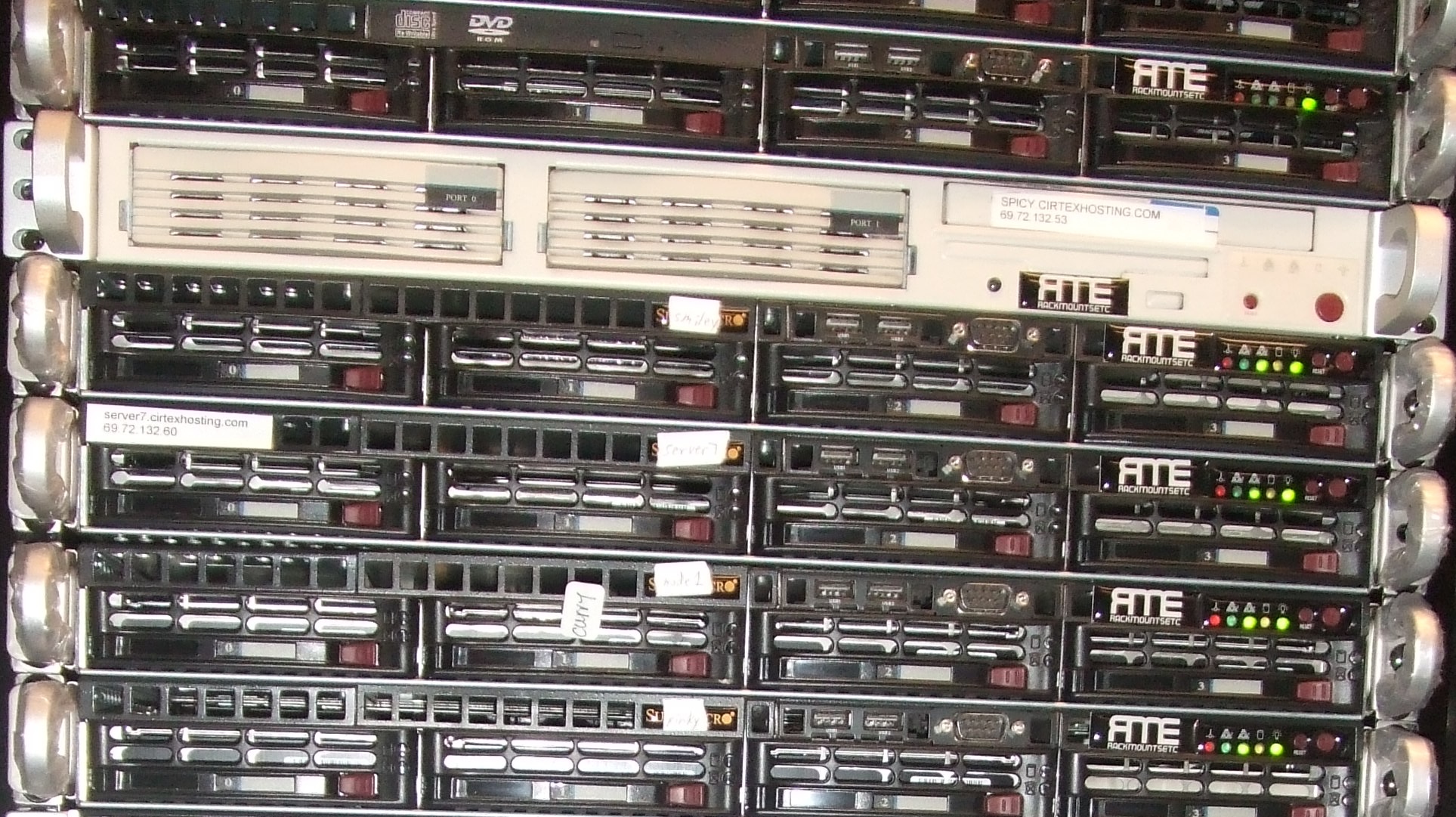
From 2003 to 2012 I ran Cirtex, a web hosting company that grew to serve more than 100,000 websites. It started with cheap servers in Queens and grew into private racks in New Jersey, Dallas, and Chicago. I wrote about those years in From Web Hosting to AI Infrastructure. Every lesson from that business maps onto inference:
| Shared hosting, 2000s | Inference-as-a-Service, 2026 | Where the margin lived |
|---|---|---|
| Linux, Apache, PHP, WordPress: free to install | DeepSeek, Kimi, GLM, Qwen: free to download | Not in the software. Everyone served the same stack |
| Hundreds of sites on one server sized for the average load | Dozens of requests in one batch on one GPU node | Utilization. Idle capacity was the whole cost problem |
| Opcode caches, page caches, CDNs | KV cache and prompt caching | Not doing the same work twice |
| Tuned MySQL, custom builds, kernel patches | Custom CUDA kernels, fusion, FP4 | Moving less data for each request |
| Rented racks vs owned hardware | Rented B200s vs Groq and Cerebras silicon | Owning the cost floor |
| Big hosts, resellers, VPS providers | Hyperscalers, inference platforms, model routers | Packaging and distribution |
| cPanel: the control panel that ran on any server | The app and workspace layer that runs on any model | The screen the customer actually uses |
The last row is the one that matters. cPanel never owned the servers. It owned the screen that made a server useful, and it was licensed per server, so customers brought their own box. I traced that story in the history of cPanel. The reseller economics were simple: one dedicated license could carry a thousand hosting accounts at almost no marginal cost.
Hosting taught me that raw capacity always becomes a commodity, and the margin moves to whoever adds value on top. Inference-as-a-Service is following the same curve, only faster: hosting became Infrastructure-as-a-Service, and now IaaS is becoming Inference-as-a-Service. The cloud computing history shows the step in between.
What Does BYOK Change for Inference-as-a-Service?
BYOK, short for bring your own key, means an AI app sends your requests to an Inference-as-a-Service provider on your own API account, so you pay the provider directly and the app does not resell you tokens. For the app, it is the control-panel move: stop reselling a commodity and charge for the layer you build on top. For you, it means your existing provider account and its pricing follow you into the app.
Most AI apps are buyers of inference, not sellers. Taskade does not own data centers or run GPUs. Like almost everyone building with AI today, it buys tokens from model labs and inference platforms. Before BYOK, every app that buys tokens and charges credits is, in effect, a reseller of Inference-as-a-Service, and it lives inside the same thin margins described above. With BYOK, the app stops reselling IaaS and becomes the layer on top of it.
Here is how BYOK works in Taskade today:
| Where your key goes | What runs on it | Providers | Plans |
|---|---|---|---|
| AI Model Keys on the Connections page | Custom AI agents, Ask Agent, and built-in Taskade AI automation steps | OpenAI, Anthropic, Google Vertex AI | Pro and up |
| AI Model Keys on the Connections page | Custom AI agents and Ask Agent | xAI, Groq, Mistral, Together AI | Business and up |
| A provider step inside an automation | That provider's own automation steps | OpenAI, Anthropic Claude, Google Gemini | Pro and up |
| A provider step inside an automation | That provider's own automation steps | Groq, OpenRouter | Business and up |
- An agent chat on your key uses no Taskade credits. The daily AI request limit still applies.
- An automation step on your key uses one fixed step fee in Taskade credits, the same for every model, and your provider bills the model call. Lifetime plans pay no step fee on provider steps. For a built-in AI step, set a specific model, not TSK-Auto, so the step runs on your key.
- The AI Model Keys screen has a switch to fall back to Taskade credits when a key fails, for example when the provider rejects it or reports no quota.
- Claude runs in Taskade only on your own Anthropic key, on Pro and up. See Claude models explained.
- Taskade Genesis app building and Taskade EVE chat stay on Taskade credits. They do not use your key.
Kimi K3 is a good example of what a key adds. On Taskade credits, Kimi K3 is available on Max and Enterprise. With a Together AI key on Business and up, you can pick Kimi K3 for custom agents and Ask Agent and pay Together AI's rate for it instead. For a ranked list of tools that accept your own key, read AI builders with BYOK. For no-code builders that run open-weight models, read open-model builders.
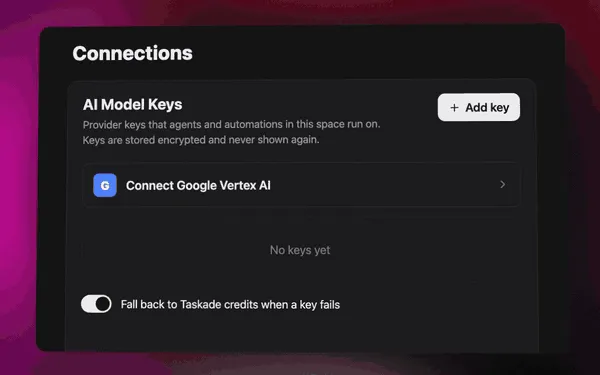
Step-by-step setup lives in Bring Your Own AI Keys and Bring Your Own AI Key for automations. To see which models each key can reach, browse the AI model directory and its key providers page.
BYOK also changes who you can buy from. The providers on the Business list include the inference platforms and custom-silicon companies from earlier in this guide. If one host is faster, cheaper, or simply up when another is down, you can point your agents at it.
BYOK is the bridge between an inference provider and an app
BYOK connects the two halves of this guide: the provider you pick in the landscape table becomes the engine behind the agents you build in an app. You keep the provider contract, its prices, its data terms, and its speed. The app keeps your projects, agents, and automations. Neither side has to resell the other.
Here is how the providers in this guide map to keys in Taskade:
| Provider from the landscape | Key in Taskade | Plan | What the key serves |
|---|---|---|---|
| OpenAI, Anthropic, Google Vertex AI | AI Model Keys | Pro and up | Custom agents, Ask Agent, built-in AI automation steps |
| Together AI, Groq | AI Model Keys | Business and up | Custom agents and Ask Agent |
| xAI, Mistral | AI Model Keys | Business and up | Custom agents and Ask Agent |
| Groq, OpenRouter | Provider steps in automations | Business and up | That provider's own automation steps |
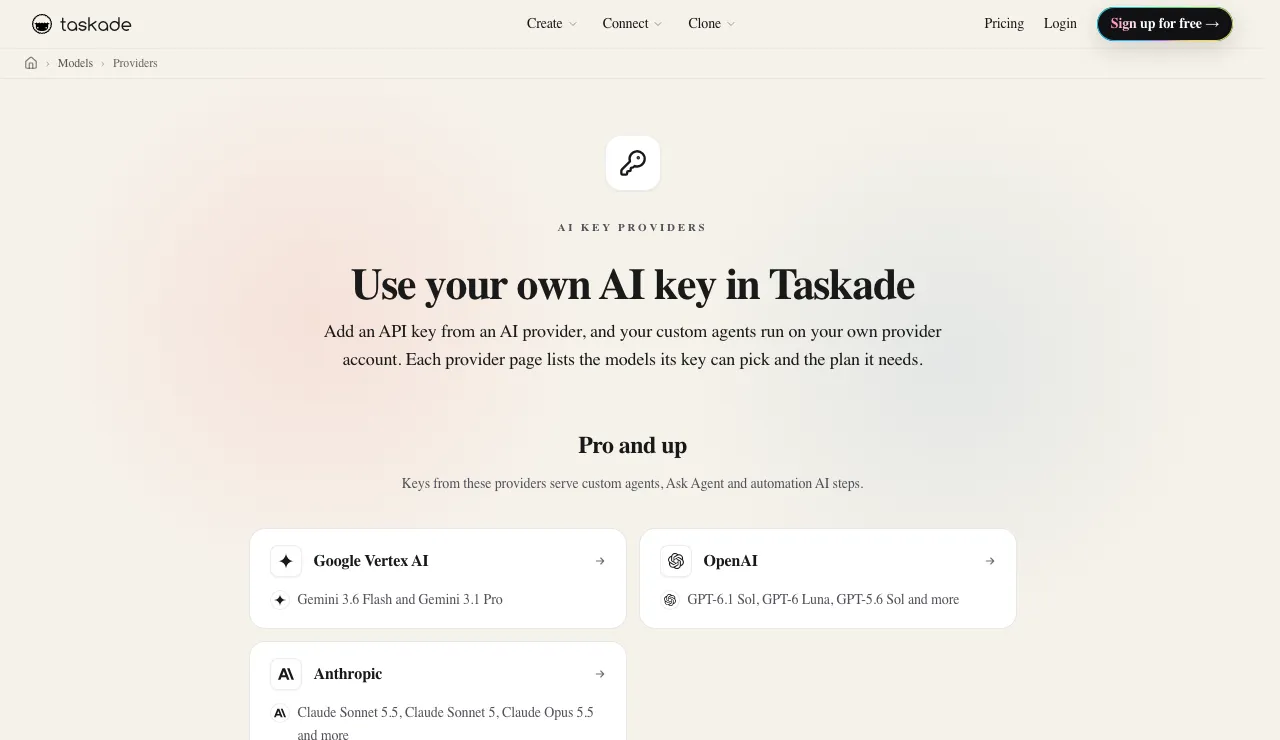
Each provider has its own page with the models its key can pick: Together AI, Groq, OpenAI, Anthropic, Google Vertex AI, xAI, and Mistral. Pro is $10 a month billed annually and Business is $25 a month billed annually, both listed on the pricing page. For a ranked look at other tools that accept your own key, read AI builders with BYOK, and for agent platforms in general, see the best AI agent platforms.
What SLA, Latency, and Throughput Should an Inference Provider Guarantee?
Ask an inference provider for five numbers in writing: monthly uptime, time to first token, output tokens per second per user, rate limits, and the 99th-percentile versions of the latency figures, all measured at your prompt length. Averages hide the slow requests that users remember. A provider that publishes only a peak speed on a short prompt has told you very little.
The vocabulary is simple once you separate the user's view from the server's view:
| Metric | What it measures | Why it matters | Where it hides |
|---|---|---|---|
| Time to first token (TTFT) | Wait before any text appears | Sets how fast an app feels | Grows with prompt length and queue depth |
| Output tokens per second (per user) | Streaming speed of one answer | Sets how long a long answer or agent step takes | Falls as the host packs more users into a batch |
| End-to-end time | Prompt sent to last token received | The number an agent chain multiplies | Includes reasoning time on thinking models |
| Throughput (per server or per key) | Total tokens the host serves | Sets your rate limits and the host's margin | Shown as requests or tokens per minute |
| p99 latency | The slowest 1 in 100 requests | What your unluckiest user sees | Rarely on the marketing page |
| Uptime SLA | Share of the month the API is available | Sets your fallback plan | Often only on reserved or enterprise tiers |
Uptime percentages look close together until you turn them into minutes. Here is what each level allows in a 30-day month, with two levels that providers in this guide state on their own pages:
| Uptime | Allowed downtime per 30-day month | Example |
|---|---|---|
| 99.9% | About 43 minutes | Often called "three nines" |
| 99.95% | About 22 minutes | Half the downtime of three nines |
| 99.982% | About 8 minutes | DeepInfra's stated SLA for its dedicated clusters |
| 99.99% | About 4 minutes | "Four nines", Baseten's stated uptime |
Read the SLA itself, not the headline. Check how the provider measures availability (per region, per model, or per account), whether rate-limit errors count as downtime, what credit you get when the target is missed, and which tiers it covers. On Together AI, for example, the SLA guarantee is attached to Provisioned Throughput, its reserved tier, not to the shared serverless API.
Rate limits are part of the SLA
A rate limit is a quiet SLA term: it caps how many requests or tokens per minute your key can send, and a request over the cap fails with an HTTP 429 error. Serverless tiers set limits per key and often per model, and limits tighten when a host runs short of capacity at peak hours. Reserved and dedicated tiers raise them. Build retries with backoff, and keep a second host or a second key ready for the hours when the first one says no.
How to test latency and throughput yourself
The only benchmark that predicts your bill and your users' wait is one run on your own prompts. Public leaderboards are a starting point, because they use a fixed prompt length and a fixed time window. A short test on two or three hosts takes an afternoon:
- Collect 50 to 100 real prompts from your app, with their real system prompts, tool lists, and context lengths.
- Send each prompt to every candidate host with the same settings, and stream the answers.
- Record time to first token, output tokens per second, and total time for every request, plus every error.
- Report the median and the 99th percentile, not the average.
- Repeat at your peak hour, because a host that is fast at night can queue at noon.
- Read the bill, including the cached-input line, because cache hits change the real price per task.
 LATENCY BUDGET FOR ONE AGENT STEP (example, 10,000-token prompt)
 ┌───────────────┬───────────────┬──────────────────┬─────────────┐
 │ Queue + TTFT  │ Reasoning     │ Answer streaming │ Tool call   │
 │ host-bound    │ model-bound   │ host-bound       │ your code   │
 └───────────────┴───────────────┴──────────────────┴─────────────┘
   faster host ─▶ shrinks the first and third boxes
   prompt cache ─▶ shrinks the first box on repeated prefixes
   smaller model ─▶ shrinks the second box
How Should You Choose an Inference-as-a-Service Provider in 2026?
Choose an Inference-as-a-Service provider by matching four things to your workload: price per million tokens including cache hits, per-user speed, reliability under load, and model coverage. The cheapest list price is rarely the cheapest bill, because cache-hit rates and retries change what you actually pay.
 WHICH KIND OF PROVIDER FITS?
 │
 ├─ Need the newest closed model (GPT, Claude, Gemini)?
 │     └─▶ The lab's own API, or a hyperscaler that resells it
 │
 ├─ Need an open-weight model at the lowest price?
 │     └─▶ Start with the lab's own API; compare inference platforms
 │         on cached-input price, not just the headline price
 │
 ├─ Need the fastest per-user speed (voice, live agents)?
 │     └─▶ Custom silicon, if it supports your model
 │
 ├─ Need a contract, a region, or a compliance badge?
 │     └─▶ A hyperscaler or a dedicated deployment on an inference platform
 │
 └─ Building an app, not an inference stack?
       └─▶ Use an app layer that already buys inference for you,
           and bring your own key where it saves you money
| Question to ask a provider | Why it matters |
|---|---|
| What is the cached-input price, and how long does a cache entry live? | Agents resend the same prefix, so cache hits are most of the bill |
| What are time to first token and tokens per second at my prompt length? | A short-prompt benchmark hides long-context slowdowns |
| What happens at peak hours? | Off-peak discounts and rate limits change the real price |
| Which quantization do you serve? | FP4 and FP8 change speed and, sometimes, quality |
| How fast do you add new models? | Coverage matters more than speed when a new model ships weekly |
| What uptime SLA applies to my tier, and what is the credit? | Shared serverless tiers and reserved tiers often carry different terms |
| What are my rate limits, and how do I raise them? | A 429 error at peak hours is downtime for your users |
| Do you keep or train on my prompts? | Data terms decide which workloads you can send at all |
| Which regions can process my data? | Residency rules can rule out a host before price does |
A decision tree for choosing an inference provider
Four questions, asked in order, narrow almost any workload to one buying lane: which model, which constraints, how fast, and how steady. The tree below turns the landscape table into a path. It assumes you have already tested your own prompts, because the tree picks a lane and only a test picks a host.
Different workloads weight the same criteria differently. A support chatbot, a coding agent, and a nightly batch job can each pick a different host and all be right:
| Criterion | Chat assistant | Multi-step agent | Batch job |
|---|---|---|---|
| Time to first token | High | Medium | Low |
| Output speed per user | Medium | High, because steps chain | Low |
| Cached-input price | Medium | High, because prefixes repeat | Medium |
| Uptime SLA | High | High | Low, a retry can wait |
| Price per token | Medium | Medium | High |
One more rule keeps a choice from becoming a trap: keep a second host ready. An OpenAI-compatible API makes the switch a configuration change, a router can automate it, and BYOK in an app lets you move an agent to another key without rebuilding it.
For a plain-English buyer's guide for teams, with a glossary and the questions to ask before you pick an AI tool, read AI Inference Explained: Tokens, Speed and Real Cost.
If you would rather not choose a model at all, an automatic picker can do it per task. Taskade's TSK-1 picks a model for each job, and the TSK-Bench leaderboard tests models on real app builds, agent setups, and automations. See Thinking Modes and Model Credits for how each option uses credits.
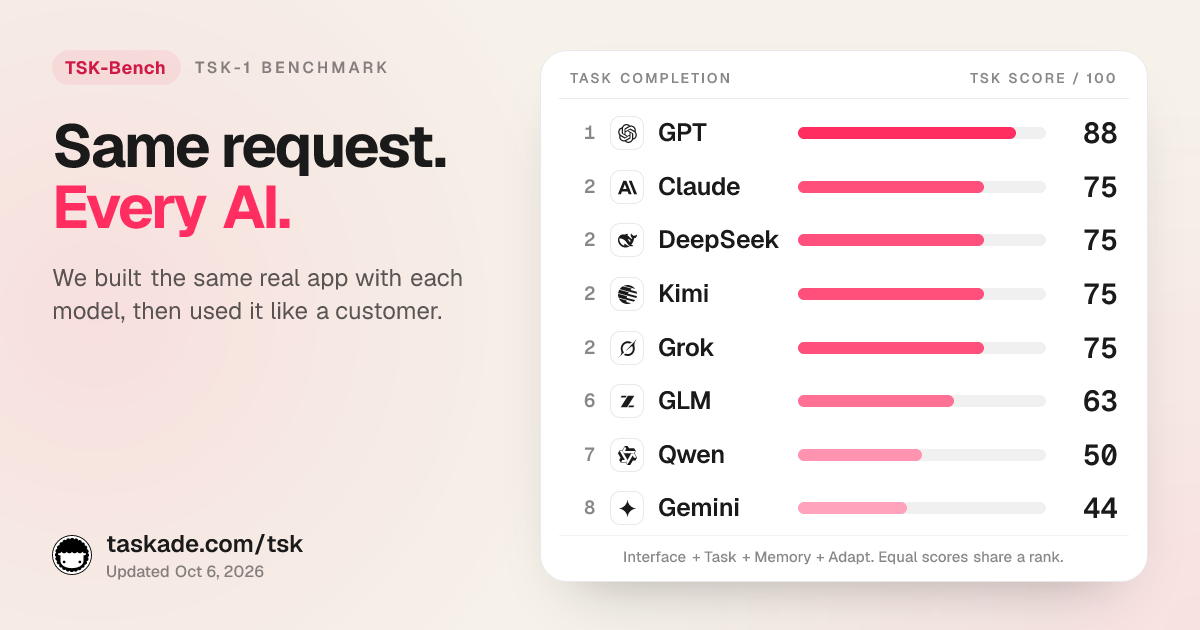
A host benchmark tells you how fast a model runs. A task benchmark tells you whether it finishes the job. TSK-Bench builds the same real app with each model family and then uses it like a customer, so the two kinds of test answer different questions. Use both before you commit traffic. The AI model directory lists every model Taskade runs, the Moonshot lab page shows one lab's whole lineup, and which model to use for apps works through the choice for app builders.
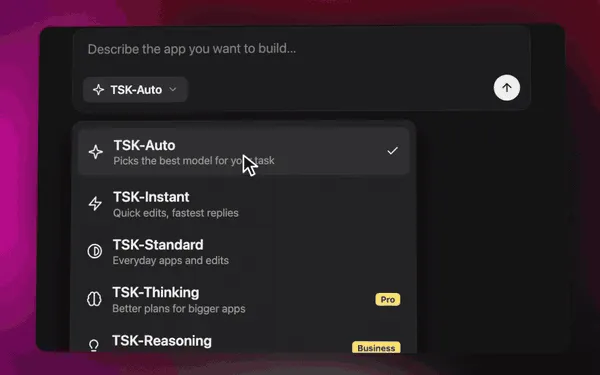
How Do AI Apps Like Taskade Use Inference-as-a-Service Without Owning GPUs?
Taskade Genesis runs every model call through providers' APIs and designs its prompts so that the long shared part stays identical from request to request, which lets providers cache it. You never manage GPUs, batching, or kernels. You describe the app, agent, or automation you want, and the workspace runs it.
That is the point of an app layer. The serving stack in this guide is real, deep engineering, and almost nobody building a CRM, a client portal, or an invoicing tool should have to think about it. What they need is the layer on top:
| What you need | What Taskade Genesis gives you |
|---|---|
| A working app, not a model endpoint | AI apps built from a prompt, with data, logic, and a live URL |
| Models that do real work | AI agents with built-in tools, memory, and your own key if you want it |
| Work that runs without you | Automations with 100+ bidirectional integrations |
| A choice of models without the research | TSK-1 Auto, or pick a model per agent from frontier models from top AI labs |
| Something to start from | App kits in the community gallery you can clone and remix |
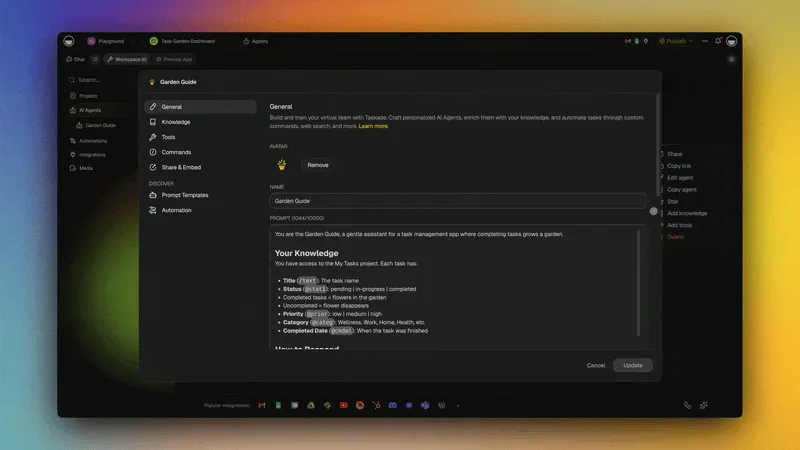
This is also where the execution layer thesis lands. Models are the substrate. The system around them is the product. A model can be replaced next quarter. The projects, agents, and automations you built on top of it, your Workspace DNA, stay.
Where Is Inference-as-a-Service Going Next?
The Inference-as-a-Service market is splitting into labs that train models and companies that serve them, and that split is likely to widen. Many labs lack the compute to train frontier models and serve global demand at the same time, and export limits make high-end GPUs even harder to get for some of them. Every GPU spent serving is one GPU not training the next model.
Five trends to watch:
- Serving specialists grow with open weights. As open models close the gap with closed ones, demand to have them served grows with them.
- Prices fall, but not in a straight line. Labs run promotions, raise prices when compute is tight, and add off-peak discounts. DeepSeek did all three in 2026.
- Caching becomes the main price line. For agents, cached input is already most of the tokens. Expect longer cache lifetimes and cheaper cache reads.
- Prefill moves. Disaggregation inside a data center is standard. Moving prefill across data centers, as Prefill-as-a-Service proposes, is next.
- Apps stop reselling tokens. BYOK lets customers bring the inference contract they already have, and apps compete on what they build on top.
For the physical limits under all of this, power, cooling, and chips, read How AI Data Centers Work and the TSMC foundry history. For the open models being served, see the best open-source LLMs.
The Bottom Line on Inference-as-a-Service
Inference-as-a-Service is the new IaaS: a utility business with thin margins at the bottom and real value at the top. The companies that serve tokens win on utilization, caching, kernels, and silicon. The companies that build on tokens win on what customers actually use. I watched the same split happen in web hosting, then in Infrastructure-as-a-Service, and the lesson holds: capacity becomes a commodity, and the margin moves to the layer people touch.
If you want to build on that layer instead of operating the one below it, start with a prompt. Taskade Genesis turns it into a working app with agents, automations, and your data in one workspace. Bring your own key when it saves you money, or let TSK-1 pick the model. ▲ ■ ●
Build your first AI app free → · Clone an app kit · Compare models on TSK-Bench
Related reading:
- AI Inference Explained: Tokens, Speed and Real Cost
- From Web Hosting to AI Infrastructure
- How AI Data Centers Work
- How to Reduce LLM Costs
- AI Builders With BYOK
- No-Code Builders for Open-Weight Models
- AI Cost per Task
- AI Agent Cost Optimization
- The History of cPanel
Sources: DeepSeek, "DeepSeek-V3/R1 Inference System Overview," open-infra-index, March 2025 · DeepSeek API pricing pages, 2026 · Hugging Face model card for DeepSeek-V4-Pro · Fireworks and Together AI pricing pages, August 2026 · Lambda inference benchmark for DeepSeek V4 Pro on HGX B200 · Artificial Analysis provider benchmarks for gpt-oss-120b · Cerebras WSE-3 specifications · Kwon et al., "Efficient Memory Management for Large Language Model Serving with PagedAttention," 2023 · Dao et al., "FlashAttention," 2022 · Yu et al., "Orca," OSDI 2022 · Qin et al., "Mooncake," 2024 · "Prefill-as-a-Service," arXiv 2604.15039, 2026 · Hugging Face model card and config.json for moonshotai/Kimi-K3 · Kimi K3 technical report, arXiv 2607.24653, 2026 · Kimi Linear (KDA), arXiv 2510.26692, 2025 · Baseten, "How to build a day-zero API for Kimi K3," July 27, 2026 · Baseten, "How trillion-parameter AI models work and how to serve them" (video) · Kimi.ai announcement on X and South China Morning Post coverage of the paused Kimi subscriptions, July 19, 2026 · EAGLE-3, arXiv 2503.01840 · DFlash, arXiv 2602.06036 · DSpark, arXiv 2607.05147 · Deedy Das, AI revenue run-rate list, July 2026 · bycloud, "The Strange Economics of LLM Inference-as-a-Service," September 2026 · Artificial Analysis, Kimi K3 provider benchmarks, 72-hour medians fetched October 20, 2026 · Product, pricing, and documentation pages of Together AI, Fireworks AI, Baseten, DeepInfra, Groq, Cerebras, Nebius Token Factory, Amazon Bedrock, Google Cloud Vertex AI Model Garden, and Microsoft Foundry, checked October 20, 2026 · Hugging Face, "Inference Providers: Best Way to Build with Open Source Models" (video) · KodeKloud, "AI Infrastructure Explained (GPUs, vLLM, and LLM-D)" (video).
Frequently Asked Questions
What is LLM inference?
LLM inference is the work a trained large language model does when you use it. The model reads your prompt, runs it through its neural network, and generates an answer one token at a time. Training builds the model once. Inference runs every time anyone sends a prompt, so in 2026 it is where most of the money in AI is spent and earned.
What is the difference between prefill and decode?
Prefill is the first stage of inference: the model reads the whole prompt at once, in parallel, which is limited by raw compute. Decode is the second stage: the model writes the answer one token at a time, and each token depends on the one before it, which is limited by memory bandwidth. That difference is why output tokens cost several times more than input tokens.
What is a KV cache and why does prompt caching make AI cheaper?
The KV cache stores the attention keys and values the model computed for every token it has already read. When a new request starts with the same prefix, such as the same system prompt and tool list, the server can reuse that cache instead of reading the prefix again. Providers pass the saving on: Anthropic bills cache reads at 0.1x of the normal input price, and DeepSeek bills cache hits at about 3 percent of a cache miss.
What is Inference-as-a-Service (IaaS)?
Inference-as-a-Service (IaaS) is the business of running trained AI models on GPUs or custom chips and selling the output through an API, priced per million tokens. You send a prompt and get tokens back, and the provider handles hardware, batching, caching, and scaling. Sellers include model labs serving their own models, hyperscalers, GPU clouds, inference platforms such as Fireworks, Together AI, and Baseten, and custom-silicon companies such as Groq and Cerebras.
How is Inference-as-a-Service different from Infrastructure-as-a-Service?
Infrastructure-as-a-Service, the original IaaS from the cloud era, rents raw servers, storage, and networks by the hour, and you run your own software on them. Inference-as-a-Service rents the result of running an AI model, billed per token, and the provider runs the model for you. The acronym is the same because the job is the same one layer up: turn expensive hardware into a metered utility.
Is Inference-as-a-Service a SaaS business?
Not quite. SaaS sells finished software by the seat, with high gross margins because each extra user costs little. Inference-as-a-Service sells metered compute by the token, and every token burns GPU time, so margins depend on utilization, caching, and hardware cost. AI apps sit on top of IaaS the way SaaS products sit on top of cloud infrastructure.
What are the best LLM inference providers in 2026?
The best provider depends on the workload. Together AI, Fireworks AI, Baseten, and DeepInfra serve a broad catalog of open models. Groq and Cerebras lead on per-user speed for the models they support. Nebius Token Factory pairs a model API with dedicated GPUs, and Amazon Bedrock, Google Cloud Vertex AI, and Microsoft Foundry suit teams that need cloud contracts and compliance. Speed varies by host even for the same weights, so test with your own prompts.
What is serverless inference?
Serverless inference means you call a shared, always-on model endpoint and pay per token, with no GPUs to reserve, load, or scale. The provider serves many customers from the same fleet, so it is the cheapest way to start and the easiest way to absorb spiky traffic. Steady, high-volume, or latency-critical work often moves to dedicated endpoints or provisioned throughput, billed per GPU-hour or per reserved capacity.
What is an inference API?
An inference API is the HTTP endpoint you send prompts to and stream tokens back from. Most providers in 2026 accept the OpenAI chat completions format, so switching hosts usually means changing three things: the base URL, the API key, and the model name. Groq documents its API as mostly compatible with OpenAI client libraries, and Cerebras says its API needs two code changes.
Is it cheaper to self-host an open-source model or use an inference API?
For most teams an inference API is cheaper, because you pay only for tokens you use and the provider keeps the GPUs full. Self-hosting pays off with high, steady volume, strict data residency, or a custom model. As a reference point, an 8-GPU B200 node rents for about 48 dollars an hour and needs roughly 2,000 output tokens per second of steady demand to break even on DeepSeek V4 Pro at 2026 prices.
Which inference provider is fastest for Kimi K3?
On October 20, 2026, Artificial Analysis measured LithosAI Ultra Chat at about 422 output tokens per second on Kimi K3, followed by Parasail at about 198 and Nebius at about 192. Amazon Bedrock measured about 142, Fireworks about 112, Baseten about 96, Together AI about 57, and Moonshot's own API about 42. The numbers are 72-hour medians and change weekly, so check the live page before you choose.
What SLA should I ask an inference provider for?
Ask for a written uptime percentage, how it is measured, and the credit you get when it is missed, plus time to first token and output speed at your prompt length at the median and the 99th percentile. A 99.9 percent monthly SLA allows about 43 minutes of downtime in a 30-day month, and 99.99 percent allows about 4 minutes. Reserved or dedicated tiers usually carry the strongest terms.
How do inference providers make money if anyone can download open-weight models?
They make money on the gap between what a GPU-hour costs and how many tokens they can sell from it. A basic 8-GPU B200 node costs roughly 48 dollars an hour to rent, and at 2026 list prices it needs about 2,000 output tokens per second of steady demand just to break even on DeepSeek V4 Pro. Caching, batching, custom kernels, and custom chips are how providers get above that line.
Why do output tokens cost more than input tokens?
Input tokens are processed in parallel during prefill, so a GPU reads thousands of them in one pass. Output tokens are generated one at a time during decode, and every step must reload model weights and the KV cache from memory. Decode uses far more GPU time per token, so providers typically price output at two to six times the input rate.
What is continuous batching?
Continuous batching lets an inference server add new requests and remove finished ones at every decode step instead of waiting for a whole batch to finish. It keeps the GPU full while users send prompts of different lengths. It was introduced as iteration-level scheduling in the Orca paper in 2022 and is standard in vLLM, SGLang, and TensorRT-LLM.
Are Groq and Cerebras faster than GPUs for inference?
For per-user speed on supported models, yes. On gpt-oss-120b, Artificial Analysis measured Cerebras at roughly 1,600 to 1,800 output tokens per second per user in 2026 and Groq at about 474, several times faster than typical GPU hosts. The trade-off is model coverage: a new, complex architecture can take a long time to reach custom silicon.
What does BYOK mean for AI apps?
BYOK means bring your own key. You paste an API key from a model provider you already pay, and the app sends your requests to that provider on your account. The provider bills you directly at its own price, and the app does not resell you the tokens. In Taskade, custom agents on your own key use no Taskade AI credits.
Can I use my own AI API key in Taskade?
Yes. Custom AI agents and Ask Agent run on your own OpenAI, Anthropic, or Google Vertex AI key on Pro and up, and on your own xAI, Groq, Mistral, or Together AI key on Business and up. An agent chat on your key uses no Taskade credits. Automation provider steps for OpenAI, Anthropic Claude, and Google Gemini need Pro and up, and Groq and OpenRouter steps need Business and up. Your provider bills each model call, and each step uses one fixed step fee in Taskade credits. An optional switch falls back to Taskade credits if a key fails.
How much does LLM inference cost per million tokens in 2026?
Prices span more than a hundredfold. DeepSeek V4 Pro on DeepSeek's own API lists 1.32 dollars per million input tokens and 3.96 dollars per million output tokens at peak hours since August 16, 2026, and half that off-peak, with cache hits at 4.4 cents. Frontier closed models cost several dollars per million input tokens. Cached input is always the cheapest line on the bill.
Do I need my own GPUs to build an AI app?
No. Most AI apps, Taskade included, run no GPUs of their own. They buy inference from model labs and inference platforms through APIs. Self-hosting only pays off at high, steady volume with a team that can tune the serving stack. Taskade Genesis lets you build AI apps, agents, and automations from a prompt with no infrastructure to manage, and Pro starts at 10 dollars a month billed annually.