LLM Wiki Explained (2026): Karpathy's Pattern, Google's OKF, and When a Folder Beats RAG
An LLM wiki is a folder of linked Markdown files that an AI agent writes and maintains. How Karpathy's pattern and Google's OKF work, and when RAG still wins.
On April 4, 2026, Andrej Karpathy posted a text file of about 2,000 words to GitHub and called it LLM Wiki. It contains no code. It describes a folder of plain text files that an AI model writes, links, and keeps current, and it argues that this folder is a better memory for an AI agent than the retrieval pipelines most teams built from 2021 to 2025.
Sixty-nine days later, on June 12, Google Cloud published the Open Knowledge Format, which it describes as "an open specification that formalizes the LLM-wiki pattern into a portable, interoperable format." A personal note became a vendor standard in one quarter.
This guide explains both from the primary sources: the gist, the specification, and the measurements. It also covers what most explainers leave out. The folder has limits, a field in a file is not a process, and retrieval is not dead.
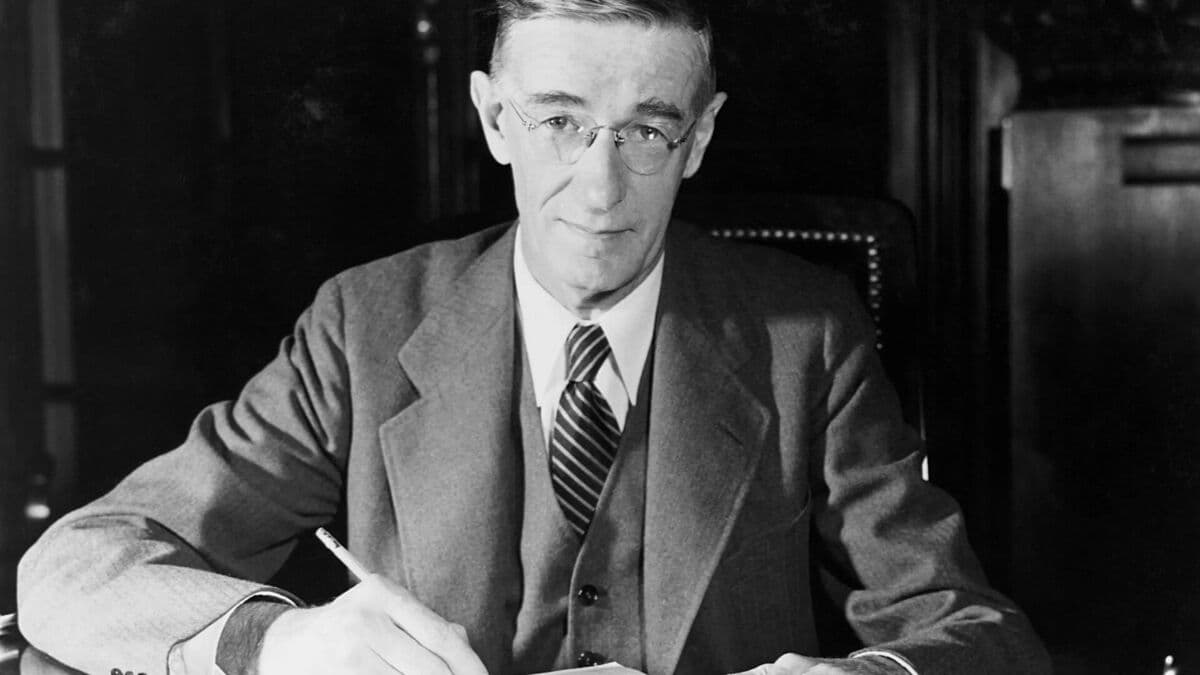
Photo: Vannevar Bush at his desk, U.S. Office for Emergency Management, Library of Congress via Wikimedia Commons, public domain.
TL;DR: An LLM wiki is a folder of linked Markdown files that an AI agent writes and maintains. Karpathy says it works at about 100 sources and hundreds of pages. Google's Open Knowledge Format (June 12, 2026) makes the folder portable. RAG still wins for very large, live, or permissioned data. Build a knowledge base that agents maintain.
What Is an LLM Wiki?
An LLM wiki is a folder of linked Markdown files that a large language model writes and maintains on your behalf. You add sources and ask questions. The model reads each source once, updates every page that the source affects, and answers later questions from the finished pages. The knowledge is compiled one time and then kept current.
That last sentence is the difference from retrieval-augmented generation (RAG). In a RAG system the model receives a new set of text fragments for each question and must connect them again. Karpathy's gist states the problem in one line: "the LLM is rediscovering knowledge from scratch on every question. There's no accumulation."
His summary of the working arrangement is the most quoted sentence in the file:
"Obsidian is the IDE; the LLM is the programmer; the wiki is the codebase."
The division of labor is strict. The person does not write the wiki.
Job
Who does it
Why
Choose the sources
Person
Curation is a judgment call
Ask the questions
Person
Direction comes from the person's goals
Summarize each source
Model
Reading and compressing is cheap for a model
Update related pages
Model
One source can touch 10 to 15 pages
Keep links and the index current
Model
People stop doing this work, and the wiki dies
Check the result
Person
The model can be wrong with confidence
Karpathy explains why the split works: "Humans abandon wikis because the maintenance burden grows faster than the value." A model does not get bored, and it can change 15 files in one pass.
Where Did the LLM Wiki Come From?
The LLM wiki is an 81-year-old idea that waited for a worker. Vannevar Bush described a personal knowledge store with linked trails in July 1945. Ward Cunningham built the first wiki in 1995. Both designs depended on people to do the filing, and people stopped. In 2026 the filing clerk is a language model.
Karpathy names the ancestor himself. The gist says the idea "is related in spirit to Vannevar Bush's Memex (1945)" and adds the sentence that explains the whole pattern: "The part he couldn't solve was who does the maintenance. The LLM handles that."
Agent memory and agent abilities both become folders of files
Apr 2026
Karpathy posts on X about LLM knowledge bases (Apr 2) and publishes the gist (Apr 4)
The pattern gets a name
Jun 2026
Google Cloud publishes OKF v0.1 (Jun 12)
The folder becomes a specification
Jul 2026
OKF v0.2 (Jul 24)
Fields for who wrote a page, who checked it, and when it expires
The coding world reached the same design a little earlier, from the other direction. Boris Cherny, who created Claude Code, wrote on X in February 2026: "Early versions of Claude Code used RAG + a local vector db, but we found pretty quickly that agentic search generally works better. It is also simpler and doesn't have the same issues around security, privacy, staleness, and reliability." An agent that can list files, search text, and open what it needs did better than a pipeline that guessed in advance. The same lesson shows up in the history of Claude Code and in every project that keeps its instructions in a plain file. The AGENTS.md site says more than 60,000 open-source projects use that one file name.
Two older traditions sit behind the same shape. Niklas Luhmann kept about 90,000 linked index cards in his Zettelkasten, and the modern second brain movement rebuilt that habit in apps such as Obsidian. Each one worked for the few people with the discipline to maintain it. The LLM wiki keeps the structure and removes the discipline requirement.
How Does Karpathy's LLM Wiki Work?
Karpathy's LLM wiki has three layers and three operations. The layers are the raw sources, the wiki, and a schema file. The operations are ingest, query, and lint. Two special files, index.md and log.md, let the agent find pages and remember what it did. Nothing else is required.
One instruction file, for example CLAUDE.md or AGENTS.md
Person and agent together
Says how pages are named, linked, and updated
The schema file is the part people skip, and it is the part that matters most. The gist calls it "the key configuration file" and says it is "what makes the LLM a disciplined wiki maintainer rather than a generic chatbot." It is context engineering in its plainest form: a short, stable set of rules that the agent reads at the start of every session.
The three operations
Operation
Trigger
What the agent does
Output
Ingest
You add a source
Reads it, writes a summary page, updates the index, revises related pages, appends to the log
A source "might touch 10-15 wiki pages"
Query
You ask a question
Reads the index, opens the relevant pages, writes an answer with citations
An answer, which can be filed as a new page
Lint
On a schedule, or when you ask
Looks for contradictions, stale claims, orphan pages, missing links
A list of fixes and new questions
The query step holds the idea that makes the wiki compound. Karpathy writes that "good answers can be filed back into the wiki as new pages." A comparison you asked for on Tuesday is a page the agent can read on Friday. In a chat window that work disappears. In a wiki it becomes part of the record.
The two special files
index.md is a catalog. Each page gets one line with a link and a short summary. The agent reads this file first on every question and then opens only the pages it needs. log.md is a diary. Every ingest, query, and lint pass adds a dated line. If each line starts with a fixed prefix, ordinary command-line tools can read the log.
The index is the reason no vector database is needed at first. Karpathy states the limit with care: the index approach "works surprisingly well at moderate scale (~100 sources, ~hundreds of pages) and avoids the need for embedding-based RAG infrastructure."
What Does an LLM Wiki Folder Look Like?
An LLM wiki folder has one directory for raw sources, one for the pages the agent writes, and one instruction file at the top. The gist is deliberately abstract and says the exact structure depends on your domain. The layout below is one working example for a competitor-research wiki.
research-wiki/
├── AGENTS.md              the schema: naming, linking, and update rules
├── raw/                   immutable sources. The agent never edits these
│   ├── 2026-04-02-pricing-page-acme.md
│   ├── 2026-04-09-earnings-call-transcript.md
│   └── assets/
└── wiki/
    ├── index.md           catalog: one line per page
    ├── log.md             diary: one line per operation
    ├── overview.md        the current synthesis
    ├── entities/
    │   ├── acme-corp.md
    │   └── globex.md
    ├── concepts/
    │   ├── usage-based-pricing.md
    │   └── seat-compression.md
    └── sources/
        ├── pricing-page-acme.md
        └── earnings-call-q1.md
A page is ordinary Markdown with links to other pages. Nothing in it needs a special reader.
Markdown
# Usage-based pricing

Charging by work done, not by seat. Three of the five vendors
in this wiki moved to it between January and April 2026.

- Adopted by: [Acme Corp](../entities/acme-corp.md), [Globex](../entities/globex.md)
- Contradicts: the Q1 claim in [earnings call Q1](../sources/earnings-call-q1.md)
  that seat revenue grew. See [seat compression](seat-compression.md).

Sources: [pricing page, Acme](../sources/pricing-page-acme.md)
The log uses one line per event, with a prefix that tools can search.
The whole thing is a folder of text, so it works with tools that already exist. Karpathy points out that "the wiki is just a git repo of markdown files," which gives you "version history, branching, and collaboration for free." You can open it in Obsidian and look at the graph. You can zip it and give it to a different model next year.
What Is Google's Open Knowledge Format (OKF)?
The Open Knowledge Format (OKF) is an open specification from Google Cloud that turns the LLM wiki into a portable file format. It was published on June 12, 2026, by Sam McVeety and Amir Hormati of the Data Cloud team, under the Apache 2.0 license. A bundle is a folder, each file is one concept, and one frontmatter field is required.
The launch post links to Karpathy's gist and sums up the design in three short phrases: "Just markdown," "Just files," and "Just YAML frontmatter." The specification is short enough to read in one sitting. For every field and rule in it, see Open Knowledge Format explained.
Spec element
Rule
Source wording
Knowledge Bundle
A directory of Markdown files
"a self-contained, hierarchical collection of knowledge documents"
Concept
One file per concept
The file path, minus .md, is the Concept ID
Links
Standard Markdown links
Links between concepts form the graph
Reserved files
index.md and log.md, both optional
A directory listing and an update history
Required field
type only
"type is the only always-required key"
A concept file looks like this. It follows the example in the specification.
Yaml
---
type: BigQuery Table
title: Customer Orders
description: One row per completed customer order across all channels.
tags: [sales, orders, revenue]
---
The forgiving reader rule
OKF tells every tool that reads a bundle to accept imperfect input. The specification says consumers "MUST NOT reject a bundle because of" missing optional fields, unknown type values, unknown extra keys, broken cross-links, or missing index.md files. The first version of the specification gave the reason directly: "This permissive consumption model is intentional: OKF is meant to remain useful as bundles grow, get refactored, and are partially generated by agents."
One detail is often reported wrong. The rule does not cover files that cannot be parsed. A concept file still needs a readable frontmatter block to conform.
What OKF leaves out
OKF describes one of Karpathy's three layers. It defines the wiki. It does not define the raw sources, the schema file, or the ingest, query, and lint operations. Its list of non-goals includes "Prescribing storage, serving, or query infrastructure."
It also helps to know where the format comes from. The authors work on BigQuery and data analytics. The launch bundles describe BigQuery public datasets. The reference agent that writes bundles asks for a Gemini key, and the launch post says Google Cloud's Knowledge Catalog can ingest OKF and serve it to agents. The format is open and vendor-neutral on paper. The easiest path today runs through Google's products.
What Changed in OKF v0.2?
OKF v0.2, announced on July 24, 2026, adds fields that record who wrote a concept, who checked it, and when it expires. The new keys are sources, generated, verified, status, and stale_after. The specification says why: a knowledge corpus is now "continuously written and maintained by agents," so a reader needs trust signals.
Many explainers, including popular videos, describe v0.1 and say OKF has no freshness mechanism. That was true for six weeks.
v0.2 field
What it records
Example
sources
Where the content came from
A list of resources with author and last-modified date
The reader derives a trust tier from the verified field. The specification calls these tiers "advisory signals, not access control."
A page at any tier becomes stale when its stale_after instant passes. The diagram shows the longest path.
The honest limit is still there. stale_after is a date in a file. Nothing in the format wakes up on that date, reads the source again, rewrites the page, and asks someone to verify it. A field is not a process. OKF v0.2 tells you which pages expired. Something else has to do the work, and that something is the subject of the team section below.
LLM Wiki vs RAG vs Long Context: What Is the Difference?
RAG, long context, and the LLM wiki differ in when the thinking happens. RAG thinks at question time over fragments. Long context thinks at question time over everything. The LLM wiki thinks at write time and reads finished pages later. OKF is not a fourth approach. It is a file format for the wiki.
A folder beats RAG for many agent tasks because current models are good at building their own context. An agent that can read an index, search text, and open files finds what it needs more reliably than a pipeline that picks fragments before the model sees the question. Four independent sources point the same way.
The coding agents. Cherny's statement about Claude Code is the clearest: early versions used RAG and a local vector database, and agentic search "generally works better." Thariq Shihipar, then an engineer on the same team, went further in a 2026 talk. He said that RAG for context search is "maybe an anti-pattern" for coding agents and that current models read and write memory well through files.
The benchmark. In August 2025, Letta gave an agent only simple file tools (text search, file search, and open) and tested it on the LoCoMo memory benchmark. The filesystem agent scored 74.0%. Letta compared that with the 68.5% that Mem0 had reported for its best graph-memory variant.
Read that chart with care. It is one benchmark, run by a vendor, on conversation memory, and Letta's file search tool is itself semantic. The result does not prove that files always win or that search is useless. It shows that a specialized memory system did not beat the plainest design.
The retrieval vendor's own advice. Anthropic's Contextual Retrieval post reported that adding context to each chunk cut retrieval failures by 49%, and by 67% with reranking. The same post says that if your knowledge base is under 200,000 tokens, about 500 pages, you can skip retrieval and put all of it in the prompt.
The author of the pattern. Karpathy's claim is the most modest of the four. He says the index file works "at moderate scale" and avoids embedding infrastructure. He does not say retrieval is obsolete.
Evidence
Source
What it supports
What it does not support
Agentic search beat RAG in Claude Code
Boris Cherny, on X
Files plus search for codebases
The same result for every data type
74.0% vs 68.5% on LoCoMo
Letta, Aug 2025
Plain files are a strong baseline
A general ranking of memory systems
Under 200,000 tokens, use the prompt
Anthropic, Sep 2024
Small collections need no pipeline
Large collections
Index works to hundreds of pages
Karpathy, Apr 2026
The index-first design
Any size past that
The reason behind all four is the same. The model changed. A 2023 model needed someone to choose its reading for it. A 2026 model can read a table of contents and make that choice. Scaffolding that helped the older model now gets in the way, which is the argument behind thinner agent harnesses.
When Does RAG Still Win?
RAG still wins when the collection is too large to list in an index, when the data changes faster than an agent can rewrite pages, when each user may see different documents, or when the question is an exact lookup. The LLM wiki does not remove these cases. Many production systems use both.
Case
Why the wiki struggles
What to use
Millions of documents
The index is longer than the context window
Embedding search with reranking
Live operational data
A compiled page is a snapshot
A direct query to the system of record
Per-user permissions
A synthesized page mixes sources with different access
Retrieval with access filters
Exact-match lookups
A summary can drop the one number you need
Keyword search over the raw sources
Legal or audit records
A rewritten page is not the original
The raw document, cited
The irony is worth noting. The tool Karpathy suggests for a wiki that outgrows its index is qmd, a local search engine with "hybrid BM25/vector search and LLM re-ranking." A large LLM wiki brings retrieval back. The difference is the position: search becomes a tool the agent calls over clean, linked pages, and it stops being a pipeline that runs before the agent thinks. The history of RAG calls this shift agentic retrieval.
How Much Does an LLM Wiki Cost to Run?
An LLM wiki costs more tokens per question than RAG and far fewer than loading every source. Its real saving is that synthesis is paid for once. The worked example below uses stated assumptions, so you can replace the numbers with your own. It counts tokens, since prices per token change every few months.
Assumptions. 100 sources of 5,000 words each. A token is about three quarters of an English word, a common rule of thumb (newer tokenizers can produce more). The wiki has 300 pages of 600 words. Each index line is 25 words. A RAG chunk is 800 tokens.
Quantity
Calculation
Tokens
All raw sources
500,000 words ÷ 0.75
about 667,000
The index file
300 lines × 25 words ÷ 0.75
about 10,000
One wiki page
600 words ÷ 0.75
about 800
One ingest
Source 6,700 + index 10,000 + 12 pages read and rewritten 19,200
about 36,000
Approach
Tokens read per question
One-time cost
RAG, top 5 chunks
about 4,000
Embedding the sources
LLM wiki, index plus 5 pages
about 14,000
About 3.6 million tokens to ingest 100 sources
Long context, everything
about 667,000
None
Two results stand out. Against long context, the wiki pays back its whole ingest cost after about 6 questions. Against RAG, the wiki never wins on tokens per question. It reads more.
What you get for those extra tokens is the quality of what the model reads. RAG gives the model five fragments and asks it to work out how they connect. The wiki gives it five pages where the connections, the contradictions, and the summary are already written. For a lookup, that work is wasted. For a question that crosses ten documents, it is the answer.
The index is also the part that sets the size limit. Its length grows with every page, and the agent reads it before every answer.
At 300 pages the index is a small cost. At 10,000 pages it is larger than many whole prompts, and reading it before every question makes no sense. That curve is the practical reason for the limit in the next section. For more on what fits in a prompt, see the history of the context window.
How Big Can an LLM Wiki Get?
An LLM wiki with only an index file works to roughly 100 sources and a few hundred pages. That figure is Karpathy's own. Past it, the wiki needs search over its pages. Past a few thousand pages, it needs sub-indexes and a retrieval tool. No primary source supports a hard ceiling, and claims of one exact limit are guesses.
Wiki size
What the agent uses to find pages
Notes
Under 100 pages
index.md alone
The whole wiki may fit in one prompt
Hundreds of pages
index.md plus text search
Karpathy's stated comfort zone
A few thousand pages
Per-folder indexes plus a search tool
OKF allows an index.md in each directory
Tens of thousands
Hybrid retrieval over the pages
The wiki is now the corpus that RAG searches
OKF's per-directory index.md is a direct answer to this growth. The agent reads the top index, picks a folder, reads that folder's index, and opens one file. Each step is short. Agent skill files use the same idea: a model sees a short description first and loads the full file only when it needs it. An agent harness calls this progressive disclosure.
One public field report matches Karpathy's number. Michael Tuszynski ran the pattern at scale and wrote in August 2026 that lint drift became a problem at about 300 pages, and that the index stopped fitting once the wiki passed roughly 100,000 tokens beside his session logs and archives. He added a Postgres vector index over the whole corpus. That is the last row of the table, reached in practice.
Size is not the only limit. A wiki written by one person about one subject stays coherent for a long time. A wiki written by five agents for forty people about a whole company meets other problems first.
What Goes Wrong With an LLM Wiki?
An LLM wiki fails in ways that a RAG system does not. The main risk is that the model writes a wrong claim into a page, and every later answer treats that page as fact. A stale database looks like ignorance. A stale wiki looks like confident misinformation. Seven failure modes account for most problems.
Failure mode
What happens
Mitigation
Error compounding
A wrong summary becomes the source for later pages
Keep raw sources immutable, and cite them on every page
Staleness
A page describes last quarter as the present
A scheduled lint pass and an expiry date per page
Invented links
The agent links to a page that does not exist
A link check in the lint pass
Type drift
One page says "table," another "BigQuery table"
A closed list of types in the schema file
Self-reference
Pages cite other pages, and nobody reads the sources
Rules that force a source link for each claim
Write conflicts
Two agents edit one page, and a plain folder has no lock
Version control and one writer per page at a time
No access control
Everyone who can read the folder reads everything
Split folders by audience, or use a system with roles
The feature that makes the wiki compound, filing answers back as pages, is the same feature that spreads an error. The defense is the first layer. Because raw sources are never edited, any page can be rebuilt from them. Karpathy stays involved for this reason. He writes that he prefers "to ingest sources one at a time and stay involved," and to read each summary as it is written.
What popular explainers get wrong
The topic moved fast, and several claims that circulate do not match the primary sources.
Common claim
What the sources say
An LLM wiki stores embeddings in a vector database
The gist says the index "avoids the need for embedding-based RAG infrastructure"
OKF has no freshness mechanism
True of v0.1. v0.2 added stale_after, verified, and status
Google changed the spec to forgive messy files
The permissive rule is in the first version of the specification
OKF readers must accept files they cannot parse
Parseable frontmatter is required for conformance
OKF is many times more token-efficient than RAG
Google's posts contain no benchmark
A folder replaces the vector database
The spec leaves search to the consumer. Large wikis add search back
Why Does a Free-Form Type Field Need an Ontology?
The one field that OKF requires, type, is a free-form label, and the specification says type values "are not registered centrally." Two teams can write valid bundles that no shared agent can combine, because one calls a thing a "table" and the other a "relational asset." A shared list of types and rules, which is an ontology, fixes this.
OKF standardizes the container. It says nothing about the meaning inside. That is a reasonable choice for a version 0 format, and it moves the hard problem to the people who write the bundles.
The problem is old and well understood. Frank Coyle of UC Berkeley made the case in a 2026 talk on agents and ontologies: a probabilistic model needs a formal description of the domain to check its output against. A line from Frank Coyle's talk sums it up: "Pydantic at the door, ontology at the ledger." Type checks catch malformed input. Domain rules catch a second refund on one order.
A field example comes from a company that had to solve it. The founders of Lassie, which automates billing for dental offices, told a16z that they had to "build an ontology to make sure that everybody in this whole ecosystem is on the same page about an insurance claim," because each system they connect to defines a claim in a slightly different way.
Layer
Question it answers
Example
Format (OKF)
Is this a valid concept file?
It has frontmatter and a type
Vocabulary
Is this type one we agreed on?
type is in the list of 12 allowed values
Rules
Is this content possible?
An invoice links to exactly one customer
Review
Did someone confirm it?
verified names a person
The practical rule follows from this table. Be forgiving when you read and strict when you write. Reading a messy page costs a retry. Writing a wrong fact into the record costs every answer after it. The full argument is in why AI agents need an ontology, and the graph version is in knowledge graphs for AI agents.
Can a Team Share One LLM Wiki?
A team can share one LLM wiki when someone owns the upkeep. Karpathy lists the business case in his gist: "an internal wiki maintained by LLMs, fed by Slack threads, meeting transcripts, project documents, customer calls." He adds a caution in the same line: "Possibly with humans in the loop reviewing updates."
The design assumes one owner. A reader who went through all 1,061 comments on the gist put it this way: "Almost every architecture decision in the gist assumes a single human with a single agent." The same review notes that "plain markdown has no answer to permissions."
The single-owner version works because the owner is the scheduler. Karpathy opens the folder, adds a source, and asks for a lint pass. On a team, that job belongs to nobody. The wiki then goes stale for the same reason every company wiki went stale before 2026. The model made upkeep cheap. It did not make upkeep happen.
Need
Personal wiki
Team wiki
Who triggers ingest
The owner, by hand
An automation, when a source arrives
Who runs lint
The owner, when they remember
A schedule, every week
Who can edit
One person
Roles: some write, some read
How errors are caught
The owner reads each summary
Review steps and a named verifier
What happens on conflict
Does not occur
Version history and page owners
The missing piece is a runner: something that starts the agent without a person asking. The Claude Code team shows what that looks like. In a 2026 talk, Boris Cherny said the team runs 20 to 30 scheduled routines a day that maintain its own code, including one that removes dead code and one that merges duplicate abstractions. A wiki needs the same thing: a weekly routine that reads stale_after, rebuilds the expired pages from the raw sources, and asks a named person to verify them.
This is where a folder on one laptop stops being enough. A team wiki needs storage, an agent, a schedule, roles, and a review step in one place. You can assemble those from a git host, a coding agent, and a job scheduler. You can also use a workspace that already has them, which is the design behind the workspace as a runtime.
Which Tools Build an LLM Wiki?
LLM wiki tools fall into four groups: a plain folder with a coding agent, a note app with plugins, a packaged open-source project, and a team workspace with agents built in. The pattern needs no special software, so the choice depends on who will use it and who will keep it running.
Approach
Examples
Best for
Limit
Folder plus a coding agent
Any agent that reads AGENTS.md or CLAUDE.md, with git
Community interest is real and easy to measure. On November 12, 2026, the gist had more than 5,000 stars, qmd had about 31,100, llm_wiki about 21,600, and Google's OKF repository about 1,500. The Hacker News thread on the gist reached 296 points.
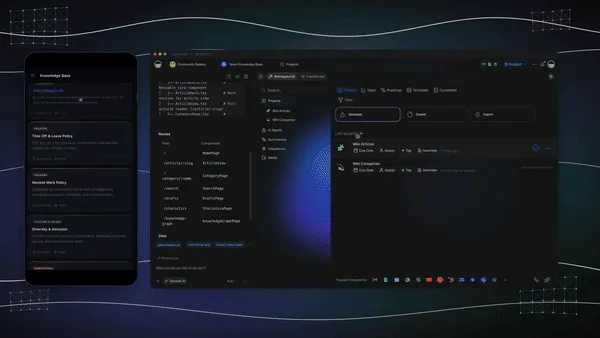
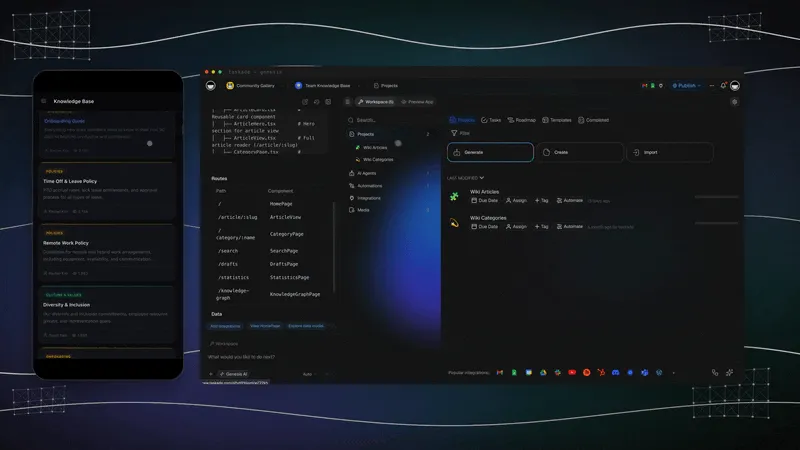
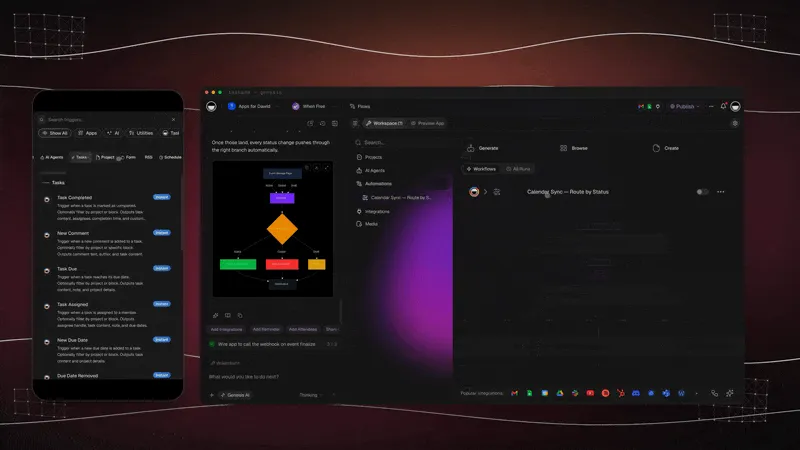
A fair note on the last row. Taskade does not read or write OKF bundles, and it does not store your knowledge as files in a folder you own. It takes the other route to the same goal. Projects are the pages, AI agents use those projects as knowledge, and automations run the upkeep on a schedule. If a plain folder under version control is what you need, the first three rows are the right choice. For a wider comparison of products, see the best AI wiki tools.
How Do You Build an LLM Wiki in an Afternoon?
You can build a working LLM wiki in an afternoon with a folder, a schema file, and any coding agent. Start with five sources on one topic. Ingest them one at a time and read what the agent writes. The habit of checking each summary matters more than the tool.
Path 1: A folder and a coding agent
Create the folder. Make raw/ and wiki/. Add an empty wiki/index.md and wiki/log.md. Start a git repository.
Write the schema. Paste Karpathy's gist into your agent and ask it to write an AGENTS.md for your topic: page types, naming, link style, and what to do on ingest, query, and lint.
Ingest one source. Save an article as Markdown in raw/. Tell the agent to ingest it. Read the summary page and the diff.
Ask a question that crosses sources. After three or four ingests, ask something no single source answers. Tell the agent to file the answer as a page.
Run lint. Ask for contradictions, orphan pages, and missing links. Fix what it finds, then commit.
Give each page a review date in its frontmatter from day one. It costs nothing now, and it is the field a scheduled job needs later.
Path 2: A workspace, with no terminal
The same loop works without files or a command line. In Taskade the parts map one to one.
LLM wiki part
In a Taskade workspace
Raw sources
Files, links, and documents you add as agent knowledge
Wiki pages
Projects, with one topic per project and links between them
The schema
The agent's instructions
Ingest and query
Chat with the agent, which reads and edits the projects
Lint on a schedule
An automation that runs the agent every week
Roles and review
Role-based access from Owner to Viewer
Describe the knowledge base. Open Taskade Genesis and describe it in one prompt: the topic, the page types, and who reviews what.
Add your sources. Attach documents and links to the agent as knowledge. To bring in Markdown notes as projects, click Import in your workspace, then drag the .md files into the Import with AI tab or paste the text under Paste Text & Markdown (how to import).
Ask the agent to build the pages. Have it write one project per concept and link related ones.
Schedule the upkeep. Add an automation that runs every week, asks the agent to check each page against its review date, and assigns stale pages to their owner.
Automations run on every plan, and agent work uses AI credits, which come with paid plans. Pro is $10 per month, billed annually. You can also start from a working example in the Taskade App Factory and change it. The three parts together are what Taskade calls Workspace DNA.
Whichever path you choose, the test is the same. Add a sixth source that contradicts one of the first five. A working wiki finds the contradiction and records it on the page. A pile of notes does not.
What Does the LLM Wiki Mean for Vector Databases and RAG?
The LLM wiki moves retrieval from the center of the design to the edge. Vector search remains useful for large collections. What ended in 2026 is the assumption that every AI memory project starts with an embedding pipeline. The new default for small and medium collections is plain text that an agent reads.
Three shifts follow from that.
Memory became a writing problem. From 2021 to 2025 the question was how to retrieve the right fragment. In 2026 the question is how to write knowledge down so that a model can use it: what the pages are, how they link, who checks them. That is closer to editing than to search engineering, and it is why agent memory discussions now sound like library science.
The format became portable. A folder of Markdown has no vendor. You can read it with any model, move it between tools, and keep it for ten years. OKF adds a shared shape on top. This matters for the same reason MCP matters: MCP standardizes how an agent reaches a tool, and a knowledge bundle standardizes what the agent reads when it gets there.
The record became the asset. Models improve every few months, and instructions written for one model are often deleted for the next. The pages that describe your customers, your products, and your decisions do not expire with the model. In a year when software teams delete most of their scaffolding at each model release, the written record is the part that keeps its value.
Still true
Changed in 2026
Large collections need search
Small collections do not need a pipeline
Embeddings find similar text
An agent with an index often finds the right page first
Sources must be kept and cited
Synthesis can be stored, and reused
Someone must keep knowledge current
A model can do the upkeep, if something schedules it
Frequently Asked Questions
What is an LLM wiki?
An LLM wiki is a folder of linked Markdown files that a language model writes and maintains for you. Andrej Karpathy published the pattern on April 4, 2026. You supply sources and questions. The model reads each source once, updates the pages it affects, and answers later questions from the finished pages.
Is an LLM wiki better than RAG?
An LLM wiki is better when questions need synthesis across many documents and the collection is small enough to index in plain text, which Karpathy puts at about 100 sources and hundreds of pages. RAG is better for very large or fast-changing collections, per-user permissions, and exact lookups. Many production systems use both.
Is RAG dead in 2026?
No. Retrieval-augmented generation is still the right tool for millions of documents, live data, and strict access control. What changed in 2026 is the default for small and medium collections: an agent that reads a plain-text index and opens files often beats an embedding pipeline, and retrieval became one tool the agent can choose.
What is Google's Open Knowledge Format (OKF)?
The Open Knowledge Format is an open specification from Google Cloud, published on June 12, 2026, that turns the LLM wiki pattern into a portable format. A bundle is a folder, each Markdown file is one concept, the file path is the concept ID, and the only required frontmatter field is type. The license is Apache 2.0.
Is OKF the same as an LLM wiki?
No. OKF standardizes the wiki layer only: the folder, the files, and the frontmatter. Karpathy's pattern also includes the raw sources, a schema file that tells the agent how to work, and three operations (ingest, query, lint). OKF leaves storage, search, and upkeep to whoever uses the bundle.
Does OKF replace RAG or vector databases?
No. The OKF specification lists storage, serving, and query infrastructure as non-goals, so a large bundle can still be embedded and searched. Google's launch post does not mention RAG or vector databases. OKF defines how knowledge is written down. It does not define how an agent finds the right file.
Do I need a vector database to build an LLM wiki?
No, not at a moderate size. In Karpathy's pattern the agent reads a plain-text index.md file first and then opens the pages it needs. He writes that this works at about 100 sources and hundreds of pages. Beyond that he suggests adding a local search tool, which can include vector search.
How big can an LLM wiki get?
Karpathy's own figure is about 100 sources and hundreds of pages with an index file alone. Past that size the index becomes too long to read before every answer, so you add search over the pages. For tens of thousands of documents, a retrieval pipeline or a hybrid design is the practical choice.
Can a team share one LLM wiki?
Yes, but a shared wiki needs three things a personal one can skip: an owner for each page, a scheduled job that checks pages for stale claims, and rules for who can change what. Without them a shared wiki goes stale, because nobody is responsible for running the upkeep.
What is the difference between an LLM wiki and NotebookLM?
NotebookLM answers from the sources you upload each time you ask, which is retrieval at question time. An LLM wiki compiles the sources into linked pages once and keeps those pages current, so later answers start from finished synthesis. Karpathy names NotebookLM as an example of the retrieve-every-time approach.
The Folder Was Always the Point
Vannevar Bush described the memex in 1945 and could not say who would keep it in order. Ward Cunningham gave everyone an edit button in 1995, and most company wikis still went stale. The LLM wiki is the same structure with the missing worker added.
The format is the easy part. A folder, a file per idea, links, an index, and a log. Google wrote that down in a short specification, and it will not be the last one. The hard parts are the ones no format carries: what your types mean, who checks a page, and what makes the upkeep run on Monday morning when nobody remembers to ask.
That is the loop Taskade is built around. Projects hold what the team knows. Agents read and write it. Automations keep it moving. Memory, Intelligence, Execution. ▲ ■ ●