
TL;DR: Schedule a template to auto-create a fresh project on a recurring cadence (daily standups, weekly reviews, monthly reports). The new project is pre-filled from your template and lands in the right folder every time. Pair with recurring tasks for full cadence automation.
Here is how a scheduled template turns into a fresh project on every cycle.
Overview
Schedule a template so a fresh, ready-to-work project appears on its own every cycle: a weekly client report, a biweekly onboarding checklist, a monthly board pack. Pick the template, set the cadence, and Taskade builds the project for you at the right time, every time. You can also schedule a one-time creation for a specific date and time.
Here are the recurring workflows operators automate this way:
| 🗓️ Cadence | 💼 What it spins up |
|---|---|
| Daily | Standup board, shift handover, delivery run sheet |
| Weekly | Client status report, sprint plan, sales pipeline review |
| Biweekly | New-hire onboarding checklist, payroll prep |
| Monthly | Board pack, invoice run, inventory count |
Note: Scheduling a template is available on paid plans. Visit Create & Use Templates to learn more.
Schedule a Template
- Open a workspace or folder.
- Navigate to the Templates tab at the top.
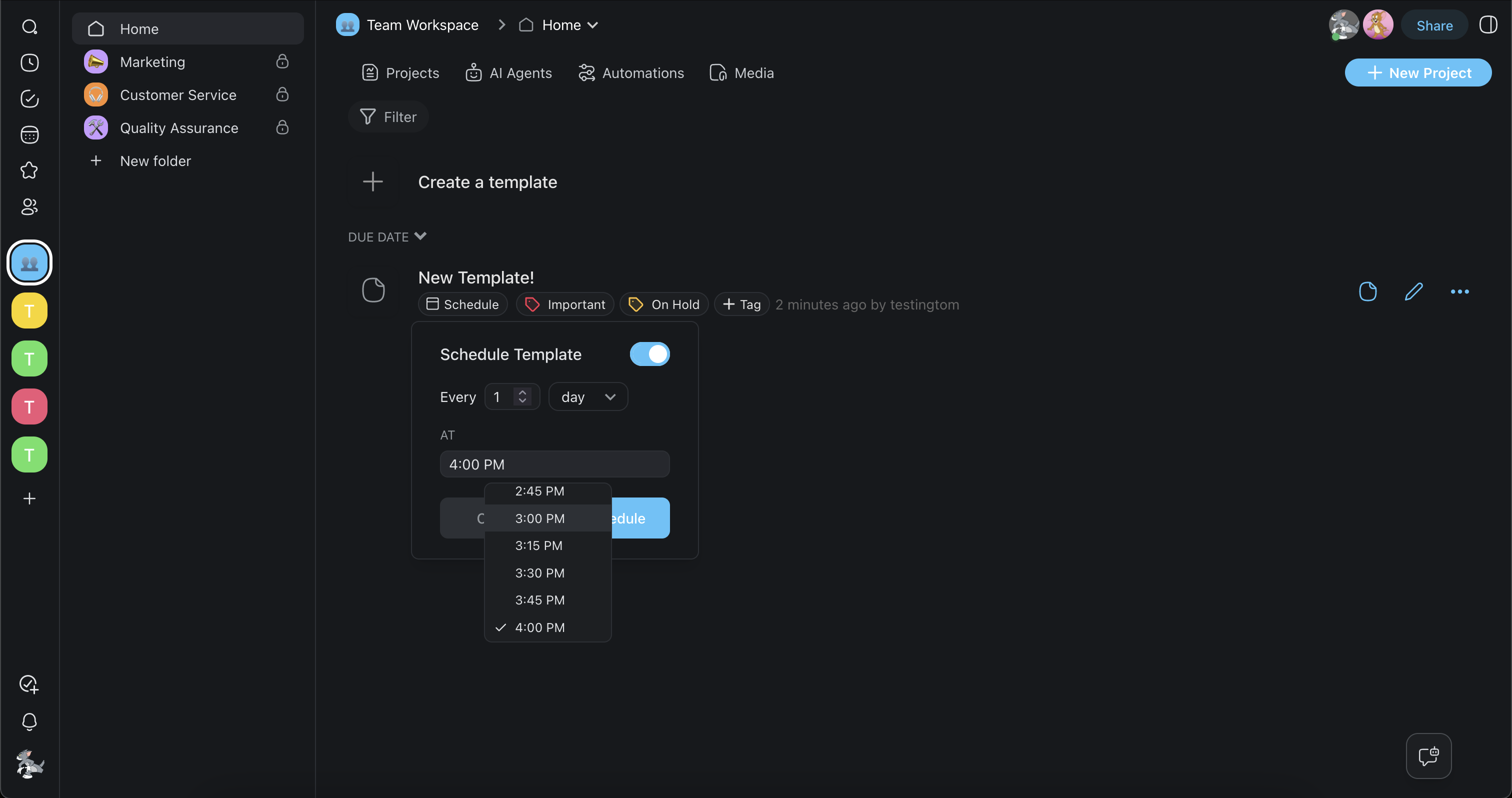
- Click the 🗓️ Schedule button underneath the template you want to schedule.
- Choose the frequency and time.
- Click Schedule to create a recurring project.
When to Schedule Templates
- Time-saving: Instead of setting up repeating projects from scratch, you can automate project creation and dedicate more time to achieving project goals.
- Consistency: Scheduled templates allow you to standardize the way you approach recurring projects and reduce the risk of errors and inconsistencies.
- Improved planning: Using recurring projects allows you to plan ahead, set the stage for your team, and allocate resources more efficiently.
Tips
- Schedule weekly stand-up or sprint planning templates so a fresh project is ready every Monday morning.
- Combine scheduled templates with task assignments inside the template so team members are automatically assigned when the project is created.
- You can edit or cancel a schedule at any time from the Templates tab by clicking the schedule icon next to the template.
- For more advanced recurring workflows, explore Automations to trigger actions automatically when a scheduled project is created.
- Review your active schedules periodically to remove or adjust templates that are no longer needed, keeping your workspace clutter-free.