

TL;DR: Taskade Genesis ships a deployed app with AI agents, automations, and 100+ integrations from one prompt. GitHub Copilot is the IDE coding assistant, with Free, Pro at $10/mo month-to-month, and Business at $19/user/mo. Credits are token-metered since June 2026. Taskade Pro is $10/mo billed annually for 10 seats. Try Taskade Genesis free →
See the alternative working, clone in 60 seconds
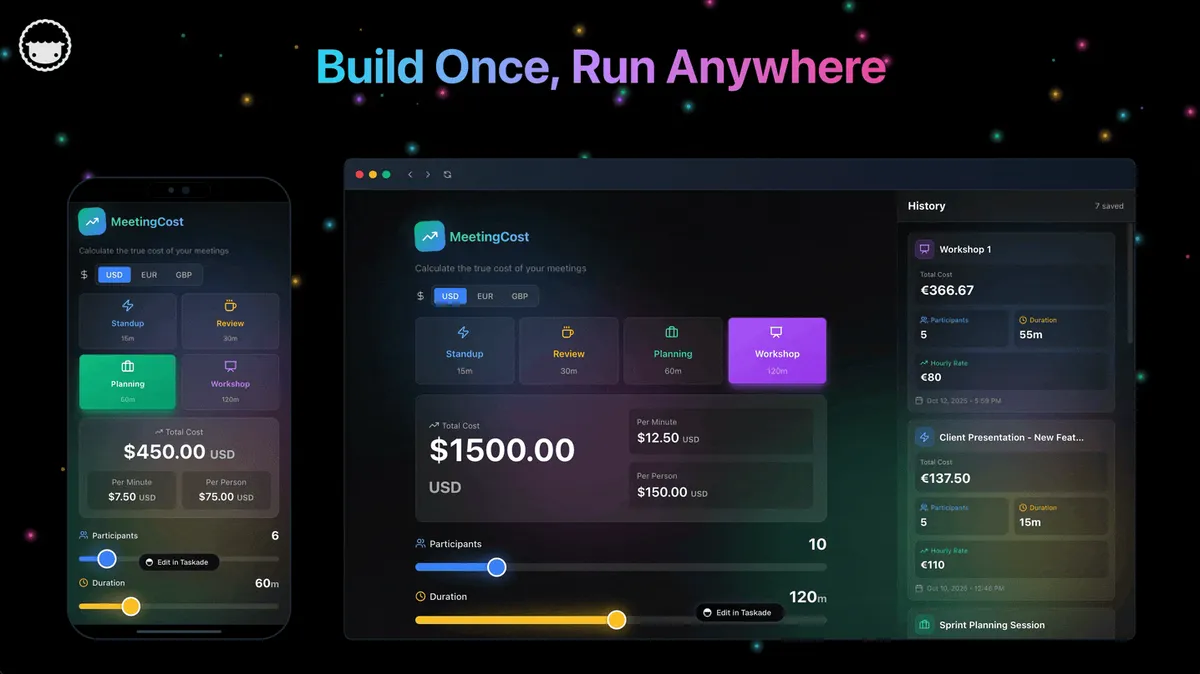
No signup, no credit card. See the live AI dev workspace →
| Capability | GitHub Copilot | Taskade Genesis |
|---|---|---|
| Pricing (starting) | Free · Pro $10/mo · Pro+ $39/mo · Max $100/mo · Business $19/seat — all month-to-month, no annual rate published | $0 Free · $10/mo Pro (billed annually) |
| AI cost model | GitHub AI Credits, tokens metered at API rates | ✅ Allowance included in the subscription |
| Cloneable live demo | ❌ | ✅ |
| Built-in AI agents | Code agent only | ✅ built-in tools |
| Automation engine | No workspace automation | ✅ Durable runtime, 100+ integrations |
| Workspace DNA loop | ❌ | ✅ ▲ Memory · ■ Intelligence · ● Execution |
Overall winner: ✅ Taskade Genesis: for anyone whose goal is shipping a working app, not editing files in an IDE. GitHub Copilot remains an excellent pick for engineers who already live in VS Code or JetBrains.
Table of Contents
- Quick Comparison Table
- The fundamental difference
- What is Taskade Genesis?
- What is GitHub Copilot?
- Feature-by-feature deep dive
- The Workspace DNA advantage
- Pricing and total cost of ownership
- Where GitHub Copilot has the edge
- What developers say
- When to choose each
- Frequently asked questions
- Without permission
The fundamental difference
GitHub Copilot lives inside the IDE. It is the autocomplete engineers reach for when they are already writing code, line completions, function bodies, test scaffolds, doc comments, and a Copilot Chat sidebar that can answer questions about the open file. Newer surfaces like agent mode and the coding agent extend that into multi-file plans and pull requests, but the output is still source code that someone has to review, build, and ship.
Taskade Genesis starts one step further along the pipeline. You describe what you want and Genesis returns a deployed, working application with AI agents, real-time data, automation workflows, and team collaboration already wired in. Your workspace is the backend. Your projects are the database. Your agents are the runtime.
Copilot asks: "What code should I write next?" Genesis asks: "What app should exist?"
What is Taskade Genesis?
Taskade Genesis is the AI app builder inside the Taskade workspace. It is built on Workspace DNA, Memory (Projects), Intelligence (AI Agents), and Execution (Automations), a self-reinforcing loop where what your team does becomes the substrate the agents reason over. Founded by John Xie, Dionis Loire, and Stan Chang in 2017, Taskade is a Y Combinator-backed platform with over a million users and a public Community Gallery of apps anyone can clone.
A single prompt to Genesis can produce a customer support portal, an ops dashboard, a CRM, a knowledge base, a form-driven intake system, or an internal tool, all with built-in AI agents, automations, custom domains, password protection, and the option to embed publicly with GenesisAuth. No DevOps. No CI/CD. No infrastructure to maintain.
Genesis is for everyone, founders, marketers, ops, product managers, customer success, and yes, engineers who want to skip plumbing and focus on the idea.
What is GitHub Copilot?
GitHub Copilot is Microsoft and GitHub's AI pair-programmer. Launched in 2021 as the first mainstream LLM-powered code completion tool, it now serves millions of paid developers across individual, team, and enterprise plans. It runs as an extension inside VS Code, the JetBrains family, Visual Studio, Neovim, and the GitHub web UI.
GitHub Copilot at a glance (2026): Free, then Pro at $10/mo, Pro+ at $39/mo, and Max at $100/mo for individuals, plus Business at $19/user/mo and Enterprise at $39/user/mo — all month-to-month, with no annual rate published. On June 1, 2026 the premium-request model was retired and replaced by GitHub AI Credits, metered on tokens at roughly API rates: inline completions stay free on paid plans, while chat, agent mode, code review, and the CLI draw down credits. Routes across frontier Claude and GPT models with a model picker on newer plans. Includes Copilot Chat (sidebar Q&A and edits), agent mode and a coding agent (repository-scoped planning and autonomous PR generation inside GitHub), plus content exclusions, IP indemnification on paid tiers, and SOC 2 / ISO 27001 compliance.
The headline features developers love about Copilot: ghost-text completions that fade in as you type, an in-IDE chat that knows about your open files, slash-commands like /explain, /tests, /fix, custom instructions and prompt files committed to the repo, and the GitHub-native PR loop where Copilot can be assigned an issue and open a draft pull request. Microsoft's distribution muscle and tight VS Code integration make it the default option for most engineering teams.
Copilot is, for good reason, the most-used AI coding tool in the industry. It is also unambiguously a developer tool, your output is source code in a repository, and shipping that code into production is still your job.
Feature-by-feature deep dive
App generation
- Taskade Genesis turns a single prompt into a deployed application with UI, data model, AI agents, and automations connected. You can iterate visually or in natural language. The output runs immediately at a shareable URL.
- GitHub Copilot suggests code inside an IDE. Its agent mode can scaffold a feature plan and its coding agent can open PRs, but the result is committed source code. Build, test, deploy, and host are still on you.
AI agents that take action
- Taskade ships AI Agents v2, first-class digital teammates with persistent memory, built-in tools (web search, file analysis, project management, image generation, code execution, and more), custom tools you define, and the ability to be embedded publicly inside Genesis Apps as customer-facing teammates.
- GitHub Copilot offers agent mode and a coding agent, which you can power with Claude or GPT models, scoped to repository tasks like editing files, running tests, and opening pull requests. They are excellent at coding work and not designed to live as customer-facing teammates outside GitHub.
Workflow automations and integrations
- Taskade includes durable Automations with branching, looping, and filtering across 100+ bidirectional integrations. Triggers pull external events in (Slack messages, Gmail, Sheets rows, Calendly events, webhooks). Actions push data out (Stripe checkouts, Shopify orders, Notion syncs, Salesforce updates, GitHub PRs).
- GitHub Copilot has no automation layer of its own. Workflows happen through GitHub Actions, which Copilot can help you write, but Actions are CI/CD pipelines, not the customer-facing automations a business runs on.
Team collaboration
- Taskade is workspace-native: real-time multiplayer editing, comments, chat, video calls, and granular role-based access (Owner to Viewer).
- GitHub Copilot is a single-developer experience inside an IDE. Collaboration happens after the fact through GitHub pull requests and code review.
Project views and visual editing
- Taskade offers multiple project views, List, Board, Table, Mind Map, Docs (Beta), Gantt Chart, Calendar, Actionsheet, and Org Chart, plus visual app editing without writing code. The Timeline scrolling component lives inside the Gantt view.
- GitHub Copilot lives in the IDE. Visual editing is whatever VS Code or your JetBrains IDE provides, and the work product is text in files.
Workspace memory and context
- Taskade's Workspace DNA gives every agent persistent context across projects, files, integrations, and the live state of your business.
- GitHub Copilot rebuilds context from the open editor and the surrounding repository. Custom instructions and prompt files now travel with the repo, but context is still session- and repo-scoped.
IDE integration and developer ergonomics
- GitHub Copilot wins outright here. The VS Code, JetBrains, Visual Studio, and Neovim plug-ins are the most polished AI coding integrations in the industry, and the GitHub-native PR loop is unmatched.
- Taskade is web-first and workspace-first, with native iOS and Android apps. There is no IDE plug-in, because the workshop floor is the workspace itself.
The Workspace DNA advantage
Copilot's mental model is "the LLM helps the engineer write code, the engineer ships it." Genesis's mental model is Workspace DNA: a self-reinforcing loop between three pillars.
- Memory (Projects): Your team's docs, tasks, files, and structured data become the substrate every agent reasons over. The longer you work, the smarter the workspace gets.
- Intelligence (Agents): Custom AI Agents with persistent memory, built-in tools, and custom tools you define, plus a hosted MCP server that Claude Desktop, Cursor, and VS Code connect into, while automations carry the work into the 100+ apps you already use. Agents are first-class teammates that live in the workspace, not floating chat sessions.
- Execution (Automations): Durable workflows triggered by external events (Slack, Gmail, Stripe, GitHub, Calendly, webhooks, schedules) that read from Memory and act through Intelligence, then write the results back into Memory. The loop closes.
Copilot is brilliant at one slice of this loop, making engineers faster inside the editor. Genesis runs the entire loop continuously, so the longer you use it, the more your workspace itself becomes the thing that builds the next app.
Pricing and total cost of ownership
| Plan | Taskade Genesis | GitHub Copilot |
|---|---|---|
| Free | Free Forever, milestone credits, not monthly; full app builder access (3 Genesis apps) | Free tier with limited completions and chat |
| Individual / Pro | $10 / month billed annually ($20 month-to-month), unlimited apps, 10 seats | $10 / month Pro, $39 / month Pro+, plus AI Credits metered on tokens |
| Business | $25 / month billed annually, unlimited seats, higher AI capacity, SSO/SAML | $19 / user / month, IP indemnification, content exclusions |
| Max | $100 / month billed annually, maximum AI generation capacity | $100 / month Max, largest AI credit allowance |
| Enterprise | $250 / month billed annually, SCIM provisioning and custom SLA | $39 / user / month, Knowledge Bases, audit logs |
| Annual discount | ✅ published — 50% off month-to-month on every tier | 🔴 none published |
Copilot is a per-seat add-on for engineers, and since June 1, 2026 the cost also scales with usage: the old premium-request allotment was replaced by GitHub AI Credits metered on tokens at roughly API rates, so chat, agent mode, and code review are now partly token pass-through. That is a defensible design — you pay what the models cost — but it means the seat price no longer predicts the bill, and GitHub publishes no annual rate to hedge it. It also does not include hosting, agent infrastructure, automations, or non-engineer collaboration. To ship a real app on top of Copilot, you also pay for GitHub itself, your hosting provider, your CI/CD minutes, and your observability stack.
Genesis is a single subscription that includes the AI, the hosting, the agents, the automations, and the team collaboration surface. For teams that want a predictable monthly number for the entire build-and-ship surface, not just the editor, Genesis is the more comfortable shape.
Where GitHub Copilot has the edge
Honest list, no hedging:
- IDE integration is best-in-class. The VS Code and JetBrains plug-ins are the most refined AI coding integrations on the market. If you live in an IDE, nothing beats Copilot for muscle-memory coding.
- GitHub-native workflow. Copilot's agent mode and coding agent plug directly into the issue, branch, PR, review, and merge loop that engineering teams already run on.
- Massive install base. Millions of paid developers mean battle-tested infrastructure, deep integrations with the Microsoft ecosystem, and a known-quantity procurement story for enterprise.
- IP indemnification on paid tiers. Copilot Business and Enterprise include legal protection on suggested code, which matters for some regulated industries.
- Microsoft + GitHub trust signal. For enterprise IT departments that have to approve every tool, Copilot's parent company is hard to argue with.
Use Copilot when the job is "make my engineers faster inside their existing codebase." Use Genesis when the job is "ship a working app for the rest of the company."
What developers say
Copilot has earned its reputation as the default AI coding assistant. Recurring themes across r/programming, Hacker News, and r/vscode:
- "Best autocomplete in the industry.", VS Code integration is the gold standard.
- "I assigned Copilot an issue and it opened a draft PR.", the coding agent is winning fans for routine work.
- "Pays for itself on day one.", Engineering productivity ROI is rarely disputed.
The honest critique: it's locked to GitHub and the Microsoft ecosystem, the model picker only opened up recently, and agent mode is still maturing against agentic competitors like Cursor and Claude Code. None of these are bugs, they are just consequences of the audience Copilot serves.
Genesis users are usually one step removed from those threads. They show up because they want to ship a portal, a dashboard, a CRM, an internal tool, or a customer-facing app, and they want to do it without thinking about deploys, IDEs, or git. Browse the Community Gallery to see the apps people have shipped without ever opening a code editor.
When to choose each
Choose GitHub Copilot if:
- Your team is engineers writing code in VS Code, JetBrains, Visual Studio, or Neovim.
- You want the tightest possible IDE integration and ghost-text completions.
- Your workflow centers on GitHub issues, PRs, and Actions.
- You need IP indemnification and enterprise procurement signals from Microsoft.
- The output you need is source code in a repository, not a deployed system.
Choose Taskade Genesis if:
- You want to ship a working app, not edit files in an IDE.
- Your team includes non-engineers who need to build alongside engineers.
- You need AI agents that persist, have tools, and can be embedded for customers.
- You need workflow automations across Slack, Gmail, Stripe, Salesforce, Notion, and 100+ other integrations.
- You want one flat subscription that includes hosting, agents, automations, and team collaboration.
Use both if: Many engineering teams keep Copilot in the IDE for line-level coding and use Genesis to ship new internal tools, ops dashboards, customer portals, and AI-powered apps for the rest of the org.
Frequently asked questions
Is GitHub Copilot better than Taskade Genesis?
They are aimed at different jobs. Copilot is the right tool for accelerating engineers writing code in an IDE. Genesis is the right tool for shipping deployed applications. The "better" answer depends entirely on whether your goal is faster engineers or a running app.
How much does GitHub Copilot cost?
$10/mo on Pro, $39/mo on Pro+, and $100/mo on Max for individuals, plus $19/user/mo for Business and $39/user/mo for Enterprise — all month-to-month, with no annual rate published. Since June 1, 2026, GitHub AI Credits are metered on tokens at roughly API rates on top of the seat. Taskade Genesis starts free, $10/mo on Pro billed annually ($20 month-to-month), and $25/mo on Business billed annually with unlimited seats, and includes hosting, agents, and automations in the same subscription with the AI allowance included rather than metered.
What replaced GitHub Copilot's premium requests?
GitHub AI Credits, as of June 1, 2026. The old "300 premium requests on Pro" framing is obsolete — usage is now metered on tokens at roughly API rates. A new individual tier, Copilot Max at $100/mo, sits above Pro ($10) and Pro+ ($39) for people whose agent-mode and code-review usage regularly outruns the lower allowances.
Does GitHub Copilot deploy applications?
Not by itself. Copilot suggests code; engineers ship it. Genesis ships a live application immediately at a shareable URL.
Does Taskade Genesis include workflow automations?
Yes, durable automations across 100+ bidirectional integrations. Copilot has no automation layer; CI/CD lives in GitHub Actions.
Which AI models does Taskade Genesis use?
Taskade routes work across 15+ frontier models from OpenAI, Anthropic, and open-weight providers. Auto is the default, so you never wire up API keys.
Can I use GitHub Copilot and Taskade Genesis together?
Yes, keep Copilot in the IDE for line-level coding, use Genesis for shipping new apps without infrastructure work.
Build without permission
Copilot makes engineers faster at writing code. Genesis lets everyone, engineers and non-engineers alike, ship the apps the business actually needs, finished and hosted on day one.
- Build with Genesis →, One prompt, one deployed app
- Browse the Community Gallery, Clone apps shipped by other Genesis builders
- Read the Workspace DNA explainer, How Memory, Intelligence, and Execution work together
Explore Taskade Genesis
- AI App Builder, Build complete apps from one prompt
- Vibe Coding, Natural-language app creation
- AI Agent Platform, Digital teammates that work 24/7
- AI Website Builder, Sites in seconds
- Workflow Automation, AI-powered business automation
Learn the Genesis architecture
Your living workspace includes:
- First-app guide, 5-minute tutorial
- Custom AI Agents, The Intelligence pillar
- Projects & Databases, The Memory pillar
- Automations & Workflows, The Execution pillar
Build without code
- AI App Generator, Full apps from prompts
- AI Dashboard Generator, Business dashboards
- AI Website Generator, Sites in seconds
- AI Form Generator, Smart intake forms
- Browse Community Apps, Clone and customize
Related reading
- The Build Without Permission article, Our manifesto
- How Workspace DNA Works, The architecture
- Origin of Living Software, The future of apps
- Best Cursor Alternatives in 2026, AI code editors compared
- Best Claude Code Alternatives in 2026, AI coding agents compared
- Best Vibe Coding Tools in 2026, AI coding tools compared
- Vibe Coding for Non-Developers, Build apps without code
- Vibe Coding for Teams, Ship 10x faster