







Every AI agent builder has a "free" button. Half of them lead to a trial.
TL;DR: We checked 12 free AI agent builders on each vendor's pricing page on November 7, 2026. Taskade Genesis is the only free plan we checked that runs your agent inside a live app anyone can open, with a database and automations: 1 agent, 3 apps, 10 automation runs, no card. Free starts with 0 AI credits. Pro is $10/mo billed yearly. Create your first free agent.
The best free AI agent builder in 2026 is Taskade Genesis if you want the agent to do real work for real people. It is the only free plan we checked that runs the agent inside a published app, with a database that keeps every answer and an automation that acts on it. Zapier Agents is the best free pick for teams that already run Zaps, with 400 agent activities a month. Botpress is the best free chat agent for a website, with 3 agents and 100 conversations a month. If you have a server, n8n and Dify are free to self-host. We read every vendor's own pricing page on November 7, 2026, and six tools that other lists still call free turned out to be trials or sales-only.
Cover photo: a Bell System switchboard for overseas calls, 1940s. U.S. National Archives via Wikimedia Commons, no known copyright restrictions.
For most of the 20th century, the "agent" between a caller and the answer was a person at a switchboard. She listened, asked one question, and plugged the call into the right line. A free AI agent does the same job today: it listens, asks, looks something up, and routes the result somewhere useful. The hard part was never the listening. It was the plugging in, and that is still where free plans differ most.
Last updated: November 8, 2026. Facts checked on 2026-11-07.
Quick Answer: The Best Free AI Agent Builders in 2026
Taskade Genesis is the best free AI agent builder in 2026 for an agent inside a live app, with a database and automations on one shareable link. Zapier Agents fits teams that run Zaps. Botpress fits a chat agent on a website. MindStudio and Activepieces give the most hosted free runs. n8n and Dify are free to self-host.
| Builder | Free tier (checked 2026-11-07) | Paid from | Best for |
|---|---|---|---|
| Taskade Genesis | 1 agent inside up to 3 live apps, 10 automation runs, public link and widget, no card. Starts at 0 AI credits | Pro $10/mo billed yearly ($20 monthly) | An agent inside a live app with a database |
| Zapier Agents | 400 agent activities a month, 10 per run | Agents Pro from about $33.33/mo billed yearly | Teams that already run Zaps |
| Botpress | 3 agents, 100 conversations a month, no overages | Plus $150/mo billed yearly | A chat agent on a website |
| MindStudio | 1 agent, 1,000 runs a month, plus model usage at cost | Individual $16/mo billed yearly ($20 monthly) | The most runs on a hosted free plan |
| Retool | 5 users, 500 workflow runs, up to 20 agent hours a month | Team $10 per builder/mo billed yearly | Agents beside internal tools |
| Dify | 200 message credits, 5 apps. Self-host free | Professional $590/yr per workspace | Open-source agents with knowledge search |
| n8n | Self-hosted Community Edition. Cloud is a trial | Starter €20/mo billed yearly | Full control on your own server |
No hosted free plan in this guide includes AI model usage without a cap. Every one of them meters something: runs, activities, conversations, credits or executions. The full 12-tool table, with the meter that ends each free month, is in Where Each Free Plan Stops.
Build an agent app from a prompt, browse chatbot and agent kits, or compare every plan on Taskade pricing.
Method: on November 7, 2026 we read each vendor's own pricing page and, where the page was silent, its documentation or GitHub repository. We did not run a hands-on build on all 12 tools for this edition, so this guide says "checked", not "tested". Where a vendor page did not state a limit, the table says "not stated" instead of a guess.
Four numbers that circulate in 2026 roundups are now wrong. Botpress Free is 100 conversations a month, not 1,000 messages. Lindy has a 7-day credit trial, not a monthly free tier. Relevance AI shows only an Enterprise plan with "Talk to sales". Flowise, still ranked first in some no-code lists, reached end of life on August 31, 2026. The full corrections table is in Corrections: Free-Plan Numbers That Changed.
Free vs Pro on Taskade Genesis (checked November 7, 2026)
Taskade Free runs 1 AI agent inside up to 3 Taskade Genesis apps, with 10 automation runs a billing period and 0 AI credits at signup. Taskade Pro at $10 a month billed annually lifts the agent cap, adds 50 knowledge items per agent and includes 50,000 AI credits a month.
| What you need | Free | Pro ($10/mo billed annually, $20 monthly) |
|---|---|---|
| Custom AI agents | 1 agent | Unlimited agents |
| Knowledge per agent | 1 item | 50 items |
| Taskade Genesis apps | 3 apps | Unlimited apps |
| AI credits | Starts at 0. Earn free AI credits with referrals and invites, or upgrade | 50,000 a month |
| Automation runs | 10 per billing period | 1,000 per billing period |
| Connectors | Built-in steps plus standard connectors. Premium connectors need a paid plan | Premium and Pro connectors |
| Webhook triggers | Not on Free | Yes |
| AI Teams (several agents in one chat) | Not on Free | Yes |
| Export an agent | Not on Free | Yes |
| Public agent link and website widget | Yes | Yes |
| Workspace members | 2 | Up to 10 |
Source: Taskade's plan matrix at the current release, read on November 7, 2026. Facts checked on 2026-11-07.
On Free, you earn free AI credits with referrals and invites, and you can upgrade any time. Read how referral credits work. Every reply your agent writes uses AI credits, so a Free agent answers once the workspace has earned credits.
Cloning matters here too. A Taskade App Kit copies its projects, agents and automations into your workspace. A kit that holds automations needs a paid plan to clone, and a kit with an agent counts toward Free's 1-agent limit. On Free, the clean start is one custom agent that you create in the AI Agents tab (how to build a custom agent), plus an automation you build yourself.
Clone a Working Agent by Job (Taskade App Factory)
Pick the job first, then start from a working agent and edit its questions and knowledge. The Taskade App Factory holds live agent apps you can open before you clone. The agent pages under /agents open full kits, and most of those kits hold automations, so cloning one also needs a paid plan.
| Job | Free start (1 agent you create) | Full kit with automations (paid plan to clone) |
|---|---|---|
| Qualify inbound leads | A blank agent that asks 3 qualifying questions (custom agents guide) | Lead Capture Chatbot kit: 1 agent, 3 automations |
| Answer support questions | A blank agent with your help page as its 1 knowledge item (knowledge guide) | Support Agent kit: 1 agent, 3 automations |
| Run an internal helpdesk | A blank agent your workspace shares (Free allows 2 members) | Help Desk Tickets kit: 1 agent, 3 automations |
| Help students study | A blank agent with your notes as its 1 knowledge item | Student Helpdesk kit: 1 agent, 5 automations |
| Browse every agent app | Agent templates (full kits, check each kit's automations) | Chatbot kits |
Kit contents read from each kit page on November 7, 2026.
Vertical deep dives: AI chatbot builders, AI agent kits, automate sales with AI agents and automate customer support. For the all-plans ranking, read the best AI agent builders. For what an agent builder is and how it works, read agent builders explained.
What Is the Best Free AI Agent Builder in 2026?
Taskade Genesis is the best free AI agent builder in 2026, because it is the only free plan we checked that runs the agent inside a published app with a project database and automations on one link. Its weakest point is plain: Free starts with 0 AI credits, so the agent answers once you earn credits or upgrade.
That trade-off is the whole story of free agent builders in late 2026. Some free plans give you generous AI usage and nowhere to put the result. Others give you a place to put the result and a small meter for the AI. Taskade sits in the second group. Zapier Agents and MindStudio sit closer to the first.
What a Free Agent Builder Must Do
A free AI agent builder earns the name when it passes four checks. The checks come from what people actually build with a free agent: a lead form, a support bot, a study helper, an inbox sorter.
- No end date. The $0 plan resets each month. It is not a 7-day or 14-day trial.
- It can act. The agent can use a tool or an app: search, save a row, send an email.
- It knows you. You can give it your own files, links or records as knowledge.
- People reach it. A visitor or a teammate can talk to it on a link, a widget or a channel.
Ten of the 12 builders in this guide pass check 1 on a hosted plan. n8n passes it only when you self-host, and Langflow does not publish its cloud limits. Checks 2 to 4 split the field further, and the checklist table shows each tool's result.
Who Publishes This List, and What We Make From It
Taskade publishes this guide, and Taskade Genesis is ranked first in it. That is a conflict of interest, so here is the basis for the placement instead of an assertion: on the vendor pages we read on November 7, 2026, Taskade was the only free plan that puts the agent, a public link, a database and automations in one published app. Every competitor number in this guide links to that vendor's own pricing page, so you can check it without taking our word for it.
Where a competitor's free plan is better, the entry says so. Zapier has the largest app catalog in this list, and its agents reuse the connections you already set up. Botpress gives 3 agents and 3 seats on its free plan, more than most hosted free plans. MindStudio gives 1,000 runs a month on its hosted free plan. n8n and Dify have no usage cap from the vendor when you self-host. Retool puts agents, apps and workflows on one free plan for internal teams.
Is a Free AI Agent Builder Actually Free?
A free AI agent builder is free in one of four ways: a recurring free plan, a time-boxed trial, a one-time credit grant, or open-source software you host yourself. Only a recurring free plan or a self-hosted copy keeps an agent running at $0 next month, and both still meter something.
| Offer type | Tools in this guide (checked 2026-11-07) | What ends it |
|---|---|---|
| Recurring free plan | Taskade, Zapier Agents, Botpress, MindStudio, Make, Stack AI, Retool, Activepieces, Dify Sandbox (its 200 message credits are not stated as monthly), CrewAI Basic | The monthly meter: runs, activities, conversations, credits or executions |
| Trial or credit grant | n8n Cloud, Lindy, Gumloop, Chatbase, Voiceflow (agencies) | The end date or the trial credits |
| No free offer shown | Relevance AI, Pickaxe, Microsoft Copilot Studio (trial on request) | Not applicable |
| Self-hosted open source | n8n, Dify, Langflow, Activepieces, CrewAI framework | Your server bill, your model key and your time |
What Every Free Plan Caps Hardest
Every free AI agent builder caps one meter harder than the rest, and that meter tells you when your free month ends. A builder with generous runs and a small knowledge cap fails a support bot. A builder with a big knowledge base and 100 conversations fails a busy website.
| Tool | The cap that binds first on Free | Why it binds |
|---|---|---|
| Taskade Genesis | AI credits (starts at 0), then 1 agent | Each agent reply uses credits |
| Zapier Agents | 10 activities per run | A long research task stops and asks you to continue |
| Botpress | 100 conversations a month | A busy site uses that in days |
| MindStudio | Model usage billed per token | Runs are generous, model tokens are not free |
| Make | 1,000 credits a month | Each module run uses credits |
| Stack AI | 500 runs a month, 2 projects | Fine for one agent, tight for a team |
| Retool | 20 agent hours a month | Agent runs pause when hours run out |
| Activepieces | 1,000 credits, with AI steps at 2 to 20 credits | AI steps use credits fast |
| Dify | 200 message credits | One busy afternoon of testing |
| CrewAI | 50 workflow executions a month | Enough to test, not to run |
| n8n | Your server and your model bill | No vendor cap when you self-host |
| Langflow | Cloud limits not published | Self-host for a known cost |
A cap that ends mid-build is worse than a cap that ends after launch. A builder that runs out before your agent answers its first real visitor has shown you a demo, not a free plan.
Who Pays for the AI Model?
The AI model is the hidden line item in every free agent builder. MindStudio bills model usage per token at the provider's price, with no markup, on its Free plan. Activepieces charges 2, 10 or 20 extra credits for each AI step, by model class. Botpress covers $0.10 of AI usage in each conversation on its paid Plus and Team plans, and its pricing page did not state an AI allowance for Free. Self-hosted n8n, Dify, Langflow and CrewAI need your own model key, so you pay the model provider directly.
Taskade Free starts with 0 AI credits. Your agent's replies, and the replies it writes to public visitors, use AI credits from the workspace. Pro includes 50,000 AI credits a month, and the AI agent cost guide shows how to stretch them.
Can a Free Agent Talk to the Public?
A free agent is only useful when someone can reach it. Taskade publishes an agent as a public link or a website widget on every plan, Free included, and visitor chats land in the Visitor Inbox. Each visitor reply uses AI credits from your workspace, and a password on the public page needs a paid plan.
Botpress Free covers 100 conversations a month across 3 agents. Zapier Free includes 2 chatbots, which are a separate product from Zapier Agents. Retool Free serves up to 5 internal users, so it fits a team helper, not a public bot. MindStudio's pricing page did not state a publishing limit for Free on November 7, 2026.
Runs, Credits, Conversations: How Each Free Plan Meters Your Agent
Each free AI agent builder counts a different unit, and the unit decides how far a free month goes. A "run" can mean one step or one whole workflow. A "conversation" can hold one message or fifty. Compare the units before you compare the numbers.
| Tool | Meter on Free | What one unit is, in the vendor's words or terms |
|---|---|---|
| Taskade | Automation runs and AI credits | One run is one automation from trigger to finish. AI credits pay for agent replies and AI steps |
| Zapier Agents | Activities | Each search, read or action the agent takes. Up to 10 in one run on Free |
| Botpress | Conversations | One conversation with a user. The page did not state an AI allowance for Free |
| MindStudio | Runs, plus model usage | One agent run. Models billed per token at the provider's cost |
| Make | Credits | Module runs use credits. AI steps can use them at a different rate |
| Stack AI | Runs | One run of a project |
| Retool | Workflow runs, AI credits, agent hours | 500 runs, 250 pooled AI credits, up to 20 agent hours |
| Activepieces | Credits | "A run is one credit however many steps it has." AI steps add 2, 10 or 20. Agentic actions are 1 each |
| Dify | Message credits | One model message. Sandbox lists 200 credits with no monthly reset stated, then your own API key |
| CrewAI | Workflow executions | One execution of a crew's workflow |
| n8n Cloud trial | Executions | One workflow execution, any number of steps |
Facts checked on 2026-11-07 on each vendor's pricing page.
A Worked Example: 30 Leads a Week
Here is the same small job on four meters. A website agent talks to 30 leads a week, about 130 a month. For each lead it asks three questions, saves a row and emails the owner when the lead is hot.
- Botpress Free: 130 conversations is more than the 100 included, and Free has no top-ups, so the agent stops answering in the fourth week.
- Zapier Agents Free: each lead is one agent run. If one lead takes 3 activities (read the form, save the row, send the email), 130 leads use about 390 of the 400 activities. One extra lookup per lead ends the month early.
- Activepieces Free: each flow run is 1 credit, and each AI step on a fast model adds 2. A one-AI-step flow costs about 3 credits a lead, or about 390 a month, inside the 1,000-credit allowance.
- Taskade Free: the agent chat happens inside the app, and each email is one automation run. 130 runs would pass the 10 runs in a billing period, so on Free the email automation covers about the first 10 leads, and Pro's 1,000 runs cover the month. Every agent reply uses AI credits, which Free earns rather than starts with.
The per-activity and per-step costs above are our arithmetic on each vendor's published unit. Vendors do not publish a cost per lead, and a real agent can take more steps than this example.
The First Paid Price
The first paid step ranges from $10 a month to $150 a month across the hosted builders that publish a price in US dollars. The chart leaves out n8n (priced in euros), Make (price not shown to our checker), and Stack AI and CrewAI (Enterprise only).
Retool is $10 per builder, plus $5 per internal user. Dify Professional is $590 a year per workspace, shown as $49 a month. Zapier Agents Pro is "about $33.33" a month billed annually. Facts checked on 2026-11-07.
An Agent Alone vs an Agent Inside a Live App
Most free AI agent builders give you a chat box or a workflow node. Taskade Genesis puts the agent inside an app with a database and automations on one shareable link, so the answer the agent collects is saved, shown and acted on in the same place. That difference decides whether a free agent saves you work or adds a copy-and-paste step.
Here is a live example. Lead Capture Chatbot is a Taskade Genesis app where visitors ask an agent about services, prices and openings, and the leads land in a project. Click around below.
The kit ships with 5 projects, 1 AI agent and 3 automations, according to its kit page on November 7, 2026. Because it holds automations, cloning the full kit needs a paid plan. On Free, create one custom agent yourself and build the email automation yourself.
Citation capsule: Taskade calls this loop Workspace DNA. Projects are the Memory, AI agents are the Intelligence, and automations are the Execution. An agent in a Taskade Genesis app reads the same projects your team edits, writes back to them, and triggers automations across 100+ integrations, so the agent, the data and the action share one workspace and one plan.
The agent-alone model still wins for some jobs. A Zapier agent that works through your existing Zaps needs no app, and a Botpress bot on a website needs no database to answer a FAQ. Pick the agent-in-an-app model when the agent collects something you need to keep, such as a lead, a ticket or a booking.
How We Checked 12 Free AI Agent Builders
We read the pricing page of every builder in this guide on November 7, 2026, and recorded the free-plan meter, the free-plan caps, the card rule and the first paid price in the vendor's own words. Where a pricing page was silent, we read the vendor's documentation or GitHub repository and named that source.
The brief we use to judge fit is fixed: "Build a lead qualification agent for a small agency website. It asks 3 questions, scores the lead from 1 to 10, saves the lead to a table, and emails the owner when the score is 8 or higher. Share it with a public link." For each tool, we asked one question of its plan page: can a $0 plan do each part of that brief, and which meter ends it?
Three honesty notes on method:
- Checked, not tested. This edition reads plan pages and docs. We did not open 12 fresh accounts and run the brief end to end, so no score below claims a hands-on result.
- Not stated means not stated. If a vendor's page did not state a limit, such as MindStudio's publishing rule on Free or Langflow's cloud limits, the table says so. We do not fill gaps with third-party numbers.
- One blocked page. Make's pricing page did not show plan prices to our checker. Make's free credits and its AI Agents availability come from Make's own pages. Its Core price is marked as unverified.
Where Each Free Plan Stops
This is the master table. Every row comes from the vendor's own page on November 7, 2026, unless the row says otherwise.
| Tool | Free-plan limits | Meter on Free | First paid price |
|---|---|---|---|
| Taskade Genesis | 1 agent, 1 knowledge item, 3 apps, 2 members, public link and widget | 10 automation runs per billing period. 0 AI credits at signup | Pro $10/mo billed annually ($20 monthly) |
| Zapier Agents | Agents on Zapier Free. 2 chatbots, 100 tasks, Tables with 2,500 records | 400 activities a month, 10 per run | Agents Pro from about $33.33/mo billed annually |
| Botpress | 3 agents, 3 seats, no top-ups or overages | 100 conversations a month | Plus $150/mo billed annually |
| MindStudio | 1 agent. Publishing limit on Free not stated | 1,000 runs a month, plus model usage at cost | Individual $16/mo billed yearly ($20 monthly) |
| Make | AI Agents "available on all plans". 1 data store | 1,000 credits a month | Core: price not shown to our checker |
| Stack AI | 2 projects, 1 seat | 500 runs a month | Enterprise only, custom price |
| Retool | Up to 5 users, unlimited web and mobile apps (5 modules) | 500 workflow runs, 250 AI credits, up to 20 agent hours a month | Team $10 per builder/mo billed annually, plus $5 per internal user |
| Activepieces | Unlimited flows, up to 5 users, agents and chat | 1,000 credits (the page lists both a daily and a monthly reset) | Plus $20/mo for 10,000 credits |
| Dify | 5 apps, 1 member, 50 knowledge documents, 50 MB storage | 200 message credits | Professional $590/yr per workspace |
| CrewAI | Seats and crews not stated | 50 workflow executions a month | Enterprise only, custom price |
| n8n | Community Edition, self-hosted. Cloud is a trial | No vendor cap on your own server | Starter €20/mo billed annually, 2,500 executions |
| Langflow | Open source, plus a free cloud account | Cloud limits not published | Not published |
Free-Plan Checklist: What Each Free Tier Includes
The checklist reads each $0 plan against the four checks above, plus one more that decides a lead agent: a database in the same tool to save the record. "Yes" means the vendor's page or docs say so. "Not stated" means we could not confirm it from the vendor.
| Tool | No end date | Acts on Free | Own knowledge | Public can reach it | Built-in database |
|---|---|---|---|---|---|
| Taskade Genesis | Yes | Yes. Built-in steps and standard connectors. Premium connectors paid | Yes, 1 item | Yes, link and widget | Yes, projects |
| Zapier Agents | Yes | Yes, through your Zapier app connections | Not stated | Through Zapier Chatbots (2) | Yes, Tables |
| Botpress | Yes | Not stated | Not stated | Yes, 100 conversations | Not stated |
| MindStudio | Yes | Not stated | Not stated | Not stated | Not stated |
| Make | Yes | Yes, inside scenarios | Not stated | No chat page | 1 data store |
| Stack AI | Yes | Not stated | Not stated | Not stated | Not stated |
| Retool | Yes | Yes, workflows | Not stated | Internal users only | Yes, apps over your data |
| Activepieces | Yes | Yes, flows | Not stated | "Agents and Chat" included | Not stated |
| Dify | Yes (Sandbox) | Yes, workflow tools | Yes, 50 documents | Yes, a public web app link | Knowledge base |
| CrewAI | Yes (Basic) | In code | In code | Not stated | Not stated |
| n8n | Self-host only | Yes, nodes | In workflows | Yes, hosted chat from the Chat Trigger | Not stated |
| Langflow | Self-host, cloud not stated | Yes, components | Yes, in flows | Not stated | Not stated |
Facts checked on 2026-11-07. A "Not stated" cell is a gap in the vendor's pricing page, not a verdict on the product.
Corrections: Free-Plan Numbers That Changed
Free plans in this category move every few weeks. These are the numbers we saw repeated in 2026 roundups, next to what each vendor's own page said on November 7, 2026.
| Claim seen in 2026 roundups | Vendor page on 2026-11-07 |
|---|---|
| Botpress Free includes 1,000 messages, or 500 messages and a $5 credit | 3 agents, 100 conversations a month, no top-ups or overages |
| Lindy Free includes 40 tasks a month | $50 in credits that last 7 days, no card. Team from $49.99/mo |
| Relevance AI Free includes 200 actions a month | Only Enterprise is shown, with "Talk to sales" |
| Flowise is the top free no-code agent builder | Code freeze July 29, repository archived August 10, end of life August 31, 2026 |
| Gumloop Free includes 2,000 credits a month | Every new account starts with a 14-day Pro trial, and the trial needs a card |
| n8n has a free cloud plan | n8n Cloud is a trial. The free edition is the self-hosted Community Edition |
1. Taskade Genesis: Best Free Agent Builder for an Agent Inside a Live App
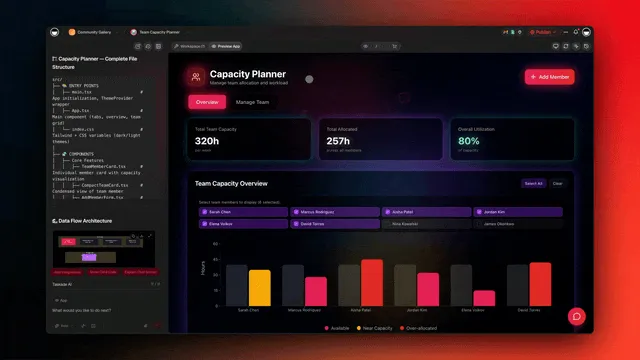
Taskade Genesis builds AI agents inside the same workspace as your projects and automations. You describe the agent, attach knowledge, and publish it as a public link or a website widget. Taskade EVE can build a whole app around the agent from one prompt.
Key features: knowledge from projects, files and links; built-in tools such as web search, code and file analysis; a public link, a website widget and a Visitor Inbox on every plan; automations with 100+ integrations; apps where the agent, the database and the automations share one link.
Free plan (checked Nov 7, 2026): 1 agent with 1 knowledge item, 3 apps, 2 members and 10 automation runs per billing period. Free automations use built-in steps such as Send an email (automation actions) and standard connectors such as HTTP Request. Premium connectors such as Gmail and Slack need a paid plan. Free starts with 0 AI credits. On Free, you earn free AI credits with referrals and invites, and you can upgrade any time.
Pros
- The only free plan we checked with an agent, a database and automations in one published app.
- A public link and a website widget on every plan.
- No credit card, and no end date.
Cons
- Free starts with 0 AI credits, so the agent replies only after you earn credits or upgrade.
- 1 agent with 1 knowledge item on Free, and agent export starts on Pro.
- Premium connectors and kits that hold automations need a paid plan, and webhooks need Pro.
Pricing: Pro is $10 a month billed annually ($20 monthly): unlimited agents and apps, 50 knowledge items, 50,000 AI credits a month, 1,000 runs and 10 members. Business is $25 a month billed annually. Claude runs in custom agents on Pro and up with your own API key.
Bottom line: the free plan to pick when the agent must collect something you keep, such as a lead, a ticket or a booking, and act on it.
2. Zapier Agents: Best Free Agent for Teams That Already Run Zaps

Zapier Agents lets you describe an agent in plain words and give it access to the apps you already connected in Zapier. The agent works through a task step by step: it searches, reads and acts in those apps. For a team with years of Zaps, it is the shortest path from automation to an agent.
Key features: plain-language agent setup; access to Zapier's app directory through your existing connections; agents that run on a trigger, on a schedule or on demand; handoff to a Zap for fixed steps; Zapier Chatbots and Tables as separate products on the same account.
Free plan (checked Nov 7, 2026): 400 agent activities a month, with up to 10 activities in one agent run. Activities do not use your Zap task allowance. The same Free account includes 100 tasks a month for Zaps, 2 chatbots and Tables with 2,500 records. Zapier's pricing page did not state a card rule for Free, and it lists a 14-day Professional trial with no card.
Pros
- The largest app catalog in this guide, and agents reuse connections you already made.
- Agent activities sit outside the task pool, so a free agent does not eat your Zaps' tasks.
- The plain-language setup suits operations staff who already think in triggers and actions.
Cons
- The 10-activity cap per run stops a long research task early and asks you to continue.
- Agents are separate from Zapier Chatbots, so a public chat page is a second product with its own limit.
- Costs stack when you pay for both Zaps and Agents.
Pricing: Agents Pro starts at about $33.33 a month billed annually, with 1,500 activities a month and up to 40 per run. Zapier Professional for Zaps is $19.99 a month billed annually, or $29.99 monthly, for 750 tasks. The two are priced separately.
Bottom line: the best free agent when your company already lives in Zapier and the agent's job is to work across those apps.
3. Botpress: Best Free Chat Agent for a Website
Botpress is a visual builder for chat agents. You design the conversation in a flow editor, add knowledge, and deploy the agent to a web chat or a messaging channel. Developers like it for the fine control. Non-developers can start from templates.
Key features: a visual flow editor; knowledge bases for answers from your documents; an AI usage allowance inside each conversation on paid plans; deployment to web chat on Free; WhatsApp and white-label web chat on the Plus plan, according to its pricing page FAQ.
Free plan (checked Nov 7, 2026): $0 with 3 AI agents, 3 seats and 100 conversations a month. The page says "No top-ups or overages", so the agent stops at 100 conversations until the month resets. The page says each Plus and Team conversation includes $0.10 of AI usage covered by Botpress, and it did not state an AI allowance or a card rule for Free.
Pros
- No top-ups or overages on Free, so a free month cannot run up a bill.
- 3 agents and 3 seats on Free, more than most hosted free plans.
- The flow editor gives exact control over what the agent says and when.
Cons
- 100 conversations a month is tight for a busy website.
- No top-ups on Free, so you cannot buy a few more conversations without moving to Plus.
- The first paid step is a large jump.
Pricing: Plus is $150 a month billed annually, with 250 conversations a month, unlimited agents and $25 of AI usage. Extra conversations cost $65 for each pack of 100. The page did not show a monthly-billing price.
Bottom line: the best free chat agent for a small site that needs fine control of the conversation and gets fewer than 100 chats a month.
4. MindStudio: Best Free Plan for Run Volume
MindStudio builds AI agents and AI apps on a visual canvas, with access to many AI models through one account. You design the agent's steps, pick a model for each step, and run the agent from the web, a browser extension or an API. It is popular with consultants who build agents for clients.
Key features: a visual agent canvas; many models through one account with no API keys required; bring your own API keys if you prefer; a free Chrome extension that works with every plan; self-paced learning and a community.
Free plan (checked Nov 7, 2026): 1 agent and 1,000 runs a month, plus model usage. MindStudio's pricing page says you pay the model provider's cost with no markup, mostly per million tokens. The page lists "Bring your own API keys if you prefer" on Free. Its plan table lists unlimited agent publishing for the paid plans only, and did not state a publishing limit for Free. The page did not state a card rule.
Pros
- 1,000 runs a month, tied with Activepieces for the largest hosted free allowance we checked.
- Model usage at cost, with no markup, so you see the real price of each run.
- A wide choice of models, and your own keys on Free.
Cons
- Model usage is not free, so the 1,000 runs carry a token bill.
- 1 agent on Free.
- The pricing page did not state whether a Free agent can be published to others.
Pricing: Individual is $16 a month billed yearly, or $20 monthly, plus usage. Business is sold on the same page with more seats and controls.
Bottom line: the best free plan for someone who runs one agent often and is fine paying the model provider directly.
5. Make: Best Free Visual Scenarios With AI Agents

Make is a visual automation tool where you drag apps onto a canvas and connect them into scenarios. Make AI Agents run inside those scenarios, so an agent can decide the next step while Make handles the app connections. It suits people who like to see every step of a flow.
Key features: a visual scenario canvas; a large app directory; AI Agents that Make's own page lists as "available on all plans"; data stores for small tables; credits that cover both module runs and AI usage.
Free plan (checked Nov 7, 2026): 1,000 credits a month, according to Make's pricing page. The page links the Free plan to 1 MB of data storage and one data store. Make's AI Agents page says the feature is "available on all plans". Third-party guides list 2 active scenarios and a 15-minute minimum interval on Free, but Make's pricing page did not show those limits to our checker, so treat them as unconfirmed.
Pros
- AI Agents on the free plan, inside a mature visual automation tool.
- A credit model that covers app steps and AI in one meter.
- A clear canvas that shows each step an agent and a scenario take.
Cons
- 1,000 credits go quickly once AI steps join the scenario.
- No public chat page for the agent.
- The pricing page did not show plan prices to our checker on November 7, 2026, so confirm the paid price in a browser.
Pricing: Core is the first paid plan. Make's pricing page did not show its price or its monthly credits to our checker on November 7, 2026. Several 2026 guides cite a price between $9 and $12 a month billed annually.
Bottom line: the best free pick for a visual scenario where an agent makes one decision in a longer automation.
6. Stack AI: Best Free Plan for Enterprise-Style Agent Projects
Stack AI is a no-code platform for building AI agents and assistants on company documents and systems, aimed at regulated and enterprise teams. You build a project on a canvas, connect a knowledge base and tools, and expose it to users. Its focus is compliance and control.
Key features: a visual project canvas; knowledge bases from document upload, web scraping and Google Drive (listed on the pricing page); plugins such as a browser extension, a REST API and a Slack bot (plan availability not shown in the page text); an Enterprise plan for regulated teams.
Free plan (checked Nov 7, 2026): $0 with 500 runs a month, 2 projects and 1 seat, plus community support on Discord. The page marks the run limit with an asterisk but does not explain it. It did not state a card rule or a knowledge base limit for Free.
Pros
- 500 runs a month is a useful allowance for one or two working agents.
- A platform built for enterprise controls, so a pilot can grow into a production rollout.
- Knowledge sources include uploads, web pages and Google Drive.
Cons
- 1 seat on Free, so a team cannot share the build.
- No self-serve paid plan: the next step is Enterprise, with a custom price.
- The page does not show which plugins and channels the Free plan includes.
Pricing: Enterprise only, with a custom price, unlimited projects and a custom number of runs and seats. There is no published step between Free and Enterprise.
Bottom line: the best free plan for a pilot that you expect to hand to an enterprise team later.
7. Retool: Best Free Agent Builder for Internal Tools
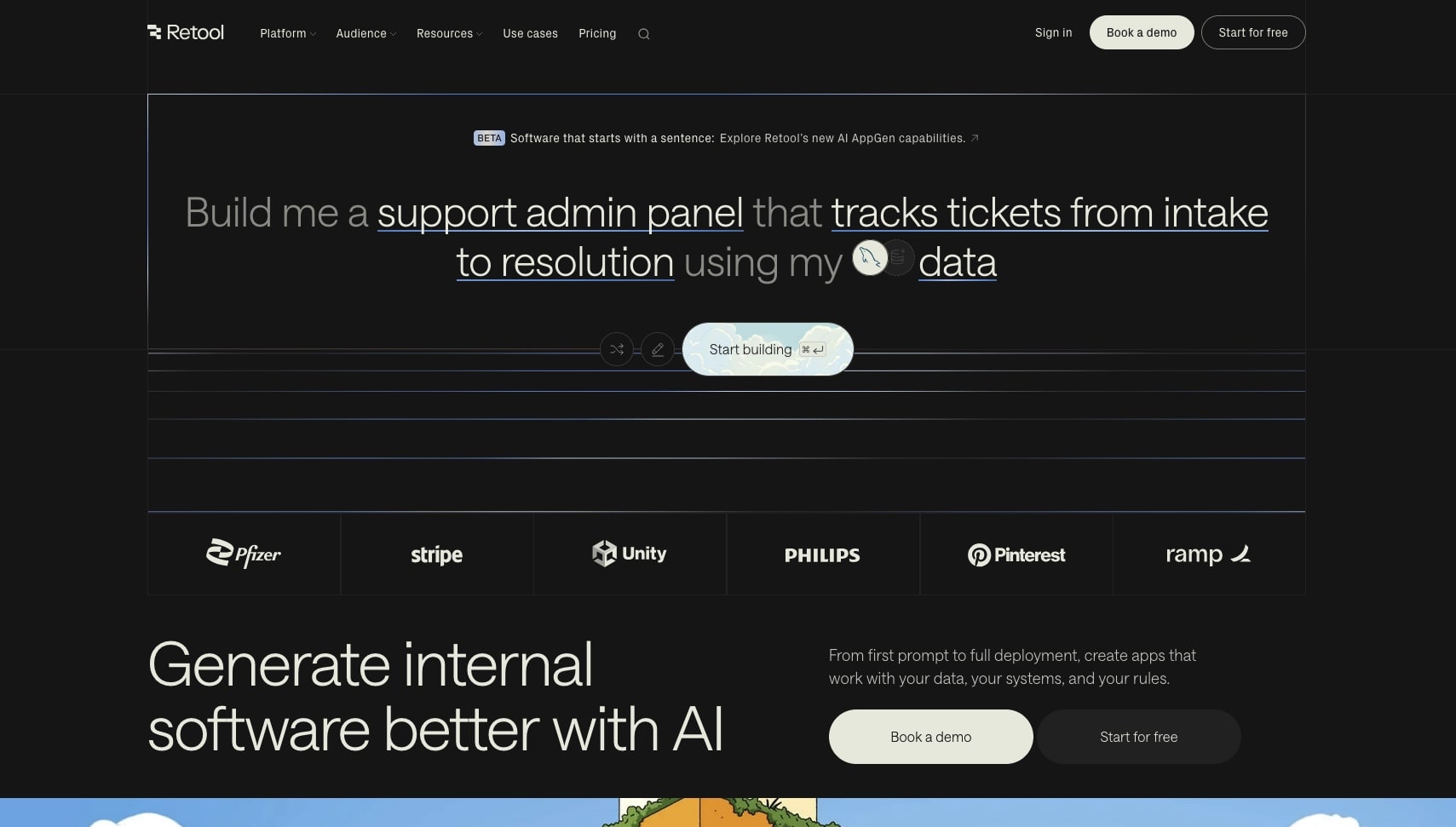
Retool builds internal apps on top of your databases and APIs, and it now adds Retool Agents and Workflows to the same account. An agent can read and act on the same data your internal apps show. It is a developer-friendly tool that many operations teams also use.
Key features: internal web and mobile apps over your own data; Retool Workflows for scheduled and triggered jobs; Retool Agents with an hourly meter; a pooled AI credit allowance; seats split between builders and internal users.
Free plan (checked Nov 7, 2026): up to 5 users, unlimited web and mobile apps (with 5 modules), 500 workflow runs a month, 250 pooled AI credits a month and up to 20 agent hours a month. Agent runs pause when the free hours run out. The page did not state a card rule.
Pros
- Agents, apps and workflows on one free plan, next to real databases.
- 5 users on Free, enough for a small team's internal helper.
- Unlimited internal apps on Free.
Cons
- Internal users only, so a Retool agent is not a public website bot.
- Developer-leaning: connecting a database or an API takes technical skill.
- Agent hours are a second meter on top of runs and AI credits.
Pricing: Team is $10 per builder a month billed annually ($12 monthly), plus $5 per internal user a month billed annually ($7 monthly).
Bottom line: the best free choice when the agent's users are your own team and the data already lives in a database.
8. Activepieces: Best Free Open-Source Automation With Agents

Activepieces is an open-source automation tool with a visual flow builder, agents and chat. You can use its cloud or self-host the Community Edition, which is released under the MIT license. It is the clearest free cloud plan in this guide on the cost of an AI step.
Key features: a visual flow builder; agents and chat on the free cloud plan; a credit model that charges one credit per run, however many steps it has; AI steps priced by model class; an MIT-licensed Community Edition with commercial enterprise features.
Free plan (checked Nov 7, 2026): $0, "Free forever, no card", with 1,000 credits, unlimited flows, up to 5 users, and agents and chat included. A run is 1 credit. AI steps add 2 credits on a fast model, 10 on a smart model and 20 on a frontier model. Agentic actions are 1 credit each. The page is inconsistent on the reset: the table says credits reset daily, and the FAQ says "You get a fresh 1,000 credits every month."
Pros
- "Free forever, no card" in plain words on the pricing page.
- A published credit cost for every AI step, which few vendors show.
- Open source under MIT, so you can move to self-hosting.
Cons
- AI steps on frontier models cost 20 credits each, so AI-heavy flows end the allowance fast.
- The reset rule on the pricing page contradicts itself.
- No database or public app layer beyond the chat.
Pricing: Plus is $20 a month for 10,000 credits, with overage at $0.007 per credit. The self-hosted Community Edition is free.
Bottom line: the best free cloud plan for an automation-first agent when you want to know the price of each AI step before you build.
9. Dify: Best Free Open-Source Visual Agent Builder With Knowledge Search
Dify is an open-source platform for building AI apps, chat agents and workflows on a visual canvas, with a strong knowledge base (RAG) pipeline. You can use Dify Cloud or self-host it. It is one of the most starred agent projects on GitHub, at 160.6k stars on November 7, 2026.
Key features: a visual canvas for agents and workflows; knowledge bases for answers from your documents; many model providers; a self-hostable edition under the Dify Open Source License, which is based on Apache 2.0 with additional conditions.
Free plan (checked Nov 7, 2026): the cloud Sandbox plan includes 200 message credits, 5 apps, 1 team member, 50 knowledge documents and 50 MB of knowledge data storage. The page lists Professional's credits as 5,000 a month but does not say the Sandbox's 200 reset, and it says that once they are used up you can switch to your own API key. The self-hosted edition has no usage cap from Dify, and you supply the server and the model keys.
Pros
- A strong knowledge pipeline for agents that answer from your documents.
- Self-hosting removes the vendor's usage cap.
- 5 apps on the cloud Sandbox, more than most hosted free plans.
Cons
- 200 message credits end within an afternoon of testing on the cloud.
- 1 team member on the Sandbox.
- The license adds conditions on top of Apache 2.0, so read it before you build a product on it.
Pricing: Professional is $590 a year per workspace. The pricing page did not show a monthly price.
Bottom line: the best free choice for an agent that answers from a large document set, if you can self-host.
10. n8n: Best Free Agent Builder to Self-Host

n8n is a workflow automation tool with AI agent nodes, built for technical teams. You build agents as workflows on a canvas, connect any model you have a key for, and run them on your own server or on n8n Cloud. It is the most cited free pick in 2026 agent builder lists.
Key features: a visual workflow canvas; AI agent nodes with tools and memory; hundreds of app nodes; self-hosting with full control of the data; a "fair-code" license, the Sustainable Use License, with an n8n Enterprise License for paid features.
Free plan (checked Nov 7, 2026): the self-hosted Community Edition. n8n's documentation says you "can stick with the free Community edition indefinitely." It leaves out SSO, workflow and credential sharing, Git-based version control and a few other team features. n8n Cloud has a trial, not a free plan: 1,000 executions, 5 concurrent executions, 1 project, 100 AI credits and 800 Assistant credits, with no card. The Business plan trial lasts 14 days.
Pros
- No vendor usage cap when you self-host.
- Full control of the data and the model choice.
- A large community and many ready-made workflows.
Cons
- You run the server, the updates and the backups.
- You pay for the AI model you connect.
- Sharing workflows with a team needs a paid plan.
Pricing: Starter is €20 a month billed annually for 2,500 workflow executions, 5 concurrent executions and 1,600 Assistant credits. The page text did not show a monthly price.
Bottom line: the best free agent builder for a technical team that wants no vendor cap and can run its own server.
11. CrewAI: Best Free Multi-Agent Framework for Python Developers
CrewAI is an open-source Python framework for crews of agents that each take a role, plus a hosted platform for deploying them. You write the agents, their tasks and their tools in code, then run the crew. It suits developers who want agents to divide a job.
Key features: an MIT-licensed Python framework (60.6k GitHub stars on November 7, 2026); role-based agents in a crew; tasks, tools and memory in code; a hosted platform with a free Basic plan and an Enterprise plan.
Free plan (checked Nov 7, 2026): the hosted Basic plan includes 50 workflow executions a month. The page did not state seats or deployed crews for Basic. The open-source framework is free, runs on Python 3.10 to 3.13, and needs your own model key.
Pros
- A clear model for multi-agent work: roles, tasks and a crew.
- Free and MIT-licensed in code.
- A hosted path when a crew moves to production.
Cons
- Python only, so it is not for non-developers.
- 50 hosted executions a month is a test allowance.
- No self-serve paid plan between Basic and Enterprise.
Pricing: Enterprise only, with a custom price.
Bottom line: the best free framework for a Python developer who wants several agents to split one job. A typical first crew pairs a researcher agent with a writer agent: the researcher gathers sources with a search tool, and the writer turns them into a brief. That pattern runs on the free framework with your own model key.
12. Langflow: Best Free Visual Builder for LangChain-Style Flows
Langflow is an open-source visual builder for AI agents and flows, with components for models, tools, vector stores and prompts. You drag components onto a canvas, test the flow, and serve it as an API. It is one of the most starred agent projects on GitHub, at 156.4k stars on November 7, 2026.
Key features: a visual flow canvas; components for agents, tools and retrieval; an API for each flow; the open-source edition under the MIT license; a cloud option that the site describes as "a free, enterprise-grade cloud to deploy your app."
Free plan (checked Nov 7, 2026): the open-source edition is free to self-host under the MIT license. The site says the same Langflow runs in open source and in the cloud, and offers a free cloud account. The site did not publish cloud usage limits or paid prices on November 7, 2026, and the langflow.org pricing URL returned a 404.
Pros
- MIT-licensed and free to self-host.
- A visual canvas that maps to familiar agent building blocks.
- A large community and many example flows.
Cons
- Cloud limits and prices are not published.
- More technical than the no-code builders above.
- You supply the model key and, when you self-host, the server.
Pricing: not published on the Langflow site on November 7, 2026. Read open-source AI agents for more frameworks you can run yourself.
Bottom line: the best free visual builder for a developer who wants an open-source canvas and an API for each flow.
Free Trials That Look Like Free Plans
Seven popular AI agent builders on 2026 lists have no recurring free plan. They give a trial, a one-time credit grant or sales-only pricing. A trial is a fair way to test a tool, but an agent built on it stops on a date you do not control.
| Tool | What you get, checked 2026-11-07 | Paid from | Source |
|---|---|---|---|
| Lindy | $50 in credits that last 7 days, no card | Team $49.99/mo for 5,000 credits, per active user | lindy.ai/pricing |
| Gumloop | 14-day Pro trial, card required, once per customer | Pro $37/mo for 20,000 credits | docs.gumloop.com credits page |
| Chatbase | 7-day trial on Hobby, Basic and Business | Hobby $32/mo billed yearly, 700 message credits, 1 agent | chatbase.co/pricing |
| Pickaxe | No free plan or trial shown | Gold $29/mo billed annually ($37 monthly), $15/mo credits | pickaxe.co/pricing |
| Relevance AI | No self-serve plan shown | Enterprise, "Talk to sales" | relevanceai.com/pricing |
| Voiceflow | Free trial for agencies and partners, no card. Businesses request a demo | Not published | voiceflow.com/pricing |
| Microsoft Copilot Studio | "Start a free trial", length not stated | $200/mo per pack of 25,000 Copilot Credits, or pay as you go through Azure | Microsoft pricing page |
Each of these still fits someone. Lindy is the most direct fit for an assistant that works your inbox and calendar, and Lindy alternatives compares it with tools that have a free plan. Gumloop fits marketing and operations teams that build visual AI flows. Chatbase fits a support bot trained on your docs. Copilot Studio fits a company already on Microsoft 365.
AI Agent Builders That Shut Down or Changed in 2026
Three AI agent builders from 2025 lists are gone or closing in 2026. A shutdown takes your agents with it, so check this table before you trust an older ranking.
| Tool | What changed | Date | Source, checked 2026-11-07 |
|---|---|---|---|
| Flowise | Code freeze July 29, repository archived August 10, end of life | 2026-08-31 | flowiseai.com/sunset |
| OpenAI Agent Builder | OpenAI is deprecating it. "ChatKit remains available" | Shuts down 2026-11-30 | OpenAI Agent Builder guide |
| Relay.app | Shut down. Accounts, workflows and run history were deleted | September 2026 | relay.app |
If you built on Flowise, Langflow and Dify are the closest open-source visual canvases in this guide.
Which Free AI Agent Builder Fits Your Goal?
The right free AI agent builder depends on who talks to the agent and where its answer must go. A public lead agent needs a link and a place to save the lead. An internal helper needs your team's data. An inbox assistant needs your email. Start from the goal, then pick the builder.
| Goal | First free pick | Also consider | Where the free plan ends |
|---|---|---|---|
| Qualify website leads | Taskade Genesis | Botpress, Zapier Agents | 10 runs or earned credits (Taskade), 100 conversations (Botpress) |
| Answer support questions | Taskade Genesis | Botpress, Dify | 1 knowledge item (Taskade), 200 message credits (Dify Sandbox) |
| Work an inbox and calendar | Zapier Agents | Lindy (trial) | 400 activities, 10 per run |
| Help an internal team | Retool | Taskade, Stack AI | 20 agent hours, 5 users |
| Self-host with no vendor cap | n8n | Dify, Langflow, Activepieces | Your server and model bill |
| Learn or study | Taskade Genesis | MindStudio | Earned credits, 1 agent |
A Free Lead Qualification Agent
A free lead qualification agent asks each visitor a few questions, scores the answer and saves the lead. On Taskade Free, create one blank agent with your qualifying questions, publish it as a public link, and add an automation that emails you. The Inbound Lead Qualifier template opens the Sales Pipeline Workflow kit, with 2 agents and 3 automations, so cloning it needs a paid plan. The full Lead Capture Chatbot kit adds a leads project and 3 automations, and cloning it needs a paid plan. Botpress Free handles the conversation well for up to 100 chats a month, and Zapier Agents can push the lead into the CRM you already use. The AI sales automation guide shows the full pipeline.
A Free Customer Support Agent
A free customer support agent answers from your help content and hands hard questions to a person. On Taskade Free, create one blank agent, attach your help page or a PDF as the one knowledge item, and read public chats in the Visitor Inbox. Botpress gives more structure to the conversation on its free plan, and Dify gives a deeper knowledge base if you self-host. The customer support automation guide covers handoff and tickets.
A Free Personal Assistant for Email and Calendar
A free email and calendar assistant needs access to your inbox, which most free plans gate. Zapier Agents is the best free pick here, because it reuses the Gmail or Outlook connection you already have in Zapier. Lindy is built for this job but is a 7-day trial. On Taskade, Gmail is a premium connector, so an inbox agent there needs a paid plan.
A Free Internal Tool With an Agent
A free internal tool with an agent lives next to your team's data. Retool Free gives 5 users, unlimited internal apps, workflows and up to 20 agent hours a month, which is strong for a team helper over a database. Taskade Free gives 2 members and an agent inside a Taskade Genesis app, where the projects are the database. Stack AI Free gives 500 runs for one builder.
Free AI Agent Builders for Students
A student's free agent usually explains material, quizzes from notes and keeps a study plan. Taskade Genesis lets a student build a study helper app with an agent, earn free AI credits with referrals and invites, and keep notes in projects. MindStudio's 1,000 runs suit a student who runs one agent often and pays the model cost. The AI study planners guide compares study tools in depth.
How to Build Your First Free AI Agent in 10 Minutes
You can build a free AI agent that qualifies leads in about 10 minutes on Taskade Free, with no card. The three steps below use one custom agent, one knowledge item and one built-in email step, so they fit the Free plan's limits. The agent answers once your workspace has earned AI credits.
Step 1: Create One Custom Agent
In your workspace, open AI Agents and choose Create to start a blank agent (custom agents guide). It is your one agent on Free. The Inbound Lead Qualifier template opens a full kit with 2 agents and 3 automations, so it does not fit Free. Write the agent's instructions: name your service, list the three questions it must ask (budget, timeline, team size), and tell it how to score a lead from 1 to 10.
If you are on Pro, you can clone the whole Lead Capture Chatbot kit instead. It ships with the agent, a leads project and 3 automations already wired.
Step 2: Add One Knowledge Item
Give the agent one knowledge item on Free: your pricing page link or a short PDF of your services. The agent answers visitor questions from it before it starts to qualify. Keep the source short and current, because a Free agent holds 1 knowledge item and Pro holds 50. The knowledge guide shows each source type.
Step 3: Publish the Agent and Add the Email Automation
Publish the agent as a public link or embed it as a website widget. Then add an automation that runs when the agent saves a lead and uses the built-in Send an email step to email you. That step sends from Taskade's verified address to you or a verified workspace member, so it runs on Free. To email a lead directly from Gmail or Outlook, use the Gmail or Outlook action, which needs a paid plan.
Each email is one automation run, and Free has 10 per billing period. Visitor chats use your workspace's AI credits. On Free, you earn free AI credits with referrals and invites, and you can upgrade any time.
Free vs Paid: When to Upgrade Your AI Agent Builder
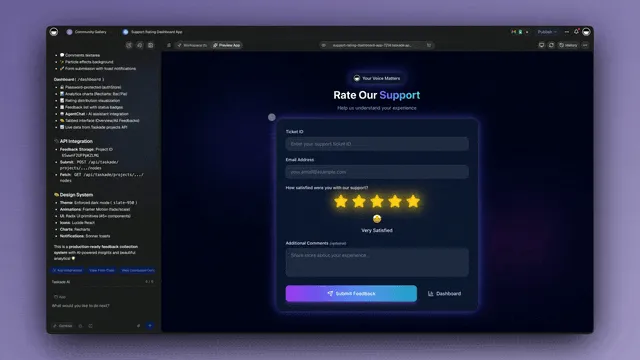
Upgrade a free AI agent builder when the meter, not the feature list, stops your month. Four signals end a free plan: the runs or credits end before the month does, you need a second agent, you need a premium connector or a webhook, or a team needs to share the work.
| Platform | Free to paid step | Price, checked 2026-11-07 | What it unlocks |
|---|---|---|---|
| Taskade | Free to Pro | $10/mo billed annually ($20 monthly) | Unlimited agents and apps, 50 knowledge items, 50,000 AI credits, 1,000 runs, webhooks, AI Teams, premium connectors |
| Taskade | Pro to Business | $25/mo billed annually ($50 monthly) | 150,000 AI credits, 10,000 runs, unlimited custom domains, single sign-on |
| Zapier Agents | Free to Agents Pro | About $33.33/mo billed annually | 1,500 activities, 40 per run |
| Botpress | Free to Plus | $150/mo billed annually | 250 conversations, unlimited agents, $25 AI usage |
| MindStudio | Free to Individual | $16/mo billed yearly ($20 monthly), plus usage | Unlimited agent publishing |
| Retool | Free to Team | $10 per builder billed annually, plus $5 per internal user | More seats and paid-plan controls |
| Activepieces | Free to Plus | $20/mo | 10,000 credits a month |
| Dify | Sandbox to Professional | $590/yr per workspace | 5,000 message credits a month, more apps and members |
| n8n | Community to Starter (cloud) | €20/mo billed annually | Hosted, 2,500 executions |
The pattern worth noticing: Stack AI and CrewAI have no self-serve step between Free and Enterprise, and Botpress's first step is $150 a month. Taskade, Retool and MindStudio start their paid plans under $20 a month.
What Pro Adds on Taskade
Taskade Pro at $10 a month billed annually removes the four Free limits that stop most agents. Pro gives unlimited agents and Taskade Genesis apps, 50 knowledge items per agent, 50,000 AI credits a month and 1,000 automation runs a billing period. Pro adds webhook triggers, premium connectors such as Gmail, Slack and Google Sheets, AI Teams that put several agents in one chat, agent export, a password on a public agent, and custom domains, with up to 10 per root workspace. Business at $25 a month billed annually adds unlimited custom domains and single sign-on. Compare every plan on Taskade pricing.
Limitations: When Taskade Is Not the Right Fit
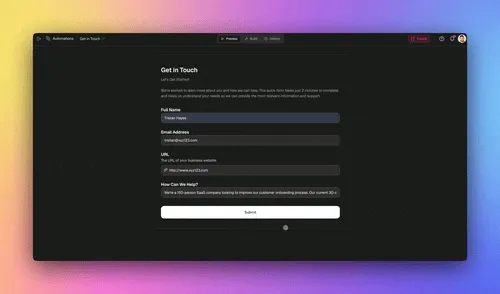
Taskade Genesis runs an AI agent inside a hosted app with projects and automations. Four jobs fit a different builder better: a self-hosted agent, a voice agent, a high-volume public bot on a $0 plan, and agents written as code.
- You need to self-host. Taskade has no self-hosted edition. n8n, Dify, Langflow or the Activepieces Community Edition fit better.
- You need a voice or phone agent. Taskade has no voice channel. A voice-first platform fits better.
- You need a busy public bot at $0. Free starts with 0 AI credits and 1 agent with 1 knowledge item. Botpress Free covers 100 conversations a month, and Pro covers a busy Taskade agent.
- Your team writes agents in Python. CrewAI or another code framework fits a team that wants agents as code. See open-source AI agents.
Where Taskade Genesis fits best: a lead, support or intake agent that must save what it collects and act on it, on one link that you can share today.
Why We Built Taskade Differently
Most agent builders treat the agent as the product. We treat it as one part of a workspace. In Taskade, projects are the memory, AI agents are the intelligence, and automations are the execution. The agent reads the same projects your team edits, writes the lead or the ticket back into them, and starts an automation that acts on it.
That is why a Taskade agent lives inside a Taskade Genesis app instead of a separate chat tool. The app, the agent and the data share one place and one plan, so nothing has to be wired between three products. It also means the free plan is built around one working app, not around a large AI allowance, which is the trade-off this guide names in every section. Read best AI agents for ready-made agents you can use today.
▲ Memory: your projects. ■ Intelligence: your agents. ● Execution: your automations.
Free AI Agent Builder FAQ
What is the best free AI agent builder in 2026?
Taskade Genesis is the best free AI agent builder for an agent that works inside a live app. Its free plan runs 1 agent inside up to 3 Taskade Genesis apps, with project databases, 10 automation runs a billing period and a public link or website widget. Free starts with 0 AI credits. On Free, you earn free AI credits with referrals and invites, and you can upgrade any time. Zapier Agents fits teams that run Zaps, Botpress fits a website chat agent, and n8n fits self-hosting.
Is there a completely free AI agent builder with no limits?
No hosted builder gives unlimited free AI usage. Self-hosted n8n Community Edition, Dify and Langflow have no usage cap from the vendor, but you pay for the server and the AI model you connect. The largest hosted free allowances we found were MindStudio at 1,000 runs a month, plus model usage billed at the provider's rate, and Activepieces at 1,000 credits, where one flow run is 1 credit, according to their pricing pages on November 7, 2026.
Which free AI agent builders need no credit card?
Taskade Free needs no credit card, and Activepieces says "Free forever, no card" on its pricing page. Lindy's 7-day credit trial and the n8n Cloud trial also need no card. Zapier, Botpress, MindStudio, Stack AI, Retool and Dify sell a 0 dollar plan, but their pricing pages did not state a card rule on November 7, 2026. Gumloop's 14-day trial needs a card.
How much does Taskade cost after the free plan?
Taskade Pro is 10 dollars a month billed annually (120 dollars a year), or 20 dollars billed monthly. Pro adds unlimited agents and apps, 50 knowledge items per agent, 50,000 AI credits a month, 1,000 automation runs a billing period, AI Teams, webhook triggers, premium connectors and up to 10 members. Business is 25 dollars a month billed annually.
Can a free AI agent talk to customers on my website?
Yes, on some free plans. Taskade publishes an agent as a public link or a website widget on every plan, and each visitor reply uses AI credits from the workspace. Botpress Free covers 100 conversations a month across 3 agents. Zapier Free includes 2 chatbots. Retool Free serves up to 5 internal users, not the public.
Is Lindy free?
Lindy is a trial, not a free plan. New accounts get 50 dollars in credits that last 7 days, with no credit card. After that, the Team plan starts at 49.99 dollars a month for 5,000 credits, and each active user in the workspace is billed, according to Lindy's pricing page on November 7, 2026.
Is n8n free for AI agents?
Yes, if you self-host. The n8n Community Edition is free to run on your own server for as long as you like, under n8n's Sustainable Use License. n8n Cloud has a trial, not a free plan. The cheapest cloud plan, Starter, is 20 euros a month billed annually for 2,500 workflow executions. You also pay for the AI model you connect.
Is Zapier Agents free?
Yes. Zapier's Free plan includes 400 agent activities a month, with up to 10 activities in one agent run, and activities do not use your task allowance. Agents Pro raises that to 1,500 activities a month and 40 per run, from about 33.33 dollars a month billed annually, according to Zapier's pricing page on November 7, 2026.
What is the difference between a free plan and a free trial for AI agent builders?
A free plan resets every month and has no end date. A trial ends on a date or when its credits run out. In this guide, Taskade, Zapier, Botpress, MindStudio, Make, Stack AI, Retool, Activepieces, Dify and CrewAI sell a 0 dollar plan. Lindy, Gumloop, Chatbase and n8n Cloud offer a trial, and Relevance AI and Pickaxe show no free offer on their pricing pages.
Can I build an AI agent for free without coding?
Yes. Taskade, Zapier Agents, MindStudio, Botpress, Stack AI and Make build an agent from plain-language instructions or a visual editor on a 0 dollar plan. On Taskade, open the AI Agents tab and start from a ready-made agent template or a blank agent, then edit its instructions and knowledge. n8n, Dify and Langflow use a visual canvas that you self-host or run in the cloud, and CrewAI is a Python framework.
Which free AI agent builder works with my own API key?
Self-hosted n8n, Dify, Langflow and the CrewAI framework run on your own model key. MindStudio lists bring your own API keys on its Free plan. Taskade accepts your own OpenAI, Anthropic or Google key in custom agents from Pro and up, and Claude runs in Taskade only on your own key.
When should I upgrade from a free AI agent builder?
Upgrade when the meter, not the feature list, stops your month: the agent runs out of runs, credits or conversations before the month ends, you need a second agent, you need a premium connector or a webhook, or a team needs to share the work. On Taskade, Pro at 10 dollars a month billed annually lifts all four.
The Verdict
"Best free AI agent builder" resolves differently depending on what the agent must do.
If the agent must collect something and act on it, such as a lead, a ticket or a booking, Taskade Genesis is the free pick: 1 agent inside up to 3 live apps, with a project database, automations and a public link, no card. Free starts with 0 AI credits, so plan to earn credits or move to Pro at $10 a month billed annually.
If the agent must work across apps you already use, Zapier Agents gives 400 free activities a month. If it must chat on a website, Botpress gives 100 free conversations a month. If it must run often, MindStudio gives 1,000 runs a month at model cost. If it must run on your own server, n8n and Dify have no vendor cap.
The wider trend is plain in the tables above. Free agent plans in 2026 meter the AI hard and the plumbing loosely, and the tools that sold "free" agents in 2025 now sell trials. The question is no longer whether you can build an agent for free. It is where the agent's answer goes next, and which meter you are building against.
Build your first agent app in Taskade Genesis, or browse working chatbot and agent kits in the Taskade App Factory first.
▲ ■ ● Memory, Intelligence, Execution: every agent you build inherits all three.
Related Reading
- The best AI agent builders, all plans: the full field ranked by use case, free and paid.
- Agent builders explained: what an AI agent builder is and how it works.
- Free AI app builders: when you need a whole app first and the agent second.
- AI chatbot builders: chat-first tools for support and sales.
- AI agent kits: ready-made agent apps you can clone.
- AI agent cost optimization: how to stretch AI credits on any plan.
Head-to-head comparisons: Taskade vs Zapier · Taskade vs Lindy · Taskade vs n8n
Explore the building blocks directly: AI agents, automations, the AI app builder, the Taskade App Factory and the Taskade homepage.
Sources
Every free-plan figure in this guide was checked against the vendor's own page, documentation or repository on November 7, 2026:
- Taskade: pricing and plan limits: https://www.taskade.com/pricing
- Taskade: public agents on every plan: https://www.taskade.com/learn/agents/public-agents
- Zapier: pricing, Agents tiers and Free plan: https://zapier.com/pricing
- Botpress: pricing: https://botpress.com/pricing
- MindStudio: pricing: https://www.mindstudio.ai/pricing
- Make: pricing and free credits: https://www.make.com/en/pricing
- Make: AI Agents on all plans: https://www.make.com/en/ai-agents
- Stack AI: pricing: https://www.stackai.com/pricing
- Retool: pricing: https://retool.com/pricing
- Activepieces: pricing and credit costs: https://www.activepieces.com/pricing
- Activepieces: license: https://github.com/activepieces/activepieces
- Dify: pricing: https://dify.ai/pricing
- Dify: license: https://github.com/langgenius/dify
- Dify: publishing a public web app: https://docs.dify.ai/en/cloud/use-dify/publish/README
- n8n: pricing and Cloud trial: https://n8n.io/pricing/
- n8n: Community Edition: https://docs.n8n.io/hosting/community-edition-features/
- n8n: Chat Trigger and hosted chat: https://docs.n8n.io/integrations/builtin/core-nodes/n8n-nodes-langchain.chattrigger/
- CrewAI: pricing: https://www.crewai.com/pricing
- CrewAI: framework and license: https://github.com/crewAIInc/crewAI
- Langflow: site and cloud: https://www.langflow.org/
- Langflow: license: https://github.com/langflow-ai/langflow
- Lindy: pricing: https://www.lindy.ai/pricing
- Gumloop: credits and trial: https://docs.gumloop.com/core-concepts/credits
- Chatbase: pricing: https://www.chatbase.co/pricing
- Pickaxe: pricing: https://pickaxe.co/pricing
- Relevance AI: pricing: https://relevanceai.com/pricing
- Voiceflow: pricing: https://www.voiceflow.com/pricing
- Microsoft Copilot Studio: pricing: https://www.microsoft.com/en-us/microsoft-365-copilot/pricing/copilot-studio
- Flowise: sunset notice: https://flowiseai.com/sunset
- OpenAI: Agent Builder deprecation: https://developers.openai.com/api/docs/guides/agent-builder
- Relay.app: shutdown notice: https://www.relay.app