

See the alternative working — clone in 60 seconds
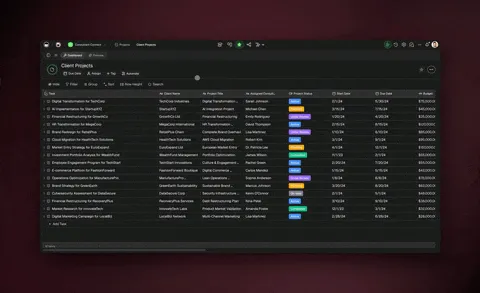
No signup, no credit card. Live automation workspace
| Capability | n8n | Taskade Genesis |
|---|---|---|
| Pricing (starting) | Self-host free (you run the servers); Cloud has no free tier — Starter EUR 20/mo billed annually (monthly costs more) | $0 Free · $10/mo Pro billed annually (10 seats) |
| Cloneable live demo | ❌ | ✅ |
| Built-in AI agents | AI Agent node — bring your own LLM keys | ✅ Named agents with persistent memory and built-in tools |
| Automation engine | Per-execution metered workflows | ✅ Reliable workflows, 100+ integrations |
| App builder included | ❌ | ✅ One prompt → deployed app |
| Workspace DNA loop | ❌ | ✅ ▲ Memory · ■ Intelligence · ● Execution |
Table of Contents
- The fundamental difference
- What is Taskade Genesis?
- What is n8n?
- Feature-by-feature deep dive
- Ask AI and Ask Agent: two kinds of AI step
- The Workspace DNA advantage
- What happens after the build?
- Why teams choose Taskade Genesis
- Pricing and total cost of ownership
- When to choose each
- Ship the app and the automation together
TL;DR: Taskade Genesis is a managed AI automation workspace that ships the app the workflow feeds, with a Free Forever plan and no DevOps. n8n is fair-code and self-hostable. n8n Cloud has no free tier and starts at EUR 20/mo billed annually. Try Taskade Genesis free →
The fundamental difference
n8n is the engineer's automation tool. Source-available (fair-code), self-hostable, code-friendly, and built around a node graph that engineers can extend with arbitrary JavaScript or Python. If your team wants to own the infrastructure end to end and write custom logic without vendor lock-in, n8n is unmatched.
Taskade Genesis takes a different starting point. The platform is fully managed, AI agents reason inside every workflow step, and Taskade Genesis ships the front-end app the automation feeds. You get reliable automation workflows across 100+ bidirectional integrations plus the agents and the app — without ever touching a server.
n8n asks: "How do I own and customize my automation stack?" Taskade Genesis asks: "What system should exist, and what should it do automatically?"
What is Taskade Genesis?
Taskade Genesis is the AI app builder inside the Taskade workspace. It is built on Workspace DNA — Memory (Projects), Intelligence (AI Agents), and Execution (Automations) — a self-reinforcing loop where what your team does becomes the substrate the agents reason over. Founded by John Xie, Dionis Loire, and Stan Chang in 2017, Taskade is a Y Combinator-backed platform with a public Community Gallery of apps anyone can clone.
Taskade runs reliable automation workflows: retries are automatic, long-running workflows survive provider outages, and branching, looping, and filtering are first-class. Triggers pull events in. Actions push data out. And every workflow step can call an AI agent with persistent memory and built-in tools.
What is n8n?
n8n was founded in 2019 by Jan Oberhauser in Berlin. It is a workflow automation platform with a node-based visual builder, fair-code licensed under the Sustainable Use License v1.0 for self-hosting, and offered as a managed Cloud service. Worth being precise about the license, because it is widely misreported: fair-code is source-available, not OSI-approved open source. You can read, modify, and self-host the code for your own business, but you may not host n8n as a service for third parties. Engineers love n8n because it ships first-class JavaScript and Python code nodes, an AI Agent node built on LangChain for agentic workflows, and an extensible community node ecosystem. In 2026 n8n leans hard into AI: the AI Agent node lets you wire a chat model, a system prompt, memory, and tools into any workflow — the same "virtual employee" pattern (brain + memory + tools) that AI-automation creators teach on YouTube.
n8n at a glance (October 2026): 400+ built-in nodes plus community nodes, first-class JavaScript and Python code nodes, an AI Agent node (LangChain) where you bring your own model API keys, and a fair-code Sustainable Use License v1.0 for self-hosting on any infrastructure — source-available, not OSI-approved open source. Raised a $180M Series C at a $2.5B valuation (October 2025); a May 2026 strategic investment from SAP valued it at $5.2B, more than double. n8n bills per workflow execution: one complete run counts as one execution regardless of how many nodes fire. Cloud pricing is quoted in euros and has no free tier — a time-limited trial, then Starter at EUR 20 per month billed annually (EUR 240 per year) for 2,500 executions, then Pro at EUR 50 per month billed annually for 10,000 executions. Every plan includes unlimited users and workflows. Business (EUR 667 per month billed annually) is self-hosted only, and Enterprise is custom. Prices verified in October 2026.
n8n's strengths are real and worth naming: source-available for self-host, code-friendly for engineers, on-prem and air-gapped deployable, a large and growing community node ecosystem, and per-execution billing that stays cheap for complex multi-step automations. The trade-offs are worth naming just as plainly. Running it well requires DevOps or a Cloud subscription; the only permanently free path is self-hosting, because n8n Cloud is trial-only rather than freemium; Cloud invoices arrive in euros, so a US or UK card picks up exchange-rate movement and any foreign-transaction fee; AI nodes require your own model keys; and there is no app builder for the team that consumes the automations.
Feature-by-feature deep dive
Hosting and operational overhead
- Taskade is fully managed. Sign up, prompt, ship. No server, no database, no SSL, no updates.
- n8n can be self-hosted on any infrastructure (Docker, Kubernetes, bare metal) or run on n8n Cloud. Self-host gives you full control and zero per-execution charges; the operational tax is real — server, database, SSL, monitoring, version upgrades.
AI agents inside the workflow
- Taskade ships AI Agents v2 — first-class teammates with persistent memory, built-in tools for web search, code execution, and file analysis, custom tools, and the option to embed agents publicly inside Taskade Genesis Apps. Auto is the default and selects from frontier models from top AI labs for each request, so there are no API keys to wire up. Any automation step can call an agent.
- n8n offers an AI Agent node built on LangChain — a chat model, system prompt, memory, and tools composed inside a workflow. Powerful for engineers comfortable with prompt engineering and chain composition, but you supply and bill your own model API keys, and it is not a first-class agent with persistent identity and a workspace-wide memory layer that other automations can share.
Bidirectional integrations
- Taskade ships 100+ first-party bidirectional integrations across 10 categories: Communication, Email and CRM, Payments, Development, Productivity, Content, Data and Analytics, Storage, Calendar, and E-commerce.
- n8n ships 400+ nodes plus a growing community node catalog. For raw catalog size and the ability to write your own node, n8n wins.
Code escape hatch
- n8n wins outright. Code nodes accept arbitrary JavaScript or Python and run with full access to the workflow data. For engineers who think in code, this is unmatched.
- Taskade offers custom AI agent tools and code execution inside agent runs, but the platform is not built around a code-first mental model.
App builder
- Taskade Genesis turns a prompt into a deployed application with the automation already wired in. Custom domains, password protection, and public embedding via GenesisAuth are built in.
- n8n has no app builder. You build automations; you do not build the apps that consume them.
Workspace memory and context
- Taskade's Workspace DNA gives every agent persistent context across projects, files, integrations, and the live state of your business.
- n8n uses per-workflow data stores. Powerful for the workflow at hand, but no workspace-wide memory layer that automations and agents share.
Team collaboration and access control
- Taskade is workspace-native: real-time multiplayer editing, comments, chat, video calls, and role-based access (Owner to Viewer).
- n8n offers workflow sharing and folders, and as of 2026 every cloud plan includes unlimited users. It is project-and-workflow collaboration, not a real-time multiplayer workspace with documents, chat, and granular roles.
Ask AI and Ask Agent: two kinds of AI step
Every automation platform can call a model in the middle of a run. In Taskade that step is Ask AI: a prompt goes in, a model answers, the run ends, and nothing is carried forward. Categorize with AI and Generate with AI cover the same stateless ground. n8n's Basic LLM Chain does this job too, and its AI Agent node goes further — a chat model, a system prompt, memory, and tools composed directly on the canvas with your own model keys. For an engineer who wants to own every part of that composition, it is a genuinely strong design.
Taskade adds a different kind of step. Ask Agent still takes an input — a field you fill with whatever is specific to this run, exactly as you would a prompt. What changes is the required agent selector beside it. You pick a named agent that already lives in your workspace, carrying its own instructions and its own knowledge base, which a workflow can keep growing, so your input only has to carry what is new about this run. The agent is a workspace object, not a subgraph inside one workflow, which is why the same agent answers from an automation, from chat, and from inside a shipped app.
Four things change once the step addresses an agent:
- The rubric lives in one place. Your triage rules, severity ladder, or review checklist sit on the agent, not on six canvases that have to be edited one at a time. Update the agent once and every automation that calls it moves with it.
- The agent keeps what the run produced. Two more automation actions — Add Knowledge To Agent and Add Project to Agent Knowledge — write results into that agent's knowledge base, so this sprint's decisions are available as context for the next one. It is context you curate rather than automatic learning: a saved decision is material for the next call, not a verified outcome, until a later flow writes the real result back. Knowledge is the layer a workflow writes; memory is the separate layer the agent keeps for itself across conversations.
- The agent can run your automations. This takes two steps: give the automation the Agent Tool trigger and a clear name, then add it to that agent's tools and enable it in the agent's Tools tab. The trigger on its own registers the flow on no agent. After that the agent decides when to run it, asking your approval first unless you set the tool to automatic approval.
- You can address a team, not just one agent. Ask Agent Team hands one input to a group of specialists. An execution mode decides who answers — Auto picks the most suitable agent or agents, Everyone has all of them respond, and Orchestrate has them build on each other's responses and tools. A processing type then decides what gets pulled out of that conversation: a summary, a lead qualification, or fields you define yourself.
A worked example: issue triage by an agent that already knows your routing rules
| # | Step in Taskade | What happens |
|---|---|---|
| 1 | New Issue (GitHub) | An issue is opened on the repo. |
| 2 | Ask Agent | Your Triage agent reads it against the routing rules and past decisions already in its knowledge, and returns a component, a severity, and a rationale. |
| 3 | Create Comment (GitHub) | The rationale is posted on the issue so the reporter can see the reasoning. |
| 4 | Create Issue (Linear) | A ticket is opened on the right team with the severity carried across. |
| 5 | Add Knowledge To Agent | The component, severity, and rationale the agent chose are written back, so its own past triage calls sit in its knowledge for the next issue. |
Step 5 records the triage decision, not the resolution — the issue has only just been routed, so how it was actually fixed is not available to this run. Writing that back takes a second automation on a later trigger, once the issue is resolved, with its own Add Knowledge To Agent step.
Steps 1, 3, and 4 are the node-graph shape n8n runs well, and self-hosting them on your own infrastructure remains an n8n advantage. Steps 2 and 5 are the pair that needs an agent with a name and a memory to point at, and no model keys to supply.
Explore each layer on its own: agents inside automations, multi-step workflows, end-to-end processes, single actions, the full automation category index, and the AI agent platform.
The Workspace DNA advantage
n8n's mental model is "nodes on a canvas." Taskade Genesis's mental model is Workspace DNA: a self-reinforcing loop between three pillars.
- Memory (Projects) — Your team's docs, tasks, files, and structured data become the substrate every agent reasons over.
- Intelligence (Agents) — Custom AI Agents with persistent memory, built-in tools, and custom tools you define, plus a hosted MCP server that Claude Desktop, Cursor, and VS Code connect into, while automations carry the work into the 100+ apps you already use.
- Execution (Automations) — Reliable automation workflows triggered by external events that read from Memory, act through Intelligence, and write the results back into Memory.
n8n is excellent at one slice of this loop — running custom code through a visual workflow runtime. Taskade Genesis runs the entire loop continuously, so the longer you use it, the more your workspace itself becomes the thing that builds and runs the next workflow.
What happens after the build?
Wiring the workflow is the first hour. The next six months are about state: what each automation knows, what your agents learned, what ran overnight. In n8n, that state lives per workflow: data stores, AI Agent node memory, and cron triggers are all scoped to the workflow they belong to, so context is rebuilt or re-wired for each new automation. Taskade Genesis runs every app, agent, and automation on one shared workspace memory, kept consistent by TSK-1, the Taskade System Kernel.
| After launch | n8n | Taskade Genesis |
|---|---|---|
| Memory | Per-workflow data stores | One shared workspace memory across every workflow |
| Agents | AI Agent node memory scoped to its workflow | Agents share memory with every app and automation |
| Scheduled work | Cron triggers per workflow | Automations read and write the same workspace state |
| Compounding | Each workflow maintains its own state | Every workflow makes the next one smarter |
Why teams choose Taskade Genesis
Teams pick Taskade Genesis when they want the automation, the AI agents, and the app the workflow feeds to ship together — from one prompt, on managed infrastructure, with no DevOps and no per-execution charge. The table below is the short version of the difference.
| What you want | n8n | Taskade Genesis |
|---|---|---|
| The app the automation feeds | Build it elsewhere | Shipped from the same prompt |
| AI inside every step | AI Agent node, your own keys | Named agents with memory, models included |
| Setup before you ship | Self-host or Cloud subscription | Sign up and prompt |
| What you pay for | Workflow executions + your model keys | Flat per plan, AI credits included |
Pricing and total cost of ownership
| Plan | Taskade Genesis | n8n (August 2026) |
|---|---|---|
| Free managed | Free Forever — no AI credits at the start (earn or buy credits), full app builder, 3 Taskade Genesis apps, nothing to host | None. n8n Cloud is trial-only |
| Free self-hosted | N/A — Taskade is managed | Community Edition — unlimited executions, you pay for infrastructure |
| Entry paid | Pro $10 / month billed annually (Popular ★) — unlimited apps, 10 seats | Cloud Starter EUR 20 / month billed annually (EUR 240 / year) — 2,500 executions, unlimited users; monthly billing costs more |
| Business | Business $25 / month billed annually — unlimited seats, higher AI capacity | Cloud Pro EUR 50 / month billed annually (10,000 executions); Business EUR 667 / month billed annually, self-hosted only (40,000 executions) |
| Max | Max $100 / month billed annually — maximum AI generation capacity | N/A |
| Enterprise | $250 / month billed annually with custom SLA | Custom — contact sales |
Two things change the arithmetic here. First, n8n Cloud has no free tier — the trial ends, and the only permanently free way to run n8n is to host the Community Edition yourself. Second, Cloud is billed in euros, so a US card picks up the exchange rate and any foreign-transaction fee on top of the sticker price. Beyond that, n8n gives every Cloud plan unlimited users and unlimited active workflows and bills per workflow execution rather than per task — one full run is one execution no matter how many nodes fire, which is genuinely economical for complex multi-step automations. The rest of the cost lives off the invoice: the Community Edition is "free software, paid infrastructure" (a production-grade self-host with monitoring and engineer time routinely runs $200–$1,000 per month), and AI nodes are metered through your own model provider keys. Taskade's pricing is flat per plan in US dollars, not per seat, with no AI credits at the start on Free (earn credits or buy a credit pack), included credits on paid plans, and a genuinely free managed tier — predictable spend, no execution meter, no DevOps tax.
When to choose each
Choose n8n if:
- You need self-hosting for data residency, on-prem, or air-gapped requirements — the Community Edition is free and source-available (fair-code, not OSI open source) with unlimited executions.
- Your team has engineering capacity to run and maintain the infrastructure, and prefers per-execution billing that stays cheap for complex multi-step workflows.
- You need first-class JavaScript or Python code nodes for custom logic, plus the largest catalog of integrations — 400+ nodes and a growing community node ecosystem.
- You want full code ownership, the option to fork or extend nodes yourself, and the freedom to bring your own model API keys into the AI Agent node.
Choose Taskade Genesis if:
- You want AI-native automations with first-class agents inside every workflow step.
- You want zero DevOps — no server, no database, no SSL, no updates.
- You want to build the app and the automation in one place.
- You want a flat subscription with included AI credits and an included monthly run allowance, not a per-execution charge.
- You want workflow automation, an AI agent platform, and an app builder unified by a workspace memory layer.
Use both if: Many engineering teams keep n8n for self-hosted data pipelines or air-gapped workflows and use Taskade Genesis for AI-powered automations, agent orchestration, and the customer-facing apps the team ships.
Ship the app and the automation together
n8n gives engineers full control over self-hosted infrastructure. Taskade Genesis gives every team — engineers and non-engineers alike — a workspace where the automation, the AI agents, and the app come out together with zero infrastructure to maintain.
- Build with Taskade Genesis → — One prompt, one deployed app
- Browse the Community Gallery — Clone apps shipped by other Taskade Genesis builders
- Read the Workspace DNA explainer — How Memory, Intelligence, and Execution work together
Explore Taskade Genesis
- Workflow Automation — AI-powered business automation
- AI Agent Platform — Digital teammates that work 24/7
- AI App Builder — Build complete apps from one prompt
- AI Website Builder — Sites in seconds
- AI Second Brain — Searchable AI-powered docs
Build without code
- AI App Generator — Full apps from prompts
- AI Dashboard Generator — Business dashboards
- AI Form Generator — Smart intake forms
- Browse Community Apps — Clone and customize
Related reading
- The Build Without Permission manifesto — Why we ship apps from prompts
- How Workspace DNA Works — The architecture
- Origin of Living Software — The future of apps
- Agentic Workflows That Replace Your Startup's Busywork
- Stop Worshipping Prompts, Start Building Workflows
- Host Your First AI Agent
- What Is an Agent Hosting Platform?
- Taskade vs Simular — Sai operates desktop software, Taskade Genesis ships a cloud app