# Copy / Duplicate / Move a Project
> Copy a Project Place your cursor over a project and click the three dots ··· to the right. Choose 📋 Copy from the drop-down list. Rename the project (optional)...
- Source: https://www.taskade.com/learn/projects/copy-move
- Section: Projects
- Updated: 2026-09-02
- Index of all pages: https://www.taskade.com/learn/llms.txt
> **TL;DR:** Copy and move tasks or entire blocks between projects with drag-and-drop, keyboard shortcuts, or the right-click menu. Copy keeps assignees, due dates, and custom fields. Move also updates the source project's activity feed and works across workspaces and folders. See [Move a Project](https://www.taskade.com/learn/projects/moving) to relocate a whole project instead.
Pick the path that matches your goal. Keep the original or relocate it.
```mermaid
flowchart LR
A[Your project] --> B{Keep original}
B -->|Yes| C[Copy or Duplicate
independent clone]
B -->|No| D[Move
to new location]
C --> E[Choose workspace
or folder]
D --> E
style A fill:#0d1b2a,color:#7dd3fc,stroke:#38bdf8,stroke-width:1.5px
style B fill:#2a1225,color:#ff8fa3,stroke:#ff2d60,stroke-width:2px
style C fill:#0d1a0e,color:#86efac,stroke:#22c55e,stroke-width:1.5px
style D fill:#1a140a,color:#ffb74d,stroke:#e65100,stroke-width:1.5px
style E fill:#0d1a0e,color:#86efac,stroke:#22c55e,stroke-width:1.5px
```
## Overview
Taskade lets you copy, duplicate, and move projects between [workspaces](https://www.taskade.com/learn/projects/create-workspace) and [folders](https://www.taskade.com/learn/projects/team-folders). Copying creates an independent clone of the project, while moving transfers it to a new location. All tasks, sub-tasks, and formatting are preserved during both operations.
---
## Copy a Project
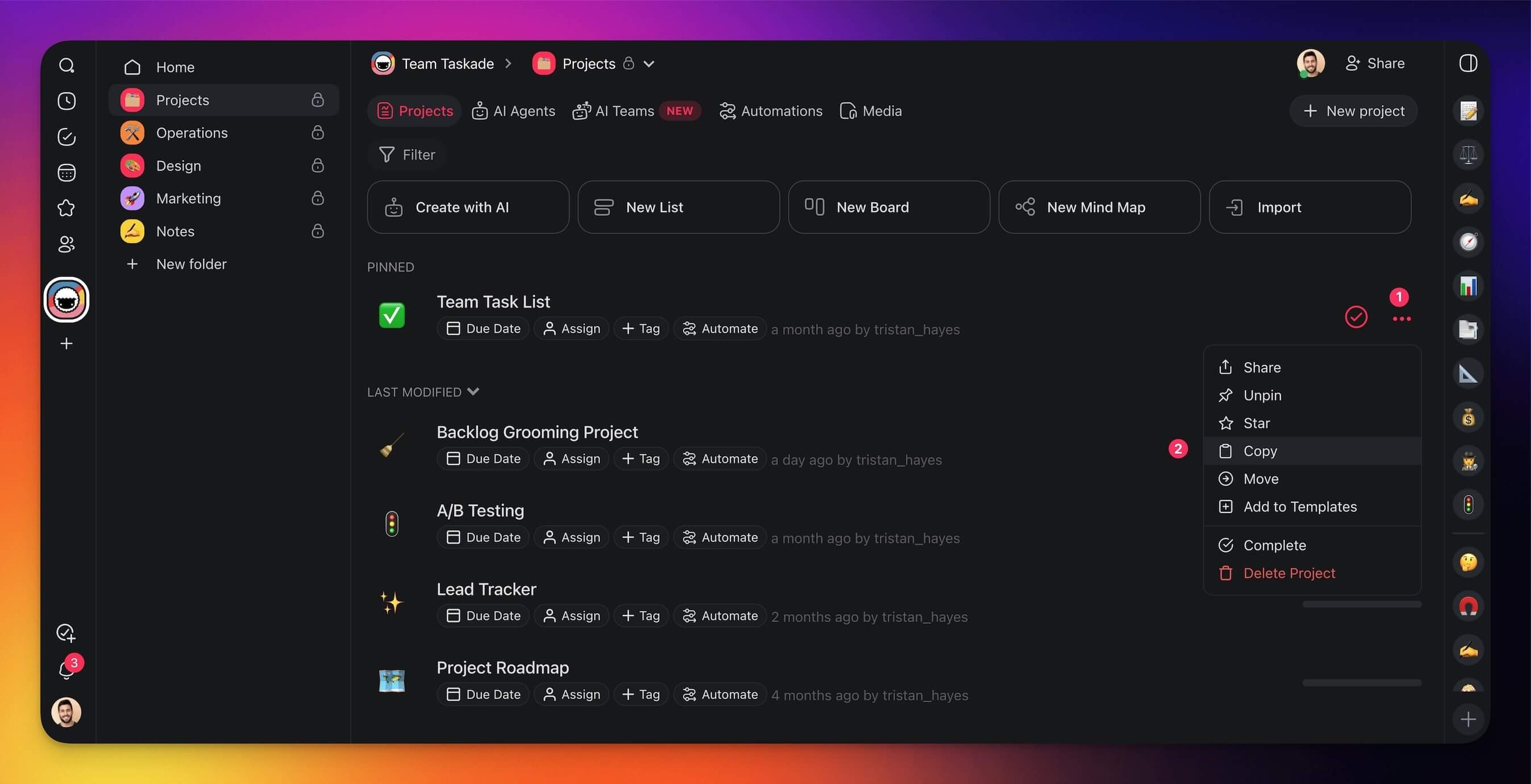
1. Place your cursor over a project and click the **three dots ···** to the right.
2. Choose 📋 **Copy** from the drop-down list.
3. Rename the project (optional).
4. Choose the [workspace](https://www.taskade.com/learn/projects/create-workspace)/[folder](https://www.taskade.com/learn/projects/team-folders) where you want to copy the project.
---
## Duplicate a Project
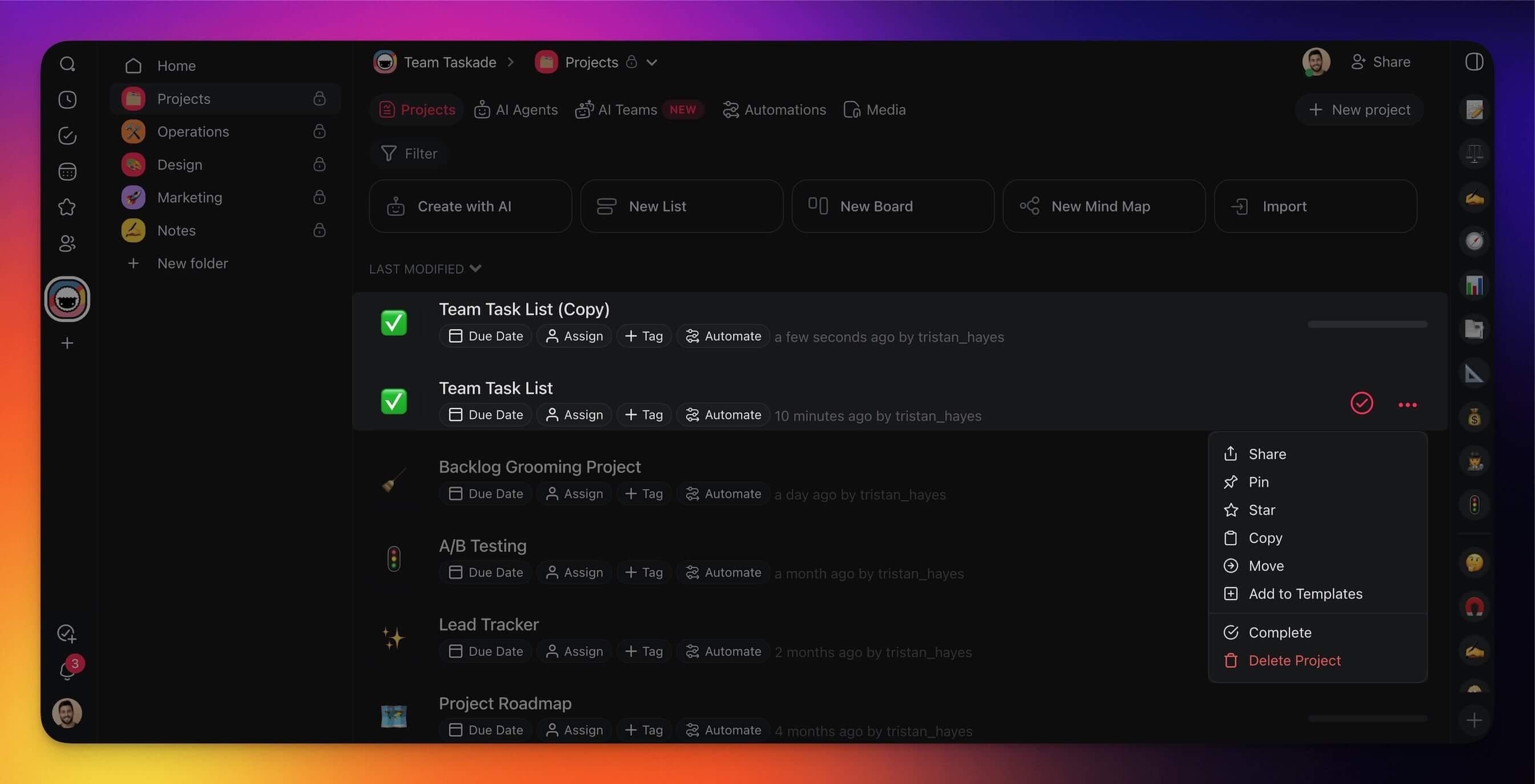
Duplicating works the same way as copying. A new project with the same content is created in your chosen destination.
1. Place your cursor over a project and click the **three dots ···** to the right.
2. Choose 📋 **Copy** from the drop-down list.
3. Rename the project (optional).
4. Choose the [workspace](https://www.taskade.com/learn/projects/create-workspace)/[folder](https://www.taskade.com/learn/projects/team-folders) where you want to place the duplicate.
---
## Move a Project
### Method 1: Drag-and-Drop
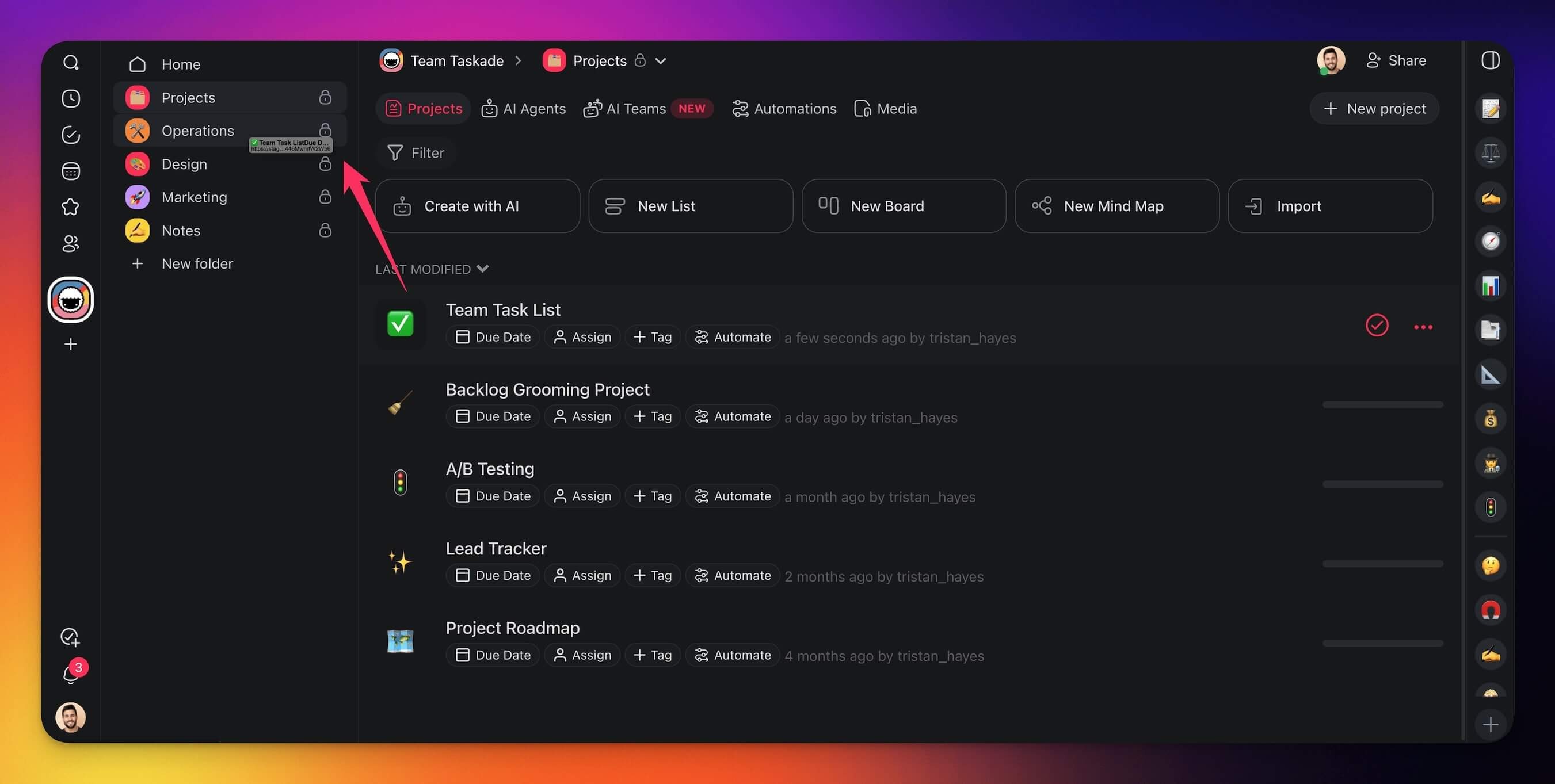
1. **Click** and **hold** on a project from the list.
2. **Drag** the **project** to a [workspace](https://www.taskade.com/learn/projects/create-workspace)/[folder](https://www.taskade.com/learn/projects/team-folders) in the sidebar on the left.
### Method 2: Three Dots Menu
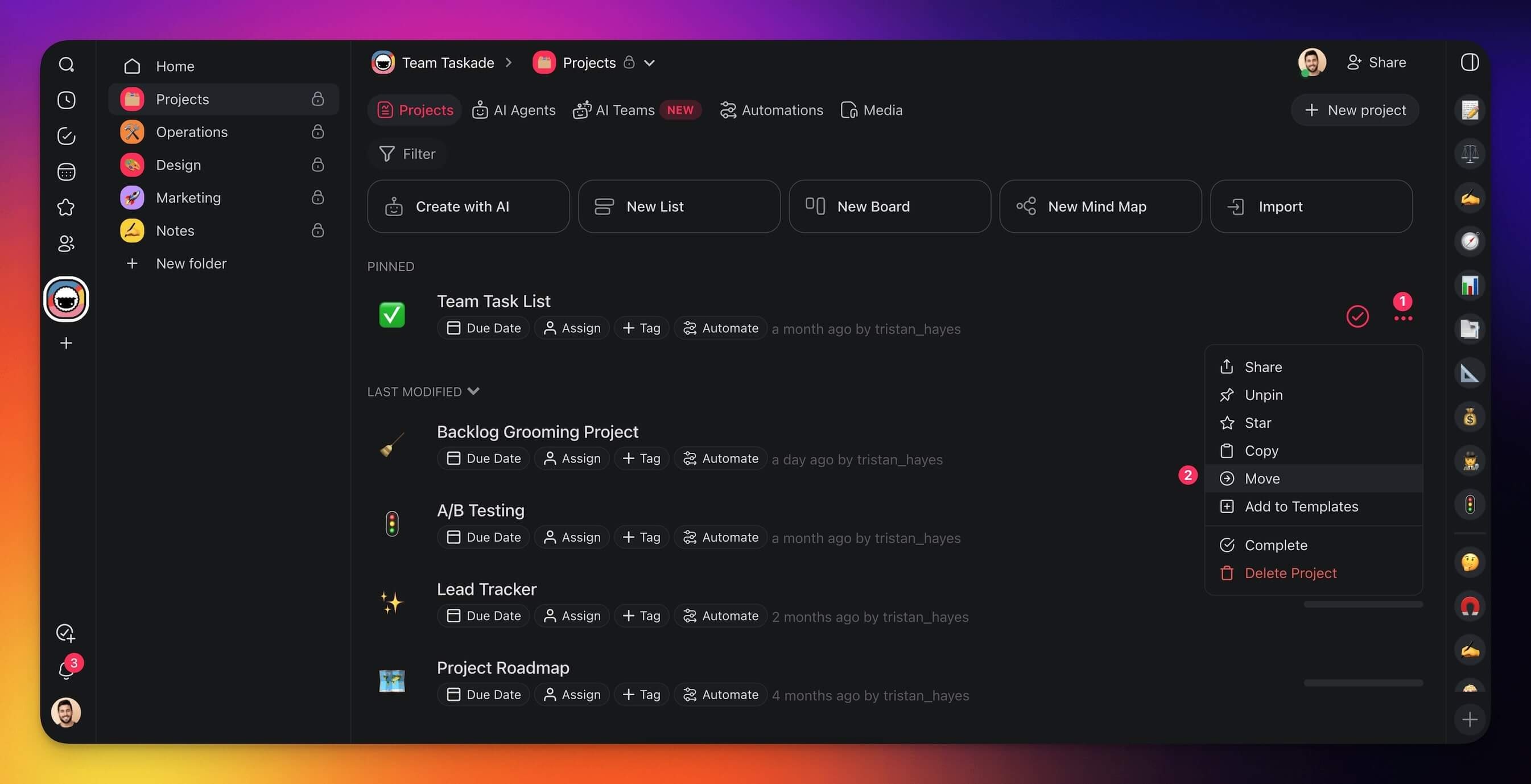
1. Place your cursor over a project and click the **three dots ···** to the right.
2. Choose ➡️ **Move** from the drop-down list.
3. Choose the [workspace](https://www.taskade.com/learn/projects/create-workspace)/[folder](https://www.taskade.com/learn/projects/team-folders) where you want to move the project.
---
## Tips
- Copied projects are independent. Changes to the copy do not affect the original.
- Moving a project preserves existing [permissions](https://www.taskade.com/learn/projects/permissions) and collaborator access.
- Use Copy to create a reusable base project, then customize each copy for different clients or teams.
- You can also copy or move individual tasks within a project using the [Drag Icon Menu](https://www.taskade.com/learn/projects/drag-menu).
---
### Related guides
- [Move a Project](https://www.taskade.com/learn/projects/moving)
- [Create a Project](https://www.taskade.com/learn/projects/create-project)
- [Create a Workspace](https://www.taskade.com/learn/projects/create-workspace)
- [Drag Icon Menu](https://www.taskade.com/learn/projects/drag-menu)