Introducing TSK-1Introducing TSK-1—Taskade's intelligence layer.
taskade
PricingHelpDashboard →Dashboard →
PricingLoginSign up for free →Sign up for free →
Dashboard →Dashboard →
Sign up →Sign up →
Loved by 1M+ users·Hosting 100K+ apps·Deploying 500K+ AI agents·Running 1M+ automations·Backed by Y Combinator·Powered by TSK-1
TaskadePricingFeaturesContact usIntegrationsMCP ServerDeveloper APIChangelogPressLearnAbout
ConnectProductivityKitsVideosReviewsFAQ
VibeVibe AppsVibe AgentsVibe CodingVibe WorkflowsVibe Marketing
Vibe DashboardsVibe CRMVibe AutomationVibe PaymentsVibe DesignVibe SEOVibe Tracking
Community
FeaturedQuick AppsToolsDashboardsWebsites
WorkflowsProjectsFormsCreators
DownloadsAndroidiOSMacWindows
ChromeFirefoxEdge
Compare
vs Cursorvs Boltvs Lovablevs V0vs Windsurf
vs Replitvs Emergentvs Devinvs Claude Codevs ChatGPTvs Claudevs Perplexityvs GitHub Copilotvs Figma AIvs Notionvs ClickUpvs Asanavs Mondayvs Trellovs Jiravs Linearvs Todoistvs Evernotevs Obsidianvs Airtablevs Basecampvs Mirovs Slackvs Bubblevs Retoolvs Webflowvs Framervs Softrvs Glidevs FlutterFlowvs Base44vs Adalovs Durablevs Gammavs Squarespacevs WordPressvs UI Bakeryvs Zapiervs Makevs n8nvs Jaspervs Copy.aivs Writervs Rytrvs Manusvs Crewvs Lindyvs Relevance AIvs Wrikevs Smartsheetvs Monday Magicvs Codavs TickTickvs Any.dovs Thingsvs OmniFocusvs MeisterTaskvs Teamworkvs Workfrontvs Bitrix24vs Process Streetvs Toggl Planvs Motionvs Momentumvs Habiticavs Zenkitvs Google Docsvs Google Keepvs Google Tasksvs Microsoft Teamsvs Dropbox Papervs Quipvs Roam Researchvs Logseqvs Memvs WorkFlowyvs Dynalistvs XMindvs Whimsicalvs Zoomvs Remember The Milkvs Wunderlist
Taskade GenesisVideo GuideApp BuilderVibe CodingAgent BuilderDashboard Builder
CRM BuilderWebsite BuilderForm BuilderWorkflow AutomationWorkflow BuilderBusiness-in-a-BoxAI for MarketingAI for Developers
AI Agents
FeaturedProject ManagementOperations Intelligence AgentsProductivityMarketing
TranslatorContentWorkflowResearchPersonalSalesSocial MediaTo-Do ListCRMTask AutomationCoachingCreativityTask ManagementBrandingFinanceLearning and DevelopmentBusinessCommunity ManagementMeetingsAnalyticsDigital AdvertisingContent CurationKnowledge ManagementProduct DevelopmentPublic RelationsProgrammingHuman ResourcesE-CommerceEducationLegalEmailSEODeveloperVideo ProductionDesignFlowchartDataPromptNonprofitAssistantsTeamsCustomer ServiceTrainingTravel PlanningUML DiagramER DiagramMath TutorLanguage LearningCode ReviewerLogo DesignerUI WireframeFitness CoachLead EnrichmentFounder OSSales DevelopmentBookkeepingRecruitingWebsite MonitoringField ServiceAll Categories
Automations
FeaturedBusiness-in-a-BoxOperations Intelligence AutomationsInvestor OperationsEducation & Learning
Healthcare & ClinicsReal EstateStripeSalesE-commerceContentMarketingEmailCustomer SupportHubSpotProject ManagementAgentic WorkflowsBooking & SchedulingCalendarReportsSlackWebsiteFormTaskWeb ScrapingWeb SearchChatGPTText to ActionYoutubeLinkedInTwitterGitHubDiscordMicrosoft TeamsWebflowRSS & Content FeedsGoogle WorkspaceManufacturing & OperationsAI Agent TeamsMulti-Agent AutomationNotion AutomationsAgentic AutomationProposalBookkeeping & ExpensesClient OnboardingAll Categories
Wiki
Taskade GenesisAI AgentsAutomation
ProjectsLiving DNAAutonomous Workspaces, Agents & AppsQuantum AI & Taskade Genesis QuantumPlatformIntegrationsProductivityMethodsProject ManagementAgileScrumAI ConceptsCommunityTerminologyFeatures
Templates
FeaturedChatGPTOperations Intelligence TemplatesTablePersonal
Project ManagementSalesFlowchartTask ManagementEngineeringEducationDesignTo-Do ListMarketingMind MapGantt ChartOrganizationalPlanningMeetingsTeam ManagementStrategyGamingProductionProduct ManagementStartupRemote WorkY CombinatorRoadmapCustomer ServiceLegalEmailBudgetsContentConsultingE-CommerceStandard Operating Procedure (SOP)Human ResourcesProgrammingMaintenanceCoachingSocial MediaHow-TosResearchMusicTrip PlanningCRMClient OnboardingEmployee OnboardingSOPBug TrackerRecruitment TrackerFormSales PipelineContent CalendarMarketing PlanProduct RoadmapBusiness PlanSWOT Analysis30-60-90 Day PlanInterviewNotion AlternativeKPIStrategic PlanMeeting AgendaInvoiceRisk RegisterIT Asset ManagementKanban BoardChange ManagementCommunication PlanRFPScope of WorkStatement of WorkHelpdeskKnowledge BaseCreative BriefGoal SettingExecutive SummaryGap AnalysisBooking SystemEvent ManagementPortfolio TrackerCustomer Onboarding PortalsClient PortalAgency OperationsFinance TrackingAll Categories
Generators
AI SoftwareNo-Code AI AppAI AppAI WebsiteAI Dashboard
AI Operations Intelligence GeneratorsAI FormAI AgentAI Client Portal BuilderAI WorkspaceAI ProductivityAI To-Do ListAI WorkflowsAI EducationAI Mind MapsAI FlowchartAI Scrum Project ManagementAI Agile Project ManagementAI MarketingAI Project ManagementAI Social Media ManagementAI BloggingAI Agency WorkflowsAI ContentAI Software DevelopmentAI MeetingAI PersonasAI OutlineAI SalesAI ProgrammingAI DesignAI FreelancingAI ResumeAI Human ResourceAI SOPAI E-CommerceAI EmailAI Public RelationsAI InfluencersAI Content CreatorsAI Customer ServiceAI BusinessAI PromptsAI Tool BuilderAI SEOAI Gantt ChartAI CalendarsAI BoardAI TableAI ResearchAI LegalAI ProposalAI Video ProductionAI Health and WellnessAI WritingAI PublishingAI NonprofitAI DataAI Event PlanningAI Game DevelopmentAI Project Management AgentAI Productivity AgentAI Marketing AgentAI Personal AgentAI Business and Work AgentAI Education and Learning AgentAI Task Management AgentAI Customer Relations AgentAI Programming AgentAI SchemaAI Business PlanAI Pitch DeckAI InvoiceAI Lesson PlanAI Social Media CalendarAI API DocumentationAI Database SchemaAI Marketing PlanAI Sales Pipeline GeneratorAI Course BuilderInternal ToolsBooking SystemReal Estate CRMInventory ManagementAI CRM BuilderAI TimesheetAI DispatchAI NewsletterAI Clinic OperationsAI Directory BuilderAll Categories
Converters
AI Featured ConvertersAI PDF ConvertersAI CSV ConvertersAI Markdown ConvertersAI Prompt to App Converters
AI Data to Dashboard ConvertersAI Workflow to App ConvertersAI Idea to App ConvertersAI Flowcharts ConvertersAI Mind Map ConvertersAI Text ConvertersAI Youtube ConvertersAI Knowledge ConvertersAI Spreadsheet ConvertersAI Email ConvertersAI Web Page ConvertersAI Video ConvertersAI Coding ConvertersAI Task ConvertersAI Kanban Board ConvertersAI Notes ConvertersAI Education ConvertersAI Language TranslatorsAI Business → Backend App ConvertersAI File → App ConvertersAI SOP → Workflow App ConvertersAI Portal → App ConvertersAI Form → App ConvertersAI Schedule → Booking App ConvertersAI Metrics → Dashboard ConvertersAI Game → Playable App ConvertersAI Catalog → Directory App ConvertersAI Creative → Studio App ConvertersAI Agent → Agent App ConvertersAI Audio ConvertersAI DOCX ConvertersAI EPUB ConvertersAI Image ConvertersAI Resume & Career ConvertersAI Presentation ConvertersAI PDF to Spreadsheet ConvertersAI PDF to Database ConvertersAI PDF to Quiz ConvertersAI Image to Notes ConvertersAI Audio to Notes ConvertersAI Email to Tasks ConvertersAI CSV to Dashboard ConvertersAI YouTube to Flashcards ConvertersURL to NotesVideo → SummaryAI Receipts to Expense Tracker ConvertersAI Docs to Knowledge Base ConvertersAI Form to Client Portal ConvertersSpreadsheet to CRMAll Categories
Prompts
Client PortalsDocument IntakeField Service
Operations Intelligence PromptsCRMAdvertisingDesignInvoicing and PaymentsSocial MediaCodingBooking and SchedulingConsultingCustomer SupportNonprofitPatient IntakeBlog WritingBrandingPersonal FinanceHuman ResourcesPublic RelationsTeam CollaborationProduct ManagementSupportAgencyReal EstateMarketingResearchSalesCopywritingContentProject ManagementWebsite CreationStrategyE-commerceEngineeringSEOEducationEmail MarketingUX/UIProductivityInfluencer MarketingAnalyticsEntrepreneurshipLegalVibe CodingRecruitingAll Categories
Blog
Introducing Taskade TSK-1: The System Kernel Behind Every App (2026)Estimate to Invoice Workflow for Trades (2026): One Pipeline You OwnHousecall Pro Alternative for Small Crews (2026): Own Your Dispatch Board
How LLMs Got Hands: The History of Tool Use and Function Calling (2026)HVAC Dispatch Board You Own (2026): Daily Jobs Without Enterprise PricingTaskade Genesis vs AI App Builders for Ops Systems (2026)From 4K to 1M: The History of the Context Window (2026)Missed Call Text-Back for Speed-to-Lead (2026 Playbook)Accounts Receivable Aging Tracker for Agencies (2026 Honest Ranked)Field Service Dispatch Software You Own (2026 Ranked Guide)Follow Up Boss Alternative for Solo Agents (2026 Honest Ranked)The History of the Model Context Protocol: How AI Got a Universal Plug (2026)How to Automate 99% of Nonprofit Operations with AI in 2026Speed-to-Lead CRM: Text-Back System That Closes in Minutes (2026)Student Enrollment Portal Without Kajabi (2026 Ranked)Transaction Coordinator Dashboard Without IDX (2026 Honest Guide)How to Automate 99% of Real Estate Work with AI Agents (2026)Jobber Alternative: Dispatch Board You Own (2026 Ranked)ServiceTitan Alternative for Small Crews (2026): Own Your Dispatch BoardRun Your Whole Business in One App with Taskade Genesis (June 2026)
AIAutomationProductivityProject ManagementRemote WorkStartupsKnowledge ManagementCollaborative WorkUpdates
Changelog
File Uploads for Your Apps & Saved Originals (Jul 26, 2026)Scans and Photos Become Text in Automations (Jul 25, 2026)Named Cards at a Glance & Complete Reports (Jul 25, 2026)
AI Steps Run on the Prompt Alone (Jul 24, 2026)Single Sign-On Setup Tells You What to Fix (Jul 23, 2026)Project Outlines for Taskade EVE & Reliable Runs (Jul 22, 2026)MCP Connections Do More & Signed Webhooks (Jul 21, 2026)
Wiki
Taskade GenesisAI AgentsAutomation
ProjectsLiving DNAAutonomous Workspaces, Agents & AppsQuantum AI & Taskade Genesis QuantumPlatformIntegrationsProductivityMethodsProject ManagementAgileScrumAI ConceptsCommunityTerminologyFeatures
Prompts
Client PortalsDocument IntakeField Service
Operations Intelligence PromptsCRMAdvertisingDesignInvoicing and PaymentsSocial MediaCodingBooking and SchedulingConsultingCustomer SupportNonprofitPatient IntakeBlog WritingBrandingPersonal FinanceHuman ResourcesPublic RelationsTeam CollaborationProduct ManagementSupportAgencyReal EstateMarketingResearchSalesCopywritingContentProject ManagementWebsite CreationStrategyE-commerceEngineeringSEOEducationEmail MarketingUX/UIProductivityInfluencer MarketingAnalyticsEntrepreneurshipLegalVibe CodingRecruitingAll Categories
© 2026 Taskade
PrivacyTermsSecurity
Made withTaskade AIforBuilders
BlogAIHomebase Alternative for…

Homebase Alternative for Field Crew Scheduling (2026): Own Your Dispatch Board

Homebase fits retail and restaurant hourly teams with time clocks and payroll adjacency. Field crews need job dispatch, customer context, and client portals without GPS promises. Here is an honest 2026 comparison.

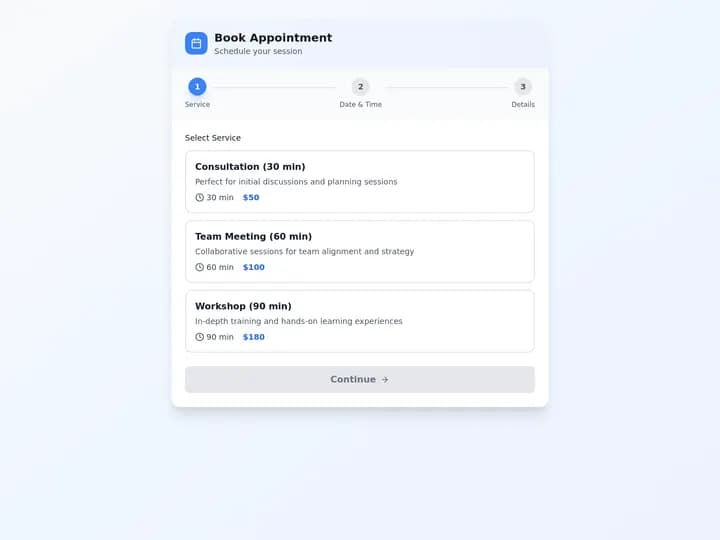
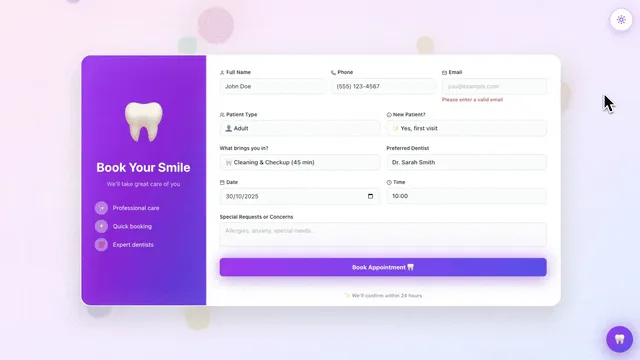
Field crew scheduling board with shifts, jobs, and customer records in Taskade Genesis
August 7, 202626 min readTaskade TeamAI·#homebase-alternative#field-service#crew-scheduling
On this page (23)
🧰 What Field Crews Actually Need From a Schedule📜 Why This Problem Exists in the First Place💵 2026 Pricing Reality: Homebase, When I Work, Deputy, Field-Service SuitesHow the meters diverge as you add techs🧭 Who Should Switch to an Owned Dispatch Board🛟 Who Should Stay on Homebase (Honestly)⚡ Taskade Genesis: Best When You Dispatch Jobs, Not Counter Shifts🧮 The Data Model Behind a Crew Dispatch Board🧬 Workspace DNA: Projects, Agents, Automations🏗️ What Taskade Genesis Owns vs What You Pair📋 Migration Checklist: Homebase to an Owned Dispatch BoardWeek 0: Decide the nouns and the boundariesWeek 1: Generate and load real workWeek 2: Portal, automations, follow-upsCutover rules🆚 Side-by-Side: Homebase vs When I Work vs Deputy vs Taskade GenesisFeature depth vs ownership (qualitative)🧪 A Day in the Life on an Owned Dispatch Board🧠 How to Choose in One Afternoon🔌 Integration Reality Check❓ FAQ: Homebase Alternatives for Field Crews📚 Related Reading🚀 Own the Board, Pair the Rest

Taskade Genesis gives field-service crews a dispatch board, crew schedule, and customer records from one prompt, without Homebase retail time-clock assumptions or per-seat pricing that treats truck rolls like counter shifts. This guide compares honest Homebase alternatives for field crews in 2026.

TL;DR: Homebase wins hourly retail and restaurants with payroll adjacency. Taskade Genesis wins field crews who dispatch jobs and need client portals. Start from the Homebase alternative crew scheduler, pair a dispatch board when work orders outnumber shifts, and keep payroll, tax filing, and fleet GPS on the tools that already do them. Generate a Homebase alternative crew scheduler →

Pricing below uses publicly listed or widely reported ranges as of July 2026. Vendors change tiers and packaging constantly, so confirm live quotes before you buy.

Related: Housecall Pro alternative for small crews, field service dispatch software you own, HVAC dispatch board you own, ServiceTitan alternative for small crews.


Building a crew dispatch board from one prompt in Taskade Genesis

🧰 What Field Crews Actually Need From a Schedule

A field crew schedule answers five questions every morning. Hourly shift software answers two of them well and forces workarounds for the rest.

  1. Who is on which truck today, and who is covering the callout?
  2. Which jobs are committed to which arrival windows?
  3. What does the tech need to know before knocking — gate code, dog, unit model, last visit?
  4. Which customers are waiting on a status update, an estimate, or an invoice?
  5. What slipped yesterday and has to be re-promised today?

Questions 1 and 2 are shift-shaped. Questions 3, 4, and 5 are job-shaped and customer-shaped. That is the whole split. A barista shift has no address, no equipment history, and no client who will call at 2pm asking where the truck is.

Daily need Hourly scheduling default Living dispatch board in Taskade Genesis
Who works when Native shift grid Crew column on the job board
Arrival windows Shift blocks, not promises Window field per job with customer visible
Customer context Not modeled Customer record linked to every job
Access notes and equipment Free-text note if any Named fields you rename per trade
Client status updates Not included Home services portal
Punch clock and payroll Core strength Not included. Keep your payroll provider
Who configures the fields Vendor template You, by chatting with Taskade EVE

If your week is questions 1 and 2 only, an hourly scheduler is the faster default and this article should talk you out of switching. If questions 3 through 5 are where your day breaks, you are shopping for a dispatch board, not a shift grid.


📜 Why This Problem Exists in the First Place

Homebase was designed around a shift. That was the right unit for the businesses it grew up serving: cafes, retail floors, restaurants, front counters. The schedule is a grid of hours, the compliance surface is breaks and overtime, and the payoff is a clean handoff to payroll.

Three things pulled field crews into that grid anyway.

  1. Field crews are small and price-sensitive. A four-truck HVAC shop does not want a five-figure field-service suite. Hourly scheduling software is cheap, familiar, and available today, so crews adopt it for the schedule and improvise the rest.
  2. The improvisation always lands in group chat. The shift grid holds who works. The group text holds which job, which address, which gate code, and what the customer was promised. Two systems, one of which nobody can search.
  3. The customer is nowhere in the schedule. Retail scheduling has no customer object because the customer walks in. Field work is the opposite: the customer is the reason the truck moves, and the customer's history is the difference between a 20-minute call and a return visit.

That drift is the real cost. Not the seat price — the fact that dispatch truth lives in a thread and evaporates when the person who sent it takes a day off. In 2026 you can generate a board that holds jobs, customers, and crew assignment together, then reshape the fields yourself instead of filing a template request.

Emergency Scheduled Invoice Estimate Call comes inphone SMS web form Emergencyor scheduled? Assign nearestavailable crew Queue witharrival window Tech gets job briefaddress gate notes Work performedphotos and notes Invoice orestimate needed? Send invoicechase if unpaid Send estimatefollow up in 3 days Customer historygains a row Board answerswhat is open today

Every box after "assign" is job-shaped. That is the loop a dispatch board owns and a shift grid does not.


💵 2026 Pricing Reality: Homebase, When I Work, Deputy, Field-Service Suites

Treat this as a budget sketch, not a quote. Figures are publicly listed or widely reported ranges as of July 2026 — confirm live before you commit, because packaging in this category moves every few quarters.

Product Free tier Practical paid start Meter Notes for field crews
Homebase Yes, single-location basics Per-location monthly tiers Location + add-ons Strong time clock and payroll adjacency; scheduling is shift-shaped
When I Work Limited trial/free use Per-user monthly Per user Clean shift scheduling; job and customer records are not the unit
Deputy Trial Per-user monthly Per user Good compliance and award interpretation; still shift-first
Field-service suites (Housecall Pro, Jobber, ServiceTitan class) No Per-technician monthly, often with a floor Per tech Job-shaped by design; price climbs fast per added tech
Taskade Genesis Yes, $0 Pro $10/mo billed annually ($20 monthly) Workspace plan Own the dispatch board; pair payroll, GPS, payments

The comparison that actually matters is not "which vendor is cheapest per seat." It is which meter grows the way your business grows. Per-tech pricing punishes the exact thing a healthy field business does: add techs.

How the meters diverge as you add techs

Techs touching the schedule Per-user hourly tool (~$5/user) Per-tech field suite (~$50/tech) Taskade Genesis
3 low, but no job or customer records ~$150/mo Pro $10/mo billed annually ($20 monthly)
6 still low, drift is now in group chat ~$300/mo Same workspace plan
12 cheap seats, no dispatch truth ~$600/mo Business $25/mo billed annually ($50 monthly) if you need more workspace depth
20 schedule works, jobs do not ~$1,000/mo and climbing Same workspace plan

Those competitor columns are illustrative shapes, not quotes — real numbers depend on tier, term, and add-ons. The point is the slope, not the intercept.

How Taskade Genesis changes the equation: Taskade sells workspace plans, not per-technician dispatch licenses. Free is $0 and includes a one-time grant of 6,000 AI credits — 1,000 at signup plus 5,000 with your first build, sized to fund one complete app end to end. Pro is $10/mo billed annually ($20 monthly) and Business is $25/mo billed annually ($50 monthly). Published app end users and AI credit usage follow Taskade plan rules, which is a different meter than "every tech is a license." Check the pricing page for current details before you plan headcount.


🧭 Who Should Switch to an Owned Dispatch Board

Switch (or dual-run) when several of these are true:

  • You dispatch jobs with addresses, not shifts at a fixed location.
  • Your real system of record today is group chat plus a whiteboard, and the schedule tool only holds hours.
  • Customers call asking "where is the truck?" and someone has to go find out.
  • You want fields named for your trade — refrigerant type, roof pitch, panel amperage, gate code, dog on site — without waiting on a vendor template.
  • You already have payroll somewhere that works, and you are not trying to replace it.
  • Per-tech quotes are climbing faster than the revenue the extra tech brings in.

Good fits: HVAC and plumbing shops with 2 to 15 techs, electrical contractors, landscaping and pest crews with route work, cleaning companies, mobile repair, and property maintenance teams that mix internal work orders with customer calls.

Start points, all real generators:

  • Homebase alternative crew scheduler
  • Housecall Pro alternative dispatch board
  • HVAC daily dispatch board
  • Crew work orders board
  • Technician daily run sheet
  • Field service scheduling board
  • Daily crew timesheet when you need hours beside jobs but payroll stays put

Related ownership stories: field service dispatch software you own, Jobber alternative dispatch board, Excel job log to dispatch app.


🛟 Who Should Stay on Homebase (Honestly)

Homebase is genuinely good at things Taskade Genesis does not attempt. Stay when any of these is the requirement you refuse to compromise:

  • Time clocks you can defend. Homebase's clock-in, break tracking, and timesheet-to-payroll handoff is a mature, purpose-built path. If your labor compliance exposure runs through punches, that is a real product doing real work.
  • Payroll adjacency in one vendor. Getting hours into payroll without an export dance is a legitimate reason to keep a shift tool. Taskade Genesis does not do payroll, tax filing, or certified time clocks — full stop.
  • Hourly team messaging and shift trades. Open-shift claiming, swap requests, and availability collection are packaged workflows in Homebase. Rebuilding that on a dispatch board is possible but is not free labor.
  • Mixed retail plus field operations. If half your headcount stands behind a counter, the counter half is exactly Homebase's home turf.

When I Work and Deputy deserve the same respect for the same reason: they are shift-scheduling products with real depth in availability, compliance, and labor cost forecasting. Deputy in particular is often chosen for complex award and break-rule interpretation. None of those three is "wrong." They are matched to a unit of work that is not a truck roll.

Constraint you refuse to drop Lean this way
Certified time clock plus payroll handoff Homebase
Complex break and overtime rule interpretation Deputy
Shift trades, open-shift claiming, availability collection Homebase or When I Work
Live truck maps and turn-by-turn routing A dedicated fleet or telematics tool
Consumer booking plus review marketing for residential trades Housecall-style field suites
Job plus customer plus crew on one board you own Taskade Genesis
Shift at one site Job at an address Yes No Yes No No Yes Is the unit of worka shift or a job? Stay on HomebaseWhen I Work or Deputy Certified punch clock+ payroll, one vendor? Live truck maps orturn-by-turn routing? Keep a fleet toolor a GPS field suite Main pain: chat driftand rigid fields? Keep what you haveif adoption is healthy Generate a boardyou own Crew schedule Job and customer board Client status portal Pair payroll GPSand payments

Honest buyers pick the constraint they will not compromise, then buy the product shaped around it.


⚡ Taskade Genesis: Best When You Dispatch Jobs, Not Counter Shifts

Taskade Genesis turns a plain-language description of your field operation into a deployed app. Projects hold customers and jobs, AI agents draft follow-ups and triage incoming work, and automations chase invoices and review requests.

Why field crews use it:

  • Schedule crews against jobs with customer context on the same row
  • Rename fields for HVAC, plumbing, electrical, or landscaping without a support ticket
  • Publish a client login for job status without buying a second product — see Taskade Genesis app access controls
  • Flat workspace pricing instead of seat fees that scale with every tech you add
  • Seven project views over the same records, so dispatch sees a Board and the owner sees a Calendar — Board view, Calendar view, Table view

Where Homebase still wins: hourly employee scheduling with time clocks and payroll-adjacent workflows for non-field businesses. Taskade Genesis does not replace certified payroll or tax filing, so keep those on Gusto, QuickBooks, or Homebase.

Skip Taskade Genesis if: you run a cafe with no trucks and need punch clocks today. Homebase is the faster default for that profile, and switching would cost you a working system for a board you do not need.

New to how a generated app actually gets built and published? Your first Taskade Genesis app and publishing a Taskade Genesis app walk the whole path.


🧮 The Data Model Behind a Crew Dispatch Board

Most dispatch pain is a modeling problem wearing a scheduling costume. If the customer, the job, and the crew assignment are three separate spreadsheets, no amount of scheduling UI will make Tuesday legible.

CUSTOMERmany jobs over years SITEaddress, gate, access EQUIPMENTmodel, serial, warranty JOBstatus, window, trade CREW ASSIGNMENTwho is on it today VISIT NOTEphotos, what was done SERVICE RECORDhistory per unit ESTIMATE or INVOICEthe money stage PORTAL STATUSwhat the customer sees

Read that as a checklist. Nine relationships across eight records, and a shift grid models exactly one of them: crew to assignment. Everything else — the site, the equipment on it, the service history, the money stages, the customer-visible status — is where the group text takes over.

Entity Why it earns its own record Where it usually hides instead
Customer One phone number, many jobs over years A contact in someone's phone
Site Address, gate code, parking, dog, access hours A note in the job description
Job Status, window, crew, trade, priority A row in the shift grid or a text
Equipment Model, serial, install date, warranty The tech's memory
Service record Last visit, what was replaced, what was deferred A photo in a camera roll
Estimate Sent date, amount, follow-up date An email thread
Invoice Sent, due, paid, chased Accounting software only
Portal status What the customer is allowed to see A phone call to the office

Model those eight and dispatch stops being a memory exercise. That is what Taskade Genesis generates, and the data model builder is the surface to use when you want to sketch the shape before you commit to fields.


Workspace DNA loop: projects, agents, and automations reinforcing each other

🧬 Workspace DNA: Projects, Agents, Automations

Taskade Genesis apps are not static templates. They run on Workspace DNA — Memory, Intelligence, and Execution reinforcing each other.

Pillar Component Role on a crew dispatch board
Memory Projects Customers, sites, jobs, equipment, crew assignments, visit notes
Intelligence AI Agents Triage inbound calls, draft job briefs, flag conflicts, write follow-ups
Execution Automations Morning crew summary, arrival-window texts, invoice chase, review request

The loop: an inbound call writes Memory, an Agent proposes priority and crew, an Automation notifies the tech and the customer, completion writes Memory again. The board gets sharper the more the crew uses it, because every closed job leaves history on the site and the equipment.

Call or form submission New unassigned job Set priority trade and window Trigger crew notify Job brief with access notes Close with photos and notes Status completed Status update and review ask Overdue estimate check next cycle Customer Project Memory Triage Agent Tech Automation

What you generate first:

  1. Jobs as the system of record for committed work.
  2. Customers and sites linked, so history is not tribal knowledge.
  3. Crew assignment as a field on the job, not a separate grid.
  4. Agents only after the board holds real jobs. An agent on demo rows is theater — see custom agents and the 34 built-in agent tools for what they can actually reach.
  5. Automations last, one at a time. Start with the morning summary. Automation triggers covers what can start a flow.

Browse live patterns in the Community Gallery before you generate yours, and read Workspace DNA if you want the concept in full.


🏗️ What Taskade Genesis Owns vs What You Pair

Honest boundaries matter more than feature checklists.

Taskade Genesis is a strong fit for:

  • Dispatch boards, crew assignment, and arrival-window tracking
  • Customer and site records with equipment history
  • Client-visible job status pages via Taskade Genesis app access controls
  • Estimate and invoice stage tracking beside the job
  • Intake forms for inbound work requests
  • AI agents grounded on your own Projects, not a bolted-on chatbot

Honest gaps — what Taskade Genesis does not do today:

  • No fleet GPS or live truck maps. Keep your telematics provider. Job status goes on the board; breadcrumbs stay where they are.
  • No offline-first rugged tech app. Crews in dead zones are better served by a purpose-built field client.
  • No payroll, tax filing, or certified time clock. Keep Gusto, QuickBooks, or Homebase for the punch-to-payroll path.
  • No payment processing of its own. Payments sit beside the board through integrations you choose.
  • Not "Homebase with cheaper seats." It is a different product category: a living ops app instead of a packaged hourly scheduler.
Capability You own it in Taskade Genesis You pair it
Job and crew board Yes —
Customer and equipment history Yes —
Client status portal Yes —
Estimate and invoice stages Yes (stages) Accounting tool for the ledger
Payments — Stripe or your processor
Payroll and punch clock — Gusto, QuickBooks, Homebase
Fleet GPS and routing — Your telematics vendor
SMS delivery — Your SMS provider via automations

Taskade connects to over 100 integrations bidirectionally — triggers pull events in, actions push data out — plus a hosted MCP server on every paid plan for AI clients that need to read your workspace. If a salesperson or an AI summary tells you Taskade Genesis replaces payroll and fleet GPS, that is overselling. Walk away from that pitch no matter who makes it, including us.


Client status portals that stay live as jobs move

📋 Migration Checklist: Homebase to an Owned Dispatch Board

Run a two-week parallel period. Do not cut over during a heat wave or a freeze.

Week 0: Decide the nouns and the boundaries

  • Name the four nouns you cannot lose: customer, job, crew assignment, client-visible status
  • Name the optional nouns: site, equipment, estimate, invoice stage, arrival window
  • Write down what stays put: payroll, punch clock, GPS, accounting, payments
  • Export employee and shift history from Homebase to CSV for your records
  • Decide who owns the board day to day (usually the dispatcher, not the owner)

Week 1: Generate and load real work

  • Generate the Homebase alternative crew scheduler
  • Add five real open jobs, not demo rows — real addresses, real windows
  • Import customers by CSV and link them to those jobs
  • Add crew columns and the status labels your techs already say out loud ("On the way," "Waiting part," "Needs callback")
  • Rename fields for your trade before anyone else logs in
  • Invite the dispatcher and one senior tech first, then the rest

Week 2: Portal, automations, follow-ups

  • Publish the home services portal for job status
  • Turn on exactly one automation: the morning crew summary
  • Add the post-job review request board once statuses are trusted
  • Wire the estimate-to-invoice pipeline if money stages need to sit beside jobs
  • Add a triage agent only after a week of real data
  • Freeze the old schedule for new work; keep it read-only for history

Cutover rules

  • New jobs enter the new board only. No exceptions, or you will run two truths forever.
  • Emergencies may still page by phone. The record still lands on the board within the hour.
  • Payroll stays on your provider through the entire migration. Move dispatch truth first, and only revisit payroll after the schedule has been stable for a full billing cycle.
  • Group chat stays open for chatter, not for dispatch. The moment an address or a promise goes in a text, it also goes on the board.
Day Focus Done looks like
1 Generate the scheduler Columns match how your dispatcher talks
2 Crew columns and status labels A tech can read a row without asking
3 Import open jobs and customers Every open job has an owner and a window
4 Site and access notes Two jobs have gate codes on the record, not in a text
5 One automation Morning summary lands before the first truck rolls
6-7 Tech feedback Rename one confusing field, delete one unused one
8-10 Client portal live One customer checks status without calling
11-14 Parallel quiet Old schedule has zero new jobs

🆚 Side-by-Side: Homebase vs When I Work vs Deputy vs Taskade Genesis

Question Homebase When I Work Deputy Taskade Genesis
Primary unit Hourly shift Hourly shift Hourly shift Job + customer
Product shape Hourly ops suite Shift scheduler Shift + compliance Living ops app platform
Time clock Core strength Yes Yes Not included
Payroll adjacency Strong Moderate Moderate Not included
Customer records Not modeled Not modeled Not modeled First-class
Client status portal Limited Limited Limited Home services portal
Field dispatch Workarounds Workarounds Workarounds Crew scheduler
Own the schema Vendor template Vendor template Vendor template Yes, reshape by chatting
Fleet GPS Add-on territory No No No. Pair telematics
Meter Location tiers Per user Per user Workspace plan

Feature depth vs ownership (qualitative)

Capability Packaged hourly scheduler Taskade Genesis dispatch board
Shift grid Excellent Good when modeled as crew-day rows
Punch clock and breaks Excellent Not a strength. Pair a tool
Job with address and window Workaround Excellent
Customer and equipment history Absent Excellent
Client-visible status Limited First-class
Custom fields per trade Vendor-defined Change the app yourself
AI on your own data Vendor features Agents grounded on your Projects
Multi-use workspace Scheduling-shaped Dispatch plus adjacent ops in one workspace

Use the row that matches your constraint, not the vendor with the longest feature PDF.


Automations closing the loop on jobs, invoices, and follow-ups

🧪 A Day in the Life on an Owned Dispatch Board

06:50 The dispatcher opens the Board view. Yesterday's two unfinished jobs are at the top with age and reason. Nothing to reconstruct from a group text.

07:10 The morning automation has already sent each crew its run sheet: three jobs, addresses, windows, and the access notes that used to live in someone's head.

08:35 A customer calls with a no-heat emergency. Intake becomes a job in seconds. A triage agent suggests "emergency / HVAC / north route," a human confirms and assigns, and the customer gets a window by text.

10:15 A tech closes a repair with three photos and a note that the capacitor is aging. That note lands on the equipment record, not just the job — so the next visit starts informed.

11:40 An estimate sent Monday hits its follow-up date. The automation nudges the office, not the customer, so a human decides whether to call.

14:20 A homeowner checks the client portal instead of calling. The office phone does not ring. That is the whole feature.

16:45 The owner opens one board. Open jobs, jobs waiting on parts, unpaid invoices past 30 days, and estimates with no answer are all visible without exporting anything.

17:30 Hours for the day go to payroll on the payroll provider, exactly as before. Nothing about the dispatch board touched that path.

That day needs no GPS breadcrumbs and no certified punch clock inside Taskade. It needs a board the crew trusts and a customer record that remembers.

If your work mixes customer calls with internal facility maintenance, keep the dispatch board and add a preventive maintenance schedule board rather than forcing one schema to do both badly. Adjacent reading: UpKeep alternative for small maintenance teams, recurring service agreements for field ops.


🧠 How to Choose in One Afternoon

  1. Count hourly punches vs job dispatches you run in a typical week. Whichever number is bigger picks your product category.
  2. List the four nouns you cannot lose: customer, job, crew assignment, client visibility.
  3. Name your non-negotiable: certified punch clock, live truck maps, or a board you can reshape.
  4. Generate one board with five real open jobs. Not demo data — real addresses.
  5. Show it to your dispatcher, not your owner. The dispatcher will tell you in ten minutes whether the columns match reality.
  6. Keep payroll where it is until dispatch has been stable for a full billing cycle.

An afternoon is enough because the expensive question is not "which vendor," it is "which unit of work." Answer that and the shortlist writes itself.


🔌 Integration Reality Check

Taskade Genesis connects ops through automations and webhooks across 100+ bidirectional integrations — triggers pull events in, actions push data out. QuickBooks, Stripe, and SMS providers typically sit beside the board rather than inside it. Homebase bundles more for hourly payroll adjacency.

Choose bundled when punch clocks and tax filing must stay in one vendor. Choose owned when job fields must match your trade and the customer record has to remember what happened last February.

Job to be done Where it lives How it connects
Dispatch and crew assignment Taskade Genesis board Native
Arrival-window texts SMS provider Automation action
Invoice ledger and taxes Accounting tool Integration or export
Card payments Payment processor Integration, linked from the job
Payroll and punches Payroll provider Stays separate by design
Truck locations Telematics vendor Referenced in job notes
AI clients reading your workspace Hosted MCP server Available on every paid plan

Note the boundary on MCP: the hosted server that lets an AI client read your workspace is available on every paid plan. Outbound connections from Taskade to third-party MCP servers are not available on any plan today, so plan integrations around automations and webhooks.


❓ FAQ: Homebase Alternatives for Field Crews

What is the best Homebase alternative for field crews?

Taskade Genesis is the strongest option when you dispatch jobs to trucks, need customer history beside the schedule, and want a client status portal without buying a second product. Homebase still wins hourly retail and restaurant teams with payroll-adjacent workflows. When I Work and Deputy compete on packaged hourly scheduling with real depth in availability and compliance. Generate the Homebase alternative crew scheduler and validate with five real jobs before you cancel anything.

Can Taskade Genesis replace Homebase payroll?

No. Taskade Genesis does not replace payroll, tax filing, or certified time clocks. It covers dispatch boards, job assignment, customer records, and follow-up automations. Keep payroll on Gusto, QuickBooks, or Homebase if that stack already works, and move dispatch truth to the new board first.

Does Taskade Genesis include GPS fleet tracking?

No native fleet GPS or offline truck apps today. Taskade Genesis wins office dispatch, work-order tracking, and client status pages. Crews that require live truck maps should keep a dedicated fleet tool or stay on a field-service package with a GPS module.

Can I use Taskade Genesis for office staff and field techs together?

Yes. Run office tasks in projects beside the dispatch board, or generate separate views per role so schedulers, techs, and managers each see the slice they need. Seven permission levels from Owner through Viewer let you keep customer notes editable for dispatch and read-only for everyone else. Payroll still lives on your payroll provider.

Does Taskade Genesis replace Homebase messaging and shift trades?

Partly. Taskade Genesis includes workspace chat and automation notifications, so a morning job summary or an overdue invoice reminder reaches the crew from the same board that holds the schedule. Open-shift claiming and swap requests are packaged workflows in Homebase, so teams deeply invested in those should plan a parallel run and keep both channels live until dispatch truth has fully moved.

What about recurring maintenance routes and service agreements?

Pair dispatch with the recurring service agreement tracker when contracts need renewal dates beside open work orders, and the preventive maintenance schedule board when interval work drives the calendar. Deeper walkthrough: recurring service agreements for field ops.

Where do estimates and invoices fit?

Use the estimate-to-invoice pipeline when money stages must track beside crew assignment, and the AR aging board when unpaid invoices need a queue of their own. The board owns the stage; your accounting tool still owns the ledger. Related: estimate-to-invoice workflow for trades.

Do I need to write code to build a crew dispatch board?

No. Taskade Genesis turns a plain-language description of your field operation into a deployed app, so you describe crews, jobs, and customers instead of wiring tables by hand. Rename fields for HVAC, plumbing, electrical, or landscaping to match your trade. Start with your first Taskade Genesis app if you want the mechanics before the migration.

How much does a Taskade Genesis dispatch board cost?

Taskade starts free at $0 with a one-time grant of 6,000 AI credits — 1,000 at signup plus 5,000 with your first build. Pro is $10 per month billed annually ($20 monthly) and Business is $25 per month billed annually ($50 monthly). Pricing is a workspace plan instead of a seat fee that scales with every tech you add. See the pricing page for current details.

How do I keep control of my customer and job data?

Customers, sites, jobs, crew assignments, and client-visible statuses live in projects inside your own Taskade workspace, and you decide which tools sit beside them. Open jobs arrive by CSV during migration, and QuickBooks, Stripe, or SMS providers connect through automations and webhooks rather than owning your records. That is the practical difference between bundled hourly software and a dispatch board you own.


📚 Related Reading

  • Field service dispatch software you own
  • Housecall Pro alternative for small crews
  • HVAC dispatch board you own
  • Jobber alternative dispatch board
  • ServiceTitan alternative for small crews
  • Preventive maintenance software for small crews
  • Excel job log to dispatch app
  • Missed-call text-back and speed to lead
  • Best AI ops dashboard builders
  • Taskade Community Gallery

Clone a living dispatch system into your workspace

🚀 Own the Board, Pair the Rest

Homebase earned its place by making hourly scheduling and time clocks approachable for small businesses. Field crews still deserve a second question in 2026: are we buying a shift grid, or are we renting one while the actual dispatch lives in a group text?

If you need certified punch clocks, payroll adjacency, and shift trades, stay on Homebase, When I Work, or Deputy with clear eyes. If you need jobs, customers, crew assignment, and a client status page on a board you can reshape yourself, generate the dispatch board and keep payroll, GPS, and payments in their lanes. Memory, Intelligence, Execution — ▲ ■ ● — is what turns a schedule into a system that remembers.


Ready to dispatch jobs instead of counter shifts? Generate a Homebase alternative crew scheduler, build a dispatch board, or start free in Taskade Genesis.

0%

On this page

🧰 What Field Crews Actually Need From a Schedule📜 Why This Problem Exists in the First Place💵 2026 Pricing Reality: Homebase, When I Work, Deputy, Field-Service SuitesHow the meters diverge as you add techs🧭 Who Should Switch to an Owned Dispatch Board🛟 Who Should Stay on Homebase (Honestly)⚡ Taskade Genesis: Best When You Dispatch Jobs, Not Counter Shifts🧮 The Data Model Behind a Crew Dispatch Board🧬 Workspace DNA: Projects, Agents, Automations🏗️ What Taskade Genesis Owns vs What You Pair📋 Migration Checklist: Homebase to an Owned Dispatch BoardWeek 0: Decide the nouns and the boundariesWeek 1: Generate and load real workWeek 2: Portal, automations, follow-upsCutover rules🆚 Side-by-Side: Homebase vs When I Work vs Deputy vs Taskade GenesisFeature depth vs ownership (qualitative)🧪 A Day in the Life on an Owned Dispatch Board🧠 How to Choose in One Afternoon🔌 Integration Reality Check❓ FAQ: Homebase Alternatives for Field Crews📚 Related Reading🚀 Own the Board, Pair the Rest

Related Articles

Estimate to job to invoice pipeline with linked customer records in Taskade Genesis
August 3, 2026AI

Estimate to Invoice Workflow for Trades (2026): One Pipeline You Own

Trades lose margin when quotes, jobs, and invoices live in three tools. Here is how to run an estimate-to-invoice workfl...

Small crew dispatch board with jobs, customers, and review status in Taskade Genesis
August 3, 2026AI

Housecall Pro Alternative for Small Crews (2026): Own Your Dispatch Board

Housecall Pro fits solo operators who want packaged booking and reviews. Small crews that outgrow per-seat pricing need ...

HVAC daily dispatch board with tech assignments, job status, and customer records in Taskade Genesis
August 3, 2026AI

HVAC Dispatch Board You Own (2026): Daily Jobs Without Enterprise Pricing

HVAC shops need a daily dispatch board that matches how techs actually work. Enterprise suites oversell. Here is how to ...

Missed call text-back automation connected to lead CRM in Taskade Genesis
August 2, 2026AI

Missed Call Text-Back for Speed-to-Lead (2026 Playbook)

Missed calls are warm leads. A text-back in 60 seconds beats voicemail. Here is how to wire missed-call speed-to-lead on...

Owned field service dispatch software with crew board and customer portal
August 1, 2026AI

Field Service Dispatch Software You Own (2026 Ranked Guide)

Rental dispatch SaaS scales seats. Owned dispatch software scales with your trade. Here is an honest 2026 ranking for op...

Jobber-style dispatch board with crew columns and client portal in Taskade Genesis
July 30, 2026AI

Jobber Alternative: Dispatch Board You Own (2026 Ranked)

Jobber is excellent packaged field service. When per-seat pricing or rigid screens hurt, operators want a dispatch board...

View All Articles
Homebase Alternative 2026: Field Crew Scheduling You Own | Taskade Blog