How to Automate 99% of Grading and Lesson Prep with AI (2026)
Teachers reclaim about 5.9 hours a week with AI. Automate grading, lesson prep, and admin with AI agents — and build a live teaching app from one prompt.
Yes — you can automate the mechanical 99% of grading, lesson prep, and admin with AI, while keeping the human 1% (judgment, mentorship, final grades) firmly with the teacher. According to Gallup's 2025 research, teachers who use AI weekly already save about 5.9 hours a week — roughly six weeks of reclaimed time across a school year. The trick is not a single chatbot. It's a small, reliable system: an AI agent that grades against your rubric, an automation that watches for new submissions, and a human-in-the-loop step that routes every result to you for approval.
TL;DR: Teachers lose about 70% of their non-teaching time to grading, planning, and admin, and rubric-based grading tools cut grading time by up to 80%. Instead of stitching tools together, describe the outcome to an AI app builder and get a live teaching app — agents + automations + a database — in one prompt. Clone the live AI Quiz Grader app below, or build your own free.
This is a working app, not a screenshot. Open it, run a sample submission, and watch it score against a rubric and draft feedback. Then clone it into your own workspace and swap in your own rubric. That is the whole thesis of this guide: a teacher should be able to describe a grading or lesson-prep system and get a real one — not spend a Sunday wiring tools together.
Below, we cover what the data says about teacher workload, exactly which tasks are safe to automate (and which are not), how to build each workflow, and the one architectural difference that separates "AI that drafts text" from "an app that actually does the job."
How much time can teachers really save with AI?
Teachers who use AI weekly save about 5.9 hours per week, according to Gallup's 2025 study — and roughly 3 in 10 teachers already use it weekly. That 5.9 hours compounds to about six full weeks of time reclaimed over a 180-day school year. The reason the savings are so large is structural: surveys consistently find that about 70% of a teacher's non-teaching time goes to grading, planning, and administrative work rather than to instruction or one-on-one student support.
The most automatable slice is grading. Rubric-anchored grading-assist tools (the CoGrader category) have been shown to cut grading time by up to 80% on structured assignments. The pattern that makes this safe is AI-first-pass plus human review: the AI scores and drafts feedback against your rubric, and the teacher approves or adjusts before anything is final.
Here is where the hours actually go, and how much each bucket can realistically be automated:
Task bucket
Share of non-teaching time
Automatable with AI
Human stays in the loop
Grading objective work (quizzes, MCQ, short answer)
High
~80%
Approve final scores
Feedback drafts on essays / projects
High
~70% (first pass)
Edit + finalize
Lesson plans, quizzes, rubrics
Medium
~85%
Curate + adapt
Parent / student email + admin
Medium
~75%
Review tone + send
Mentorship, judgment, relationships
—
0%
100% human
The takeaway is not "AI replaces teachers." It is that the mechanical load — the part that burns evenings and weekends — can be handed to an AI agent, freeing the teacher for the part only a human can do. For a broader survey of the tools in this space, see our guide to the best AI tools for teachers.
What should teachers automate first?
Start with the highest-frequency, lowest-judgment tasks: objective quiz grading, rubric-based feedback drafts, parent and student email replies, and roster or attendance admin. These sit inside that 70% of non-teaching time and carry the least risk, so they reclaim the most hours with the least downside. Save nuanced essays and creative grading for an AI-first-pass workflow where you always approve the result.
A simple way to decide what is safe to automate is to score each task on two axes — how often it repeats, and how much human judgment it needs:
                  HIGH JUDGMENT
                       │
      Essay grading    │    Mentorship,
      (AI draft +      │    1:1 feedback,
       human review)   │    behavior calls
                       │    → KEEP HUMAN
  ─────────────────────┼─────────────────────
   Quiz / MCQ grading  │    One-off favors,
   Feedback templates  │    edge-case emails
   Lesson-plan drafts  │
   Email replies       │
   Roster / attendance │
   → AUTOMATE FIRST    │
                       │
                  LOW JUDGMENT
        HIGH FREQUENCY  ──►  LOW FREQUENCY
Everything in the bottom-left quadrant is where you build first. The win is not a smarter chatbot — it's a small app that watches for new work, acts on it against your rules, and routes the result back to you. That watch-act-route loop is exactly what an AI app builder produces from a single description.
How do you build an AI grading workflow without coding?
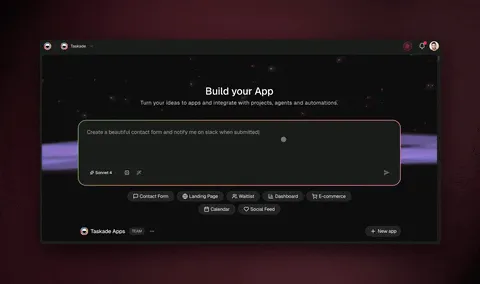
You describe the outcome in plain English to an AI app builder, and it assembles the database, the AI agent, and the automation for you. With Taskade Genesis, a prompt like "build a quiz grader that scores submissions against my rubric and emails students personalized feedback" produces a live app — a submission form, a scoring agent, and an email automation — with no canvas to wire and no server to manage. It starts free, and Pro is $10/month on annual billing.
Here is the end-to-end flow the app runs every time a student submits work:
The four moving parts map cleanly to Taskade building blocks, and each one has a step-by-step guide:
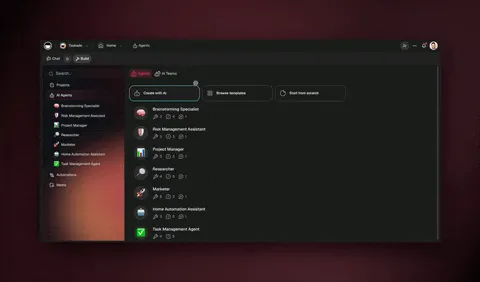
The grading agent isn't a generic chatbot. You give it your rubric, your tone, and your standards, and it carries them across every submission. Agents in Taskade ship with built-in tools — web search, file analysis, code execution, and more — and route across frontier models from top AI labs, so the model best suited to the task is used automatically. See how custom agents work for the memory side, and the agent playbook for a full walkthrough.
The approval gate is the part that keeps this responsible. The AI agent never sends a grade directly to a student. It drafts the score and feedback, then hands it to you — you approve in one click, or edit and approve. That single human-in-the-loop step is the difference between "AI graded my class" and "AI did my grading busywork."
A worked example: from prompt to graded quiz
To make this concrete, here is the exact kind of instruction a teacher types, and what comes back. You don't write code — you write a brief. The clearer the rubric, the better the output.
"Build a 5-question short-answer biology quiz grader for 9th grade. Score each answer 0–2 against this rubric: 2 = correct with reasoning, 1 = partially correct, 0 = incorrect or blank. For each student, total the score, write one sentence of encouraging feedback naming what they got right, and one sentence of next-step advice. Email the result. Send me everything to approve first."
From that single brief, the builder stands up four things at once: a submission form, a scoring agent loaded with your rubric, an approval queue, and an email step. When a student submits, the agent doesn't just spit a number — it reasons. A "partially correct" answer about photosynthesis gets a 1, plus feedback like "You nailed that chlorophyll absorbs light — now connect it to where the glucose actually gets made." That is rubric-anchored, encouraging, and consistent across all 30 students.
The teacher's job shrinks from grading 30 quizzes to scanning 30 pre-graded results and approving them. On a typical short-answer set, that is the difference between two hours and ten minutes. The agent tools guide shows how to load the rubric, and agent prompts covers how to dial in the feedback tone so it sounds like you, not a robot.
What you write
What the app builds
Time to set up
The rubric + scoring scale
A scoring agent that applies it identically every time
Minutes
The feedback tone ("encouraging, specific")
Personalized feedback per student
Minutes
"Send me everything to approve"
A human-in-the-loop approval queue
Automatic
"Email the result"
Per-student delivery via your inbox
Minutes
How do you automate lesson prep and quizzes?
Lesson prep is the most automatable bucket of all — about 85% of it (plans, quizzes, rubrics, slides outlines) can be AI-generated, leaving the teacher to curate and adapt. Instead of asking a chatbot for a one-off lesson plan you copy and paste, you build a reusable lesson-prep app: an agent generates the plan from your standards, an automation schedules and distributes it, and a Project keeps the whole unit organized across multiple views (List, Board, Calendar, Table, Mind Map, Gantt, Org Chart).
A practical setup for a single unit:
Generate — An AI agent drafts the lesson plan, objectives, and a quiz from your topic and grade level. Tune it with agent prompts.
Organize — The unit lands in a Project. Use the Calendar view for pacing and the Board view for the build-out backlog.
Categorize — An AI categorize step tags each activity by standard or skill so nothing is missed.
Schedule — A scheduled automation releases the right materials on the right day.
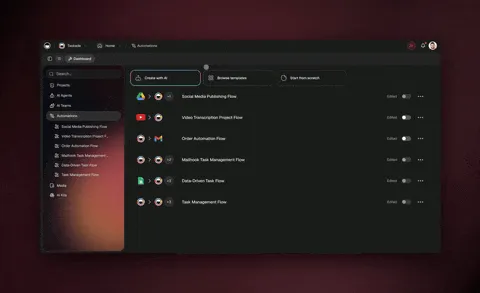
Because these are durable automations — they can branch, loop, filter, wait days, and resume from the exact step that failed — a "Monday release" job that fails on a holiday doesn't silently drop your plans. It waits and resumes. For the deeper how-to, our AI math tutoring guide shows how the same agent-plus-automation pattern powers adaptive practice, and the education app gallery has ready-made starting points.
Once grading and prep are running, the natural next step is turning the data into reports — class averages, mastery-by-standard, who's falling behind — without a Sunday spreadsheet session. The same trigger-agent-automation pattern that grades your quizzes can roll results into a live dashboard and email a weekly summary to parents or admin. Our automate reporting and dashboards guide shows that build step by step; it's the reporting layer that sits on top of the gradebook you just automated.
To put a number on the lesson-prep win: a full unit — objectives, a paced calendar, three differentiated quizzes, and a rubric — is the kind of work that eats a planning period plus a chunk of the weekend. A multi-agent build drafts the whole skeleton in minutes, leaving you to curate rather than originate. Teachers who use AI weekly report reclaiming about 5.9 hours every week (Gallup, 2025); lesson prep is where a large share of that comes back, because it's the bucket that's ~85% automatable.
For multi-step units, you can even put several agents on the job at once — a planning agent drafts the unit, a quiz agent writes assessments, and a feedback agent prepares rubrics — coordinated in agent orchestration mode. This is the "AI teaching assistant team" idea made literal.
How Taskade does it differently
Most tools in this space are excellent at one layer of the job — and they stop there. n8n, Zapier, Make, Lindy, and Shopify Flow wire nodes together to move data between apps. Connect a form, fire an email, log a row. That is genuinely useful, and for pure data plumbing those tools are some of the best on the market — Zapier in particular has the largest app catalog anywhere, and if all you need is "new form → send email," it's hard to beat.
But a grading or lesson-prep system isn't only plumbing. It needs a place to store submissions and rubrics (a database), something that can reason about an essay (an AI agent), and a workflow that runs reliably and waits for your approval (automation). With a node-based tool you assemble those pieces yourself across separate products. Taskade Genesis ships all three from one prompt as a living app.
That's the wedge — and it comes from how the platform is built. Taskade runs on Workspace DNA, a self-reinforcing loop:
Memory (your Projects and rubrics) feeds Intelligence (agents that grade and plan), which triggers Execution (automations that watch and deliver), which writes new Memory back — so your grading app gets sharper every cycle. A flat node graph can't compound like that because it has no shared memory between runs. Here's the same comparison as a table:
Capability
Node-based tools (n8n, Zapier, Make)
Taskade Genesis
Move data between apps
✅ Yes
✅ Yes
Built-in database for submissions
❌ Bring your own
✅ Projects (multiple views)
AI agent that reasons over work
⚠️ Add-on / node
✅ Native (built-in tools)
Ships a shareable app
❌ No
✅ Live URL
Built from a plain-English prompt
❌ Wire it yourself
✅ Describe it
Clone-and-reuse across teachers
❌ Export/import
✅ One-click clone
The most teacher-relevant part of that table is the last row. When you build a rubric-grader in Taskade Genesis, it gets a live URL and can be published to the Community Gallery so any colleague clones it in about 30 seconds. One teacher's Sunday-night build becomes the whole department's standard — no one rebuilds it.
And because every automation connects to your real tools through 100+ bidirectional integrations — triggers pull events in, actions push data out — the grader doesn't live in a silo. It reads from Google Forms, writes to Google Sheets, and emails through Gmail, all inside one app.
Taskade Genesis vs the top AI teaching tools (2026)
The 2026 market for AI teaching tools is crowded — but almost every product solves one slice of the job. MagicSchool is the category-leading toolbox with 80+ generators; CoGrader is the Google Classroom grading specialist (free up to 100 submissions/month); Gradescope is the gold standard for handwritten and code work; Nearpod owns live, interactive lessons; and Khanmigo is a student-facing tutor. Each is genuinely strong in its lane. The difference is that they hand you content or a score — Taskade Genesis hands you a living app that watches for work, grades it, and delivers feedback on its own, then can be cloned by your whole department.
Here's the honest head-to-head on the dimension that matters for automating the workload — not just generating one-off outputs:
Tool
Best at
Lesson prep
Grading
Ships a live, cloneable app
Taskade Genesis
One prompt → living teaching app (DB + agents + automations)
✅ Agent + scheduler
✅ Rubric agent + approval
✅ Live URL, 1-click clone
MagicSchool
80+ generators, all-in-one toolbox
✅ Strong
✅ AI Grader
❌ Outputs, not an app
CoGrader
Google Classroom rubric grading (−80% time)
❌
✅ Excellent
❌ Grading tool only
Gradescope
Handwritten / code / bubble-sheet grading
❌
✅ Best-in-class
❌ Grading tool only
Nearpod
Live interactive lessons + engagement
✅ Interactive
⚠️ Quiz checks
❌ Lesson player only
Khanmigo
Student-facing AI tutor
⚠️ Coaching
⚠️ Student-side
❌ Tutor, not teacher app
The pattern is clear: pick a competitor and you get a best-in-class point solution. MagicSchool will out-generate everyone on raw lesson content. Gradescope will out-grade everyone on handwritten math. If your entire need is "grade my Google Classroom essays," CoGrader is a faster on-ramp than building anything. We'd genuinely recommend any of them for those specific jobs.
What none of them do is let you describe a whole workflow — "watch this form, grade against my rubric, route to me, then email each student" — and get one app that runs it end to end and that a colleague can clone in 30 seconds. That's the wedge, and it comes straight from how the platform is built.
For a tool-by-tool breakdown across the whole category — including the ones above plus AI quiz makers, IEP writers, and parent-comms assistants — our best AI tools for teachers guide ranks each by use case. And if your subject is math specifically, the AI math tutoring guide shows the adaptive-practice version of this same build.
What can Taskade Genesis actually do for a teacher?
Taskade Genesis is a full platform, not just a grading agent — and every part of it maps to a teaching job. The short version: your rosters and rubrics become Memory, your AI agents become Intelligence, and your automations become Execution — a self-reinforcing loop where each graded quiz makes the next cycle sharper. Here's the whole toolbox, tied to what a teacher actually does with it:
Every graded submission and lesson feeds back as memory, so your grader and planner get smarter each week
Multiple project views
List, Board, Calendar, Table, Mind Map, Gantt, Org Chart
Calendar for pacing a unit, Table for a gradebook, Board for the prep backlog — same data, your choice of view
built-in agent tools
Web search, file analysis, code execution, custom commands, persistent memory
The grading agent reads PDFs, checks sources, runs code in student submissions, and remembers your standards
Multi-agent teams
Several agents collaborating on one job
A planning agent, a quiz agent, and a rubric agent build a full unit in parallel
Frontier models
Models from top AI labs
The right model is used per task — fast for quizzes, careful for essay feedback — automatically
100+ bidirectional integrations
Triggers pull events in, actions push data out
Reads Google Forms, writes Google Sheets, emails through Gmail — no copy-paste
Custom domains + publishing
Apps get a live URL, optional custom domain + sign-in
Publish a parent-facing portal or a department grader on your own domain
Role-based access
Owner through Viewer
Co-teachers edit, aides view, students never see the gradebook
The point of listing all of this isn't feature-checklist bragging — it's that a teaching workflow needs all of these layers at once, and Taskade ships them from a single prompt instead of across five subscriptions. Browse the full capability set in the app builder overview, or jump straight to Taskade Genesis and describe your first workflow.
The model layer: why "frontier models" matters for grading
A grading agent isn't well served by a single model. Quick objective scoring wants a fast, cheap model; nuanced essay feedback wants a careful, reasoning-heavy one. Taskade Genesis routes across frontier models from top AI labs, picking the one suited to each task automatically — so you don't manage models, you just set the rubric. See how agents work in Genesis for how the intelligence layer routes.
The agent's persistent memory is the other half. Because the grader remembers your rubric, your tone, and the patterns it saw last week, the 30th quiz is graded as carefully as the first — and the next assignment starts smarter than the last. That's the Memory leg of Workspace DNA doing real work.
Is AI grading accurate and fair?
AI grading is most accurate on objective and rubric-anchored work — multiple choice, fill-in-the-blank, structured short answers, and code output — where grading-assist tools cut time by up to 80% without sacrificing consistency. For nuanced essays and creative work, accuracy depends on keeping a human in the loop: the AI drafts scores and feedback against your rubric, and the teacher reviews before anything is final. Done this way, AI is often more consistent than a tired human grading the 90th paper at midnight, because it applies the same rubric to the first and last submission identically.
Three guardrails keep it fair:
Guardrail
Why it matters
How to set it up
Rubric-anchored scoring
The AI grades against your explicit criteria, not vibes
On privacy specifically: never paste identifiable student data into a public chatbot. Inside Taskade Genesis, student data lives in your workspace under role-based access (Owner through Viewer), credentials are stored as protected app secrets, and published apps support custom domains with built-in sign-in so you control exactly who sees what. For the policy details, the Genesis FAQ covers data handling.
What does a full teaching automation system look like?
A complete system is a small set of connected apps, each owning one job, all sharing the same workspace memory. Roughly 80% of the recurring grading-and-prep workload can run through it, with the teacher approving outputs and handling the human work. Here's the architecture of a department-grade setup:
┌─────────────────────────────────────────────────────────┐
│                  TEACHING AUTOMATION HUB                  │
│                  (one Taskade workspace)                  │
├───────────────┬───────────────┬─────────────────────────┤
│  GRADING APP  │  LESSON APP    │   COMMS APP             │
│  ───────────  │  ───────────   │   ─────────             │
│  Form trigger │  Plan agent    │   Inbox watcher         │
│  Rubric agent │  Quiz agent    │   Reply drafter         │
│  Approval     │  Scheduler     │   Approval gate         │
│  Email out    │  Distribute    │   Send + log            │
├───────────────┴───────────────┴─────────────────────────┤
│  SHARED MEMORY: rubrics · student roster · standards     │
│  (Projects with all views — read by every app + agent)   │
├──────────────────────────────────────────────────────────┤
│  INTEGRATIONS: Google Forms · Sheets · Gmail · Calendar  │
│  HUMAN IN THE LOOP: teacher approves before anything ships│
└──────────────────────────────────────────────────────────┘
The three apps don't duplicate work because they share one memory layer — the same roster, rubrics, and standards. Build the grading app first (highest time-savings), then add lesson prep, then comms. Each one is a single prompt away. To get started, the first-app guide walks through the build, and publishing shows how to share it with colleagues on a custom domain.
See a second one live: an interactive practice app
Grading is one half. The other half is engaging practice that grades itself. Here's a live multiplication-practice app — clone it and adapt the same self-checking pattern to spelling, vocabulary, or any drill:
This is the augmentation thesis in one screen: the app handles drill, feedback, and tracking, so the teacher spends class time on the students who need a human, not on marking 30 worksheets. Browse more starting points in the education gallery or the full Community Gallery.
Common mistakes when automating grading (and how to avoid them)
The teachers who get the most from AI avoid five predictable traps. About 70% of failed automation attempts in any field come from over-automating the wrong tasks rather than from the technology itself — and teaching is no exception. The fix in every case is the same: keep the human where judgment lives, and automate only the mechanical edges around it.
Mistake
Why it backfires
The fix
Auto-sending grades with no review
One bad AI call reaches a student before you see it
The most important of these is the first. The single line "send me everything to approve first" in your build prompt is what turns AI from a liability into an assistant. It costs you a few minutes of scanning and buys you complete control over every grade that goes out. For the full set of guardrails, the Genesis FAQ and the agent playbook walk through responsible-use patterns step by step.
A second subtle trap: don't try to automate the hardest thing first. Essay grading feels like the biggest time sink, so teachers reach for it on day one — and then get frustrated when nuanced feedback needs heavy editing. Start with objective quizzes where the AI is near-flawless, build trust in the watch-act-route loop, and then layer in essay first-passes once you've calibrated the agent's voice. Confidence in the system compounds the same way the Workspace DNA loop does.
Will AI replace teachers? (The honest answer)
No — and the data points the other way. AI handles the mechanical 99% (scoring, drafting, scheduling, admin), which is precisely the work that drives teacher burnout. It cannot do the human 1% that actually defines teaching: reading a student's confidence, knowing when a "wrong" answer shows real thinking, building trust, and inspiring curiosity. Gallup's finding that AI users reclaim ~5.9 hours a week isn't a story about fewer teachers. It's a story about teachers getting their evenings and their attention back.
The right mental model is a teaching assistant that never sleeps and never tires — one that does the grading busywork at 2 a.m. so the human can focus on the part that needs a human at 9 a.m. The teacher stays in command: setting the rubric, approving every grade, and deciding what matters. AI just clears the runway.
Start small. Automate one thing — objective quiz grading — and measure the hours you get back next week. Then add feedback drafts, then lesson prep, then comms. Within a term, most of the 70% non-teaching load is running on autopilot with you in the approval seat.
Where this is heading
The current generation of AI teaching tools generates outputs — a lesson plan here, a graded essay there — that you copy, paste, and stitch together by hand. The next generation generates systems. Taskade's vision is that every classroom, department, and school runs on a self-reinforcing Memory + Intelligence + Execution loop: your rosters, rubrics, and standards are the memory; AI agents are the intelligence that grades and plans against them; automations are the execution that watches forms and delivers feedback — and every cycle writes new memory back, so the whole system gets sharper on its own.
In that world, a teacher doesn't find the right tool — they describe the outcome and a living app appears, already wired to their forms and inbox, already loaded with their standards, ready to be cloned by every colleague down the hall. One prompt becomes a self-improving teaching assistant that learns your voice over a term. The busywork compounds down while the time you spend with students compounds up. That's not a far-future promise — the live grader embedded at the top of this guide already runs the loop today. The frontier is simply more of your day moving from "tools you operate" to "apps that operate for you."
Build your first teaching app
You don't need an engineer, a budget approval, or a free Sunday. You need one sentence describing the outcome. Taskade Genesis turns it into a live app with AI agents, automations, and a database — and it's free to start.
Pricing stays simple: Free to start, then Pro $10/mo (Popular), Business $25/mo, Max $100/mo, and Enterprise $250/mo on annual billing — every tier includes agents, automations, and app building. See the full breakdown on the pricing page.
Ready to reclaim your evenings?Start free with Taskade Genesis — describe your grading or lesson-prep workflow, approve the AI's work, and hand the busywork to an assistant that never sleeps.
▲ ■ ● Memory, Intelligence, Execution — your rubrics and rosters become memory, your AI agents grade and plan with intelligence, and your automations execute the delivery. That's the difference between a chatbot that drafts text and a living app that does your grading busywork while you teach.
Frequently Asked Questions
Can AI really automate grading and lesson prep for teachers?
Yes, for the mechanical part. AI can draft rubric-based feedback, score multiple-choice and short-answer work, generate lesson plans and quizzes, and handle parent-email and roster admin. According to Gallup's 2025 research, teachers who use AI weekly save about 5.9 hours per week — roughly six weeks of time reclaimed across a school year. The teacher still owns final grades, mentorship, and judgment. With Taskade Genesis you can describe a grading or planning workflow in plain English and get a working app with AI agents, automations, and 100+ bidirectional integrations.
How much time do teachers actually spend on grading and admin?
About 70 percent of teachers' non-teaching time goes to grading, planning, and administrative work rather than direct instruction. Gallup's 2025 study found roughly 3 in 10 teachers already use AI weekly and reclaim about 5.9 hours per week. Grading-assist tools have been shown to cut grading time by up to 80 percent. Automating this load lets teachers spend more hours on the work only a human can do.
Does using AI to grade mean replacing teachers?
No. AI augments teachers by handling the repetitive, mechanical load — first-pass scoring, feedback drafts, lesson scaffolding, and admin — so educators invest their expertise in mentorship, creativity, and judgment. The teacher always reviews and approves. In Taskade Genesis you set the rubric, the AI agent drafts the feedback, and a human-in-the-loop step routes every result to you for approval before it reaches a student.
What is the best way to build a grading workflow without coding?
Describe the outcome in plain English to an AI app builder. Taskade Genesis turns a prompt like 'build a quiz grader that scores submissions against my rubric and emails students personalized feedback' into a live app with a database, AI agents, and automations. There is no canvas to wire and no server to manage. It starts free, with Pro from $10 per month on annual billing.
How accurate is AI grading compared to a human teacher?
AI is strongest on objective and rubric-anchored work — multiple choice, fill-in-the-blank, code output, and structured short answers — where studies show grading time drops by up to 80 percent. For nuanced essays and creative work, the reliable pattern is AI-first-pass plus human review: the AI agent drafts scores and feedback against your rubric, and you approve or adjust before anything is final. This keeps accuracy and fairness with the teacher.
Which AI tools help teachers automate lesson planning?
General assistants (ChatGPT, Gemini, Claude) draft plans, and education-specific tools generate quizzes and rubrics. Taskade Genesis goes further by building a reusable lesson-prep app: AI agents with built-in tools generate the plan, automations schedule and distribute it, and Projects with multiple views (List, Board, Calendar, Table, Mind Map, Gantt, Org Chart) keep your curriculum organized. See our guide to AI tools for teachers for the full landscape.
How do I keep student data private when using AI?
Use a platform with role-based access and approval steps, and avoid pasting identifiable student data into public chatbots. Taskade Genesis uses role-based access (Owner to Viewer), lets you store credentials as protected app secrets, and supports human-in-the-loop approval so a teacher reviews every AI output before it is sent. Published apps support custom domains and built-in sign-in to control who sees what.
How much does it cost to automate teaching with Taskade Genesis?
Taskade Genesis is free to start. Paid plans on annual billing are Pro $10 per month (the Popular tier), Business $25 per month, Max $100 per month, and Enterprise $250 per month. Every tier includes AI agents, automations, and app building, so a single educator or a whole department can automate grading and lesson prep without per-seat add-ons for the core capabilities.
Can I share a grading or lesson-prep app with other teachers?
Yes. Apps built in Taskade Genesis get a live, shareable URL and can be published to the Community Gallery so any teacher can clone them in about 30 seconds and run them in their own workspace. You can also publish to a custom domain with built-in sign-in. This is how a single rubric-grader app becomes a department-wide standard without anyone rebuilding it.
What can I automate first to save the most time as a teacher?
Start with the highest-frequency, lowest-judgment tasks: objective quiz grading, feedback drafts from a rubric, parent and student email replies, and roster or attendance admin. These account for much of the 70 percent of non-teaching time and are where AI safely reclaims the most hours. Build one app that watches a submission form, grades against your rubric, and emails results — then expand from there.
How does Taskade Genesis compare to MagicSchool, CoGrader, and Gradescope?
MagicSchool offers 80-plus generators, CoGrader is the Google Classroom grading specialist (free up to 100 submissions a month, cutting grading time up to 80 percent), and Gradescope leads on handwritten and code work. Each is a strong point tool that hands you content or a score. Taskade Genesis is different in kind: from one plain-English prompt it ships a living app — a database, AI agents, and automations — that watches for submissions, grades against your rubric, routes to you for approval, and emails feedback, then can be cloned by your whole department in about 30 seconds. Use a point tool for one step; use Taskade Genesis to run the whole workflow end to end.
What can Taskade Genesis do beyond grading?
Taskade Genesis is a full platform built on Workspace DNA — Memory plus Intelligence plus Execution. It gives teachers multiple project views (List, Board, Calendar, Table, Mind Map, Gantt, Org Chart), AI agents with built-in tools, multi-agent teams, frontier models from top AI labs, 100-plus bidirectional integrations, custom domains with built-in sign-in, and role-based access. That means one prompt can build a grader, a lesson-prep app, a parent-comms app, or a self-checking practice app — all sharing the same workspace memory so each cycle gets sharper.