






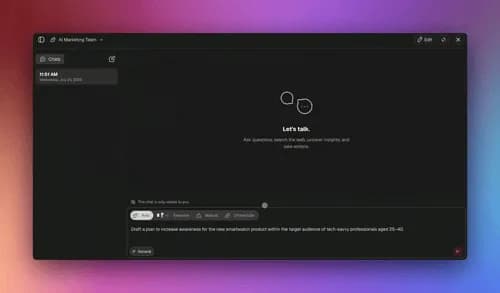
You can automate most of your repetitive job with AI agents in 2026 without writing a single line of code — and without hiring an engineer. A custom AI agent reads your data, makes decisions, uses tools, and runs multi-step work end to end. According to Gartner, 80% of new enterprise apps now embed at least one AI agent, up from 33% in 2024, and roughly 31% of enterprises already run an agent in production. This playbook shows you exactly how to do it — organized by your role and by the tasks you do every day.
TL;DR: AI agents automate work by reasoning over your data and acting across your apps — not just answering questions. By Q1 2026, 80% of new enterprise apps embed an agent (Gartner). With Taskade Genesis you describe the outcome in plain English and get a live agent with built-in tools and 100+ integrations. Clone the live Support Agent below →
This is the live Support Agent app you'll see referenced throughout this guide. It reads incoming requests, drafts replies, and routes the hard ones to a human. Clone it, point it at your own data, and you have automated first-response triage in about a minute. That is the whole promise of this playbook in one embed.
This article is the hands-on automate-your-job companion to two siblings. If you want the definition of an agent, read what are AI agents. If you manage projects, read AI agents for project management. This post is different — it is the role-by-role, task-by-task field manual for replacing your own busywork.
What does it mean to automate work with AI agents in 2026?
Automating work with AI agents means handing a goal to software that can reason, use tools, and act — instead of clicking through every step yourself. By Q1 2026, 80% of new enterprise apps embed at least one AI agent, up from 33% in 2024, per Gartner, and about 31% of enterprises run one in production. The shift is from you operate the tool to the tool operates on your behalf.
The old model of automation was a fixed recipe: when X happens, do Y. That still works for simple, predictable steps. But most real work is not predictable — it requires judgment. A custom AI agent adds that judgment. It looks at the actual situation, decides what to do, and runs the steps, including the ones a rigid recipe could never anticipate.
The practical takeaway: you no longer build the steps. You describe the destination, hand over the data, and let the agent find the route. That is why a non-technical program manager can now ship work that used to need a developer.
What is a custom AI agent, and why does it beat a chatbot?
A custom AI agent is software with three things a chatbot lacks: memory, tools, and the ability to act. A chatbot replies to a message and forgets it. A custom AI agent remembers your projects, has built-in tools it can use, and takes actions across your connected apps. The difference is agency — a chatbot answers, an agent finishes.
Custom AI agents combine four ingredients that, together, let them run real work without supervision:
| Ingredient | What it gives the agent | Why it matters for automating work |
|---|---|---|
| Persistent memory | Recall of your projects, data, and past runs | The agent stays in context instead of starting cold every time |
| Built-in tools | Web search, code, file analysis, slash commands | The agent can do things, not just talk about them |
| 100+ integrations | Bidirectional links to your real apps | The agent reads events in and pushes results out |
| Multi-agent teamwork | Agents that hand off to each other | One agent researches, another drafts, a third reviews |
The reason this matters now: until recently, an "AI agent" was mostly a demo. In 2026 it is production infrastructure. The same Gartner data that puts agents in 80% of new enterprise apps also reflects a maturity shift — agents went from experiments to the default way new internal tools get built.
Consider what each ingredient replaces in your current workflow. Persistent memory replaces the context you re-explain to a tool every single time you open it. Built-in tools replace the tabs you switch between to get one task done — search here, calculate there, check a file somewhere else. Integrations replace the copy-paste shuffle of moving data from one app to the next by hand. Multi-agent teamwork replaces the handoffs you chase down when a task crosses people. Stack those four together and you have not automated a step — you have automated the seams between steps, which is where most of your day actually leaks.
This is the part the "AI is just autocomplete" crowd misses. An autocomplete makes you faster inside one box. An agent removes the box. The non-technical builder who internalizes this stops asking "what can this chatbot tell me?" and starts asking "what outcome can I hand off entirely?" — and that single reframe is what separates people who get hours back from people who get a slightly faster typewriter.
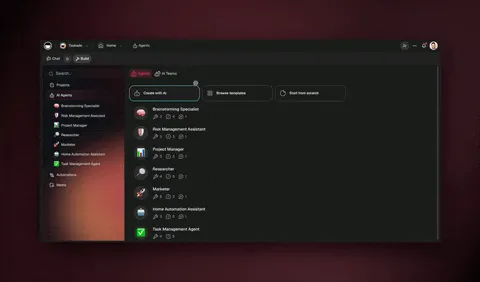
If you want the conceptual deep dive on tool use, memory, and reasoning loops, the agent harness explainer breaks down what is happening under the hood. This playbook stays at the level of what you can do with it today.
How AI agents automate work, step by step
An AI agent automates a task through a four-stage loop: perceive, decide, act, remember. It reads the current state of your data, decides what to do next, takes an action through a tool or integration, and stores the result so the next decision is smarter. This loop repeats until the goal is met — often across dozens of steps a human would never want to do by hand.
Here is the same loop applied to a concrete job — handling an inbound support request — so you can see the abstraction become real work:
| Stage | What the agent does on a support ticket |
|---|---|
| Perceive | Reads the ticket, the customer's history, and your help docs |
| Decide | Classifies the issue and chooses to draft a reply or escalate |
| Act | Drafts the response, tags the ticket, or pings a human |
| Remember | Logs the resolution so similar tickets get faster next time |
The agent never gets bored, never forgets a step, and runs at 3am the same as 3pm. That consistency is the real product. For the mechanics of how agents collaborate when one task needs several of them, see the agent teams collaboration guide.
What makes the loop powerful is the remember stage. A rule-based automation treats every run as if it were the first. An agent does not. Each completed run sharpens the next one — the agent learns which support replies got approved, which leads converted, which routing decisions were reversed by a human. Over a few weeks, the agent that started as a competent first-drafter becomes the team member who already knows how your team likes things done. That accumulation is invisible on day one and decisive by week four.
It also means the order you automate things in matters. Tasks that share data benefit from running on the same workspace, because the memory they build is shared. A support agent and a lead-research agent that both read your customer records make each other smarter. This is the practical reason the Workspace DNA loop — Memory feeding Intelligence feeding Execution — beats a folder full of disconnected automations: the parts compound instead of sitting in isolation.
Automate your work by role: the 2026 field guide
The fastest way to start is to pick the one task in your role that you do most often and hate most. Below is a role-by-role map of high-leverage agent automations that real teams ship today. Each one starts as a single agent and grows into a small team of agents as you trust it.
| Your role | First agent to build | What it automates | Time it gives back |
|---|---|---|---|
| Support | Triage & reply agent | First-response drafting + routing | Hours of repetitive replies |
| Sales ops | Lead research agent | Enrichment + CRM updates | Manual research per lead |
| Marketing | Content repurposing agent | Briefs, drafts, multi-channel posts | Whole content cycles |
| Operations | Intake & routing agent | Form parsing + assignment | Daily manual triage |
| Program mgmt | Status & rollup agent | Status updates + reports | Weekly reporting overhead |
| Recruiting | Candidate screening agent | Resume parsing + scheduling | Screening backlog |
The pattern is identical across every row: a repetitive, rule-ish task that reads and writes data across apps. If you can describe the task to a new hire in two sentences, you can describe it to an agent.
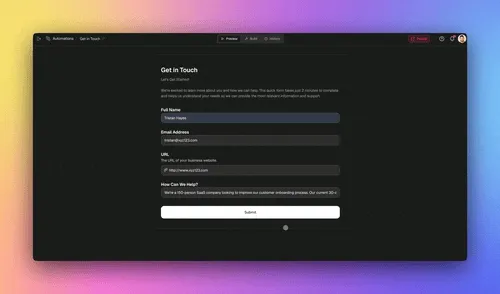
A few role-specific notes worth calling out, since they are where people get the most leverage fastest:
- Support and sales are the highest-ROI starting points because the tasks are high-volume and well-defined — the same Gartner adoption curve shows these two functions leading agent deployment.
- Program and operations managers (the "David" reading this) win biggest from rollup agents — agents that gather scattered status across projects and assemble one clean report. That is judgment work that used to eat a full afternoon every week.
- Marketers should start with repurposing, not generation. Turning one approved asset into five channel-specific versions is low-risk and immediately visible.
For project-shaped roles specifically, the companion post on AI agents for project management goes deeper on rollups, dependencies, and team coordination.
The numbers behind agent adoption in 2026
Agent adoption is not a future bet — it is the current default for new software. Gartner reports that 80% of new enterprise apps embed at least one AI agent as of Q1 2026, up from 33% in 2024, and roughly 31% of enterprises run an agent in production rather than in a pilot. The jump from 33% to 80% in two years is one of the fastest enterprise-tech adoption curves on record, and it tells you something practical: if you are not automating with agents yet, your peers are.
The gap between "embedded in new apps" (80%) and "running in production" (31%) is the opportunity. Most organizations have added agent capability faster than they have deployed it against real work. The teams pulling ahead are the ones who moved from "we have agents available" to "agents run our repetitive tasks every day." That move does not require a platform migration or an engineering project. It requires picking one task and shipping one agent — which is exactly what this playbook is for.
A second pattern in the data is who moves first. Adoption concentrates in functions with high-volume, well-defined tasks — support, sales operations, and internal workflow automation lead, because the return is immediate and easy to measure. Marketing and operations follow close behind. The lesson for the individual builder is the same as the lesson for the enterprise: start where the tasks are repetitive and the "good output" is obvious, then expand outward as trust grows.
Automate your work by task: a decision tree
Not sure if a task is a good fit for an agent? Use this decision tree to qualify any task in under a minute. The rule of thumb: if a task is repetitive, rule-ish, and touches data across apps, it is a strong candidate. If it requires genuine human relationship or one-off creative judgment, keep a human in the loop and let the agent assist instead.
                  ┌─────────────────────────────────┐
                  │   A task you do over and over?   │
                  └──────────────┬──────────────────┘
                                 │
                  ┌──────────────┴──────────────┐
                 YES                            NO
                  │                              │
        ┌─────────▼─────────┐          ┌─────────▼─────────┐
        │ Does it read/write │          │  One-off / creative│
        │ data across apps?  │          │  → keep it manual  │
        └─────────┬──────────┘          │  (agent can assist)│
                  │                      └────────────────────┘
        ┌─────────┴─────────┐
       YES                  NO
        │                    │
┌───────▼────────┐   ┌──────▼─────────────┐
│ Clear rules for │   │ Mostly inside one  │
│ what "good"     │   │ app/doc?           │
│ output is?      │   │ → use a slash-cmd  │
└───────┬─────────┘   │   agent in-context │
        │             └────────────────────┘
┌───────┴──────────┐
YES                NO
│                   │
▼                   ▼
FULL AGENT      AGENT + HUMAN
(automate it)   REVIEW (assist
                first, automate
                once trusted)
The "agent + human review" path is the safe on-ramp. You let the agent draft, a person approves, and once the approval rate is consistently high, you remove the human gate. Most teams reach full automation on a given task within a week or two of running it in review mode.
How Taskade does it differently: a living app, not wired nodes
Most automation platforms ask you to wire nodes or connect apps. Taskade ships a living app from one prompt. Tools like n8n, Lindy, Zapier, Make, and Shopify Flow are excellent at moving data between apps — and if you want granular, node-by-node control of every branch, that visual canvas is a genuine strength worth respecting. Taskade is built for a different altitude: you describe the outcome, and it builds the agent, the automation, and the app around them.
That difference comes from Workspace DNA — a self-reinforcing loop that a flat automation canvas does not have:
Here is the honest, side-by-side framing. Each tool is best at something; the wedge is about what you hold at the end.
| Approach | What you build | What you ship at the end |
|---|---|---|
| Wire nodes (n8n, Make) | A data pipeline, branch by branch | An automation |
| Connect apps (Zapier, Shopify Flow) | Trigger → action links | A workflow |
| Assign tasks (Lindy) | An assistant per job | An AI helper |
| Describe the outcome (Taskade Genesis) | One prompt → agent + automation + app | A living, shareable app |
The three pieces of Workspace DNA map directly to what you already use: Memory is your Projects with multiple views (List, Board, Calendar, Table, Mind Map, Gantt, and Org Chart — note that Timeline lives inside Gantt). Intelligence is your AI agents with built-in tools running on frontier models from top AI labs. Execution is your automations with 100+ bidirectional integrations, where triggers pull events in and actions push data out. Each feeds the next, and the loop compounds.

The result is not a flowchart you maintain. It is software you can hand to a teammate or a customer — with a real UI, a database, sign-in, and a custom domain. That is the difference between automating a task and automating an outcome.
Taskade Genesis vs the alternatives: the 2026 agent automation landscape
The 2026 AI-agent automation market splits into four camps, and Taskade Genesis is the only one that turns a single prompt into a living app with memory, agents, and automations bundled together. Lindy is strongest at natural-language assistants across your inbox and calendar. Gumloop wins on a visual node canvas that runs steps in parallel. Relevance AI leans into research and unstructured-data analysis. Dust connects deep to your company knowledge base. Each is genuinely good at its specialty — the difference is what you hold at the end of the build.
Here is the honest side-by-side, with each competitor's real strength named, not strawmanned:
| Platform | Best at | What you build | What you ship | Starting price |
|---|---|---|---|---|
| Taskade Genesis | One prompt → living app | Agent + automation + app + database | A shareable app on a custom domain | Free, Pro $10/mo |
| Lindy | Inbox/calendar assistants | Per-job AI assistants | An AI helper that acts | Free, Pro ~$50/mo |
| Gumloop | Visual parallel workflows | A node-by-node canvas | An automation pipeline | Free, ~$37/mo entry |
| Relevance AI | Research & data analysis | An "AI workforce" of analysts | A research/ops agent | Free, usage-based credits |
| Dust | Company knowledge agents | Assistants over your docs | A knowledge-grounded agent | Per-seat, enterprise-led |
The honest read: if your whole job is drafting and sending email, Lindy's natural-language assistants are a fast win. If you want granular visual control over every branch, Gumloop's parallel canvas is excellent. If your work is reading reports and extracting insight, Relevance AI's data focus shines. And if you need an agent that lives inside a large internal knowledge base, Dust is purpose-built for that.
Taskade's wedge is altitude. The other four hand you a helper or a pipeline — a thing that runs alongside your real work. Taskade Genesis hands you the work itself as software: a project that holds your data (Memory), agents that reason over it (Intelligence), and automations that execute (Execution), all in one workspace you can clone, customize, and publish in about a minute.
A second practical difference is the on-ramp. With most platforms you start from a blank canvas. With Taskade you can start from a working app — clone one of the live agents from the Community Gallery, point it at your data, and you are running in about 30 seconds. The two live embeds in this article (the Support Agent above and the Sales Agent Studio below) are exactly that: real apps you can clone right now, not screenshots.
What Taskade Genesis can do: the full platform behind the playbook
Taskade Genesis is not a single feature — it is a complete operating system for automated work, built on the Workspace DNA loop. Everything in this playbook draws on the same platform: projects that remember, agents that reason, and automations that execute, feeding each other in a loop that gets smarter every cycle. Here is the full capability map, with each piece tied to the work you are trying to automate.
| Capability | What it is | How it automates your work |
|---|---|---|
| Workspace DNA loop | Memory + Intelligence + Execution, self-reinforcing | Your projects feed your agents, your agents trigger automations, automations write back to projects — the seams between steps disappear |
| built-in agent tools | Web search, code, file analysis, slash commands, memory, and more | One agent does the work that used to need five open tabs |
| Multiple project views | List, Board, Calendar, Table, Mind Map, Gantt, Org Chart | The same data shown the way each task needs it — Timeline lives inside Gantt |
| Multi-agent teams | A lead agent coordinating specialists | Research, draft, and review run in parallel like a real team |
| 100+ bidirectional integrations | Triggers pull events in, actions push results out | Agents read from and write to the apps you already use |
| Frontier models | Top AI labs | The agent picks the right model for each task automatically |
| Custom domains + app publishing | Ship a real app with sign-in on your own URL | Hand the automation to a teammate or customer as software |
Each capability maps to a specific moment in the playbook. The built-in tools are what let the support agent in the first embed search your docs, read the ticket, and draft a reply without you wiring anything. The project views are how a program manager turns a Table of tasks into a Gantt rollup with one click. The 100+ integrations are why a lead-research agent can enrich a CRM record the moment a form is submitted. And custom domains plus app publishing are what turn your automation from a private workflow into a product you can share — the thing none of the node-wiring tools give you.
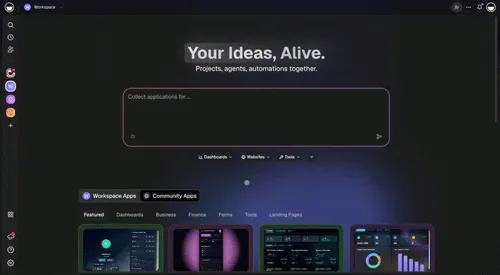
The capability that ties it all together is the memory shared across the loop. In a folder of disconnected automations, each one starts cold. In Taskade, the support agent and the lead-research agent read the same customer records, so the work they produce compounds. That is the architectural reason a single non-technical builder can run five or six agents across functions without anything falling out of sync — covered in depth in agentic workflows explained and custom AI agents.
Building your first work-automating agent in 5 steps
You can build your first production agent in about five steps and under ten minutes — most of which is you deciding what to automate, not technical setup. The build itself is a single description. Here is the exact sequence.
The five steps in plain language:
- Pick one task using the decision tree above — repetitive, rule-ish, cross-app.
- Describe the outcome to Taskade Genesis in one or two sentences. No canvas, no code.
- Connect your data — point the agent at the right projects and integrations.
- Run it in review mode — let it draft, you approve, for the first stretch.
- Remove the gate — once the approval rate is high, hand over the full task.
The fastest possible start is to skip the blank page entirely and clone a working agent. The Community Gallery is full of cloneable agent apps you can run in about 30 seconds, then customize.
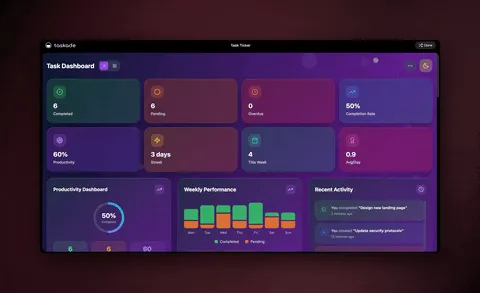
For a step-by-step written walkthrough, the agent playbook in Learn covers setup end to end, and building custom agents covers the configuration details. To understand the built-in tools your agent can reach for, see agent tools.
Multi-agent teams: when one agent isn't enough
For bigger jobs, you assign a team of agents that hand work to each other — research, draft, review, and ship. One agent is great for a single task. But a real outcome usually has stages, and multi-agent collaboration lets you give each stage its own specialist. A lead agent coordinates the others, exactly like a small team with a project manager.
This is how a single non-technical builder ships work that used to require a whole team. The research agent never stops gathering, the draft agent never gets writer's block, and the review agent never skips a check. They run in parallel and pass work between each other automatically.
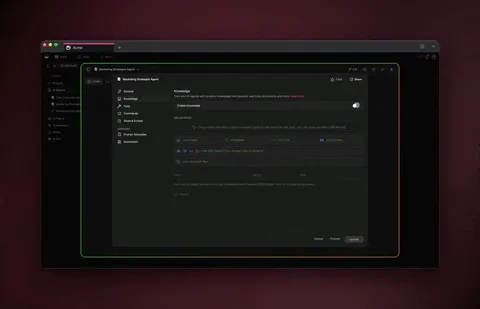
The second live app below — Sales Agent Studio — is a multi-agent setup in action. It researches leads, drafts outreach, and surfaces the best prospects, with agents dividing the work:
For the architecture and patterns behind agent teams, read the multi-agent platforms guide and how to build an AI agent team. The conceptual foundation lives in the wiki on agent orchestration and agent memory.
Real automations by use case: what agents actually run in 2026
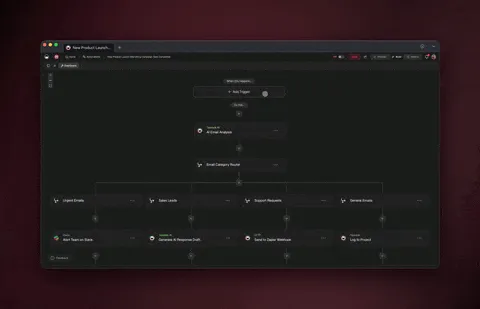
The clearest way to see the value is by named, end-to-end automations that teams run today — not abstractions, but the exact loop an agent executes. Agentic AI is no longer experimental in 2026; it is in production across support, sales, marketing, operations, and recruiting, with early deployments delivering measurable productivity gains and scaled multi-agent systems pushing further. Below are six concrete automations, each mapped to the four-stage loop you can clone and adapt.
| Use case | Trigger (perceive) | Decide | Act | Result (remember) |
|---|---|---|---|---|
| Support triage | New ticket arrives | Classify urgency + intent | Draft reply or escalate to human | Logs resolution for faster next time |
| Lead enrichment | Form submitted / new CRM row | Score fit + find context | Enrich record, push to CRM | Stores firmographics for the team |
| Content repurposing | Blog post approved | Pick channels + angles | Generate 5 channel-specific posts | Remembers brand voice for next batch |
| Intake routing | Request lands in a form | Parse + match to owner | Assign, tag, notify the owner | Builds a routing map over time |
| Status rollup | Weekly schedule or trigger | Gather scattered project status | Assemble one clean report | Learns which metrics leaders read |
| Candidate screening | Resume submitted | Parse + score against rubric | Shortlist + propose interview slots | Remembers the role's ideal profile |
The pattern is identical across all six rows, which is the whole point: once you have built one, the next is a variation on a theme you already understand. A support team that ships the triage agent in week one is usually running the lead-enrichment and status-rollup agents by week three, because the muscle memory transfers. For the project-shaped end of this — rollups, dependencies, and team coordination — the companion post on AI agents for project management goes deeper, and AI agents for startups covers the small-team version where one builder runs the whole stack.
A note on measuring the win, since "saves time" is too vague to act on. Pick a number before you build: tickets handled per hour, leads enriched per day, hours of weekly reporting removed. Run the agent in review mode and watch that number move. The teams that report the biggest gains are not the ones that automated the most — they are the ones that measured one task, trusted it, and then repeated the loop. That is the difference between a pile of half-trusted automations and a workspace that actually runs your work.
What to automate first (and what to leave alone)
Start with the tasks where a wrong answer is cheap to catch and easy to fix. The best first automations are high-volume, low-stakes, and well-defined — first-draft support replies, lead enrichment, content repurposing, intake routing. Save anything involving legal commitments, sensitive personal decisions, or one-off creative bets for the agent-assist path, where a human stays in the loop.
| Automate now (high ROI, low risk) | Keep human-in-the-loop (for now) |
|---|---|
| First-draft support replies | Final approvals on contracts |
| Lead research and CRM enrichment | Sensitive HR or legal decisions |
| Content briefs and repurposing | High-stakes creative direction |
| Form intake and routing | One-off strategic judgment calls |
| Status rollups and reporting | Anything with no clear "good" output |
The compounding effect is the real prize. Each automated task frees time you reinvest in automating the next one. Teams that start with a single support-triage agent are usually running five or six agents across functions within a quarter — which is exactly the curve behind that 80% enterprise-adoption figure.
A simple rule keeps the rollout safe: automate the draft before you automate the decision. Let the agent produce the work and a human approve it for as long as it takes to trust the output — usually one to two weeks per task. Watch the approval rate. When you are approving nearly everything without changes, the human gate is no longer adding value, and you can remove it. If the approval rate is bumpy, that is signal, not failure — it tells you the task has more judgment in it than you thought, and it belongs in the agent-assist column for now.
There is one more trap worth naming. The temptation, once the first agent works, is to build one enormous agent that does everything. Resist it. A focused agent with a clear job is easier to trust, easier to debug, and easier to hand off. When a task gets big, split it into a team of agents — research, draft, review — rather than overloading a single one. Small, composable agents are the durable pattern; the monolith is the one you end up rebuilding.
If you want the broader strategic context on agent-driven work, agentic AI systems covers where this is heading, and workspace-native AI agents explains why agents that live inside your workspace beat bolted-on assistants.
Where this is heading
The destination is a workspace where every team runs on a self-reinforcing loop — Memory feeding Intelligence feeding Execution — and one prompt becomes a living, self-improving app. The 2026 jump from a third of new enterprise apps embedding an agent to four-fifths is not the end state; it is the on-ramp. The next phase is not more agents bolted onto more tools — it is agents and automations that share one memory, so every task your team completes makes the next one faster. In that world you do not maintain workflows. You describe an outcome, and the app that delivers it learns, adapts, and improves on its own.
Taskade is building toward exactly that: a platform where Memory, Intelligence, and Execution are one continuous system, not three tools you stitch together. The work you automate today is the memory your agents reason over tomorrow — and the loop compounds. You can start that loop now with Taskade Genesis and grow it one trusted automation at a time.
Frequently asked questions
What does it mean to automate work with AI agents?
Automating work with AI agents means handing a goal to software that can reason, use tools, and act — instead of doing every step yourself. By Q1 2026, 80% of new enterprise apps embed at least one agent (Gartner), up from 33% in 2024. Taskade EVE agents combine persistent memory, built-in tools, and 100+ integrations to run the work without an engineer.
What is the difference between an AI agent and a chatbot?
A chatbot answers questions and forgets them. A custom AI agent remembers your projects, has tools it can use, and takes actions across your apps. The difference is agency — a chatbot replies, an agent finishes the task. See what are AI agents for the full definition.
Do I need to code to automate my job with AI agents?
No. With Taskade Genesis you describe the outcome in plain English and get a live agent — no canvas to wire and no server to manage. You can clone a working agent from the Community Gallery in about 30 seconds. It starts free, with Pro from $10/month annually.
Which tasks should I automate first?
Start with high-volume, low-risk, well-defined tasks — first-draft support replies, lead enrichment, content repurposing, or intake routing. Keep a human reviewing the output until the approval rate is consistently high, then hand over the full task. Read build an AI agent team for the next step.
How many tools do Taskade AI agents have?
Taskade AI agents include built-in tools — web search, code execution, file analysis, slash commands, persistent memory, and more — plus 100+ bidirectional integrations. They run on frontier models from top AI labs. Learn the details in agent tools.
Can several AI agents work on the same task together?
Yes. Multi-agent collaboration assigns different agents to research, draft, review, and handoff, with a lead agent coordinating. This is how one builder ships team-scale work. See multi-agent platforms and agent orchestration.
How much does it cost to automate work with Taskade?
Taskade Genesis is free to start, then Pro $10/mo (most popular), Business $25/mo, Max $100/mo, and Enterprise $250/mo on annual billing. Every paid tier includes AI agents, automations, and 100+ integrations.
How is this different from project management with AI agents?
This playbook is about automating your job — by role and by task. AI agents for project management focuses on coordinating projects, dependencies, and team rollups. They pair well: automate the tasks here, then coordinate them there.
Ready to automate your work instead of doing it? Start free with Taskade Genesis — describe one repetitive task, and watch it build the agent, connect your tools, and ship a live app you can hand to your team.
Browse cloneable agent apps, explore the agents hub, or wire up your first automation. For the conceptual companions, read what are AI agents, agentic workflows explained, and agentic AI systems. To go from one agent to a team, see build custom AI agents and AI agents for startups.
▲ ■ ● Memory, Intelligence, Execution — describe the outcome, and Taskade Genesis remembers your data, reasons over it with agents, and runs the work as durable automations. That's the difference between doing your job and automating it.