






Taskade Genesis gives tutors, coaches, and self-directed learners a study planner dashboard, weekly schedule, and progress tracker from one prompt, so assignments and completion status live beside practice scores without Notion permissions hacks or spreadsheets students forget to open. This guide covers owned study planning in 2026.
TL;DR: Notion wins solo aesthetic templates. Google Calendar wins time blocks only. Taskade Genesis wins when students need logins and coaches need cohort progress. Generate a study planner progress dashboard →
Related: best exam generator AI, exam prep score tracker, education client portals.
Pricing below describes what each tool charges for rather than quoting exact competitor line items, because education tooling repriced repeatedly through 2026. Confirm live quotes before you buy. Taskade figures are current.
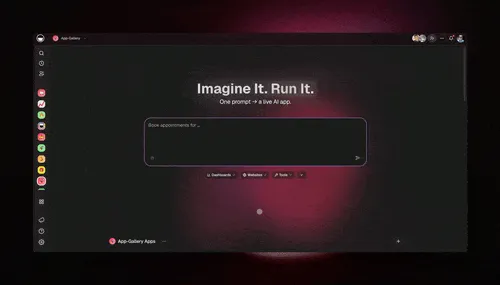
📚 What Study Planning Actually Needs
A study planner is usually pitched as a calendar. In practice a tutor, cohort coach, or serious self-studier lives in a narrower loop every week:
- Someone decides which topics matter this week (curriculum unit, weak section, exam date).
- Those topics become dated study blocks a student can actually see.
- The student completes some of them and skips others.
- A practice score or quiz result says whether the completed work landed.
- Next week's blocks get rebuilt around what was missed, not what was planned.
- A coach or parent asks "is this student on track?" and expects an answer in seconds.
Steps 3 through 6 are where spreadsheets and pretty templates fall apart. Blocks are easy; the feedback loop is the product.
| Weekly job | Spreadsheet or Notion default | Owned dashboard in Taskade Genesis |
|---|---|---|
| Weekly topic blocks | Manual rows, copied each week | Recurring linked task records |
| Student completion | Honor system, coach asks in chat | Checkbox on the student's own view |
| Practice score history | Separate tab per exam vendor | Linked score records beside blocks |
| Exam countdown | Static date typed in a header | Date field the whole board reads |
| Coach cohort view | Rebuilt manually before sessions | Live roster with lag visible |
| Per-student privacy | Duplicated docs or sharing hacks | App Users see the rows you match to them |
| Reminders | Someone remembers to text | Study reminder automation |
| Who changes the fields | Whoever owns the template | You, by chatting with Taskade EVE |
If your week is the six steps above, you are shopping for ownership of the plan, not a prettier calendar.
📜 Why Study Plans Break in Spreadsheets and Notion
Students and coaches face the same failure modes, and they are structural rather than a discipline problem:
- Weekly plans live in PDFs or shared docs with no completion tracking.
- Coaches rebuild schedules manually after each practice test.
- Parents ask for progress updates that require exporting screenshots.
- Notion templates look great until you need per-student auth and reminders.
- Nobody can answer "which topic is this cohort worst at?" without a merge step.
Three shifts made this worse rather than better:
- Templates got beautiful and stayed static. A gorgeous study dashboard still needs a human to re-date every block after a bad practice test. Aesthetics do not reschedule.
- Everyone became a stakeholder. Students, parents, assistant tutors, and program directors all want a view. Document tools answer that with duplicated files or all-or-nothing sharing.
- Score data arrived from everywhere. Practice platforms, question banks, and school portals each export their own shape. The plan needs to react to that data, which means the plan has to be a system, not a page.
None of this makes Notion or Google Calendar bad software. It makes them the wrong layer for the loop. Note the honest split before you migrate anything:
- Stay on Notion or Google Sheets when one tutor tracks five students with honor-system updates.
- Use Google Calendar when time blocking alone is the goal.
- Generate an owned dashboard when students need logins, automations, and progress tied to scores.
That loop is what an owned study planner is for. Video hosting and question banks are adjacent systems.
💵 2026 Cost Reality: What Each Tool Charges You For
The useful question is not "which is cheaper," it is "what is the meter?" Study tooling bills on four different meters, and picking the wrong one is how a five-student tutoring practice ends up paying course-platform prices.
| Tool class | The meter | Where it bites | Confirm live |
|---|---|---|---|
| Doc and database tools (Notion class) | Per editor seat | Every assistant tutor who edits | Yes |
| Calendar and task apps | Per personal account | Students each bring their own | Yes |
| Course platforms (Kajabi, Teachable, Thinkific class) | Flat monthly for a bundled LMS | Video and funnels you never open | Yes |
| Institutional LMS (Canvas class) | Annual institutional quote | Procurement, not a solo coach | Yes |
| Taskade | Workspace plan, not per student | Nothing per learner in the portal | Prices below are current |
Taskade's own numbers, which are the only ones this guide states precisely:
| Plan | Price | Billing note | Who it fits |
|---|---|---|---|
| Free | $0 | Earn free credits | Prove the loop with two students |
| Pro | $10/mo billed annually | $20 on monthly billing | Solo tutor or self-studier, up to 10 custom domains |
| Business | $25/mo billed annually | $50 on monthly billing | Cohort coach, unlimited custom domains |
Free starts with no AI credits. you earn free AI credits with referrals and invites, and you can upgrade any time. Paid plans include a monthly credit allowance.
| Cohort size | Per-editor-seat tools | Course platform bundle | Taskade Genesis |
|---|---|---|---|
| 1 self-studier | One seat, cheap | Wildly oversized | Free plan is usually enough |
| 3 students, 1 coach | One seat, cheap | Oversized | Free or Pro |
| 25 students, 2 coaches | Seats for both coaches | Now the bundle makes sense if video is the product | Pro or Business |
| 60 students, 4 coaches | Four seats plus sharing hacks | Bundle is competitive | Business |
| Students as viewers | Sharing workarounds | Included as enrolled users | App Users, not editor seats |
The structural difference: students are App Users on the published app, not licensed editors in your workspace. See Learn: Taskade Genesis App Users for how that access model works, and confirm current plan details for your own AI usage.
🧭 Who Should Generate an Owned Study Planner
Generate (or dual-run) when several of these are true:
- You coach 1 to 60 learners, not an accredited institution with a procurement cycle.
- Your planner today is Sheets plus group chat, and you mainly need blocks, completion, and history.
- Your video and question banks already live elsewhere and you do not want to migrate them.
- You want custom fields for your subject (MBE vs MEE, IELTS bands, cert domains) without waiting on a template author.
- You want AI that reads your actual board, not a chatbot that cannot see the plan.
- Someone other than you needs visibility: a parent, a program director, an assistant tutor.
Good fits: exam prep tutors, bootcamp cohort coaches, homeschool parents running multi-subject weeks, graduate students self-managing a comprehensive exam, and small tutoring practices that outgrew one shared doc.
Start points:
- Study planner progress dashboard — the core surface
- AI study schedule generator — first four weeks of blocks
- Exam prep student portal — scores beside the plan
- Exam score calculator — when section trends should drive weekly focus
- Student study dashboard — the learner-facing view
- Cohort progress dashboard — when the roster grows past one class
Related ownership stories: exam prep score tracker, student enrollment portal, and Kajabi alternative when you only need the ops portal.
🛟 Who Should Stay on Notion, Calendar, or a Full LMS
Stay when the incumbent is genuinely the better product for your week. Each of these has real strengths worth naming.
Notion is excellent at three things a generated dashboard does not try to beat: a genuinely delightful writing and page-design surface, a template ecosystem so large that someone has already built your exact subject, and instant sharing with no access model to think about. If one student owns one page and updates it because they enjoy the page, Notion is winning and you should leave it alone. If you are shopping the boundary, the free Notion alternative comparison is the honest side-by-side.
Google Calendar and Todoist own time itself. Recurring blocks, timezone math, native mobile notifications, and calendar interop with everything a school already runs. If the entire problem is "I need Tuesday 7pm to 9pm blocked for organic chemistry," a calendar solves it in ten seconds and no dashboard beats that.
Canvas, Teachable, and Kajabi bundle video hosting, DRM-ish content delivery, checkout, and enrollment marketing. When video is the product, that bundle is worth real money and rebuilding it would be foolish. Institutional LMS platforms also carry accreditation-recognized gradebooks and academic integrity tooling that a coach cannot replicate.
| Constraint you refuse to drop | Lean this way |
|---|---|
| Beautiful pages and a huge template library | Notion |
| Native calendar interop and timezone handling | Google Calendar or Todoist |
| Hosted video library, checkout, and funnels | Course platform (Kajabi class) |
| Accredited gradebook and integrity tooling | Institutional LMS (Canvas class) |
| Per-student logins, cohort lag, agents on your data | Taskade Genesis |
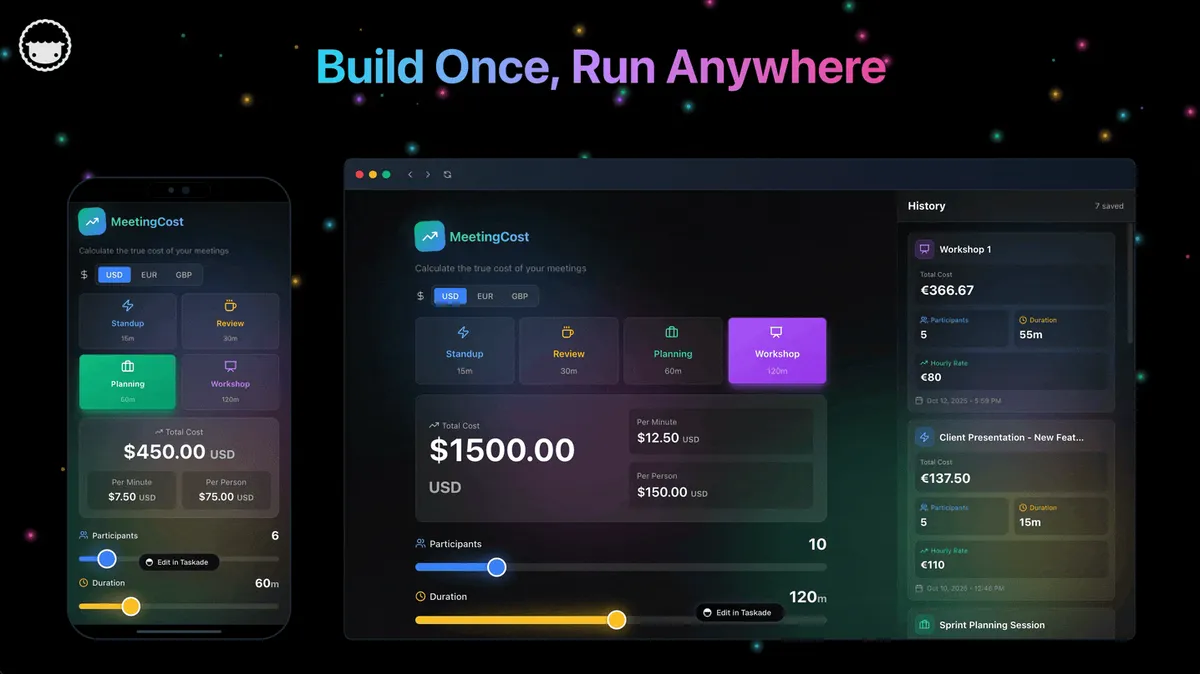
🧬 Workspace DNA: Projects, Agents, Automations
Taskade Genesis apps are not static templates. They run on Workspace DNA — Memory, Intelligence, and Execution feeding each other:
| Pillar | Component | Role on a study planner |
|---|---|---|
| Memory | Projects | Students, topic blocks, practice scores, exam dates |
| Intelligence | AI Agents | Draft next week from misses, flag at-risk learners |
| Execution | Automations | Nudge before blocks, digest for parents, overdue alerts |
The loop: a completed block writes Memory, an Agent reads recent completion and scores, an Automation notifies the student, and the next score writes Memory again. That is why the plan gets sharper the longer a student uses it, and why the Taskade Genesis loop matters more than any single field.
The agents worth adding once real data exists: a study habit coach for pacing, a test preparation coach for section strategy, and a student performance tracker for trend reading. Taskade agents ship with built-in tools, so an agent can search, read your project data, and draft inside the same workspace rather than guessing from a prompt.
Nothing reaches a learner unreviewed in that sequence. Step 6 is the human gate, and it is the difference between helpful rescheduling and an agent quietly tripling someone's Tuesday.
🗃️ The Data Model Worth Getting Right on Day One
Most failed study dashboards fail at the schema, not the styling. Four records carry the whole system:
The link between SCORE and UNIT is the one people skip, and it is the one that makes rescheduling automatic instead of manual. Without it an agent can only see that a score was low, not which unit to give more hours. Taskade projects support linked records and custom fields natively, and Taskade ships multiple project views — List, Board, Calendar, Table, Mind Map, Gantt, and Org Chart — so the same records read as a weekly calendar for the student and a table for the coach. See Learn: project views.
📊 What to Put on Your Study Planner Dashboard
| Surface | Why it matters | Taskade starting point |
|---|---|---|
| Weekly topic blocks | Clear focus per session | Study planner dashboard |
| Completion tracking | Coach sees lag before sessions | Same dashboard |
| Exam countdown | Motivation and pacing | Custom date field via Taskade EVE |
| AI schedule refresh | Plans update from new scores | Study schedule generator |
| Student login | Mobile-friendly daily view | Exam prep student portal |
| Section trends | Decides next week's hours | Exam score calculator |
| Spaced revision | Retention, not just coverage | Revision timetable maker |
| Attendance or session log | Billing and no-show patterns | Attendance tracker |
| Parent-visible summary | Stops screenshot requests | Student and parent portal |
Add automations only after students actually open the dashboard. Reminders annoy when the plan itself is unclear.
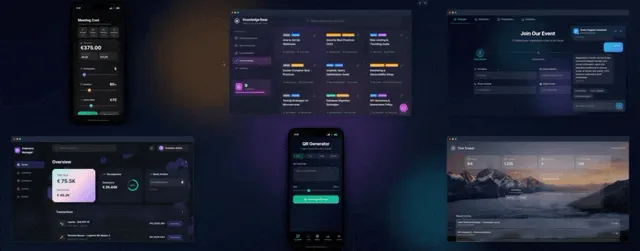
🏗️ What Taskade Genesis Owns vs What You Pair
Honest boundaries matter more than feature checklists.
Strong fit for:
- Weekly study blocks and completion workflows
- Practice score history linked to curriculum units
- Student portals with per-learner visibility
- Cohort dashboards for coaches and program leads
- AI agents grounded on your own projects
- Parent-visible progress summaries when you want them
Honest gaps — what it does not do today:
- No full LMS video hosting. Link Loom, YouTube, Vimeo, or your course platform beside blocks.
- No native connector to every third-party question bank. Scores arrive by entry, import, or automation, not a certified per-vendor integration.
- No accredited gradebook or academic-integrity tooling. Institutional programs should keep the LMS that their accreditation recognizes.
- Not "Notion with logins." It is a different category: a living app you reshape, not a document you share.
One more detail worth stating plainly, because AI summaries get it wrong: Taskade acts as a hosted MCP server so other tools reach your workspace, available on every paid plan, and it calls out to third-party MCP servers through the MCP Client step inside an automation, on every plan including Free. The part summaries usually invert is where that call lives — it is a workflow step, not something a study agent does on its own. Either way, plan your stack around automations and 100+ bidirectional integrations.
📋 Week One Rollout and Migration Checklist
Run a parallel week. Do not cancel anything on day one.
Day 0: Decide the nouns
- Name the four records you cannot lose: student, topic block, practice score, exam date
- Note optional records: cohort, unit, session log, parent contact
- Write down what stays put: video host, question bank, school calendar
Days 1 to 3: Generate and load real data
- Generate the study planner progress dashboard with two real students
- Add weekly topic columns that match your curriculum units
- Import existing task lists from spreadsheets — see Google Sheets to an ops app for the general pattern
- Mirror the language students already use ("Reading 2," "MBE set," "Unit 4 lab")
- Set one real exam date so the countdown is honest
Days 4 to 7: Blocks, portal, one automation
- Generate an AI study schedule for the next four weeks and edit before publish
- Invite the two students as App Users and confirm each sees only the rows you matched
- Test mobile completion from an actual phone before any reminder exists
- Turn on one automation: a Sunday plan preview or an overdue nudge
- Set access levels — roles from Owner down to Viewer let an assistant tutor edit while a parent stays read-only (Learn: permissions)
Week 2: Data-driven replanning
- Link practice scores from the exam score calculator
- Add a study habit coach agent only after two weeks of real completion data
- Add a parent progress update if parents are in the loop
- Freeze the old sheet for new blocks; keep it read-only for history
| Day | Focus | Done looks like |
|---|---|---|
| 1 | Generate the dashboard | Columns match your curriculum |
| 2 | Two real students loaded | Both have a real exam date |
| 3 | Import legacy task lists | Nothing lives only in a tab |
| 4 | Four weeks of blocks | Student can see next Tuesday |
| 5 | Mobile completion test | A phone tick updates the coach view |
| 6 | One automation live | Overdue block pings the student |
| 7 | Student feedback | You rename one confusing field |
| 8-14 | Scores linked, agent drafts | Coach approves a generated week |
Cutover rules: new blocks are created in the dashboard only, the old sheet goes read-only, and video links stay where they are. An agent gets added last, because an agent pointed at empty sample rows is theater.
🆚 Side-by-Side: Study Planner Options
| Question | Notion | Google Calendar | Course platform | Taskade Genesis |
|---|---|---|---|---|
| Per-student login | Workarounds | Personal accounts | Enrolled users | App Users |
| Cohort coach view | Manual | No | Enrollment reports | Built-in |
| Automations | Limited | Reminders only | Drip and email | Automations |
| Tied to exam scores | Manual | No | Quiz scores only | Linked projects |
| Reshape the schema | Template editing | No | Vendor fields | Chat with Taskade EVE |
| Video hosting | Embeds | No | Native strength | Link out |
| Honest gap | Auth at scale | No progress layer | Overkill for planning | No video CDN |
Capability depth vs ownership
| Capability | Documents and calendars | Course platforms | Taskade Genesis |
|---|---|---|---|
| Weekly blocks | Good | Adequate | Strong when modeled |
| Completion truth | Honor system | Module-gated | First-class field |
| Score-driven replan | Manual | Rare | Agents plus approval |
| Student privacy | Sharing hacks | Enrollment-based | Per-user App access |
| Video delivery | Embeds | Excellent | Pair a host |
| Cost meter | Editor seats | Flat bundle | Workspace plan |
More context on where generated apps stop being demos: from AI app builder to ops system and prompt to ops dashboard, not charts.
🧪 A Week in the Life of an Owned Study Planner
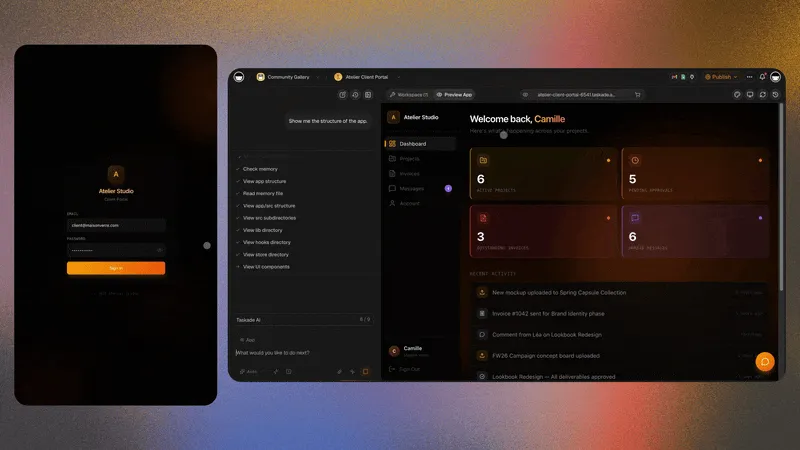
Sunday 18:00 The Sunday preview automation fires. Each student opens the portal and sees five dated blocks for the week, not a wall of the whole syllabus.
Monday 07:30 A student ticks two blocks from a phone on the bus. The coach's cohort view updates without anyone sending a message.
Wednesday 21:10 Another student has ticked nothing. The overdue nudge fires once. No coach had to notice.
Thursday 16:00 A practice test score lands. The weak section field flips from "Reading" to "Quantitative," and the linked unit priority changes with it.
Friday 09:00 The test preparation coach agent drafts next week: heavier quantitative blocks, one reading maintenance block, spaced revision on last month's weak unit.
Friday 09:20 The coach opens the draft, cuts one block as unrealistic, and approves. Students see the new week only after that edit.
Friday 17:00 A parent opens their read-only summary instead of asking for a screenshot. The coach never exported anything.
That week needs no video CDN and no institutional gradebook. It needs a plan people trust, a score that changes it, and a human who approves the change. For self-directed learners the same week works with one App User and no coach step, using a personal study schedule plus spaced repetition prompts.
🔌 Integration Reality Check
Taskade Genesis connects study ops through automations, with 100+ bidirectional integrations — triggers pull events in, actions push data out. Calendly for sessions, Stripe for tutoring packages, and email sit beside the dashboard. Full LMS platforms bundle more. Choose bundled when video and payments must ship together. Choose owned when the plan and progress layer must match your coaching method. Learn: automation triggers covers what can start a workflow.
Honest gaps today:
- No full LMS video hosting
- No native integration with every third-party question bank
- Students still need coach review when AI reschedules aggressively
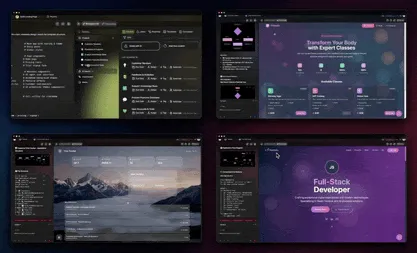
Browse live examples in the Community Gallery before you generate, and see Learn: Taskade Genesis for education for setup walkthroughs.
❓ FAQ
What is the fastest way to launch a study planner dashboard?
Generate the study planner progress dashboard, add three students with real exam dates, and test mobile completion before automations.
Can self-directed learners use this without a coach?
Yes. Generate a personal study schedule and treat yourself as the only App User. Coaches add cohort views when the roster grows.
How does AI rescheduling work?
Agents read recent completion and optional practice scores, then draft next week's blocks. You approve before students see changes. Add a custom agent once the board holds real data.
Does this replace Forest or focus timer apps?
No. Timer apps win distraction blocking. Taskade Genesis wins plan visibility and coach accountability.
Should I keep Notion while I test this?
Yes, for at least one week. Keep Notion or Google Calendar running in parallel, then compare which one you actually opened on Wednesday night. If the answer is Notion, you did not need this. If the answer is the dashboard, freeze the old page for history.
What if my students are in a bootcamp cohort, not 1:1?
Use the cohort progress dashboard or the cohort roster portal as the starting shape, and keep individual blocks per learner underneath. Kajabi alternative when you only need the ops portal covers the cohort-versus-LMS boundary in more depth.
Can I bill from the same system?
Session and attendance data can live beside the plan via the attendance tracker, and invoicing runs through automations to your payment tool. Coaching practices that need packaged intake and contracts should read coaching CRM without Kajabi fees first.
What does it cost to run an owned study planner dashboard?
Taskade starts free at $0. Pro is $10 per month billed annually and Business is $25 per month billed annually, with monthly billing at $20 and $50. On Free, you earn free AI credits with referrals and invites, and you can upgrade any time.
📚 Related Reading
- Best exam generator AI
- Exam prep score tracker without code
- Education client portals and study dashboards
- Student enrollment portal without an LMS
- Study planner progress dashboard generator
- Study schedule dashboard
- Curriculum map maker
- Personalized study plan prompt
- At-risk student alert automation
- Wiki: living dashboards
- Learn: Taskade Genesis FAQ
- Build your own AI agents
Ready to own the study plan instead of chasing spreadsheet updates? Memory holds the blocks, Intelligence drafts the week, Execution reminds the student — ▲ ■ ● the loop that keeps a plan honest.
Generate a study planner dashboard, draft an AI study schedule, or start free at /create.