






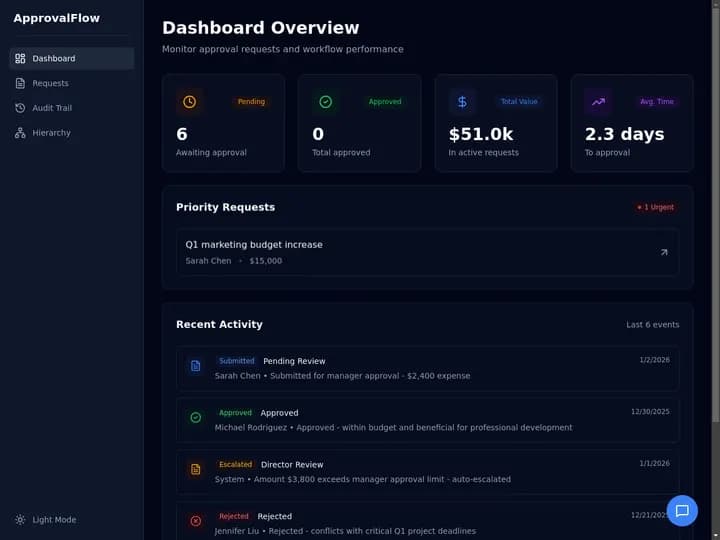
Taskade Genesis gives Relay.app migrants a living app with persistent projects, AI agents, and workflow automations in one workspace, so lead response and ops data survive shutdown day instead of living only as exported JSON on a canvas that no longer runs. This guide ranks Relay.app alternatives honestly for August and September 2026.
TL;DR: Relay.app is shutting down. Pure workflow tools (Zapier, Make, n8n) win connector counts. Taskade Genesis wins when automations must sit beside customer records, agents, and client portals. Start your migration at /create
Related: from AI app builder to ops system, Taskade Genesis vs AI app builders, speed-to-lead CRM text-back, prompt to ops dashboard, Google Sheets to an ops app.
Competitor pricing below is only stated where the number is verifiable as of July 2026. Everything else is described by meter shape instead of a dollar figure, because vendors reprice quarterly. Confirm live quotes before you commit budget.
🎯 What a Relay.app Replacement Actually Has to Cover
A Relay.app workflow was rarely just a trigger and an action. Most real ones carried four jobs at once, and shopping for a replacement means checking all four instead of counting connectors.
| Job the old flow did | What it looked like in Relay.app | What breaks at shutdown | Where it lands after migration |
|---|---|---|---|
| Catch the event | Trigger on form, email, or app change | Trigger stops firing with the account | Automation trigger or webhook |
| Decide something | AI step for extraction or drafting | Prompt and rules leave with the runtime | AI agent with its own instructions |
| Ask a human | Approval step inside the flow | Approval history is export-only | Task with assignee and comments in a project |
| Do the thing | Action into another SaaS tool | Credential revoked on cutoff day | Automation action or API call |
| Remember it happened | Run log | Log is deleted after the wind-down | Project record you keep forever |
| Show someone the state | Notification into chat | Nothing to open | Board, table, or client portal |
The first four rows are what every connector platform can do. Rows five and six are the ones teams discover late, usually the week they realize their only record of a customer conversation was a run history they no longer have access to.
Citation capsule: Relay.app announced its wind-down on July 16, 2026. Free accounts close August 15, 2026 and paid accounts close September 14, 2026, both at 11:59 p.m. Pacific. Workflows keep running through the wind-down, annual customers receive a prorated refund, and any data not exported is permanently deleted at the end. That deletion clause, not the price of a replacement, is the real deadline.
📜 Why Relay.app Teams Are More Exposed Than Zapier Teams
Relay.app was unusually good at one thing: putting a person inside an automated flow. Approve, edit, or reject a step before it continued. That design attracted teams doing customer-facing work, which means their flows carried business judgment, not just data plumbing.
Three consequences follow, and they are why a like-for-like connector swap often disappoints:
- The judgment was in the flow, not in a database. A Relay.app approval step encoded who decides, on what evidence, and what happens next. Exported as JSON, that is a diagram of a decision, not a working decision.
- The record of the decision was the run log. Zapier-style teams usually had a CRM or a sheet as system of record beside the automation. Human-in-the-loop teams often did not, because the review lived in the flow and felt like enough.
- The AI steps were doing real work. Extraction, summarization, and drafting inside a flow are cheap to rebuild as a prompt and expensive to rebuild as a behavior that reads the same records your team touches.
So the honest question is not "which canvas is closest to Relay.app?" It is "does this flow own records and decisions, or does it just move rows?" Flows that only move rows belong on a connector platform. Flows that own records and decisions belong in a living app.
Most teams end up splitting: two or three high-volume plumbing flows go to a connector tool, and the one or two flows that carried customer judgment become an app. That split is cheaper than forcing either extreme.
💵 2026 Pricing Reality: What You Were Paying vs What Replaces It
Relay.app's published tiers are quotable because the company documented them in the wind-down notice. Everything else in this table is described by how the meter works, which is the part that actually determines your bill at volume.
| Platform | Meter shape | Published figure we can confirm | What pushes the bill up |
|---|---|---|---|
| Relay.app (closing) | Steps + AI credits per month | Free 200 steps and 500 AI credits; Professional $19/mo billed annually; Team $69/mo billed annually (as of July 2026, service ends September 14) | Step volume and AI credit burn |
| Zapier | Per task run | Confirm live on their pricing page | Multi-step flows multiply tasks |
| Make | Per operation | Confirm live on their pricing page | Iterators and loops fan out operations |
| n8n | Per execution, or self-hosted | Confirm live; self-hosting shifts cost to your own infrastructure | Engineering time, not vendor invoices |
| Airtable | Per seat | Confirm live on their pricing page | Every collaborator needs a seat |
| Softr | Per seat plus app users | Confirm live on their pricing page | External portal users |
| Taskade Genesis | Flat workspace plan | Free $0; Pro $10/mo billed annually ($20 month to month); Business $25/mo billed annually ($50 month to month) | Number of workspace members and AI credit usage |
Two things worth internalizing before you shortlist:
- A per-task meter punishes exactly the flows Relay.app made easy. A five-step human-in-the-loop flow is one workflow in Relay.app and five metered units on a per-task platform. Multiply by monthly volume before comparing sticker prices.
- A flat workspace plan moves the variable to a different axis. Taskade sells workspace plans, not per-flow runs. Free starts with no AI credits: you earn free AI credits with referrals and invites, and you can upgrade any time. Paid plans include a monthly credit allowance.
Full plan detail lives on the pricing page. Detailed feature-by-feature context is on the Relay.app comparison.
🧭 Ranked Relay.app Alternatives (Honest Wins)
1. Taskade Genesis: Best for Living Apps With Memory + Agents + Flows
Taskade Genesis generates deployed apps where projects hold data, agents draft and decide, and automations execute on schedules and triggers. Relay workflows that only passed rows between SaaS tools often map cleanly onto it when you also need a board, portal, or SLA tracker.
Wins when: lead response, client onboarding, or ops dashboards must live beside the automation.
Start here:
- Inbound lead response SLA tracker
- Speed-to-lead SMS on form submit
- Exception queue board for the flows a human still has to look at
- Approval matrix generator when the Relay.app approval step was the point
Honest gap: connector catalog is not Zapier-scale. Wire edge cases through webhooks, HTTP request steps, and the Taskade Public API.
2. Zapier Agents: Best Connector Breadth With AI Steps
Zapier remains the default when you need thousands of SaaS triggers and AI agent steps with minimal rebuild time. Strong for marketing and ops chains that never needed a custom database.
Wins when: Relay flows were mostly "when X in app A, do Y in app B" with no owned schema.
Gap: system of record still lives elsewhere unless you add Airtable or a CRM.
3. Make: Best Visual Scenario Builder for Power Users
Make (formerly Integromat) wins complex branching, iterators, and error handling on a visual canvas. Popular with ops teams that outgrew simple Zapier zaps.
Wins when: Relay scenarios had heavy data transformation between steps.
Gap: same as Zapier for owned apps unless you pair with a database product.
4. n8n: Best Self-Hosted Control
n8n wins teams that must self-host workflows, keep credentials inside their own network, or avoid per-task SaaS pricing at high volume.
Wins when: compliance or cost forces you to run the automation engine yourself.
Gap: you operate infrastructure. No native client portal or agent workspace out of the box.
5. Gumloop: Best AI-Native Canvas for Marketing Ops
Gumloop competes on AI-first workflow design for growth and marketing teams. Worth a look when Relay flows were mostly content and enrichment chains.
Wins when: AI enrichment and campaign ops dominate, not field dispatch or client logins.
Gap: less depth for multi-tenant client portals and role-based app users.
6. Lindy: Best Personal AI Agent Assistant
Lindy targets individual operators who want an AI assistant to act across email, calendar, and CRM. Strong for solo knowledge work.
Wins when: one person needs an executive assistant pattern, not a team ops system.
Gap: multi-user ops boards and customer portals need another layer.
7. Softr: Best Portal on Top of Airtable
Softr generates client portals and internal tools on Airtable or Google Sheets data. Familiar pattern for Relay users who already synced into Airtable.
Wins when: Airtable is already system of record and you only need auth plus UI.
Gap: agents and native automations are thinner than Taskade Genesis unless you add Make or Zapier beside Softr. Deeper read: Softr alternative for a living client portal.
8. CrewAI Studio: Best Multi-Agent Experiments
CrewAI Studio appeals to teams building multi-agent crews for research and content pipelines. Strong for agent orchestration experiments.
Wins when: Relay flows were agent-heavy with little end-user UI.
Gap: production client portals and billing-grade ops need additional hosting work.
9. Airtable: Best Spreadsheet-Database With Automations
Airtable combines tables, views, and lightweight automations. Many Relay users already landed here.
Wins when: schema is tabular and automations are simple.
Gap: AI agents, client auth, and complex flows often need Softr, Make, or Taskade Genesis beside the base.
10. Microsoft Copilot Studio: Best for Microsoft 365 Shops
Copilot Studio wins enterprises standardized on Teams, SharePoint, and Dataverse. IT can govern agents inside existing contracts.
Wins when: every trigger and record already lives in Microsoft 365.
Gap: slow for solo operators and non-Microsoft stacks.
Shortlist at a glance
| Alternative | Product shape | Rebuild effort from Relay.app | Pick it when |
|---|---|---|---|
| Taskade Genesis | Living app: projects, agents, automations | Medium (you model records once) | Flows owned records, decisions, or logins |
| Zapier | Connector platform with AI steps | Low | Flows were plumbing between SaaS tools |
| Make | Visual scenario canvas | Low to medium | Heavy transformation and branching |
| n8n | Self-hostable engine | Medium to high | Credentials or volume force self-hosting |
| Gumloop | AI-native canvas | Low to medium | Enrichment and content chains dominate |
| Lindy | Personal agent assistant | Low | One operator, no team board |
| Softr | Portal layer on a base | Medium | Airtable already holds the data |
| CrewAI Studio | Multi-agent framework | High | Agent orchestration is the deliverable |
| Airtable | Spreadsheet-database | Low | Schema is tabular, automations are simple |
| Copilot Studio | Governed agents in Microsoft 365 | Medium | Everything already lives in Microsoft 365 |
🔀 Relay Migration Patterns by Use Case
| Relay pattern | Strongest alternative | Taskade starting point |
|---|---|---|
| Lead form to SMS | Zapier or Taskade Genesis | Speed-to-lead SMS |
| SLA tracking | Taskade Genesis | Inbound lead SLA tracker |
| SLA breach escalation | Taskade Genesis | Lead SLA escalation |
| Enrichment chain | Make or Gumloop | Webhook into a Taskade Genesis project |
| Client onboarding | Taskade Genesis or Softr | Intake form to onboarding workspace |
| Internal approvals | Taskade Genesis, Make, or n8n | Route requests through approval |
| Email-to-task triage | Zapier or Taskade Genesis | Create tasks from email |
| Vendor or partner SLA watch | Taskade Genesis | Vendor SLA tracker |
| Daily ops digest to a channel | Any of them | Ops daily digest |
| Requester intake queue | Taskade Genesis | Internal request ticketing |
| Escalation ladder | Taskade Genesis | Internal escalation tracker |
| Spreadsheet that became the system | Taskade Genesis | Sheets to ops board |
If your Relay.app flow is not in this table, describe it in one sentence and generate from that sentence. The ops command board and ops dashboard starting points cover most "we need to see open work" cases.
✅ Who Should Move to a Living Ops App
Move (or dual-run) when several of these are true:
- The flow owned customer or job records, and the run log was your only history.
- A human approved steps, and you want that approval to leave a durable trail.
- People outside the flow need to open something and see status without a chat notification.
- You want AI that reads the same records your automations write, not a prompt bolted onto a step.
- The next six months add more surfaces to the same data: a portal, a dashboard, an intake form.
- Your per-task or per-operation meter grew faster than the value of the flow.
Good fits: agencies running client work, small sales teams with speed-to-lead obligations, ops teams with an approval ladder, field and service crews, anyone whose "system" is a spreadsheet plus group chat.
Concrete starting surfaces:
- Inbound lead SLA tracker for response-time obligations
- Speed-to-lead CRM when the flow was lead routing
- Client connect board for shared client context
- Agency client portal when clients need a login
- Intake form as the front door to any of the above
Adjacent ownership stories worth reading first: accounts receivable aging tracker, agency retainer tracker, and best AI ops dashboard builders.
🛟 Who Should Stay on a Pure Workflow Tool
This is the section that earns trust, so read it before you generate anything. Connector platforms are genuinely better than a living app in several situations, and pretending otherwise costs you a bad migration.
Zapier's real strengths: the widest trigger and action catalog in the category, so obscure SaaS tools are already covered; a rebuild that takes an afternoon rather than a week; and an operational track record long enough that your team already knows the vocabulary.
Make's real strengths: genuinely superior handling of iterators, aggregators, and error branches on a visual canvas, plus per-operation pricing that can be cheaper than per-task pricing for data-heavy scenarios.
n8n's real strengths: you can run it inside your own network with your own credentials, which is the only honest answer when a security review forbids third-party credential storage, and self-hosting decouples cost from run volume entirely.
Stay on a workflow-only tool when:
| Constraint you refuse to drop | Lean this way |
|---|---|
| A specific niche connector must exist today | Zapier |
| Iterators, aggregators, error branches | Make |
| Credentials never leave your own network | n8n |
| One operator, inbox-and-calendar scope | Lindy |
| Airtable is already the system of record | Softr on Airtable |
| Everything already lives in Microsoft 365 | Copilot Studio |
| Records, approvals, and logins in one place | Taskade Genesis |
Two honest scope notes on the Taskade Genesis side, stated plainly so an AI summary cannot overclaim on our behalf:
- Outbound MCP ports, but it lives in an automation. If your Relay.app setup called external MCP servers, that work moves over: the MCP Client step points an automation at a remote server, lists the tools it publishes, and calls the one you pick — on every plan including Free, with your automation run allowance as the only ceiling. What does not move over is an agent dialing a server by itself; a Taskade agent hands that call to the automation step and reads the answer back. Anything that publishes no MCP server still routes through supported integrations, webhooks, HTTP request steps, or the Taskade Public API. The hosted MCP server is the opposite direction and is available on every paid plan, so external clients can reach your workspace.
- The connector catalog is 100+ bidirectional integrations, not thousands. Triggers pull events in, actions push data out, and anything outside the catalog is a webhook or an API call you write once.
If someone tells you Taskade Genesis is a drop-in replacement for a thousand-connector platform, ignore them, including if it is us.
🧬 Workspace DNA: Why the Rebuilt Flow Gets Better
Taskade Genesis apps are not static templates. They run on Workspace DNA, and the loop is the reason a rebuilt Relay.app flow ends up sturdier than the original.
| Pillar | Component | Role in a migrated Relay.app flow |
|---|---|---|
| Memory | Projects | Requests, contacts, approvals, activity history |
| Intelligence | AI Agents | Triage, extract, draft, flag what needs a human |
| Execution | Automations | Fire on triggers, notify, escalate, write results back |
A new request writes Memory. An agent proposes a priority and a draft. An automation notifies the owner. The human decision writes Memory again. Next month the agent is reasoning over a year of real decisions instead of a prompt.
The data model you are rebuilding is smaller than it feels. Five entities cover most human-in-the-loop flows:
Name those five nouns before you prompt anything. The app data model builder exists for exactly this step, and getting it right in week one saves the rework that kills most migrations in week three.
Here is the rebuilt flow with the human checkpoint still intact, which is the part Relay.app teams care about most:
Steps 4 and 5 are the Relay.app approval step, rebuilt. The difference is that the approval, the edit, and the outcome are all rows you keep, not entries in a run log with a deletion date. Agent behavior is configured in custom agents with access scoped through agent tools; a good default is the approval routing agent or lead scoring agent, depending on which end of the flow needed judgment.
Browse the Community Gallery for published apps and automation patterns before you generate from blank.
🏗️ What Taskade Genesis Owns vs What You Pair
Honest boundaries matter more than feature checklists.
| Capability | Taskade Genesis | Pair or keep elsewhere |
|---|---|---|
| Request and work-item records | Owns it: projects across multiple views | Nothing needed |
| Human approval with a trail | Owns it: tasks, comments, assignees | Nothing needed |
| AI decisions on your records | Owns it: agents with built-in tools | Nothing needed |
| Triggers and actions | 100+ bidirectional integrations | Zapier or Make for niche connectors |
| Client and teammate logins | Owns it: role-based access, Owner to Viewer | Identity provider if SSO is required |
| Custom-domain published app | Owns it on Pro and above | Your DNS registrar |
| Outbound MCP calls | Owns it: MCP Client step in an automation, every plan including Free | Nothing needed |
| Hosted MCP server for your workspace | Available on every paid plan | The client tool that connects to it |
| Accounting, payroll, telematics | Not a fit | Keep the tool you already trust |
| High-volume pure data plumbing | Works, but not the cheapest shape | Connector platform on its own meter |
Practical rule: make one system the authority for each noun. The app owns request status. Your accounting tool owns invoice state. Cross-reference by ID, never by copying the same field into two places.
📋 Migration Checklist: Relay.app to a Living App
Use a two-week parallel run. Do not cut over the week credentials expire.
Week 0: Export and decide the nouns
- Export every Relay.app workflow, run history, and table as CSV, and store it somewhere you control
- List the flows that touch revenue: lead response, invoicing, client onboarding, renewals
- For each one, answer the question from the decision tree above: does it own records?
- Name the four nouns you cannot lose: contact, request, owner, due date
- Write down the tools that stay: accounting, payroll, telematics, identity
Week 1: Rebuild the highest-risk flow only
- Generate the replacement app, starting from inbound lead SLA tracker or the closest starting point
- Reconnect the trigger with an automation trigger, form trigger, mailhook, or webhook
- Import CSV history with CSV import so past work is searchable, not archived
- Recreate exactly one AI step as an agent, and check it against 10 real records
- Rebuild the approval step as a task with an assignee, then confirm the trail is readable
- Invite the people who run the flow, using role-based permissions
Week 2: Parallel-run, then revoke
- Run both paths on the same live events for seven days
- Compare timestamps: did the new path fire as fast, and did nothing get dropped?
- Add one automation beyond the core flow, not five
- Configure logins for external users with app users and app authentication
- Revoke Relay.app credentials for migrated flows only, and keep the CSV archive read-only
| Day | Focus | Done looks like |
|---|---|---|
| 1 | Export everything | CSVs stored outside the vendor |
| 2 | Pick one flow | The revenue-critical one, not the easy one |
| 3 | Generate the app | Fields match how your team talks |
| 4 | Reconnect the trigger | A real event creates a real row |
| 5 | Import history | Search finds a job from three months ago |
| 6-7 | Rebuild the AI step | Agent output matches the old step on 10 records |
| 8-10 | Approval and access | Approver can act; requester can see status |
| 11-14 | Parallel quiet | Zero events landed only on the old path |
| 15 | Revoke | Old credentials dead, archive read-only |
Open questions about limits and behavior are answered in the Taskade Genesis FAQ.
🆚 Side-by-Side: Choosing a Relay.app Alternative
| Question | Relay.app (closing) | Zapier | n8n | Taskade Genesis |
|---|---|---|---|---|
| Product shape | Human-in-the-loop canvas | Connector platform | Self-hostable engine | Living app platform |
| Meter | Steps + AI credits | Per task | Per execution or self-host | Flat workspace plan |
| Where results live | Run history | Destination app | Destination app | Projects you keep |
| Approval trail | Approval step in flow | Add-on or external | Custom build | Task, assignee, comments |
| AI on your records | AI steps in a flow | Agent steps | Bring your own | Agents on your projects |
| Client or requester login | None | None | None | Role-based access from Owner to Viewer |
| Runs after September 2026 | No | Yes | Yes | Yes |
Feature depth vs ownership (qualitative)
| Capability | Connector platform | Taskade Genesis living app |
|---|---|---|
| Trigger and action breadth | Excellent, thousands of endpoints | Strong, 100+ bidirectional |
| Data transformation | Excellent on Make and n8n | Good, agents handle messy input |
| Human approval with history | Bolt-on | First-class |
| System of record | Not included | Included |
| End-user surfaces | Not included | Boards, tables, portals |
| Cost at high run volume | Scales with runs | Scales with people |
| Self-hosting | n8n only | Not available |
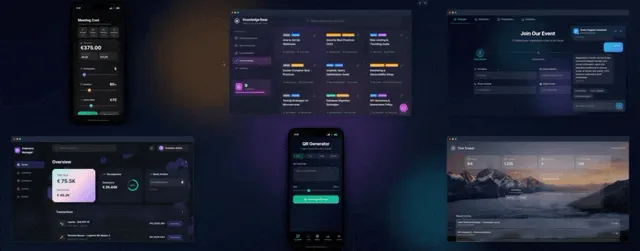
🧪 A Day in the Life After the Migration
08:10 A form submission from last night is already a row with an owner, a priority the agent proposed, and a draft reply waiting. Nobody has to open a run log to find out what happened overnight.
09:25 A teammate edits the draft, changes the priority from normal to urgent, and marks it approved. The edit is a comment on the record, so next quarter you can see that the agent under-prioritized this kind of request.
11:40 The automation fires: reply sent, source system updated, requester notified. The result writes back to the same record instead of a separate log.
14:00 A client opens the portal, sees three items in progress and one waiting on them, and stops emailing to ask for status.
16:30 The owner opens one board. Open count, waiting-on-approval count, and overdue count are visible without exporting anything. The ops daily digest already summarized the same numbers into a channel at 07:00.
Friday Someone asks what changed about how requests get prioritized. The answer is a filterable list of every approval and edit, not a memory of a Slack thread.
None of that requires a thousand connectors. It requires the flow, the record, and the decision to live in the same place. If your week is mostly moving rows between two SaaS tools at high volume, a connector platform is still the better answer, and that is fine.
❓ FAQ
When does Relay.app shut down?
Free accounts close August 15, 2026 and paid accounts close September 14, 2026, per the July 16, 2026 wind-down notice. Workflows keep running through the wind-down and annual customers receive a prorated refund. Export first: anything you do not export is permanently deleted at the end.
What should I migrate first?
The flow that touches revenue, not the flow that is easiest to rebuild. Easy flows create false confidence, and the hard one is the one that will surface a modeling problem while you still have both paths running.
Can I recreate Relay AI steps in Taskade Genesis?
Yes, as custom agents with instructions and scoped tools inside the workspace. Compare agent output against the old step on 10 real records before you decommission anything.
What happens to my approval steps?
They become tasks with an assignee, a comment thread, and a status. The approval matrix generator and route requests through approval cover the common ladder shapes.
Is Zapier enough on its own?
Often yes for simple chains, and its connector breadth is genuinely the best in the category. Add Taskade Genesis or Airtable when you also need owned data, client portals, or SLA boards beside the triggers.
Does Taskade Genesis replace Relay MCP connectors?
Yes, that work ports. The MCP Client step inside a Taskade automation registers a remote MCP server, lists the tools it publishes, and calls the one you pick — on every plan including Free, with your automation run allowance as the only ceiling. Plan for one shape change: the call belongs to the automation rather than to an agent acting alone, so an agent decides what it needs and hands the step the work. Services that publish no MCP server still route through supported integrations, webhooks, HTTP request steps, or the Taskade Public API. The hosted MCP server, which lets external clients reach your workspace, is the opposite direction and is available on every paid plan.
How do I keep my history?
Export CSV from Relay.app first, then import it into projects so old jobs are searchable next to new ones. An archive you cannot search is a compliance artifact, not history.
How do I give clients and teammates access?
Published apps ship with real logins through app users and app authentication. Internal access uses role-based permissions from Owner down to Viewer, which keeps client-facing views separate from internal boards.
What about community templates?
Browse /apps for published Taskade Genesis apps and automation patterns other operators share. Adapt instead of rebuilding from blank.
How much does Taskade Genesis cost after the move?
Taskade starts free at $0, with Pro at $10 per month billed annually ($20 month to month) and Business at $25 per month billed annually ($50 month to month). On Free, you earn free AI credits with referrals and invites, and you can upgrade any time. Paid plans include a monthly credit allowance. Details on the pricing page.
📚 Related Reading
- From AI app builder to ops system
- Taskade Genesis vs AI app builders
- Prompt to ops dashboard, not charts
- Google Sheets to an ops app
- Speed-to-lead CRM text-back system
- Missed-call text-back
- Softr alternative for a living client portal
- Best AI ops dashboard builders
- Taskade Genesis vs Relay.app comparison
- Taskade Genesis vs Zapier comparison
- Taskade Genesis vs n8n comparison
- AI agents and automations overviews
- 100+ bidirectional integrations
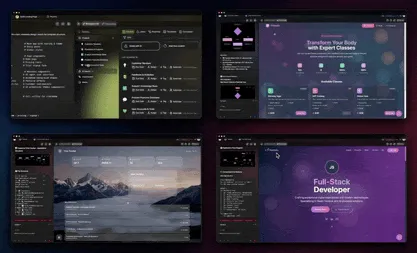
🚀 Move the Decisions, Not Just the Steps
Relay.app was good at the hardest part of automation: keeping a person in the loop without slowing the loop down. That is the strength to carry forward, and a JSON export of a canvas does not carry it.
Sort your flows once. Plumbing goes to a connector platform on its own meter. Anything that owned a record, a decision, or a login becomes a living app where Memory ▲, Intelligence ■, and Execution ● reinforce each other instead of a run log with a deletion date.
Create your replacement app in Taskade Genesis, or start from the inbound lead SLA tracker if you want a working board before the export deadline.