In 1946, a teacher at Blackfriars Correspondence School in Sydney sat at a desk with a stack of mailed-in assignments, sorting them by hand, one envelope at a time. Grading them, returning feedback, and building the next set of questions took days, not minutes, because every step of the loop, write the assignment, mail it, wait, grade it, mail it back, ran through a person and the postal service.

In 2026, you can describe a topic and a grade level, and an AI assignment maker returns the brief, the questions, and often the rubric in under a minute. What has not changed is who the tool is for. Every product in this guide is built so a teacher can create coursework faster. None of them is built so a student can skip doing the work and still get credit for it, and treating them that way undermines the point of the assignment.
TL;DR: We compared 12 AI assignment makers by verified free tier and output. MagicSchool AI and Brisk Teaching lead on free access, and Diffit and Twee lead on differentiation. For a packet you assign and track, Taskade turns one prompt into a brief, questions, an answer key, and a rubric. Try the homework assignment generator free →
Quick Answer: The Best AI Assignment Maker by What You Need
The right AI assignment maker depends on the specific job: a full assignment, a printable worksheet, a grading rubric, a differentiated version, or feedback on finished work. No single tool in this list is the best pick for all five jobs, and the comparisons that rank them on one scale usually miss that.
| If your job is... | Start with | Why |
|---|---|---|
| A full assignment (brief + questions + key) | Taskade or MagicSchool AI | Taskade bundles the brief, questions, key, and rubric in one editable project; MagicSchool covers the same ground across 80+ free tools |
| A printable worksheet | Twee or Diffit | Twee for language and grammar practice at a named CEFR level; Diffit for any topic at multiple reading levels at once |
| A grading rubric | Taskade or Education Copilot | Both generate criteria and performance levels you can attach to an existing assignment, not just a blank template |
| A differentiated version | Diffit | Purpose-built: paste a text or topic once and get several reading levels back together |
| Feedback on finished work | Wayground (formerly Quizizz) or Taskade | Wayground auto-grades objective questions with class reports; Taskade stores every attempt as a record you can roll up over a term |
What Is an AI Assignment Maker?
An AI assignment maker is a tool that turns a topic, a grade level, and a set of instructions into ready-to-use coursework instead of a blank page. In practice the category splits into three groups: all-in-one teacher assistants that generate assignments alongside dozens of other classroom materials, single-purpose generators built around one job such as a worksheet or a quiz, and a small number of tools, Taskade among them, that keep the assignment inside a tracked workspace rather than handing you a static file.
The searches behind this term split the same way the tools do. Most searchers are teachers looking to build coursework faster. A smaller but real share are students looking for an AI to do their assignment for them. This guide serves the first group directly and answers the second group honestly instead of pretending the second search does not happen.
WHO IS SEARCHING          WHAT THEY ACTUALLY NEED           WHAT THIS GUIDE RECOMMENDS
─────────────────────     ──────────────────────────────    ───────────────────────────────
A teacher, one class      A worksheet or quiz today          Twee, Diffit, Wayground, Curipod
A teacher, every week     An assistant across every task     MagicSchool, Brisk, ChatGPT for
                                                               Teachers, Khanmigo, Eduaide
A teacher, a whole term   A tracked system, not a file        Taskade Genesis
A student, planning       An outline, a schedule, practice    Any generator, used to plan or
                           questions from their own notes       study, not to write the answer
A student, "do it for me" Nothing on this list                 Not what any tool here is for
If a student is reading this: the honest use of every tool here is to help you plan your time, outline your own argument, or generate practice questions from material you already studied, the same way a study planner or a study schedule generator helps you organize work you still do yourself. Turning in AI-written answers as your own is a different act, and it is the one thing none of these tools are meant for.
The honest student workflow keeps the AI on the planning and practice side and keeps the student on the writing side. The sequence below limits AI to planning, practice, and feedback. Check your own course policy too, because rules differ by teacher and by school.
Holiday homework follows the same rule. A teacher can use an AI assignment maker to build a short daily packet for a school break, and a student can use a practice test from notes generator to revise over that break. Neither use hands in work the student did not do.
Is the Free Tier Actually Free?
Most AI assignment makers built for teachers offer a genuinely usable free tier, which is unusual for a software category in 2026. The difference between them is whether the free tier is uncapped, capped by a monthly generation count, or limited to a specific job such as reading passages. Here is what each free tier includes, checked against the vendor's own pricing page on September 23, 2026, and re-checked on September 24, 2026.
| Tool | Free tier (vendor's own words) | Entry paid tier |
|---|---|---|
| MagicSchool AI | 80+ teacher tools free; the paid Plus tier adds "unlimited generations," so the free tier has an unstated limit | Plus, $12.99/month or $8.33/month billed annually |
| Brisk Teaching | 20+ tools, free for individual teachers, with "unlimited usage" listed on the plans page | School/district Premium and Intelligence, custom quote only |
| Wayground (formerly Quizizz) | Starter plan is free, with Wayground AI included and a 20-activity storage limit | Individual (Super) plan, reported at $12/month billed annually; price varies by region |
| Diffit | Free plan generates leveled passages, questions, and vocabulary; resource history limited to 90 days | Premium, reported at $14.99/month or $149.99/year |
| Twee | 5 trial runs on basic tools, 500 audio credits, and free ESL resources | Basic $6.50/month (100 runs), Pro $10.50/month, both billed annually |
| Curipod | Weekly writing-practice sessions that renew automatically, with unlimited student writers | School and District plans, custom quote only |
| Canva for Education | 100% free for verified K-12 teachers and students, no paywall | Not applicable; K-12 access stays free by policy |
| Khanmigo for Teachers | Free for teachers, per Khan Academy's own pricing page | Learner/parent access $4/month or $44/year (a different product) |
| ChatGPT for Teachers | Free for verified U.S. K-12 staff through June 2028 | Standard ChatGPT plans for non-eligible users |
| Eduaide.ai | Reported at 15 generations/month; we could not load the vendor pricing page directly to confirm | Pro, reported $5.99 to $9.99/month depending on source |
| Education Copilot | Free plan, no credit card required, with access to 3 core AI templates for lesson plans and handouts | Pro $9/month billed annually ($108/year), 10+ AI templates and unlimited long-form handouts |
| Taskade | 3 Genesis apps, 1 AI agent, 2 workspace members, 10 automation runs a month, 6,000 one-time credits to start, no credit card | Pro $10/month billed annually |
The pattern worth noticing: the tools built specifically for K-12 teachers, MagicSchool, Brisk, Khanmigo, and ChatGPT for Teachers, are free or free-for-teachers by design, funded by district partnerships, grants, or a company betting on the education market, rather than by a freemium upsell. Where a figure above is marked "reported," we could not confirm it directly on the vendor's page at the time of writing; check the current number before you rely on it for a purchase decision.
What Does a Full School Year Cost a Teacher Who Pays Out of Pocket?
A teacher who pays for one AI assignment maker personally spends between 0 and 126 dollars for a school year at the entry paid tier, billed annually. Four tools in this list cost nothing for an eligible K-12 teacher. We multiplied each vendor-published annual rate by twelve months and left out every tool whose price we could only find on a third-party site.
| Tool (entry paid tier, annual billing) | Published rate | Cost for 12 months | What the paid tier adds |
|---|---|---|---|
| Brisk, Canva for Education, Khanmigo for Teachers, ChatGPT for Teachers | Free for eligible teachers | $0 | Not applicable |
| Twee Basic | $6.50/month | $78 | 100 runs a month on basic tools |
| MagicSchool AI Plus | $8.33/month | $99.96 | Unlimited generations, 50+ student tools |
| Education Copilot Pro | $9/month | $108 | 10+ AI templates, unlimited long-form handouts |
| Taskade Pro | $10/month | $120 | Unlimited apps and agents, 50,000 credits a month |
| Twee Pro | $10.50/month | $126 | Unlimited basic runs, export to PDF, Forms, and Docs |
The chart rounds MagicSchool's 99.96 dollars to 100. "Free four" means Brisk, Canva for Education, Khanmigo for Teachers, and ChatGPT for Teachers. Diffit, Wayground, Eduaide, and Curipod are not in the chart, because we could not confirm an individual price on the vendor's own page on September 24, 2026. The practical read: for one teacher, the cost gap between these paid tiers is under 50 dollars a year, so pick on fit, not price. For a school, every vendor above quotes a separate district price.
What Vendors Say About Student Data and Privacy
Privacy claims below are stated by each vendor, not independently audited, so treat this table as a starting point for your own district's review, not a substitute for it.
| Tool | What the vendor states |
|---|---|
| Diffit | Core worksheet generation requires no student login and no student-facing AI account, which the vendor markets as its cleanest privacy posture in the category |
| MagicSchool AI | Publishes its own privacy and security documentation and markets "best in class privacy and security" on its free tier |
| Brisk Teaching | Publishes a privacy policy for its free tier; data processing agreements for schools are described as part of paid plans |
| ChatGPT for Teachers | OpenAI describes the product as built with "education-grade protections and admin controls" for school compliance needs, separate from the consumer ChatGPT data settings |
| Khanmigo for Teachers | Operates under Khan Academy's nonprofit privacy program, with district-level rostering options on paid Enterprise tiers |
| Taskade | Workspace data belongs to the account that creates it; a published Genesis app with sign-in confirms who a visitor is, but row-level data scoping between students is a setting you configure, not an automatic default |
If your school requires FERPA or COPPA-specific language, request the vendor's current data processing agreement directly. A marketing claim of "student data safe" is not the same document, and terms change between vendor updates.
Export, Print, and Images: Where the Assignment Ends Up
Export decides whether an assignment outlives the tool. Most tools in this list print or export, but several put the useful formats on a paid tier. Here is what each vendor page states, checked September 24, 2026.
| Tool | Print and export | Images and layout |
|---|---|---|
| Diffit | Free: download to PDF, print, share. Schools plan: Google Docs, Slides, Forms, Classroom, and Microsoft formats | Graphic organizer library on the Schools plan |
| Twee | PDF, Google Forms, and Google Docs export on Pro | Audio credits on every plan; media tools metered |
| Education Copilot | Document editing and export on the free plan | Printable handouts from templates |
| Brisk Teaching | Output lives inside your own Google Docs, Slides, and Forms | Uses the layout of the Google file you work in |
| Canva for Education | Print, download, and share to an LMS | The strongest free option for images and layout, free for verified K-12 users |
| Taskade | Export or print like any Taskade project | Multiple project views for the same assignment list |
If you search for an "AI assignment maker with images," the practical answer is two steps: generate the questions in any tool above, then lay them out with images in Canva for Education.
How We Compared These Tools
We build one of the tools in this list, so here is exactly how the comparison was built:
- Every price and free-tier limit was checked against the vendor's own pricing page on September 23, 2026, where the page loaded. Where a page returned an error or did not publish a number, we say so and cite the third-party figures we found instead of presenting them as confirmed.
- Tools are grouped by who they are built for: all-in-one teacher suites, single-purpose generators, design and formatting tools, and workspace systems. Comparing a worksheet generator to an all-in-one suite on one scale hides more than it reveals.
- Taskade appears last, after eleven other tools, because that is honestly where a workspace-based approach fits for most single-assignment searches. It is the right pick when the job is a recurring system, not a first stop for a one-off worksheet.
- Every entry names at least one real strength, including tools that compete directly with each other for the same classroom minute.
We judged each tool on the five questions a teacher asks before trusting it with a real class. The rubric is a reading guide, not a single score, because a worksheet tool and a workspace system do different jobs.
| Criterion | What we checked | Where the evidence came from |
|---|---|---|
| Free tier | Is it usable for a full week of planning at no cost? | The vendor's own pricing or plans page |
| Output | Does it return a brief, questions, a key, and a rubric, or only one part? | The vendor's product pages and help center |
| Differentiation | Can one assignment be re-leveled for a reading level, an ELL, or an IEP? | Feature lists and help documentation |
| Student data | Does it need student logins, and does the vendor publish privacy terms? | The vendor's privacy and pricing pages |
| Reuse | Does the assignment survive past this week, or is it a one-off file? | Export, history, and tracking features |
SCORING CARD — ONE ASSIGNMENT MAKER, FIVE QUESTIONS
────────────────────────────────────────────────────────────────
 1. FREE TIER       usable for a week?        yes / capped / trial
 2. OUTPUT          brief + questions + key + rubric?   count 0-4
 3. DIFFERENTIATE   one source, several levels?         yes / no
 4. STUDENT DATA    student login needed? privacy terms published?
 5. REUSE           history, export, tracking past this week?
────────────────────────────────────────────────────────────────
 A tool that scores "yes" on 1 and 3 is a strong weekly pick.
 A tool that scores "yes" on 5 is a system, not just a generator.
All-in-One Teacher Assistants
These tools generate assignments alongside dozens of other classroom materials in one account.
1. MagicSchool AI: Best Free All-in-One Teacher Assistant
MagicSchool AI is a suite of more than 80 teacher tools, including assignment, worksheet, and rubric generators, a classroom chatbot called Raina, and writing feedback tools, all inside one free account that the company markets as "forever free" for individual teachers.

Key features: 80+ generators spanning assignments, worksheets, rubrics, and IEP support; the Raina AI chatbot; class writing feedback tools; a separate 50+ tool library for students on paid tiers.
Free plan (verified Sep 24, 2026): free access to the 80+ tool library, Raina, quizzes, and class writing feedback. The Plus tier adds "unlimited generations," which means the free tier has a limit that the pricing page does not spell out in exact numbers.
Pros:
- The broadest free tool library of any suite in this list
- No credit card required to start
- Covers assignments, rubrics, and differentiation in one account instead of three
Cons:
- The free-tier generation limit is not published as an exact number
- Student-facing tools require the Plus or Enterprise tier
Pricing: Plus is $12.99/month billed monthly, or $8.33/month billed annually.
Bottom line: the best starting point if you want one free account that covers assignments and nearly everything around them.
2. Brisk Teaching: Best Free Chrome Extension Inside Docs and Slides
Brisk Teaching works as a Chrome and Edge extension plus a web app, generating assignments, worksheets, and quizzes directly inside Google Docs, Slides, and Forms rather than a separate interface you switch to.
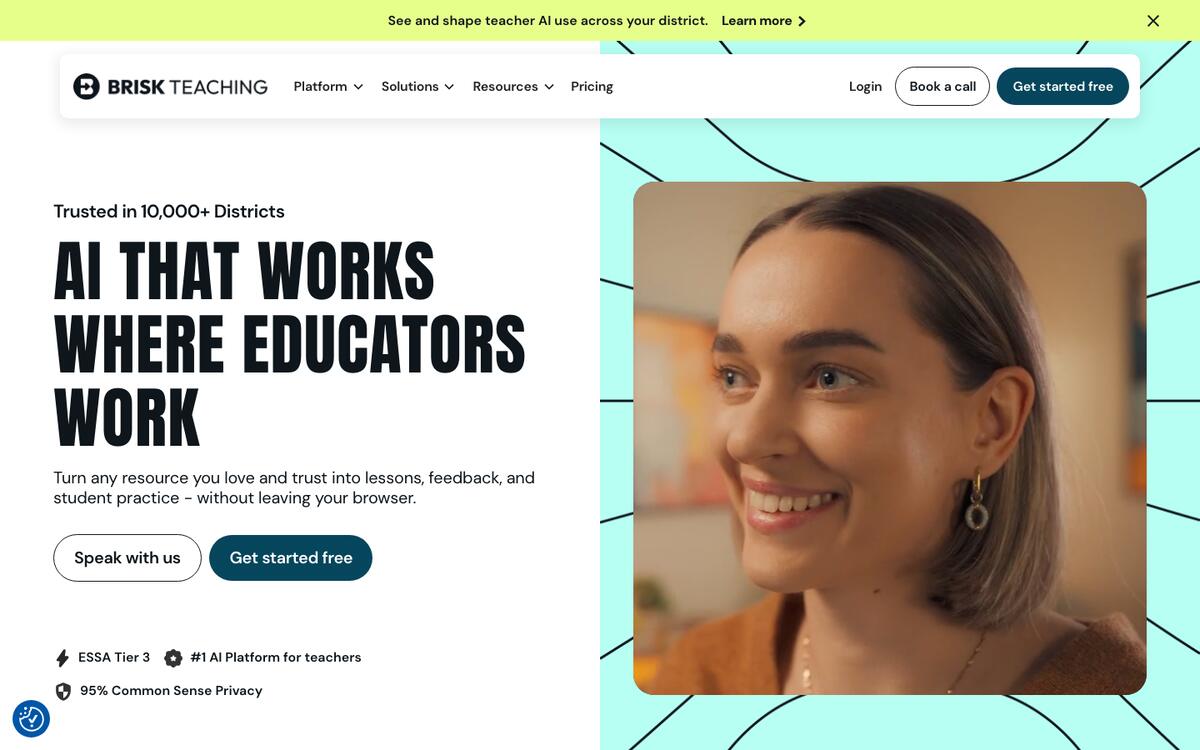
Key features: 20+ tools including a lesson and worksheet generator; embedded answer keys for Google Forms quizzes; generation in 50+ languages; works across Docs, Slides, and YouTube.
Free plan (verified Sep 24, 2026): more than 20 tools, free for individual teachers, with "unlimited usage" listed on the vendor's own plans page.
Pros:
- Unlimited usage listed on the free tier, unusual in this category
- Lives inside tools teachers already use instead of a new tab
- Free access does not require a credit card
Cons:
- School and district plans with data processing agreements are custom-quote only, which can leave individual free users without a negotiated privacy agreement behind them
- Fewer standalone tools than MagicSchool's full library
Pricing: Premium and Intelligence tiers are custom-priced for schools and districts; individual teacher access stays free.
Bottom line: the best pick if your workflow already lives in Google Docs and Slides.
3. ChatGPT for Teachers: Best Free Full AI Assistant for U.S. K-12 Staff
ChatGPT for Teachers is OpenAI's purpose-built version of ChatGPT for verified staff at accredited U.S. K-12 schools and districts, launched November 19, 2025 and made free through June 2028 according to OpenAI's own announcement.
Key features: general-purpose AI chat that can draft assignments, worksheets, and rubrics from a plain description; file upload and analysis; image generation; admin controls built for school compliance needs.
Free plan (verified Sep 23, 2026): free through June 2028 for verified teachers, staff, school leaders, and district administrators at accredited U.S. K-12 institutions, verified through a school email address.
Pros:
- No per-generation limit in the way a dedicated worksheet tool caps output
- Backed by a multi-year free commitment, not a trial
- Flexible enough to draft any assignment format you can describe
Cons:
- U.S. K-12 staff only; not available for students in this program
- Verification is required, so it is not instant for a teacher outside the eligible list
Pricing: free for eligible staff through June 2028; standard paid ChatGPT plans apply outside the program.
Bottom line: the most capable free general assistant for U.S. teachers, if your school qualifies.
4. Khanmigo for Teachers: Best Free AI Assistant Tied to Khan Academy Content
Khanmigo for Teachers gives individual K-12 teachers free access to Khan Academy's AI teaching tools, announced through a Microsoft-supported partnership and confirmed free directly on Khan Academy's own pricing page.
Key features: lesson and assignment planning tools; alignment to Khan Academy's existing practice content; a separate paid tier for learner and parent tutoring access.
Free plan (verified Sep 23, 2026): free for teachers, per Khanmigo's own pricing page.
Pros:
- Ties directly into Khan Academy's existing library of practice problems
- Backed by a nonprofit's funding model rather than a venture-scale freemium upsell
- No cost pressure to upgrade for basic teacher use
Cons:
- Full student and parent access is a separate paid product at $4/month or $44/year
- District-wide rollout with rostering and single sign-on needs the custom-priced Khanmigo District Tools plan
Pricing: free for teachers; Learner/Parent $4/month or $44/year; District Tools pricing on request.
Bottom line: a strong free pick for teachers already inside the Khan Academy ecosystem.
5. Eduaide.ai: Best for a Fast Single Assignment With an Editable Feedback Bot
Eduaide.ai generates assignments, lesson materials, and feedback drafts from a short prompt, with a workspace built around iterating on one resource at a time rather than browsing a large tool grid.
Key features: assignment and resource generation from a topic prompt; a feedback bot for student writing; an Eduaide Chat mode for follow-up edits.
Free plan (verified Sep 23, 2026): multiple third-party reviews from mid-to-late 2026 report a 15-generation-per-month cap on the free tier; we could not load Eduaide's own pricing page directly to confirm the current number, so verify it before you plan around it.
Pros:
- Fast for a single, well-scoped assignment
- The feedback bot is a genuine differentiator from tools focused only on generation
- Low-cost Pro tier relative to the rest of this list
Cons:
- Reported free-tier generation cap is tight for regular weekly use
- We could not independently confirm current pricing from the vendor page at the time of writing
Pricing: reported Pro pricing between $5.99 and $9.99/month depending on the source; confirm the current rate on Eduaide's own pricing page.
Bottom line: worth trying for the feedback bot alone, but plan around an unconfirmed free-tier cap.
Worksheet, Quiz, and Rubric Generators
These tools focus on one job, a printable worksheet, an auto-graded quiz, or an interactive lesson, rather than a full assistant suite.
6. Diffit: Best for Differentiated Reading Passages and Leveled Assignments
Diffit turns any text, article, topic, or YouTube link into adapted reading passages, comprehension questions, and vocabulary at multiple levels simultaneously, with no student login required for the core workflow.
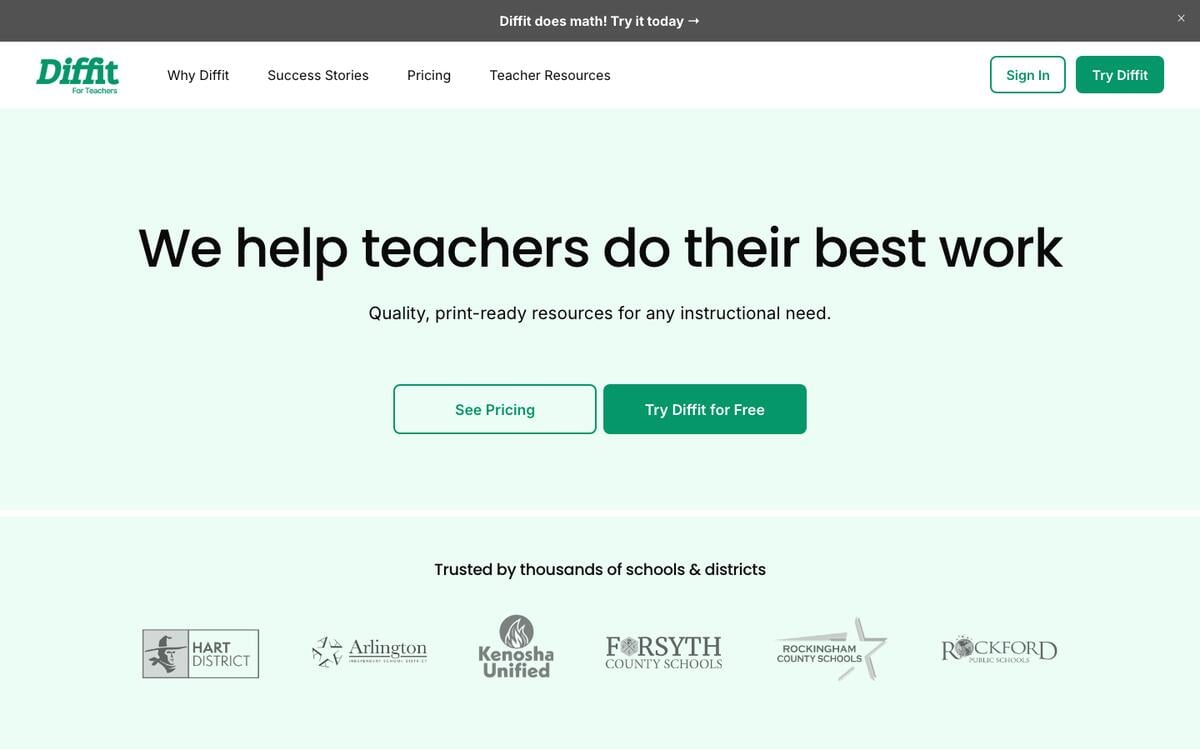
Key features: multi-level differentiation from one source; vocabulary and comprehension question generation; PDF export; no student-facing account needed.
Free plan (verified Sep 23, 2026): the Basic plan generates leveled passages, questions, and vocabulary with PDF export; access to resource history is limited to the last 90 days.
Pros:
- Purpose-built for differentiation, which most generalist tools handle as an afterthought
- No student login requirement simplifies the privacy conversation with a district
- Free plan covers the full core workflow, not a trimmed demo
Cons:
- 90-day resource history limit on free means older generations disappear
- Premium pricing was not published on the page we checked; third-party sources report $14.99/month
Pricing: reported Premium at $14.99/month or $149.99/year; school licenses are flat-rate by enrollment.
Bottom line: the clearest free choice when differentiation itself, not just generation, is the job.
7. Twee: Best for ESL and Language Worksheets
Twee generates language-teaching materials, texts, dialogues, exercises, and writing prompts, aligned to CEFR levels A1 through C2 from a topic, a link, or a word list.
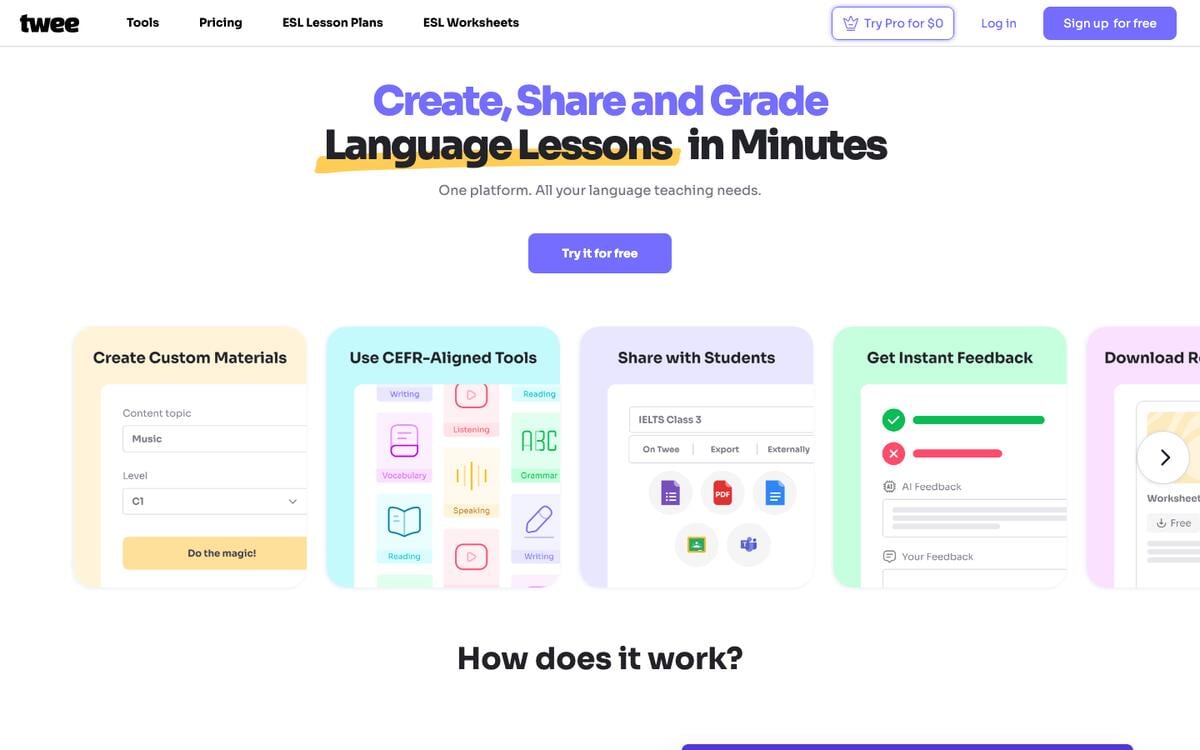
Key features: CEFR-level-aligned generation; a CEFR Level Checker; export to PDF, Google Forms, and Google Docs on the Pro plan; free ESL lesson and worksheet resources separate from the generator.
Free plan (verified Sep 24, 2026): the Trial plan includes 5 runs on basic tools, 500 credits for audio creation, free ESL resources, and unlimited interactive sharing.
Pros:
- The only tool in this list built specifically around CEFR levels
- Free ESL resources alongside the metered generator
- Clear, published run-based pricing with no hidden generation math
Cons:
- 5 free generator trial runs is thin for regular use beyond the free resources
- Basic caps basic tools at 100 runs a month, and Pro still meters media tools at 100 runs a month
Pricing: Basic $6.50/month, Pro $10.50/month, both billed annually; Schools plans are custom-quoted.
Bottom line: the right choice for any ESL or modern-language classroom.
8. Wayground (formerly Quizizz): Best for Auto-Graded, Gamified Assignments
Wayground, the platform formerly known as Quizizz, generates quiz-style assignments from AI and grades them automatically, with live or asynchronous delivery and class-level reporting.
Key features: AI-generated questions from text, documents, or a URL; live and self-paced delivery; automatic grading with class analytics; a large public library of teacher-made quizzes.
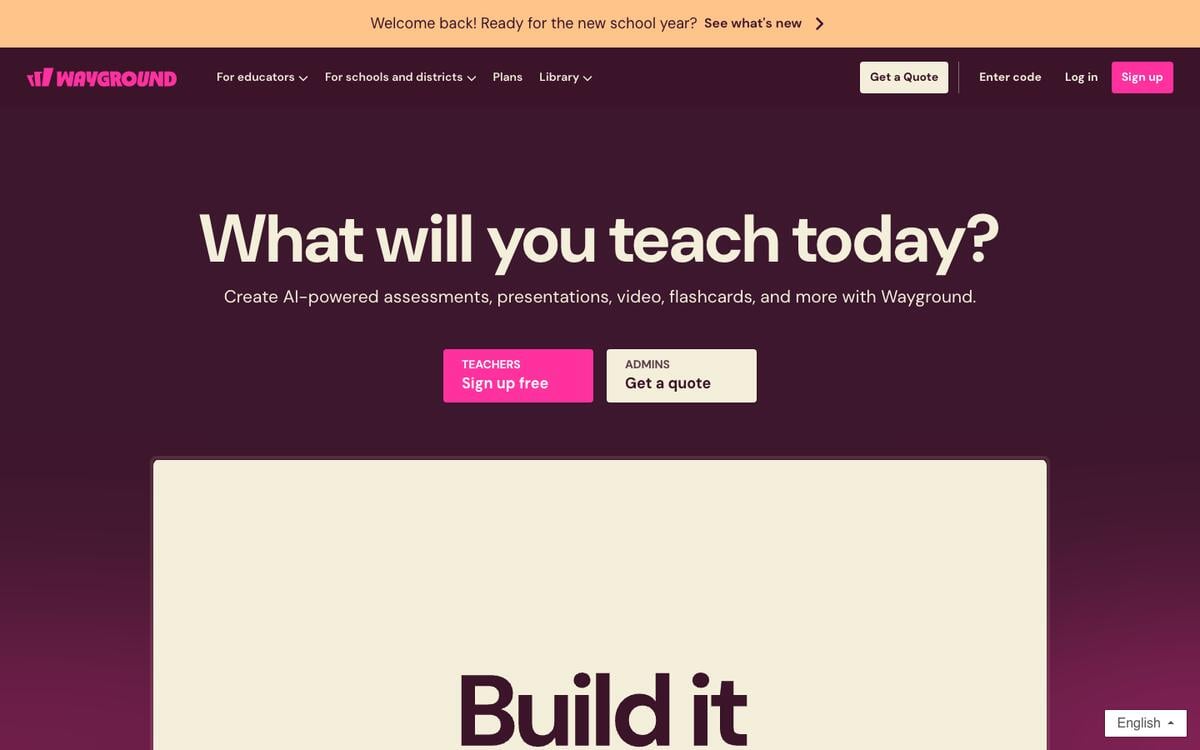
Free plan (verified Sep 24, 2026): the Starter plan is free, per Wayground's own help center. It includes basic question types, Wayground AI for content generation, live and self-paced delivery, and basic reports, with a 20-activity storage limit.
Pros:
- Permanently free tier, not a trial, confirmed on Wayground's own help documentation
- Automatic grading saves real time versus a printable worksheet
- A brand teachers already trust under its previous name, now with expanded AI tools
Cons:
- Deeper AI-generated reporting and advanced question types sit behind the paid Individual tier
- The June 2025 rebrand from Quizizz to Wayground confuses some searches, so double-check you land on the current site
Pricing: Individual (Super) plan pricing is reported at $12/month billed annually in a February 2026 third-party review, and Wayground says the price varies by region; School and District plans are custom-quoted and can reimburse teachers who upgraded independently.
Bottom line: the best pick when the assignment is a quiz you want graded the moment a student submits it.
9. Curipod: Best for Live, Teacher-Led Writing Practice
Curipod now positions itself as "Writing Practice Students Love": teacher-led lessons aligned to a district's curriculum, where students read, write, and discuss together in class and get instant "Glow and Grow" feedback on each piece of writing.
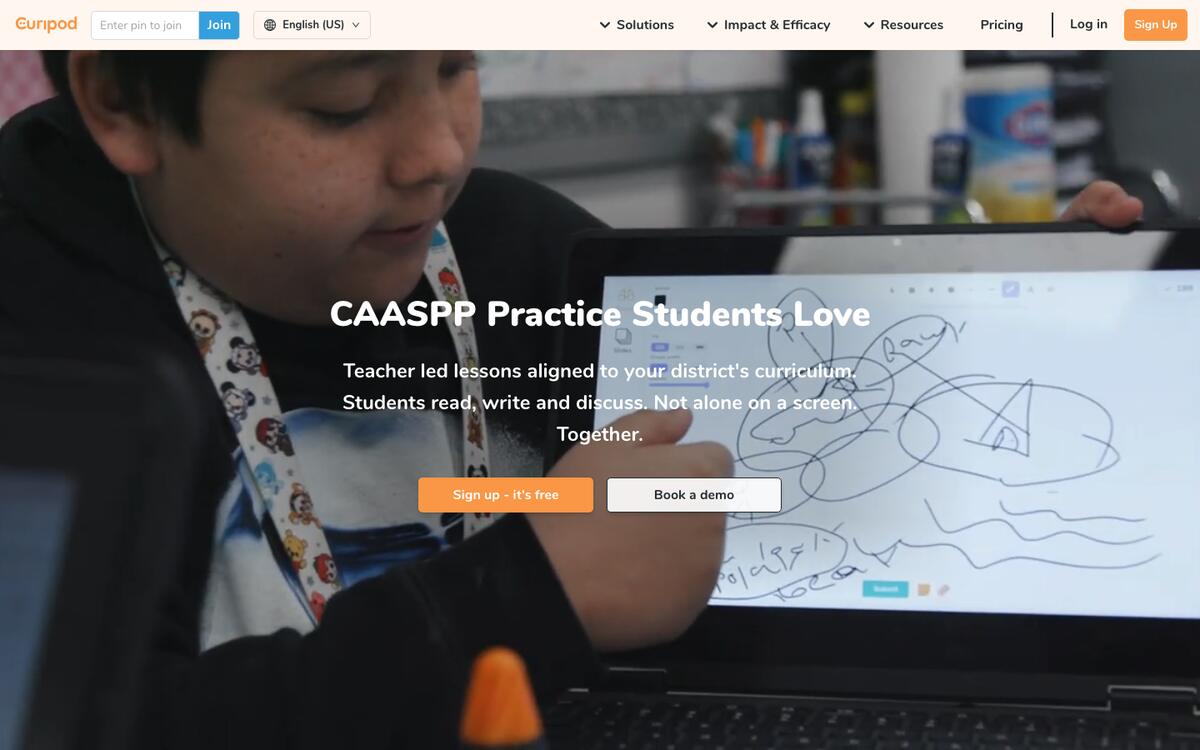
Key features: live, teacher-led writing lessons with discussion prompts; instant Glow and Grow feedback on student writing; ELA and science or social studies practice; test-prep libraries on school plans.
Free plan (verified Sep 24, 2026): weekly writing practice with instant feedback, a set number of live sessions each week that renews automatically, unlimited student writers, and limited ELA and science or social studies practice, per Curipod's own pricing page.
Pros:
- Turns a writing assignment into a live, participatory class activity
- Free plan renews weekly rather than granting a one-time credit pool
- Unlimited student writers on free, so class size is not the limiting factor
Cons:
- Not built for take-home, gradable assignments in the traditional sense
- Exact weekly session count was not stated in numeric form on the page we checked
Pricing: School and District and ELA Curriculum Alignment plans are custom-quoted; Curipod states that all plans comply with FERPA, COPPA, SOPPA, and GDPR.
Bottom line: the right tool when a writing assignment should happen together, in the room, not alone at a desk.
Design, Planning, and Bundled Tools
10. Canva for Education: Best Free Way to Design a Polished Handout
Canva for Education is not primarily an AI assignment generator, but its free, unlimited access for verified K-12 teachers and students makes it the natural last step for turning a plain assignment into a visually formatted handout or slide deck.
Key features: thousands of education-specific templates; LMS integrations for sharing assignments directly; AI image and design tools inside the same editor; enterprise-grade security and SSO for districts.
Free plan (verified Sep 23, 2026): "100% free" for verified K-12 educators, students, and qualified school districts, per Canva's own education page, with most premium design features included.
Pros:
- Genuinely free with no paywalled tier for eligible K-12 users, not a freemium teaser
- District-level SSO and security features included at no cost, unusual for a design tool
- Fast instant approval for verified school email addresses
Cons:
- Not built to generate the academic content itself, questions, rubrics, and answer keys still come from elsewhere
- Verification is required and must be renewed periodically
Pricing: free for K-12; Canva for Campus serves higher education separately.
Bottom line: pair it with a content generator from this list when the assignment needs to look as good as it reads.
11. Education Copilot: Best for Bundling a Lesson Plan and Its Rubric Together
Education Copilot generates full daily lesson plans, objectives, activities, materials, and assessment, mapped to standards such as Common Core, NGSS, or TEKS, with the assignment and its rubric drafted from the same plan.
Key features: standards-aligned lesson plan generation; scaffolds and extensions for different reading levels, English language learners, and IEPs; 10+ AI templates and unlimited long-form handouts on the paid tier.
Free plan (verified Sep 24, 2026): a free plan with no credit card required and access to 3 core AI templates for lesson plans and handouts, plus document editing and export; the vendor says it serves more than 100,000 teachers and works best for grades 4 and up.
Pros:
- Keeps the lesson plan and the assignment it produces connected instead of separate documents
- Built-in scaffolds for ELLs and IEPs address differentiation directly, not as an add-on
- Low, clearly published Pro price relative to enterprise-style suites
Cons:
- Smaller standalone tool library than MagicSchool or Brisk
- The free plan is limited to 3 core AI templates, so most of the tool library needs Pro
Pricing: Pro is $9/month billed annually ($108/year) for 10+ AI templates, unlimited long-form handouts, and output history.
Bottom line: a good fit when you want the lesson plan and the assignment to come from one generation, not two.
Full Assignment Systems
12. Taskade: Best for an Assignment You Assign, Track, and Reuse Every Term
Taskade is neither a single-purpose worksheet generator nor a district-scale teacher suite. It turns one prompt into an assignment packet that lives inside a workspace you organize, share, and reuse, not a file you manage somewhere else.
Key features: the homework assignment generator returns a brief, questions, an answer key, and a grading rubric in one project; the student assignment tracker manages deadlines and submissions; AI agents keep a term of assignments consistent; Taskade Genesis publishes the whole thing as a live app students sign into.
Free plan (verified Sep 23, 2026): 3 Genesis apps, 1 AI agent with 1 knowledge item, 2 workspace members, 10 automation runs a month, and 6,000 one-time credits to start, with no credit card required.
Pros:
- The only tool in this list that keeps the assignment, the rubric, and the tracking status in one place instead of three
- Regenerate any section at an easier or harder level and keep every version in the same project for differentiation
- Sign-in for a published assignment portal works on every plan, Free included
Cons:
- Less depth in printable, classroom-ready formatting than Canva or a dedicated worksheet tool
- Not built as a district-wide gradebook or LMS replacement
Pricing: Pro is $10/month billed annually for unlimited apps and agents.
Bottom line: the best pick once one assignment becomes a recurring system you want to stop rebuilding from scratch every week.
Tools We Considered but Did Not Rank
Several tools that rank for "assignment maker AI" and "AI homework generator" did not make the list of 12, either because the vendor page publishes too little to verify or because the tool writes finished work for students to submit. Here is each one and the reason, so you can judge it yourself.
| Tool | What it does | Why it is not in the ranked 12 |
|---|---|---|
| Flint K12 | Standards-aligned homework for K-12 ELA, math, science, and social studies, plus a worksheet grader | The homework generator page lists no pricing or free-tier limit to verify |
| Edcafe AI | Create, assign, grade, and track classroom content | Its free-tier figure of 100 generations a month comes from the vendor's own blog, not a pricing page we could load |
| AI Doc Maker | Assignments with answer keys and scaffolded versions from a prompt | The page promises "generous free usage" without a number |
| Template.net | Assignment drafts with no sign-up and export to DOCX, PDF, TXT, and RTF | A general document tool, with no rubric or differentiation workflow for teachers |
| EssayGrader and CoGrader | AI grading and feedback on student writing | Graders, not assignment makers; see our grading automation guide |
| Student "assignment writer" sites | Write a finished assignment for a student to hand in | Built to produce submitted work, which is what this guide does not recommend |
What Changed for AI Assignment Makers in 2025 and 2026
The biggest 2025-2026 changes were a rebrand, a free teacher product from OpenAI, a product pivot, and a shutdown date for custom GPTs. Each one changes which tool a teacher lands on and what it costs. The dates below come from vendor announcements and from each homepage as captured on September 24, 2026.
| When | What changed | What it means for a teacher |
|---|---|---|
| June 2025 | Quizizz rebranded to Wayground | Old quizizz.com links redirect; accounts and quizzes carried over |
| November 19, 2025 | OpenAI launched ChatGPT for Teachers, free for verified U.S. K-12 staff through June 2028 | A full general assistant at no cost, if your school qualifies |
| September 2026 | Curipod's homepage leads with writing practice and state-test practice | Treat it as a live writing tool, not a slide generator |
| September 2026 | MagicSchool re-launched its Presentation Generator; Diffit added math | The all-in-one suites keep adding formats beyond worksheets |
| November 30, 2026 | OpenAI Agent Builder shuts down; custom GPT creation ends on personal plans, and full retirement follows on December 11, 2026 | A custom "assignment maker" GPT on a personal plan needs a new home |
If you built an assignment helper as a custom GPT on a personal ChatGPT plan, export its instructions and knowledge files before November 30, 2026. The same instructions can run as an AI agent with its own knowledge base, or as a reusable prompt you paste into any assistant.
From Learning Objective to Feedback: The Full Assignment Loop
Every assignment, generated or hand-written, passes through the same stages, and most single-purpose generators only cover one or two of them. Mapping the stages shows why a full system, not just a faster question generator, is what actually saves a term's worth of planning time.
Here is a free Taskade generator for each stage of that loop:
| Stage | What you need to decide | Free generator |
|---|---|---|
| Learning objective | The standard or skill the assignment targets | Curriculum Outline Generator |
| Task / assignment brief | Instructions, question set, answer key | Homework Assignment Generator |
| Rubric | Criteria and performance levels | Grading Rubric Generator |
| Differentiate | A version scaled to each student or group | Individualized Education Plan (IEP) Generator |
| Deliver and track | Due dates, submission status | Student Assignment Tracker |
| Feedback | Score, comments, weak-topic flags | Student Feedback Form Generator |
Already have source material instead of a blank prompt? Convert it directly: textbook chapter to study guide, reading passage to comprehension questions, assignment brief to grading rubric, or education content to a printable worksheet. For fresh problem sets so no two students get an identical worksheet, use the math problem generator or the algebra equation generator. For the exam that follows the unit, see education to exam and our full AI exam generator comparison. Browse every free option in education generators.
More free generators cover the parts of a unit that sit around the assignment: a test question generator and a quiz generator for checks, a lesson plan generator and a syllabus generator for the plan, a class discussion prompt generator and a vocabulary builder for warm-ups, and a group project planner plus a reading assignment tracker for longer work.
The Lifecycle of One Assignment
Time saved on generation is real but small next to the rest of the lifecycle. OpenAI cited a Gallup-sourced figure of roughly 5.9 hours saved per week among teachers who use AI weekly. That is a vendor-cited survey figure, not a study we ran. Most of the hours in a term go into the states after "draft," where one assignment waits, gets submitted, gets graded, and either dies in a folder or gets reused.
A single-purpose generator covers "Drafted." A learning management system covers "Assigned" to "Graded." The "Reused" state is the one teachers skip most, and it is where a stored assignment, rubric, and result set saves the next term's planning time.
How to Write an Assignment Prompt That Works
A good assignment prompt names six things: grade, standard or objective, format, length, differentiation, and the output you want back. Every tool in this list produces a sharper first draft from a prompt with all six than from a topic alone. The card below works in any of them.
ASSIGNMENT PROMPT CARD — COPY, FILL, PASTE
────────────────────────────────────────────────────────────────
 GRADE        Grade 7 science
 OBJECTIVE    Explain how the water cycle moves energy (one standard)
 FORMAT       10 questions: 6 multiple choice, 3 short answer, 1 diagram
 LENGTH       About 30 minutes of homework
 LEVELS       Also give an easier version for two ELL students
 RETURN       Student instructions, answer key, 3-level rubric
────────────────────────────────────────────────────────────────
 Then: read every answer key line before you assign it.
| Prompt ingredient | Why it matters | Common mistake |
|---|---|---|
| Grade and subject | Sets vocabulary and question difficulty | "Make a worksheet on fractions" with no grade |
| One objective | Keeps every question on one skill | Asking for a whole unit in one assignment |
| Format mix | Balances quick checks with open answers | All multiple choice, which tests recall only |
| Time budget | Stops a 20-minute task from growing to 90 minutes | No length, so the tool guesses |
| Differentiation | Produces a second version in the same pass | Re-prompting later and losing consistency |
| Output list | Returns the key and rubric, not only questions | Forgetting the answer key until grading day |
Reusable versions of this card exist as free prompts: generate differentiated reading materials and build a grading rubric. Always check the answer key. A generated key can contain errors, and the teacher still owns the grade.
Which AI Assignment Maker Fits Your Situation?
| You are... | Start with | Then add |
|---|---|---|
| A K-12 teacher wanting one free account for everything | MagicSchool AI or Brisk Teaching | Diffit for differentiation, Wayground for auto-graded quizzes |
| An ESL or language teacher | Twee | Canva for Education for polished printable handouts |
| A special education teacher building an IEP-aligned assignment | Diffit for leveled text | Taskade's IEP generator for the accommodations document itself |
| Running an AI-eligible U.S. K-12 school | ChatGPT for Teachers or Khanmigo | Any generator above for a faster first draft |
| A homeschool parent or tutor | Education Copilot or Khanmigo for the plan | Taskade to track multiple subjects in one workspace, for one student or a full class |
| A college or university instructor | Taskade, Education Copilot, or Eduaide, which work for any grade you describe | Canva for Campus for design; ChatGPT for Teachers, Khanmigo's free teacher tier, and Canva for Education are scoped to K-12 |
| A teacher building a parent-facing portal | Taskade's student-parent portal generator | The homework helper agent for guided practice at home |
| A student planning study time honestly | AI study planner | Study schedule generator, never a finished-answer generator |
| A team running a whole term or program | Taskade Genesis | Any generator here, with the output routed into a tracked project |
Why We Built the Tracking Layer, Not Just Another Generator
Every other tool in this list solves the same problem the same way: describe an assignment, get a file back. That is genuinely useful, and it is why MagicSchool and Brisk Teaching earned the top two spots on free access alone. What none of them solve is what happens to that file next. Fifteen worksheets into a term, a teacher is back to a spreadsheet, or a stack of folders, tracking who turned in what and when, the exact problem a reusable exam bank runs into as well.
So Taskade puts the assignment inside a project instead of a download. The homework assignment generator writes the brief, the questions, the key, and the rubric into one Taskade project. From there, AI agents can regenerate a harder or easier version for differentiation, automations can remind students of a due date without a teacher sending each message by hand, and the student assignment tracker keeps status next to the work itself. Memory, the assignment record, feeds Intelligence, the agent that grades and drafts feedback, and Intelligence triggers Execution, the automation that delivers the next one.

For a class or homeschool group that wants students to log in before they reach the tracker, Taskade Genesis can publish it as a real app with sign-in. That sign-in confirms who a student is. Scoping the portal so one student's records stay separate from a classmate's is a setting you configure and test with a second account, not something sign-in does automatically. A custom domain for the portal is a Business-plan feature; the sign-in itself works on every plan, Free included.
Browse what other educators have built in the community gallery and the AI apps hub, start from the homework assignments template, or build your first assignment free →.
Frequently Asked Questions
What is the best AI assignment maker in 2026?
It depends on how often you plan. For a free all-in-one teacher assistant, MagicSchool AI and Brisk Teaching both cover assignments, worksheets, and rubrics on their free tiers. For a full assignment packet you assign, track, and reuse across a term, Taskade's homework assignment generator returns a brief, a question set, an answer key, and a matching rubric inside a shareable project. The generator is free to use with no signup wall for the generation itself.
What is the best free AI homework generator?
Brisk Teaching and MagicSchool AI are the most generous free options confirmed on their own pricing pages in September 2026. Brisk lists more than 20 tools and unlimited usage. MagicSchool includes more than 80 teacher tools, and its paid Plus tier adds unlimited generations, so the free tier has a limit the page does not quantify. Diffit's free plan adds differentiation. None of the three require a credit card to start.
Can AI make a full assignment with a rubric?
Yes, and this is where dedicated assignment generators differ from a plain chat prompt. Taskade's generator returns instructions, questions, an answer key, and a grading rubric in one project. For an assignment you already wrote, the assignment brief to grading rubric converter returns matching criteria and performance levels. Education Copilot generates a rubric as part of its full lesson plan output.
How do I differentiate one assignment for different reading levels with AI?
Name the grade, reading level, or accommodation in your prompt, and a good generator adjusts vocabulary, question complexity, and length to match. Diffit is built for this: paste a text or topic and it returns the same content at several reading levels at once. In Taskade, you can regenerate a section at an easier or harder level, keep every version in the same project, and assign the right one with task assignees.
Is it cheating for a student to use an AI assignment maker?
It depends on what the student turns in. Every tool in this guide is built for teachers to create assignments, not for students to submit AI-written answers as original work. State the boundary in the assignment itself: AI is fine for outlining, planning, or practice questions from material the student already studied, and it is not fine for the final submitted answer. A study planner supports the first use without enabling the second.
What happened to Quizizz?
Quizizz rebranded to Wayground in June 2025, and the interface transition finished by early 2026. The company, ownership, and teacher accounts did not change, and old quizizz.com links redirect to wayground.com. Wayground's Starter plan remains free, with Wayground AI included and a 20-activity storage limit, per its own help center.
Is ChatGPT free for teachers?
Yes, through a separate product. OpenAI launched ChatGPT for Teachers in November 2025 and made it free for verified staff at accredited U.S. K-12 schools and districts through June 2028, according to OpenAI's own announcement. It is not the standard free ChatGPT plan, it requires verification through a school email address, and it is not available to students.
Does an AI worksheet generator keep student data private?
Check each tool's own privacy page rather than assuming, because practices vary. Diffit states that its core worksheet tools need no student login. Curipod states that all of its plans comply with FERPA, COPPA, SOPPA, and GDPR. MagicSchool AI, Brisk Teaching, and ChatGPT for Teachers each publish their own education privacy terms. These are vendor claims, not independent audits, so read the current policy before a class rollout.
What is the best AI assignment tracker for a class or a whole term?
Most assignment and worksheet generators produce one file at a time, which you then track in a spreadsheet or your school's learning management system. Taskade's student assignment tracker keeps the brief, the questions, the rubric, and each student's status as records in one project, so a due date, a submission, and a grade live next to the assignment that created them.
What is the best AI tool for ESL or language worksheets?
Twee is built for this. It generates texts, dialogues, and exercises aligned to CEFR levels A1 through C2 from a topic, a link, or a word list, and its free Trial plan includes five runs on basic tools plus free ESL resources. For subjects beyond language teaching, MagicSchool AI and Diffit both support multilingual generation.
Can AI make holiday homework or a summer assignment packet?
Yes. Describe the break length, the grade, and the subjects, and an AI assignment maker returns a set of short daily tasks instead of one long worksheet. Keep each task under 20 minutes, mix practice with a reading or creative task, and add an answer key for parents. The study schedule generator can split one packet into a dated daily plan.
Can Taskade grade assignments, and do I need a paid plan to build a class tracker?
Taskade Genesis lets you add an AI grading agent to a published assignment app that scores objective questions, drafts feedback, and flags weak topics. You configure it, and it is not a default of the free generator. The free plan includes three Genesis apps, one AI agent, two workspace members, ten automation runs a month, and six thousand one-time credits to start, with no credit card. Sign-in works on every plan, Free included, but it confirms who a student is rather than hiding other students' records, so you set up record scoping yourself and test it with a second account. Pro is ten dollars a month billed annually and removes the app and agent limits. A custom domain requires the Business plan.
The Verdict
For a free all-in-one teacher assistant, MagicSchool AI and Brisk Teaching lead. For differentiation specifically, Diffit is the clearest purpose-built choice. For ESL and language worksheets, Twee. For an auto-graded quiz-style assignment, Wayground. For a U.S. K-12 school with access, ChatGPT for Teachers and Khanmigo are free and capable.
And once a single worksheet becomes a term's worth of assignments you need to assign, differentiate, and track, that is the gap Taskade was built to close. Build your first assignment free →
Further Reading
- AI Exam Generators — quiz and test tools for the assessment that follows the assignment
- Best AI Study Planners — the honest, non-cheating way for students to use AI on their own workload
- AI Tools for Teachers — a broader look at classroom AI beyond assignment generation
- How to Automate Grading and Lesson Prep — the grading half of the assignment loop
- AI Apps for Students and Educators — ten classroom apps built from a prompt
- AI Education Portals and Study Tools — portals and dashboards for a class or cohort
- AI Game Generators — for turning a review session into a playable classroom activity
- Best Free AI App Builders — free builders for the apps and portals around a classroom
- What Is Vibe Coding? — building software, including a class portal, by describing it
Sources
- MagicSchool AI pricing — MagicSchool, checked September 23 and 24, 2026
- Brisk Teaching plans — Brisk Teaching, checked September 23 and 24, 2026
- Twee pricing — Twee, checked September 23 and 24, 2026
- Diffit pricing — Diffit, checked September 23 and 24, 2026
- Curipod pricing — Curipod, checked September 23 and 24, 2026
- Khanmigo pricing — Khan Academy, checked September 23 and 24, 2026
- Canva for Education — Canva, checked September 23 and 24, 2026
- ChatGPT for Teachers — OpenAI, announced November 19, 2025
- Wayground: from Quizizz to Wayground — Wayground
- Wayground Starter (Basic) plan — Wayground help center, checked September 24, 2026
- Education Copilot pricing — Education Copilot, checked September 23 and 24, 2026
- A Blackfriars Correspondence School teacher sorts through mailed assignments, 1946 — National Archives of Australia via Wikimedia Commons
▲ ■ ● That 1946 teacher's whole week was the loop one prompt now runs in a minute. The loop still needs a person to set the objective and read the feedback. Plan the assignment, then let the system track it. Memory feeds Intelligence, Intelligence triggers Execution. Build your first assignment free →