






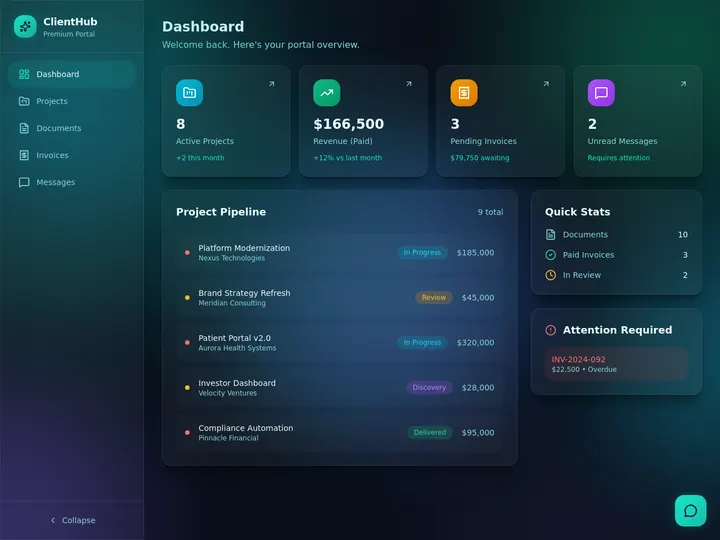
Softr made client portals feel reachable for teams that lived in Airtable. The trade is familiar in 2026: a polished UI skin on top of a spreadsheet-shaped database, priced by app users, with agents and workflows bolted on later. If your portal needs to do work (triage requests, update jobs, brief an agent, trigger a follow-up), you are no longer shopping for pages. You are shopping for a living system.
This guide compares Softr-style portals to a Taskade Genesis living client portal: Projects as memory, Agents as intelligence, Automations as execution, and App UI as the interface. Honest boundaries first. It is not a full LMS, not GPS fleet tracking, and not an IDX or MLS real-estate stack. What it is instead: the ops spine your clients log into.
TL;DR: Softr wins when you already love Airtable (or Softr DB) and want a fast portal UI with flat app-user pricing. Taskade Genesis wins when the portal must stay connected to work, agents, and automations you own. Start from the Softr alternative client portal builder, pair a home services customer portal if you dispatch jobs, and skim the free Softr alternative compare page before you migrate.
Pricing below uses publicly listed or widely reported 2026 ranges (often annual billing). Confirm live quotes. Vendors change tiers.
What a client portal is actually for
Most teams say "portal" and mean five jobs:
- Clients see status without emailing you.
- Clients submit requests with the fields you need.
- Your team updates the same records clients see.
- Someone gets notified when status moves.
- History stays searchable six months later.
Softr is excellent at (1) and (2) when the data already lives in Airtable or Softr Database. Taskade Genesis is built so (3), (4), and (5) are not afterthoughts. The portal is the interface layer of Workspace DNA, not a separate product glued to a base.
| Portal job | Softr + Airtable default | Living portal in Taskade Genesis |
|---|---|---|
| Client login + filtered views | Strong block-based UI | Generated app UI with role-aware views |
| Request intake forms | Forms / conditional blocks | Forms writing into Projects |
| Internal ops behind the portal | Separate Airtable views + automations | Same Projects agents and flows use |
| AI help for clients or staff | AI credits / co-builder (plan caps) | Space agents and helpers you bind to tools |
| Who owns the schema? | Airtable base + Softr app | You own Projects + app files you reshape |
| SLA timers and escalations | Split across base + portal workflows | One automation owner you document |
If your portal is mostly a read-only status page, Softr is a fine answer. If your portal is where work starts and finishes, compare systems, not skins.
The UI-skin problem (why portals feel hollow)
A skin is a user interface that reads and writes another system's tables. Skins are useful. They are also fragile when the business logic lives elsewhere:
- Airtable automations fire while Softr workflows fire, and nobody remembers which one owns the SLA timer.
- Client-visible fields drift from internal fields because two UIs edit one base with different permissions.
- AI features stay inside the builder credit budget instead of sitting next to the job record as an agent with tools.
- When you outgrow the base, the portal does not migrate with you. You rebuild the skin.
- Comment threads sprawl in email because the portal never became the conversation home.
Taskade Genesis flips the stack. The portal is generated with the memory layer (Projects), the intelligence layer (Agents), and the execution layer (Automations). The UI is still important. It is not the product.
That is the difference between a brochure login and an operating system your clients can see.
2026 pricing reality: Softr, Airtable, and the stack tax
Softr prices by app users on a flat plan ladder. Airtable prices by editor seats. Many teams pay both, then wonder why "a simple portal" costs as much as a junior coordinator.
| Product | Entry / free | Practical paid start | Common next step | Portal note |
|---|---|---|---|---|
| Softr | Free (~10 app users, tight record/AI caps) | Basic ~$49/mo annual (~20 users) | Professional ~$139/mo (~100 users), Business ~$269/mo (~500 users) | Ladder priced by app users; confirm live |
| Airtable | Free (limited) | Team ~$20/editor/mo | Business ~$45/editor/mo | Portal packaging varies by tier; confirm live |
| Stacked Softr+Airtable | Two free tiers to learn | Often Basic + Team seats | Pro + Business seats | Cost is plan + editors + users |
| Taskade Genesis | Free plan available | Workspace plans (not Softr-style app-user ladder) | Higher plans for more AI/app usage | Living portal you reshape in chat |
Rough monthly math (illustrative)
| Scenario | Softr-ish bill | Airtable editors (3 @ ~$20) | Combined sketch |
|---|---|---|---|
| 15 external clients, light use | Free or Basic ~$49 | ~$60 | ~$49-$109 |
| 80 clients, serious portal | Professional ~$139 | ~$60-$135 | ~$199-$274 |
| 300 clients | Business ~$269 | growing seats | $269+ plus editors |
| Agency with 5 editors + 120 clients | Pro ~$139 | ~$100 | ~$239 before add-ons |
These are sketches, not invoices. The point is the decision: are you buying a portal product, or a living ops app that happens to have a client login?
Feature comparison: when Softr still wins
Softr still wins several jobs outright. Here is where each tool is the better pick.
| Need | Prefer Softr | Prefer Taskade Genesis |
|---|---|---|
| Pixel-tight marketing portal in a weekend | Often yes | Possible, less "block designer" native |
| Already deep in Airtable bases | Strong | Migrate or dual-run carefully |
| External users at flat plan prices | Clear ladder | Different packaging; compare free path |
| Agents that act on workspace tools | Limited by builder credits / blocks | Native agent + tool path |
| Same system for portal + dispatch + PM | Bolt-ons | Designed as one Workspace DNA |
| Full LMS / course host | Neither is a full LMS | Not an LMS — pair a course host |
| IDX / MLS consumer listing portal | Specialized stacks | Not a listing portal |
For a side-by-side free-path framing, use the free Softr alternative compare page.
Living portal anatomy in Taskade Genesis
A useful client portal is four surfaces sharing one memory:
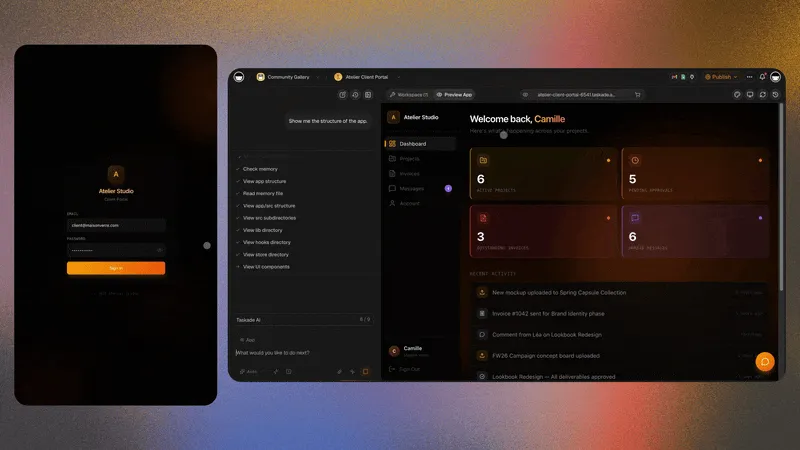
- Client home: open requests, latest status, documents you choose to share.
- Request intake: structured fields, not free-text chaos.
- Staff board: triage, assignment, internal notes clients never see.
- Agent assist: summarize a thread, draft a status update, flag SLA risk.
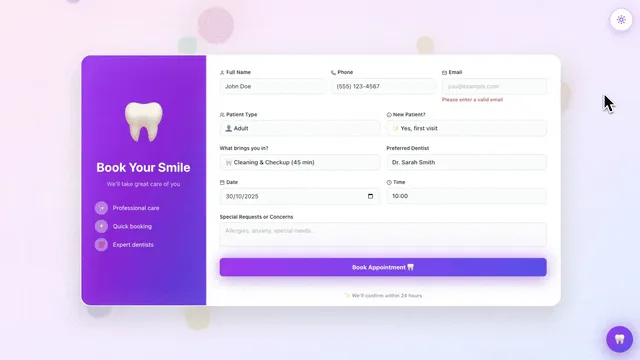
Home-services operators often need the portal tied to jobs. Generate the home services customer portal beside the Softr-alternative kit so customers see job status while crews see dispatch.
Field starter kit (steal this)
| Record type | Client-visible fields | Staff-only fields |
|---|---|---|
| Client | Name, company, primary contact | Internal owner, health score |
| Request | Title, description, priority, status | Triage notes, root cause |
| Deliverable / job | Label, target date, status | Cost, vendor, margin notes |
| Update | Date, summary | Author, internal flag |
If a field would embarrass you in front of a client, it is staff-only. If a field is required to start work, it belongs on the intake form.
Migration decision tree
Stay on Softr if...
- Your base is clean, permissions are trusted, and the portal is mostly read + form.
- You need Softr's block catalog more than workspace agents.
- Your finance team already standardized on Softr's app-user math.
Move toward Taskade Genesis if...
- The portal is the front door to jobs, tickets, or deliverables your team runs daily.
- You want one place for client UI, staff board, agents, and automations.
- You are tired of dual automation owners and schema drift.
- Clients ask questions an agent could answer from the record, not from a FAQ PDF.
Migration playbook (Softr / Airtable → Taskade Genesis)
Resist the urge to "big bang" a production portal on a Friday.
- Inventory fields. Export or screenshot the client-visible fields and the internal-only fields. Mark secrets.
- Generate a twin. Use the Softr alternative client portal builder and map columns to Project fields.
- Dual-run one client cohort. Pick five friendly clients. Keep Softr as source of truth for two weeks while Taskade Genesis mirrors status.
- Move write path. New requests enter Taskade Genesis first. Old portal becomes read-only, then sunset.
- Attach agents last. Only after the board is trusted. An agent on a wrong schema amplifies mistakes.
- Document the cutover. One page: who owns status, who notifies clients, which automation is canonical.
| Week | Softr / Airtable | Taskade Genesis | Risk control |
|---|---|---|---|
| 0 | Live | Generate + map | No client login yet |
| 1-2 | Live (writes) | Mirror + staff practice | Daily reconcile |
| 3 | Read-only for cohort | Writes for cohort | Rollback = re-enable Softr forms |
| 4+ | Archive | Canonical | Keep CSV export |
Home services and agency variants
Portals are not one template.
- Home services: customers want appointment status, invoice links you already send from accounting, and a clean request form. Pair the home services customer portal. Keep GPS and payment processing in the tools you already trust.
- Agencies: clients want deliverable status, feedback rounds, and asset links. Staff need utilization and task boards behind the same workspace, not a separate Airtable universe.
- Internal vendor portals: treat vendors like clients with narrower fields. Same DNA, tighter permissions.
- Consultancies: show milestone status and open questions. Hide draft strategy docs until you mean to share them.
Honest boundaries (read before you migrate)
Taskade Genesis does not do video course hosting, GPS technician tracking on a map, or IDX and MLS consumer listing portals. Its strength is the office side: request intake, staff boards, customer history, and the client portal on top of them. Here is what it will and will not cover.
| Claim people want | What Taskade Genesis actually does |
|---|---|
| Full LMS with video hosting and drip courses | No. Not a Kajabi/Thinkific replacement — pair a course host |
| GPS tech tracking on a map | No. Pair telematics for vehicle location |
| IDX / MLS listing portal | No. Real-estate listing stacks stay specialized |
| Clone every Softr block pixel-perfect | No. You get a living ops portal, not a block catalog |
| Zero-work migration of every Airtable automation | No. Plan to re-own that logic deliberately |
| Magic share counts or marketplace app installs | No. Numbers you see here are the real ones |
Knowing the gaps before you migrate is how you avoid rebuilding the portal in six months.
FAQ
Is Taskade Genesis a Softr alternative?
For living client portals tied to ops, yes as an alternative category. For "Airtable UI builder with Softr's exact block set," no. Start at /create or the portal generator.
Can I keep Airtable and only replace Softr?
You can dual-run during migration. Long-term, Taskade Genesis is happiest when Projects are the system of record. Treating Airtable as forever master recreates the skin problem.
What about free Softr alternatives?
See /compare/free-softr-alternative. Free tiers everywhere have user, record, or AI caps. Evaluate the free path by the job (status page vs living ops), not by the logo.
Do clients need Taskade accounts?
Plan for authenticated client access through your published Taskade Genesis app patterns. Confirm current auth options for your workspace before promising a login model to customers.
Will this replace our CRM?
Only if your CRM is basically a request + status board. Full CRM pipelines, marketing automation, and quote CPQ stay in CRM tools. Taskade Genesis can sit beside them.
Can agents talk to clients directly?
Treat agent-to-client messages as drafts until a human approves, especially in regulated or high-stakes work. Agents are strongest as staff copilots on shared records.
CTA: build the living portal
- Open the Softr alternative client portal builder.
- If you run jobs for customers, add the home services customer portal.
- Read the free Softr alternative compare framing.
- Create a workspace at /create and reshape the portal in chat until the staff board and client view share one truth.
A portal that only looks good is a brochure. A portal that runs work is an operating system your clients can finally see.