
Overview
The Google Sheets integration reads and writes spreadsheet data from any Taskade workflow: 2 triggers and 7 actions including insert row, update row, find row, and clear range. Push project data into Sheets for reporting, or let an AI Agent query rows and answer questions about your data in natural language.
TL;DR: Google Sheets works both ways with Taskade. The New Row trigger pulls a fresh spreadsheet row into your automation the moment it is added. Then Insert Row, Update Row, or Find Row push project data back out to your sheet. One connection keeps Taskade and your spreadsheet in sync.
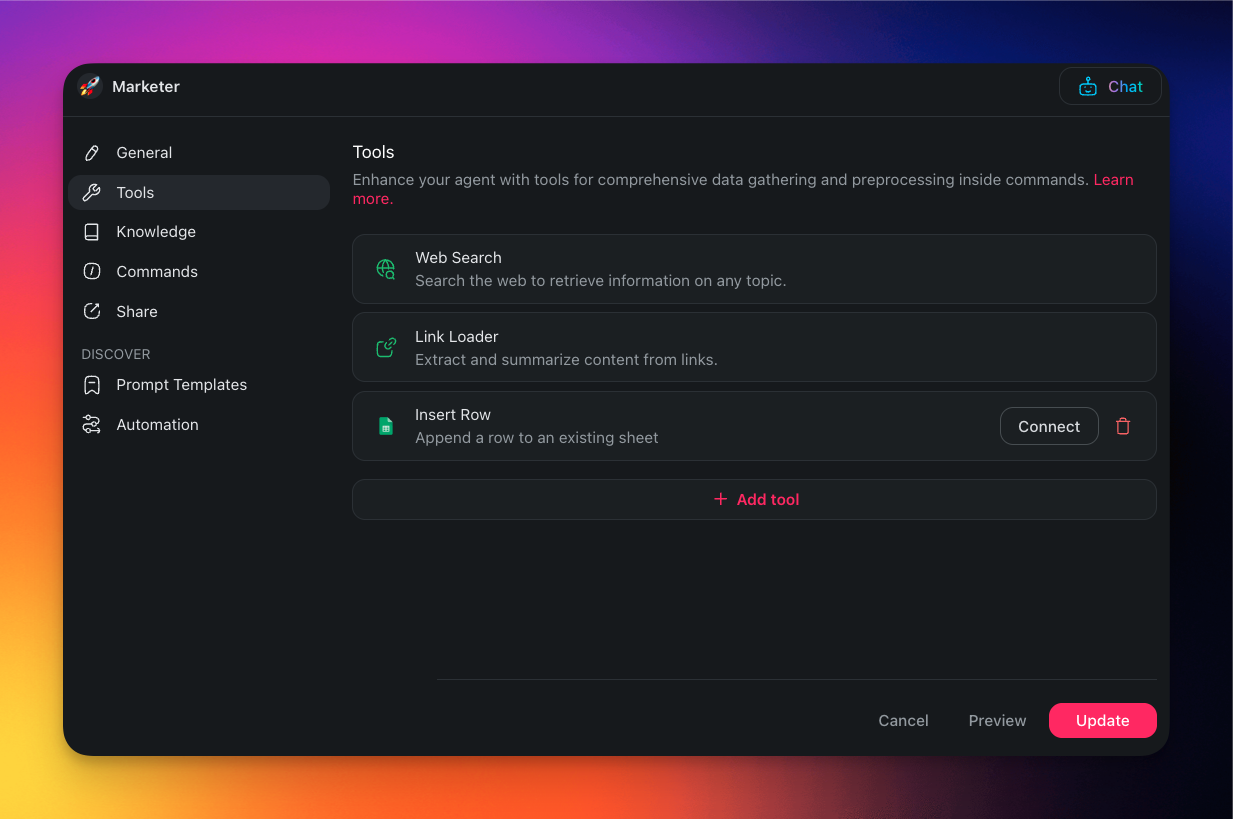
Google Sheets Agent Tool
Connecting your Custom AI Agents with Google Sheets gives them the ability to manage and update your spreadsheets automatically.
💡 Note: Visit our guide to AI Agent Tools to learn how to configure the tool.
Google Sheets Automation
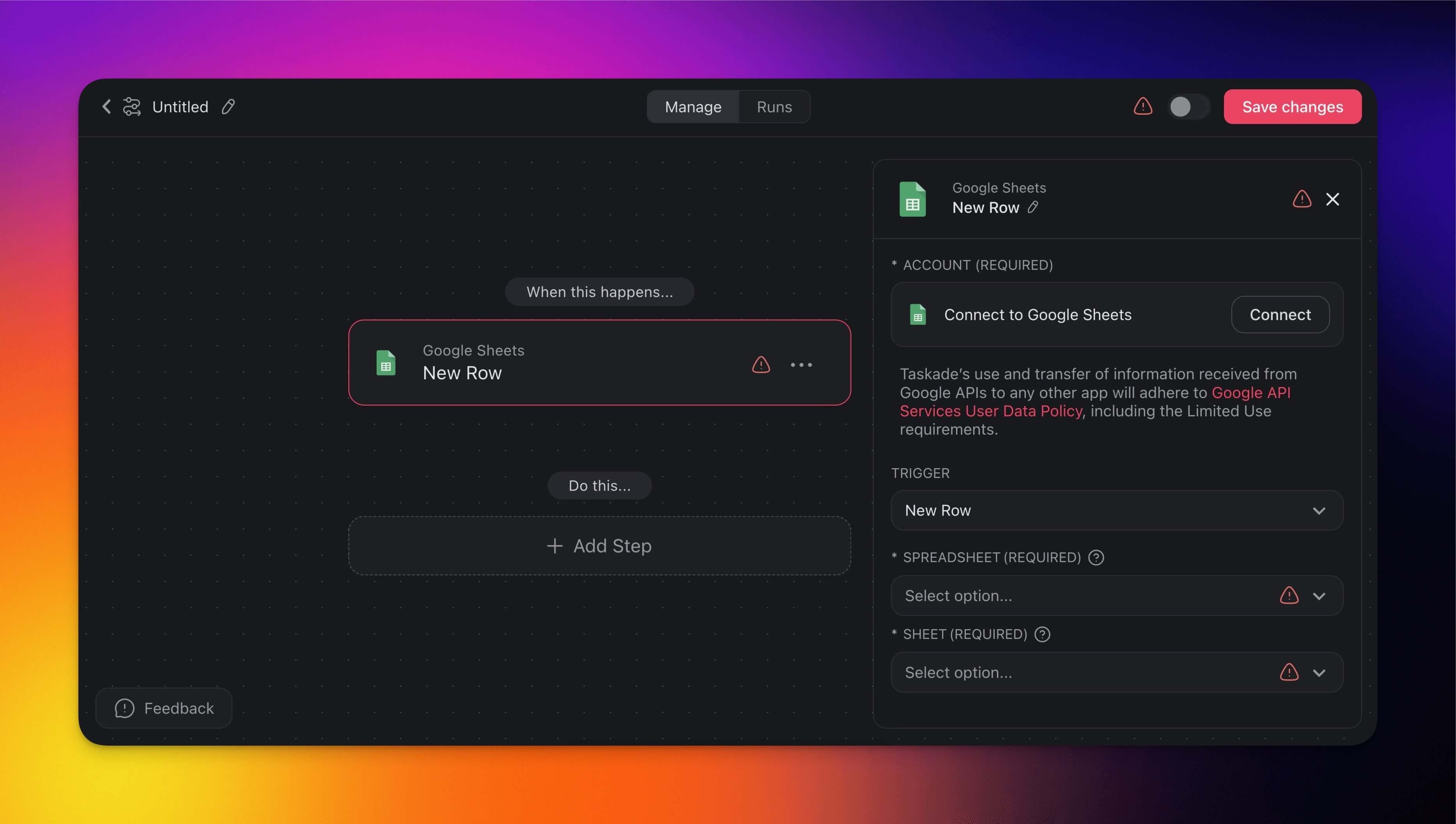
Use a Google Sheets connector in a Taskade automation to push and pull data between Taskade and Google Sheets in real time.
Note: Visit our Automation Guide to learn how to build an automation.
Triggers
Triggers detect changes in your Google Sheets and automatically initiate workflows.
| New Row | Triggers when a new row is added to a sheet. |
|---|---|
| Row Updated | Triggers when an existing row is changed. |
Actions
Actions allow you to automatically modify and pull data from Google Sheets.
| Insert Row | Append a new row. Comes in two versions, a quick text append and a column-by-column fields version. |
|---|---|
| Get Row by Row Number | Read a single row by its position in the sheet. |
| Find Row(s) | Search for one or more rows matching criteria (this action is compatible with Loops). |
| Update Row | Update an existing Google Sheets row. |
| Delete Row | Delete a row on an existing sheet. |
| Clear Range | Erase all values in a specified cell range. |
| Create Spreadsheet | Create a brand-new Google Sheets spreadsheet. |
Automation Settings
Connector options give you full control over Google Sheets automations:
| Field | Description |
|---|---|
| (required) Account | Set up a connection between your Taskade account and Google Sheets. |
| (required) Spreadsheet | Choose the specific Google Spreadsheet you want to monitor for new rows. |
| (required) Sheet | Select the particular sheet within the spreadsheet that you want to monitor for new row additions. |
Use Cases
Here are a few ways to use the Google Sheets connector:
| Use Case | Description |
|---|---|
| Update Google Sheets from Google Form submission and create review task | Automatically insert a new row in Google Sheets for each Google Form submission and create a review task in Taskade. |
| Send email alert for Google Sheets updates and create follow-up tasks | Send an email via Gmail to notify team members of updates in Google Sheets and create follow-up tasks in Taskade. |
| Create HubSpot contact from Google Sheets data and notify sales team | Automatically create a HubSpot contact from new data added to Google Sheets and notify the sales team via Slack. |
| Sync Google Sheets data to Mailchimp and create tasks | Sync new data from Google Sheets to Mailchimp and create follow-up tasks in Taskade. |
| Generate project updates from Google Sheets data and notify team | Use data from Google Sheets to create project update tasks in Taskade and notify the team via Slack. |
| Update Google Sheets with task details from Taskade and send email summary | Automatically update Google Sheets with task details from Taskade and send a summary via Gmail to the team. |
Available Capabilities
| Type | Capability | Description |
|---|---|---|
| ⚡ Trigger | New Row | Fires when a new row is added to a sheet |
| ⚡ Trigger | Row Updated | Fires when an existing row is changed |
| 🔧 Action | Insert Row | Append a new row, quick text or column-by-column fields |
| 🔧 Action | Get Row by Row Number | Read a single row by its position in the sheet |
| 🔧 Action | Find Row(s) | Search for one or more rows matching criteria |
| 🔧 Action | Update Row | Modify cell values in an existing row |
| 🔧 Action | Delete Row | Remove a row from a sheet |
| 🔧 Action | Clear Range | Erase all values in a specified cell range |
| 🔧 Action | Create Spreadsheet | Create a brand-new Google Sheets spreadsheet |
Example: Form to Sheet to Project
Related guides
- Airtable · Google Docs · Google Drive · Google Forms. Other data integrations
- Table View. Taskade's native spreadsheet view
- Loop Action. Process rows in bulk
- Find Tasks. Query-style row operations