
Overview
With the Find Task(s) action you can search for tasks in Taskade projects by specific criteria. Use it in workflows that retrieve, filter, and process task data.
TL;DR: Find Task(s) is an automation action that searches a project and returns the matching task or tasks, so later steps can act on real task data. It runs as a step inside an automation, pulling existing tasks in before you transform or loop over them.
Note: Find Task(s) is compatible with Loops and Transform Array to String.
Find Task(s) is how an automation queries existing project data. Every flow that needs to read tasks before acting on them starts here.
Use the Find Task(s) Action
1) Add the Action
- Open an existing automation or create a new one.
- Add the Find Task(s) action.
- Configure the action in the sidebar on the right (see the next section).
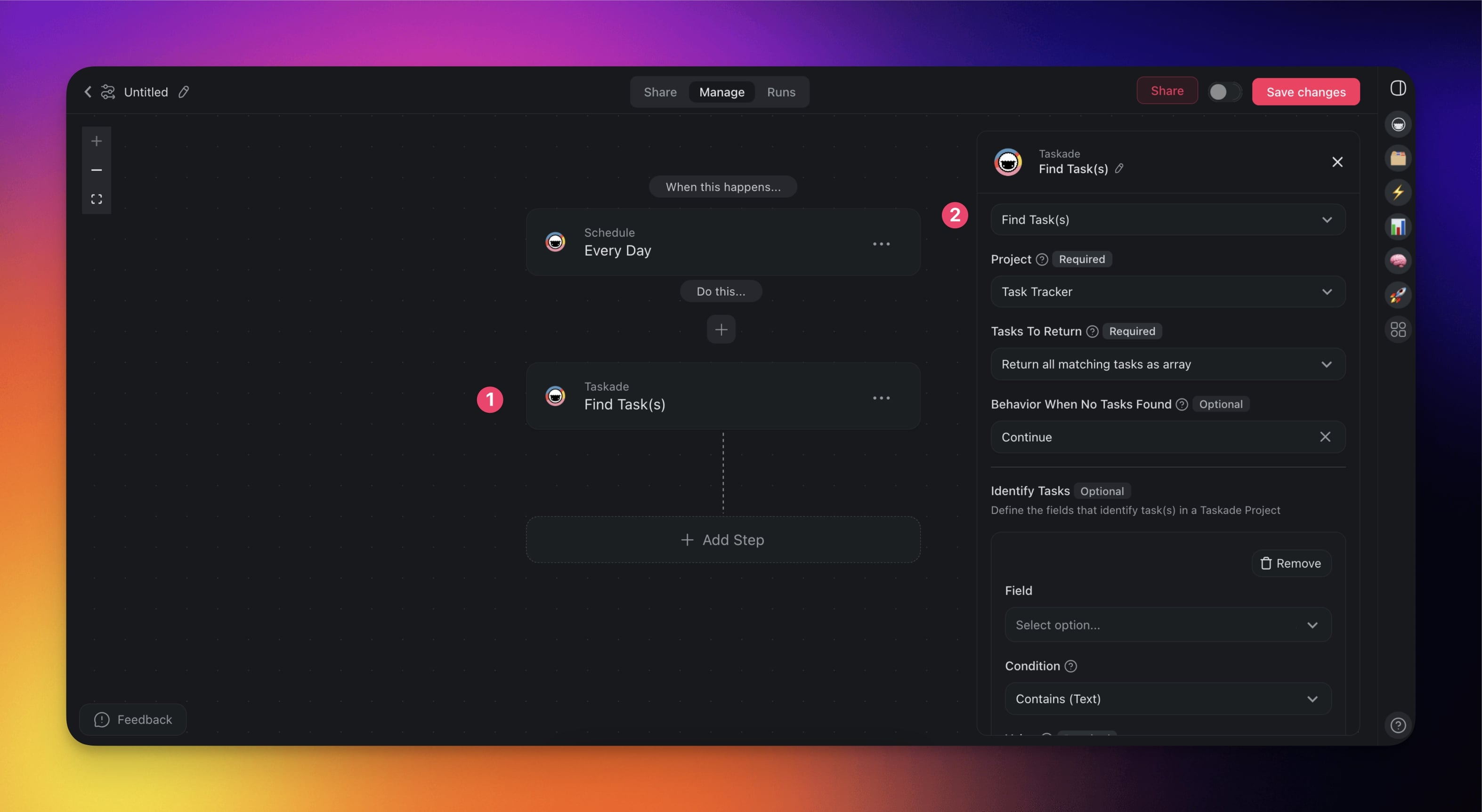
2) Configure Search Criteria
Specify the project and define search filters:
(required) Project: Choose the project where the search will be performed.
(required) Tasks to Return: Choose the output format:
Return the first matching task: Use when you are looking for a specific task.
Return all matching tasks as array: Use to return multiple tasks.
(optional) Behavior When no Tasks Found:
- Continue: Proceed with the automation even if no tasks match.
- Fail: Stop the automation if no tasks are found.
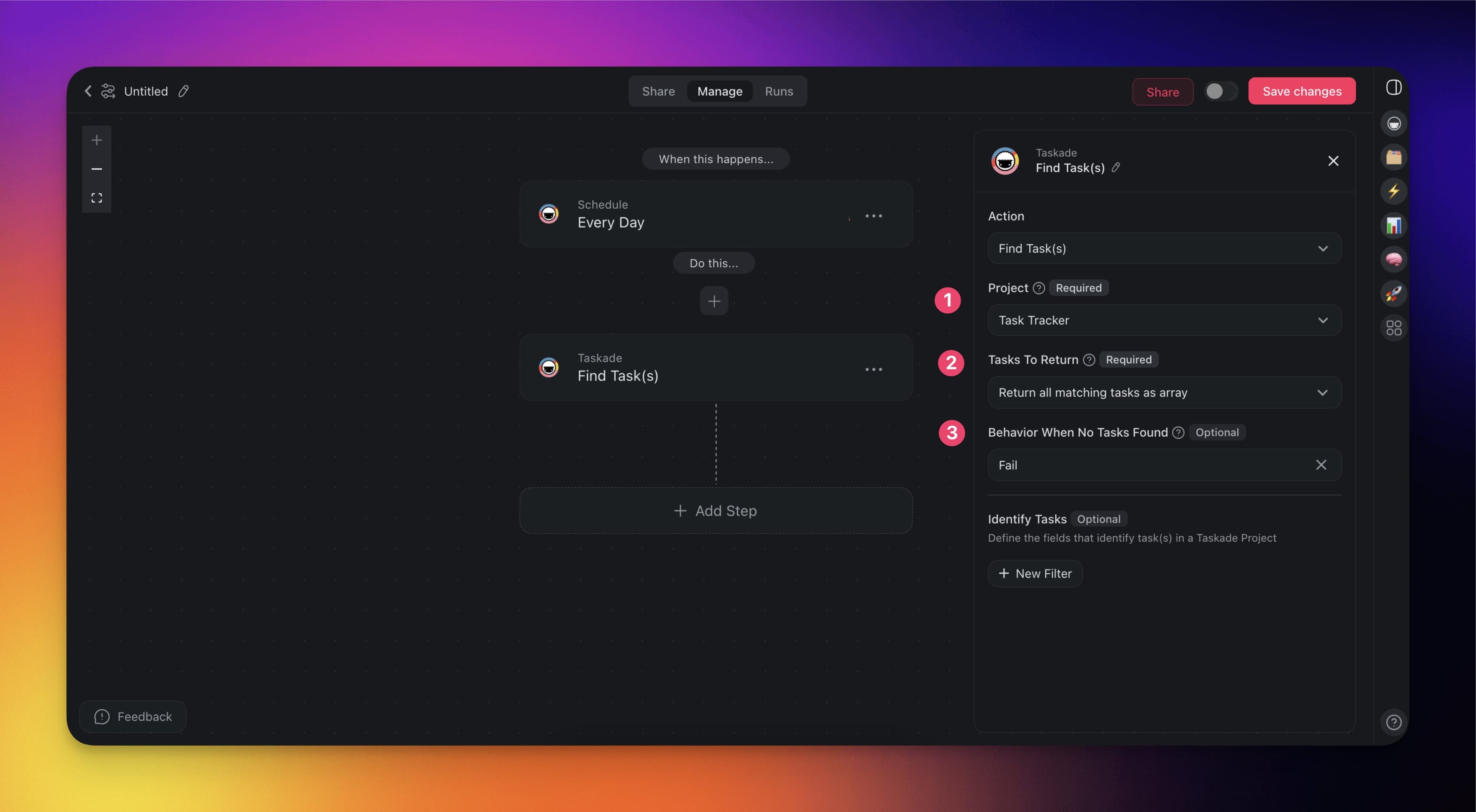
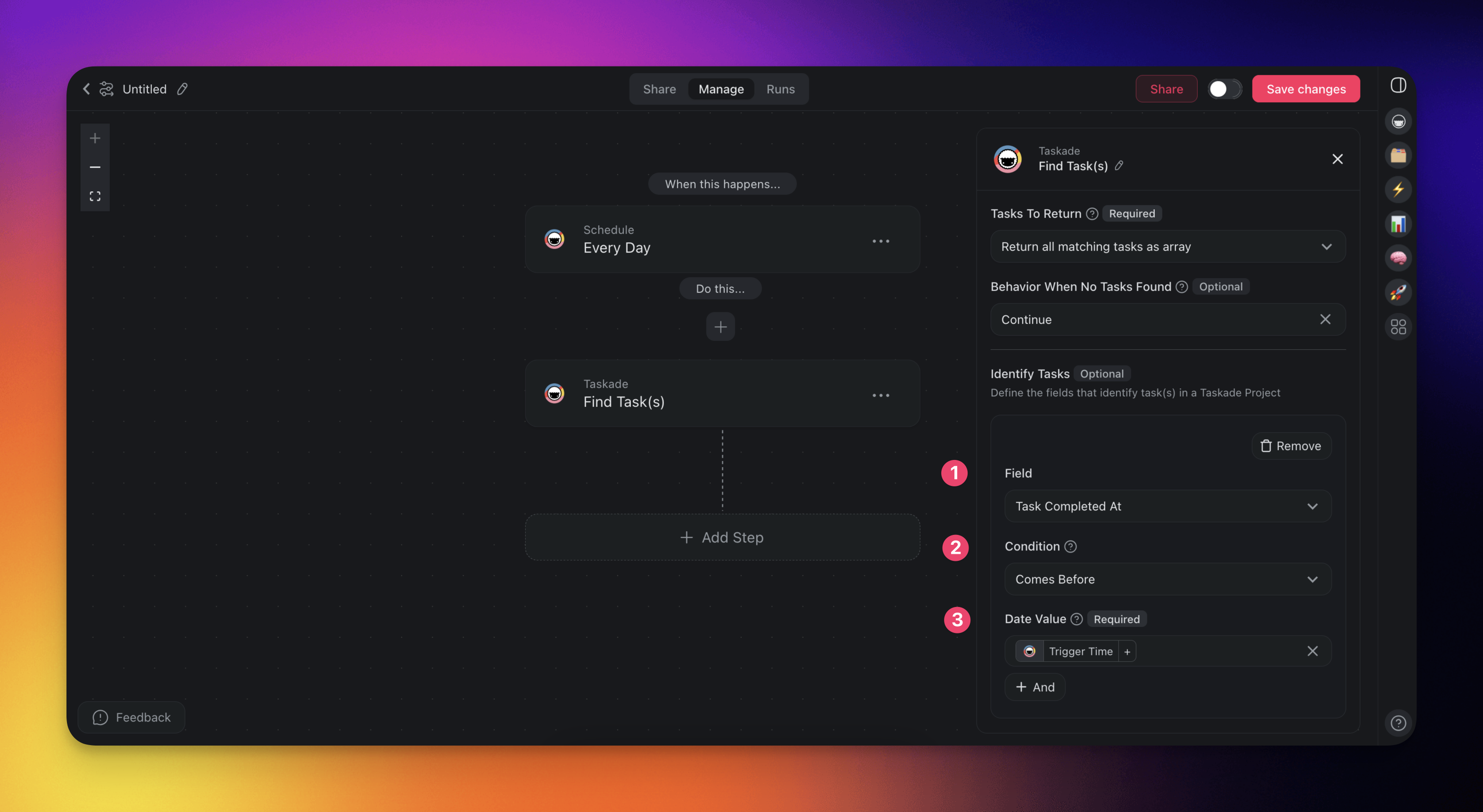
(optional) Click ➕ New Filter to define the fields that identify task(s) (see below).
Condition: Specify the conditions that the data must meet.
Value: Enter the value to compare against.
Field Condition Options Value Type Required Task Created At Comes Before, Comes After, Is Empty, Is Not Empty Date Value Task Completed At Comes Before, Comes After, Is Empty, Is Not Empty Date Value Task Content Contains (Text), Does Not Contain (Text), Exactly Matches (Text), Does Not Exactly Match (Text), Starts With (Text), Does Not Start With (Text), Ends With (Text), Does Not End With (Text), Is Empty (Text), Is Not Empty (Text) Text Value Click ➕ And / ➕ Or to define additional conditions.
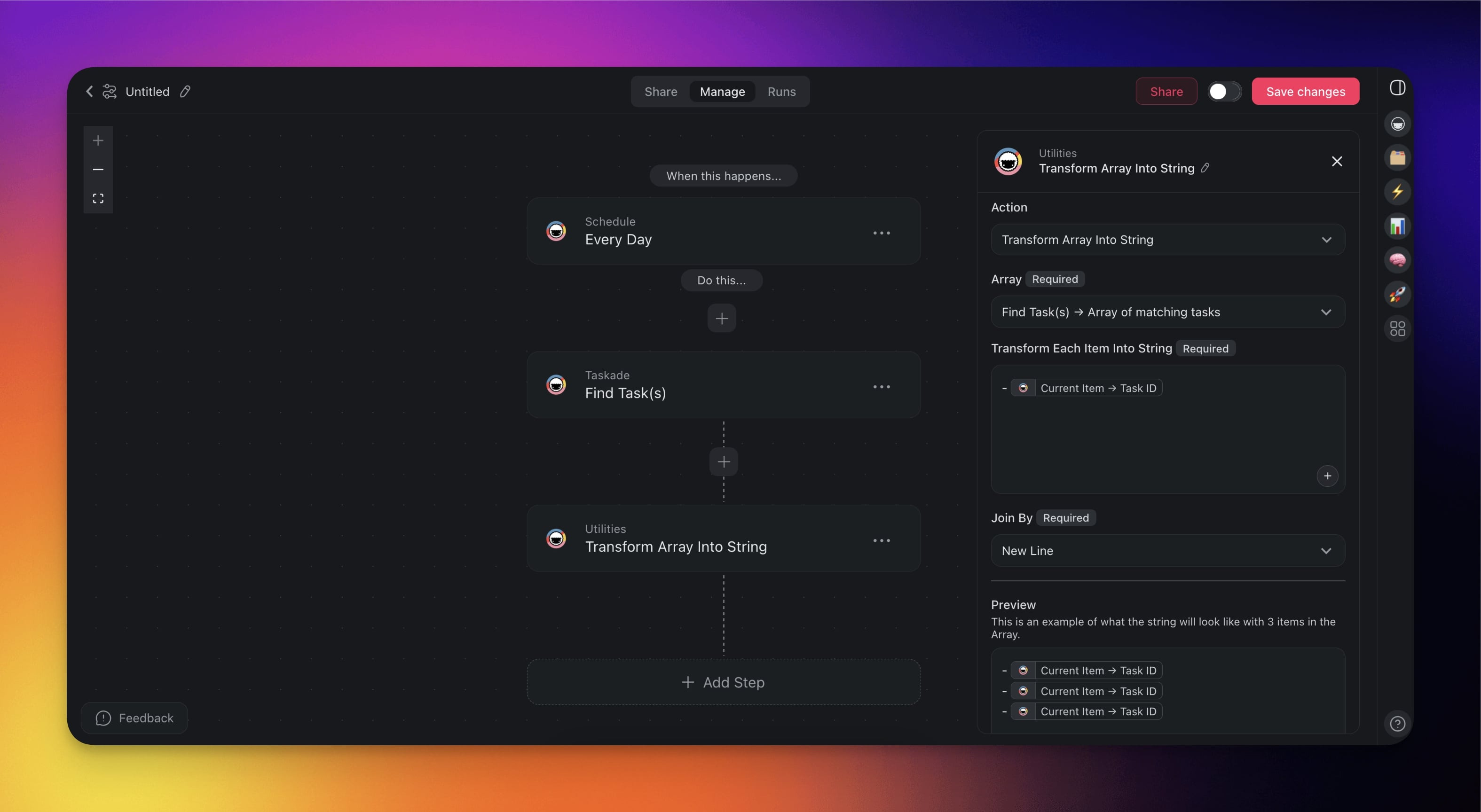
3) Reference the Output
- Once the tasks are retrieved, you can use the Transform Array to String action.
Use Cases
Not sure how to make the most of the Find Task(s) action? Start with these flows.
| 🪄 Use Case | 🛠️ Action Flow |
|---|---|
| Daily task summary | ✅ Trigger: Schedule (for example, 8 AM daily) ➡️ Find Task(s) → Due Date: Today ➡️ Transform Array to String ➡️ Send result via Gmail or Slack |
| Progress report | ✅ Trigger: Schedule (for example, 10 AM daily) ➡️ Find Task(s) → Status: In Progress ➡️ Transform Array to String ➡️ Post summary to a project |
| Task prioritization | ✅ Trigger: Task Created ➡️ Find Task(s) → Priority: Urgent ➡️ Assign to priority team members |
| Project status report | ✅ Trigger: Schedule (for example, weekly) ➡️ Find Task(s) → Status = Completed ➡️ Compile and send report to team |
Related guides
- Loop Action. Fan out per-task actions.
- Array Transform. Flatten results for AI prompts.
- Filter Data. Pre-filter before Find Task(s).
- Branch Action. Route based on results.
- Schedule. Recurring queries.
- Custom Fields. Filter by custom field values.