
Overview
The GitHub integration brings repos, issues, and pull requests into Taskade with 6 triggers and 5 actions. Watch for new issues, automate release notes, or hand the keys to a Custom AI Agent that triages bugs, opens PRs, and updates the team in Slack.
TL;DR: GitHub works both ways with Taskade. Triggers pull events in, so a New Issue or New Pull Request starts an automation. Actions push work back out, so Taskade can Create Issue or Create Comment in your repo. Set it up once and your code and tasks stay in sync.
Note: Be sure to explore other automation actions & triggers.
Connect & Configure GitHub
Before you use GitHub in Taskade, configure the integration:
- Add GitHub as an action/trigger (see the next section).
- Click Connect to connect your GitHub account to Taskade.
- Follow the instructions to finish the setup.
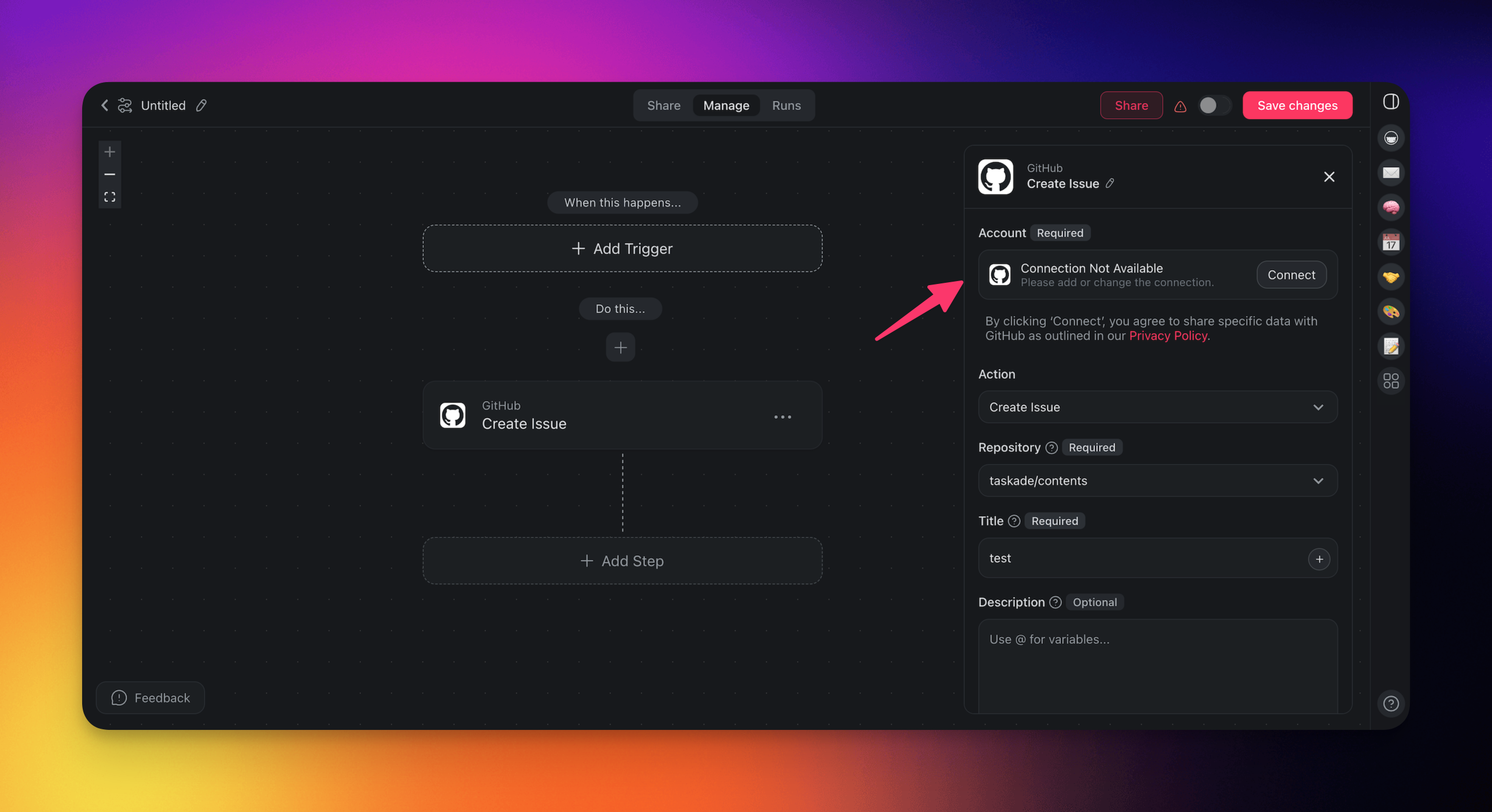
Build GitHub Automations
Use the GitHub connector in your automation flows to optimize project management and improve collaboration.
Note: Visit our Automation Guide to learn more.
Add GitHub as an Action
- Go to the Automations tab in your workspace or folder.
- Click ➕ Create automation.
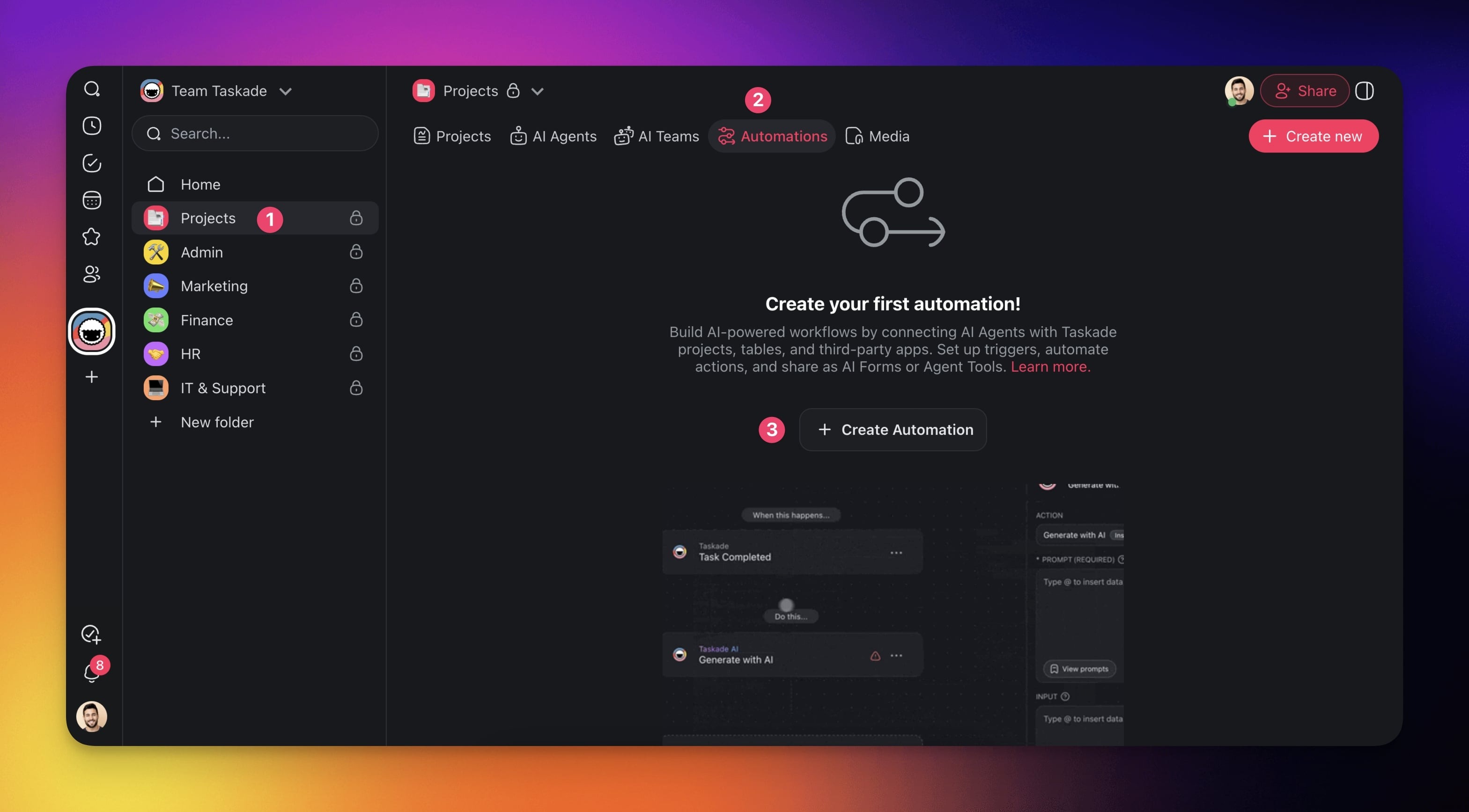
- Select the Add from scratch tile.
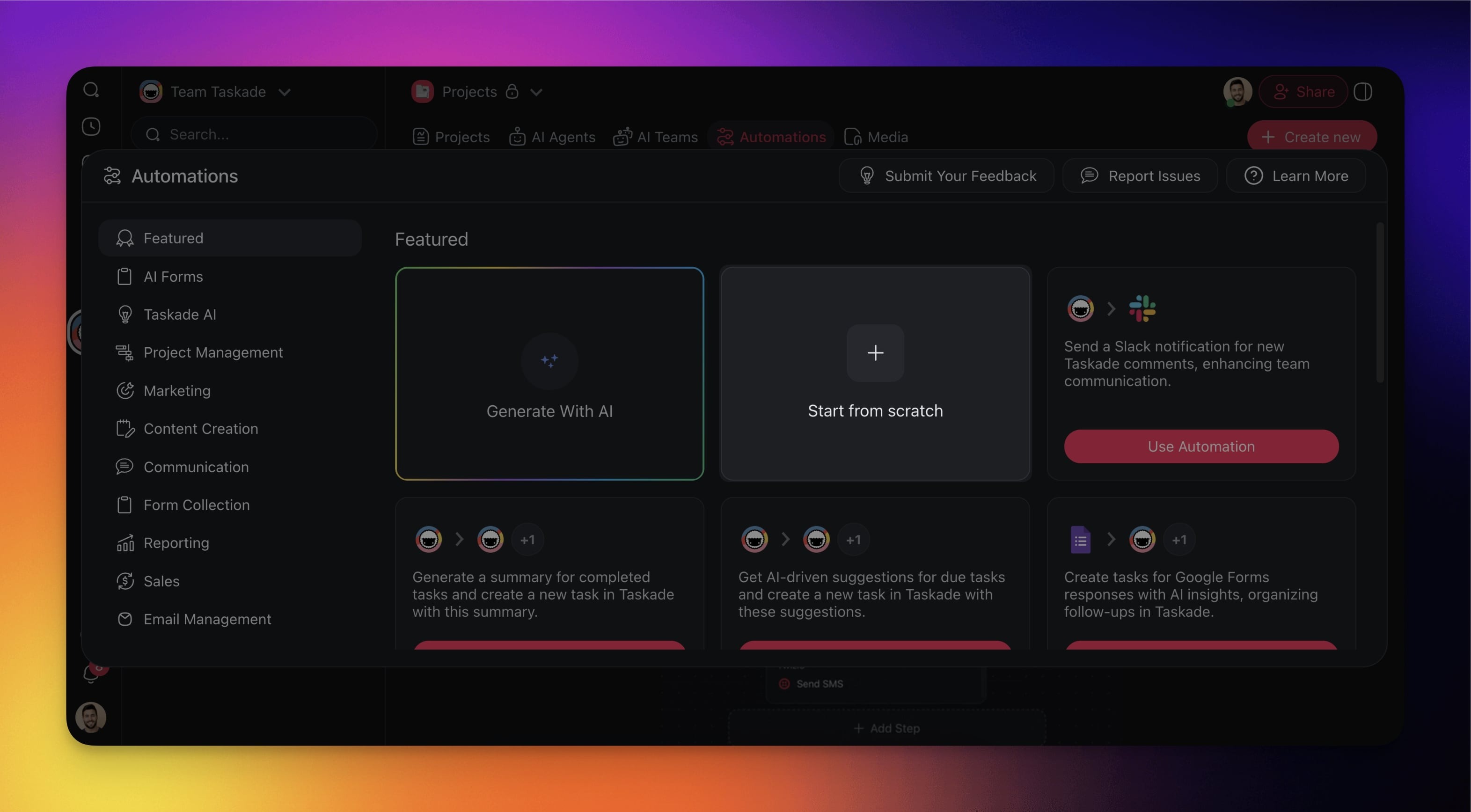
- Click ➕ Add Action and choose one of the GitHub actions from the list.
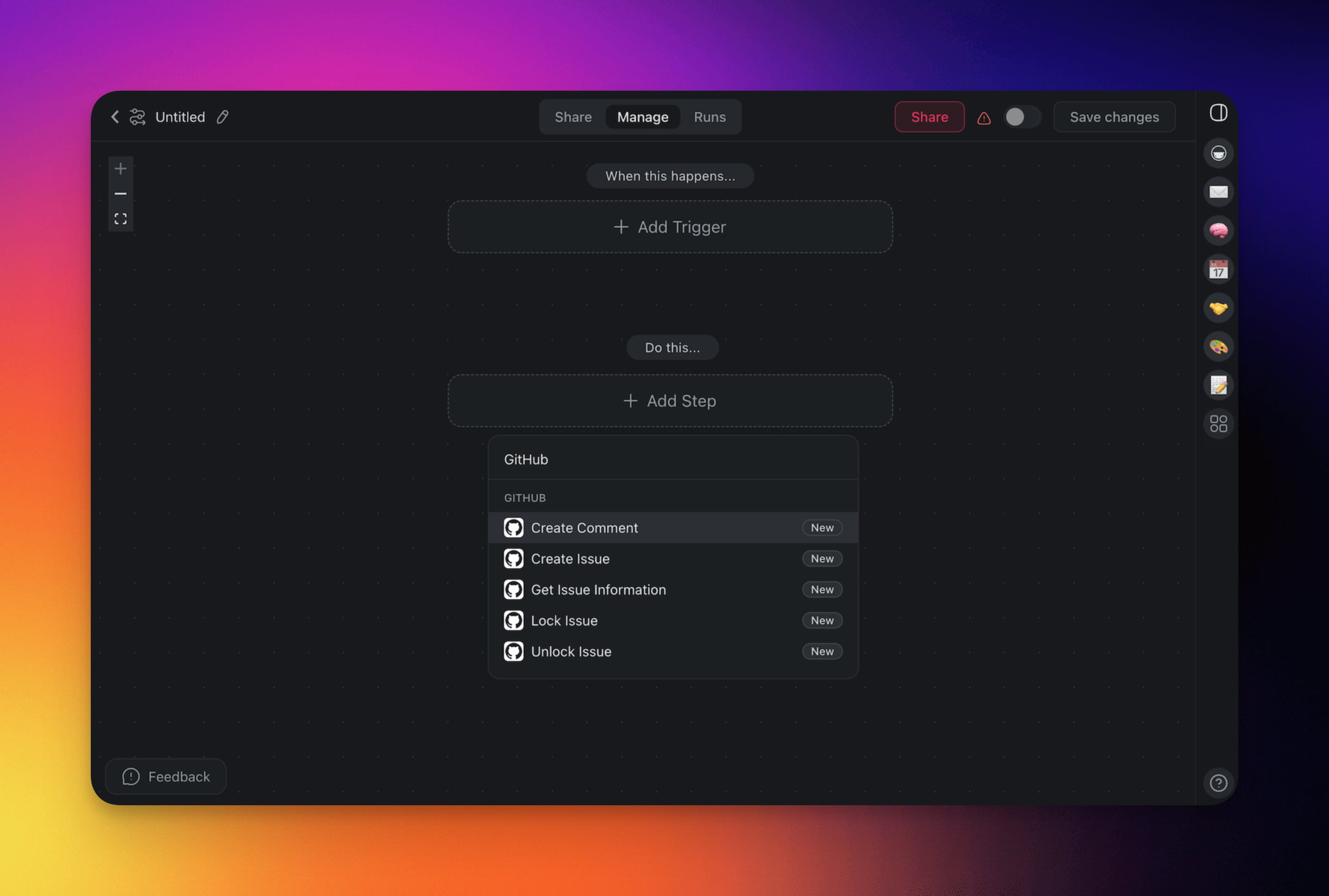
Connect your GitHub account to Taskade (see the first section of this guide).
Specify the conditions for the action (if applicable).
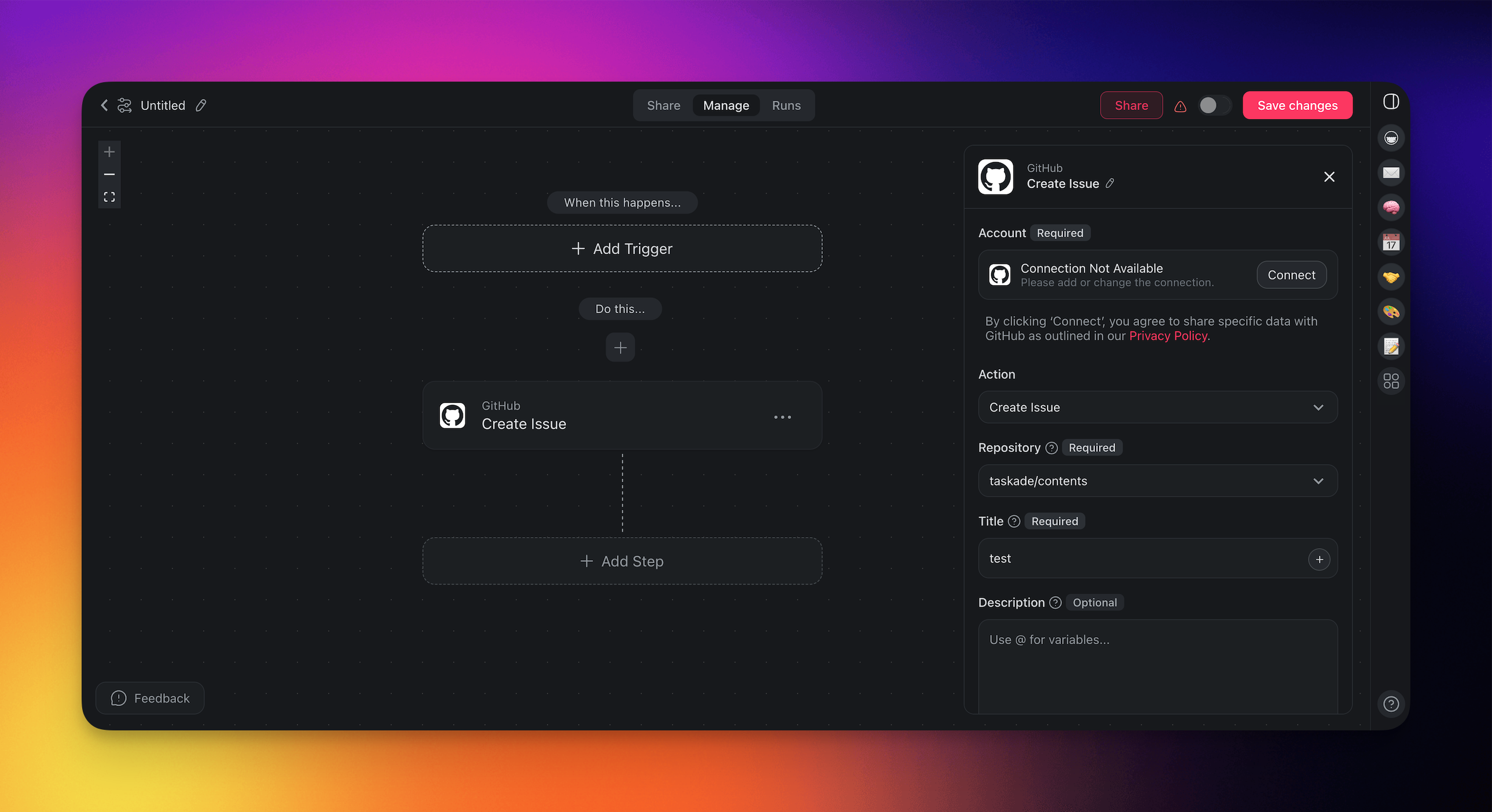
- (optional) Add more steps to the automation.
- Click Save changes in the top-right corner.
- Toggle the automation on in the top-right corner.
Add GitHub as a Trigger
- Follow the steps from the first section to create an automation.
- Click ➕ Add Trigger and choose one of the GitHub triggers from the list.
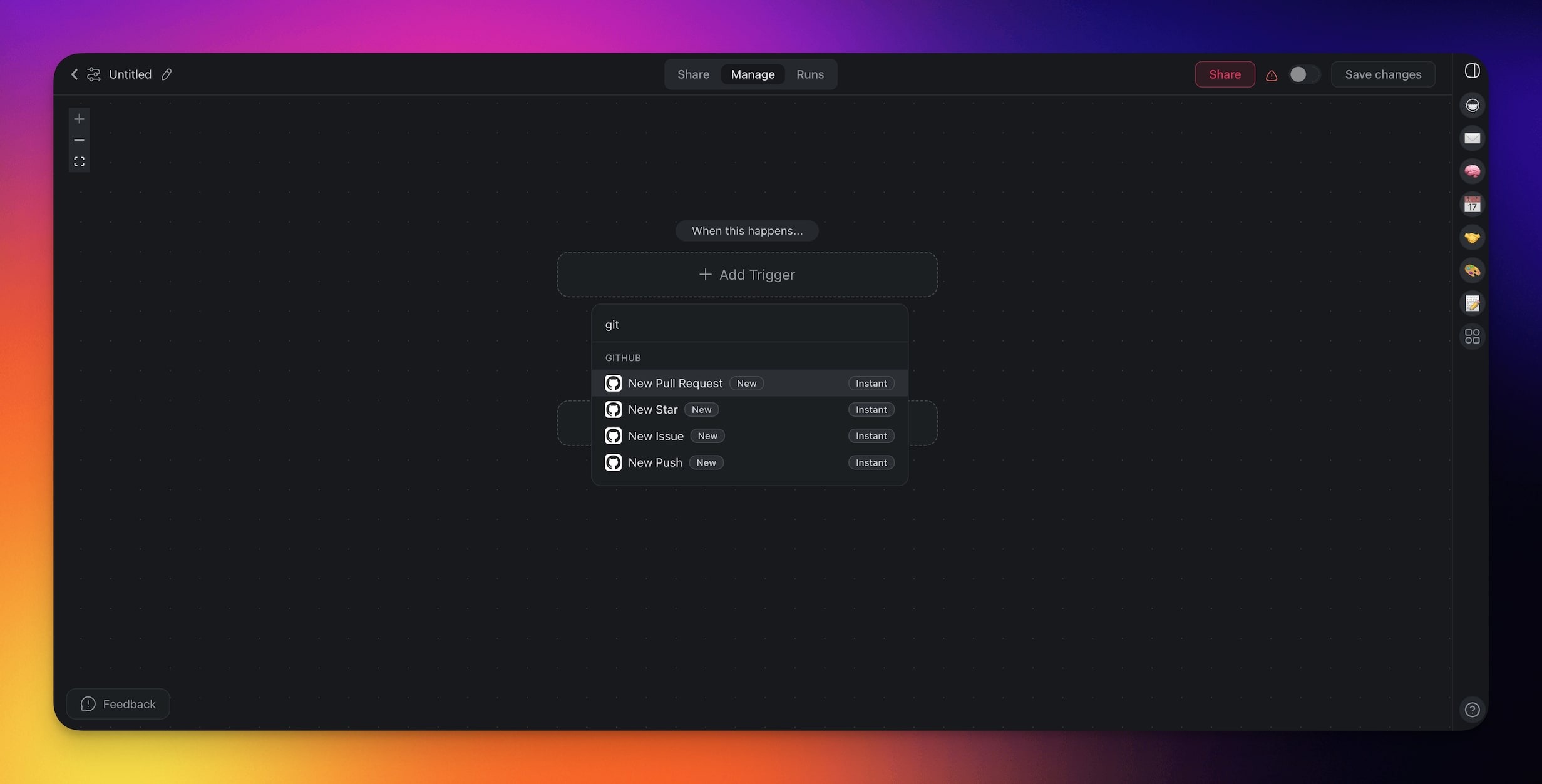
Connect your GitHub account to Taskade (see the first section of this guide).
Specify the conditions for the trigger (if applicable).
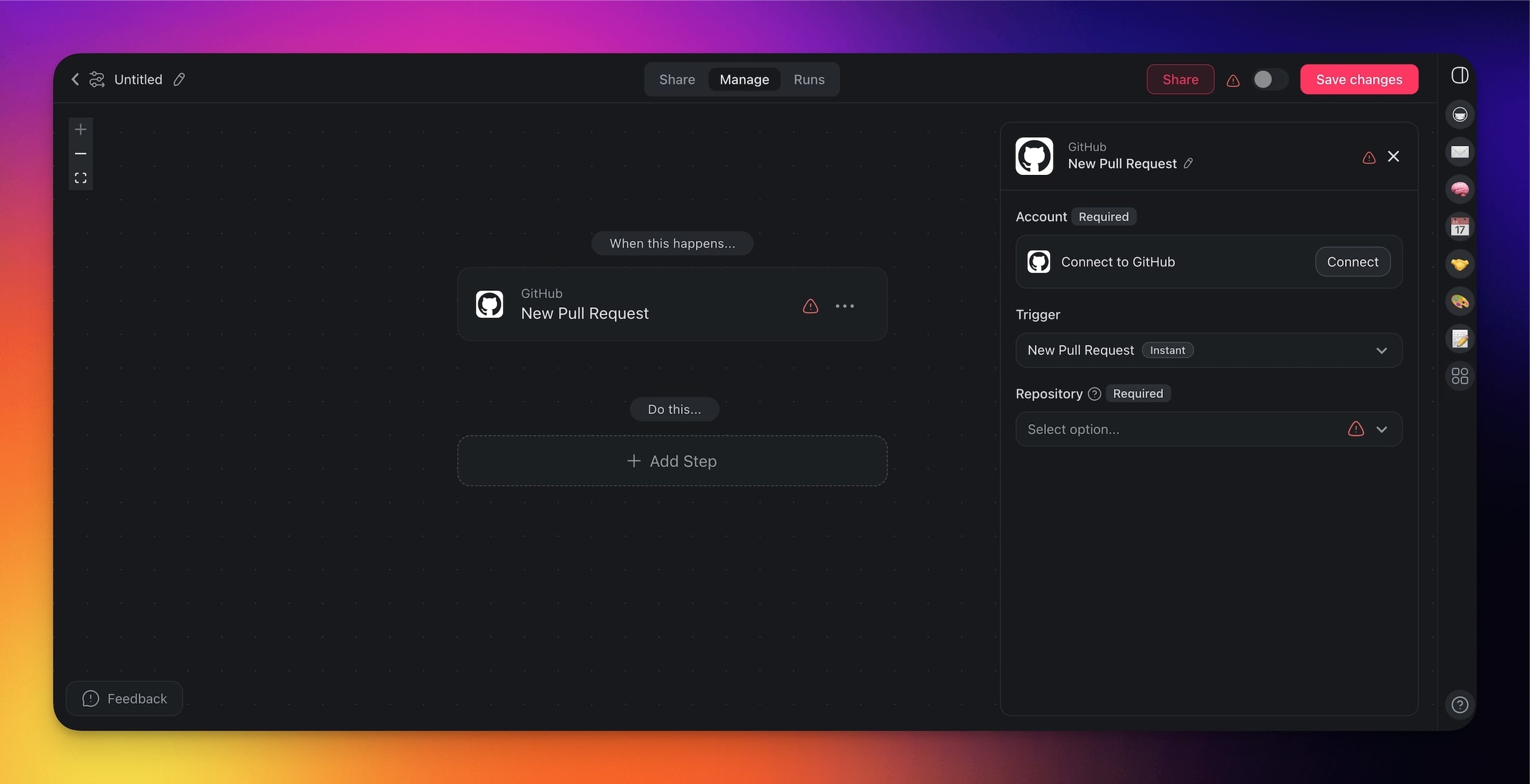
- (optional) Add more steps to the automation.
- Click Save changes in the top-right corner.
- Toggle the automation on in the top-right corner.
GitHub Triggers
| Trigger | Description |
|---|---|
| New Pull Request | Triggers with a new pull request. |
| New Star | Triggers when a user stars a repository. |
| New Issue | Triggers when a new issue is opened. |
| New Push | Initiates when new commits are pushed. |
| New Issue Comment | Triggers when a new comment is added to an issue. |
| New Release | Triggers when a new release is published. |
GitHub Actions
| Action | Description |
|---|---|
| Create Comment | Adds a comment to an issue/pull request. |
| Create Issue | Opens a new issue in a repository. |
| Get Issue Information | Retrieves details about an issue. |
| Lock Issue | Locks an issue to stop comments. |
| Unlock Issue | Unlocks a previously locked issue. |
GitHub Automation Settings
Connector options give you full control over the GitHub automation:
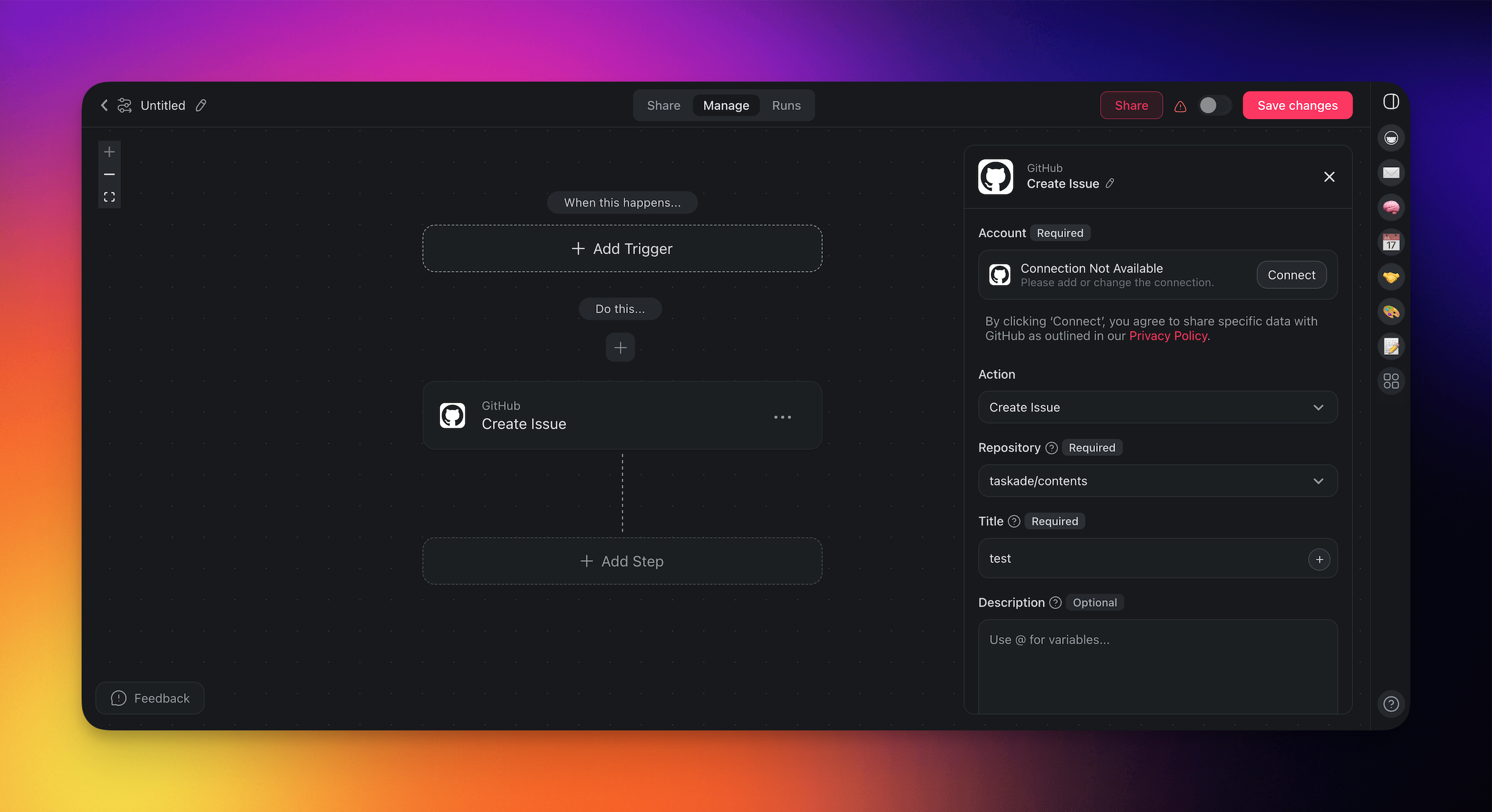
| Field | Description |
|---|---|
| (required) Repository | The GitHub repository for the action. |
| (required) Issue Number | The specific number identifying an issue. |
| (required) Comment | The content of the comment to add. |
| (required) Title | The title of a new issue. |
| (optional) Description | Additional details or context for an issue. |
| (optional) Lock Reason | The reason for locking an issue. |
Disconnect GitHub
To disconnect the GitHub integration from your Taskade account:
From Automations:
Choose the GitHub action/trigger in your automation.
Click Change in the configuration sidebar on the right.
Click the trash button 🗑️ next to the active account.
Use Cases
Here are a few ways to use the GitHub connector:
| Use Case | Action Flow |
|---|---|
| Automatic issue logging | ✅ Trigger: Form Trigger (e.g., bug or feedback) ➡️ Action: Create Issue in GitHub using form fields |
| Push comments to GitHub | ✅ Trigger: Task Added (e.g., QA feedback) ➡️ Action: Create Comment on issue/pull request |
| New GitHub comment to task | ✅ Trigger: New Issue Comment ➡️ Action: Check if content includes @yourhandle ➡️ Action: Create Task in your “Mentions Inbox” project with comment text and GitHub link |
| Create release notes issue | ✅ Trigger: Project Completed (e.g., a sprint) ➡️ Action: Find Task(s) tagged included-in-release ➡️ Action: Transform Array to String ➡️ Action: Create Issue in GitHub as release notes |
| Notify team on new PR | ✅ Trigger: New Pull Request ➡️ Action: Create Task in Taskade for code review |
| Feedback loop from GitHub | ✅ Trigger: New Issue Comment (from GitHub) ➡️ Action: Create Task in Taskade project (e.g., “Customer Feedback”) for review |
| Monitor new releases | ✅ Trigger: New Release ➡️ Action: Create Task in Taskade titled “Review GitHub Release {Tag}” with link to release page |
| Weekly AI summary | ✅ Trigger: New Issue Comment ➡️ Action: Categorize with AI to detect @yourhandle ➡️ If matched: Create Task in “Mentions Inbox” |
| ✅ Trigger: Schedule (Fridays at 4PM)➡️ Action: Find Task(s) including @yourhandle➡️ Action: Transform Array to String➡️ Action: Summarize with AI (summarize comments)➡️ Action: Send Email |
Use this integration as an AI agent tool. See Tools for AI Agents.
Available Capabilities
| Type | Capability | Description |
|---|---|---|
| ⚡ Trigger | New Push | Fires when new commits are pushed |
| ⚡ Trigger | New Pull Request | Fires when a new pull request is opened |
| ⚡ Trigger | New Issue | Fires when a new issue is opened |
| ⚡ Trigger | New Star | Fires when a user stars a repository |
| ⚡ Trigger | New Release | Fires when a new release is published |
| ⚡ Trigger | New Issue Comment | Fires when a new comment is added to an issue |
| 🔧 Action | Create Issue | Opens a new issue in a repository |
| 🔧 Action | Create Comment | Adds a comment to an issue or pull request |
| 🔧 Action | Get Issue Information | Retrieves details about an issue |
| 🔧 Action | Lock Issue | Locks an issue to stop comments |
| 🔧 Action | Unlock Issue | Unlocks a previously locked issue |
Example: Issue to Sprint Task
Related guides
- Developer API · Public API · MCP Server. Other development integrations
- GitHub Export & Import. Push Taskade Genesis apps to GitHub
- Custom AI Agents. Agents that triage issues and draft PRs
- Webhooks. Alternative GitHub → Taskade via webhooks